يتيح لك Bybit Pay إجراء المعاملات مع مستخدمي Bybit Pay وتجار آخرين. يتم الآن دعم ثلاثة أنواع من طرق الدفع: عبر الدفع عبر QR من Bybit، عبر التحويل الداخلي وعبر الحوالة البنكية.
تعمل هذه المقالة كدليل لإجراء دفع بواسطة حوالة بنكية باستخدام Bybit Pay. لاستشارة الأدلة للطرق الأخرى للدفع، يرجى زيارة الصفحات التالية:
- كيفية إجراء دفع باستخدام الدفع عبر QR باستخدام Bybit Pay
- كيفية إجراء الدفع باستخدام التحويل الداخلي باستخدام Bybit Pay
مهم:
- يتطلب التحقق من الهوية لاستخدام حوالة Bybit Pay البنكية. يرجى التأكد من إكمال التحقق من الهوية من خلال متابعة هذا الدليل.
- يرجى ملاحظة أن الدفع عبر QR سيتم معالجته عبر نظام دفع مختلف حسب المنطقة، كما هو مبين في الجدول أدناه:
كيفية إرسال الدفع
كيفية الاستلام الدفع
عرض سجل عمليات الدفع
كيفية إرسال الدفع
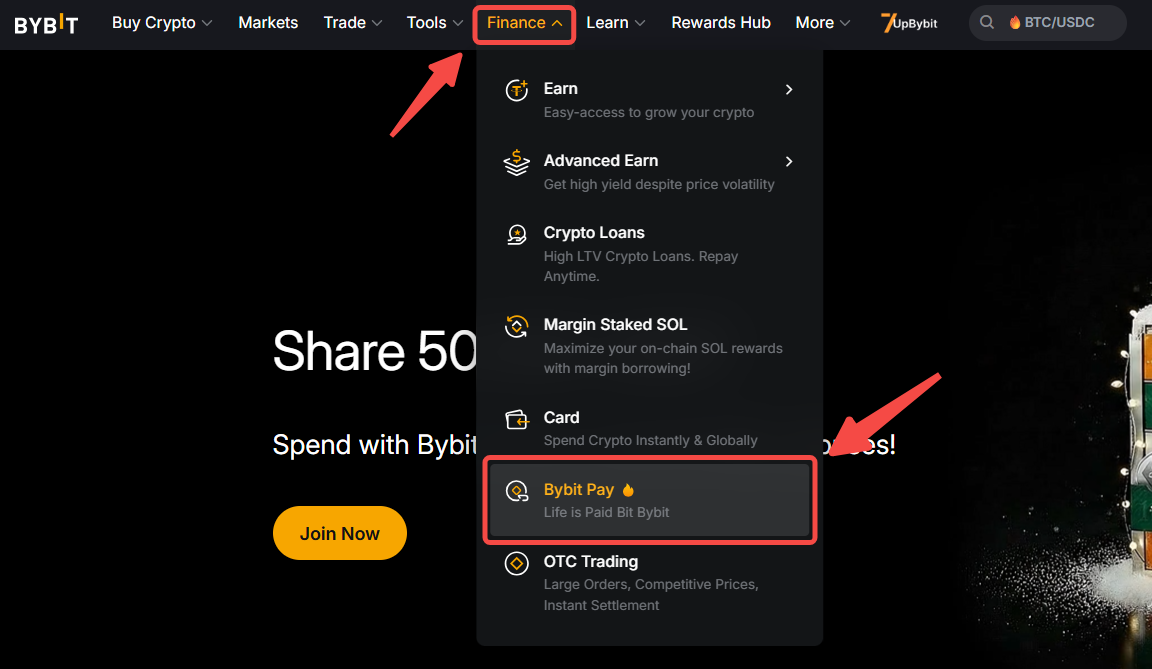
الخطوة 1: انطلق إلى صفحة Bybit Pay بالنقر على المالية → Bybit Pay. ثم انقر على SPEI (لتحويلات SPEI) لفتح واجهة التحويل وبدء التحويل الخاص بك.
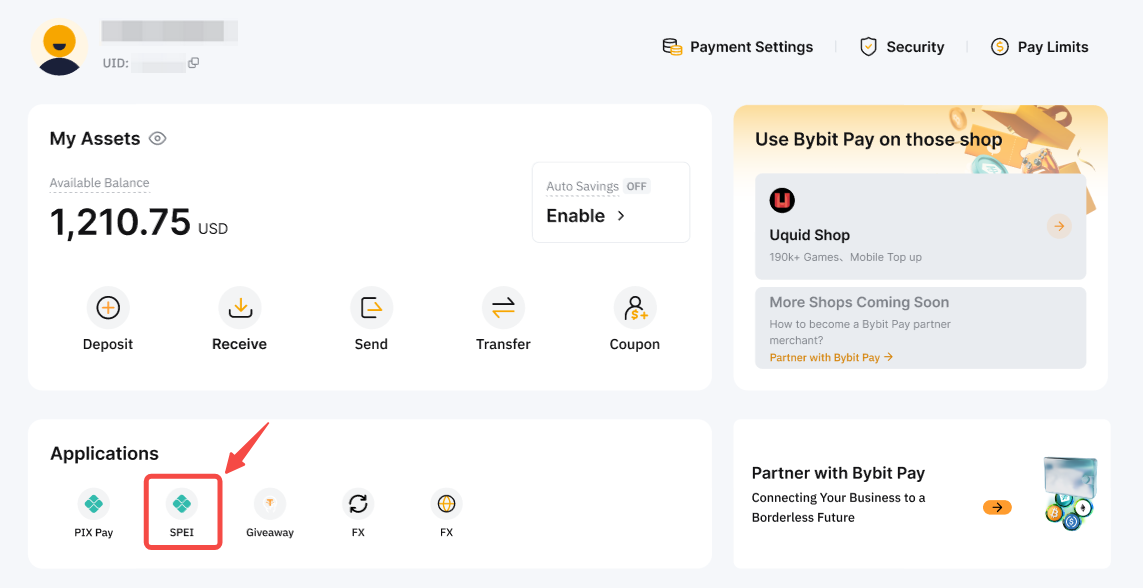
ملحوظة: تتطلب بعض دفعات تحويل SPEI التنشيط لأول مرة بسبب متطلبات الامتثال. لمزيد من المعلومات، يرجى الرجوع إلى الأسئلة الشائعة — الدفع عبر QR والحوالة البنكية.
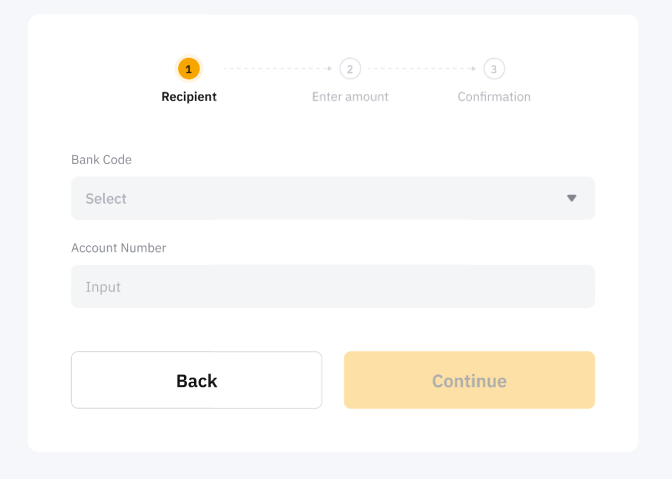
الخطوة 2: أدخل معلومات حساب البنك للمستلم. يرجى الملاحظة أنه بالنسبة لتحويلات SPEI، سيتم طلب رقم حساب البنك ورمز البنك (أول 3 أرقام من رقم Cuenta Clabe).
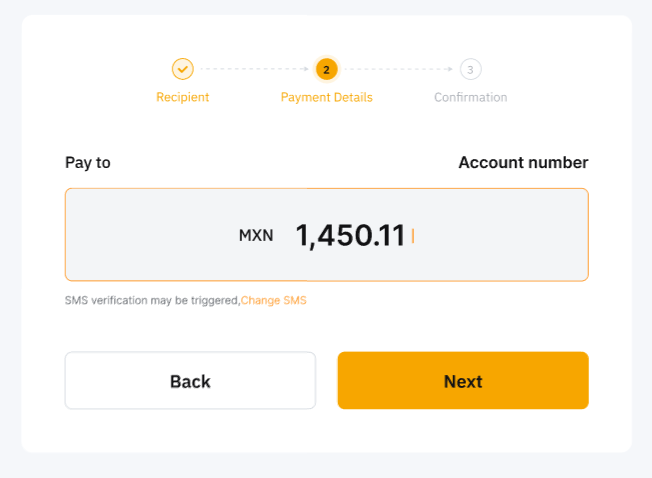
الخطوة 3: ستتم إعادة التوجيه لإدخال مبلغ الدفع.
الخطوة 4: قم بمراجعة التفاصيل بعناية قبل النقر على تأكيد للمتابعة بعملية الدفع. يمكنك اختيار الدفع فقط بواسطة حساب التمويل، أو بحسابات المجموعة.
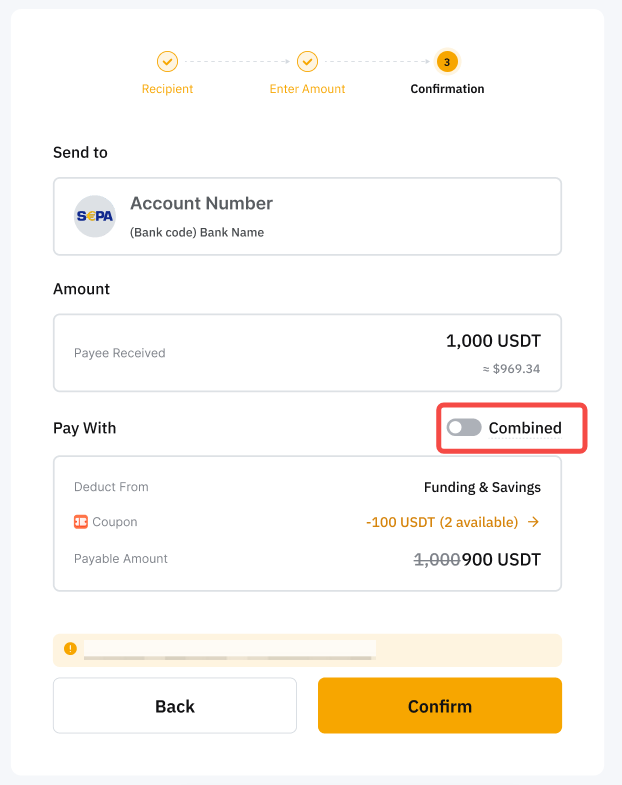
ملحوظة: يسمح لك زر الجمع بإرسال مدفوعات المجموعة باستخدام الأموال المتوفرة في حساب التمويل أولاً، ثم الأموال المتوفرة في حساب الأرباح.
تدعم دفعة المجموعة الدفع فقط بعملة USDT وإذا كان حساب التمويل الخاص بك يحتوي على USDT غير كافية، سيتم استخدام الأموال من حساب الأرباح بناءً على أولوية الدفع المحددة.
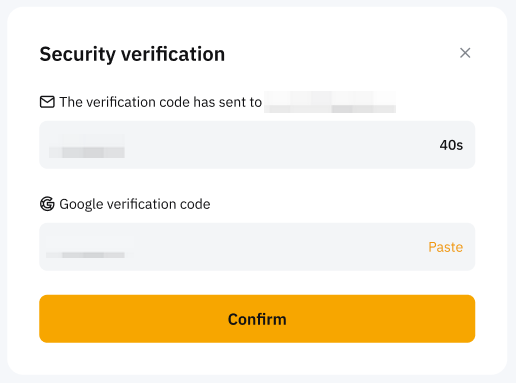
الخطوة 5: أكمل التحقق وانقر على تأكيد.
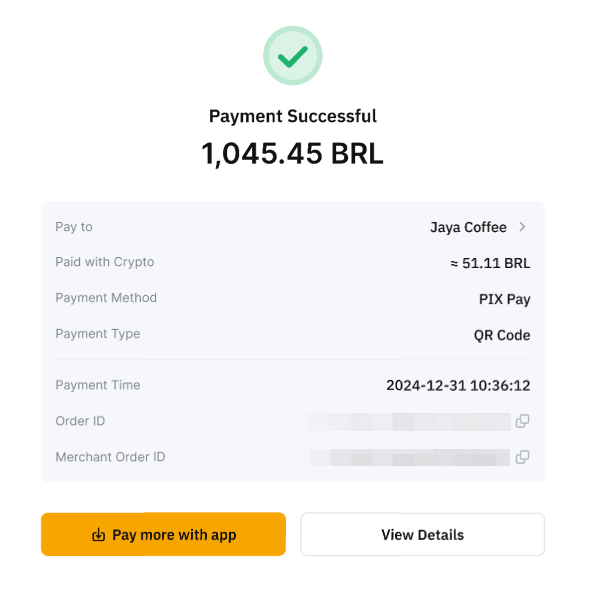
تمت عملية الدفع بنجاح!
كيفية الاستلام
إذا كنت تتلقى دفعة عبر حوالة بنكية، يرجى التأكد من تقديم التفاصيل الصحيحة للبنك للدافعين. يمكنك العثور أدناه على ملخص للمعلومات الضرورية المطلوبة.
يرجى التأكد من إبلاغ تفاصيل الحساب الصحيحة إلى الدافعين. وإلا، سيتم فقدان الأموال بشكل دائم ولن يمكن استردادها.
عرض سجل عمليات الدفع
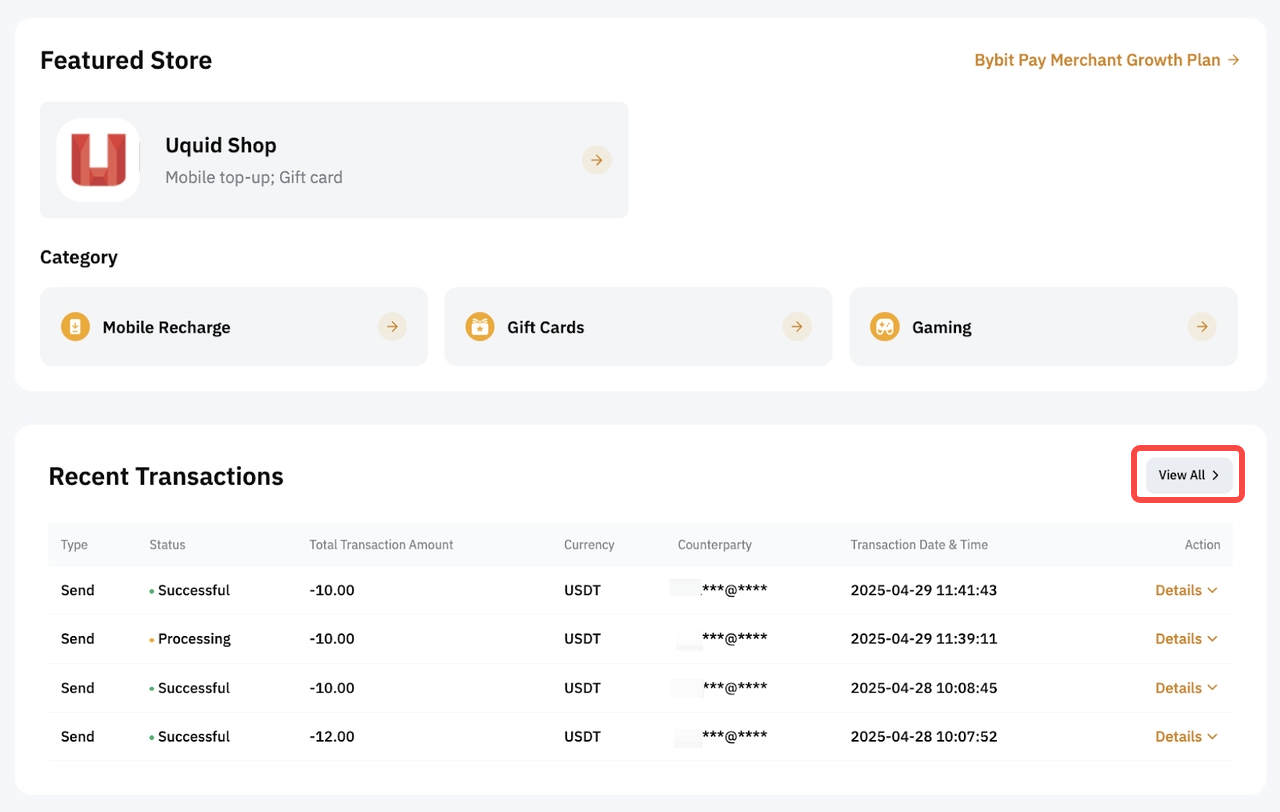
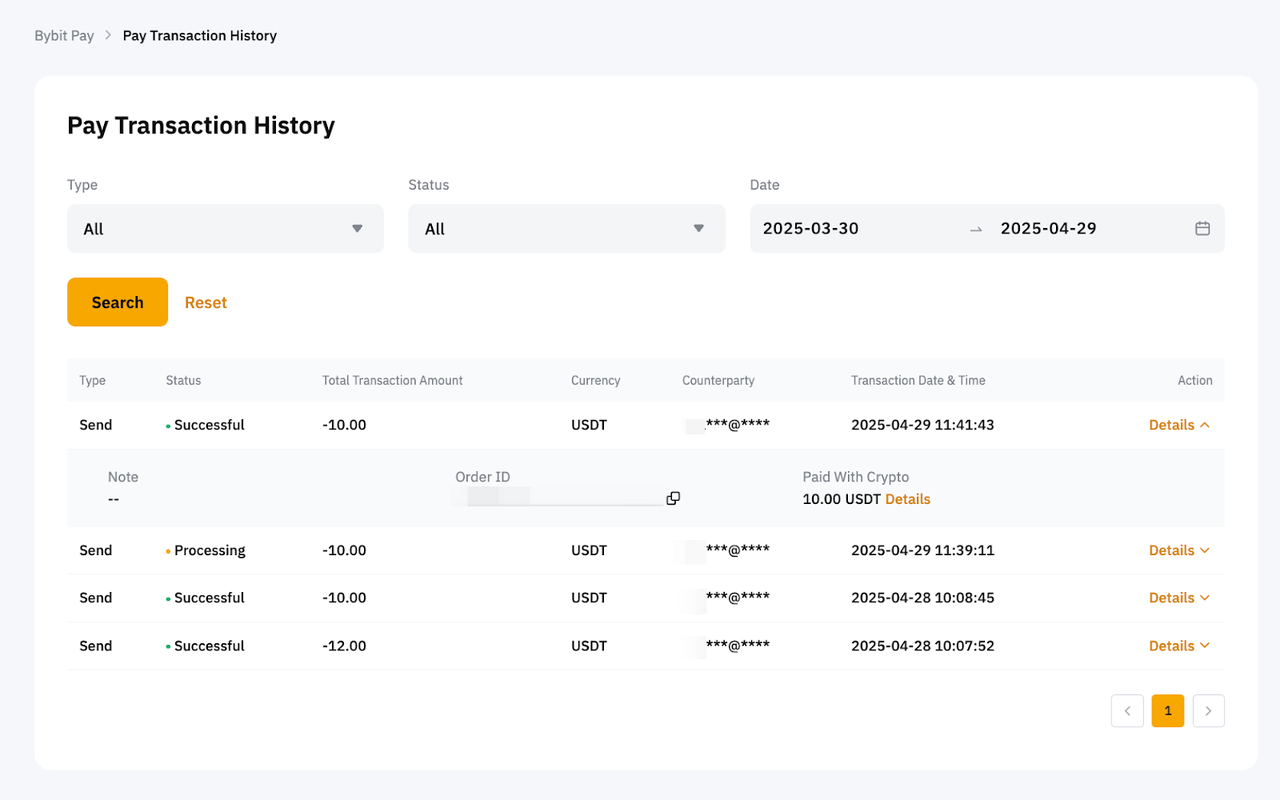
لعرض سجل عمليات الدفع، يرجى التوجه إلى صفحة Bybit Pay، قم بالتمرير إلى الأسفل، وانقر عرض الجميع. بدلاً من ذلك، انطلق ببساطة إلى سجل المعاملات</img id="12">.