
P2P Trading via Fiat Balance allows traders to pay and receive funds in the Bybit Funding Accounts of both buyers and sellers, making the entire transaction process faster and more efficient. Various fiat currencies are supported under the fiat balance payment methods for P2P trading. You will see the fiat balance payment option appear for each P2P advertisement where fiat balance payment is accepted:
The following step-by-step guide outlines how to complete your first P2P transaction using your Fiat Balance on Bybit.
As a Buyer
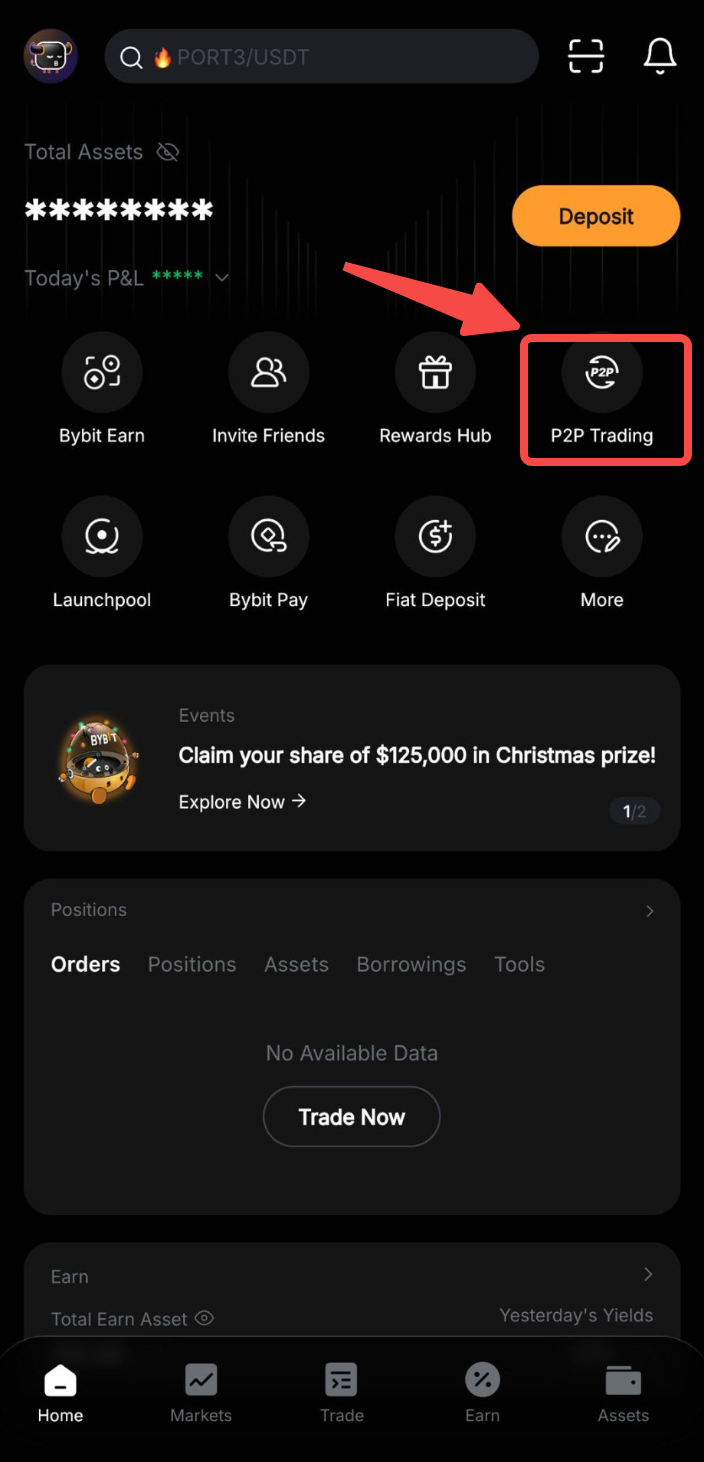
Step 1: Click P2P Trading on the home page to access the P2P trading page.
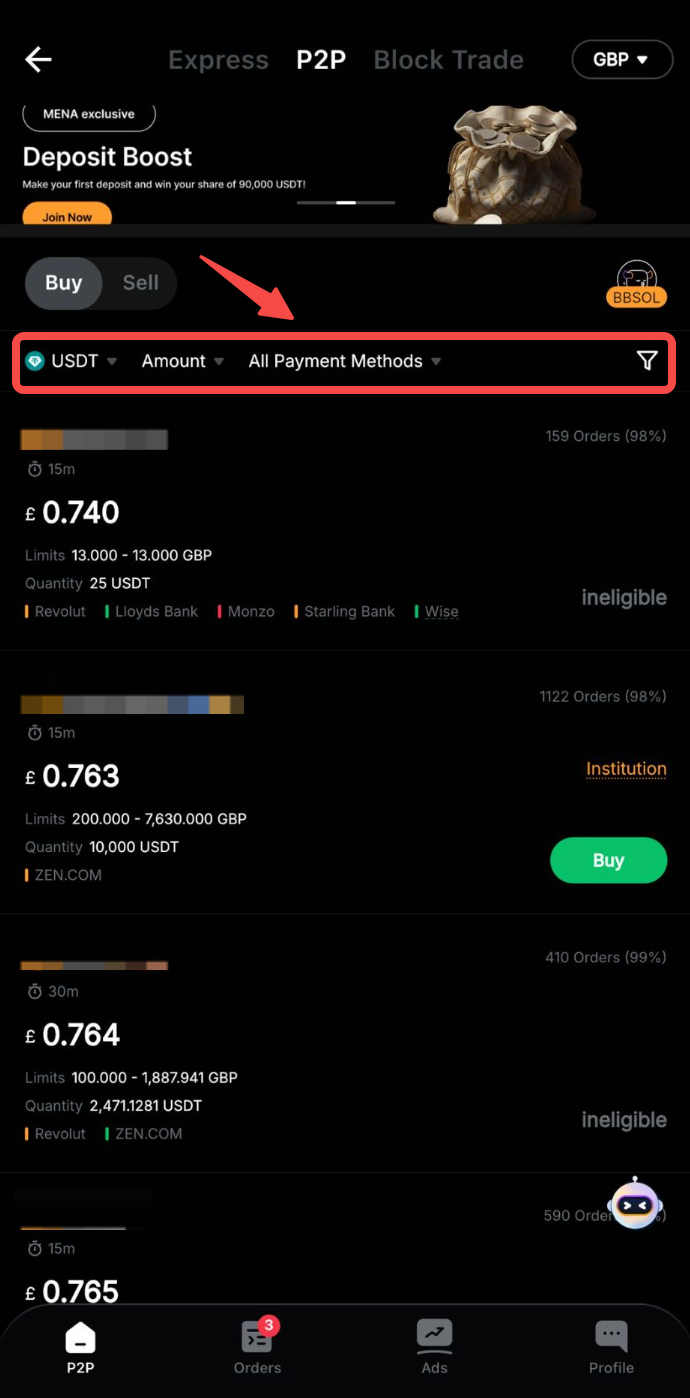
Step 2: On the Buy page, you can filter advertisers by selecting your desired criteria for Fiat Currencies or Payment Method — Fiat Balance, based on your transaction requirements.
Notes:
- Under the Advertiser column, the displayed order quantity and percentage refer to:
- Number of orders made in 30 days
- Completion rate in 30 days
- Under the Limits column, advertisers have listed the minimum and maximum transaction limits per order — in fiat terms — for each advertisement.
- Under the Payment Method column, you can view all supported payment methods for the advertiser you have selected.
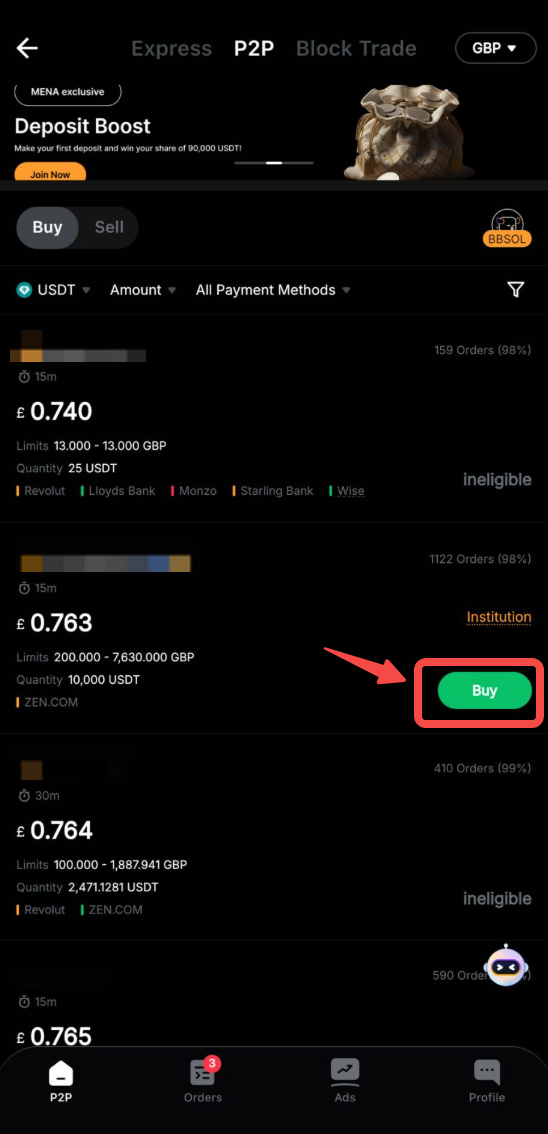
Step 3: Choose your preferred advertiser and click Buy. Please ensure that the advertiser you choose supports Fiat Balance payment.
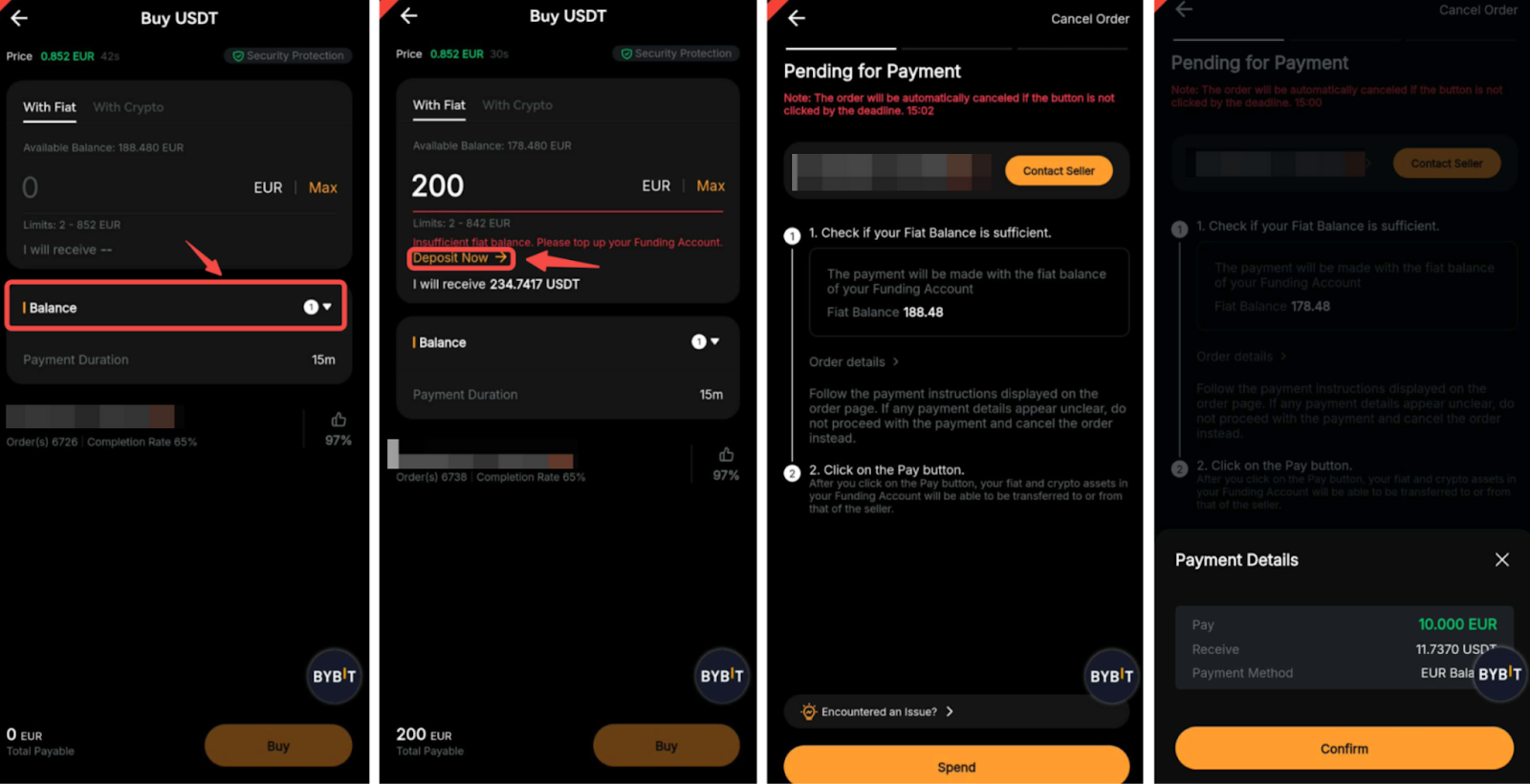
Step 4: On the order page, select Fiat Balance under Payment Method.
Tips:
— If the fiat balance in your Funding Account is insufficient, you can click on Deposit Now on the Order page to deposit.
— A Live Chat box is supported, allowing you to easily communicate with sellers in real time.
— If you have insufficient fiat balance in your Funding Account and fail to deposit in time, your order will be automatically canceled.
Step 5: Enter your Google Authenticator code or SMS code, then click on Confirm.
The fiat amount you pay will be transferred immediately from your Funding Account to the seller.
Step 6: The seller’s coin release is now in progress.
Step 7: Once the seller has successfully released the purchased coins, you can click on View My Assets to view them along with your transaction history. You can also check your order status from the P2P order history.
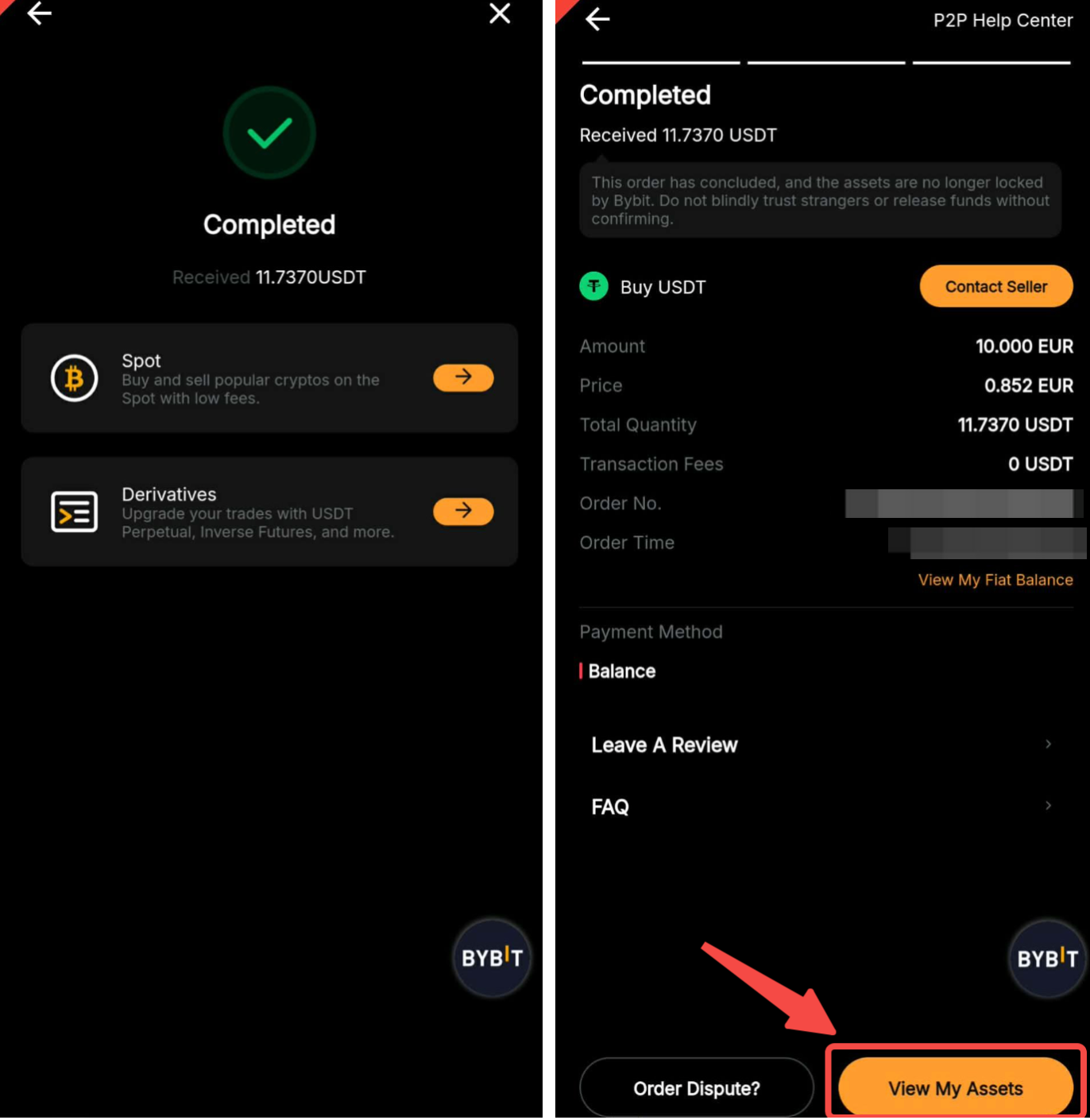
If you encounter any issues with your order, please submit your inquiry via this form and specify your concerns.
To help us assist you more efficiently, please provide your UID, P2P order number, and any applicable screenshot(s).
As a Seller
Step 1: Click P2P Trading on the home page to access the P2P trading page.
Step 2: On the Sell page, you can filter advertisers by selecting your desired criteria for Fiat Currencies or Payment Method — Fiat Balance, based on your transaction requirements.
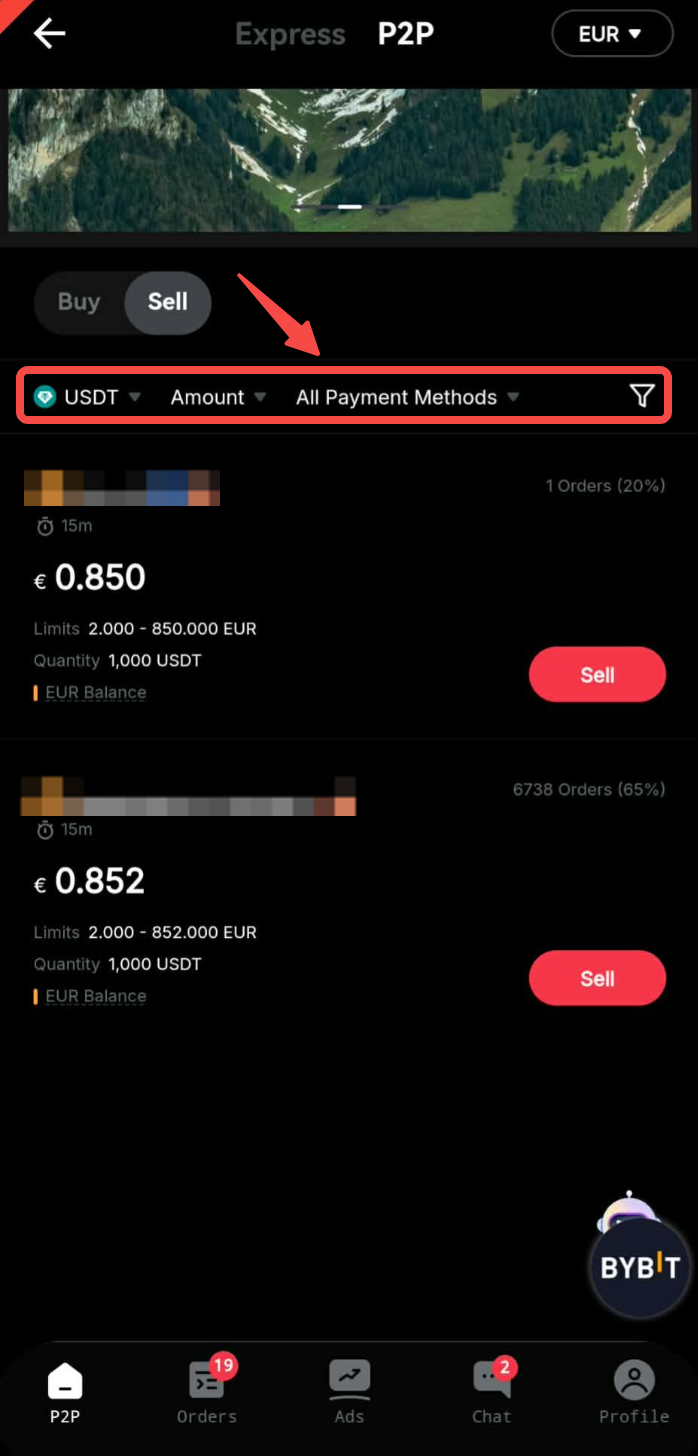
Notes:
- Under the Advertiser column, the displayed order quantity and percentage refer to:
- Number of orders made in 30 days
- Completion rate in 30 days
- Under the Limits column, advertisers have listed the minimum and maximum transaction limits per order — in fiat terms — for each advertisement.
- Under the Payment Method column, you can view all supported payment methods for the advertiser you have selected.
Step 3: Choose your preferred advertiser and click Sell. Please ensure that the advertiser you choose supports Fiat Balance payment.
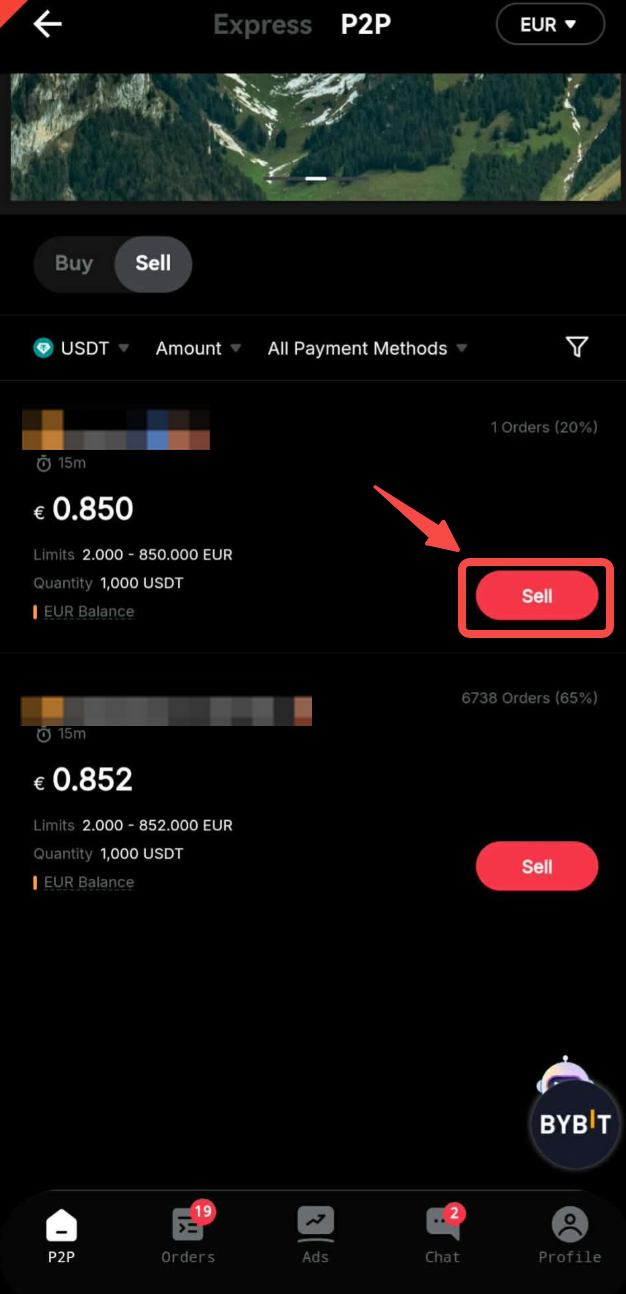
Step 4: Enter the number of coins you wish to sell or the amount of fiat currency you wish to receive, and select a Fiat Balance payment method. Next, click Sell to proceed.
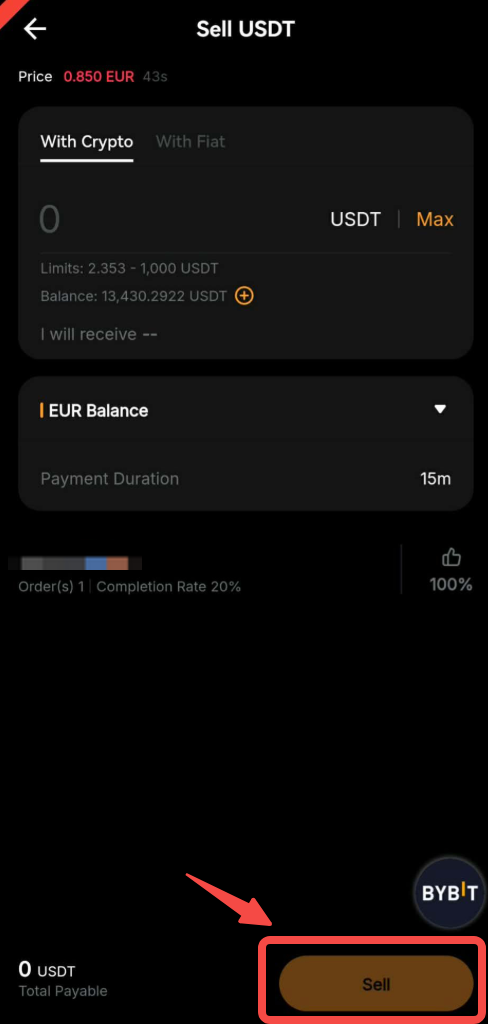
Step 5: During the pending period, the buyer will have a set time to complete the payment. The remaining time is displayed under Pending Payment. A Live Chat box is also available, allowing you to easily communicate with buyers in real time.
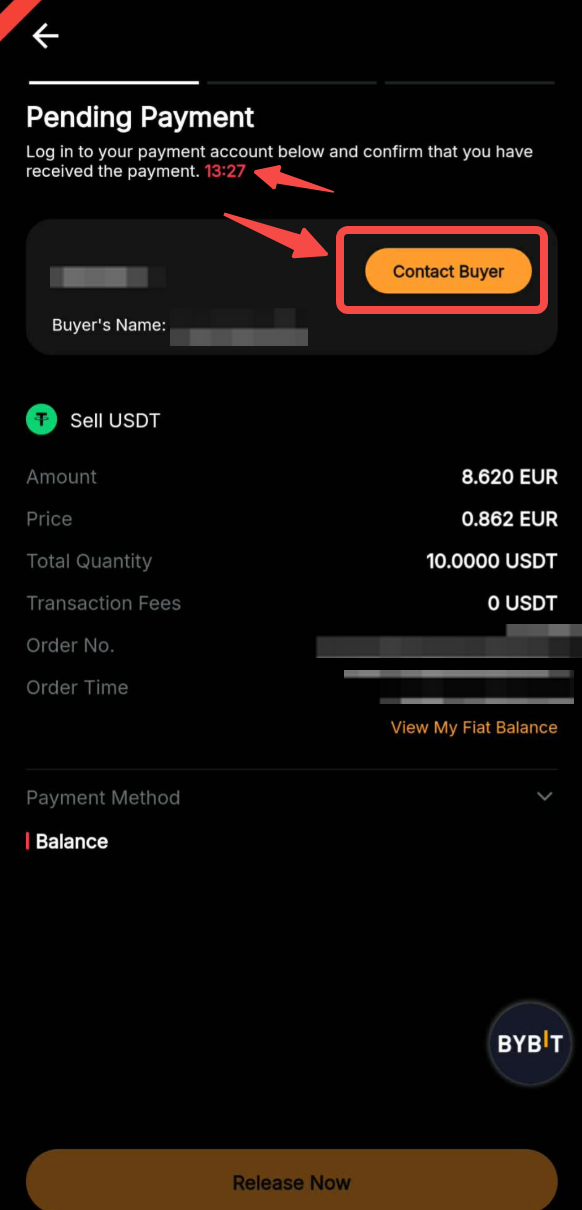
Step 6:
a. The order transaction is successful:
- Once you have successfully received your payment from the buyer, your coins will be automatically released.
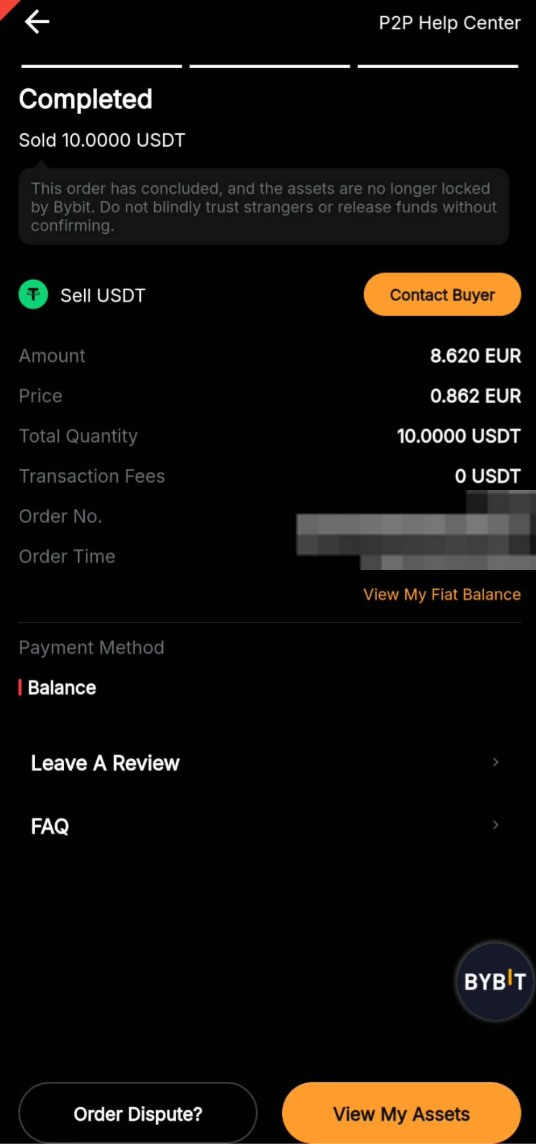
You’re all set!
b. The order transaction has failed:
- If the buyer fails to complete the payment within the allocated time, the order will be automatically canceled. The coins reserved on the P2P platform will be automatically returned to your Funding Account.
If you encounter any issues with your order, please submit your inquiry via this form and specify your concerns.
To help us assist you more efficiently, please provide your UID, P2P order number, and any applicable screenshot(s).