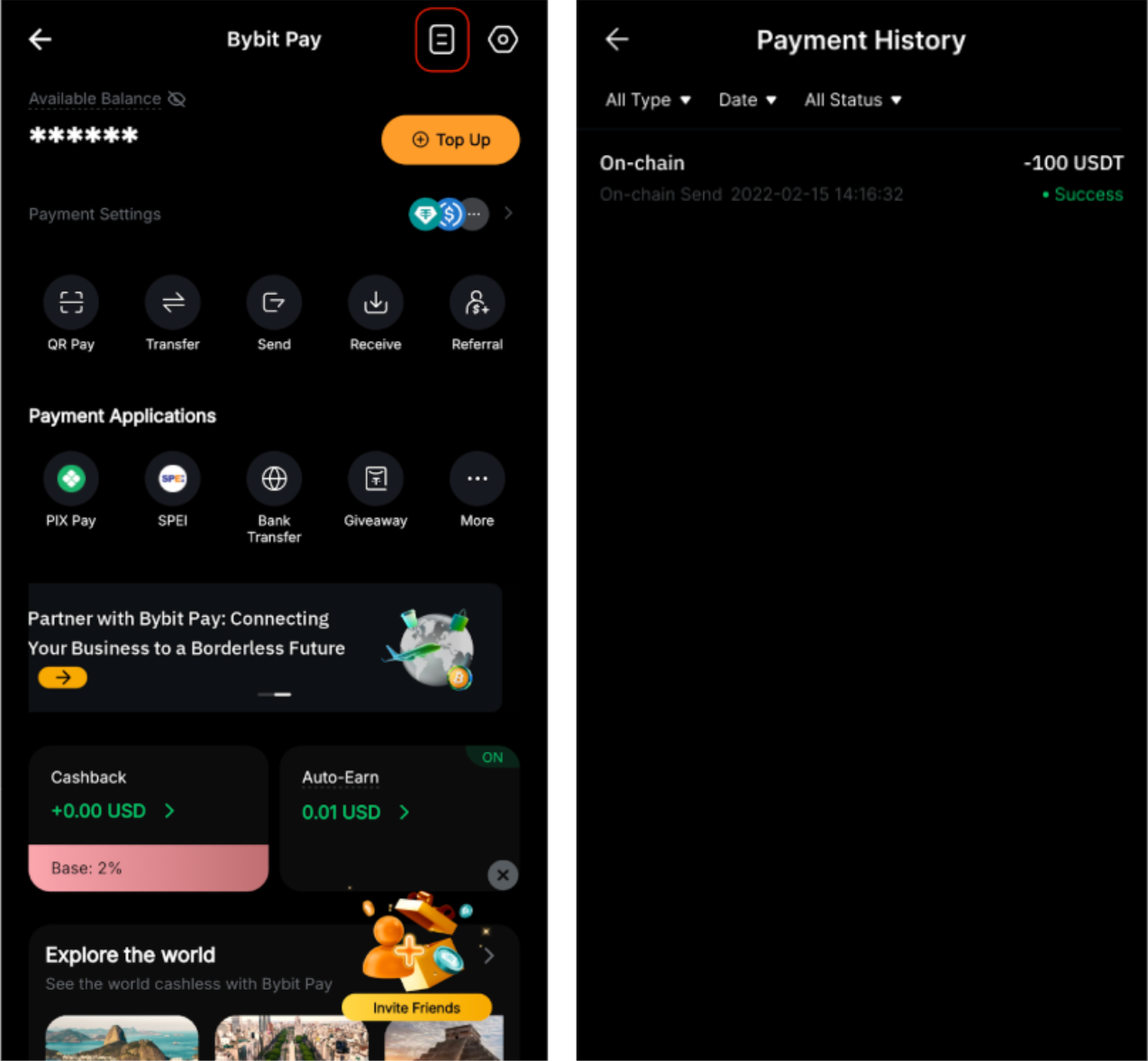
Bybit Pay’s QR Pay feature allows you to scan the supported wallet address QR codes to complete on-chain cryptocurrency transfers quickly and securely. This feature is currently available only on the Bybit App.
Important: Please note that this feature is not available for users verified under the KYC countries of Korea, India, or Kazakhstan.
Follow the steps below to initiate an On-Chain Send in Bybit Pay:
Step 1: From the Bybit homepage, tap on More → Bybit Pay → QR Pay to open the QR scanner. Alternatively, tap the QR Scanner icon on the homepage to begin scanning.

Step 2: After scanning, you will see the prompt “Proceed to On-chain Send”. Tap Confirm to continue.
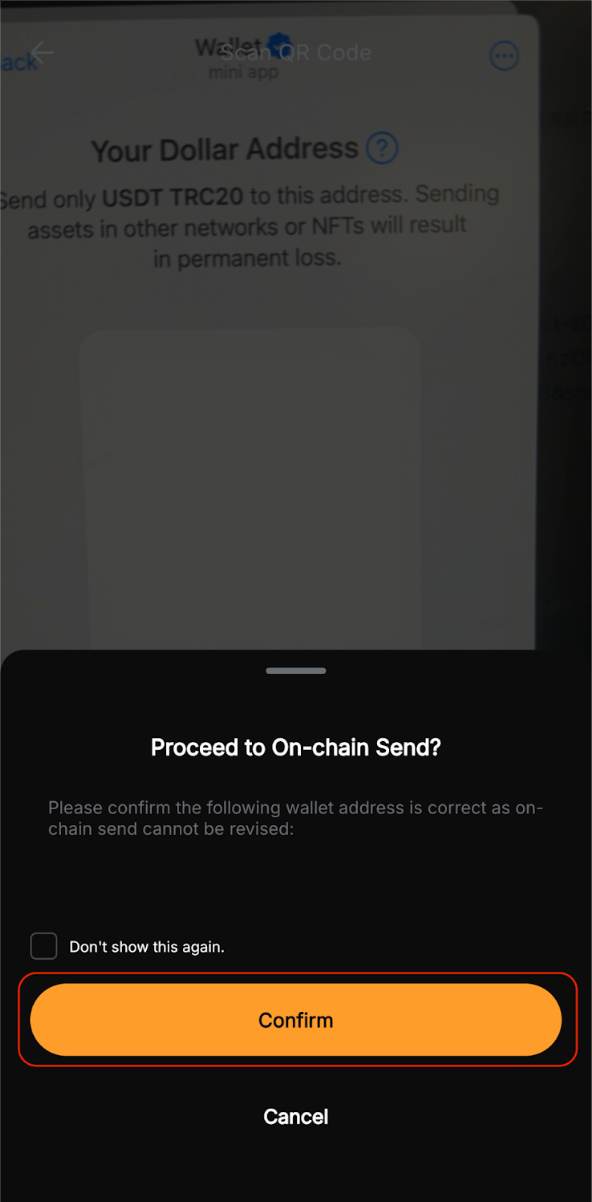
Notes:
– Please confirm that the wallet address is correct before proceeding, as on-chain transactions are irreversible once submitted.
– You may encounter an “Invalid Address” error if the wallet address is incorrect or unsupported.
Step 3:Select the cryptocurrency you want to send and choose your preferred blockchain network.

Note: Only assets supported on the recipient’s destination network will be displayed.
Step 4: Enter the amount you wish to send, or tap Max to send your full available balance.

Note:
– Please ensure that you select the correct network to avoid any loss of funds.
– If the transaction requires a Tag/Memo (e.g., XRP/XYM/XLM/XEM), please ensure it is entered correctly to avoid asset loss.
– A minimum withdrawal amount will be shown on-screen. Please review the details before proceeding.
– On-Chain Send can only be performed if your Funding Account has sufficient balance. If your assets are held in another account, please transfer them to the Funding Account before proceeding.
Step 5: Review all details in the Send Confirmation carefully to ensure everything is correct, then tap Confirm to complete the transaction.
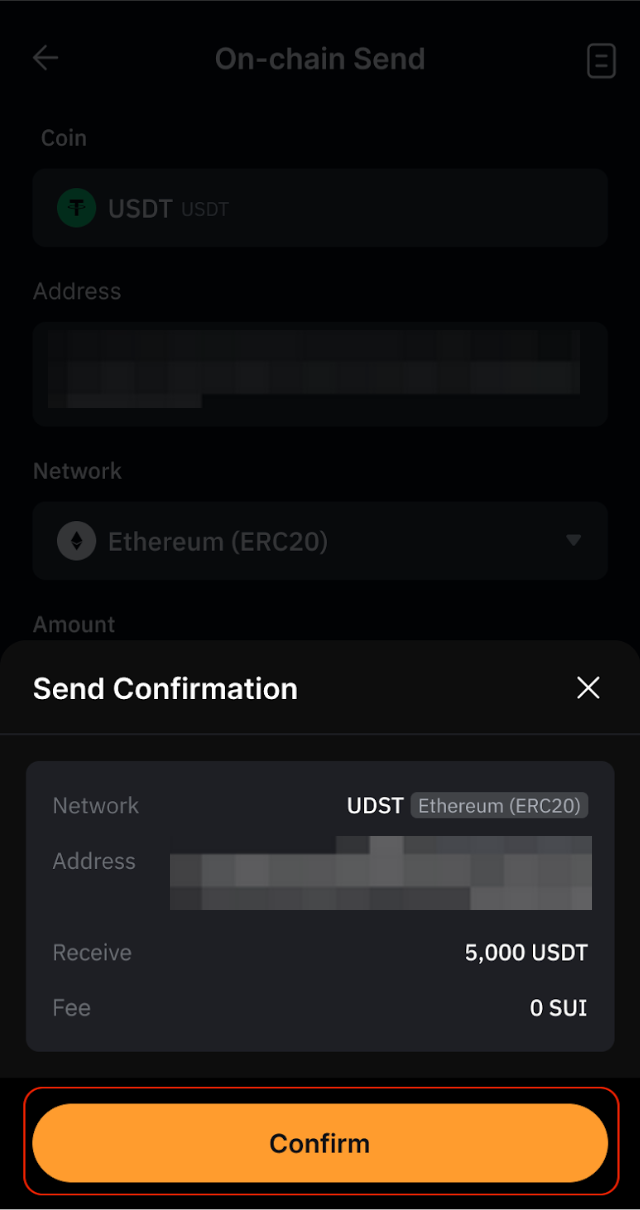
Step 6: Your on-chain transfer has been successfully sent to the recipient. A confirmation email will be sent to your registered email address.

To view your On-chain Send history, go to the Bybit Pay page and tap the Payment History icon in the upper-right corner.