تقدم Bybit إعدادين لوضع حساب التداول لـ TradFi، كل منهما مصمم لدعم أنماط تداول مختلفة، مستويات الخبرة، وتفضيلات التكاليف. أوضاع حساب TradFi تأتي على النحو التالي:
- وضع بدون رسوم — مصمم باستخدام نموذج تنفيذ المعاملات المستقيمة (STP).
- وضع فرق بسيط — مصمم باستخدام نموذج تنفيذ الشبكة الإلكترونية (ECN).
هذه المقالة تقدم نظرة عامة واضحة على الفروقات الأساسية بين نوعي الحسابات، عملية التحديث، وإرشادات حول اختيار الحساب الذي يناسب احتياجات التداول الخاصة بك.
أهلية الحساب وكيفية تبديل الأوضاع
أهلية الحساب
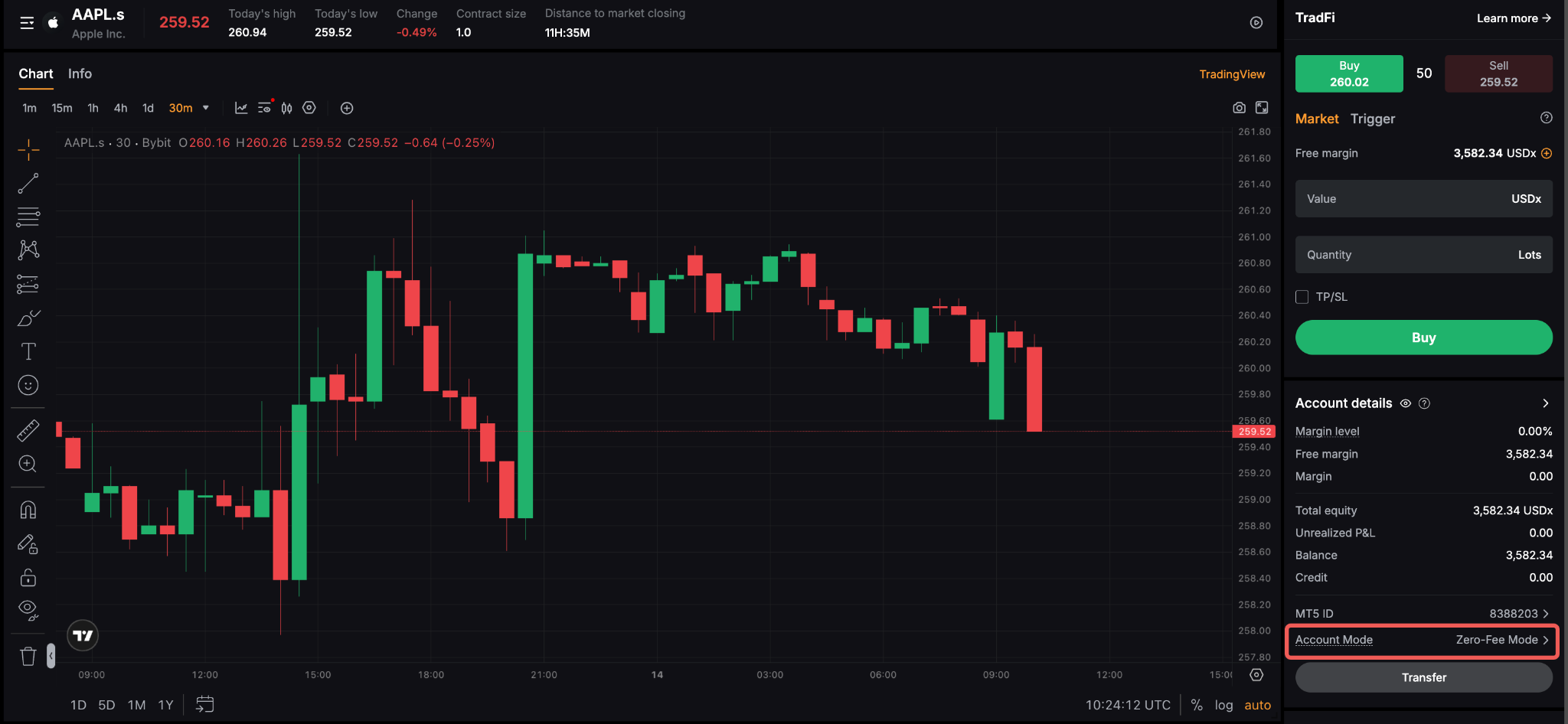
بشكل افتراضي، يتم ضبط واجهة تداول TradFi للمستخدم إلى وضع بدون رسوم، في حين يمكن تمكين وضع الفارق المشدد فقط من خلال تلبية متطلبات محددة. يمكن للمستخدمين تحديد الوضع الحالي لحساب TradFi الخاص بهم عن طريق التحقق من قسم وضع الحساب تحت تفاصيل الحساب.
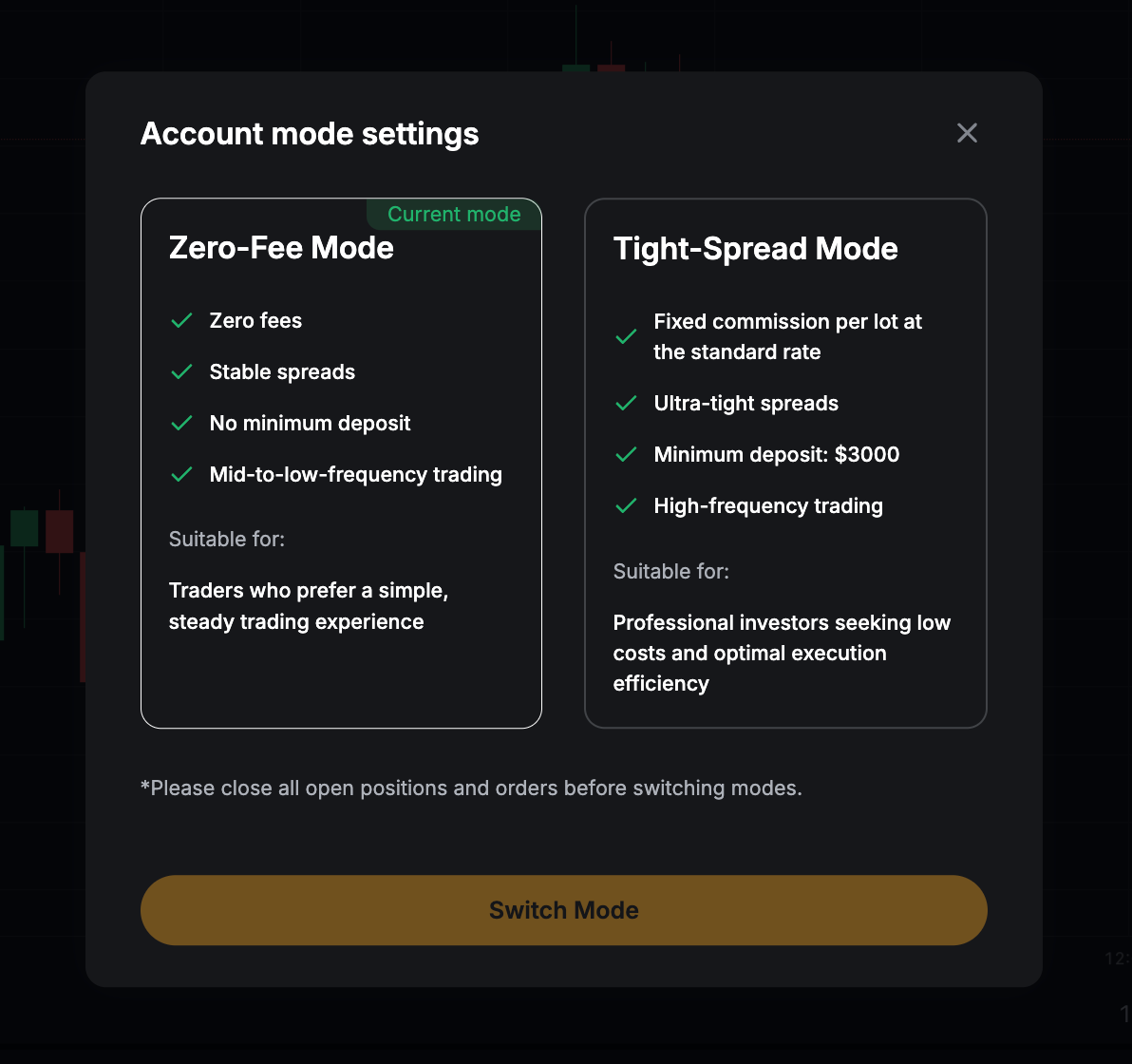
الجدول أدناه يبرز الفروقات الأساسية بين الوضعين، والنوع من المستخدمين الذي يناسبه كل وضع بأفضل شكل:
لكي يكون المستخدم مؤهلاً لتبديل إلى وضع السبريد الضيق، يجب أن يستوفي الشروط التالية:
- الحد الأدنى للإيداع هو 3,000 دولار أمريكي.
- لا يوجد أوامر نشطة وفتح مراكز (أو تلبية شروط النظام للتبديل)
كيفية تبديل الأوضاع
بمجرد أن تستوفي جميع المتطلبات، تابع دليل الخطوات أدناه لضبط إعدادات وضع حسابك في TradFi:
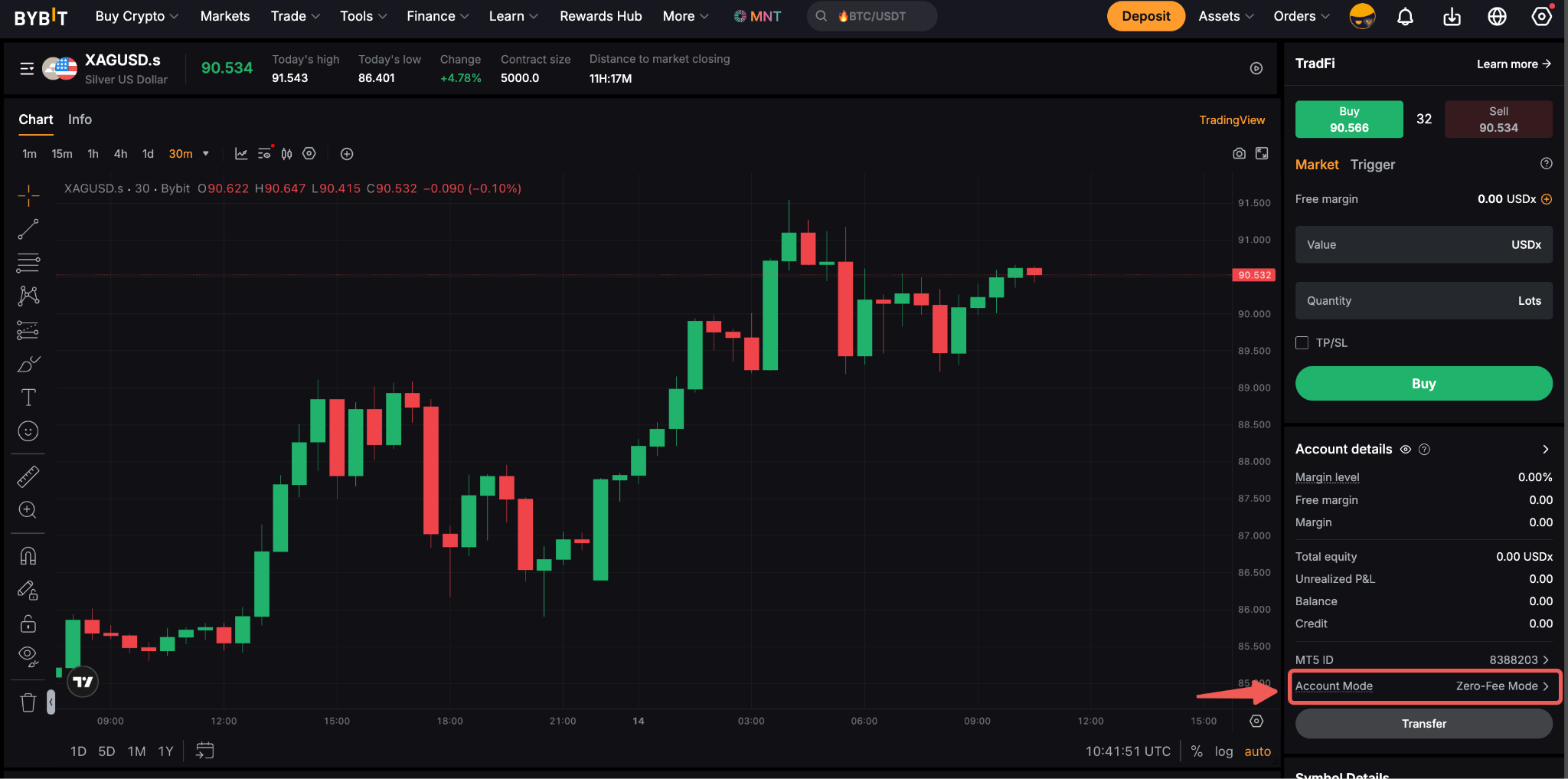
الخطوة 1: في صفحة تداول TradFi، انتقل إلى قسم وضع الحساب، وانقر على السهم بجوار وضع حسابك الحالي.
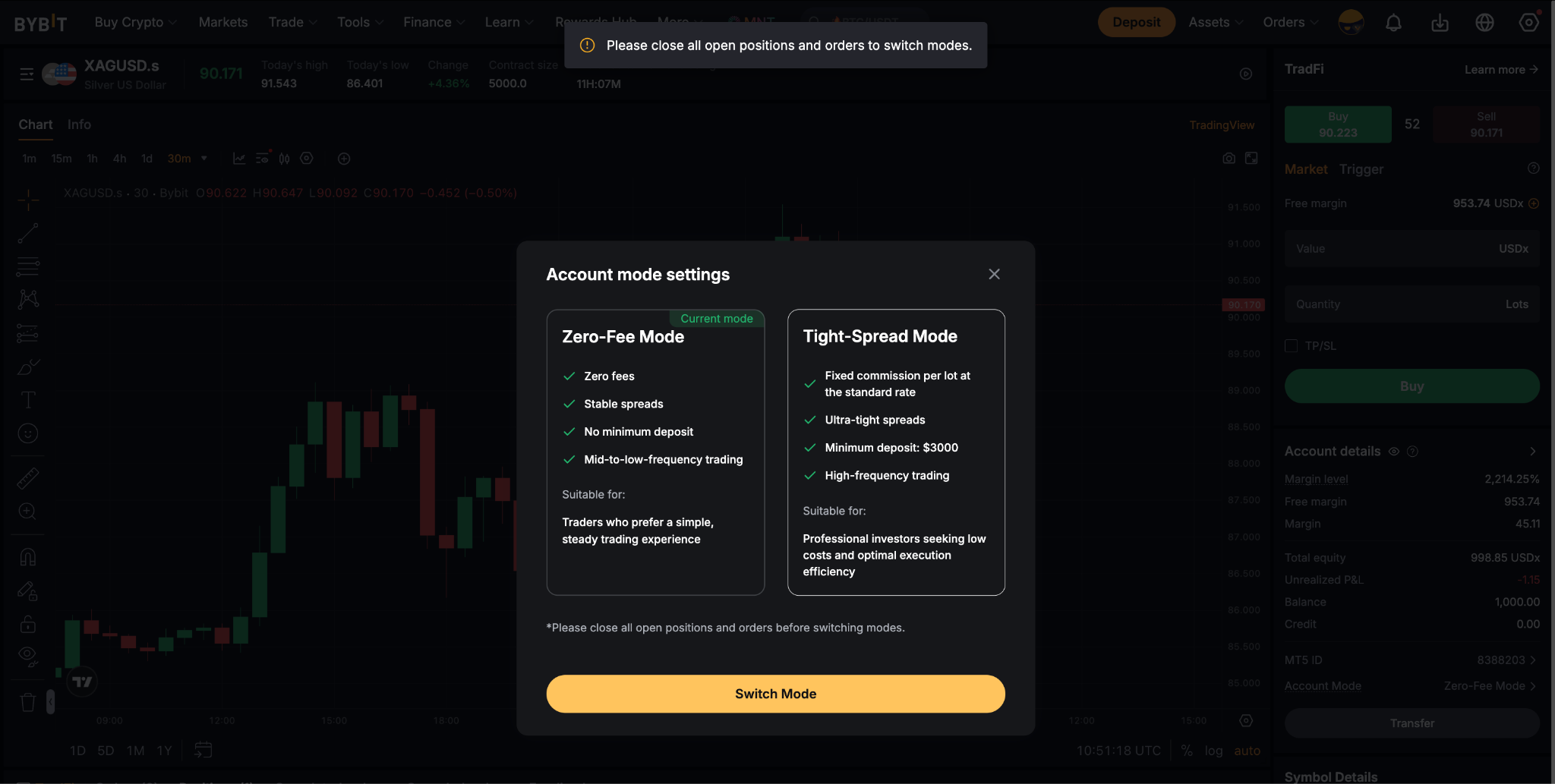
الخطوة 2: سيؤدي ذلك إلى فتح نافذة إعدادات وضع الحساب. سيتم تمييز وضعك الحالي وفقًا لذلك.
اقرأ جميع التفاصيل المتعلقة بالأوضاع بعناية وانقر على زر تبديل الوضع.
ملاحظات:
- سيكون الحد الأدنى للإيداع مطلوبًا فقط قبل يتم تحديثه كل بضع دقائق. عند التعامل بنجاح مع عملية التبديل، سيتم احتساب المبلغ تجاه الإيداع المتراكم الخاص بك، ويمكنك بعدها التبديل بين الأنماط بحرية.
- إذا فشلت في تلبية متطلبات الإيداع، أنقر على زر التحويل تحت تفاصيل الحساب وقم بإجراء التحويل اللازم إلى حساب TradFi الخاص بك.
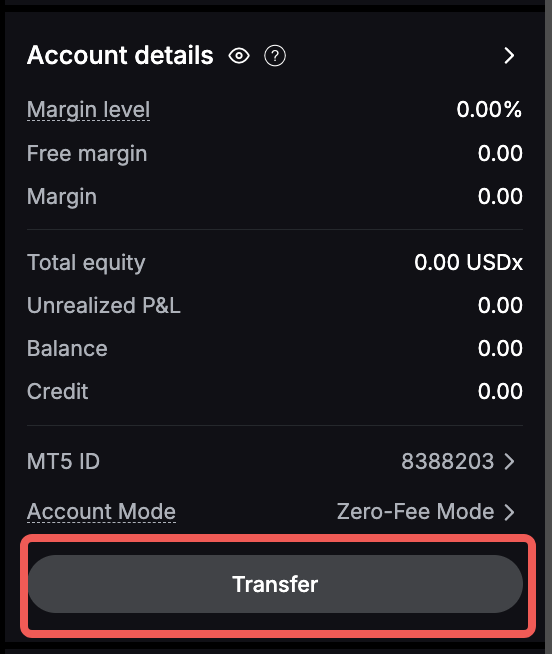
- يرجى التأكد من أنه ليس لديك أي أوامر نشطة أو مراكز مفتوحة قبل تبديل الأنماط.
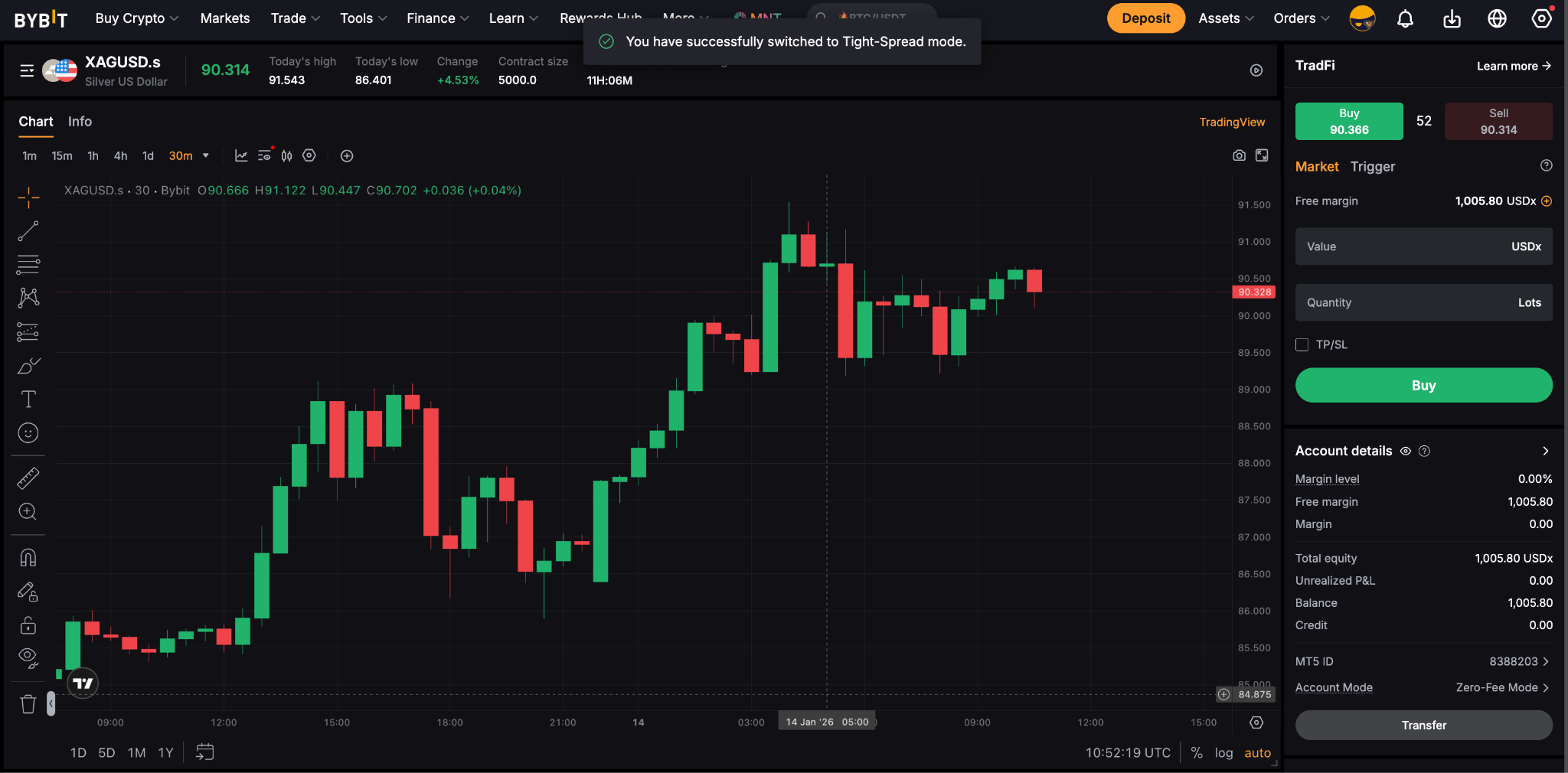
الخطوة 3: انقر على واحد من الأنماط للمتابعة. لقد قمت بنجاح بتبديل وضع حساب TradFi الخاص بك!
الموافقة فورية ولن تتأثر الأصول خلال يتم تحديثه كل بضع دقائق.
هياكل التسعير
يتماشى نموذج تسعير Bybit مع معايير صناعة الفوركس العالمية. يكمن الاختلاف الرئيسي بين وضعي صفر-الرسوم والفروق الضيقة في كيفية تقديم رسوم التداول، كما هو موضح في الجدول أدناه:
باختصار، وضع الفارق الضيق يقدم للمتداولين فروقات خام بعمولة ثابتة لكل عملية تداول، في حين أن وضع عدم الرسوم مصمم لفروقات شاملة بدون عمولات إضافية مفروضة.
فهم فروق الأسعار
فيما يلي كيفية عرض واجهات التداول لكلا الوضعين:
لوضع عدم الرسوم
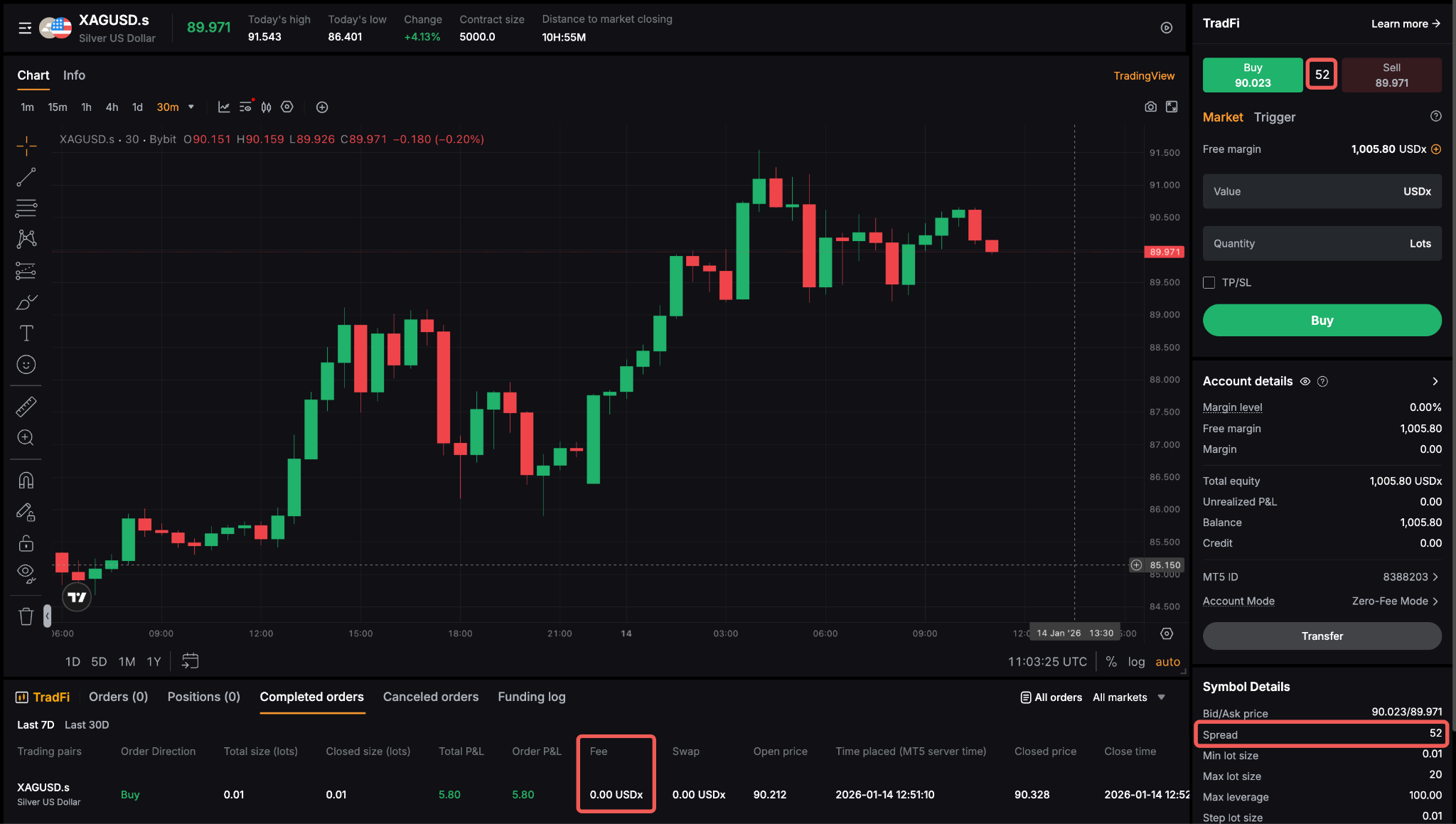
الفارق الظاهر في واجهة التداول يشمل بالفعل رسوم التداول. لا تطبق أي عمولة إضافية.
لوضع الفارق الضيق
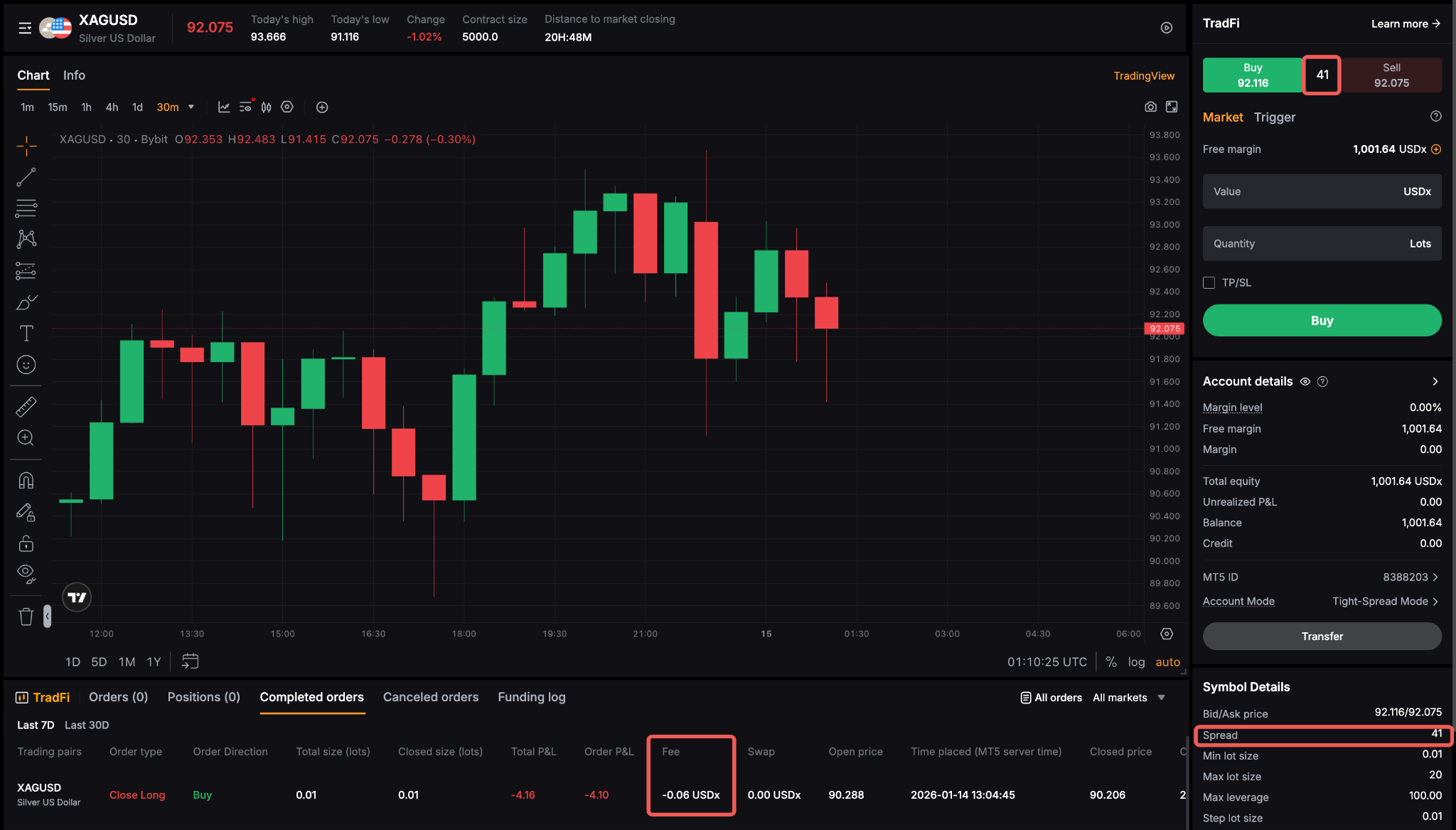
سوف ترى الفارق الضيق الخام المأخوذ مباشرة من مزودي السيولة.
- تُضاف عمولة ثابتة لكل تداول.
- هذه الهيكلية مثالية للمتداولين النشطين أو ذوي معدل التكرار المرتفع الذين يستفيدون من الفوارق الضيقة والتنفيذ الأسرع بشكل عام.
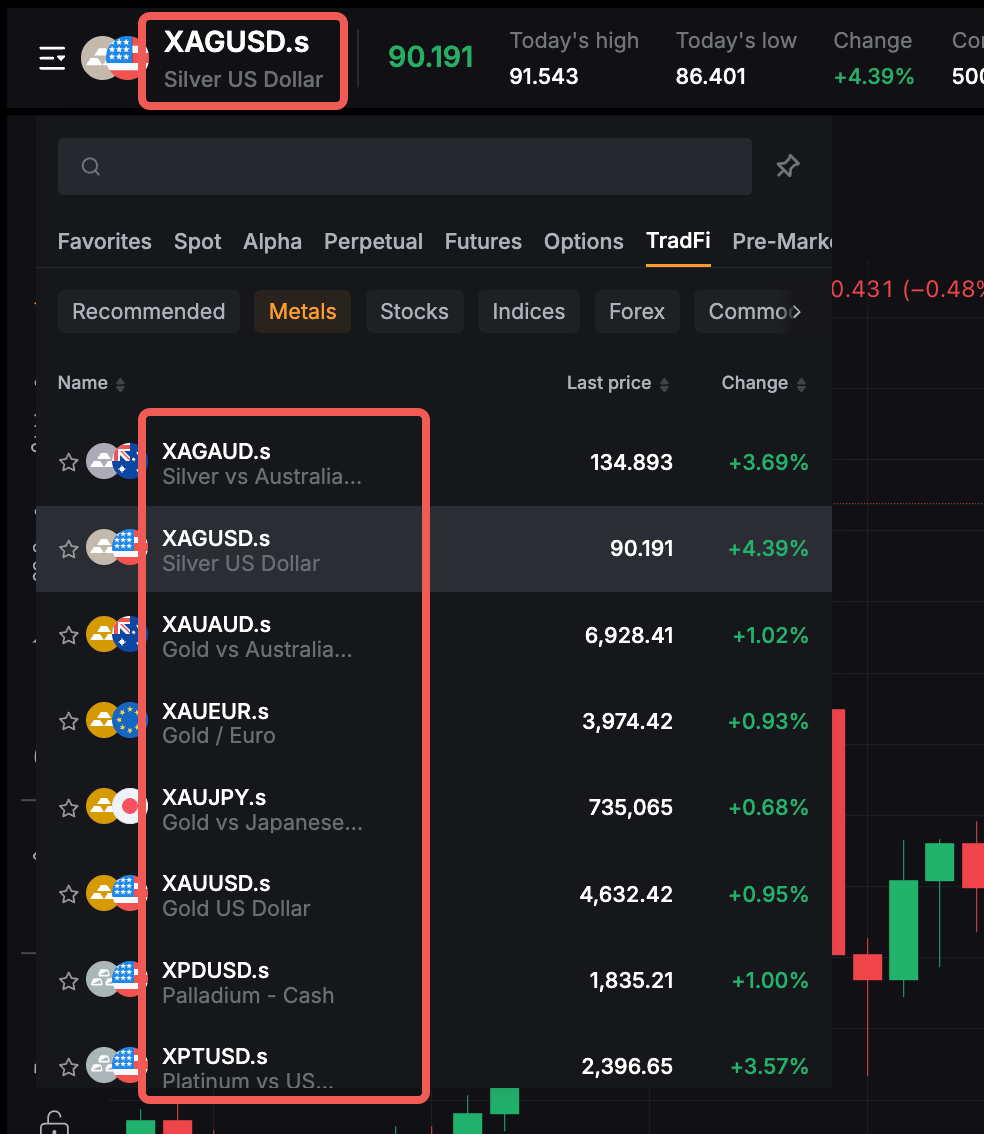
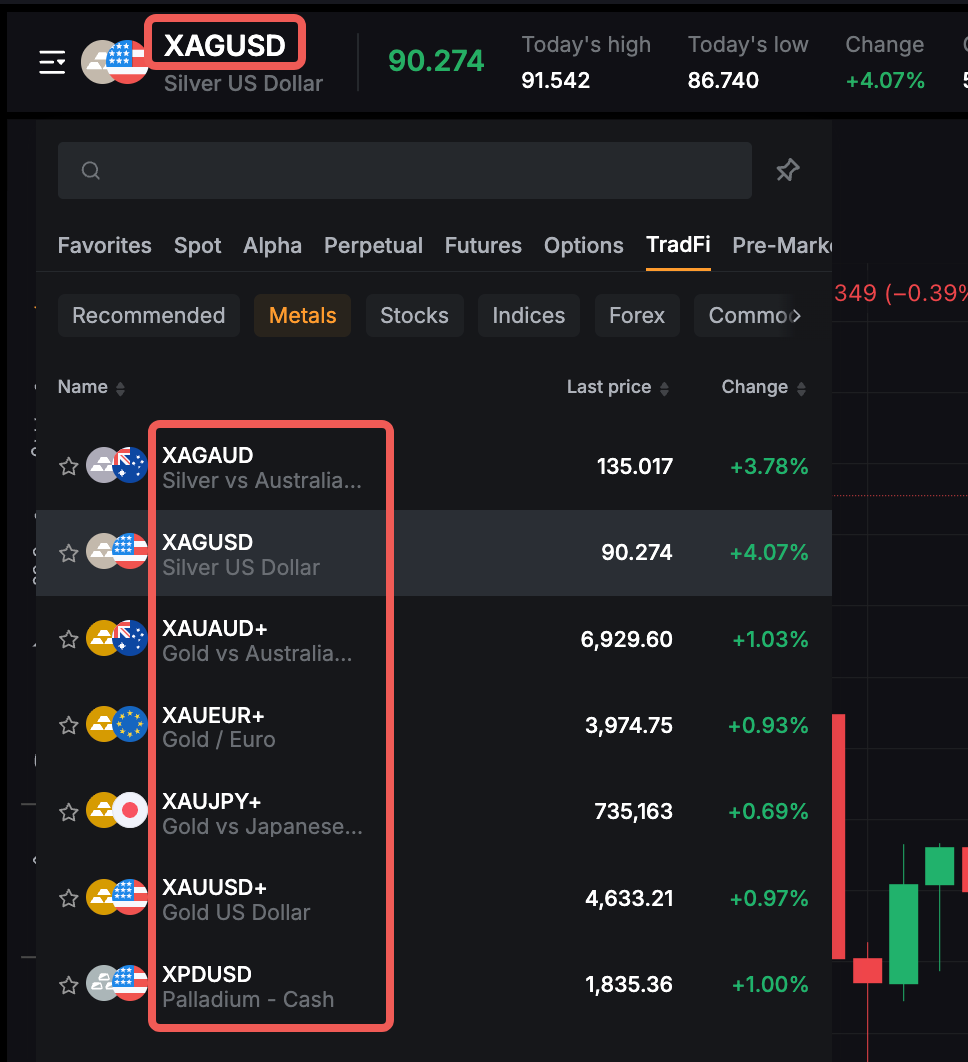
تسمية المنتج (اللاحقات الرمزية)
لمساعدة المستخدمين على التمييز بسهولة بين أنواع الحسابات، ستشمل أزواج التداول تحت وضع عدم الرسوم لاحقة موحدة، مثل EURUSD.s، XAUUSD.s، إلخ.
تنطبق هذه التسمية عبر الفوركس، المعادن، النفط، المؤشرات، والأسهم الأمريكية، مما يضمن التمايز البسيط، المتسق، والشفاف بين الأدوات في كلا الوضعين.