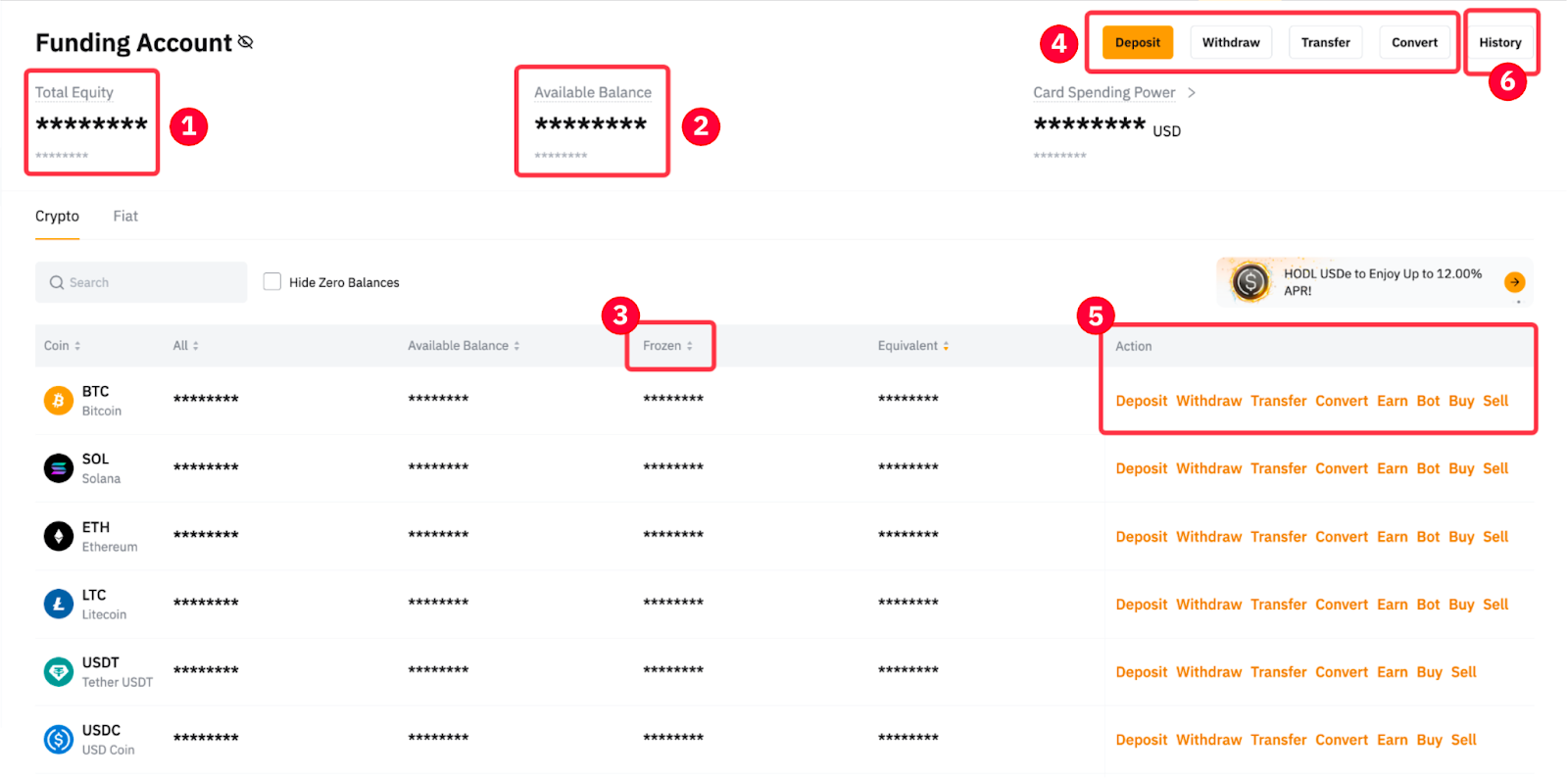
Bybit’s Funding Account serves as the primary account for users, providing a secure and efficient platform to manage their Crypto and Fiat assets, deposits and withdrawals. Additionally, it grants users access to a comprehensive suite of finance products and trading tools, empowering traders with the necessary resources to navigate the crypto market effectively and enhance their trading experience.
Below are some major products and services that channeled the funds via Funding Account:
1. Crypto Deposits will be credited to the Funding Account. You can also enable the auto transfer setting if you want your funds to be auto-transferred to other accounts, such as Unified Trading Account, after the deposit has been credited.
2. For Crypto Withdrawals, users have to transfer their funds to the Funding Account before they can withdraw funds. To learn more about how to transfer your assets, please refer to How to Transfer Assets on Bybit.
3. For other Fiat Services such as One-click Buy, and P2P, all the funds will be channeled through the Funding Account.
Funding Account Overview
Funding Account History
The Funding Account History page registers all records of your funding activities that occurred in or out of your Funding Account, which you can access from the following two tabs: All Transactions and History.
All Transactions
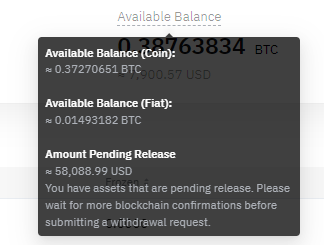
By default, you will be directed to the All Transactions tab where you can see all past transactions that have affected the available balance on your Funding Account. Such transactions include past records of crypto withdrawals, inter-account transfers (UTA), yields from your active investments, conversions, and so on.
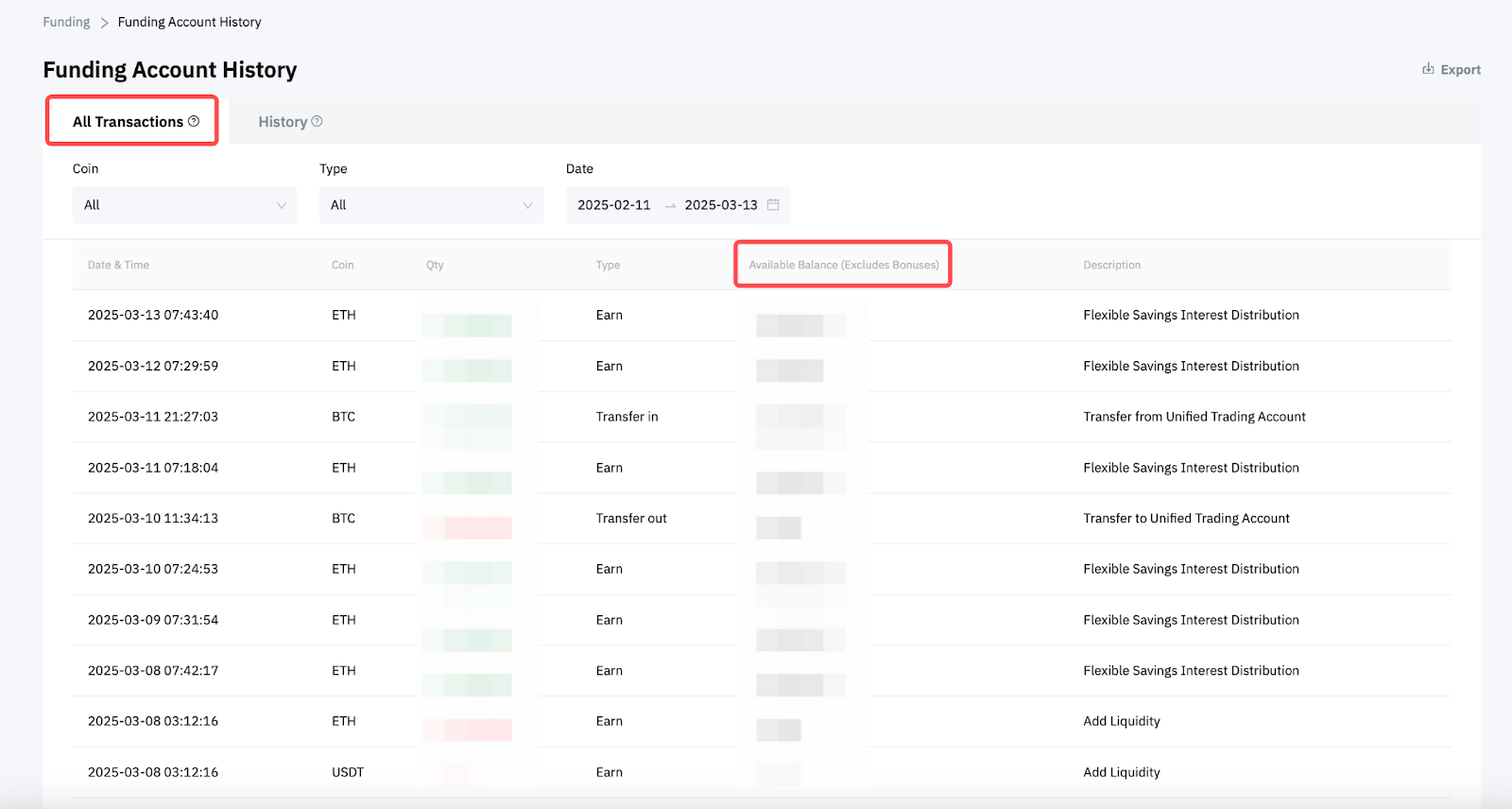
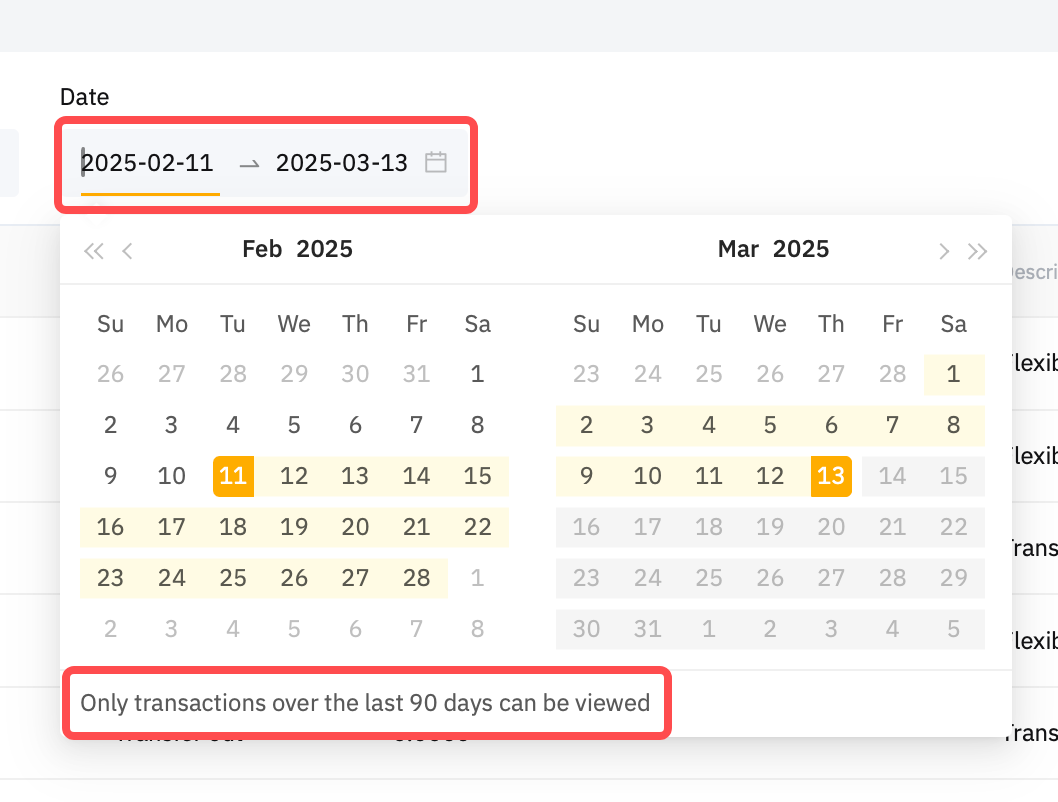
Please note that the All Transactions tab can only display your logs within a 90 days’ timeframe. If you wish to view older transactions, please head over to the History tab.
History
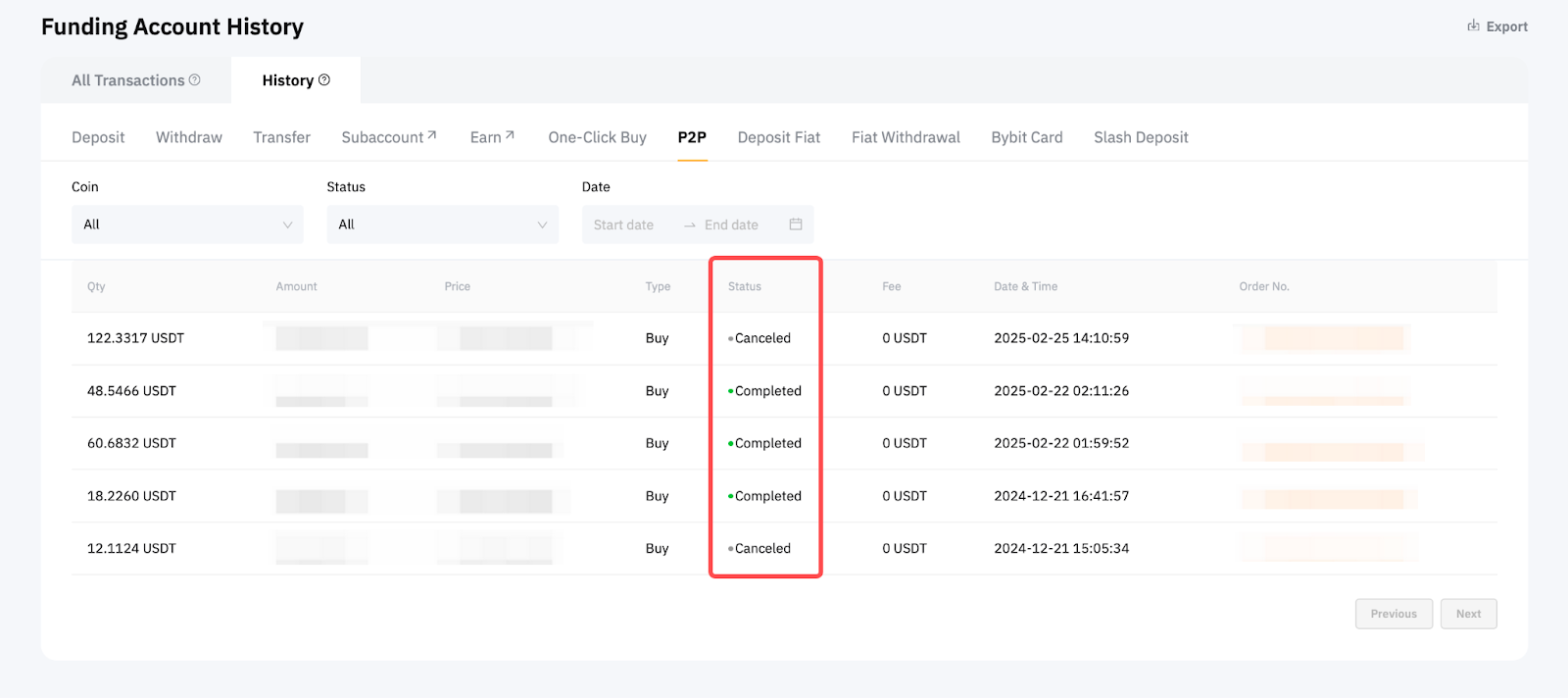
The History tab allows you to view all your asset transaction history, primarily by the types and methods used to receive or send your managed assets. These categories encompass crypto withdrawals, transfers, One-Click-Buy, P2P trading, and Subaccount.
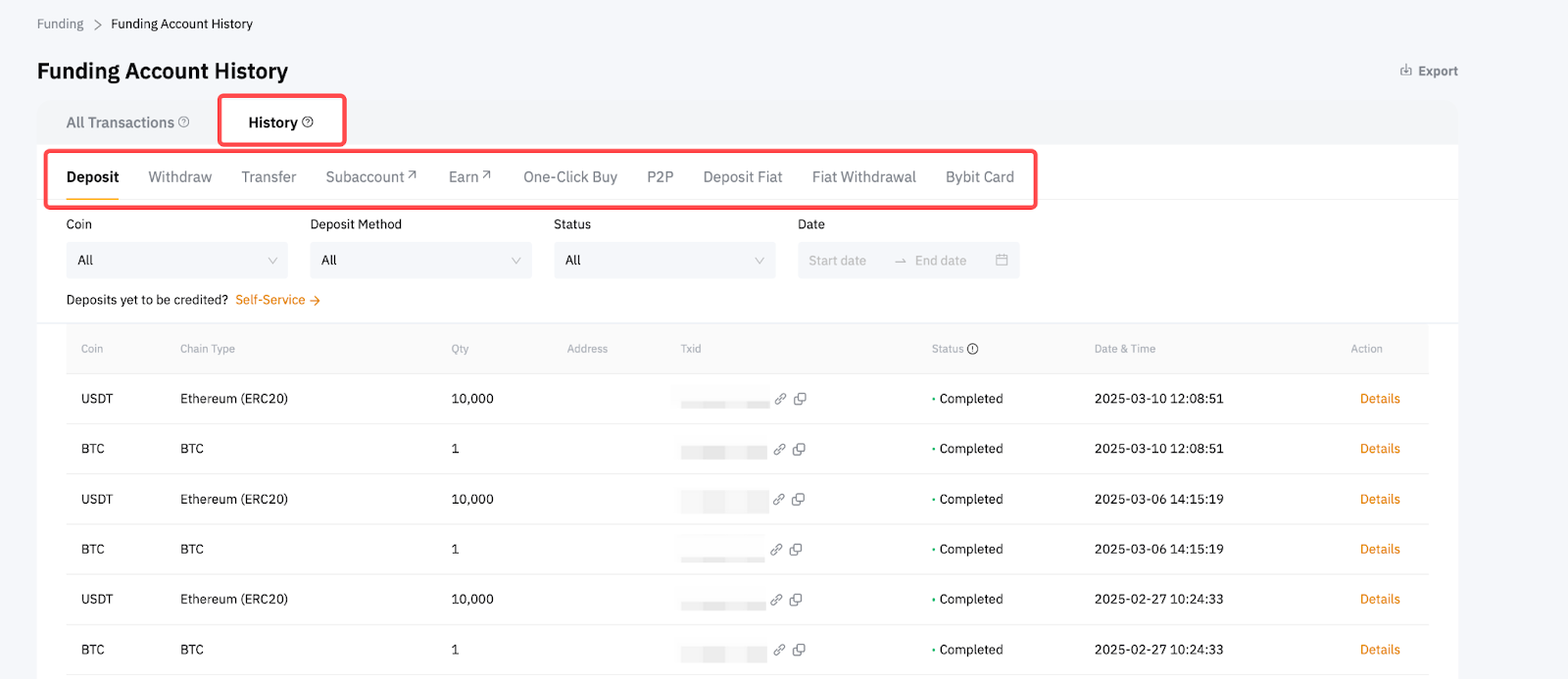
While the All Transactions tab keeps track of account balance changes, the History tab offers more detailed information about your individual transactions, which typically entail order dates, IDs, and statuses — the latter of which are updated progressively as they’re being processed.