Individual identity verification is divided into two levels: Standard and Advanced. The differences in benefits and withdrawal limits between these two levels can be found in Benefits of Different KYC Levels. This article provides a step-by-step guide for completing Standard and Advanced Level identity verification.
Proof of Identity (POI)
Proof of Address
Supplement Verification
Trading Risk Warning
24-Hour Cooling-Off Period
Client Categorisation
Appropriateness Assessment
Proof of Identity (POI)
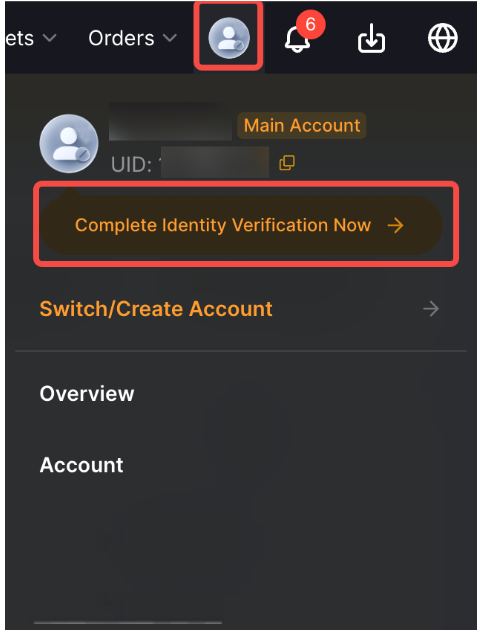
Step 1: Click on the profile icon on the right side of the navigation bar, then click on Complete Identity Verification Now.
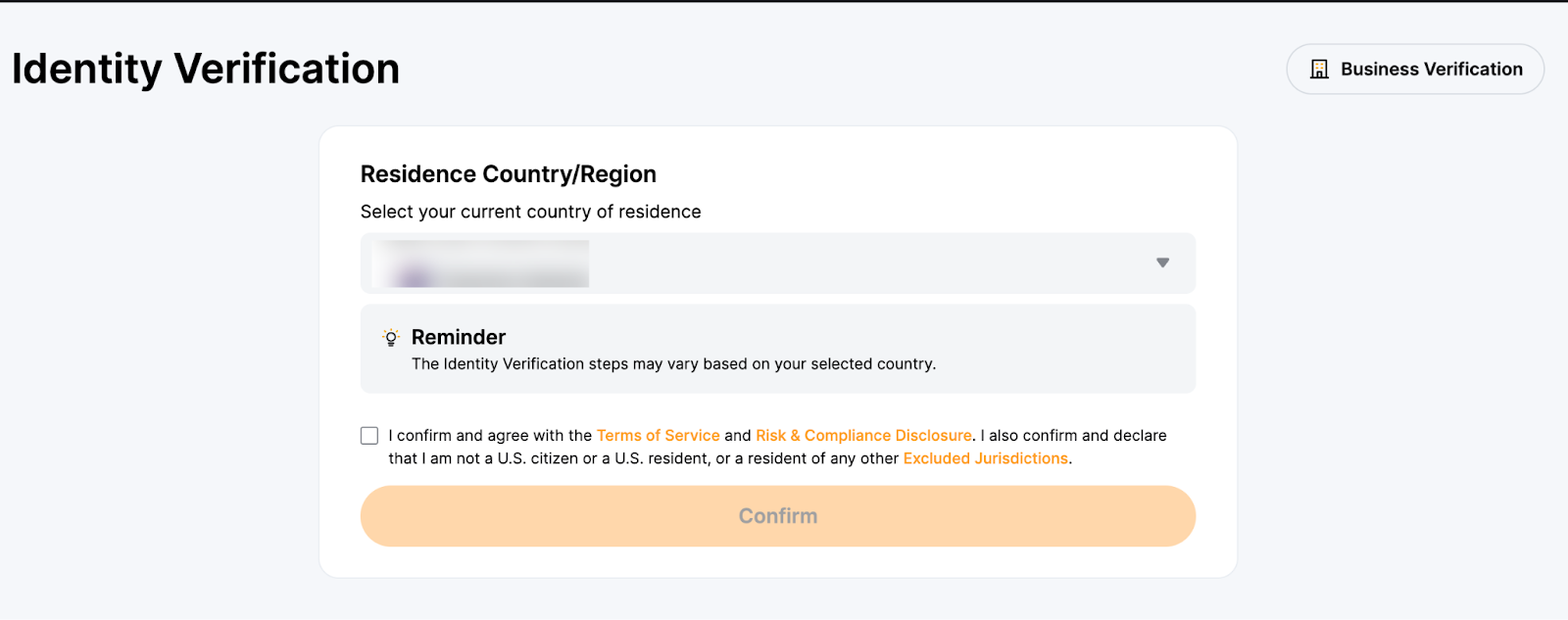
Step 2: Select your current country of residence. Please select the accurate residence country and region, as they can influence your verification process. Additional verification may be required if you wish to make changes after confirmation.
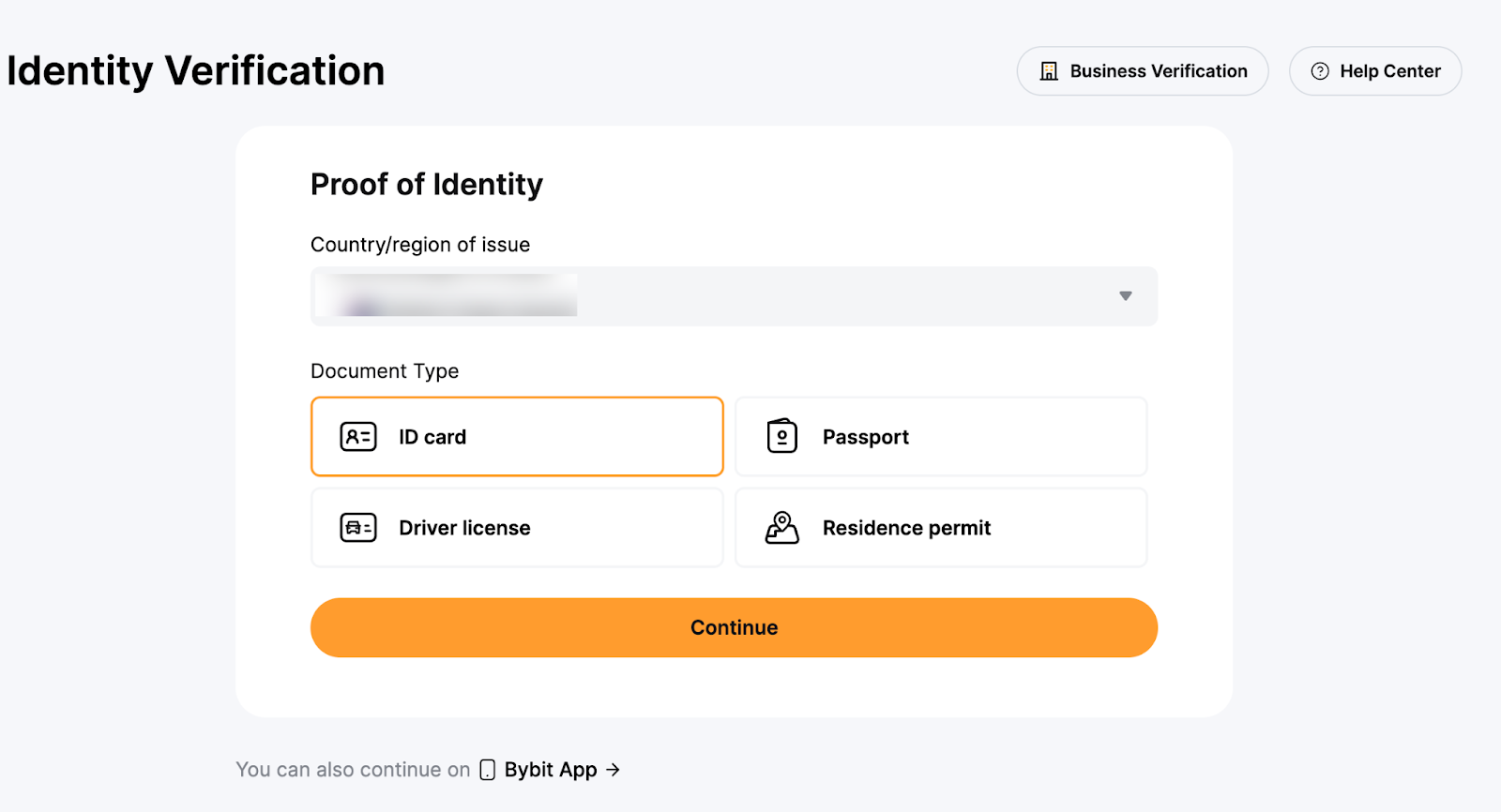
Step 3: Select the country or region that issued your ID, and your identity document type.
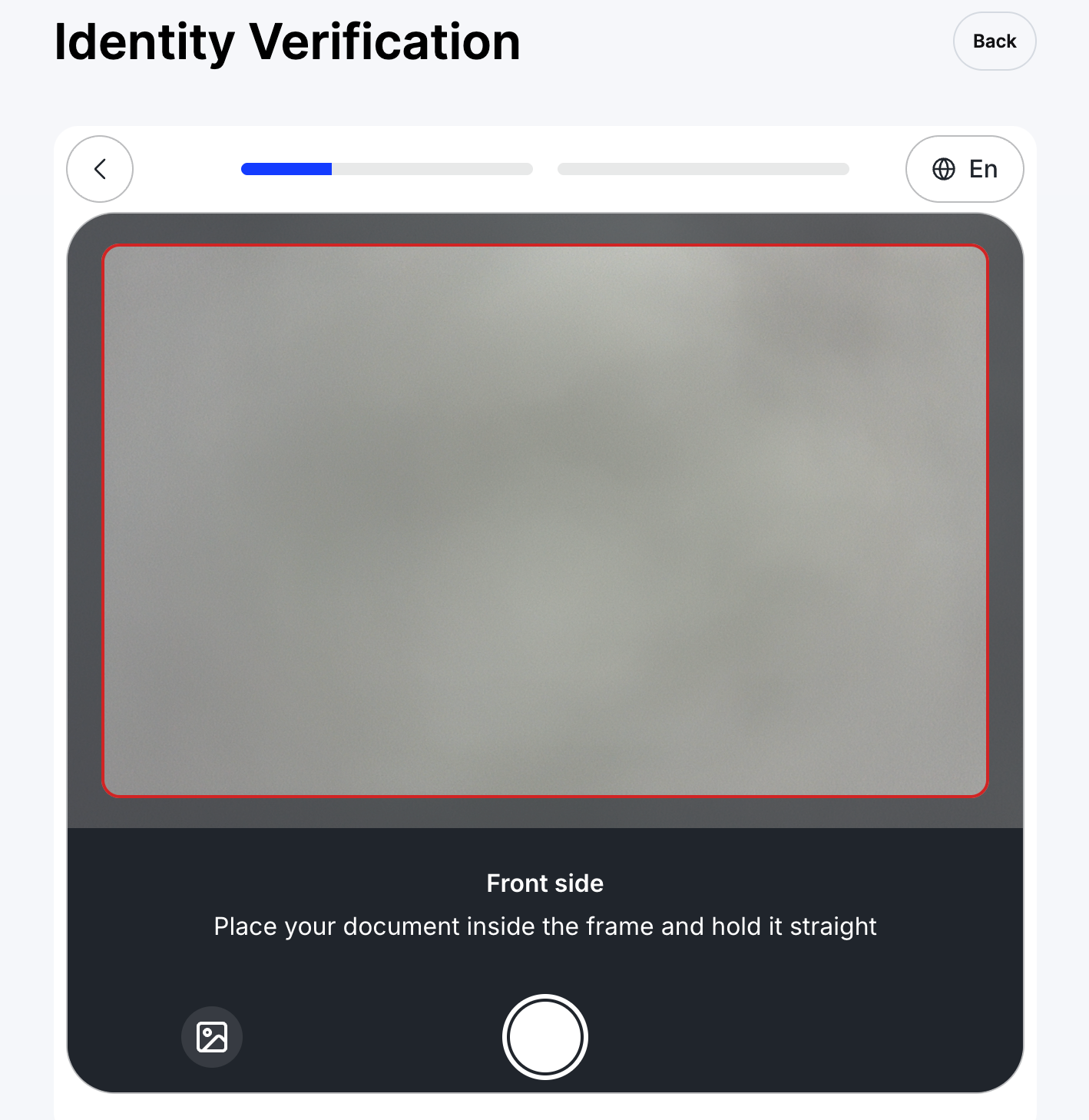
Step 4: Take a picture of your proof of identity document(s).
Notes:
— Please make sure the document photo clearly shows your full name and date of birth.
— If you are unable to provide photos successfully, please make sure that your ID photo and other information are clear, and that your ID hasn't been modified in any way.
— Any type of file format can be uploaded.
Step 5: Complete your facial recognition scan through your laptop’s camera.
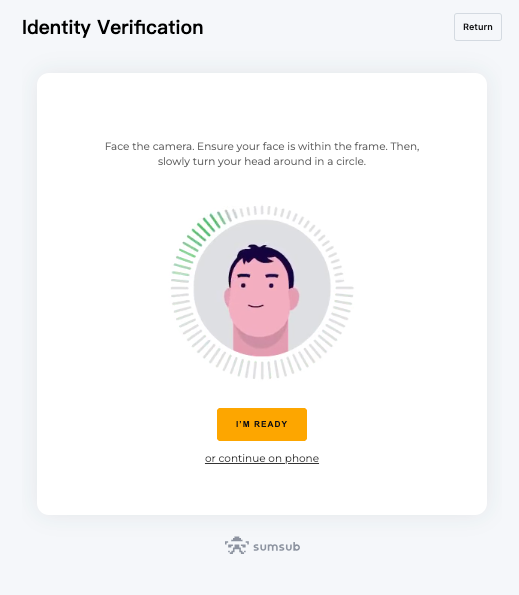
Alternatively, you may scan the QR with your mobile device to complete the facial recognition process.
Note: If you’re unable to proceed to the facial recognition page after several attempts, it may be that the document submitted doesn’t fulfill the requirements, or there have been too many submissions within a short time period. In this case, please try again after 30 minutes. If the issue is still unresolved, please reach out to our Customer Support by submitting a case here.
Proof of Address (POA)
Proof of Address can only be processed once Proof of Identity is completed.
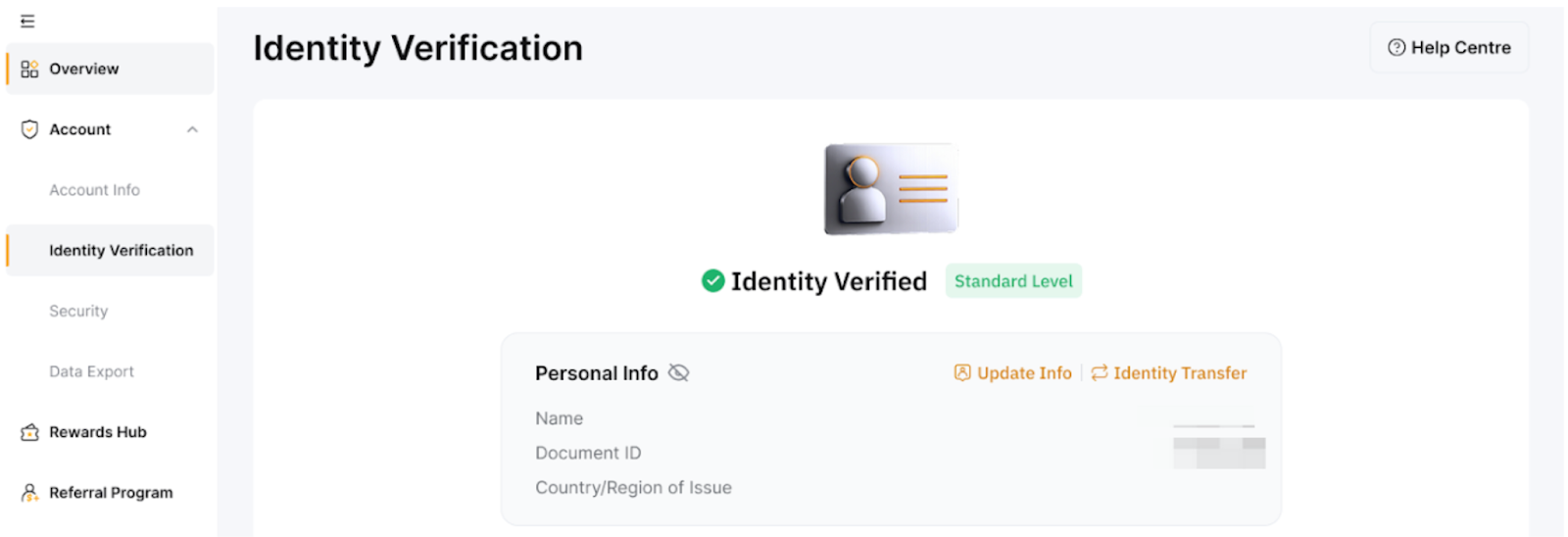
Bybit only accepts Proof of Address documents such as utility bills, bank statements, and residential proof issued by your government. Please note that Proof of Address must be dated within the last three months. Documents dated older than three months will be rejected. For more information, please refer to FAQ — Individual KYC.
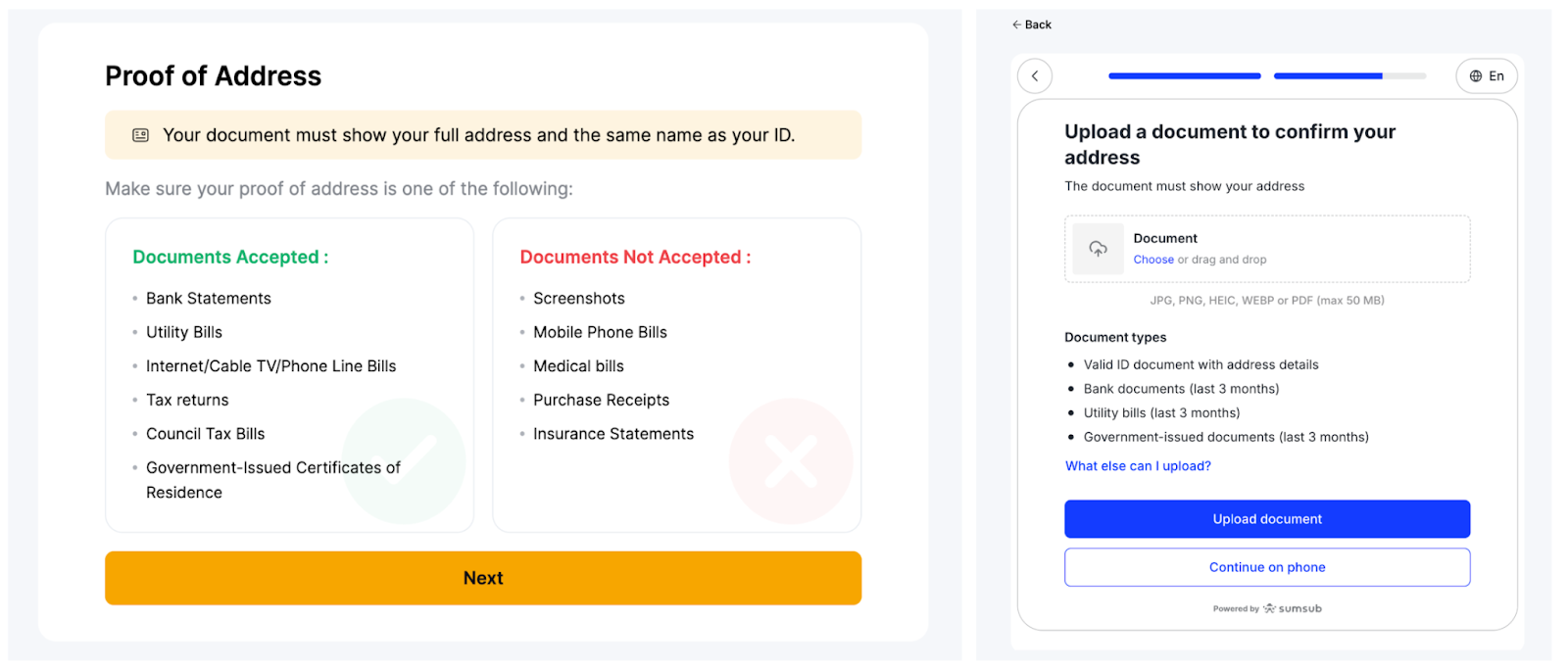
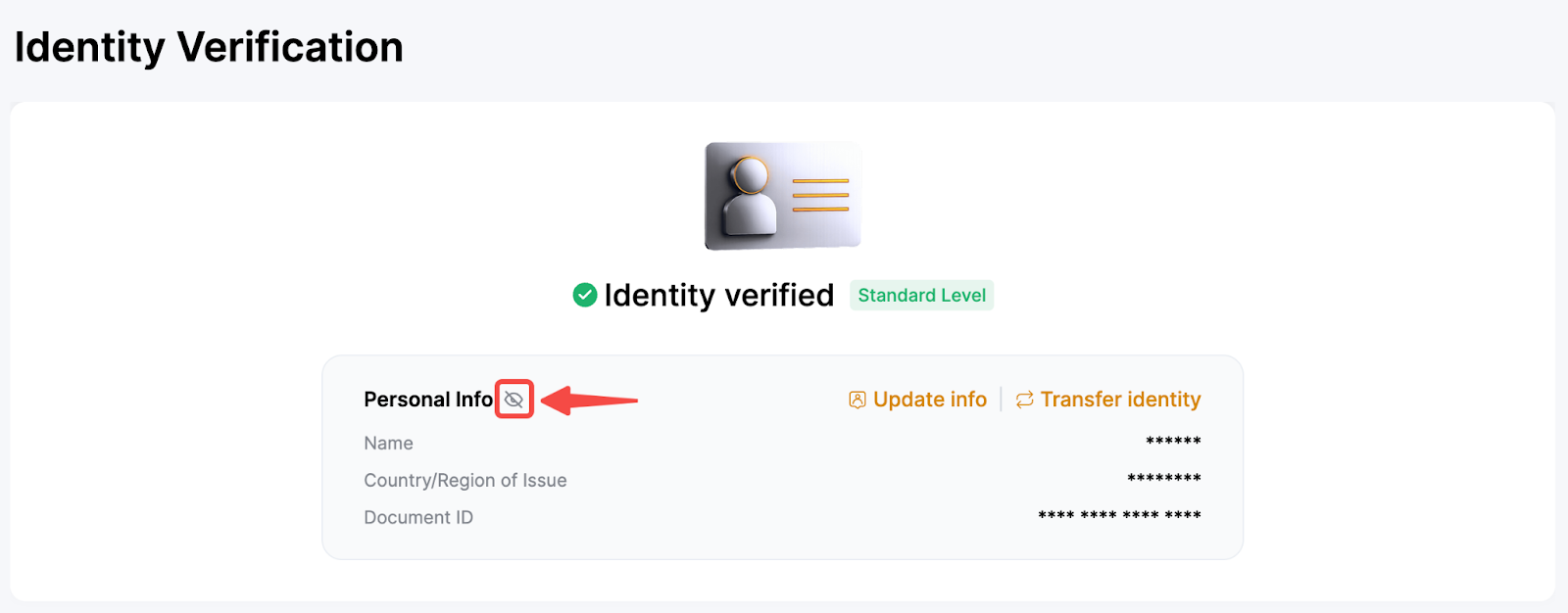
You can double-check your submitted information from the Identity Verification page. Click on the eye icon to view your information. Please note that you will need to enter your Google Authenticator code to view your information. Should there be any discrepancy, please reach out to our Customer Support by submitting a case here.
Supplement Verification
To comply with local regulatory requirements, certain users may be required to complete the Supplement Verification. You are responsible for ensuring that all submitted information is accurate and reliable.
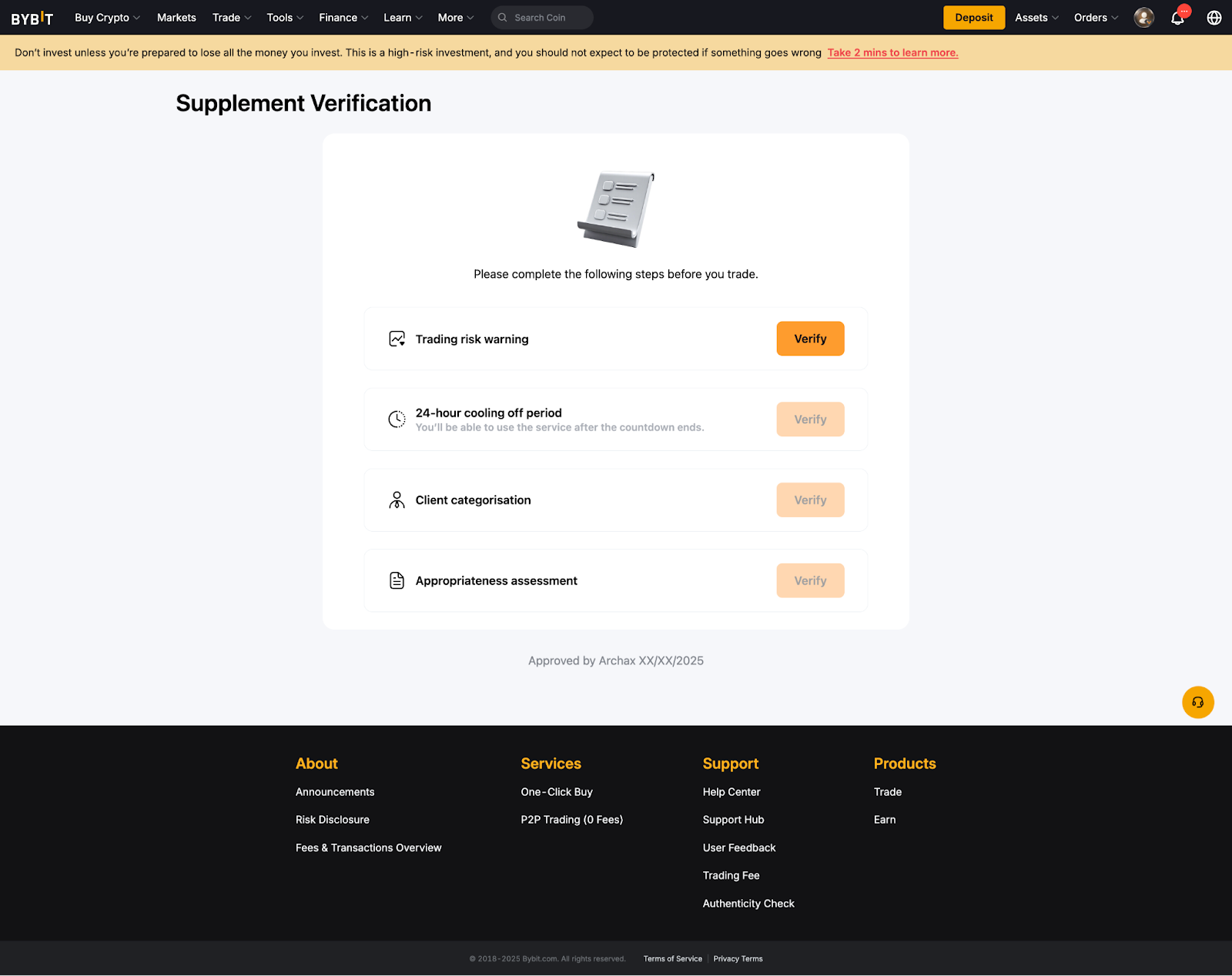
Supplement Verification consists of four key components: Trading Risk Warning, 24-hour Cooling Off Period, Client Categorisation, and Appropriateness Assessment. You must complete the Trading Risk Warning first before proceeding with the remaining components.
1. Trading Risk Warning
You must review and acknowledge a self-declaration risk warning, confirming you understand the risks associated with crypto-asset transactions.
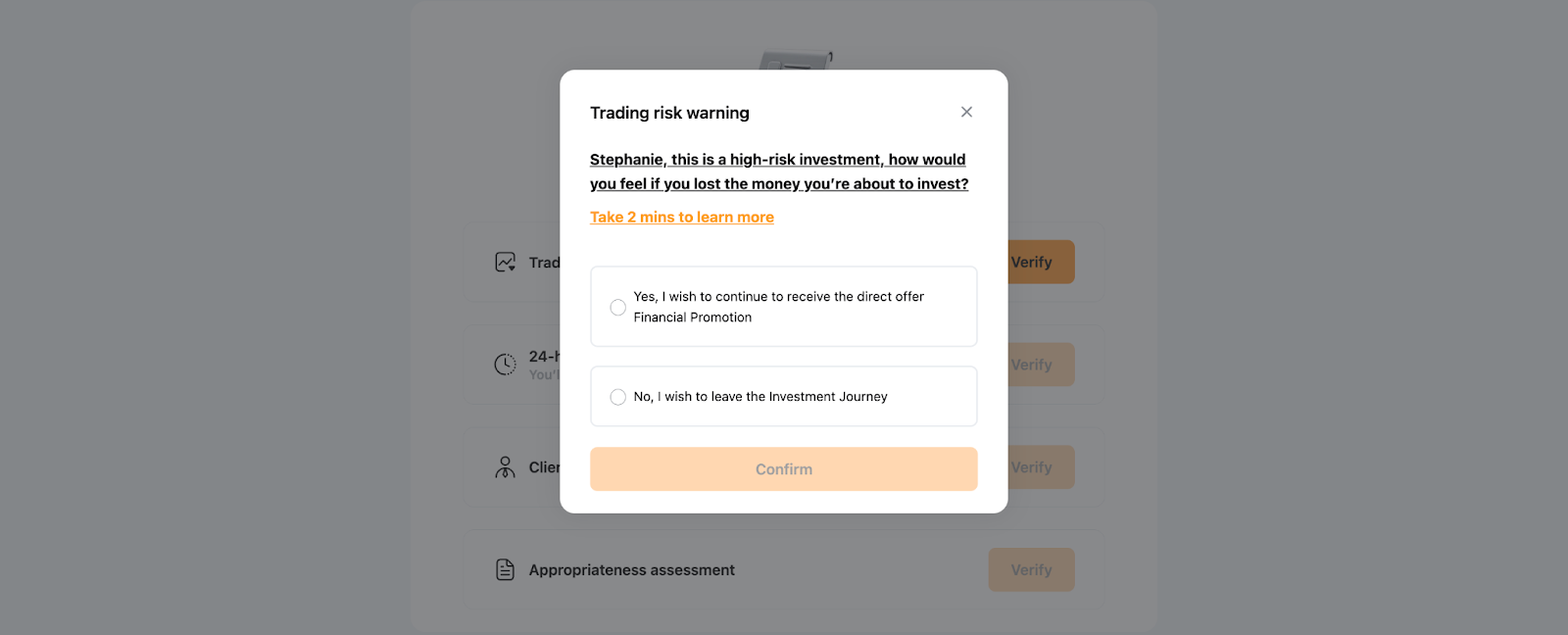
Note: Selecting “No, I wish to leave the Investment Journey” will end the current session, and the status will remain incomplete. If you wish to continue accessing the related services, please return to the KYC page to complete the remaining verification steps.
2. 24-hour Cooling Off Period
A mandatory 24-hour countdown will begin once you click Verify → Start Now to initiate the verification request.
After the 24-hour cooling-off period ends, return to the same verification page and click Confirm to complete the verification process.
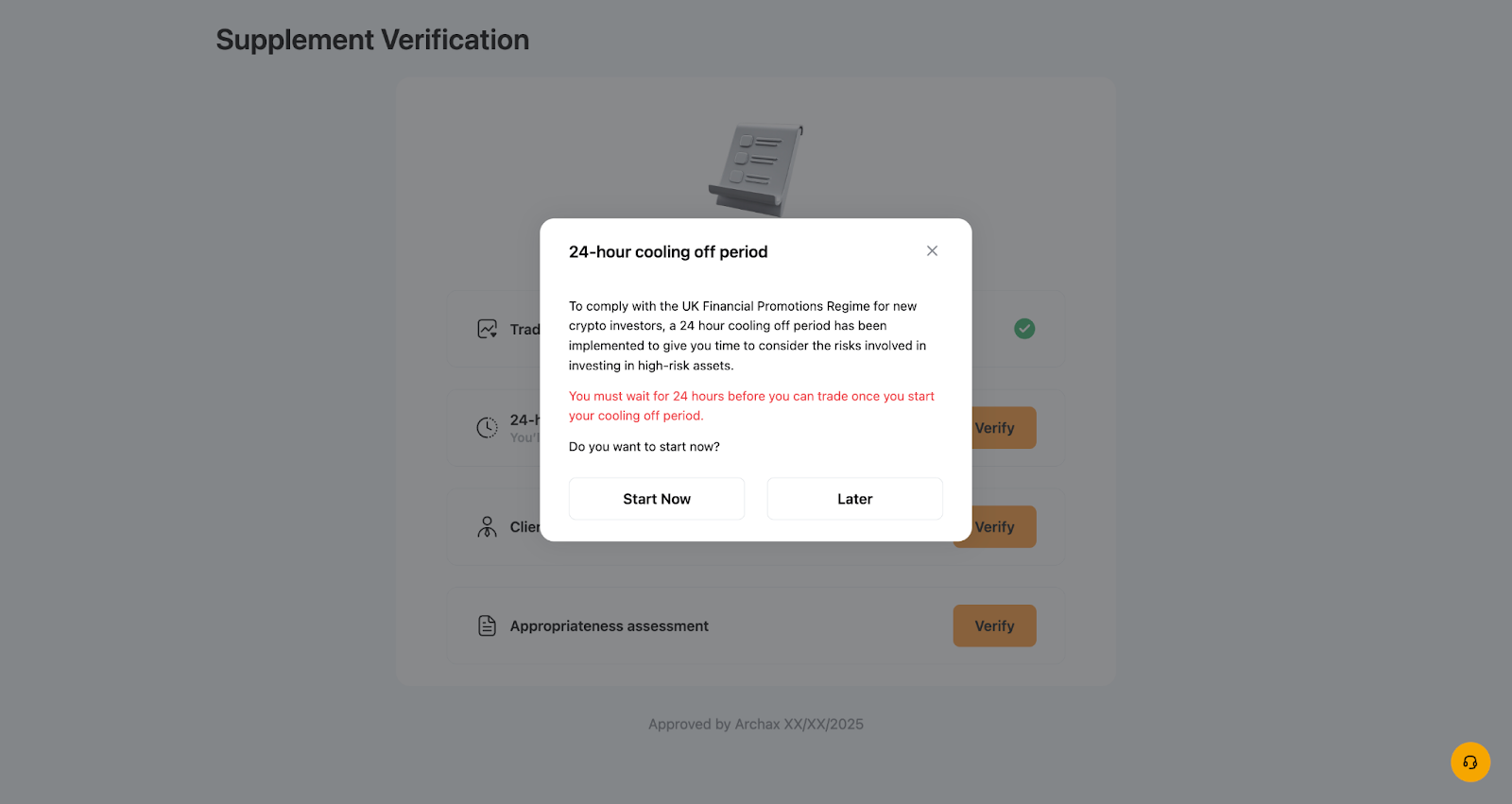
Note: Selecting “Later” will end the current session, and the status will remain incomplete. If you wish to continue accessing the related services, please return to the KYC page to complete the remaining verification steps.
3. Client Categorisation
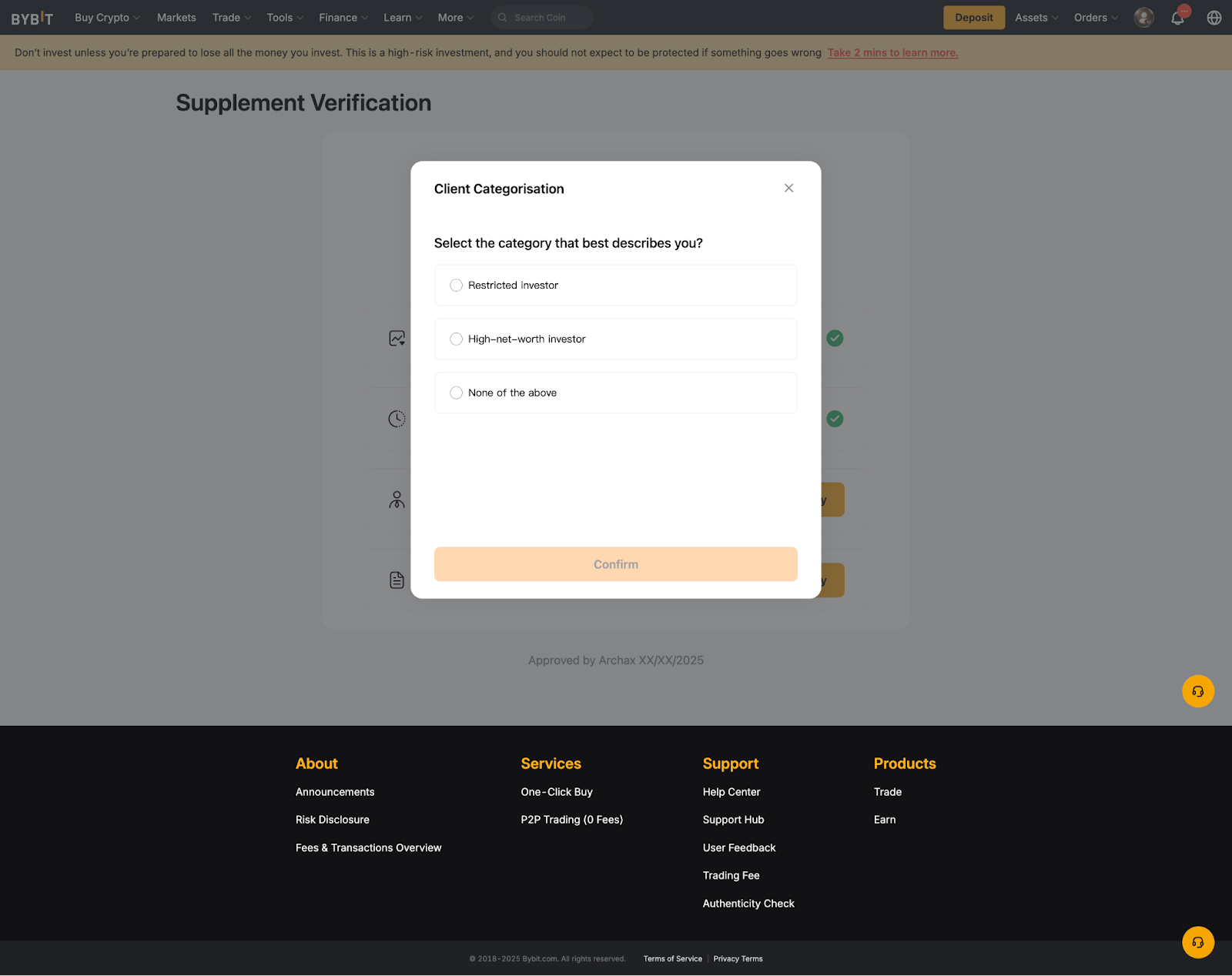
We are required under the FCA’s Financial Promotion Rules to ask you to categorise yourself as either a Restricted Investor or a High-Net-Worth Investor. After making your selection, you will need to complete approximately 8 questions, depending on which option you choose.
Notes:
— Selecting None of the above will end this session, and the status will remain incomplete.
— This categorisation is valid for 12 months, and the validity period starts once your submission is approved. You must renew it upon expiry.
4. Appropriateness Assessment
You are required to complete an appropriateness assessment consisting of 16 questions.
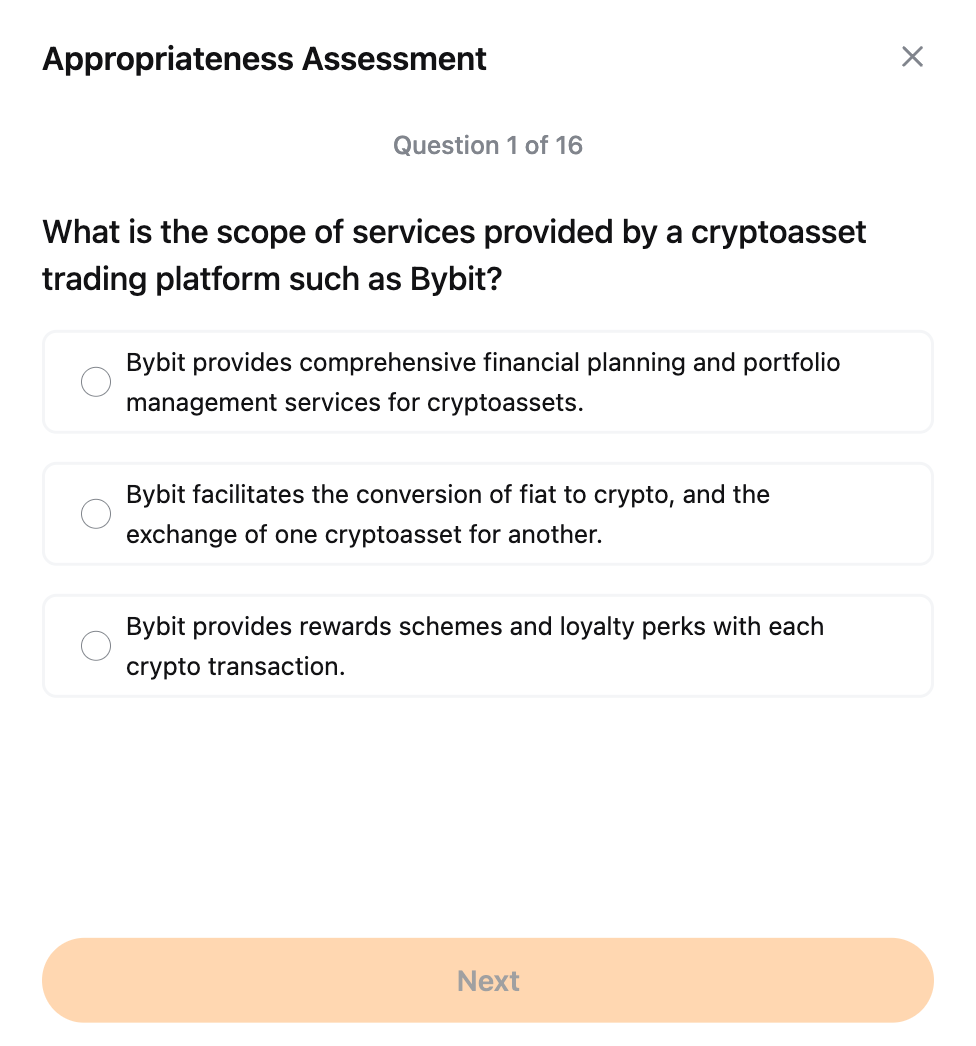
Notes:
— Your submission attempts will follow the updated restriction rules below:
- First failed attempt: You may submit immediately without any waiting period.
- Second failed attempt: You will be restricted from retaking the assessment for 24 hours.
- Third failed attempt: You will be restricted from retaking the assessment for 1 month.
You can now deposit and start trading after you have fully completed the supplement verification. For more details, you can refer to this article: FAQ — Individual KYC.
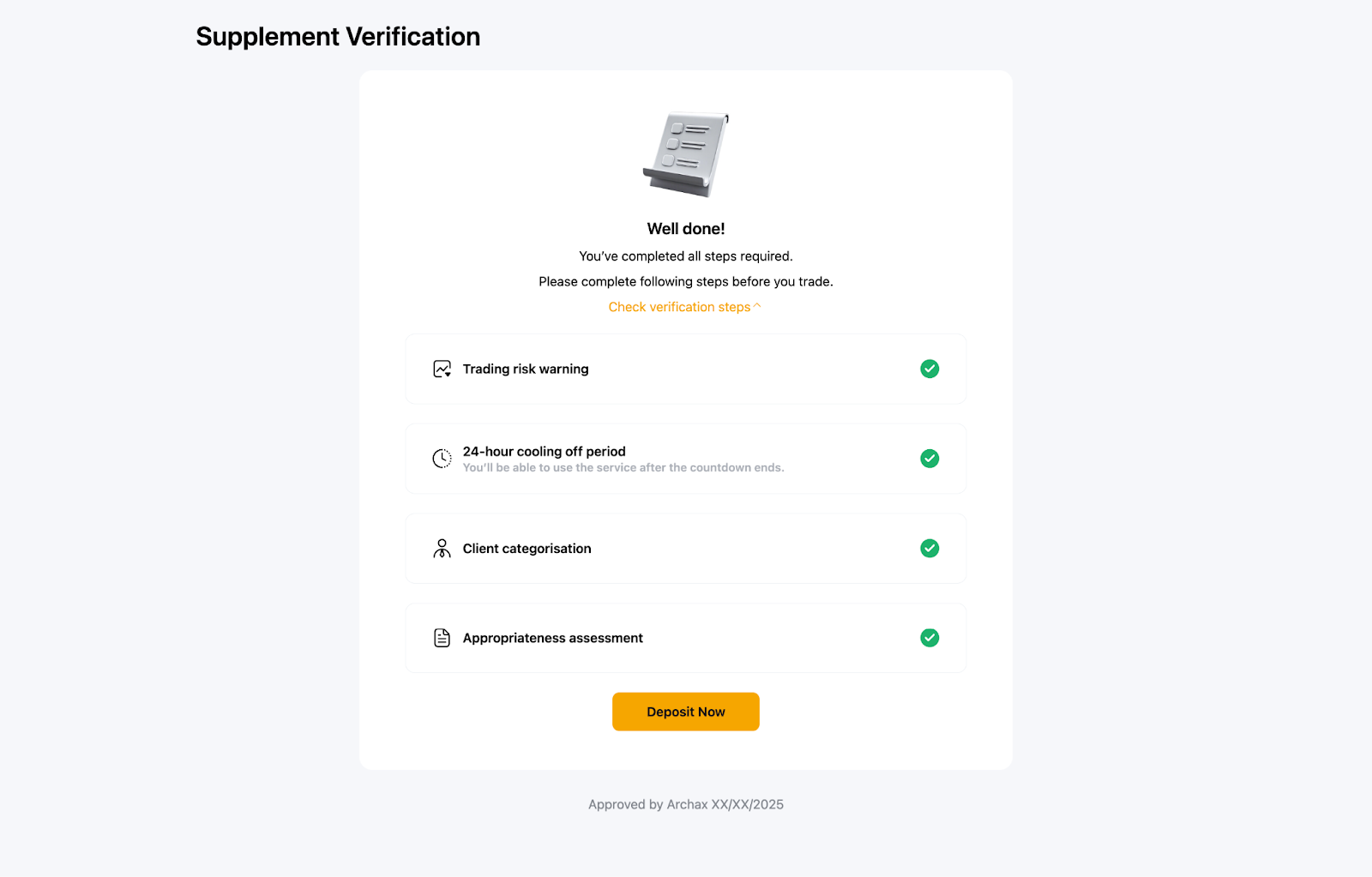
Note: Individuals who fail the Supplement Verification will be unable to access any products that require its successful completion.