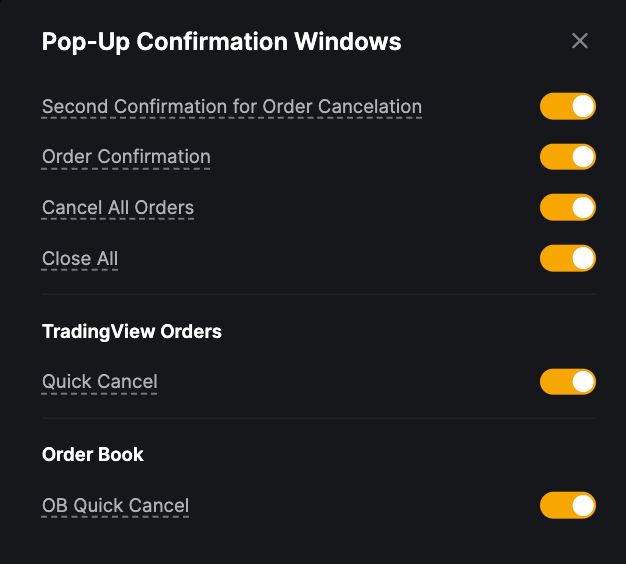
To make the most of your trading experience on Bybit, it is important to understand the different trade settings you can configure for your account before starting trading.
Please find below the various settings to consider to set up your orders.
In Account Settings
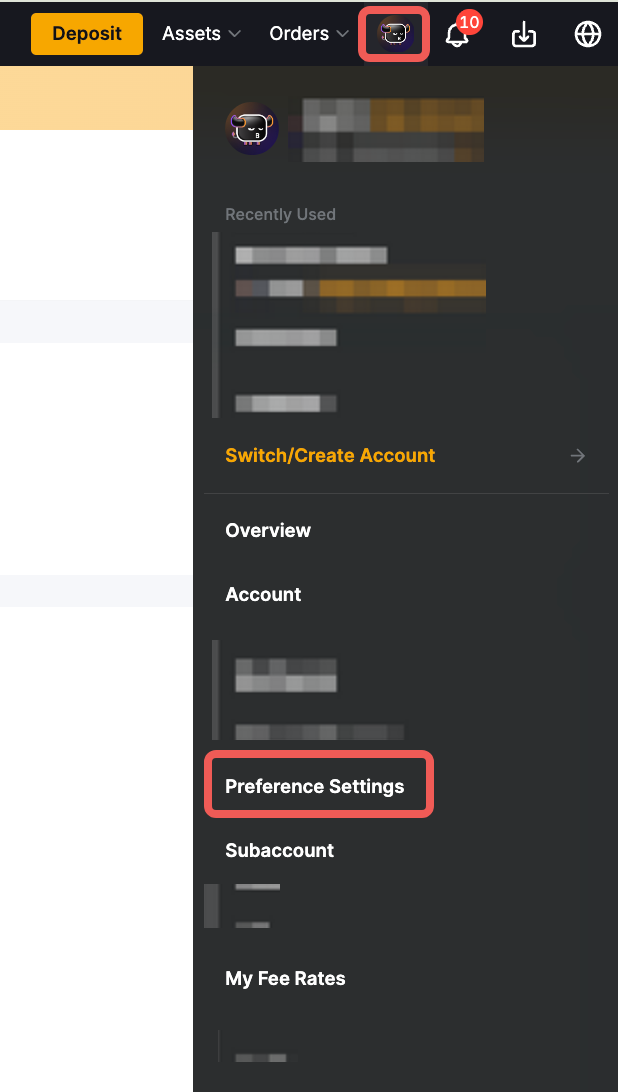
You can access some of the Trade Settings by simply clicking on your Profile Picture → Preference Settings to access the Trade Settings.
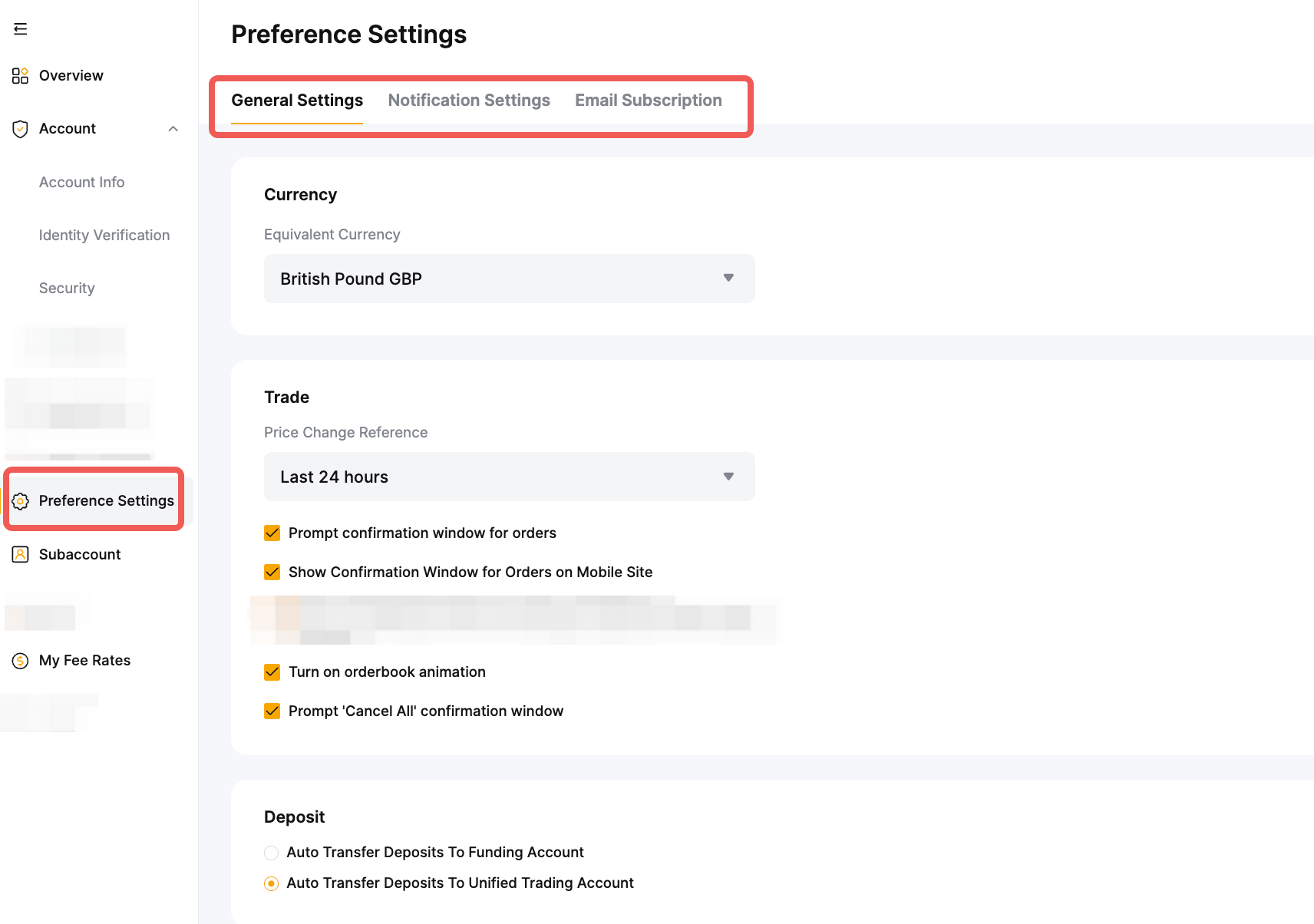
From this page, you can activate and deactivate the different confirmation windows available when handling orders. It is recommended to keep most if not all of the confirmation window to ensure you do not place an order or make changes by accident.
You can also decide the timezone and calculation for the price changes visible in the trading pages as well as the orderbook animation. However, please note that orderbook animation can be turned off if you prioritize speed and would like to optimize your trading experience on Bybit.
In the Trading Page
The Settings in the trading pages will offer more options for your trading activities. To access the Settings menu, simply click on the Settings icon on the top right corner of the page.
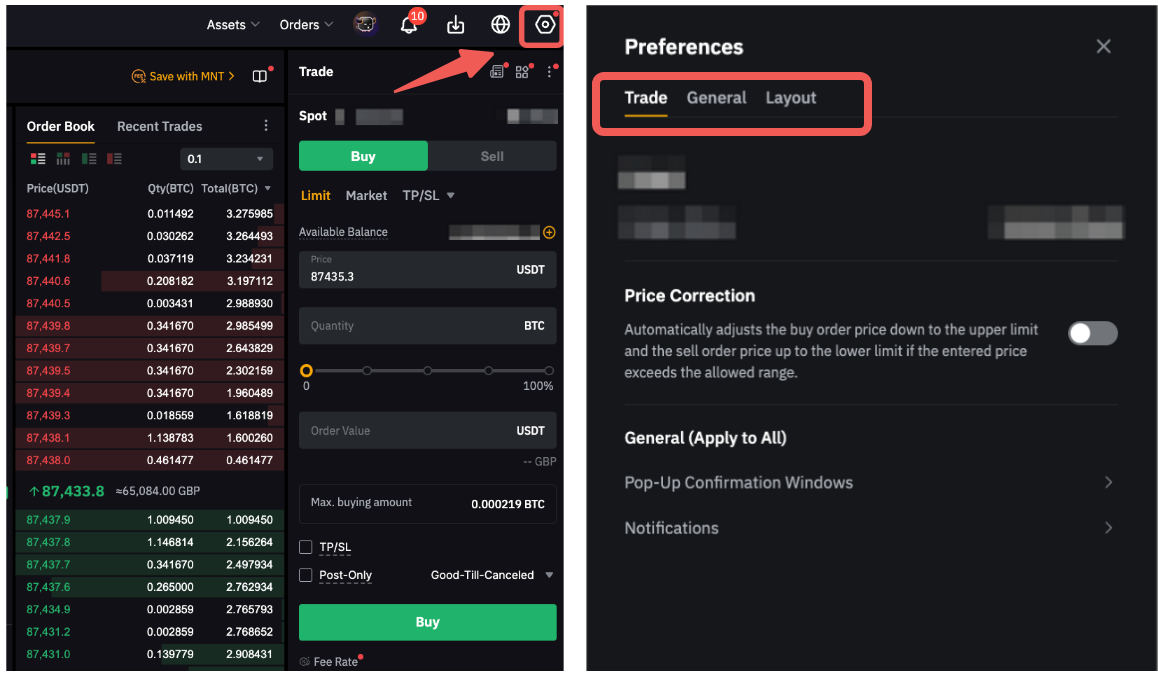
The trading preferences page allows you to set up key characteristics of your trades and personalize the information shown on your trading page.
Please find below the current settings available on the app: