Retrieve using PC/Desktop
API documentation URL: https://bybit-exchange.github.io/docs/v5/intro
To access the API documentation on Bybit
Step 1: Click on the link above to enter Bybit's GitHub API documentation. Alternatively, you can manually navigate to the 'API Documentation' page by following the 2 steps illustrated in the image below.
Step 2: Inside any Bybit.com webpage, scroll all the way to the bottom
Step 3: At the bottom left corner, locate 'API Documentation'. Click on it.
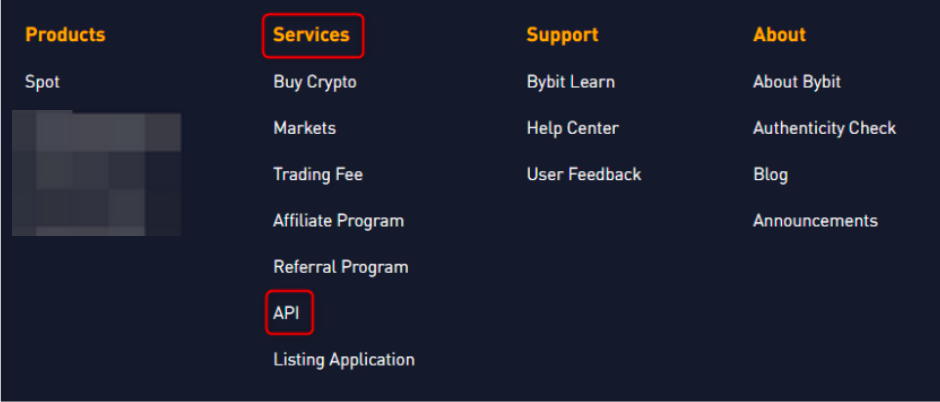
You have successfully accessed our Bybit API documentation page.
Retrieve using APP
To retrieve the API documentation, type "API" into the search bar and click on "API Documentation".
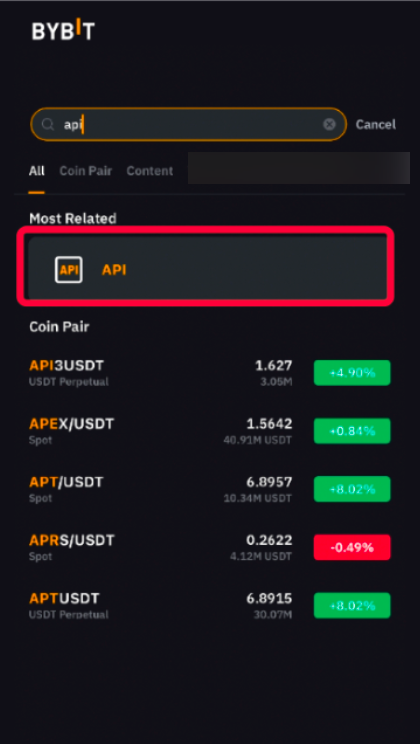
You have successfully accessed our Bybit API documentation page.