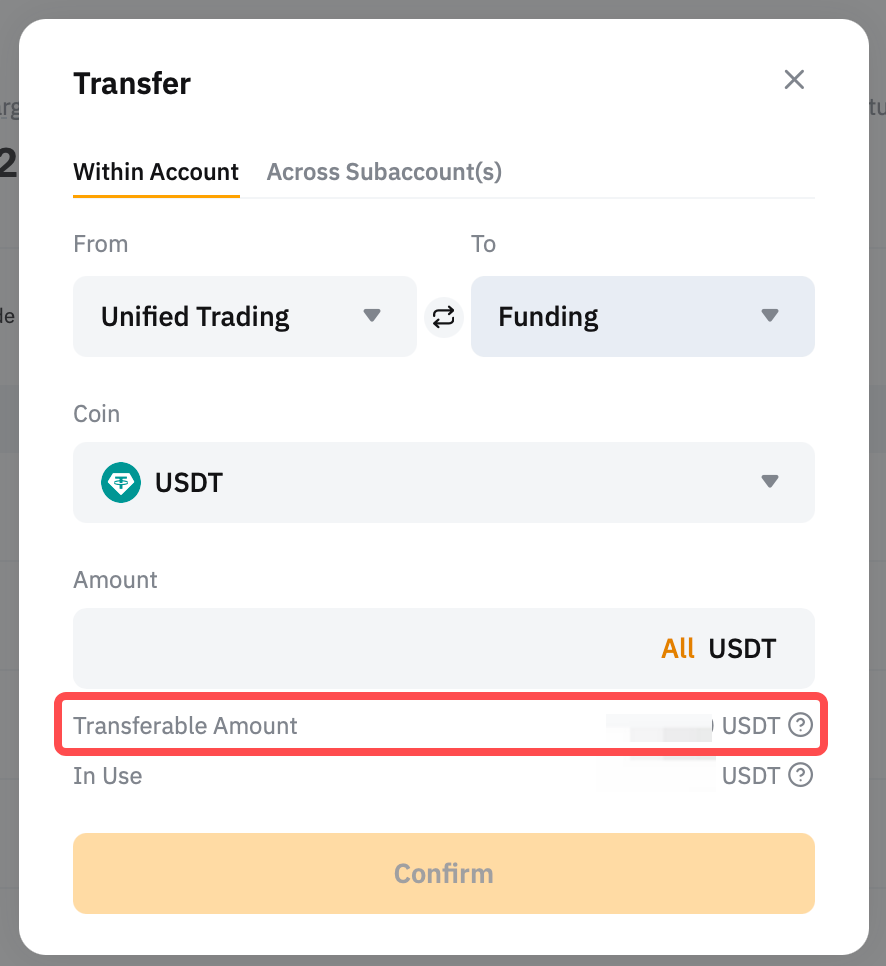
The Unified Trading Account (UTA) streamlines your trading with access to Spot. It allows traders to trade seamlessly without switching accounts. You can use the available margin balance to place orders across UTA's supported trading products, eliminating the need to hold specific settlement coins. It's a unified and efficient way to engage in multi-currency trading.
In this article, we will guide you through the Unified Trading Account Assets page.
Unified Trading Account Overview
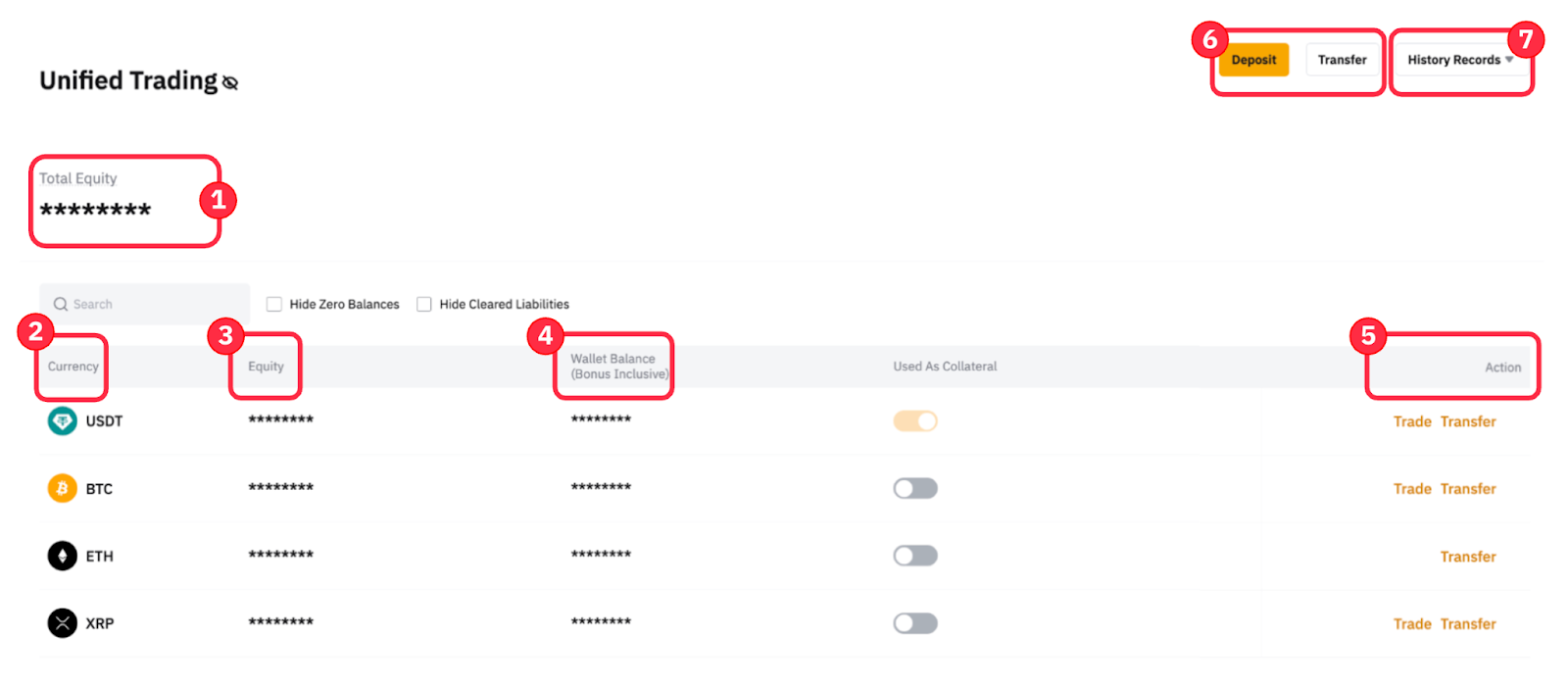
|
1 |
Total Equity |
Calculates the total asset value in your UTA account by adding the fiat currency valuation of each coin’s equity in your account. |
|
2 |
Currency |
Crypto assets that are currently supported in the Unified Trading Account. |
|
3 |
Equity |
This shows the equity for the respective coin, using the same formula as total equity. |
|
4 |
Wallet Balance (Bonus Inclusive) |
The actual number of coins that you physically held in your Unified Trading Account, including any bonus. |
|
5 |
Action |
This provides fast access to common functions of Trade and Transfer to users.
|
|
6 |
Deposit |
To make a crypto deposit, you can click on the Deposit button and follow the instructions in the How to Make a Deposit guide. |
|
Transfer |
This allows you to transfer the selected coin within your Main Account or across your Subaccounts. Read more on How to Transfer Assets on Bybit.
| |
|
7 |
History Records (Transaction Log) |
This dropdown menu directs you to the Transaction Log function, which allows you to view the full asset change details in your Unified Trading Account, from deposits to transfers. |