
How to Use Bybit's Position Builder
Position Builder is a powerful tool introduced by Bybit that allows traders to easily create complex investment portfolios using derivatives such as Perpetual, Futures, and Options contracts. This tool provides a wide range of contracts and customizable strategies, supports the submission of hundreds of orders at once, and helps you achieve portfolio diversification.
This guide will introduce you to the usage of Bybit's Position Builder, helping you quickly build a customized portfolio.
Before using Position Builder, please note the following points:
Ensure that your account has been upgraded to a Unified Trading Account capable of handling multiple orders.
Position Builder currently supports market orders and limit orders.
Step 1: You can enter the Position Builder page in two ways:
a) USDT Perpetual Trading Page: Click on Trading Strategies in the order area. Here, you will see two investment strategies: Perpetual Protection and Perpetual Income Growth.
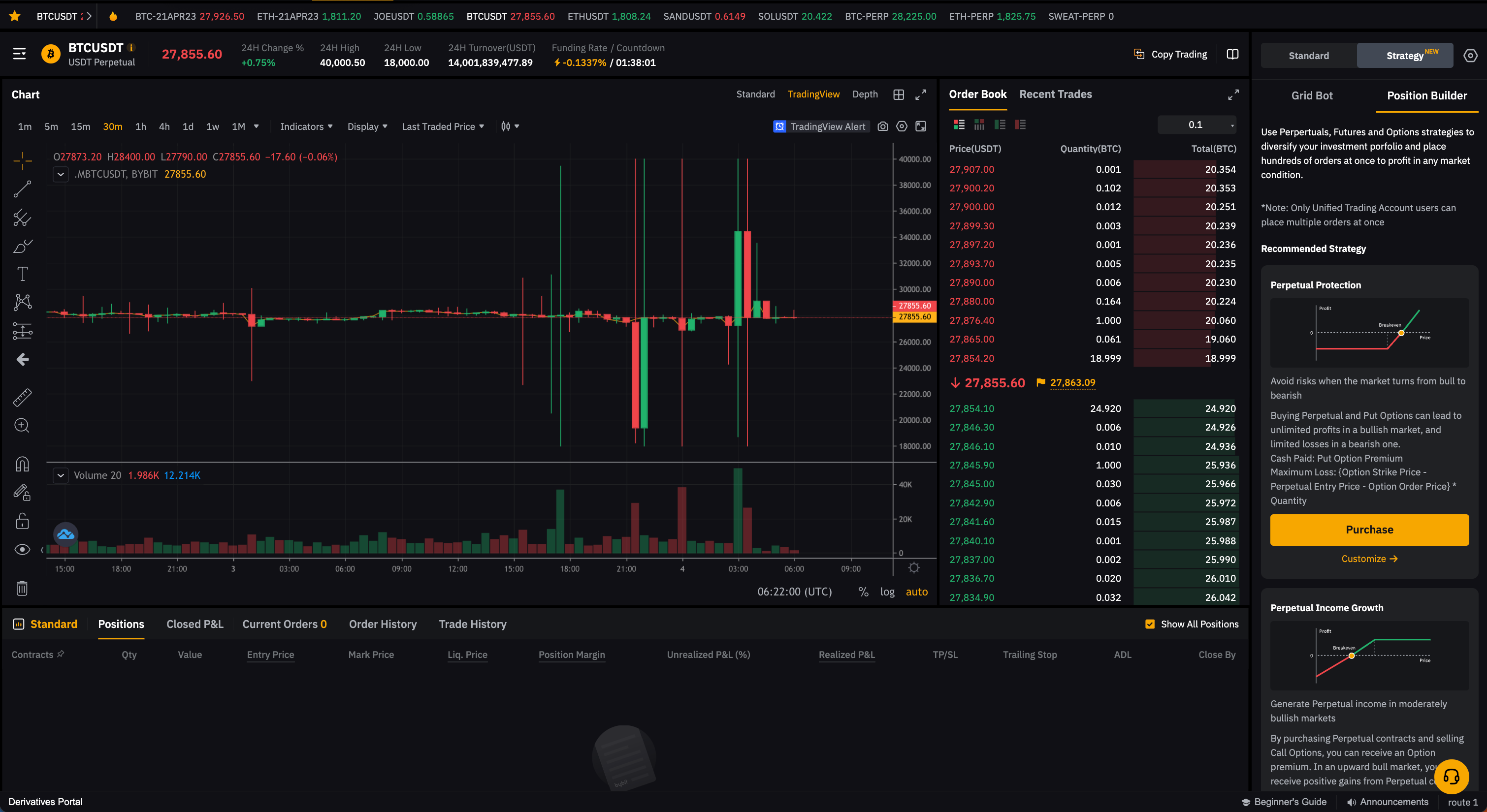
Perpetual Protection and Perpetual Income Growth strategies are similar to protective puts and covered calls. To learn more about these strategies, please refer to the following articles:
Protective Put Options Strategy
How to Earn Passive Income with Covered Call Strategies
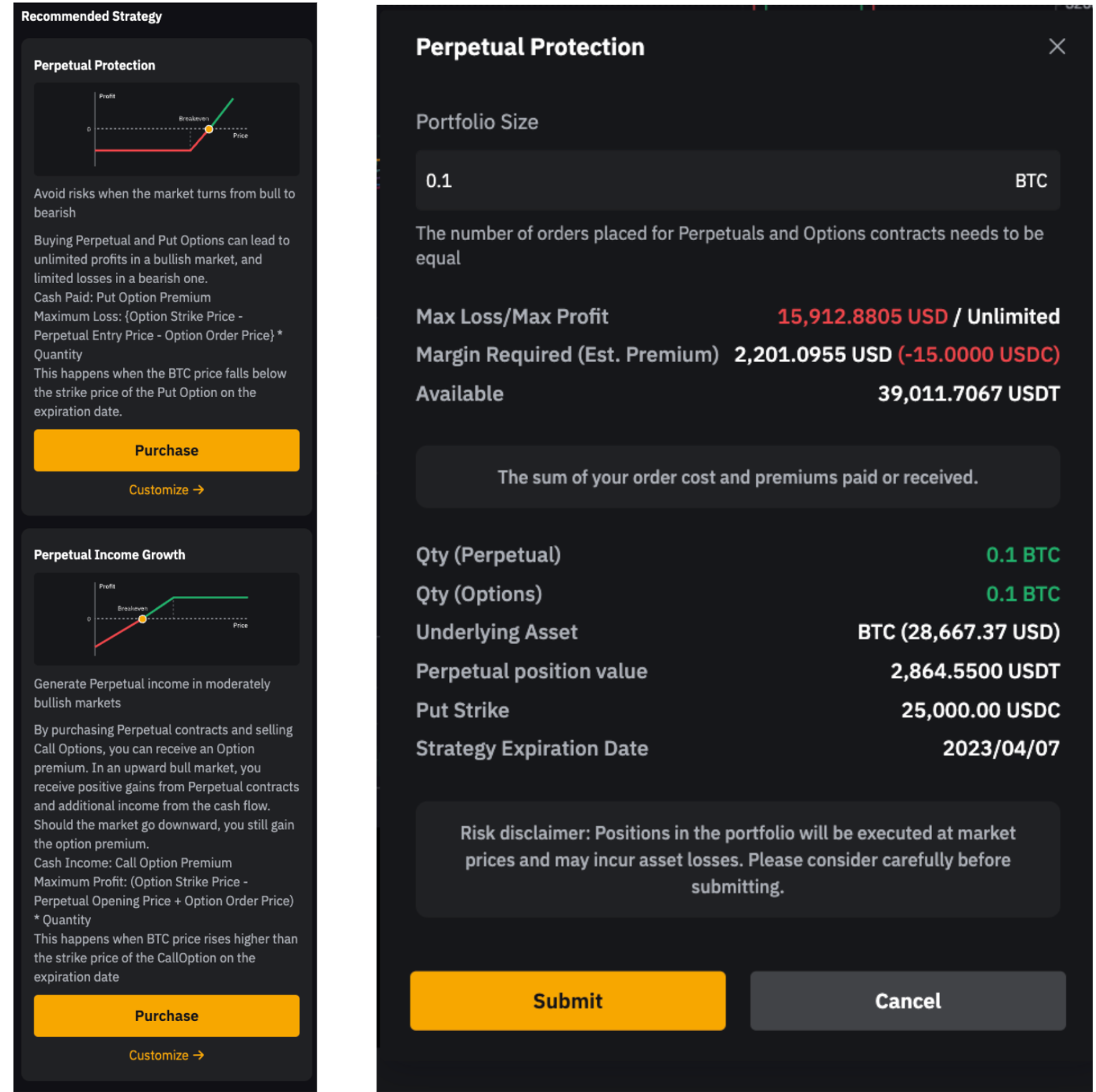
Next, click on Buy to input the strategy buy quantity and related details. You can also click on Custom in the order area to go to the Position Builder homepage and customize your order details.
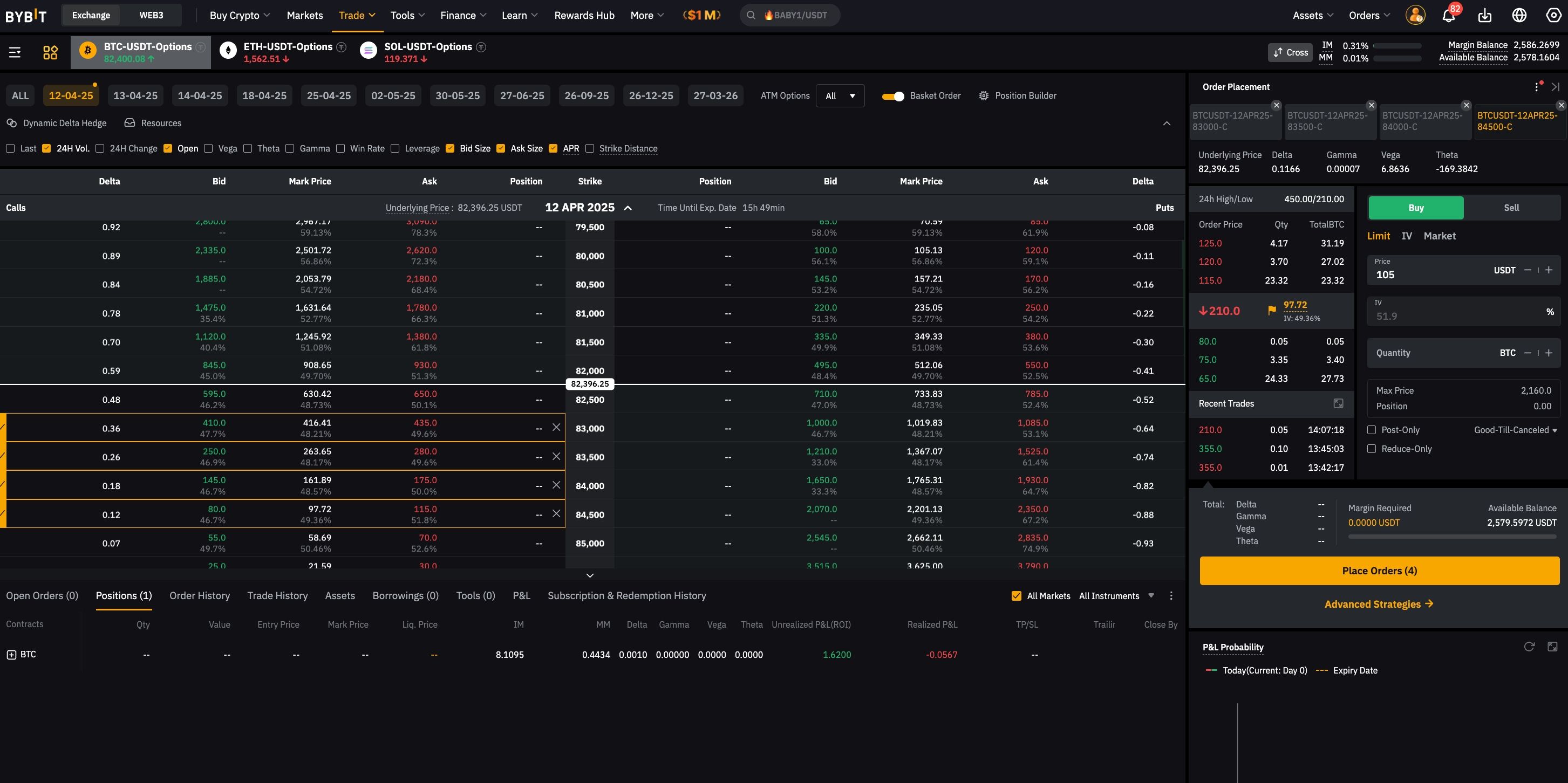
b) Options Trading Page:
Click on Position Builder in the upper right corner of the options chain.
Step 2: Place orders through Position Builder.
You can customize up to 200 positions across Perpetual, Expiry, and Options contracts. Explore various investment concepts, and delve into a diverse range of strategies, including straddle, butterfly, condor, strangle, bull/bear spread, covered call, and protective put, to navigate different market conditions with confidence.
A. Select the underlying crypto you would like to open a position for.

B. Open positions based on custom strategy templates:
Note: By default, the system will recommend USDT Perpetual contracts. However, you can select other contract types, including USDC Perpetual, USDC/USDT Expiry, and USDC/USDT Options contracts, from the drop-down menu.
To further customize your strategy, you can use Delta hedging. If there is a Delta exposure in your portfolio, the available hedging amount will be displayed on the page. To maintain Delta neutrality, you can add relevant derivatives for risk hedging.
Select the contract
Set the contract type and direction
Add simulated positions
Set leverage for Perpetual contracts
Set order price and position size based on your preferences
View the order book status
Select market order or limit order
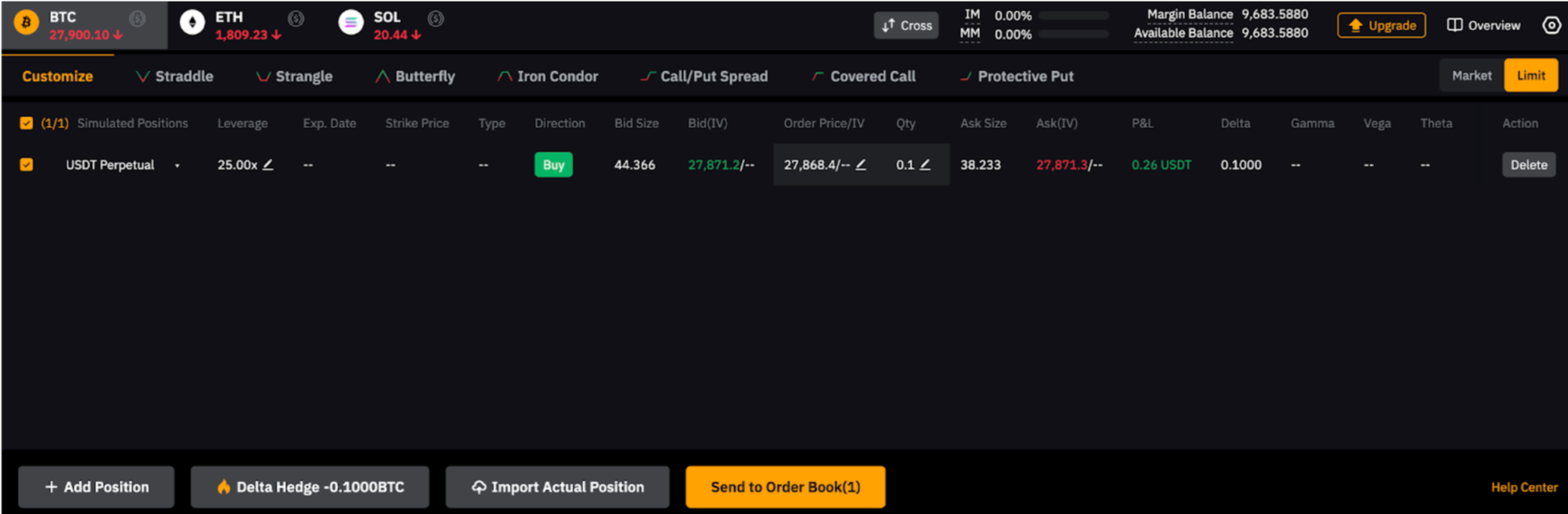
Additionally, by default, the system will recommend long strategies. Click to switch to custom mode, where you can freely edit parameters such as quantity and direction. After switching to custom mode, the original strategy data will be retained, and you can freely edit parameters such as quantity and direction.
Adjust the PnL chart
You can customize trading strategies using the PnL chart feature as follows:
1. Exercise price: Select the desired exercise price range to update the PnL chart.
2. Implied Volatility (IV): Drag the IV range from -80% to 300%.
3. Expiration Date: Drag the expiration date from the current level to the farthest expiration date.
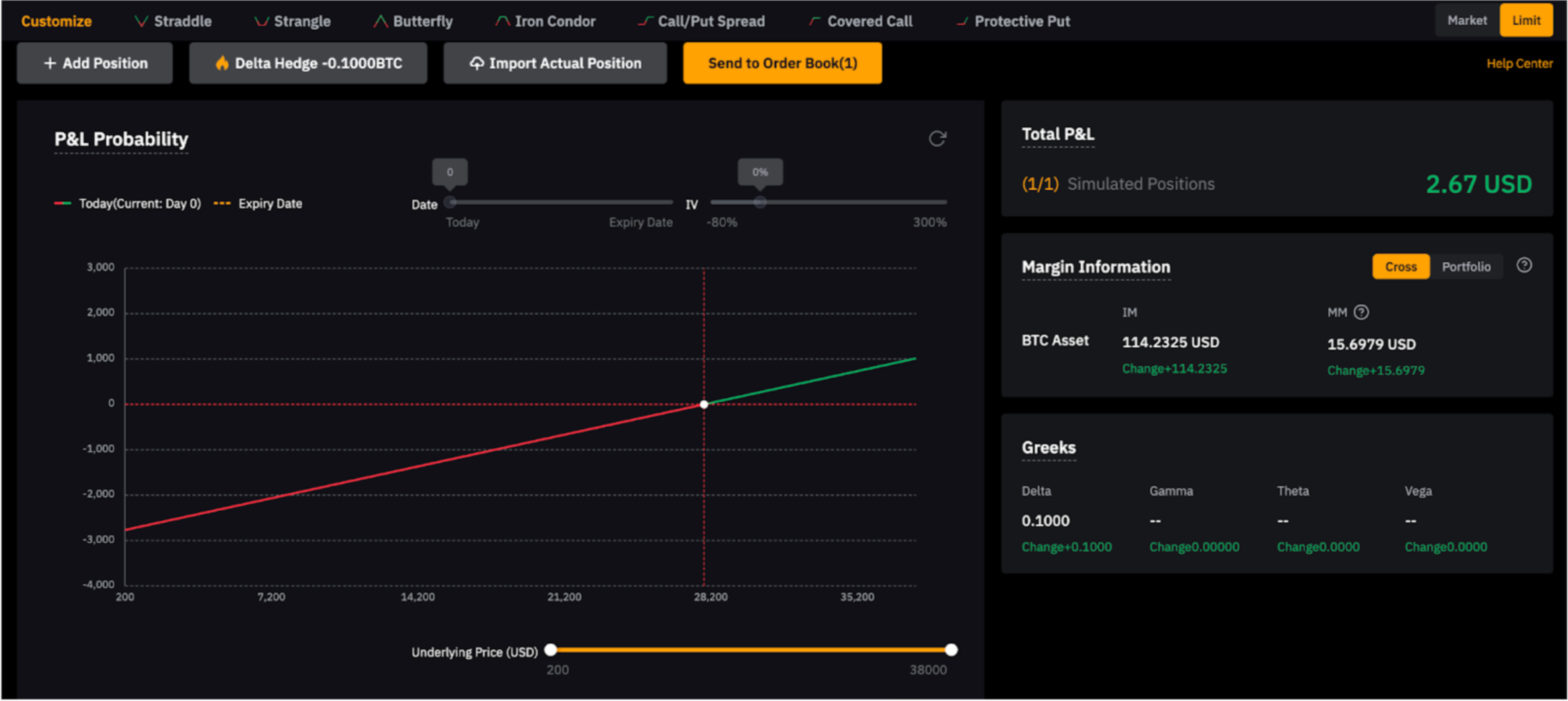
View total PnL, margin, and Greek values
On the right side of the page, you can view important information such as total PnL of simulated positions, margin utilization, and Greek values.
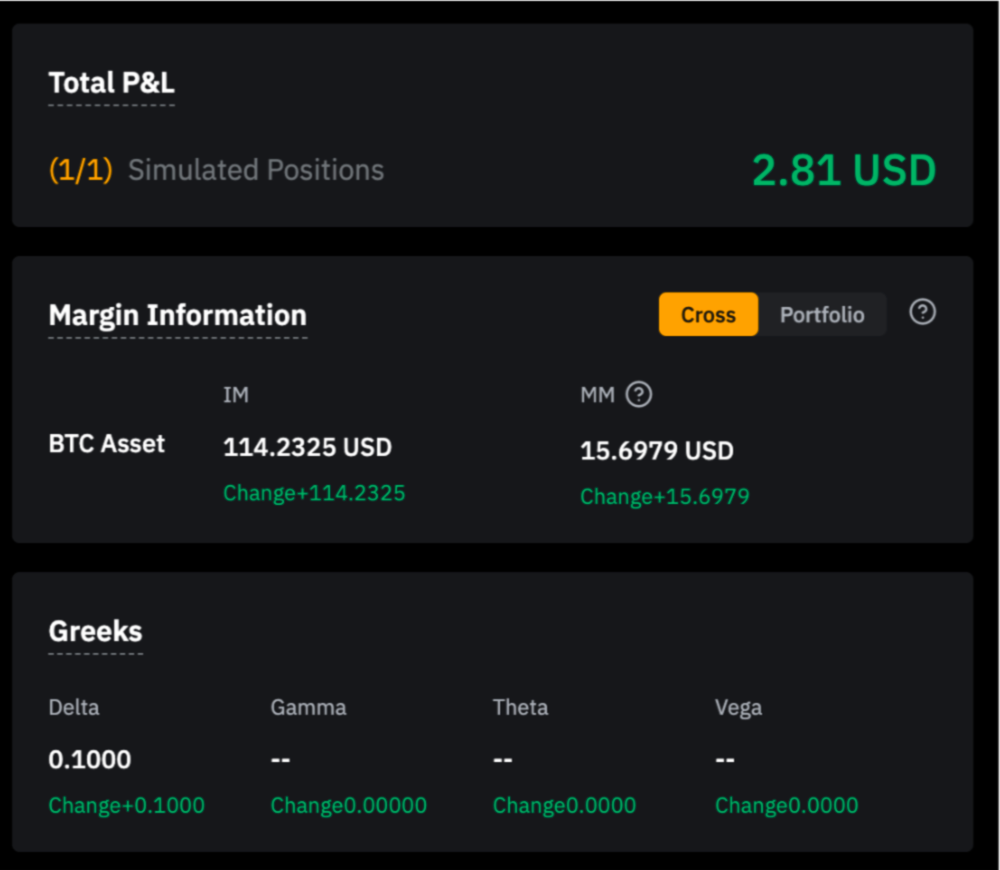
Clicking on Portfolio Margin or Cross Margin in the Margin Information will allow you to view detailed explanations of Portfolio Margin and Cross Margin and switch between them.
For multi-leg orders with long and short hedging relationships between contracts, it is recommended to use the Portfolio Margin mode.