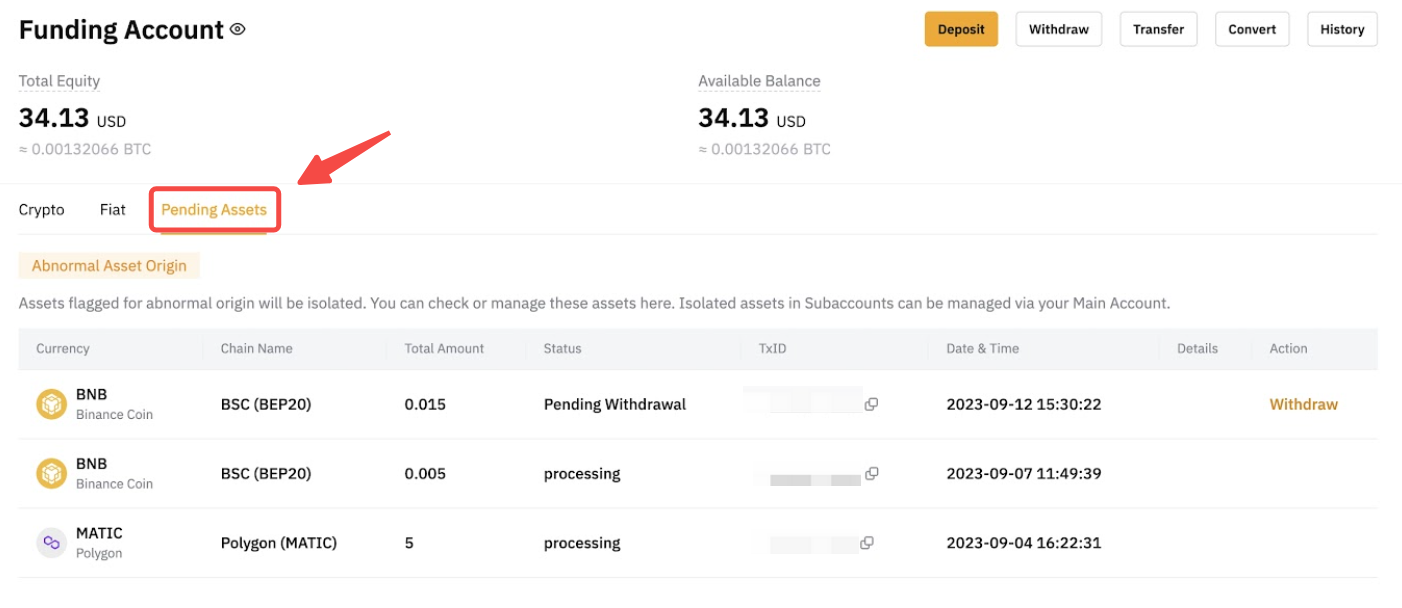
Where can I find my funds that are pending review?
On the Bybit website, you can find assets that are still being reviewed under the Pending Assets section of your Funding Account page.
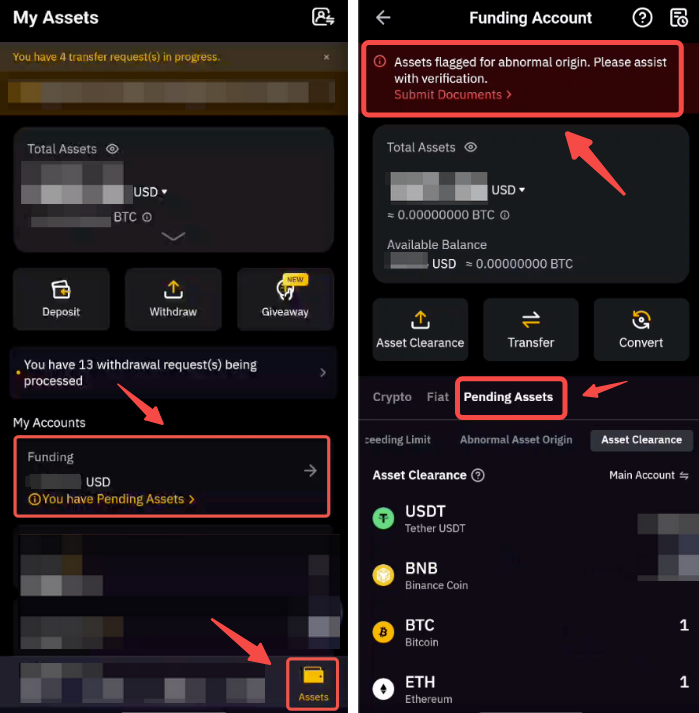
If you are using the Bybit App, please go to the Assets tab, tap on Funding and you will find assets awaiting review under the Pending Assets section.
How do I initiate the appeal process for my deposit/withdrawal?
An appeal can only be done via the Bybit website. Please refer to the following step to initial your appeal:
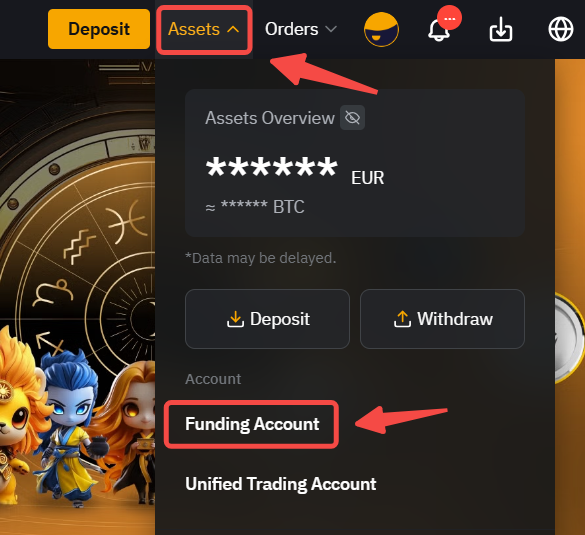
Step 1: Go to the Funding Account page by clicking on the Assets button which is located at the upper right corner and selecting Funding Account.
Step 2: Under the Pending Asset tab, click on the Appeal button next to the deposit/withdrawal you want to appeal.
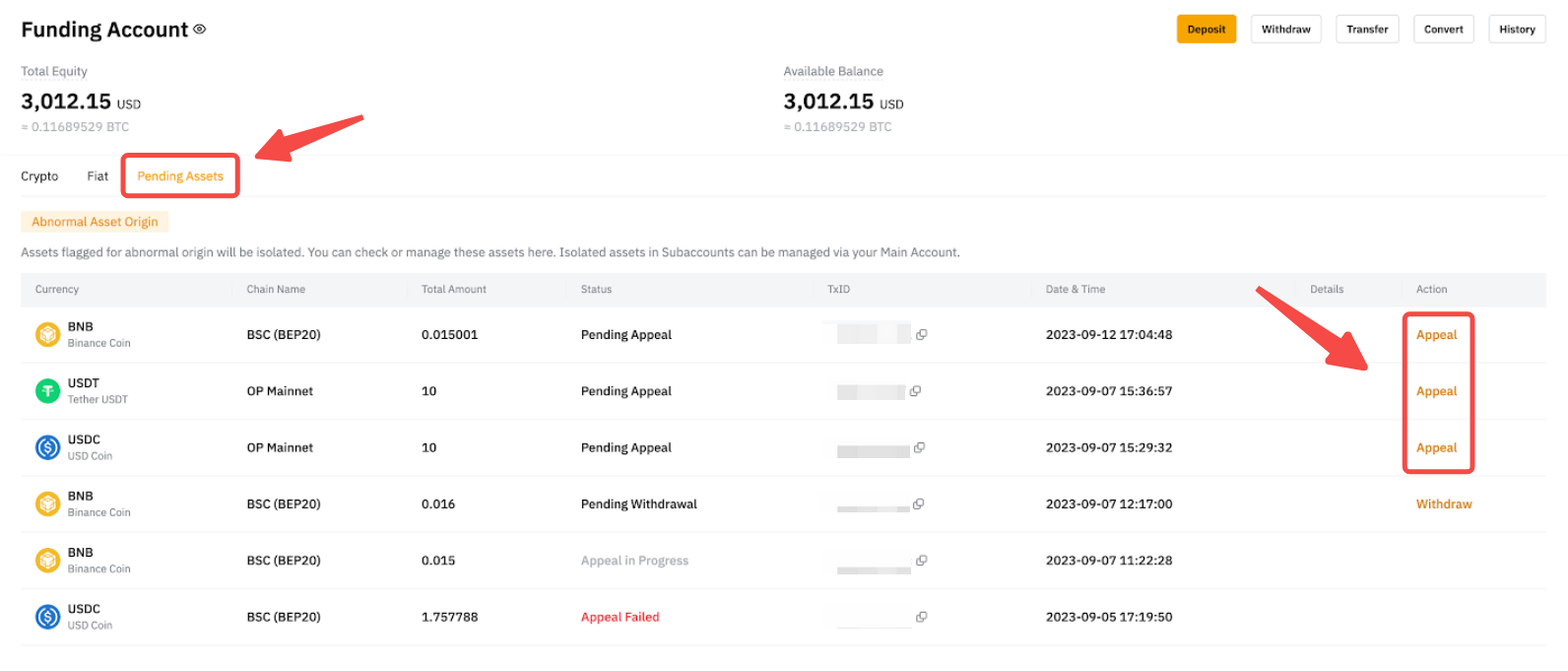
Step 3: Complete the Enhanced Due Diligence questionnaire and submit corroborative documents.
- You can choose to skip the source of wealth section if you have already submitted the information to Bybit's compliance team within the last two (2) months.
- Please allow the compliance team to review and reach out within 24 hours of submitting your documents.
- Please check your mailbox's spam folder if you have not heard from our compliance team.
What is the withdrawal fee for my pending assets from abnormal assets origin?
For pending assets from abnormal assets origin, a handling fee will be imposed for the withdrawal on top of any standard withdrawal on-chain management fees that may apply (such as LUNC, USTC). If there is no on-chain management fee for that coin, only the handling fee will be charged for abnormal asset withdrawal.
The standard withdrawal fee amount can be found on this page for each coin and chain. As for the handling fee, its amount will be calculated for each transaction based on the withdrawal fee and selected chain conditions.
How do I withdraw the funds after the review is completed?
- Please note that Bybit strictly prohibits the deposit or withdrawal of funds associated with various prohibited or high-risk categories, including but not limited to sanctioned entities or individuals, high-risk exchanges, financing terrorism, child abuse, stolen funds, and theft.
- Following a thorough review of your case, if the compliance team determines that you are not associated with any risk exposures, you can proceed to withdraw funds to an alternative wallet address with no risk history.
- The gas fees for such withdrawals are borne from your withdrawal sum. Please note that if your withdrawable amount is less than the withdrawal transaction fee, your withdrawal will not be able to proceed.
Following are the guidelines for you to make the withdrawal:
Via Website
Step 1: Go to the Funding Account page by clicking on the Assets button which is located at the upper right corner and selecting Funding Account.
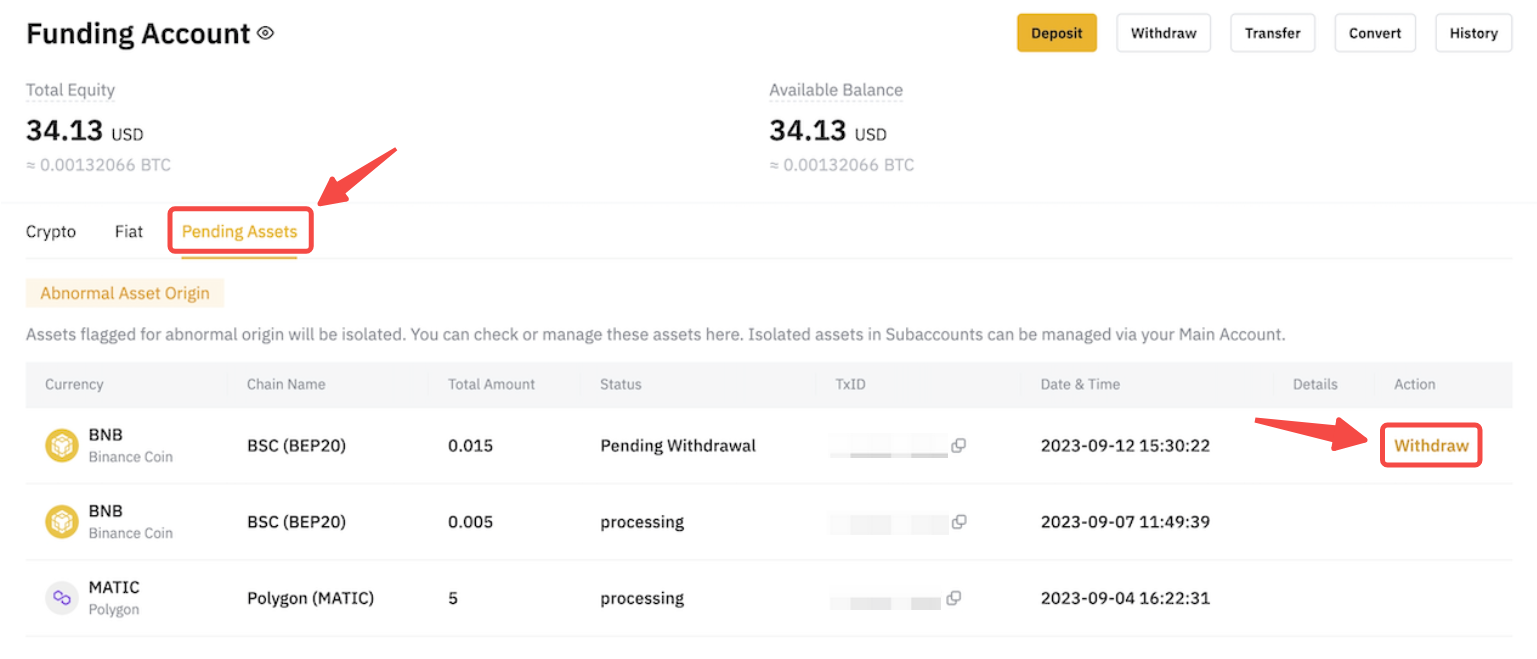
Step 2: Under Abnormal Asset Original/Asset Clearance in the Pending Assets section, click on Withdraw in the Action column.
Step 3: Input the destination wallet address where you intend to receive funds, and then click on Submit.
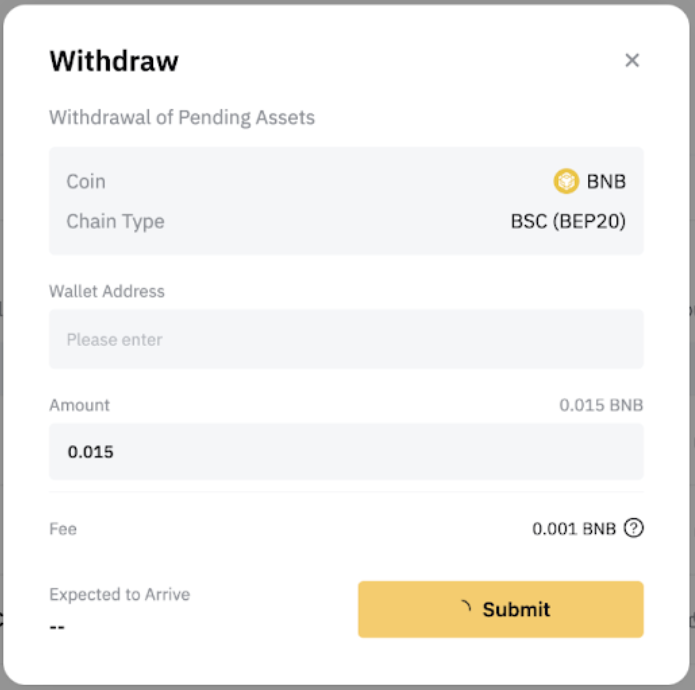
Note: Please be advised that the gas fees for such withdrawals are borne from your withdrawal sum.
Step 4: Click on Submit after confirming the accuracy of withdrawal details. You might be prompted to undergo a security verification.
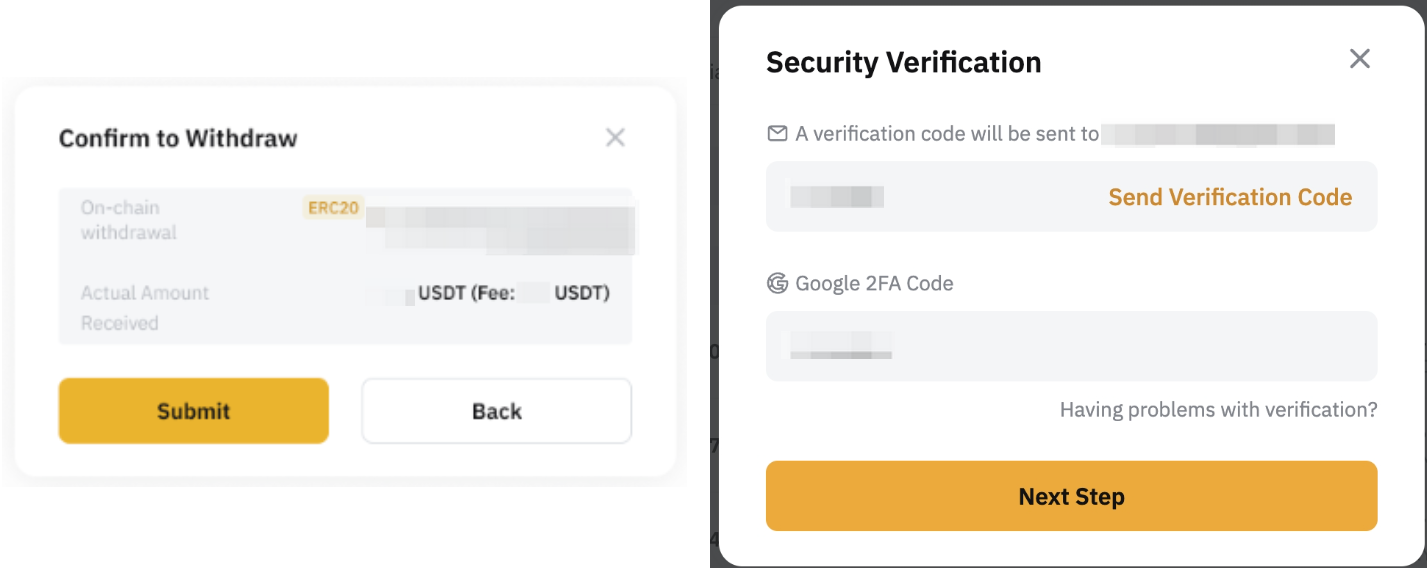
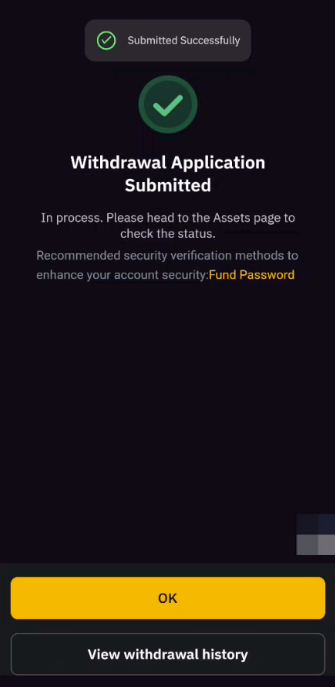
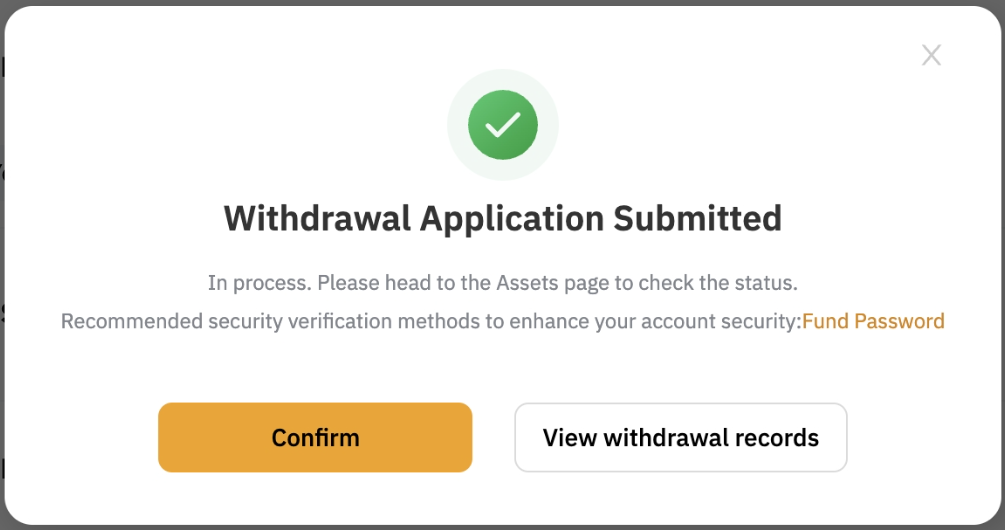
Congratulations! You have successfully submitted your withdrawal request! You can view the withdrawal record on the Funding Account History page.
Via App
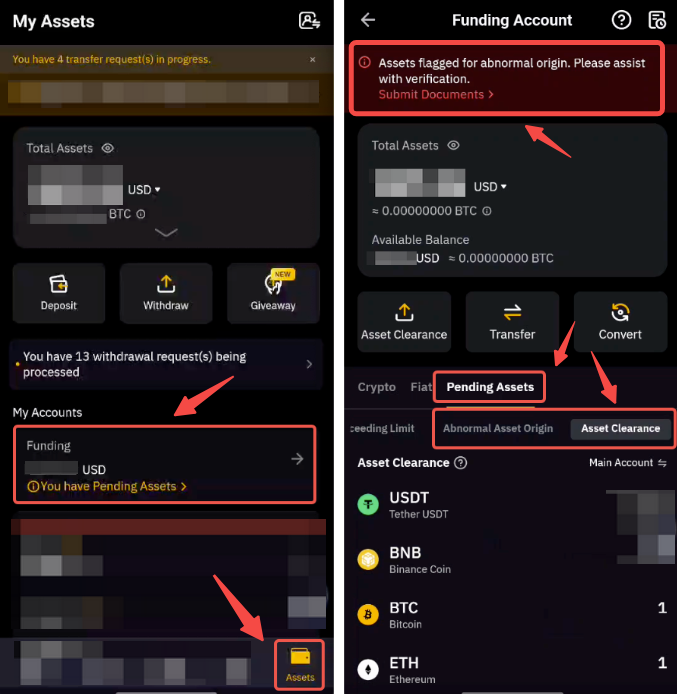
Step 1: Tap on Assets → Funding → Pending Assets → Abnormal Asset Origin / Asset Clearance, then tap on the asset that is pending for withdrawal.
Step 2: Input or scan the QR code of the destination wallet address where you intend to receive funds, and then tap on Withdraw.
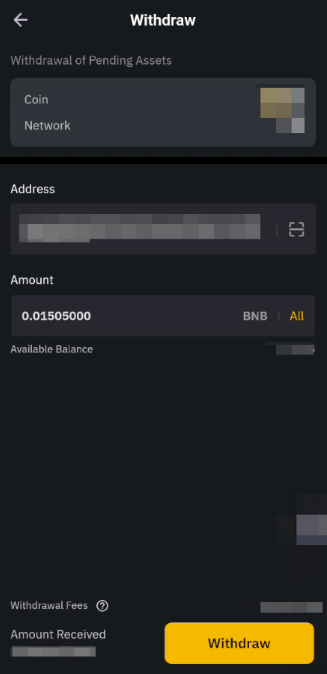
Note: Please be advised that the gas fees for such withdrawals are borne from your withdrawal sum.
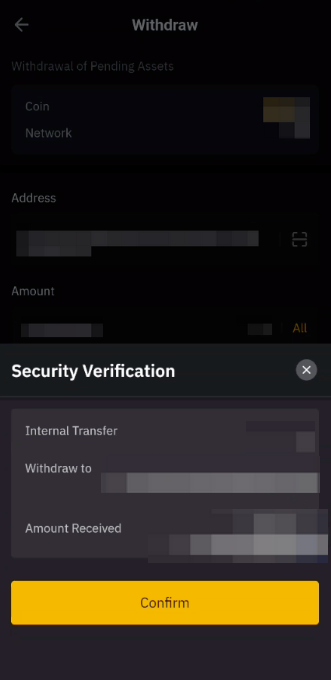
Step 3: Tap on Confirm after ensuring the accuracy of withdrawal details. You might be prompted to undergo a security verification.
Congratulations! You have successfully submitted your withdrawal request!