
Here’s a step-by-step guide on how to withdraw your initial deposit from your Bybit account.
- Initial Deposit Calculation
- View Your Total Initial Deposit
- View Your Withdrawal History
- Submit Your Withdrawal Request
Initial Deposit Calculation
The initial deposit in your account includes all coins that you’ve deposited in your account after deducting any withdrawals that you may have made.
Formula
Initial deposit = All deposits made to your account − All withdrawals made from your account
Please note that the initial deposit does not include any bonuses or coupons received in your Bybit account.
View Your Total Initial Deposit
To check your total initial deposit amount, you can refer to your deposit history: Funding Account History.
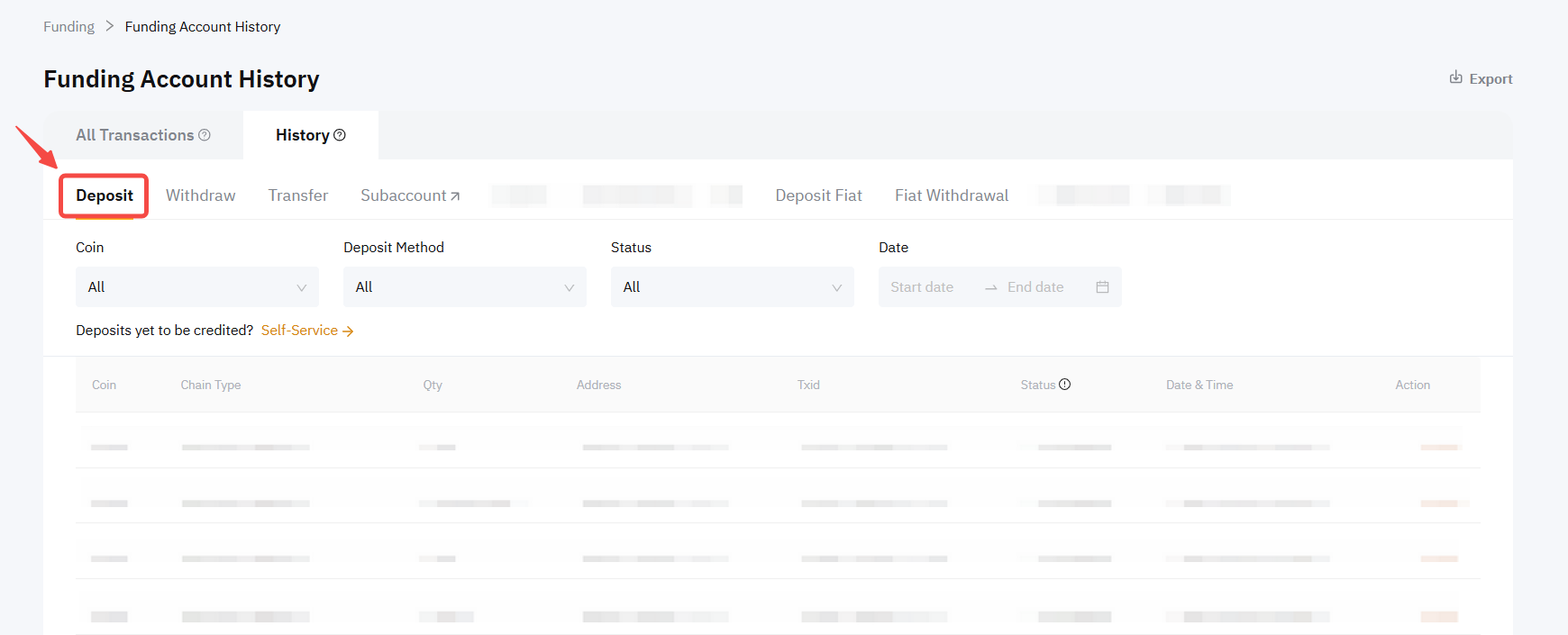
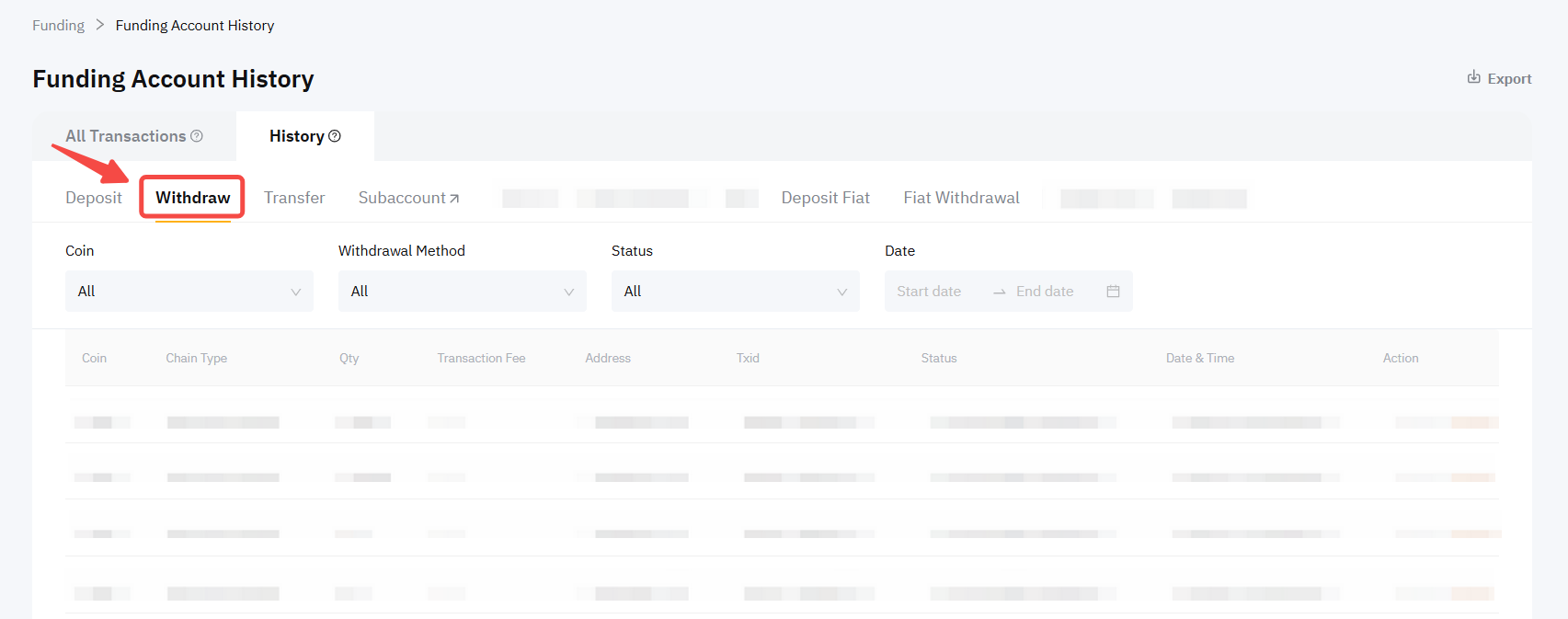
View Your Withdrawal History
To check your withdrawal history, please click on the Funding → History → Withdraw tab.
Important notes:
If you’re required to only withdraw your initial deposit:
-
You can only use the on-chain withdrawal function to withdraw your funds. Only the same coin type and amount as your initial deposit may be withdrawn. Otherwise, your withdrawal will be rejected.
-
Your withdrawable amount must meet the minimum withdrawal amount requirement in order to proceed with the withdrawal.
-
If you have exchanged your initially deposited coin into another coin type, you can use the Spot Trading function or Asset Exchange function to exchange the coin back to your initial deposit coin type before submitting a withdrawal request.
-
Bybit reserves the right to request a KYC verification before withdrawal. The KYC verification process will not be carried out strictly in accordance with the specified withdrawal amount for triggering KYC verification under special circumstances.
Example
Trader A deposits 10 USDC and 10 MNT and exchanges 10 USDC for 0.01 ETH.
Now, Trader A needs to withdraw their initial deposit. Since they can only withdraw the same coin type that they initially deposited, Trader A exchanges their 0.01 ETH back to 15 USDC.
Although Trader A got more USDC when they exchanged their ETH back to USDC the maximum amount they can withdraw is still limited to their initial deposit of 10 USDC.
Trader A needs to submit two withdrawal requests separately (10 USDC and 10 MNT), but cannot submit a MNT withdrawal request worth $20 or withdraw any other coins, such as ETH.
Submit Your Withdrawal Request
Please note that your initial deposit can only be withdrawn from Bybit’s website.
Step 1: Log in to your Bybit account.
Step 2: Calculate your initial deposit amount by checking your deposit and withdrawal amount from your Funding account.
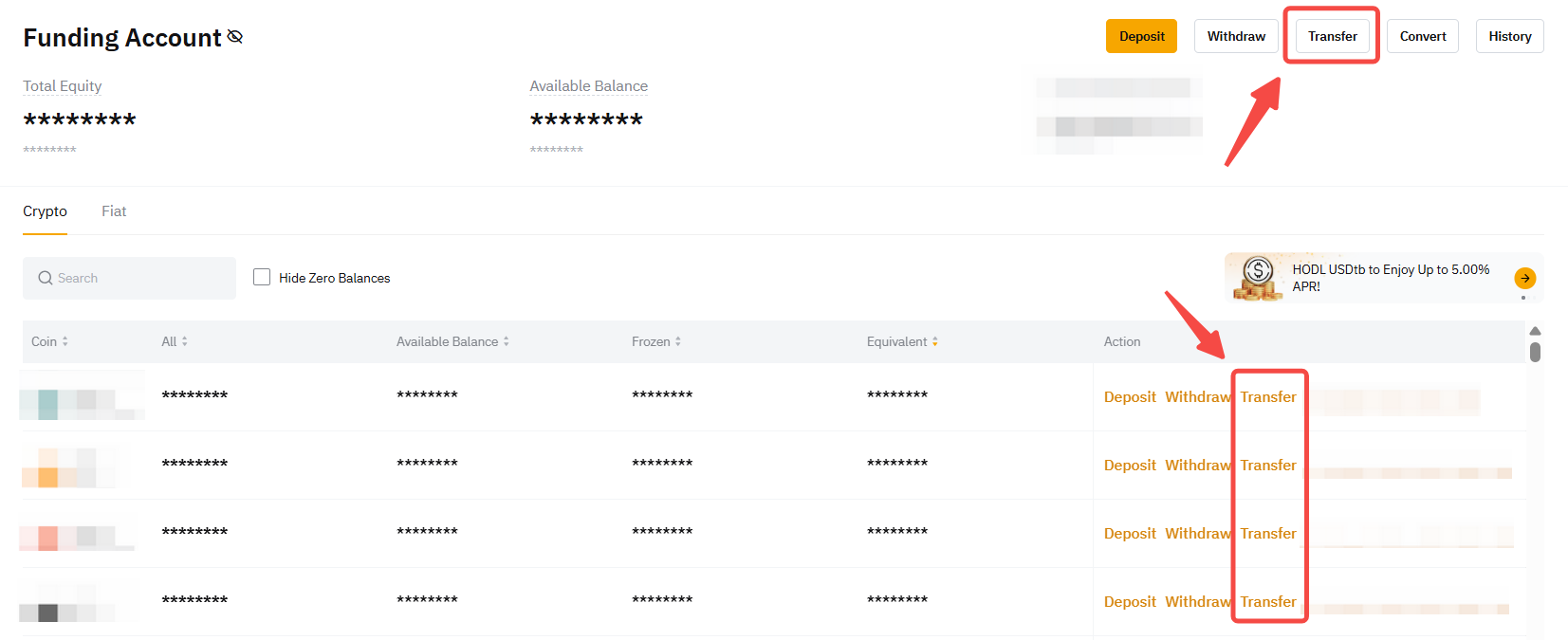
Step 3: Once you know the amount of your initial deposit, please proceed to your Funding Account to submit your withdrawal request. Please ensure your funds are transferred to your Funding Account before you can submit a withdrawal request. To make the transfer, select the account holding your funds and click on Transfer on the top right corner to transfer to your Funding Account.
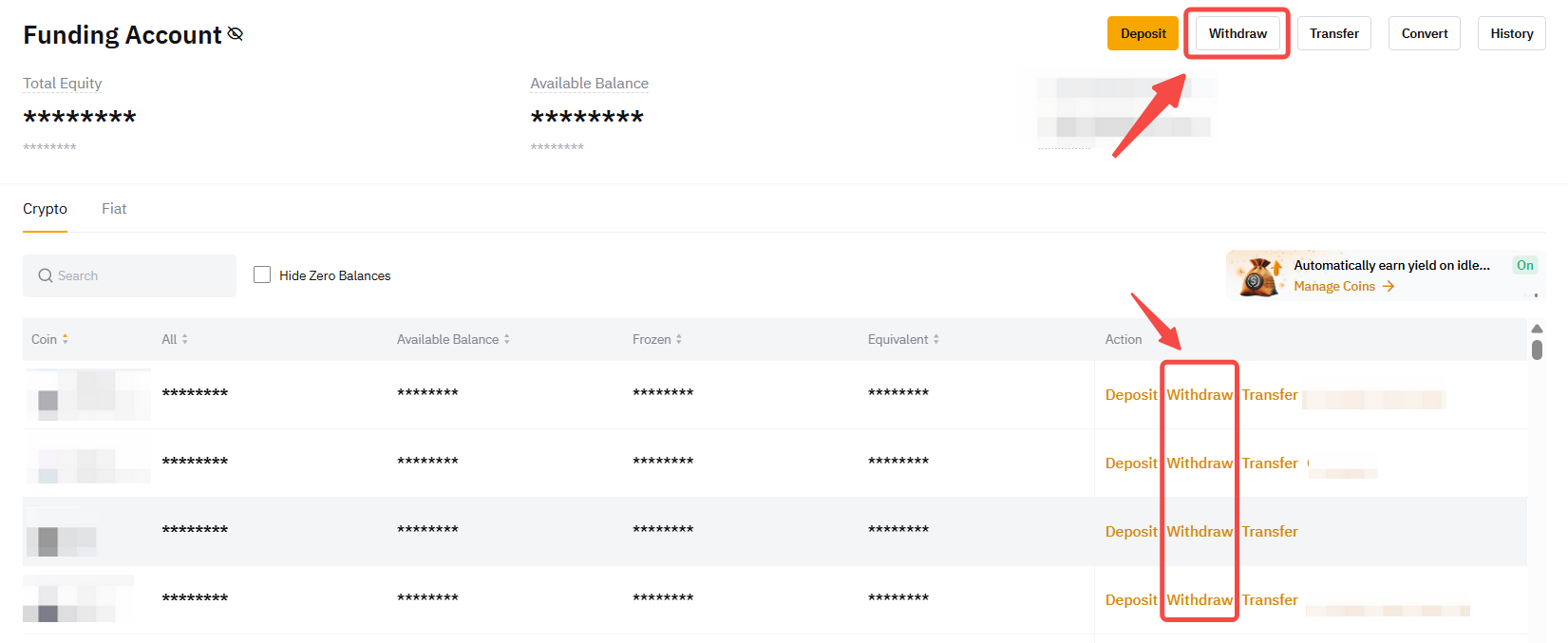
Step 4: Once on your Funding Account page, click on Withdraw in the column of the currency of your initial deposit to withdraw it.
Step 5: Select the withdrawal address of your receiving wallet. You can either:
-
Enter the wallet address directly in the Wallet Address field, or
-
Select your chosen wallet address among your registered withdrawal wallet addresses, or
-
Add a new withdrawal wallet address to your Bybit Withdrawal Wallet Address Book. For more details, please refer to How to Add a Withdrawal Wallet Address.
Step 6: Select the type of chain you prefer. You will see the withdrawal fee and minimum withdrawal amount for each blockchain network accordingly.
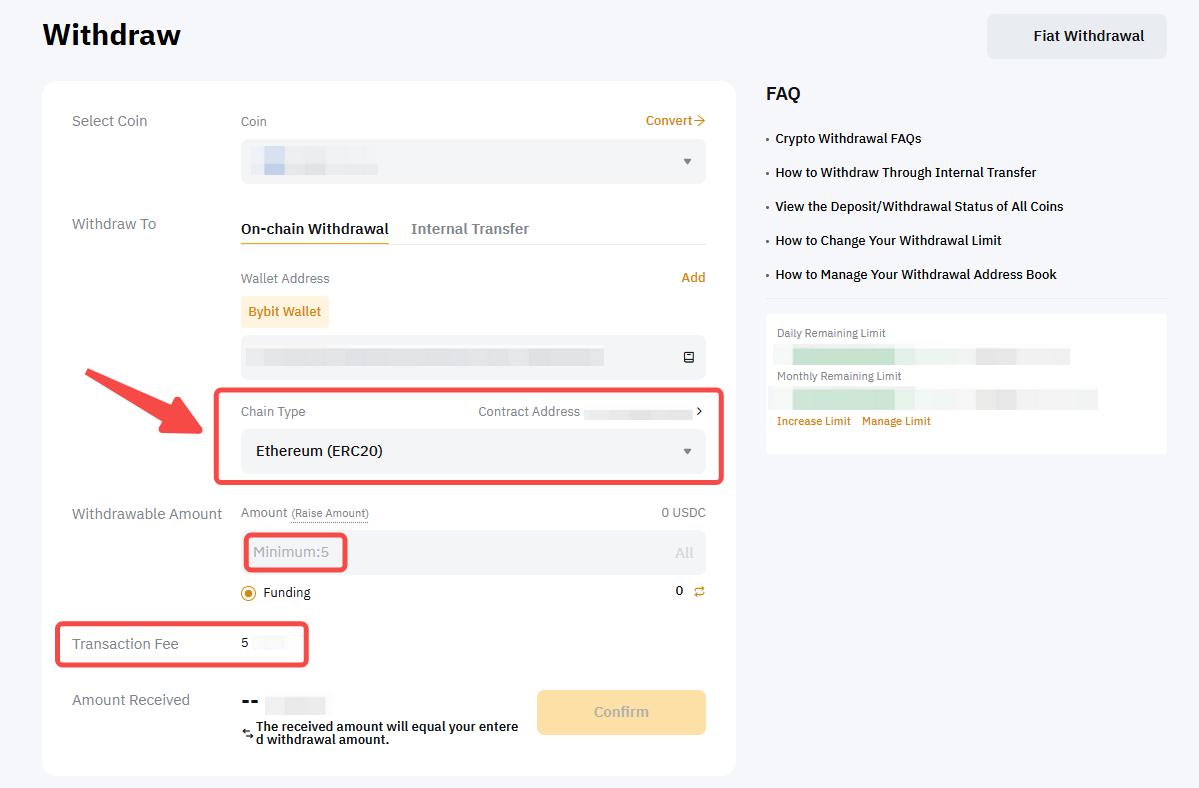
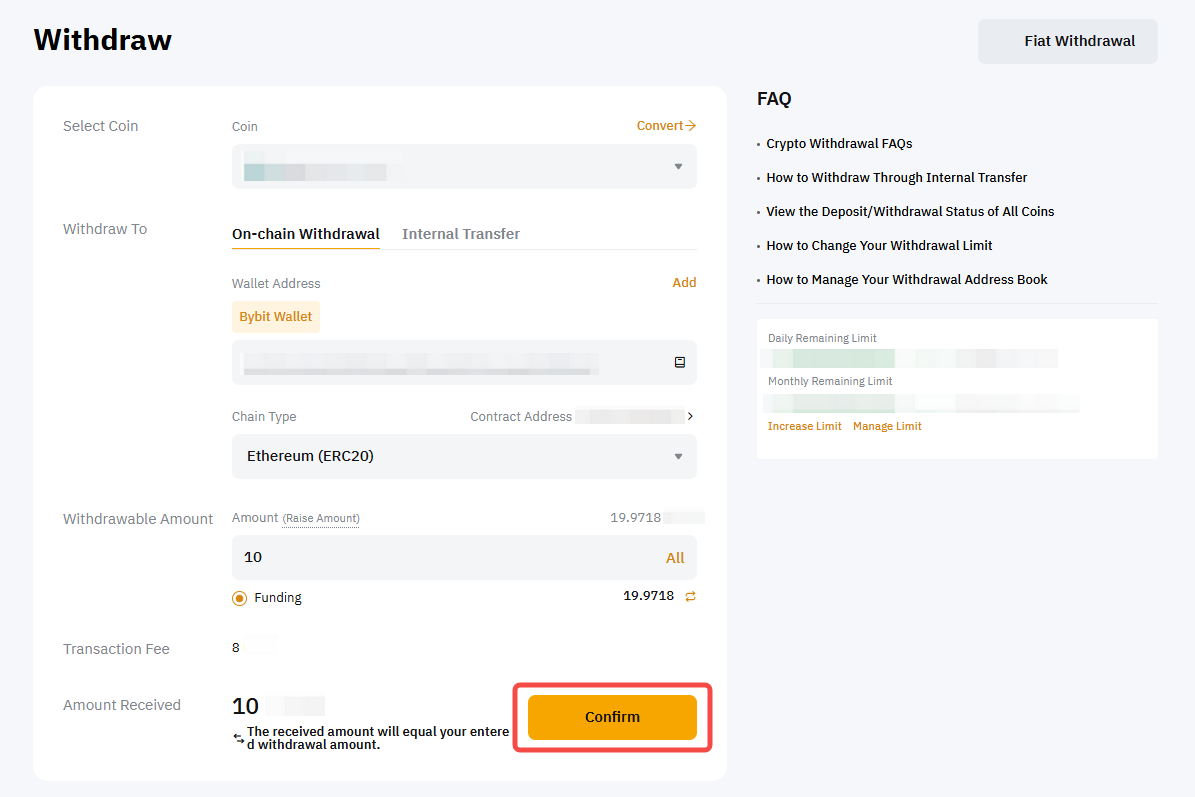
Step 7: Enter the initial deposit amount that can be withdrawn and click on Confirm.
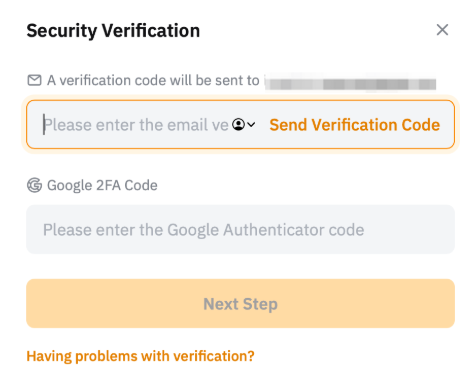
Step 8: Complete the 2FA verification if your wallet address isn’t verified.
Step 9: Click on Submit. Your initial deposit withdrawal request has been successfully submitted!
Notes:
— For detailed information about how to make a withdrawal request, please follow the guide here.
— The withdrawal may take up to 30 minutes or one hour to process. Please note that in the event of high network congestion withdrawals may take longer.