WETH vs. ETH: How Are They Different?
AI Summary
Show More
Quickly grasp the article's content and gauge market sentiment in just 30 seconds!
While browsing NFTs on an NFT marketplace, you might encounter the option of buying an NFT using WETH. What exactly is WETH and how is it different from ETH?
First, in order to understand WETH, we need to know what ETH is. Ether (symbol: ETH) is the Ethereum ecosystem’s native currency. It’s used when interacting with Ethereum and executing contracts on the platform.
WETH — aka Wrapped Ether — is a token pegged to ETH. It serves as a “container” that stores Ethereum and conforms to the ERC-20 standard.
In this article, we’ll be discussing what WETH is, how it compares with ETH, and the process of wrapping/unwrapping ETH.
Are ETH and WETH the Same?
ETH and WETH are different, although both have the same value (i.e., a 1:1 swap ratio).
WETH is an ERC-20 token that’s equivalent to ETH. This means that Wrapped Ether has the same properties and features as Ether. ERC-20 is a technical standard protocol that allows for an ERC-20 compatible token to interact with other tokens created on the Ethereum blockchain without a third-party application.
Wrapped Ether was created to address interoperability issues with ETH. Not only can WETH tokens be used outside of the Ethereum blockchain, but users can also create their own versions of the tokens for their custom DeFi applications.
The wrapped tokens — aka WETH — are always swapped in a ratio of 1:1, meaning that there’s no difference in price between ETH and WETH.
In other words, if you wish to use your Ethereum tokens in a decentralized app (DApp) or DeFi ecosystem, you can easily convert them into wrapped tokens and continue to use them.
Why Can't ETH Be Used for dApps on Ethereum?
Although ETH is the Ethereum blockchain’s native cryptocurrency, its use is limited, as most tokens traded use the ERC-20 standard. Ethereum was launched before token standards were established. Hence, Ether doesn’t follow ERC-20 standards, it can’t be used across various DApps and ecosystems. Issuing tokens in a wrapped version solves the problem.
By sending ETH to a smart contract, you can receive wrapped tokens in return, eliminating the need for a third party.
Why Do We Need WETH?
While centralized entities can easily provide seamless services, such as transferring assets from one bank to another, decentralized networks run on complex technology that requires constant upgrades to improve their blockchains. Wrapped tokens such as WETH are vital for seamless operation across the rapidly expanding decentralized space. They can be used in decentralized applications for activities like staking.
Smart contracts facilitate direct trades between users on Ethereum-based decentralized platforms, since every token needs to be standardized for users’ access. By doing this, tokens don’t get lost in the conversion.
Advantages of Using WETH
WETH has higher liquidity than ETH as it can only be minted by a custodian (e.g smart contracts) that guarantees its value.
WETH is more secure than ETH as its custodians typically use secure exchanges. This is turn gives you more control over your tokens as the private keys are stored securely.
Its transaction speed is faster and yet it has lower transaction fees than ETH.
It's easy to stake WETH. This makes it quick to access the Ethereum network and earn rewards from staking. You can use WETH to stake your tokens, or you can use smart contracts for staking.
WETH can be used on other blockchains as well. If you're interested in using the Ethereum ecosystem in another project, there are ways to do so with wrapped ETH.
How to Wrap ETH
A wrapped ETH is created through a smart contract that receives the ETH. A smart contract locks the ETH into a secure address, but you can exchange it anytime, as WETH is backed by ETH reserves. Hence, when the smart contract transfers the native token to your wallet, the wrapped token (WETH) is burned. The swap ratio is always 1:1. Do note that wrapping ETH will incur transaction fees or gas fees.
Alternatively, it might be simpler to exchange another token for WETH using a decentralized exchange (DEX). You can also swap another token for WETH directly through your MetaMask wallet.
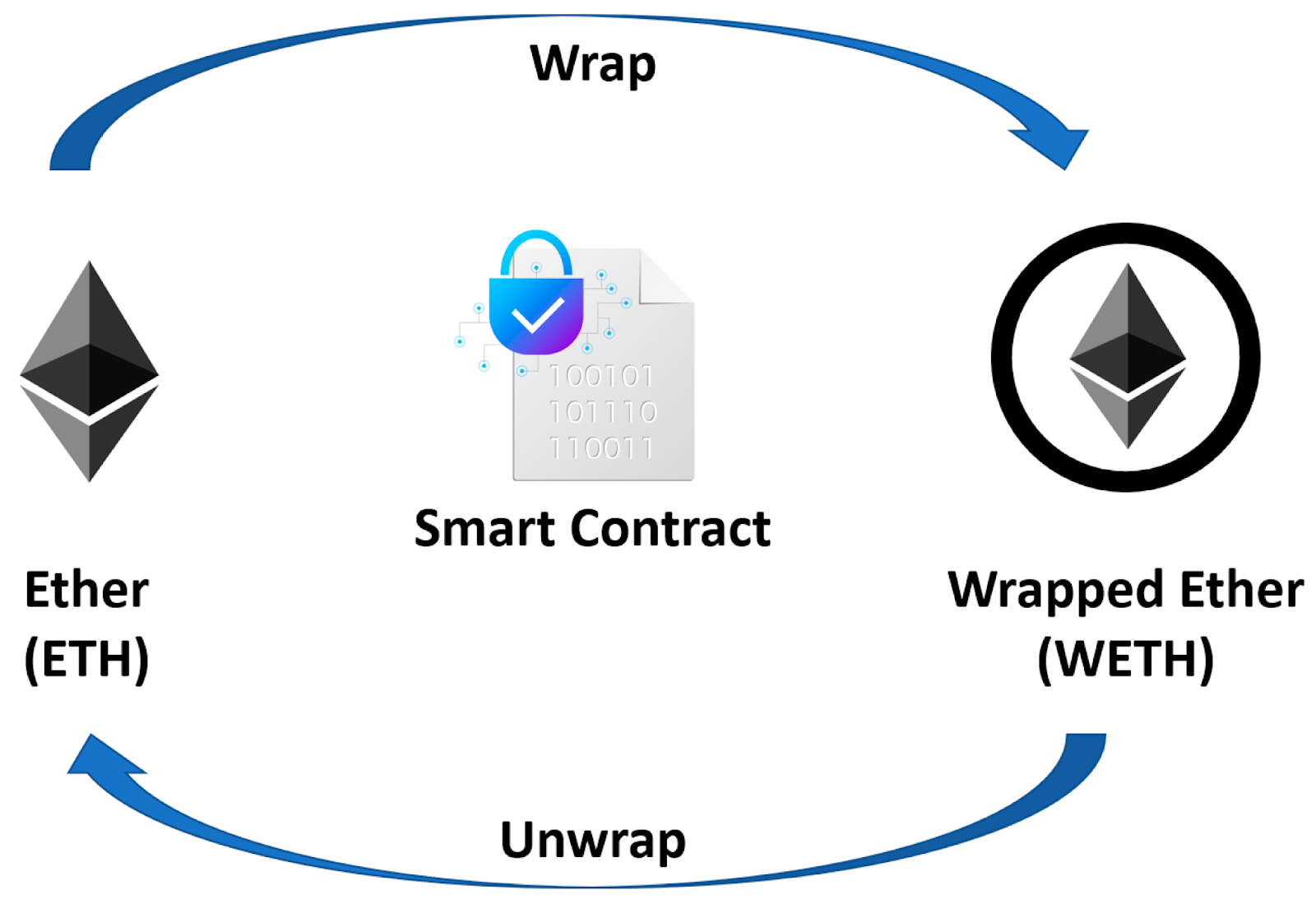
The entire process of wrapping and unwrapping ETH can be completed by using UniSwap, OpenSea, and MetaMask.
Follow the steps below to wrap ETHER using MetaMask:
Ensure you have an account with MetaMask. Sign in to your wallet.
You can check out how much ETH is available in your wallet. If you don't have enough funds, you can buy some ETH using your credit or debit card.
Visit a decentralized exchange, such as Uniswap, and connect your MetaMask wallet with it.
You need to be on the Ethereum mainnet before clicking Swap.
You’ll see a new prompt with token options appear on your screen. Choose WETH from the drop-down option in the Swap to box.
Put in the amount of ETH you'd like to wrap, and click Review Swap.
You’ll then be redirected to a new prompt with final transaction details.
Verify the transaction details, gas fees, and conversion rate details (1:1) for the translation. If you don't have enough funds to complete the transaction, you will be asked to add more funds.
Now, complete the transaction by clicking Swap.
Once the transaction is completed, you’ll receive WETH in your wallet. You can transfer native tokens back to your wallet by unwrapping WETH.
How to Unwrap WETH
Now that we know how to wrap ETH into WETH, let's look at how to unwrap WETH.
Unwrapping is the process of burning the wrapped token into its original form. Hence, when you unwrap WETH, it gets converted into ETH and deposited into your wallet.
There are multiple ways to unwrap Ether:
Manual interaction with smart contract
Exchange ETH for WETH using Uniswap or Binance
Use MetaMask on OpenSea.
We’ll be using the third option for unwrapping our ETH. Following are some prerequisites to consider:
An account on both OpenSea and MetaMask. Creating an account on MetaMask and OpenSea is free.
Sufficient funds in your MetaMask wallet. You can add funds to your wallet using your credit/debit card.
Once your wallet is funded, connect your MetaMask and OpenSea account. You have to authorize the connection.
How to Unwrap WETH on OpenSea using MetaMask
To unwrap wrapped tokens, please follow the steps mentioned below:
Visit OpenSea and log in to your account.
Click on the wallet icon in the screen's top right corner.
You’ll be asked to log in using your wallet. Choose MetaMask and proceed.
Sign in using your passsword.
Once you’ve signed in to your account, you can see your fund details. Add WETH if your funds are low.
Select the three dots that appear adjacent to your WETH details.
Select the last option (Unwrap).
A new prompt with transaction details will appear on your screen. Verify the details of the WETH that you want to unwrap to ETH.
Click on Unwrap.
Once you’ve processed your request, click on Confirm to send the original asset (ETH) into your wallet.
Although the wrapping and unwrapping steps above are discussed for MetaMask, you can use other wallets based on your convenience.
Final Thoughts
WETH has a straightforward objective: Enable native ETH holders to carry out transactions via the Wrapped Ether token. After all, Ethereum’s DeFi ecosystem will only grow larger since more networks operate on it.
Wrapped tokens, such as WETH, create more compatibility across the different blockchains with their ERC-20 standard. Thus, it’s important to learn about WETH — and how to wrap and unwrap it — so that native ETH users can seamlessly perform transactions on the Ethereum blockchain.
Grab Up to 100 USDT in Rewards
Also, enjoy 555% APR on Bybit Earn products!