How to Complete Derive Tasks for Bybit Web3 Airdrop Arcade
AI Summary
Show More
Quickly grasp the article's content and gauge market sentiment in just 30 seconds!
In this tutorial, we’ll explore how you can complete Derive tasks for Bybit Web3 Airdrop Arcade.

Task: Trade More Than $10 USD on Perps/Options, or Deposit More Than $10 Into Vaults
Trading
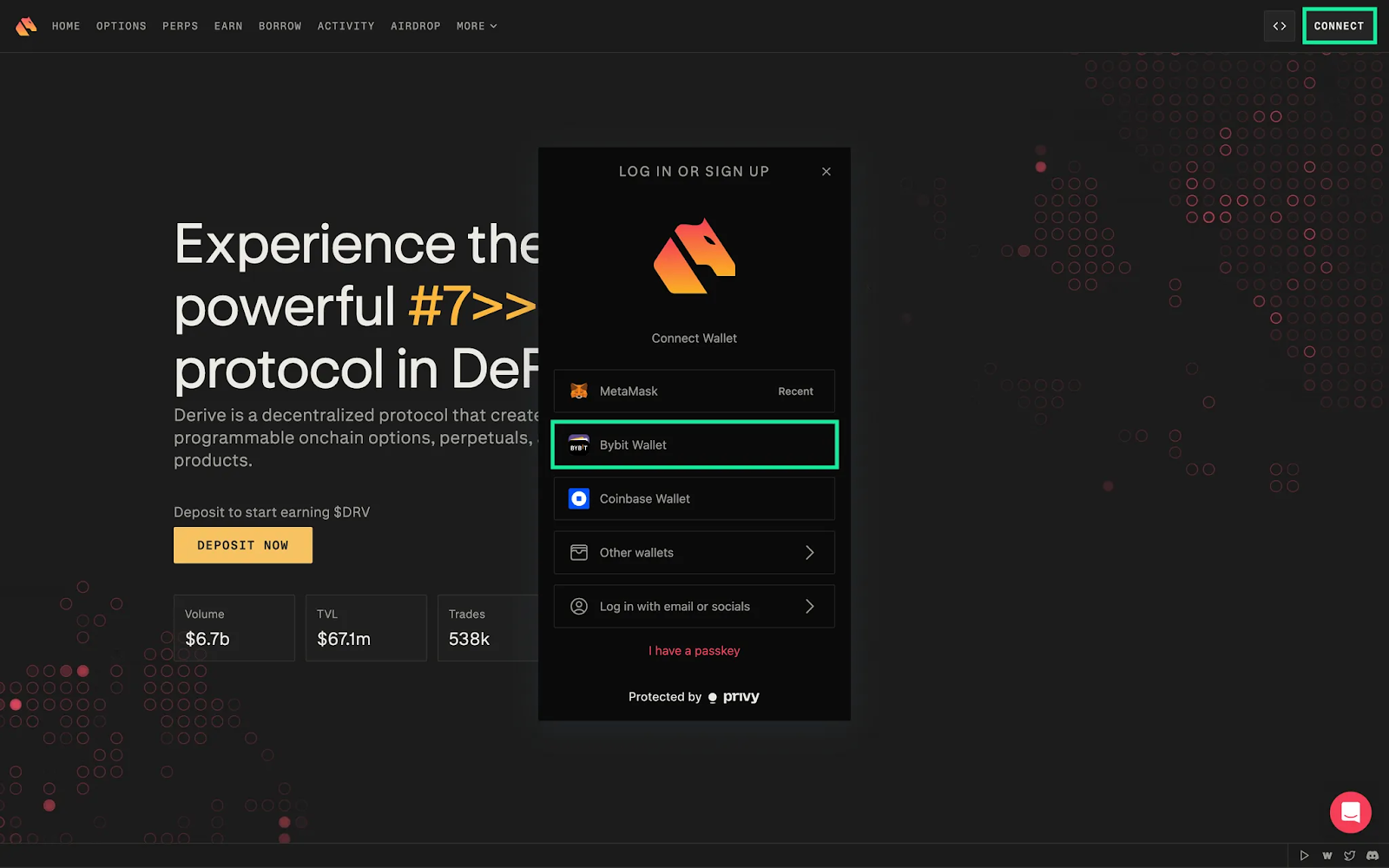
Step 1: Navigate to the Derive website and connect your Bybit Wallet by clicking on the Connect button at the top right corner of the page.
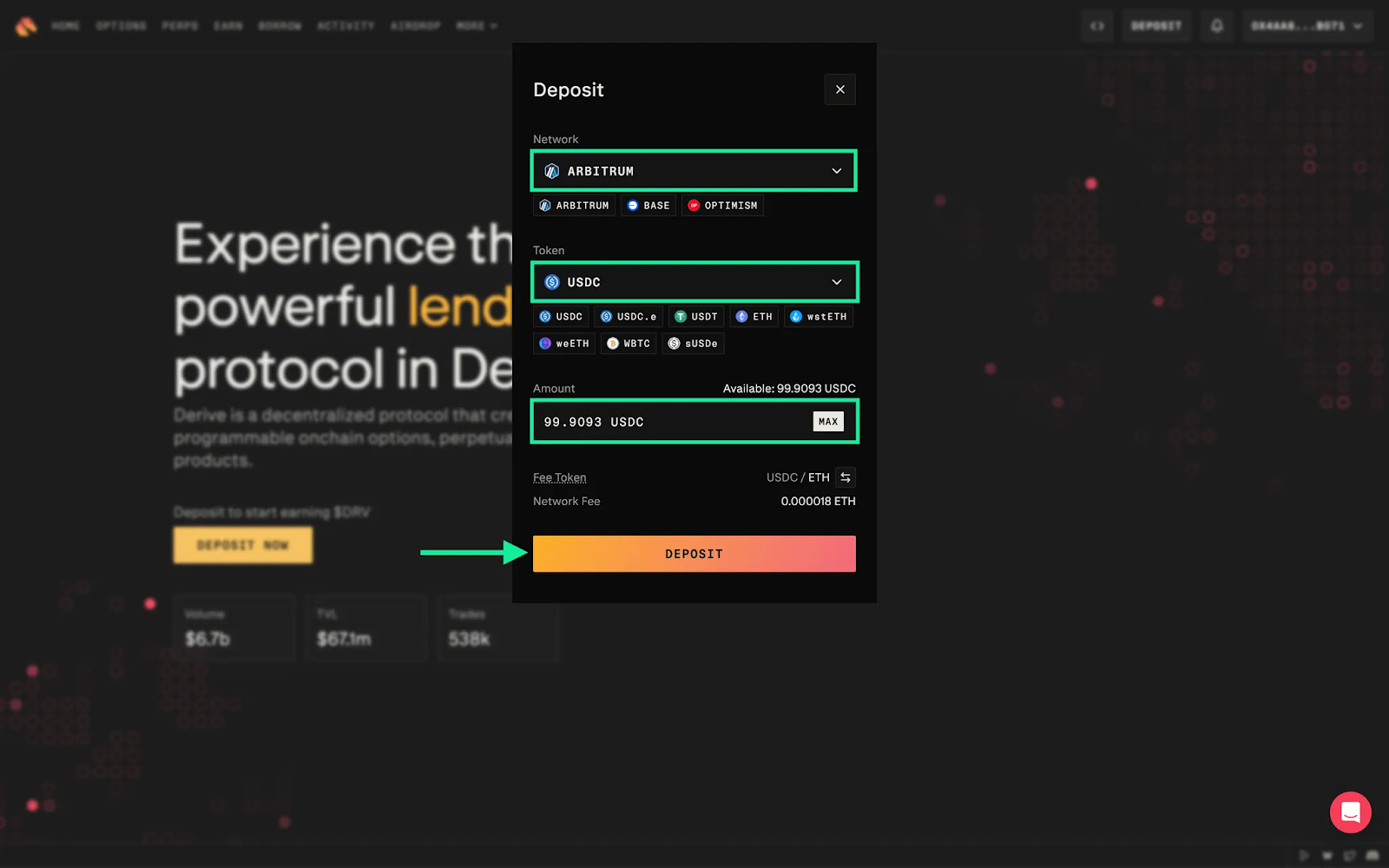
Step 2: Click on Deposit Now and select the Network and Token you want to deposit. Then, indicate the amount. Derive allows you to use stablecoins, such as USDC and USDT, or tokens, such as ETH, wstETH and WBTC, as collateral. Please note that deposits take between five to 10 minutes to complete.
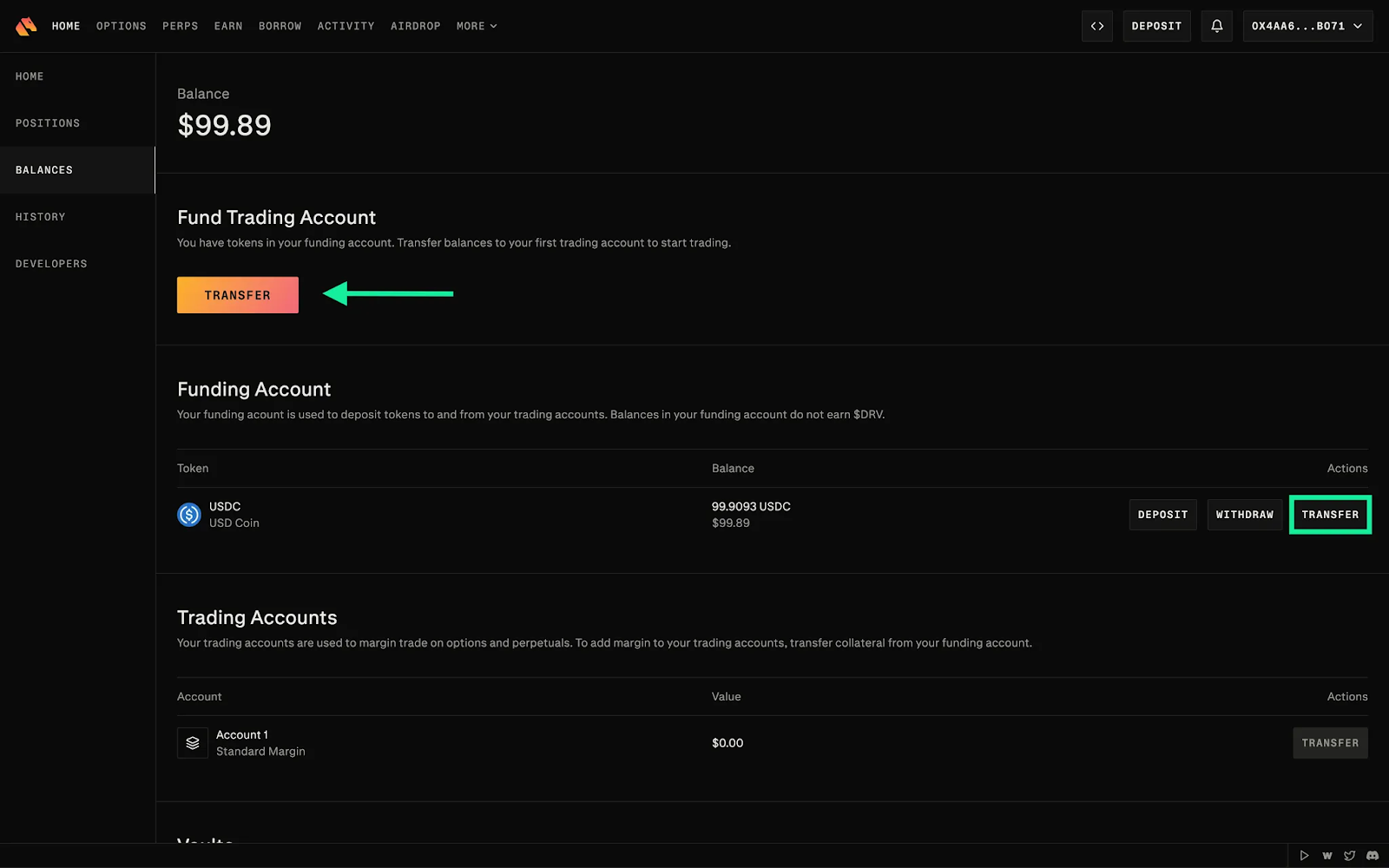
Step 3: Click on Transfer to transfer your tokens into a trading account. This will allow you to trade with margin.
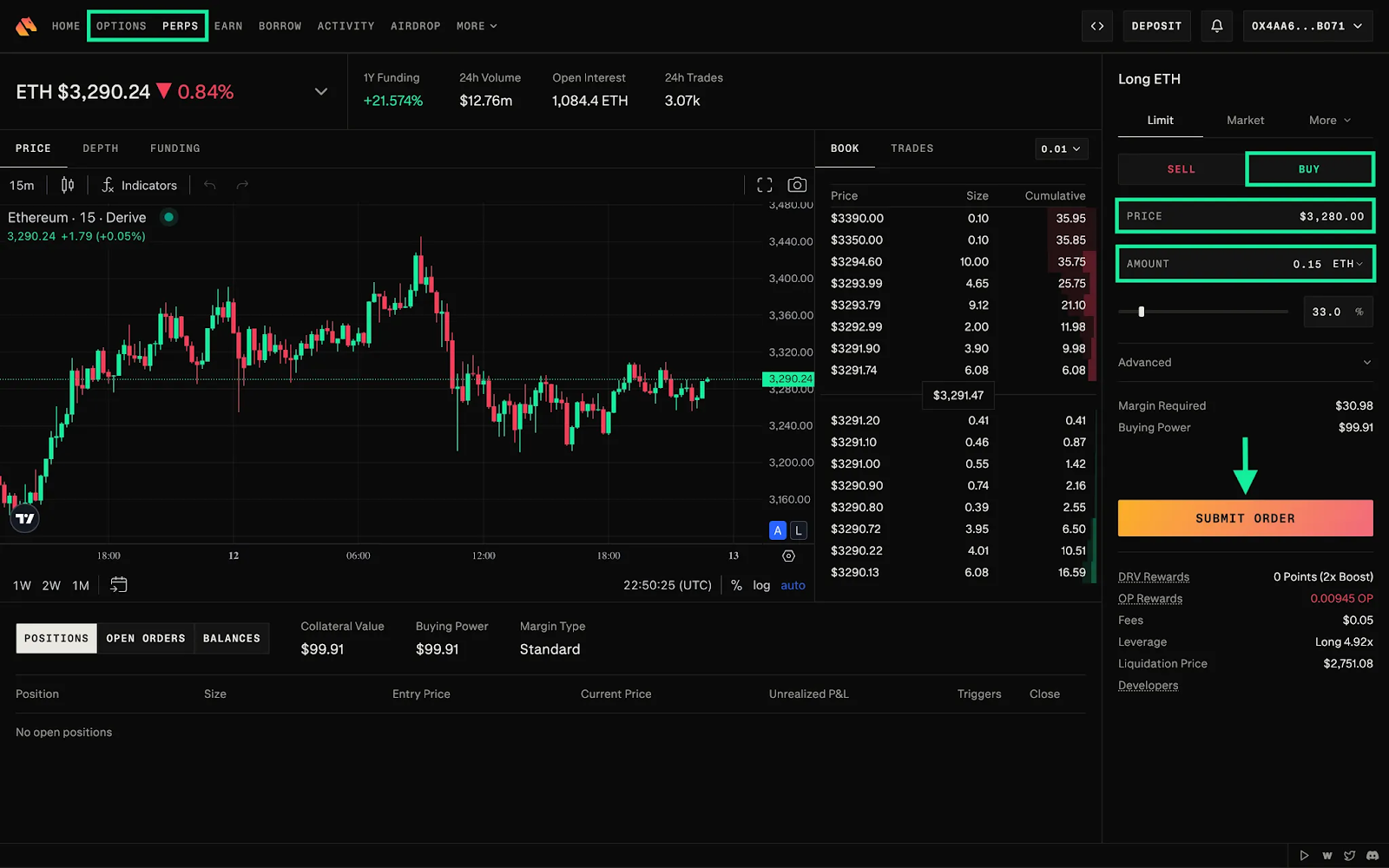
Step 4: Trade at least $10 worth of perpetuals or options.
Vaults
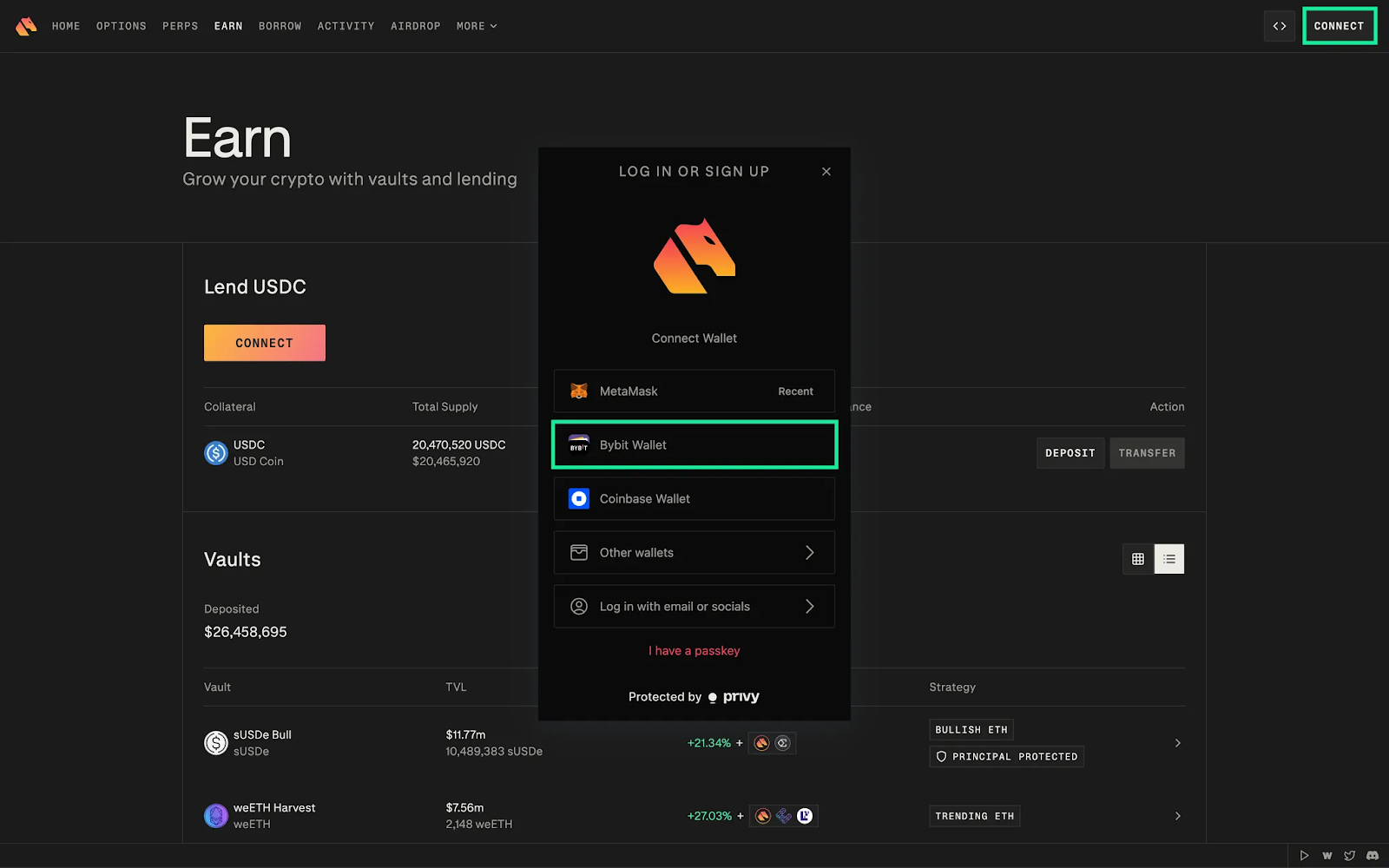
Step 1: Navigate to the Derive Earn page and connect your Bybit Wallet by clicking on the Connect button at the top right corner of the page.
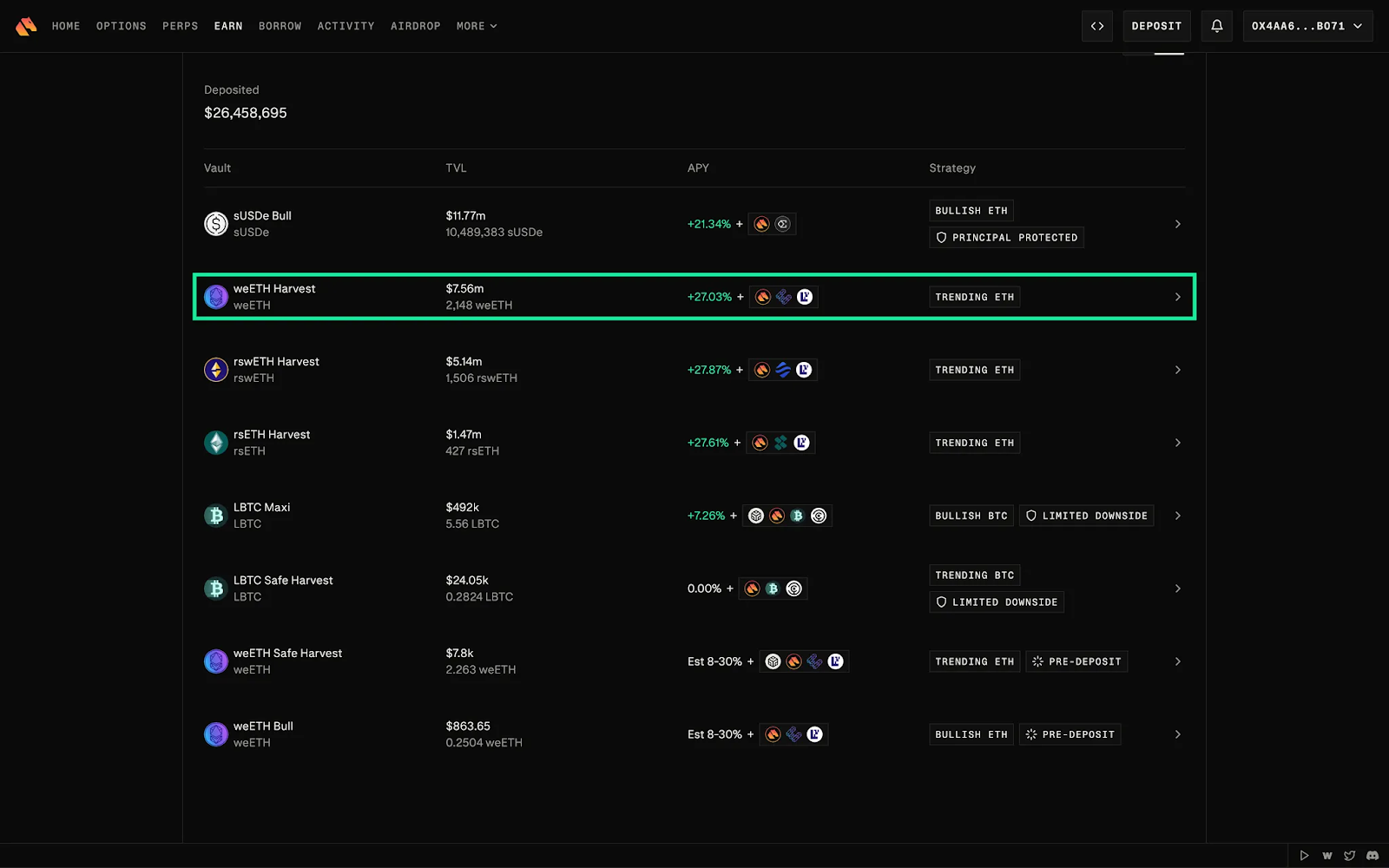
Step 2: Select a vault based on your preferred collateral, market outlook and risk tolerance. Vaults automatically execute yield-generating options strategies on your deposited tokens.
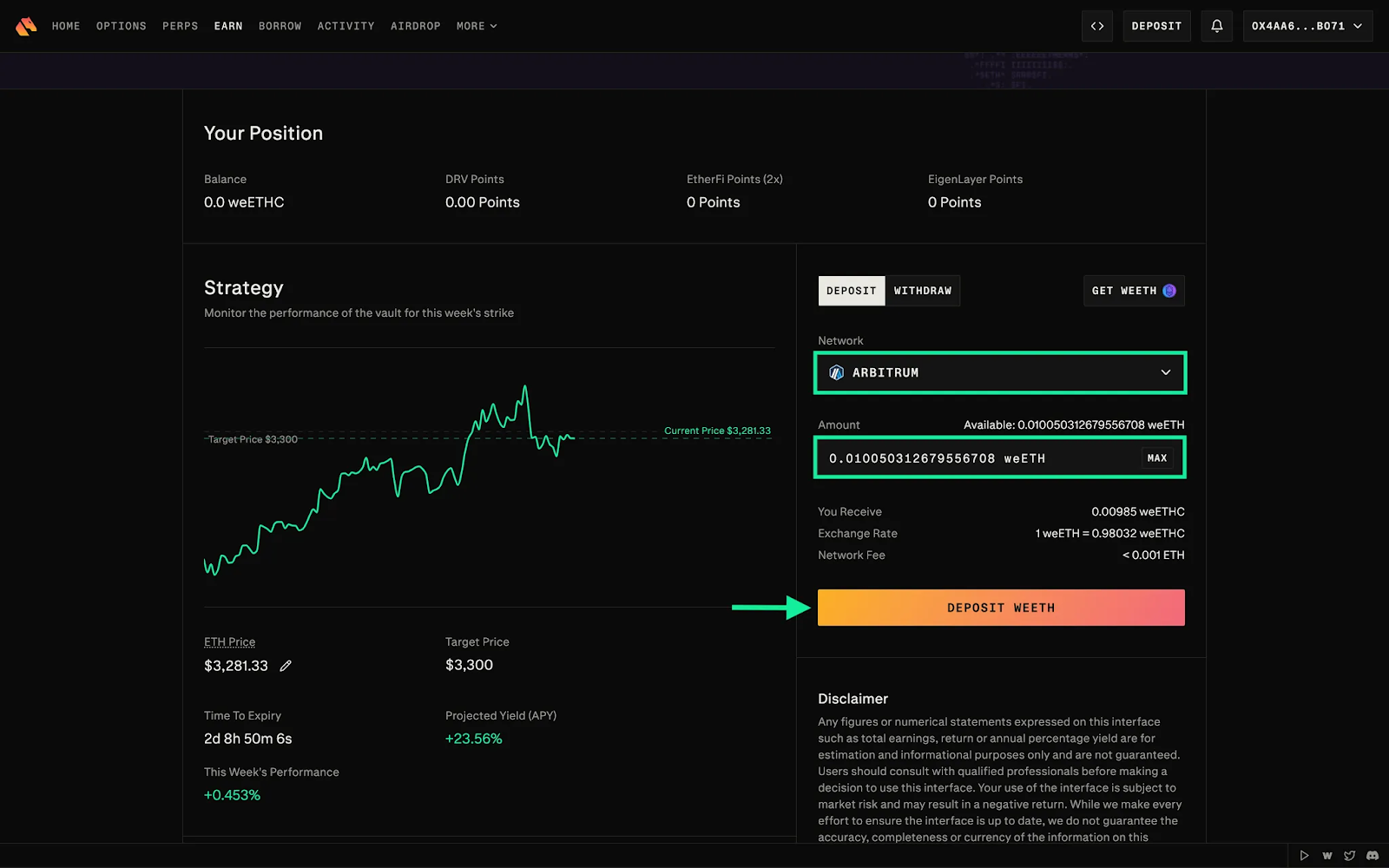
Step 3: Enter an amount, and click on Deposit. Please note that deposits take between 10 to 20 minutes to complete.

#LearnWithBybit
Grab Up to 100 USDT in Rewards
Also, enjoy 555% APR on Bybit Earn products!