How to Deposit and Place Moon Mode Orders on Aark Digital
AI Summary
Show More
Quickly grasp the article's content and gauge market sentiment in just 30 seconds!
In this tutorial, we’ll explore how to make a deposit, place Moon Mode orders and manage those orders on Aark Digital.

How to Deposit
Step 1: Navigate to the Aark homepage and click on Account → Perpetuals.
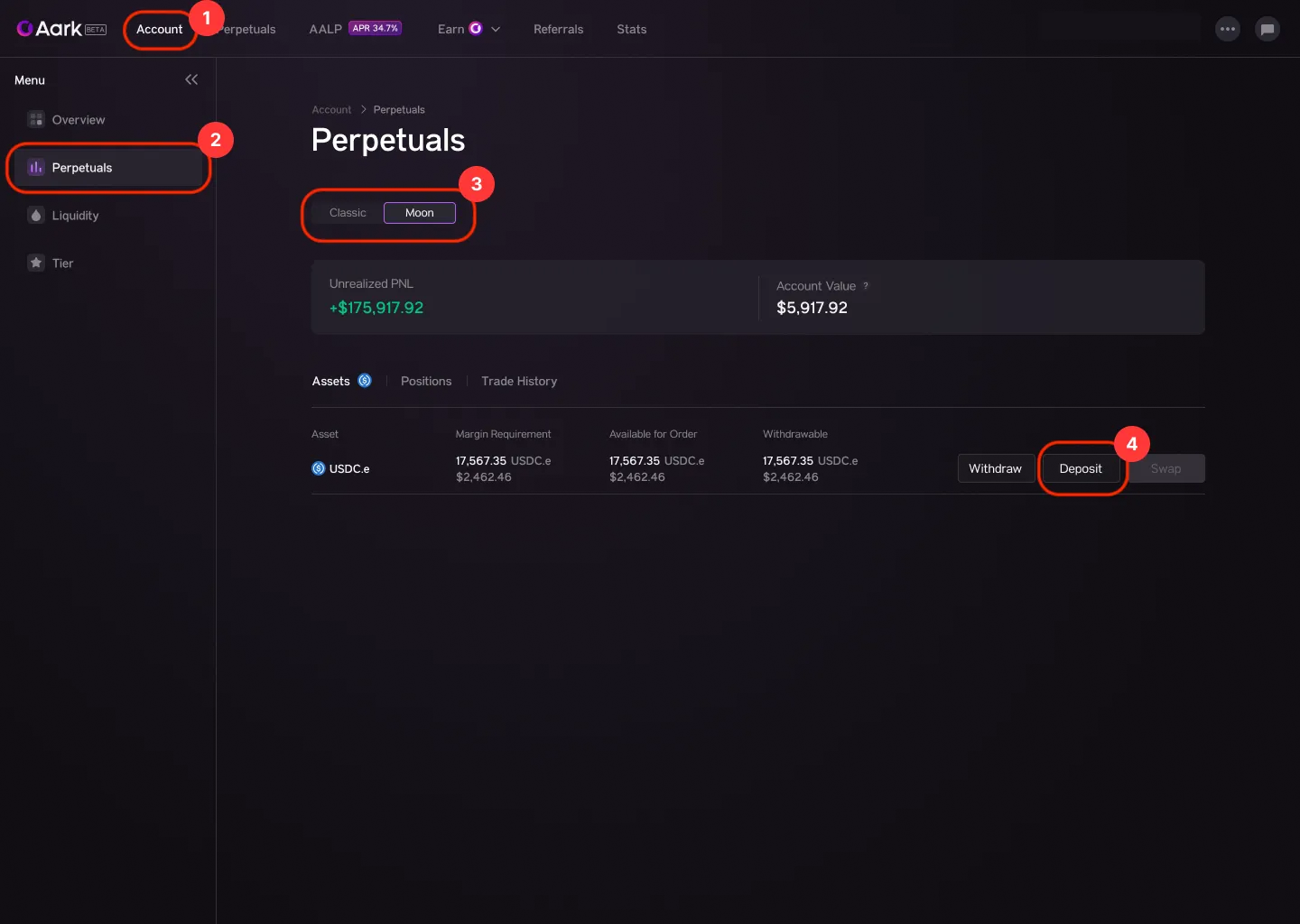
Step 2: Switch to the Moon Mode tab by clicking on Moon, then click on Deposit.
How to Place Moon Mode Orders
Step 1: Click on the Perpetuals tab from the navigation bar at the top of the page.
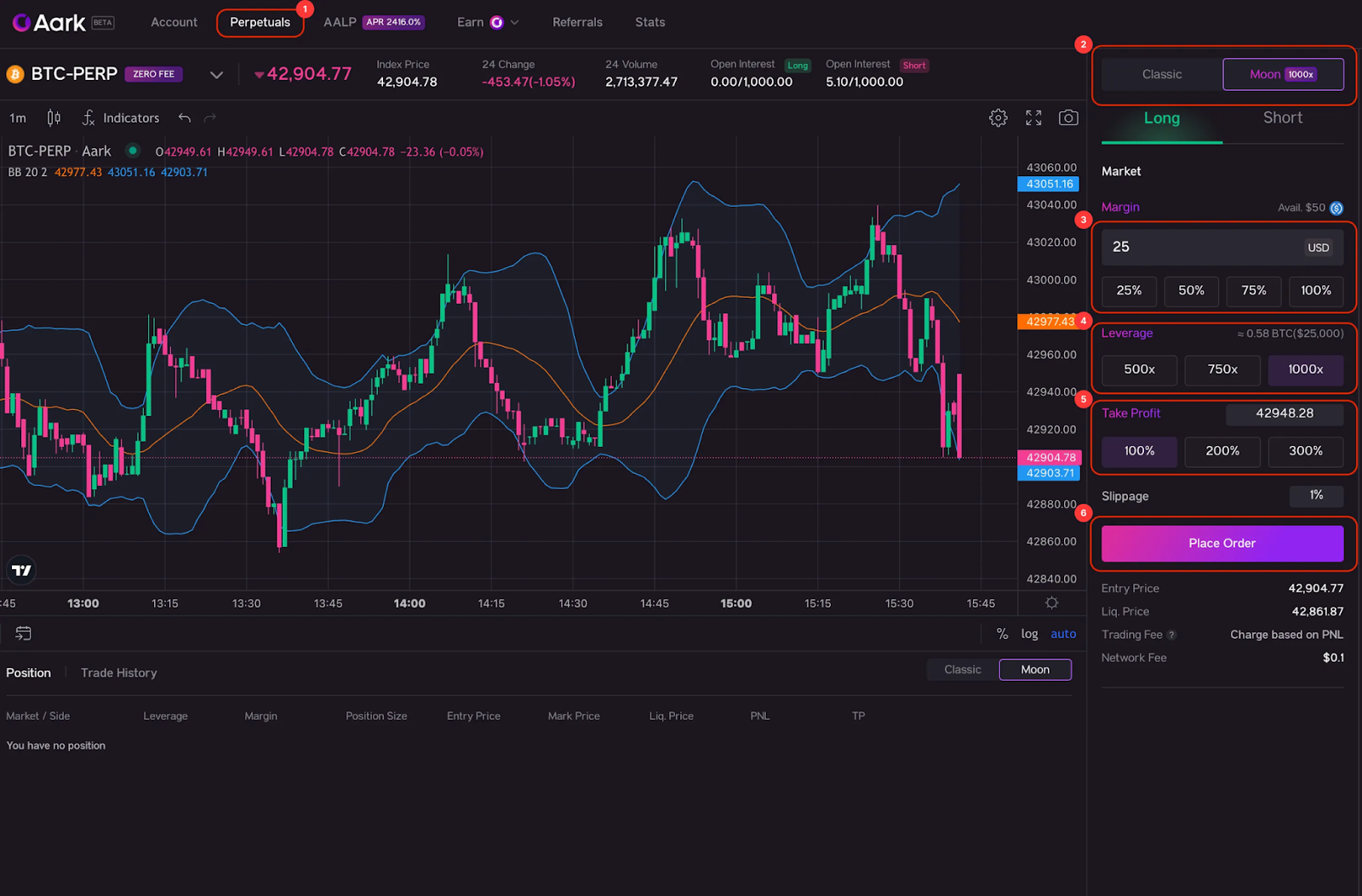
Step 2: Switch to the Moon Mode tab by clicking on Moon 1000x.
Step 3: Under the Margin section, choose your desired margin size either by typing, or clicking the desired percentage box (25%, 50%, 75%, 100%).
Step 4: Choose a leverage ratio: 500x, 750x or 1000x.
Step 5: Set a range for a Take Profit order. You can either type in the price, or choose the profit percentage (100%, 200%, 300%) to trigger the order.
Step 6: Once you’ve confirmed your order, click on Place Order.

How to Manage Moon Mode Positions
At the bottom of the page (right underneath the chart), you’ll see the Position and Trade History tabs.
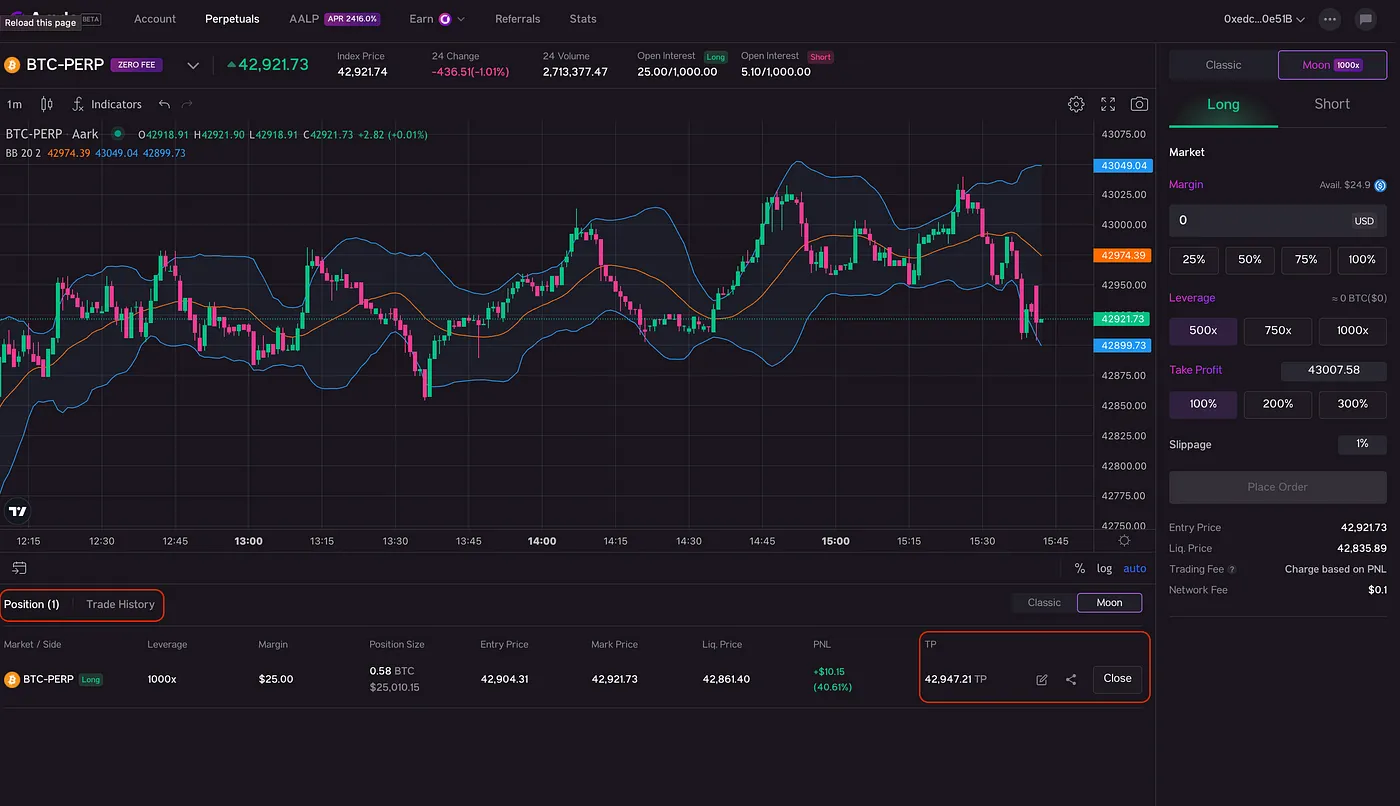
You can monitor your position from the Position tab, adjust the Take Profit order or close the position as needed.
The Trade History tab will reflect details on each closed position, including Realized PnL, Network Fee and Trading Fee.
#LearnWithBybit
Grab Up to 100 USDT in Rewards
Also, enjoy 555% APR on Bybit Earn products!