One-Click Buy allows users to buy and sell crypto using fiat currencies through any of our supported payment methods: P2P Trading, Bank Card Payment, Third Party Payment or Fiat Balance.
To view the supported fiat and crypto currencies, please visit the One-Click Buy page.
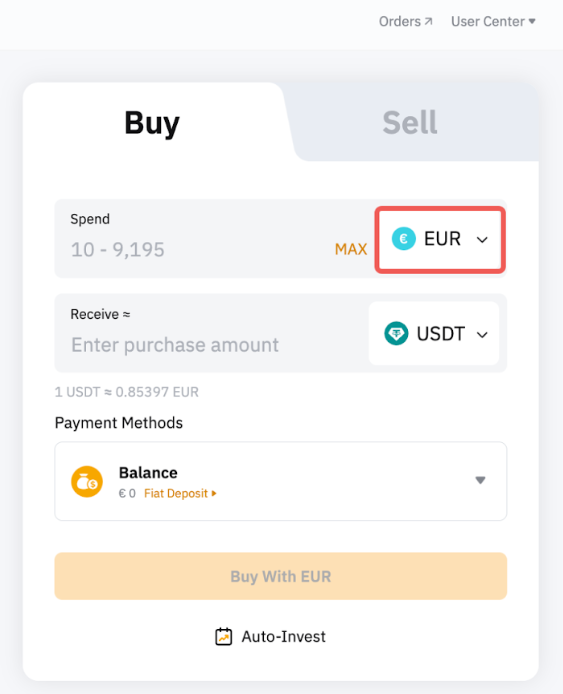
Please note that the payment methods displayed on the order page will vary depending on the coin and fiat currency you’ve selected. The table below outlines some supported fiat currencies that have special requirements for certain payment methods.
Supported Fiat Currencies | Payment Methods | Remarks |
PLN | BLIK | Applicable to EEA verified users |
JPY | eCheck Bank Transfer | Users need to own a Japanese phone number |
NGN | Bank Transfer | Depending on the payment channel requirements, you may be required to complete ID card verification.
Only purchase of USDT and USDC is supported. |
ZAR | Instant EFT | Only a ZA individual-verified account is allowed. |
ARS | Bank Card | A virtual account is needed. You will be required to provide additional personal information during the payment process. |
BOB |
BRL |
CLP |
USD | El Salvador verified users are required to create a virtual account and provide additional information during the payment process. |
GHS | Mobile Money | Only purchase of USDT and USDC is supported. |
The following guide presents detailed steps on how to buy cryptocurrencies using fiat currencies.
Step 1: Click on Buy Crypto → One-Click Buy on the top left corner of the navigation bar to enter the One-Click Buy page.
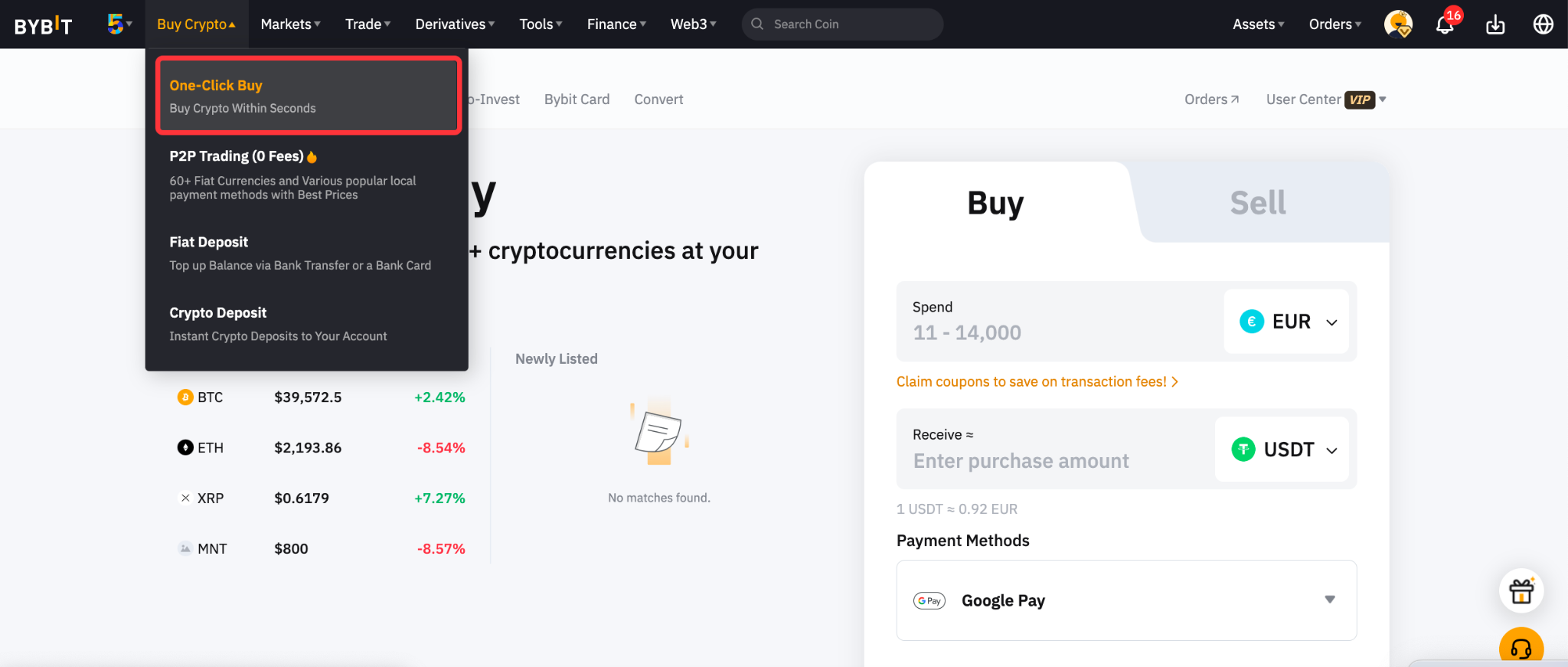
Step 2: Place an order by following these steps:
- Select the fiat currency that you want to pay with.
- Select the coin you would like to receive.
- Enter the purchase amount. You can enter the transaction amount based on fiat currency or coin, according to your needs.
- Select your preferred Payment Method.
- Click on Buy with Fiat
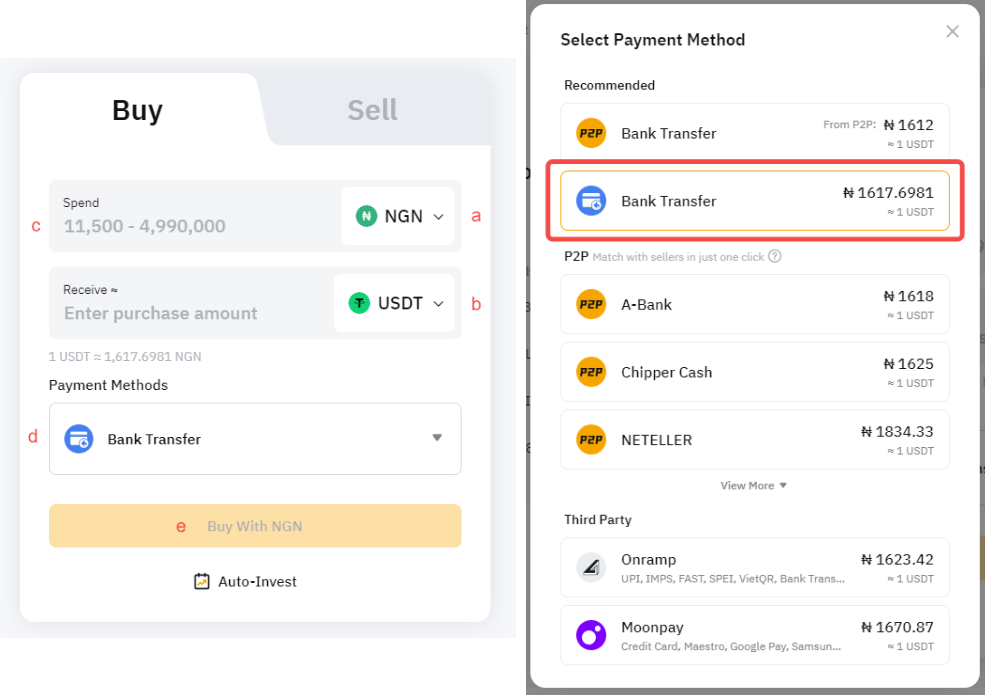
Step 3: Choose the deposit account and check the payment details carefully before confirming your order.
You may be required to create or link your virtual account for the initial deposit. To do so, please tap on Continue on the payment window.
Please find below some important information to take note of when creating your virtual account.
Supported Fiat Currencies | Payment Methods | Required Information for a Virtual Account | Remarks |
PLN | BLIK | - First and last name
- Email
|
|
JPY | e-Check | - First and last name
- Mobile numbers
- Email
- Name of Financial Institution
- Bank Branch Name
- Account Type
- Proof of bank statement
| - Please ensure that the name you filled up in the payment method matches the information in your KYC records.
- The phone number can be different from the mobile number that you linked to your Bybit Account.
|
NGN | Bank Transfer | - No Virtual Account needed. It is an offline transaction.
- However, you will be required to provide your first and last name and email address for verification.
| - Please ensure that the bank account you use for this transfer is held by you and is the same as the one you have submitted on Bybit while creating the order.
- Please ensure that the amount you deposit equals the amount you have submitted on Bybit.
|
ZAR | Instant EFT | - First and Last Name
- ID Type
- ID Number
- Email
- Mobile Number
- Date of Birth
- Address
| - Please ensure that the bank account you use for the transfer is in your name and matches your verified KYC name on Bybit, or the payment will be refunded.
- Please ensure the amount you deposit equals the amount you have submitted on Bybit.
|
ARS | Bank Card | - First and Last Name
- Email
- Tax ID
| - Please ensure that the name you filled up in the payment method matches your KYC information.
|
BOB |
BRL |
CLP |
USD |
GHS | Mobile Money | - First and Last name
- Network
- Phone number
| - Please ensure that the bank account used to make the transfer matches the name on your Bybit KYC verification.
|
Note: The review process for virtual account opening may take up to 4 business days (excluding weekends and public holidays).
Step 4: Once you have successfully added/chosen your payment method, click on Confirm to proceed.
Step 5: Confirm your deposit before entering your security code. Once confirmed, please click on Pay.
Some payment methods have set specific requirements in order for the transaction to be completed successfully. Please consult the table below to ensure your transaction is processed correctly.
Supported Fiat Currencies | Payment Methods | Important Information |
PLN | BLIK | Ensure you transfer the payment within 8 minutes. If you made the transaction after the order has expired, the PLN currency will be credited to your Funding Account.
You can purchase coins with your Fiat using the guide provided here. |
JPY | e-Check | Kindly complete the payment as soon as possible and refrain from making multiple transfers for the same order information. Duplicated transactions with the same order information will result in a commission charge of 660 yen for each refund. The actual charges may differ based on your bank.
Your original order will expire and a new order will be automatically created in the following scenarios: - The actual payment amount and the order amount does not match.
- The actual payment amount is received more than 72 hours after creating the order.
- The exchange rate when receiving the actual payment is 1.2% higher than when the order was placed.
- You will be notified about the new order via an email and push notification and you can choose to accept or reject the new order on the order details page.
- A refund will be automatically initiated in the following scenarios:
- You made a transfer that exceeded the maximum daily limit of 20,000 USDT.
- You rejected the new order with the new rate.
- You made duplicate transfers for the same order.
- There will be a fixed refund processing fee of 660 JPY and the refund process typically takes 7-14 days.
|
NGN | Bank Transfer | - Kindly initiate the payment transfer within 30 minutes of order creation to avoid expiration of the order. If you make the transfer after the order expires, the system will refund automatically within 2 business days. If it does not refund, please kindly raise a case here with providing the supported payment proofs.
- Please do not make multiple payments for the same order. Any duplicate payments will be refunded.
- If the refund is caused by a name mismatch, then the full amount will be refunded. However, if the refund is requested by Bybit due to transaction rejection, a fee is charged, and you will not receive the full amount of the deposit.
|
ZAR | Instant EFT | - A payment window will pop up for you to complete the payment. Please choose the bank and login to your bank account to proceed further.
- Kindly complete the payment transfer within 10 minutes of order creation to avoid expiration of the order.
- If the payment is completed but the order is canceled due to a timeout, the system will process the payment and credit the cryptocurrencies to your account.
- Ensure the deposit amount matches the placed order. If the paid amount does not match the order amount, the payment will automatically fail, and it will be refunded to your bank account within 48 hours.
|
ARS | Bank Card | - Kindly complete the payment transfer within 30 minutes of order creation to avoid expiration of the order.
- If the payment is completed but the order is canceled due to a timeout, the system will process the payment and credit the cryptocurrencies to your account.
|
BOB |
BRL |
CLP |
USD |
GHS | Mobile Money | - Kindly complete the payment transfer within 30 minutes of order creation to avoid expiration of the order.
- Please ensure that you enter the OTP verification code correctly during payment confirmation.
- You may retry the OTP verification up to 3 times. The order will be automatically failed if the verification still fails after 3 attempts. In that case, please place a new order.
|
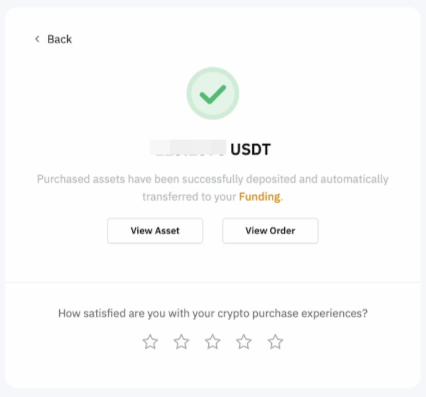
Step 6: You will receive a notification on your deposit status. If successful, the assets will be credited to your selected account within 48 - 72 hours (depending on the payment methods). If not, the notification will indicate the failure reason and you will be advised to try again later.
If you have made the payment but did not receive the asset in your Bybit account after 3 working days, kindly submit your request here with the Order ID and payment receipt.
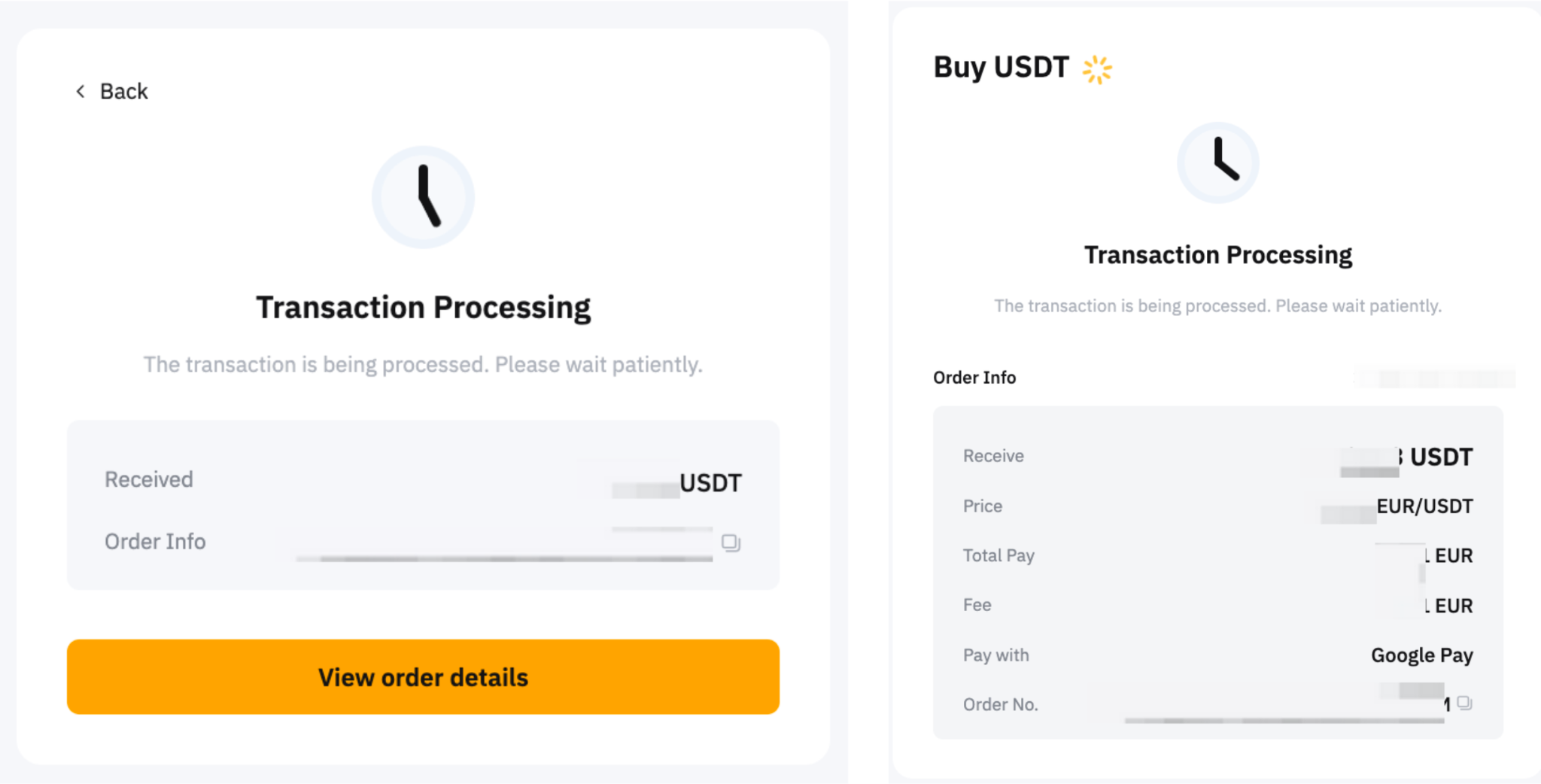
You can track your deposit on the One-Click Buy order page by clicking on the history icon on the One-Click Buy page.