Bybit’s Funding Account serves as the primary account for users, providing a secure and efficient platform to manage their Crypto and Fiat assets, deposits and withdrawals. Additionally, it grants users access to a comprehensive suite of finance products and trading tools, empowering traders with the necessary resources to navigate the crypto market effectively and enhance their trading experience.
Below are some major products and services channeled the funds via Funding Account:
1. Crypto Deposits will be credited to the Funding Account. You can also enable the auto transfer setting if you want your funds to be auto-transferred to other accounts such as Unified Trading Account after the deposit has been credited.
2. For Crypto Withdrawals, users have to transfer their funds to the Funding Account before they can withdraw funds. To learn more on how to transfer your assets, please refer to How to Transfer Assets on Bybit.
3. For Launchpad subscriptions, users will need to transfer their MNT or USDT to the Funding Account before they can be committed to Launchpad during the subscription period. Any remaining committed MNT or USDT will be credited back to the Funding Account as well. However, the allocated token amount will be distributed to the UTA.
4. For Trading Bot, users will need to transfer their funds to Funding Account to create the trading bot. Once you terminate your trading bot, the funds will be returned to the Funding Account.
5. For Copy Trading, the follower’s fund will automatically return to the Funding Account after the follower cancels the copy of the Master Trader and all positions are closed.
6. For Crypto Loans, users can use their funds in the Funding Account to borrow funds, repay their borrowing, or adjust the collateral amount.
7. For Earn products, the principal and yield will be credited back to the Funding Account upon maturity. To subscribe or purchase new Earn products, users will need to transfer their funds to the Funding Account.
8. For other Fiat Services such as One-click Buy, P2P, Fiat Deposit, Fiat Withdrawal, or Bybit Card, all the funds will be channeled through the Funding Account.
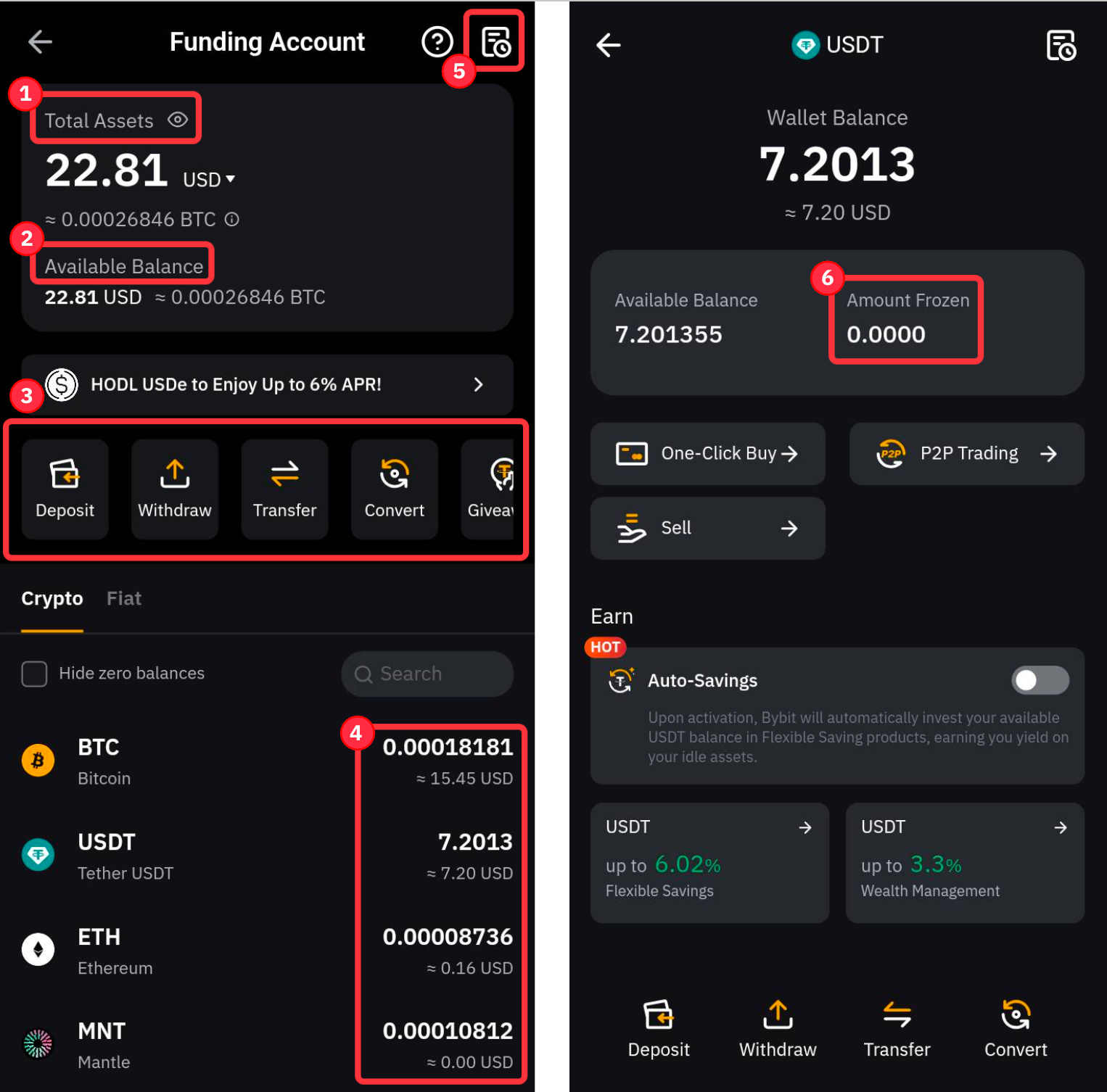
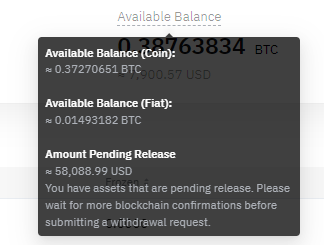
Funding Account Overview
Funding Account History
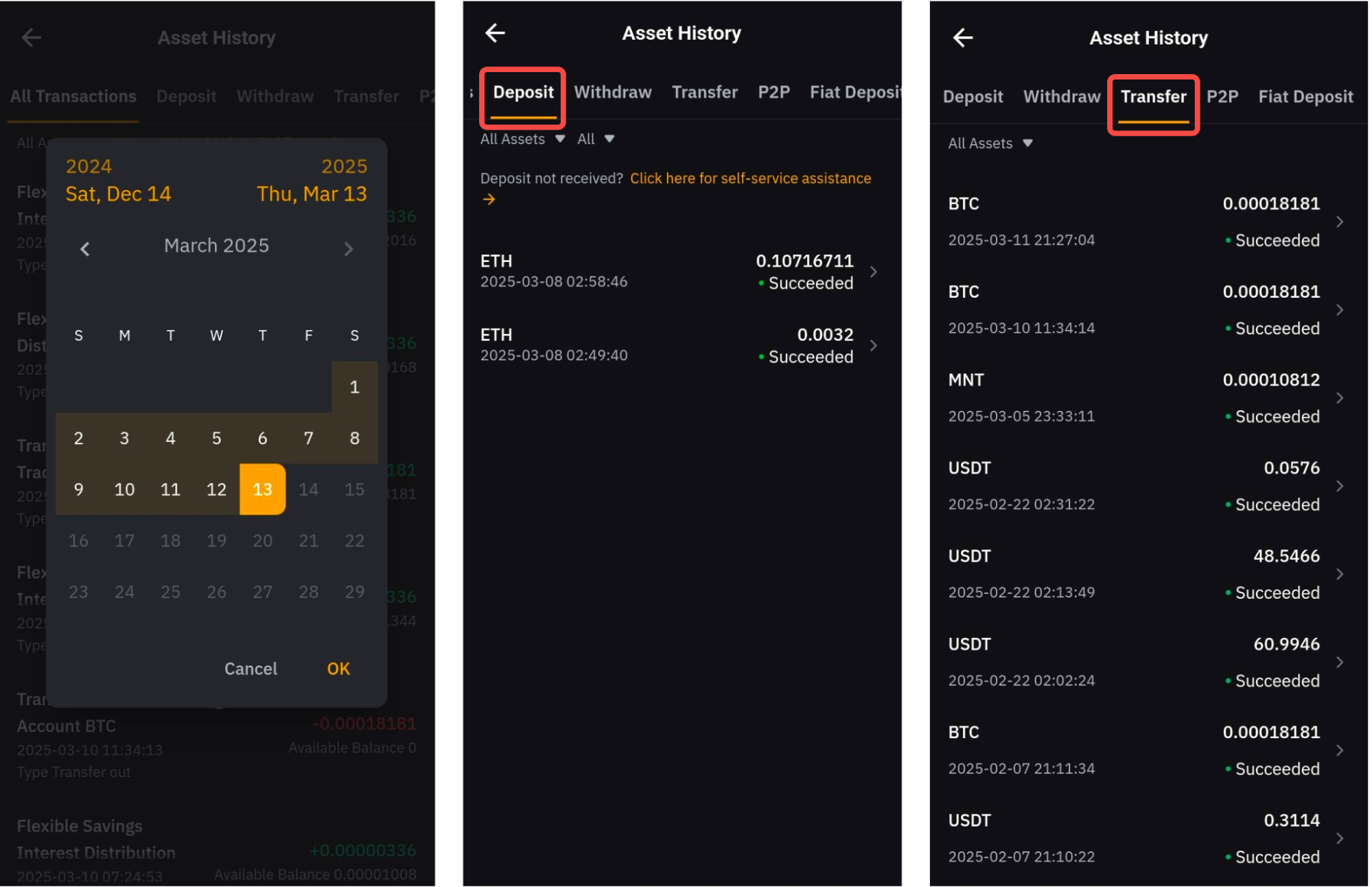
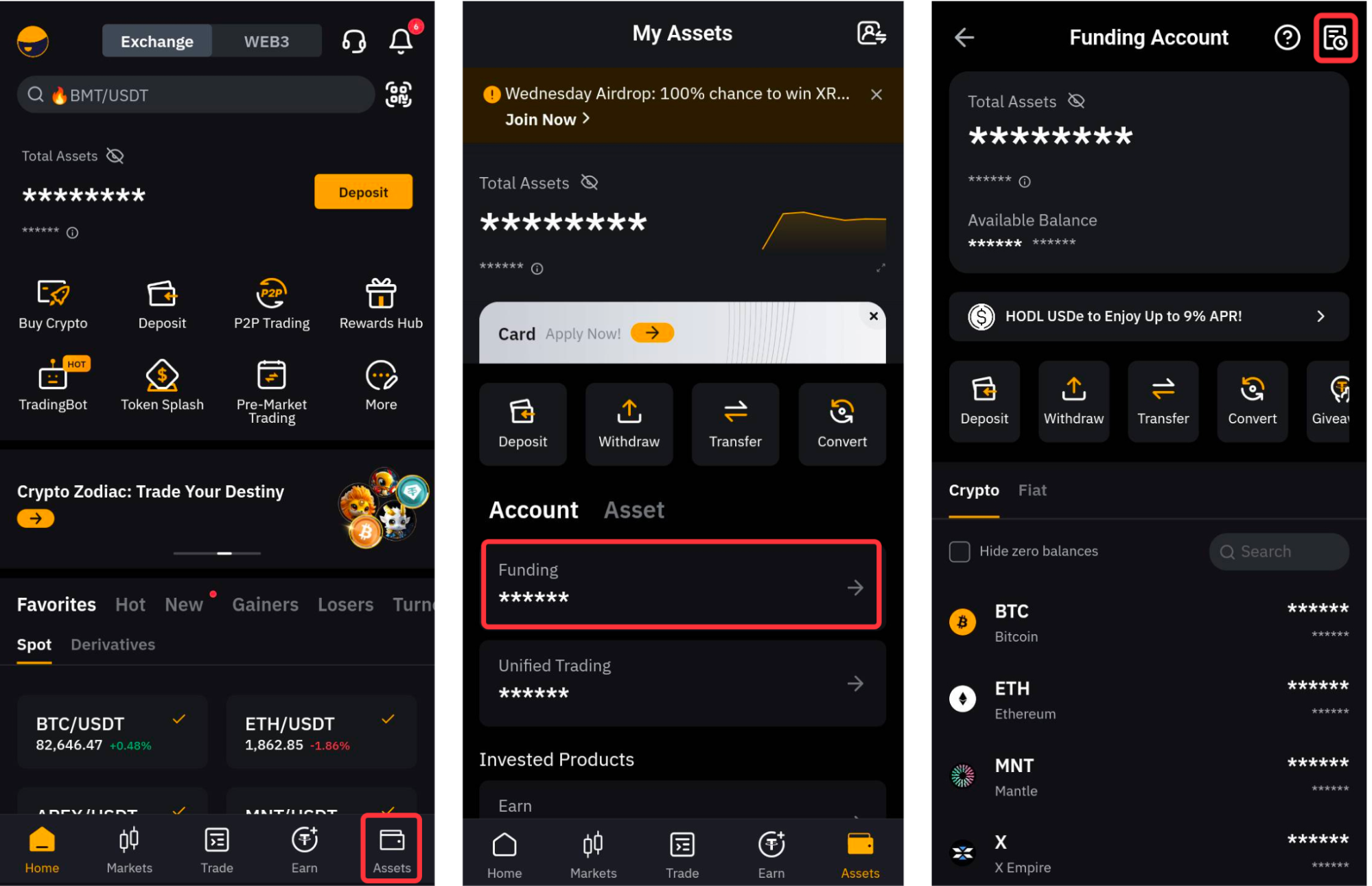
The Funding Account History page registers all records of your funding activities that occured in or out of your Funding account. On the app, you can view your Funding Account transactions by heading to Assets → Funding Account then tapping on the Asset History icon on the top right corner.
By default, you will be directed to the All Transactions tab where you can see all past transactions that have affected the available balance on your Funding Account. Such transactions include past records of crypto/fiat deposits and withdrawals, inter-account transfers (UTA, Bybit Earn & trading bots), yields from your active investments, conversions, and so on.
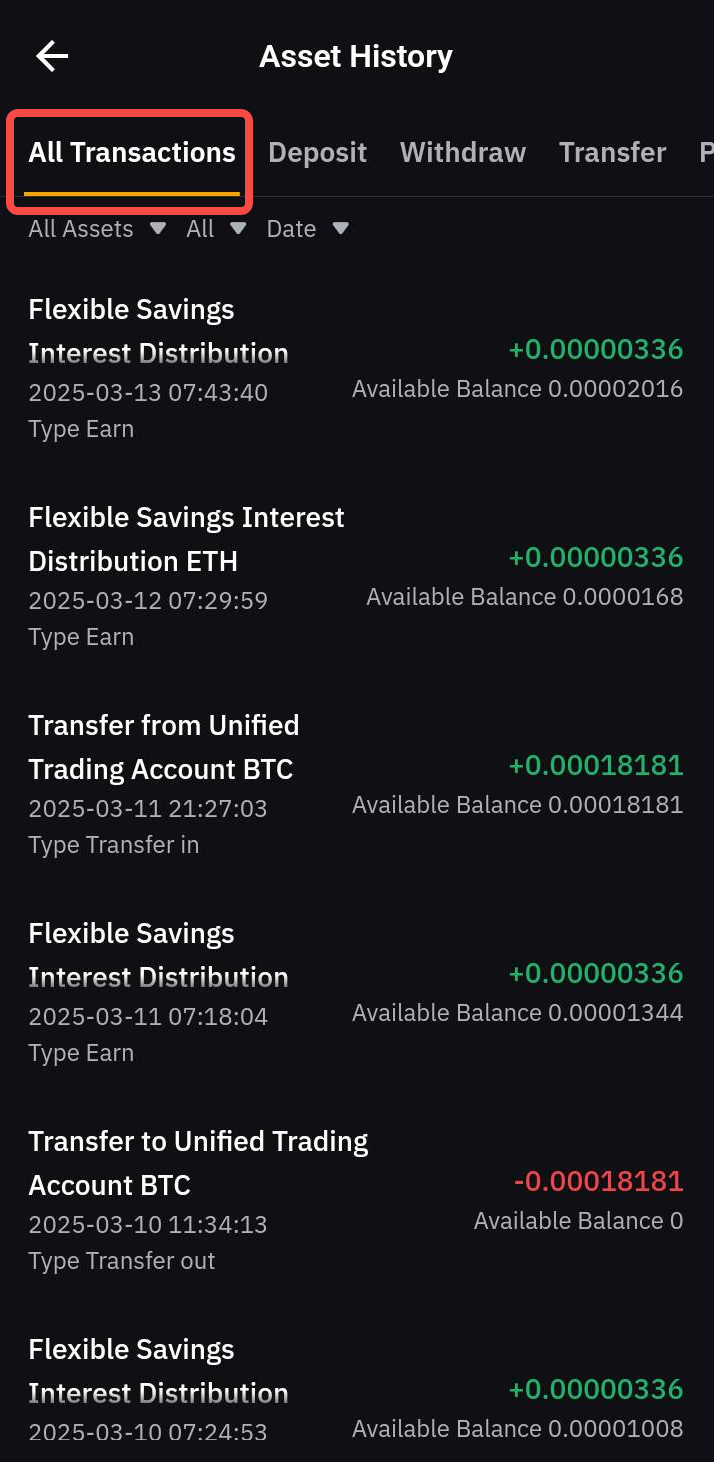
Please note that the All Transactions tab can only display your logs within a 90-day timeframe. If you wish to view older transactions or acquire more detailed information about your funding activities, please head over to the relevant Asset History tabs and adjust the filters accordingly.