Bybit now offers two ways to borrow funds on Spot Margin Trading: Manual Borrow and Auto Borrow.
Before borrowing, please note:
-
Transfer assets to your Unified Trading Account to use as collateral.
-
Make sure both the borrowed coin and the collateral coin are enabled as collateral. Borrowing will fail if collateral is not enabled.
You can check the full list of borrowable and collateralizable assets on the Margin Data page.
Comparison between Manual Borrow and Auto Borrow
|
Manual Borrow |
Auto Borrow | |
|
How to borrow |
Borrow directly from the Spot Margin Trading page or the Unified Trading Account (UTA) asset page. |
When you place a Spot Margin order that exceeds your available wallet balance, the system will automatically borrow the required amount. Auto Borrow can also be triggered in Derivatives trading. Learn more about the scenarios that trigger Auto Borrow here. |
|
Interest |
Flexible rates, accrued hourly at 5 minutes past the hour. | |
|
Repayment |
Borrowings made via Manual Borrow must be repaid manually. Please note that manual repayment will be temporarily unavailable from the 4th minute to the 5th minute and 30 seconds of each hour (e.g., 8:04 to 8:05:30, 9:04 to 9:05:30, and so on) while the system processes interest calculations. | |
|
Collateral requirement |
Both the borrowed and collateral assets must be enabled as collateral. | |
|
Impact on assets |
Assets obtained through Manual Borrow will increase your wallet balance and will be recorded as borrowed amounts. They can be used to place orders or to auto-repay the borrowed amounts arising from Derivatives. |
Since Auto Borrow is triggered when you place an order without sufficient settlement currency or when unrealized losses occur in Derivatives, the borrowed assets are applied directly to the trade rather than appearing in your wallet balance. They will, however, still be recorded as borrowed amounts. |
|
When to use |
If you wish to pre-fund your wallet for multiple orders, or if you need precise control over borrowed size and timing. |
If you prefer a streamlined experience and only want to borrow when an order requires it. |
|
Margin requirement |
The Initial and Maintenance Margin required vary by the asset borrowed and the respective position tier. To learn more about position tiers in Spot Margin Trading, please check here. | |
|
Risk |
Auto-repayment will be triggered if your borrowed amount reaches 100% of the borrowing limit or your Maintenance Margin Rate (MMR) reaches 100%. For more details, please refer to Borrowing, Interest, and Repayment (Unified Trading Account). | |
How to borrow funds manually
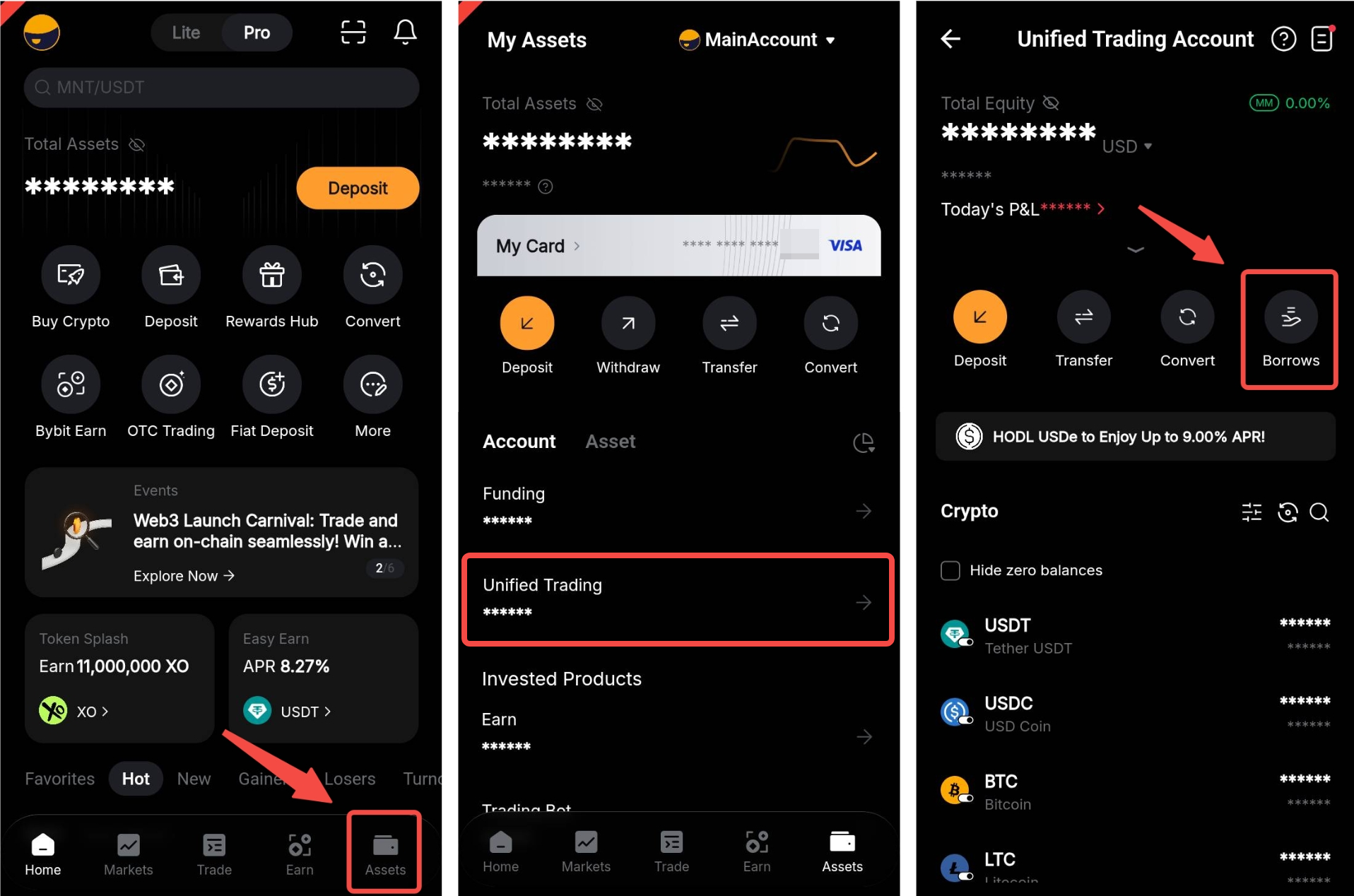
Step 1: Log in to the Bybit App, go to Assets → Unified Trading and tap Borrow to access the Borrow page.
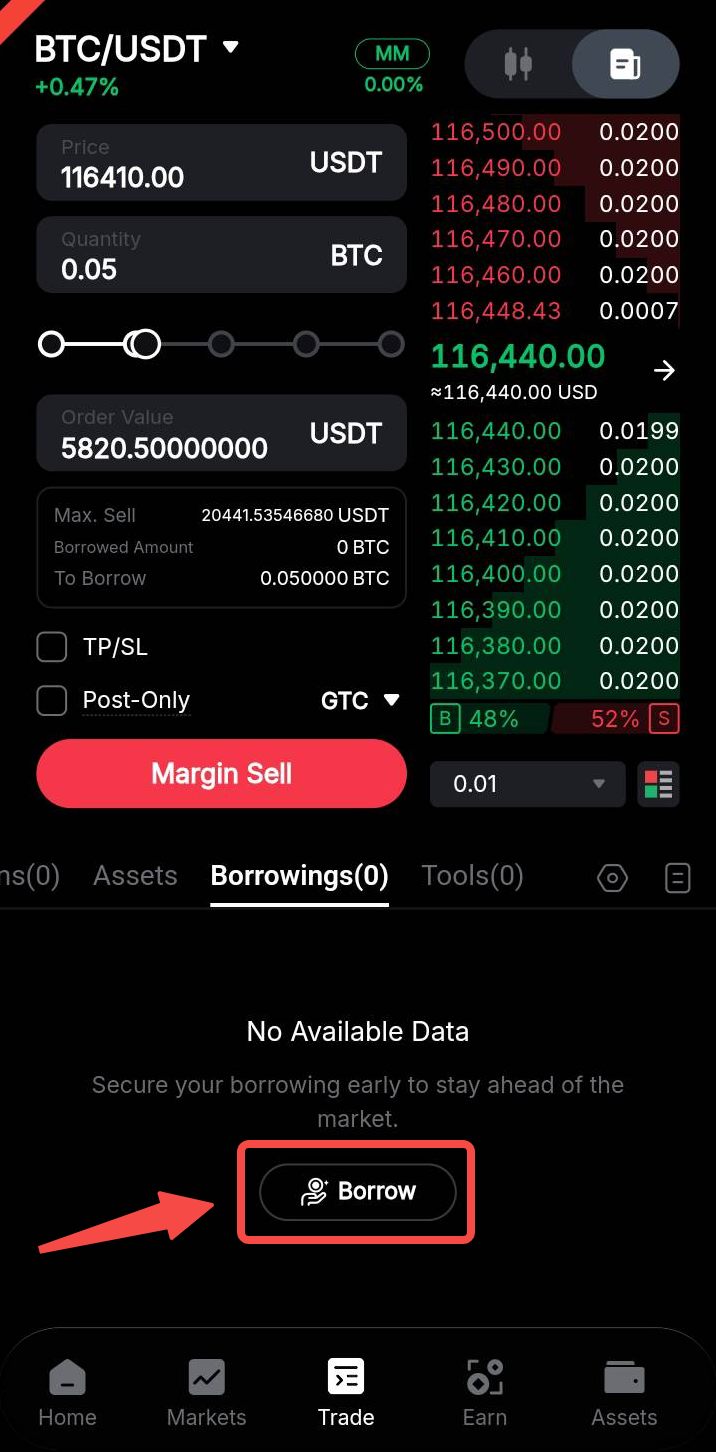
Alternatively, navigate to the Borrowings tab on the Spot Margin Trading page, then tap Borrow.
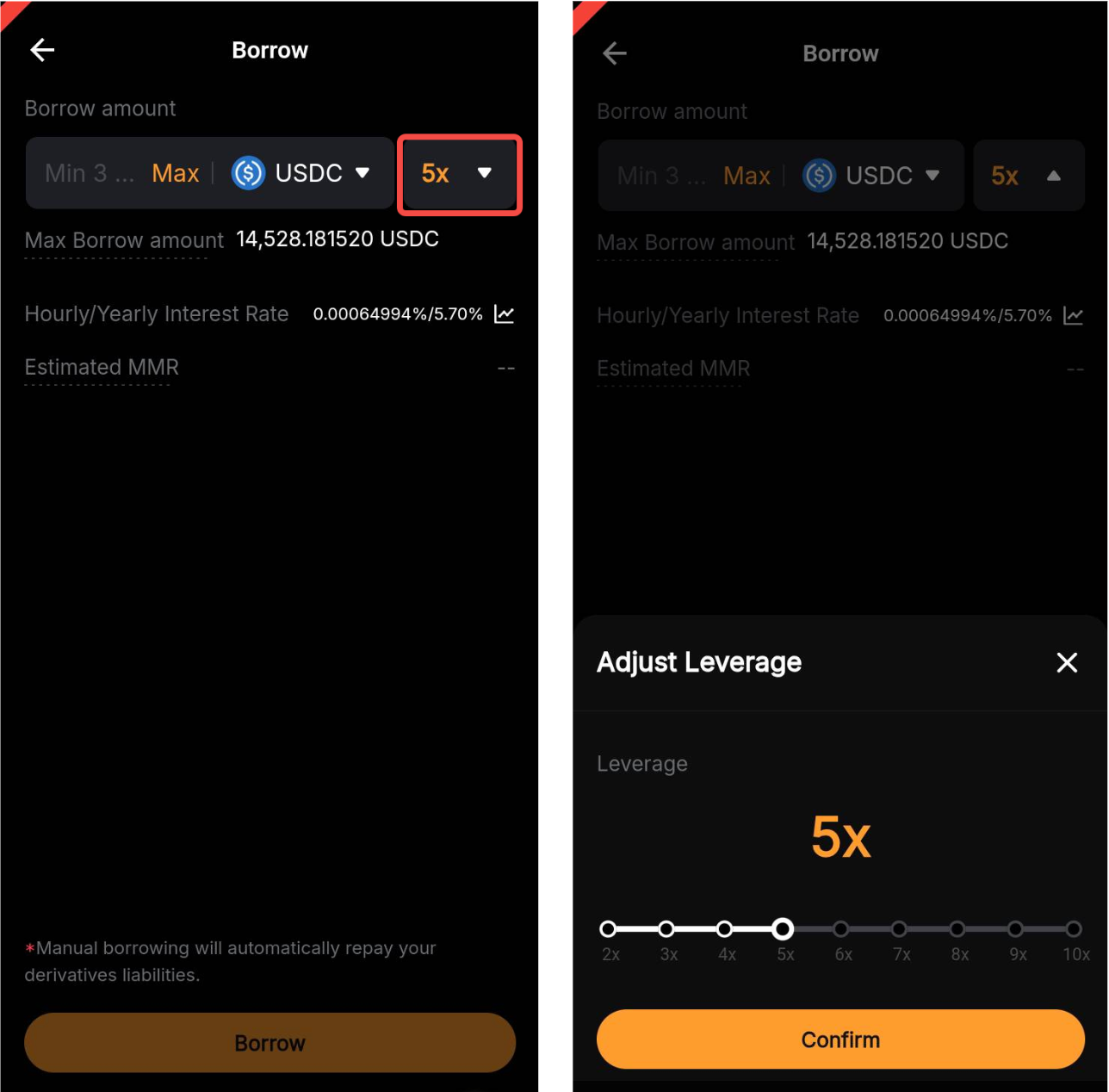
Step 2: Select the asset you wish to borrow, set the leverage and enter the amount. The system will automatically calculate the maximum borrowable amount based on your collateral value (after haircut), leverage and individual borrow limit. You can also view the estimated daily and yearly interest. Once everything looks good, tap Borrow to confirm.
Notes:
— You must enable the borrowed assets as collateral before you can borrow. Assets obtained through Manual Borrow will automatically be used to repay any outstanding Derivatives liabilities.
— Your individual borrowing limit is determined by the lowest value among the following three factors:
-
The borrowing limit of your account tier
-
The position tier limit for the specific crypto
-
The remaining liquidity in the lending pool
— The estimated MMR refers to the estimated Maintenance Margin Rate after borrowing. The required MMR for the borrowed asset depends on the position tier limit of the specific crypto.
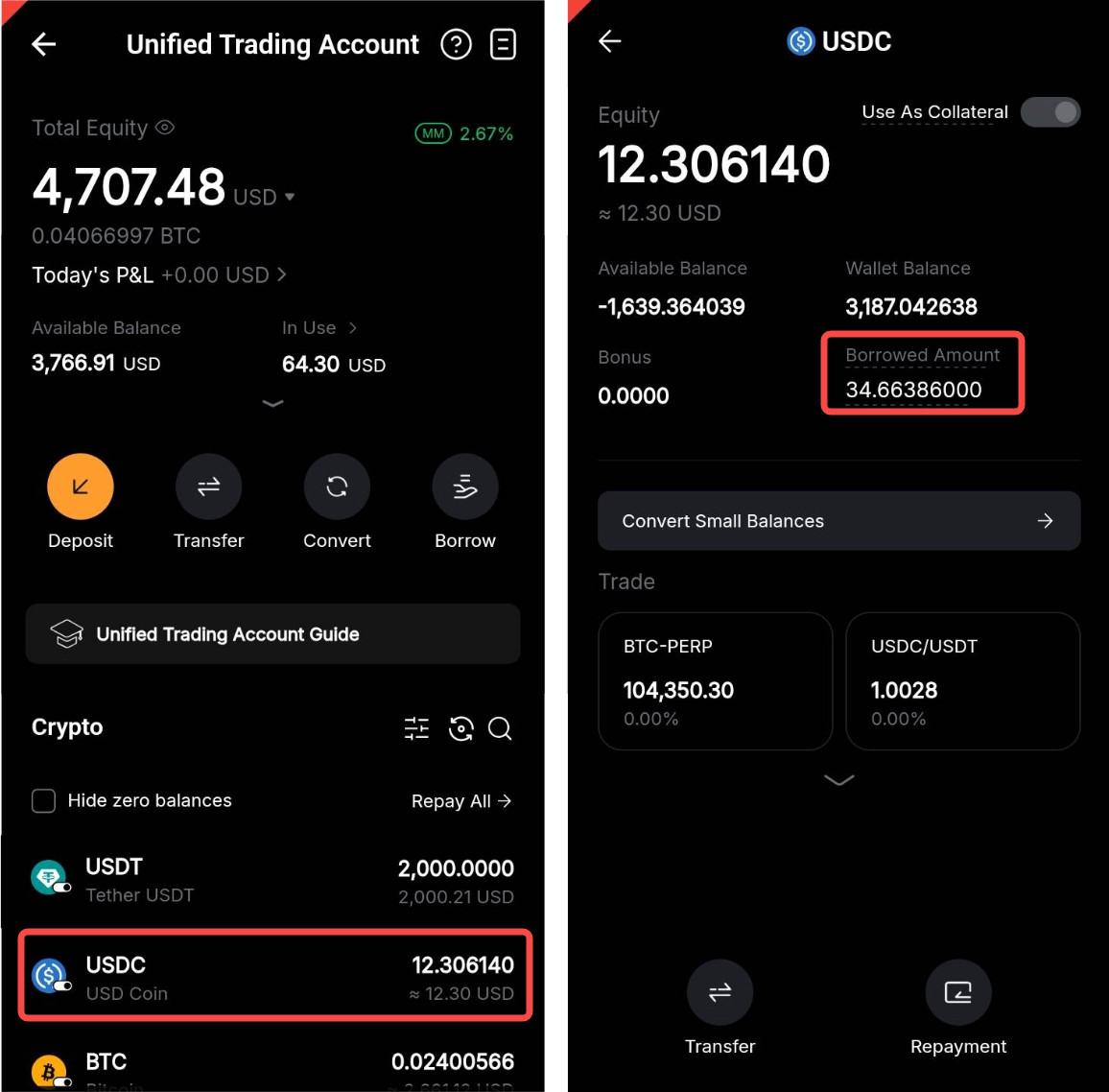
Step 3: After borrowing, you can select each borrowed coin to view its borrowed amount.
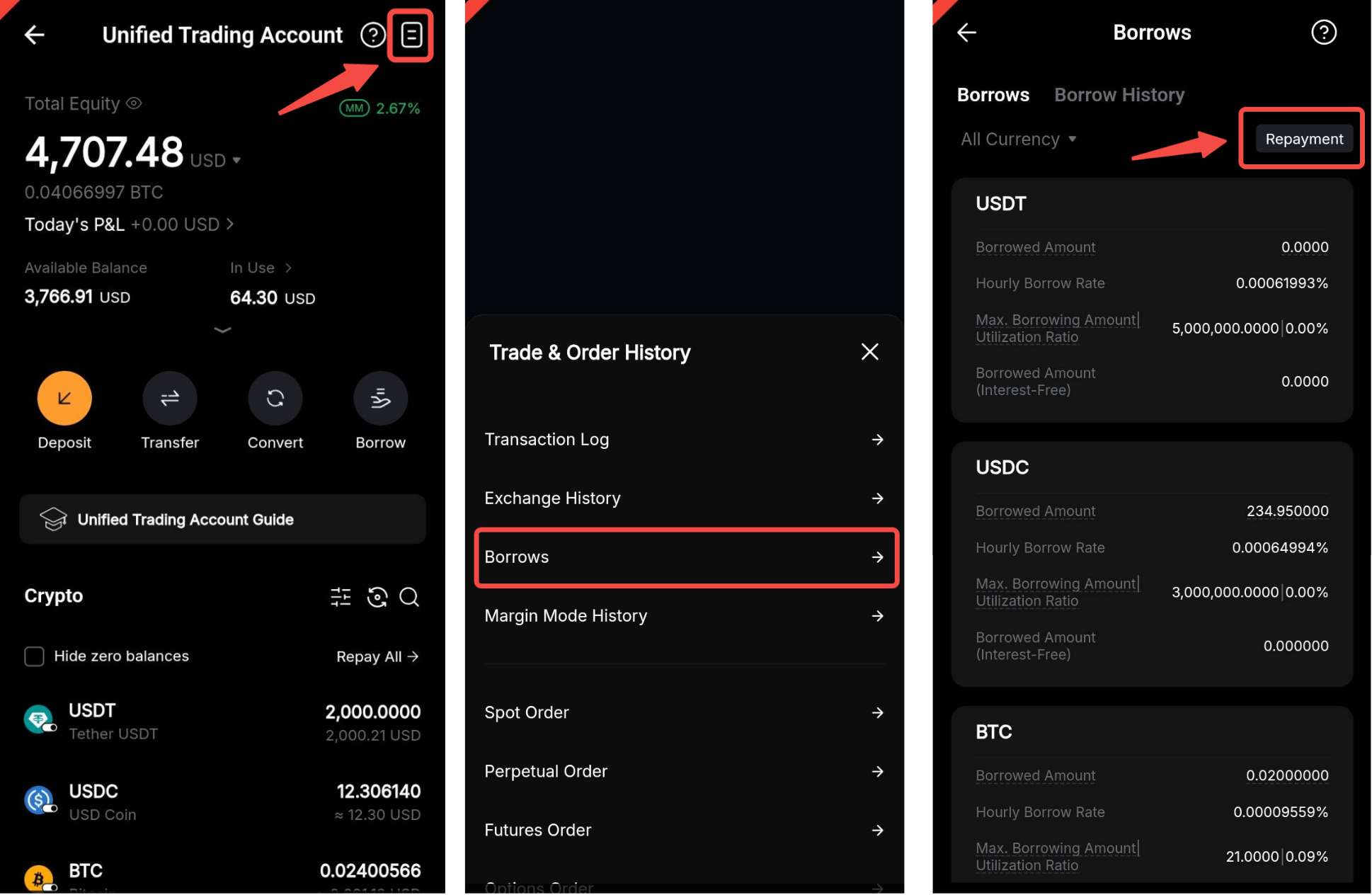
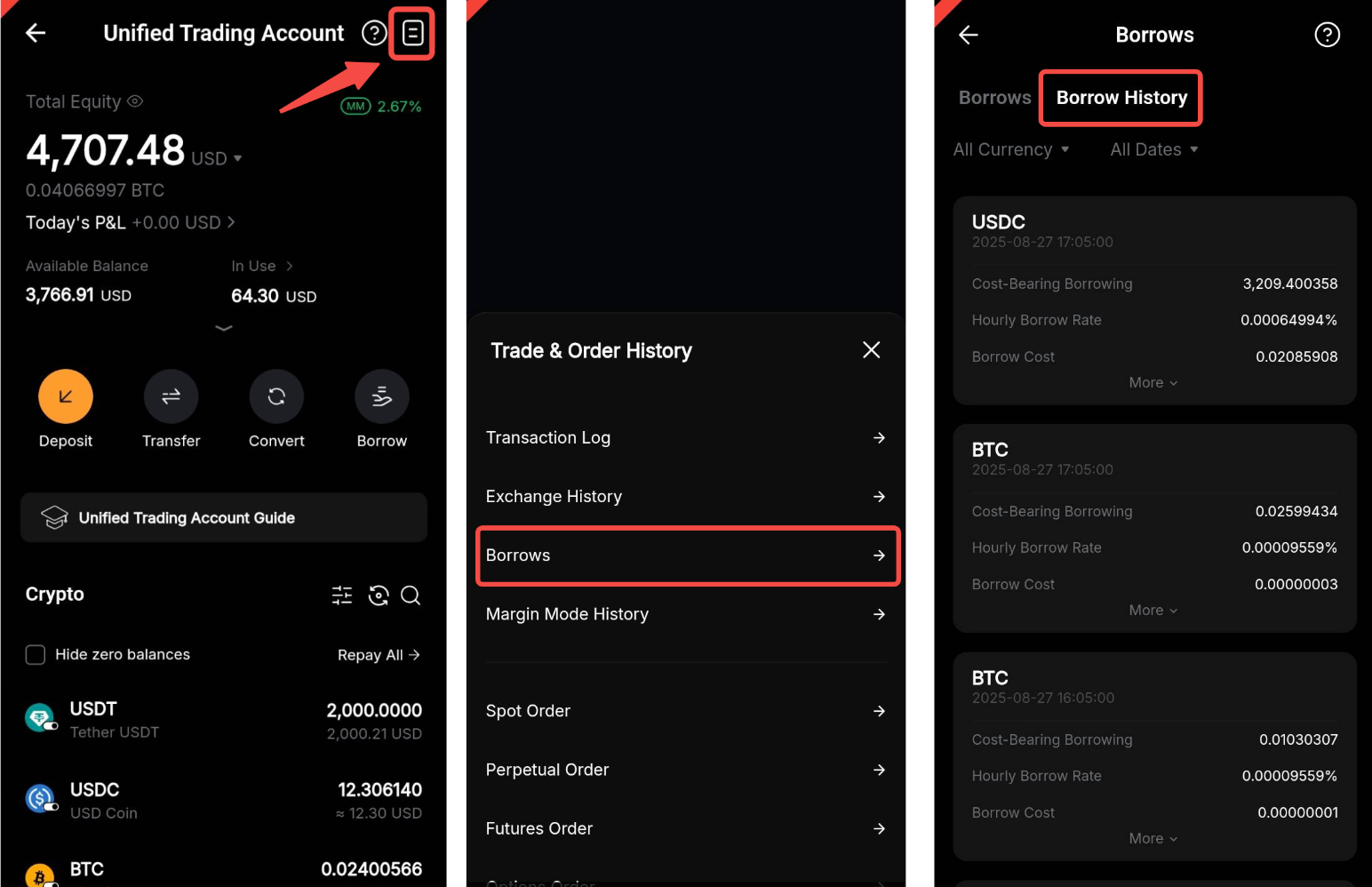
For an overview of all your borrowings, tap the History icon in the top-right corner of your Unified Trading Account, then go to Borrows → Borrow History.
How to make a repayment
Via the trading page
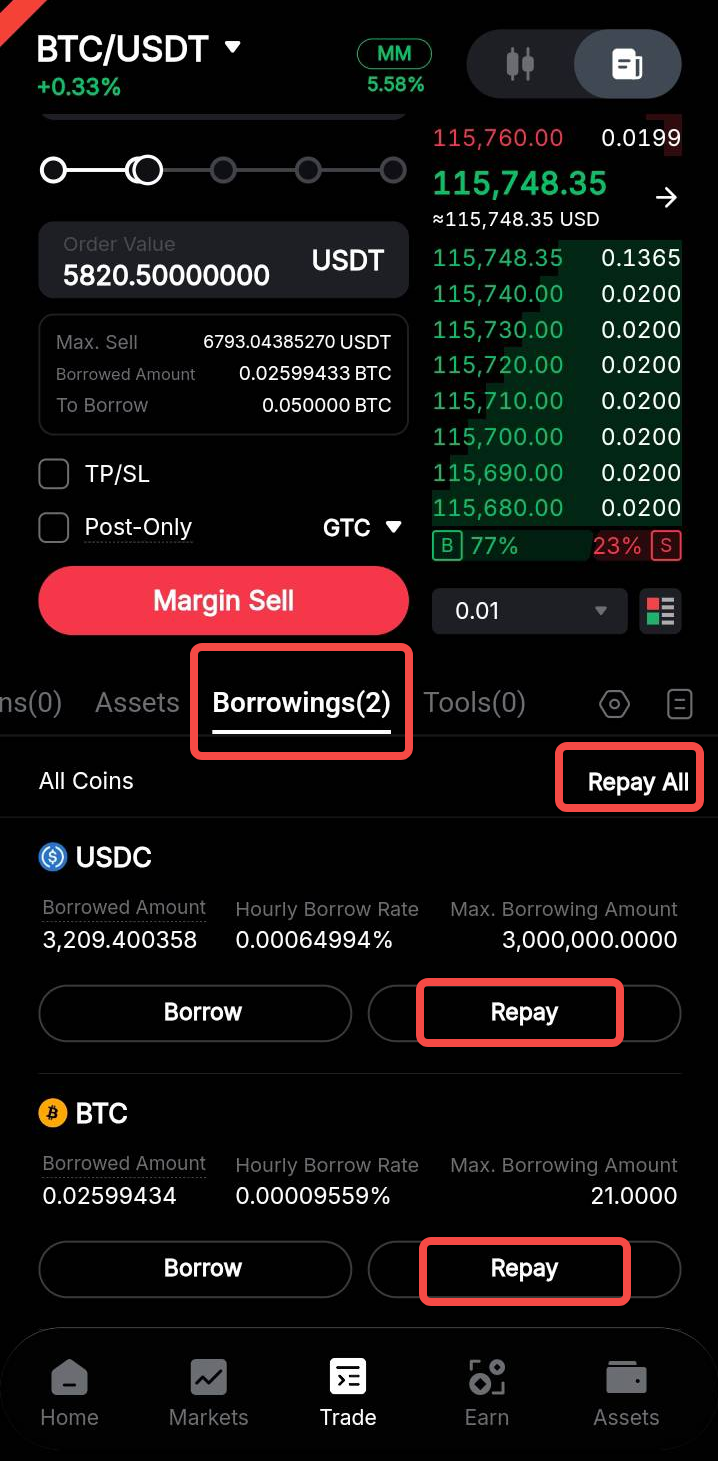
To repay borrowed funds on the Spot Margin Trading page, go to the Borrowings tab, then tap Repay under the respective asset, or select Repay All to repay all borrowed assets. For more details, please refer to How to Make Manual Repayment in Your Unified Trading Account.
Via the Unified Trading Account
You can also make a manual repayment from the Unified Trading Account asset page. Select a borrowed coin and tap Repayment, or tap Repay All to repay all the borrowed assets.
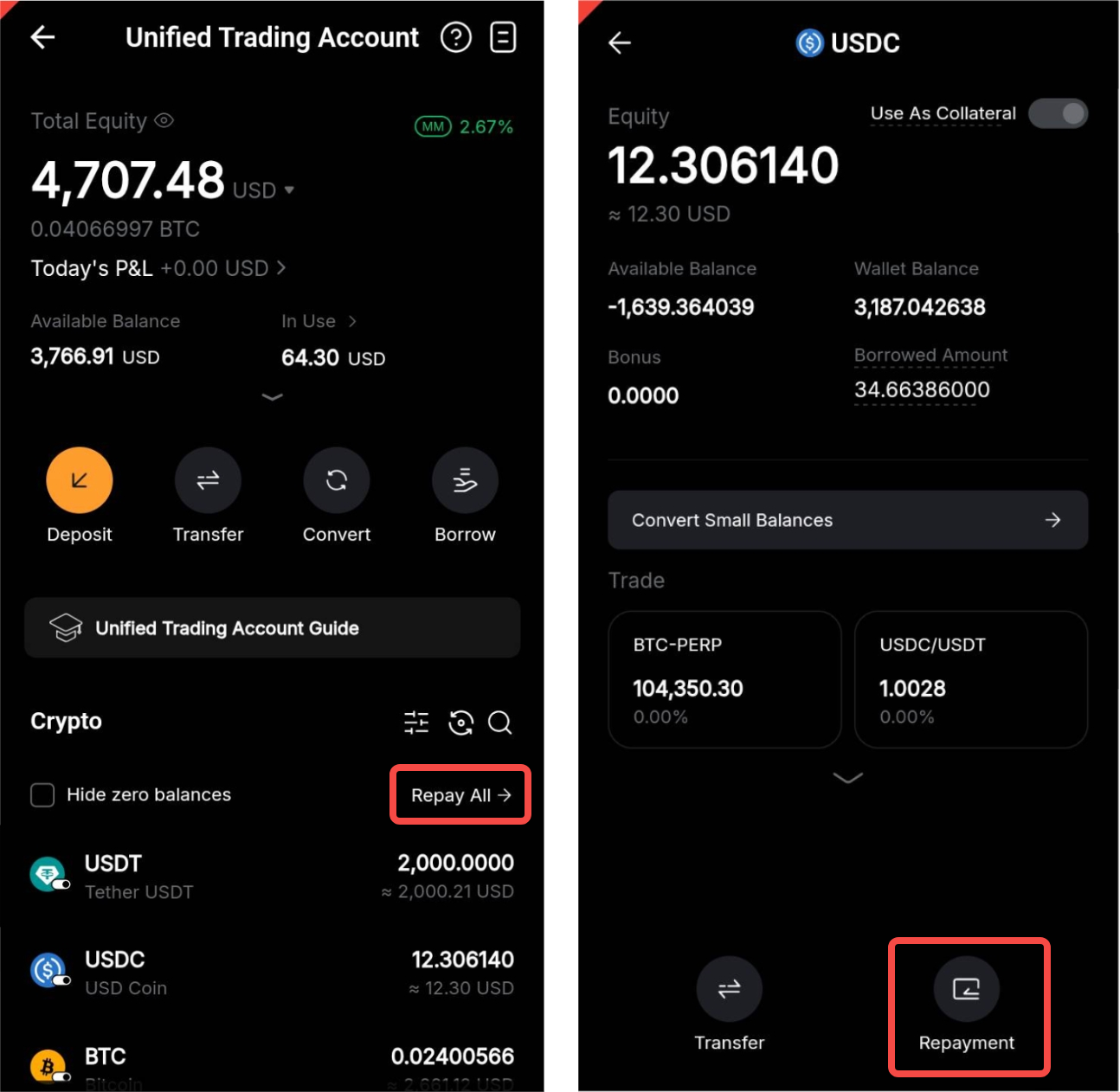
Alternatively, go to the History icon → Borrows and tap the Repayment button to make a repayment.