Recurring Buy is an excellent way to automate the purchase of crypto for users who want a hassle-free investment strategy. With dollar-cost averaging (DCA), you can invest smaller equal amounts over a specific length of time, rather than a lump sum investment, to average your investment price with Recurring Buy effortlessly. For more details, please refer to Introduction to Recurring Buy.
Here’s a step-by-step guide to making purchases with Recurring Buy on Bybit.
Step 1: Launch your Bybit App. Go to Trade page and tap on Recurring Buy to create your plan.
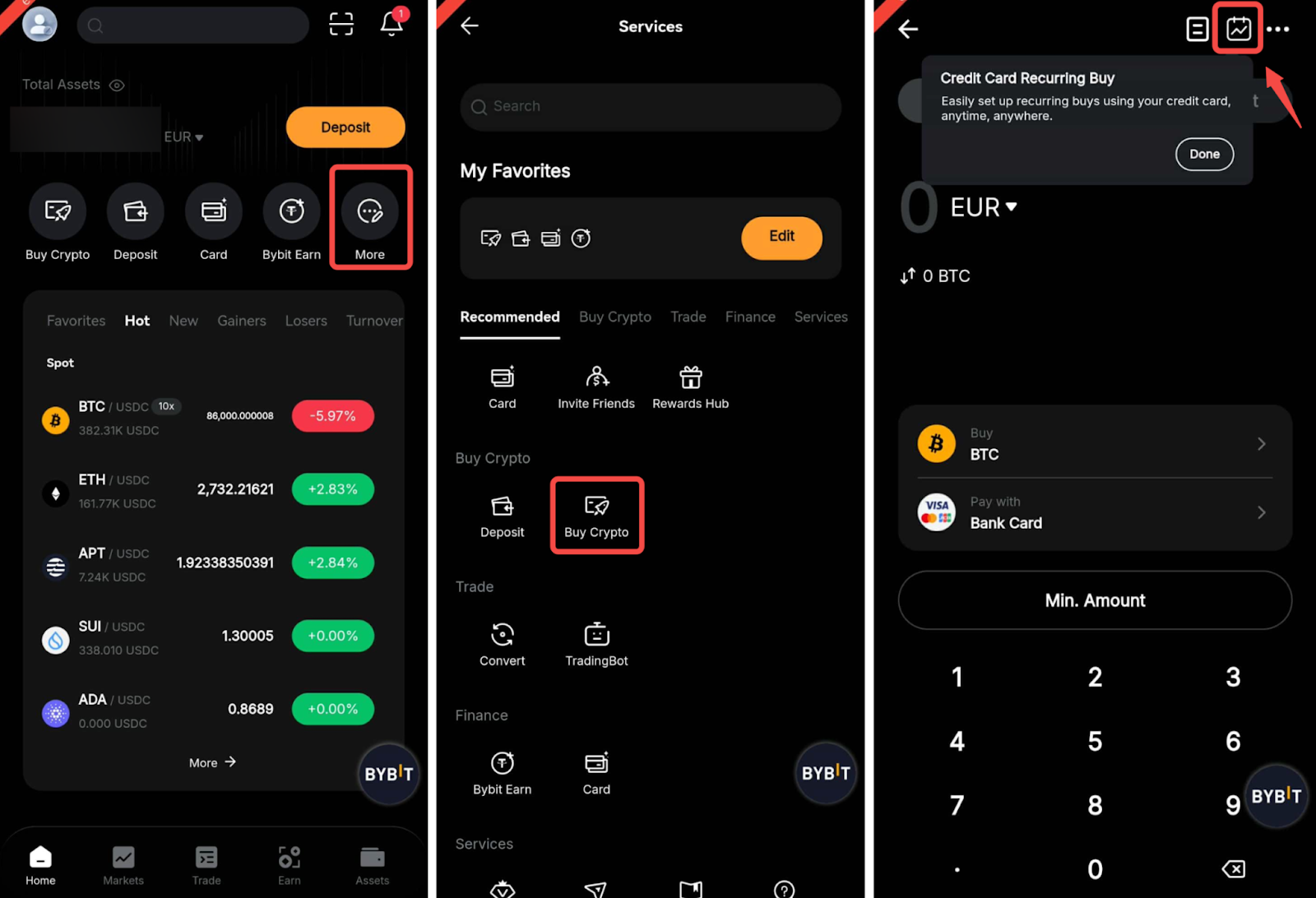
Step 2: To create your Recurring Buy plan, please follow the steps below.
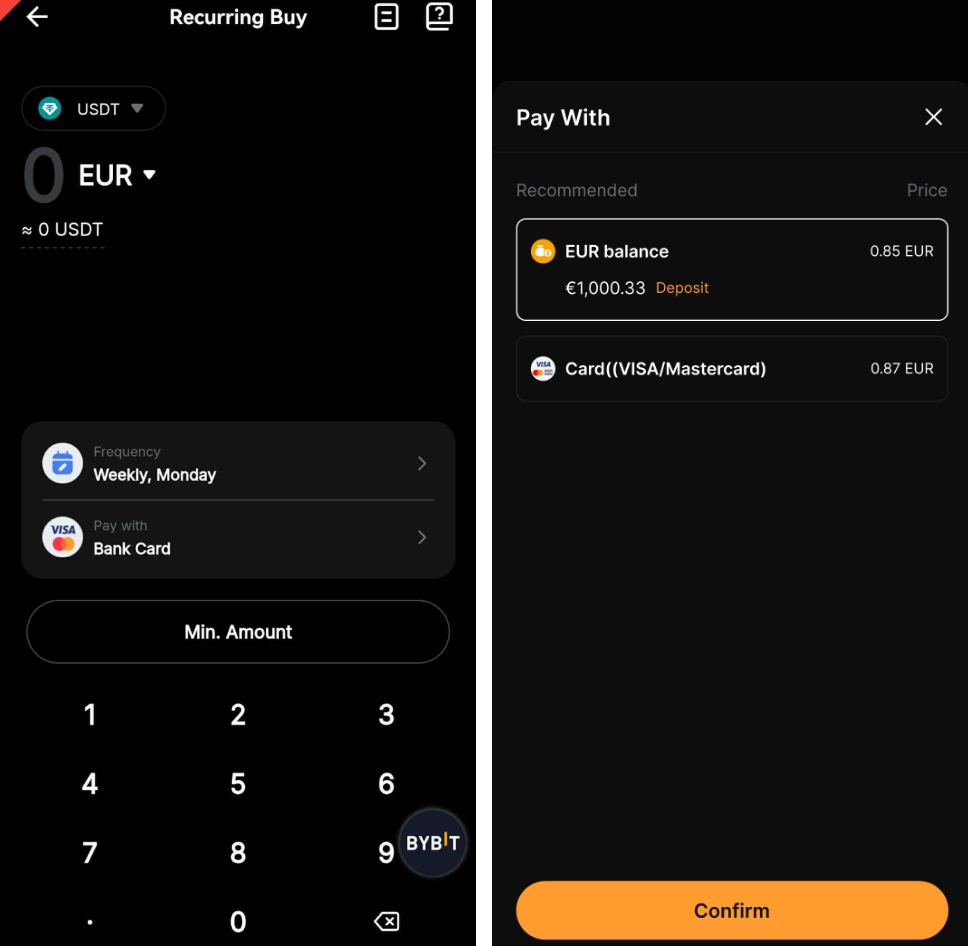
- Choose the fiat currency or cryptocurrency that you would like to pay with, and select the coin that you want to purchase.
- Enter the amount of fiat currency or cryptocurrency you would like to purchase with.
- Set the frequency by choosing either Daily, Weekly, Bi-Weekly, or Monthly intervals. You can also select the date and time for your Recurring Buy plan.
Please note the following details in order to comply with the country remediation.
— Russian and Belarus users are only able to purchase Recurring Buy plans in RUB.
— Dutch users can only use the following four (4) pairs to purchase Recurring Buy plans.
- EUR/USDT, EUR/USDC, EUR/ETH and EUR/BTC
Step 3: Make sure all plan details are correct and tick You’ve read and agree to Bybit's Terms of Service and Privacy Policy, then tap on Confirm.
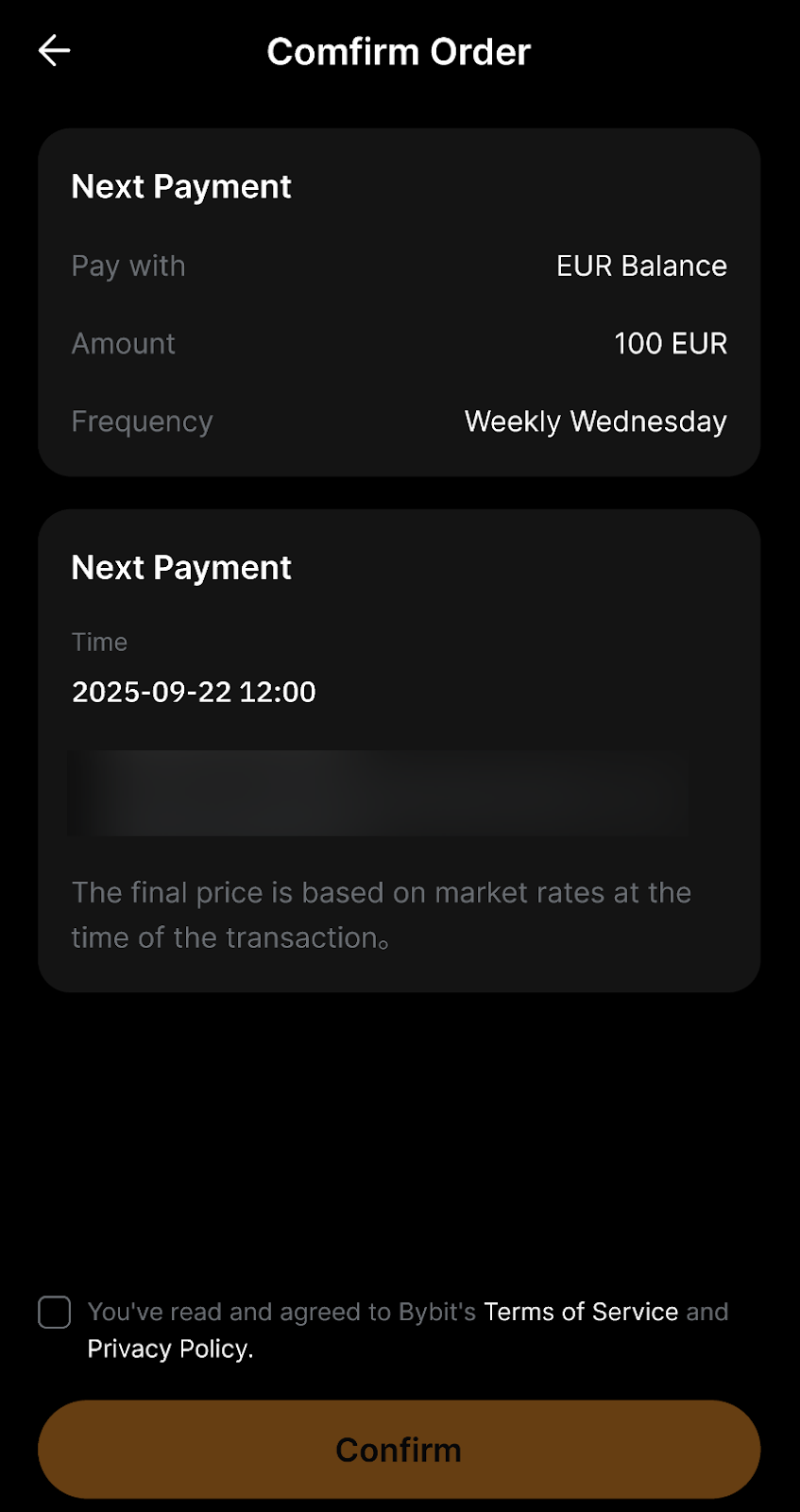
Step 4: Congratulations. Your Recurring Buy plan has been successfully created. Your Recurring Buy plan will be processed automatically according to the parameters you set.
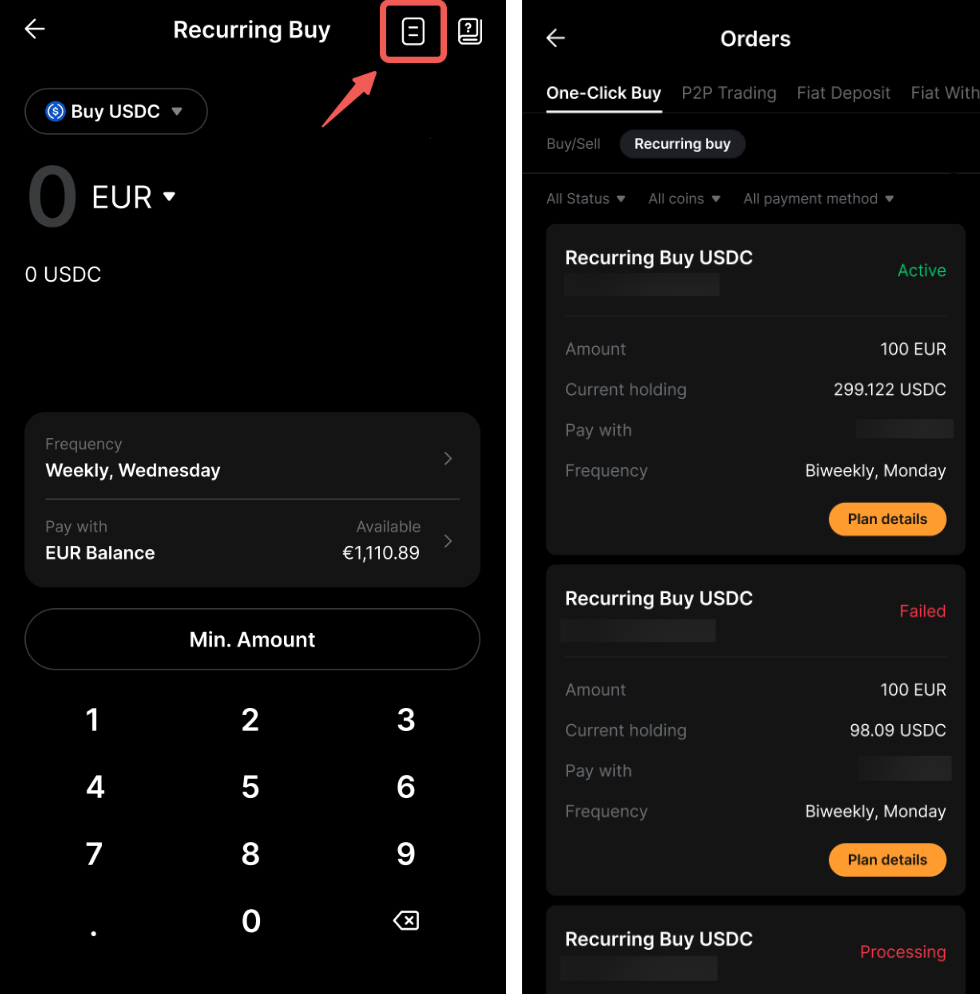
To view the details of your Recurring Buy plan, go to the Recurring Buy order page and select the order icon on the upper right.