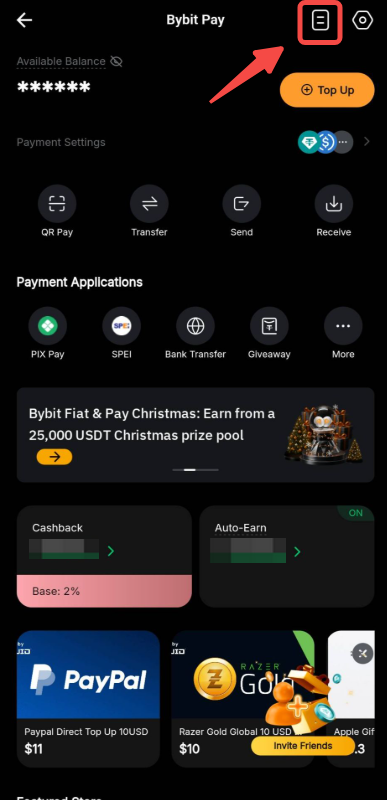
Bybit Pay enables you to conduct transactions in fiat or cryptos with other Bybit Pay users, all with zero transaction fees. Three types of payment methods are now supported: via the Bybit QR Pay, via Internal transfer and via Bank transfer.
This article serves as a guide for making a payment with Internal Transfer using Bybit Pay. To consult the guides for the other payment methods, please visit the following pages:
- How to Make Payment with Bank Transfer using Bybit Pay
- How to Make Payment with QR Pay using Bybit Pay
How to Send Payment
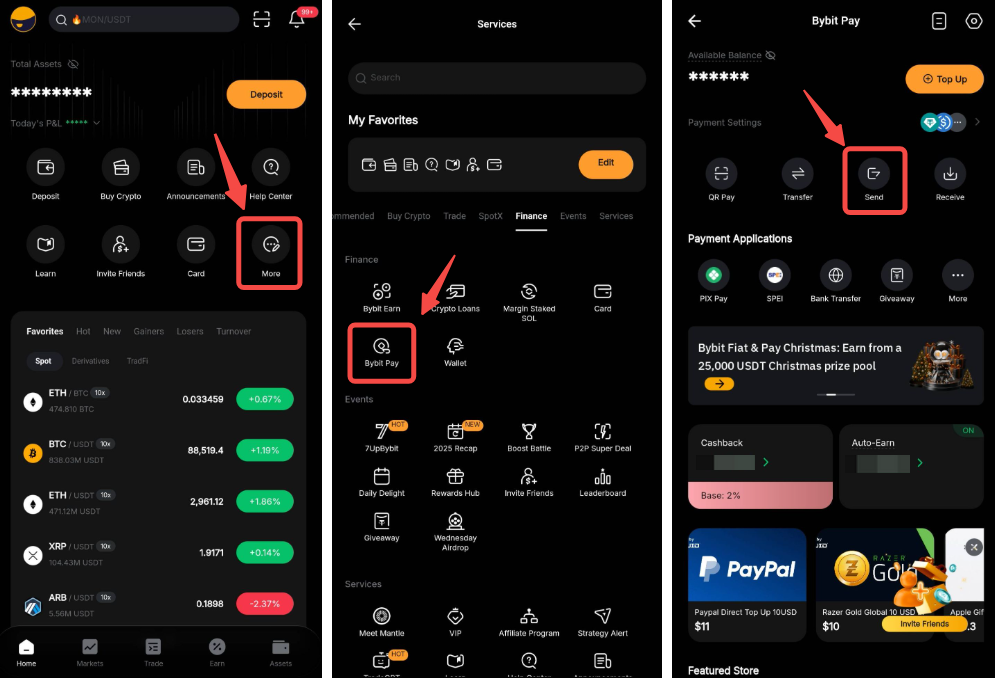
Step 1: From the Bybit homepage, go to the Bybit Pay page by clicking More → Bybit Pay and tap on Send.
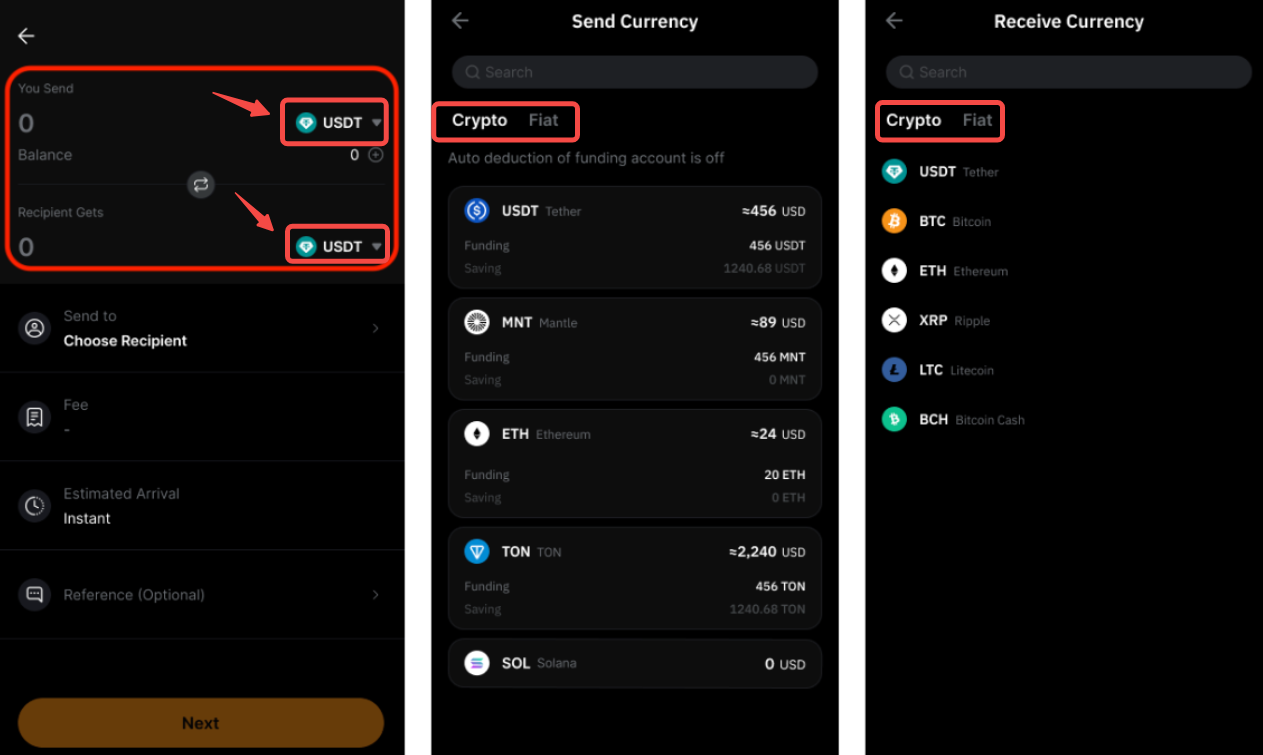
Step 2: Select the assets to send and receive by tapping on the Asset names and enter the amount you wish to send. The complete list of supported Crypto and Fiat assets will be displayed on a new page.
Step 3: Tap Choose Recipient and enter the recipient’s UID, phone number, or email address. You can also select a recipient from your recent transactions. Tap Next to continue.
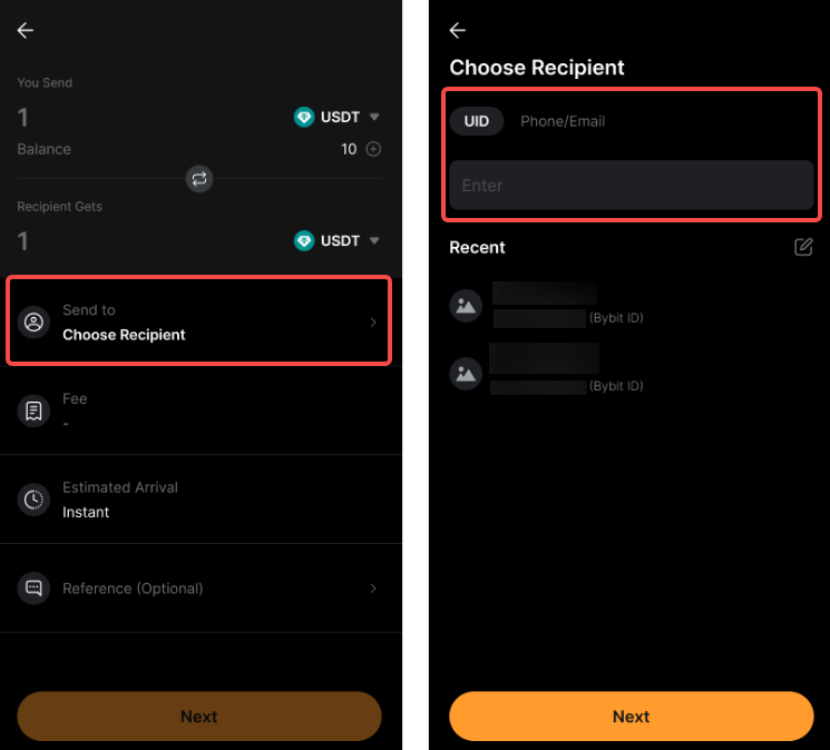
Important Note: Please ensure that the recipient’s account details are correct before confirming the transaction. Funds sent to an incorrect recipient cannot be recovered.
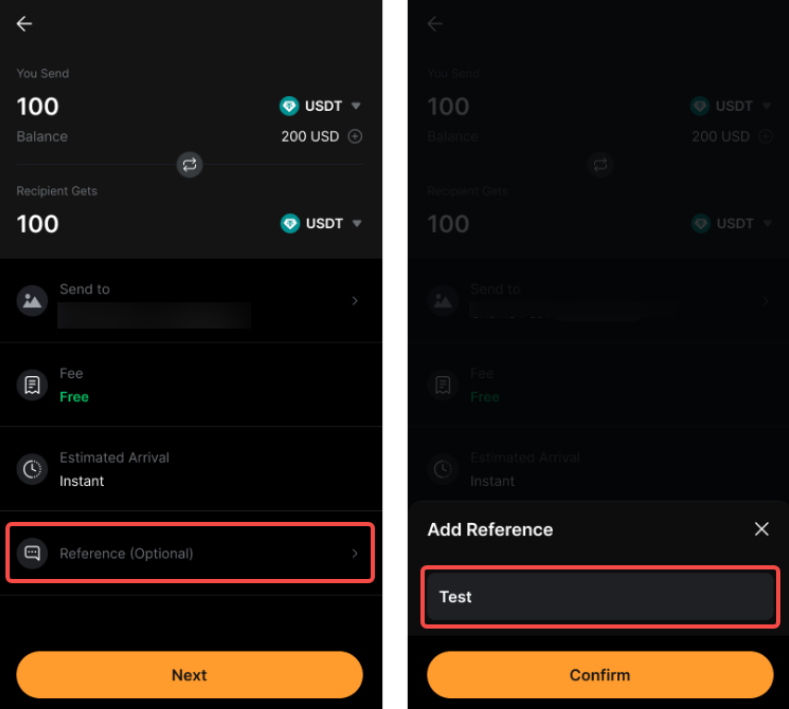
Step 4: Review the transaction details and tap Next to proceed.
You may enter a note to indicate the purpose of the transaction. Please ensure that your remark does not contain special characters or sensitive content, including political terms, offensive language, adult or violent content, or promotional material. Otherwise, the payment may fail.
Step 5: Tap Confirm on the confirmation page to complete the transaction.
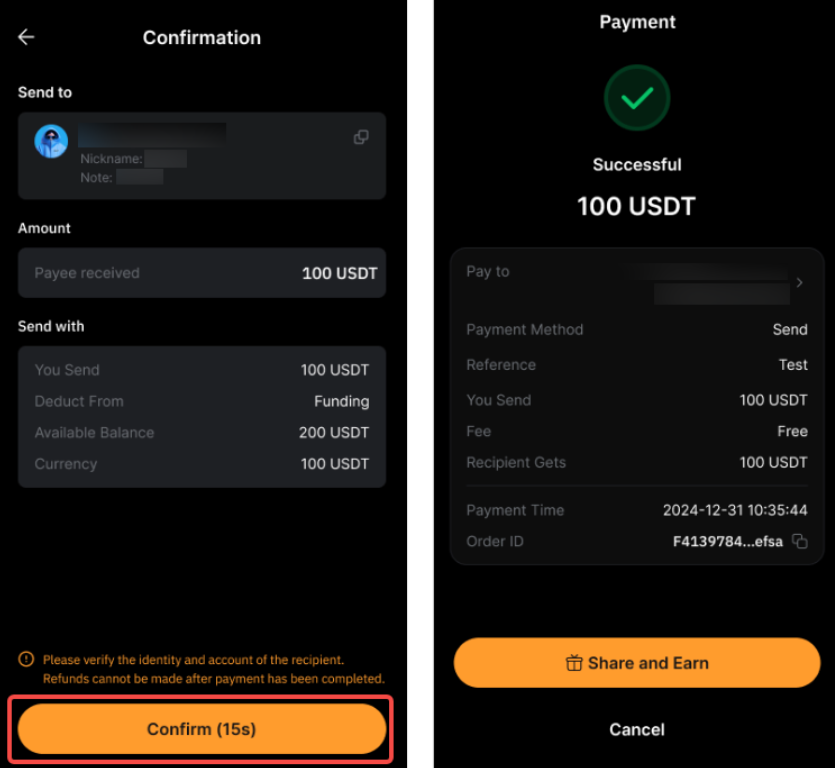
Your payment is successfully sent to the recipient!
How to Receive Payment
If you are receiving payment via Internal Transfer, you can share either one of your account details listed below with the payers:
- Email address
- Phone number
- Bybit UID
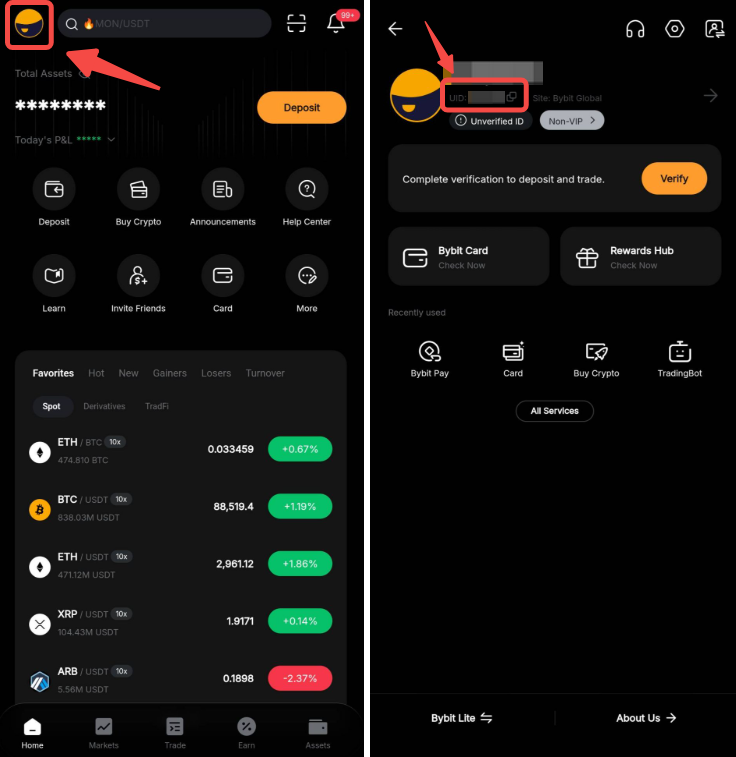
You can locate your Bybit UID on your profile page.
View Your Payment History
To view your payment history, please head to the Bybit Pay page and click on the Paper icon in the top right corner.