
Here’s a step-by-step guide to redeem items with Rewards Points and view your past redemption records
Redeem Items
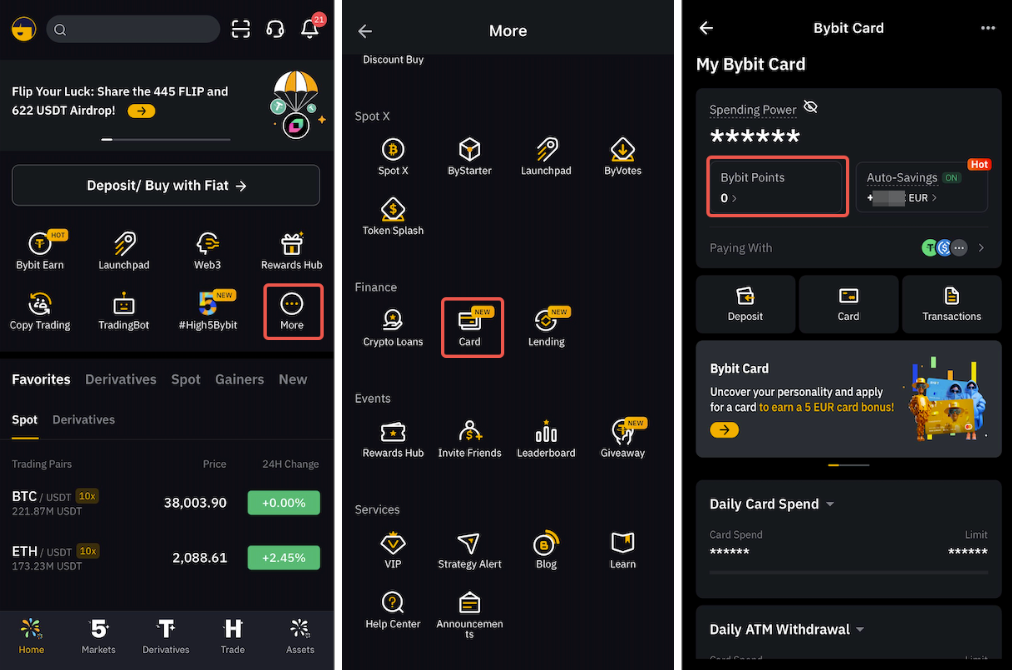
Step 1: Go to Bybit App → View More → Card → Bybit Points.
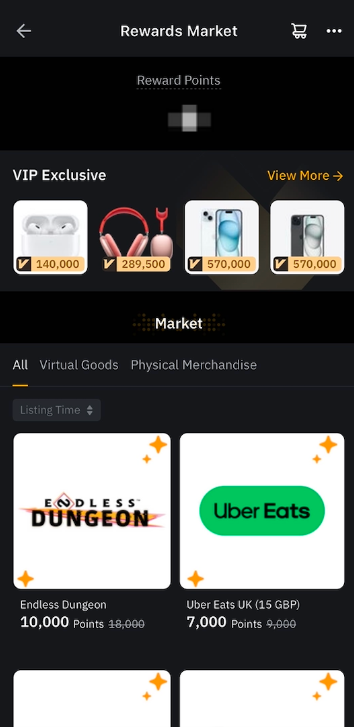
Step 2: Select the item you would like to redeem from our Rewards Market using your available points.
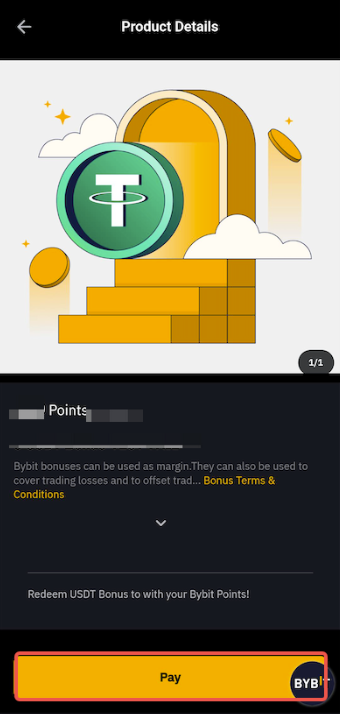
Step 3: Click on Pay to proceed with your transaction.
Step 4: Click on Pay to confirm your order, and complete the security verification to process your order.
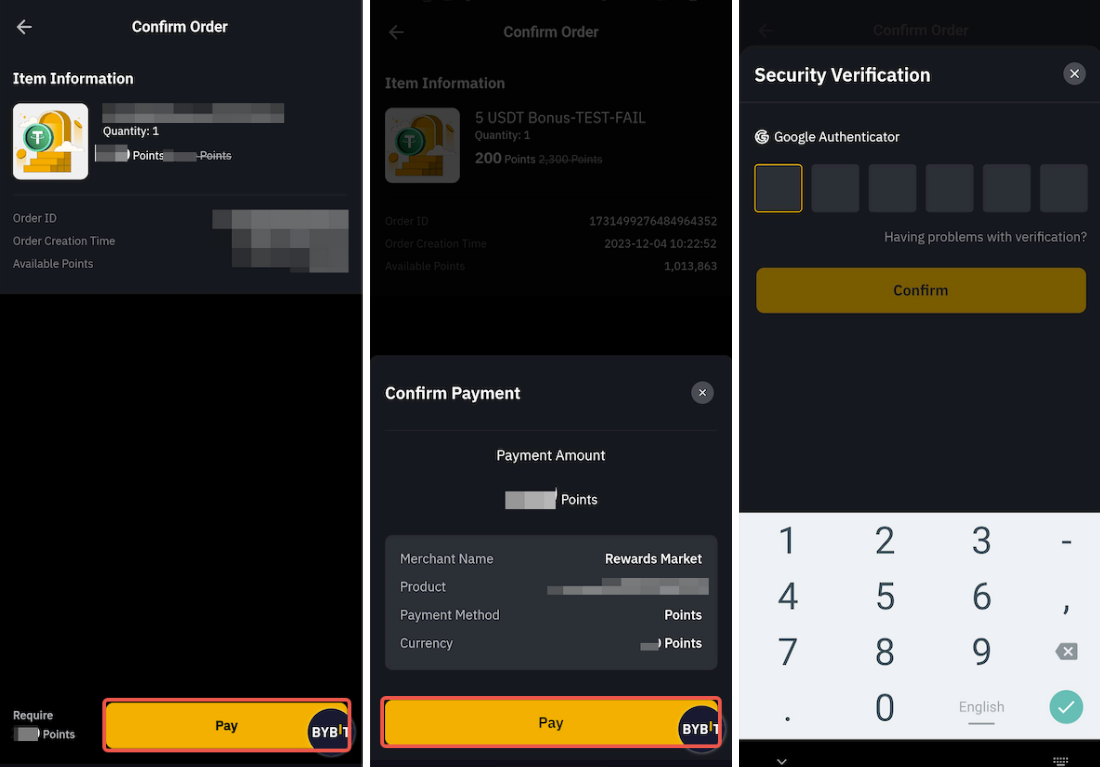
Note: Once the redemption is successful, the item cannot be exchanged or returned.
Step 5: For Bonuses/Fee Savers/Airdrops only
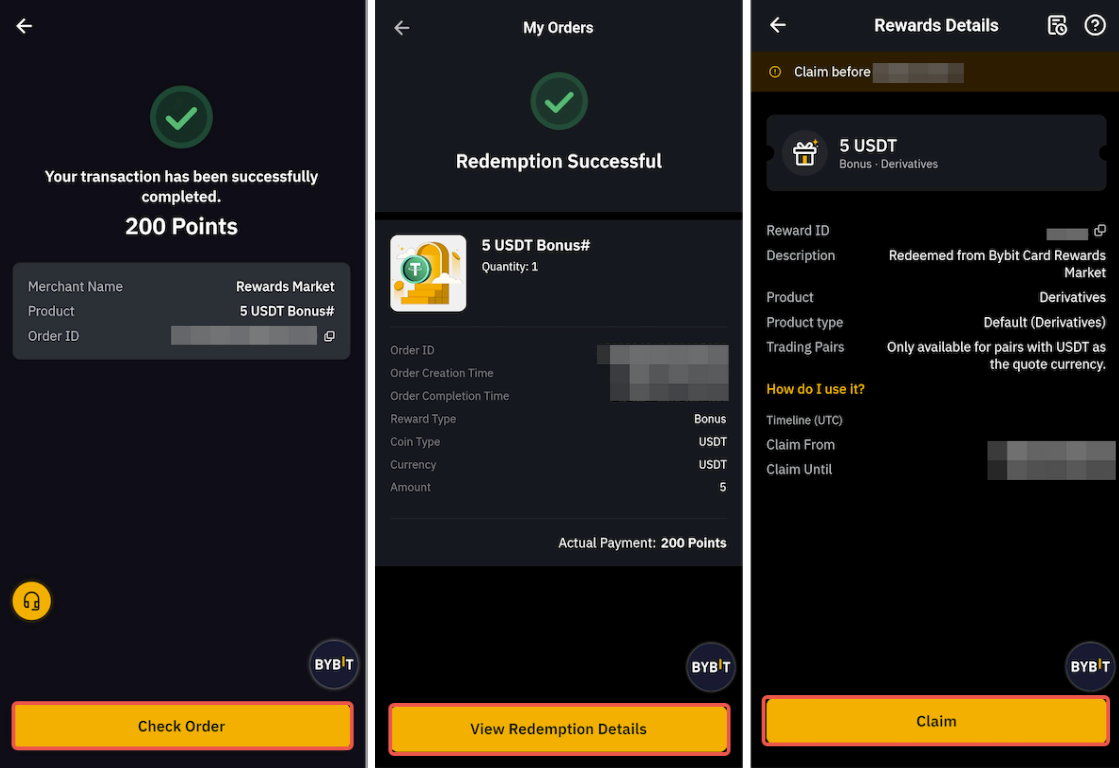
Upon successful redemption, tap on Check Order and View Redemption Order to be redirected to Rewards Hub.
The bonuses/fee savers that you have redeemed successfully in Bybit Card Rewards Market will be stored on My Rewards Hub. Click on Claim to utilize the bonus/fee saver. For more information, please refer to FAQ - Rewards Hub.
Disclaimer
Please note that the photos provided are for illustration purposes only and may not accurately represent the subject matter or context. By participating in Bybit's Promotions, you hereby agree to comply and adhere to the Bonus Terms and Conditions.
View Your Past Redemption Records
Click on the three dot icon in the top right corner of the Rewards Market page and tap on Records. You can view your Earned and Deducted points by switching between the tabs on the Points Record page.
You can find your redemption status records by tapping on the Cart icon on the Rewards Market page. Tap on Details to access all the information related to your redemption, including the order ID, creation time, completion time, coin type, currency, bonus amount, and point payment amount.