Here’s a step-by-step guide to completing Business KYC verification.
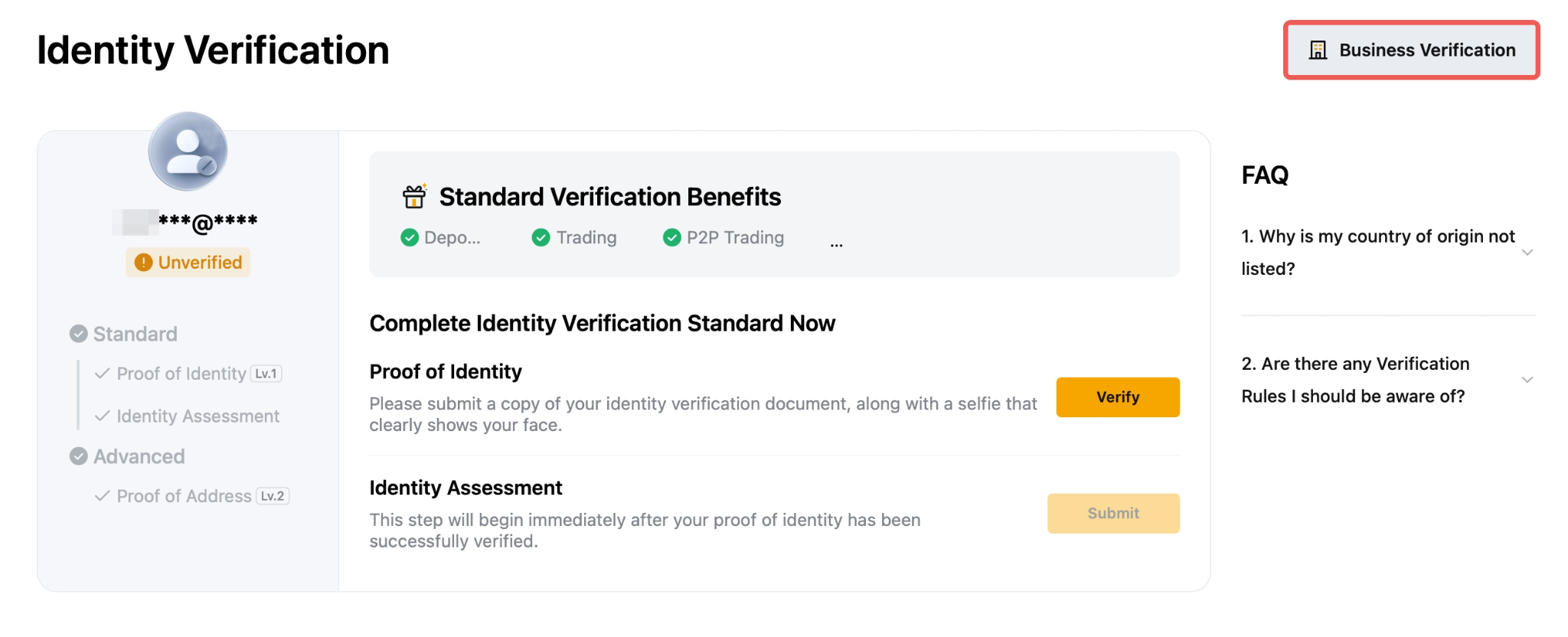
Step 1: To proceed with the Business KYC verification, click on the Business Verification button on the Identity Verification page.
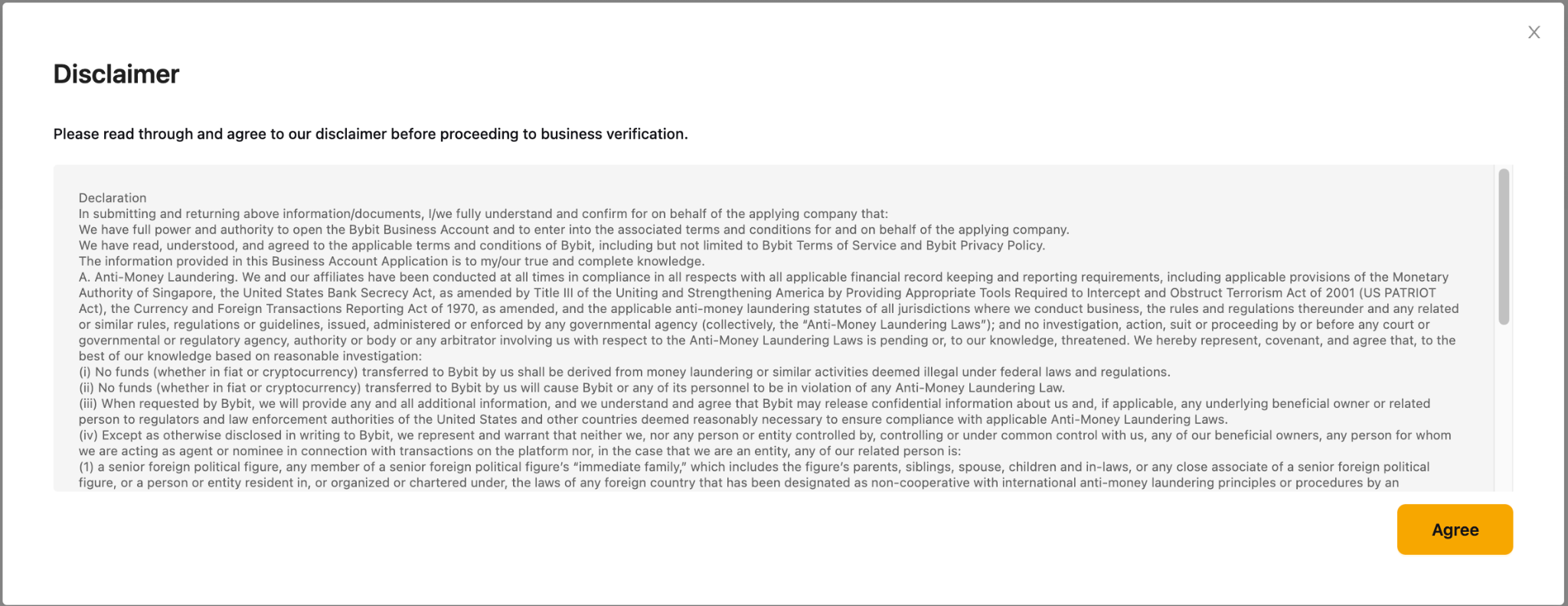
Step 2: Acknowledge the T&C of applying for Business KYC verification to proceed further.
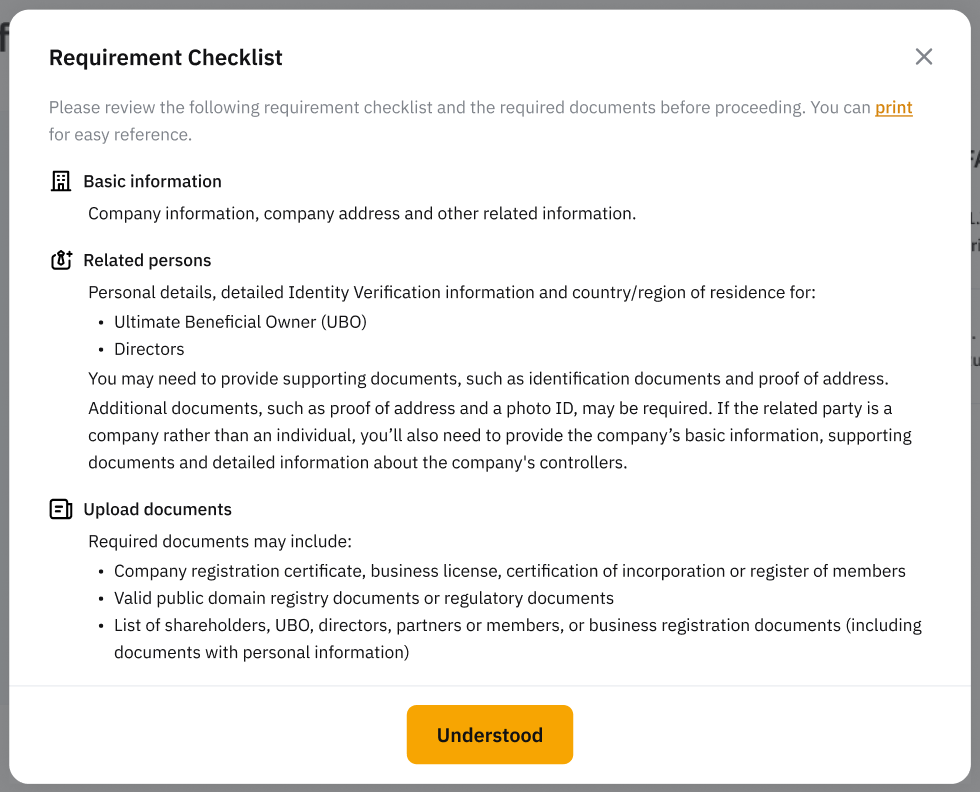
Step 3: Ensure that you review the Requirement Checklist and prepare the required documents before starting the process.
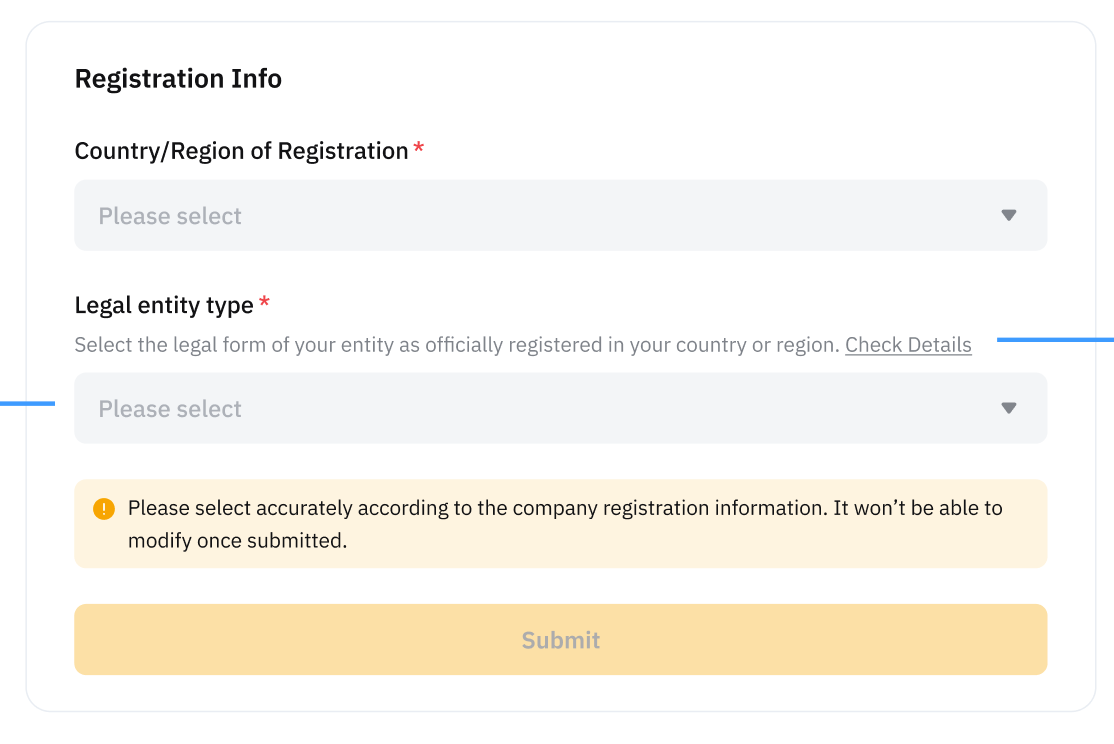
Step 4: Fill in the registration information, such as country/region of registration and Legal entity type, and click Submit.
Step 5: Provide the required information by providing your basic information, related parties, and uploading the required documents for review.
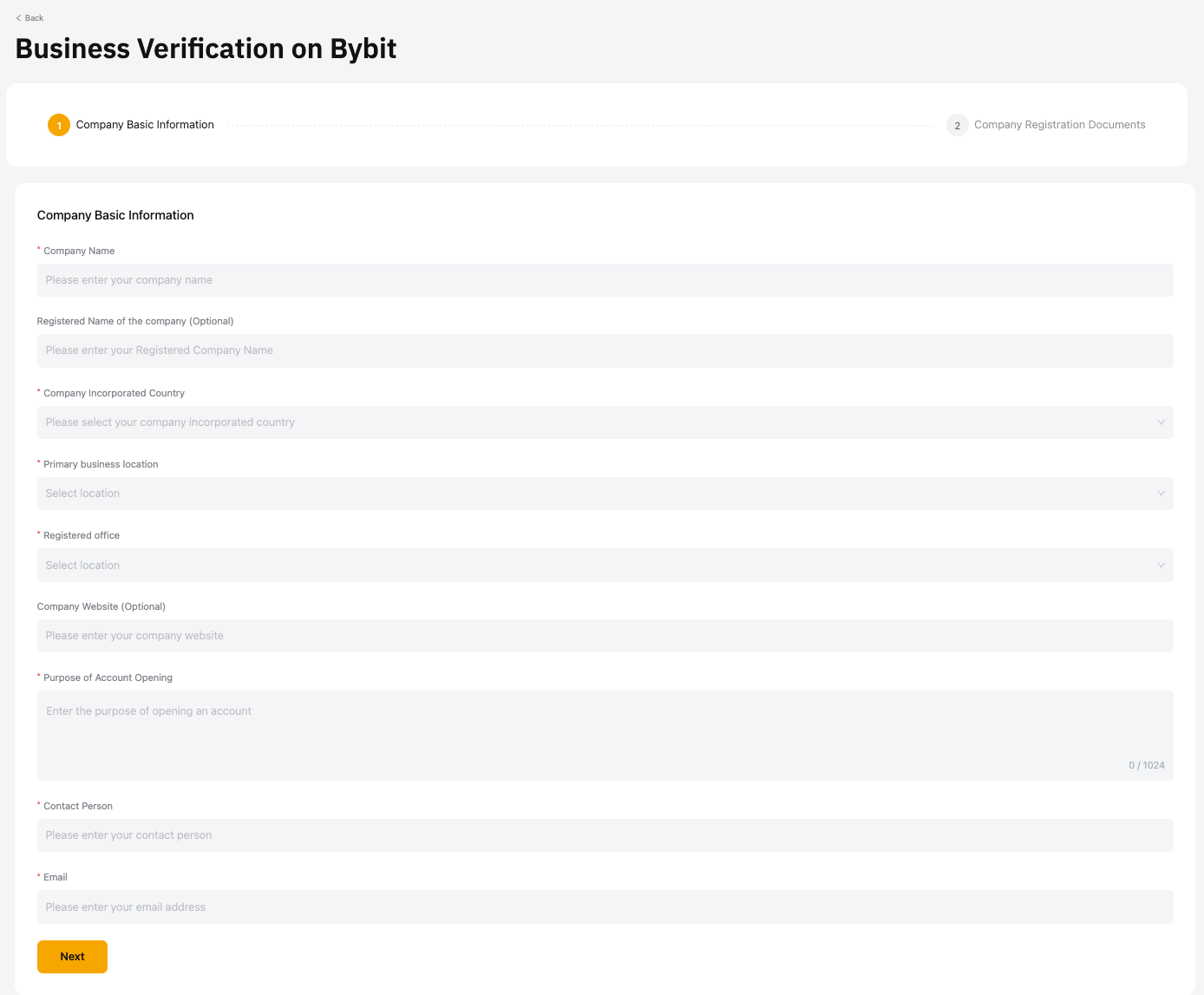
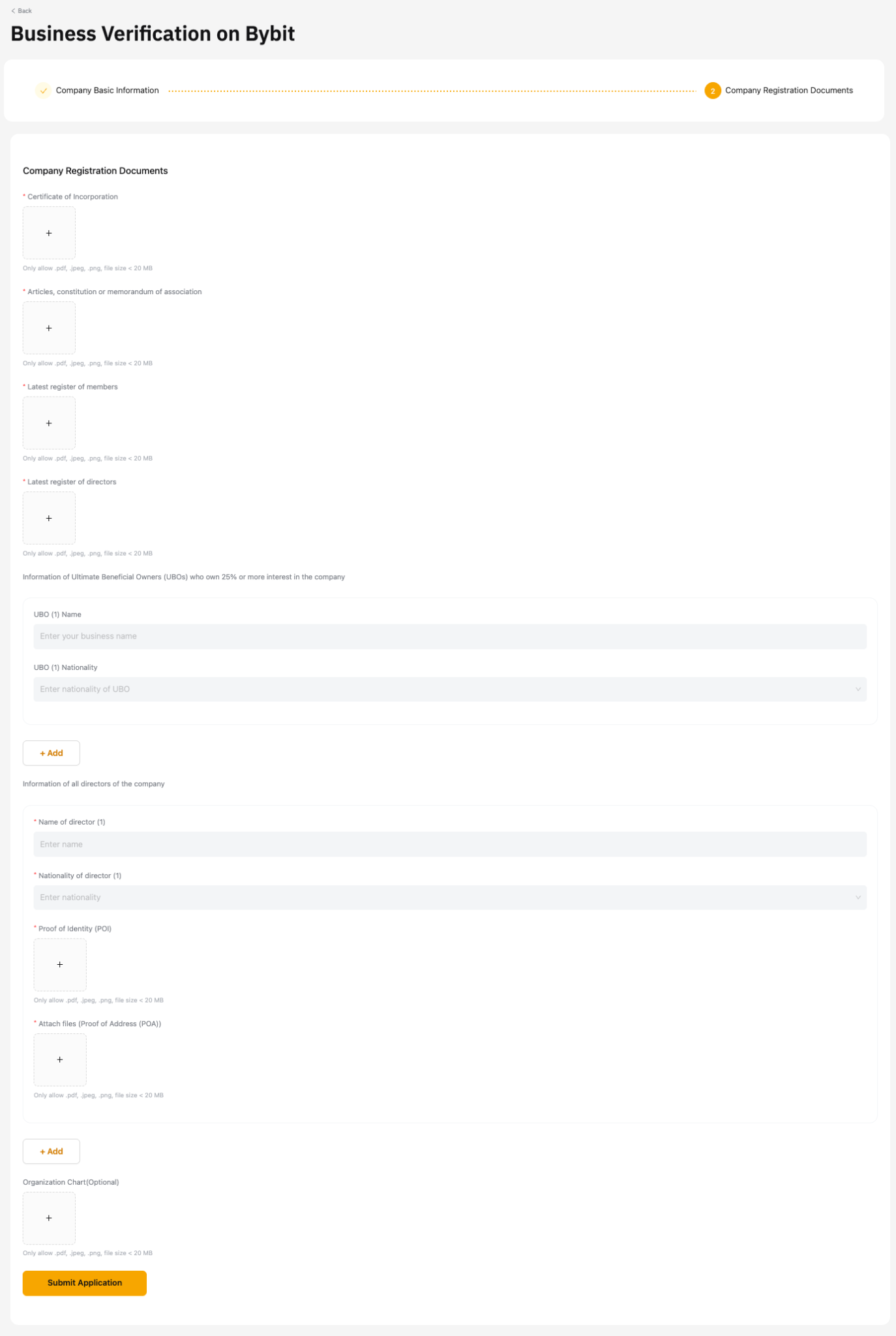
Step 6: Confirm the Disclaimer and Declaration by clicking on Submit.
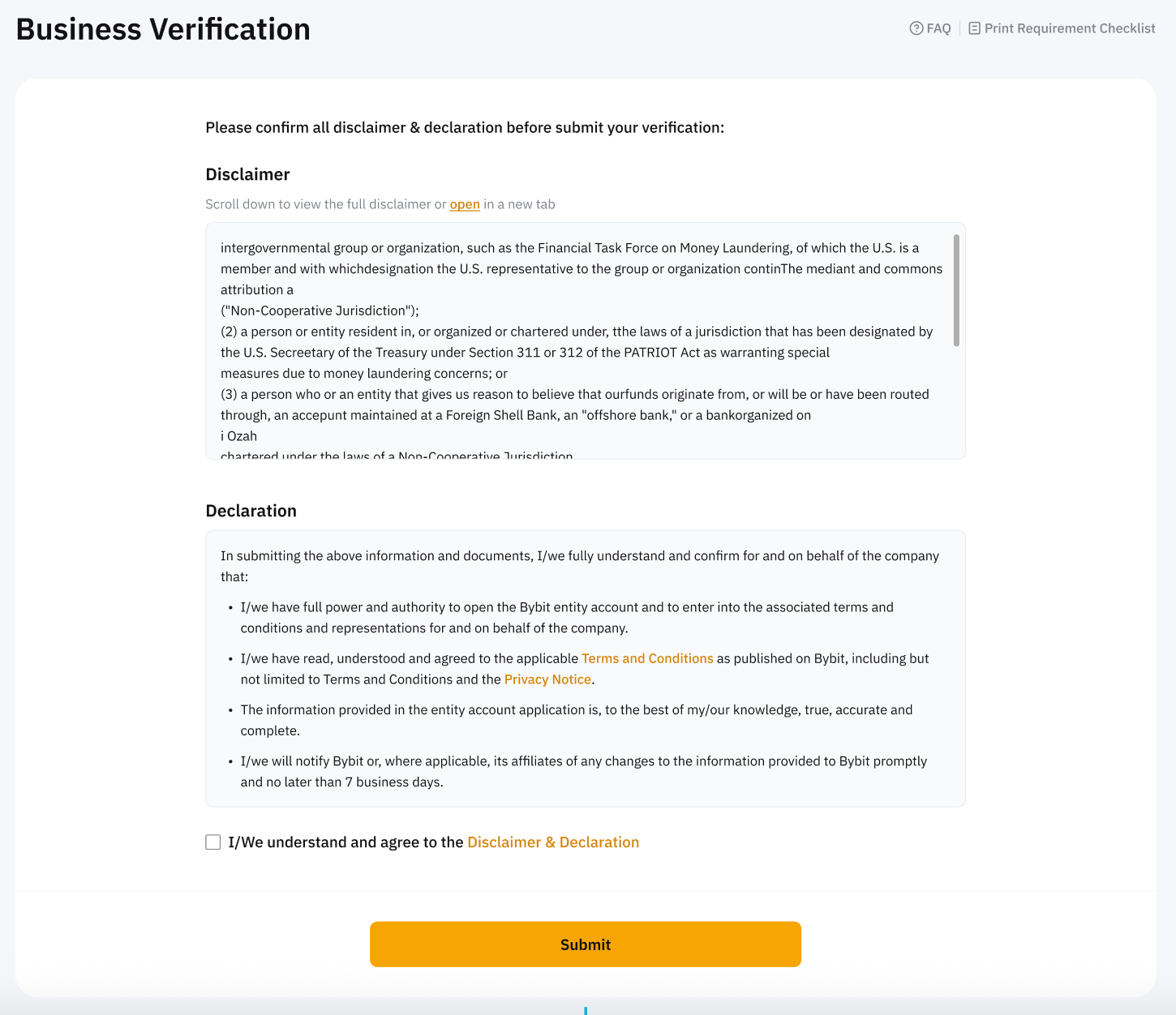
Note: Your application will be reviewed within 2-3 working days. We will notify you of the results through email. Please check your email inbox or spam folder.