What are Dollar-Cost Averaging bots?
Dollar-Cost Averaging bots are automated trading bots that allow you to automatically buy coins based on a preset investment amount and time intervals within a specific period, reducing the need to keep an eye on the market all the time.
The Dollar-Cost Averaging strategy is an investing technique that helps users average the price of their coins by investing a predetermined amount of coins on a regular basis.
What products support Dollar-Cost Averaging trading on Bybit?
Currently, Dollar-Cost Averaging trading is supported on our Spot platform.
What tokens does Bybit support for creating my Dollar-Cost Averaging Bot?
Currently, USDT and USDC are supported. Please note that a Dollar-Cost Averaging bot cannot use two investment currencies simultaneously.
Which coins are supported by Dollar-Cost Averaging bots?
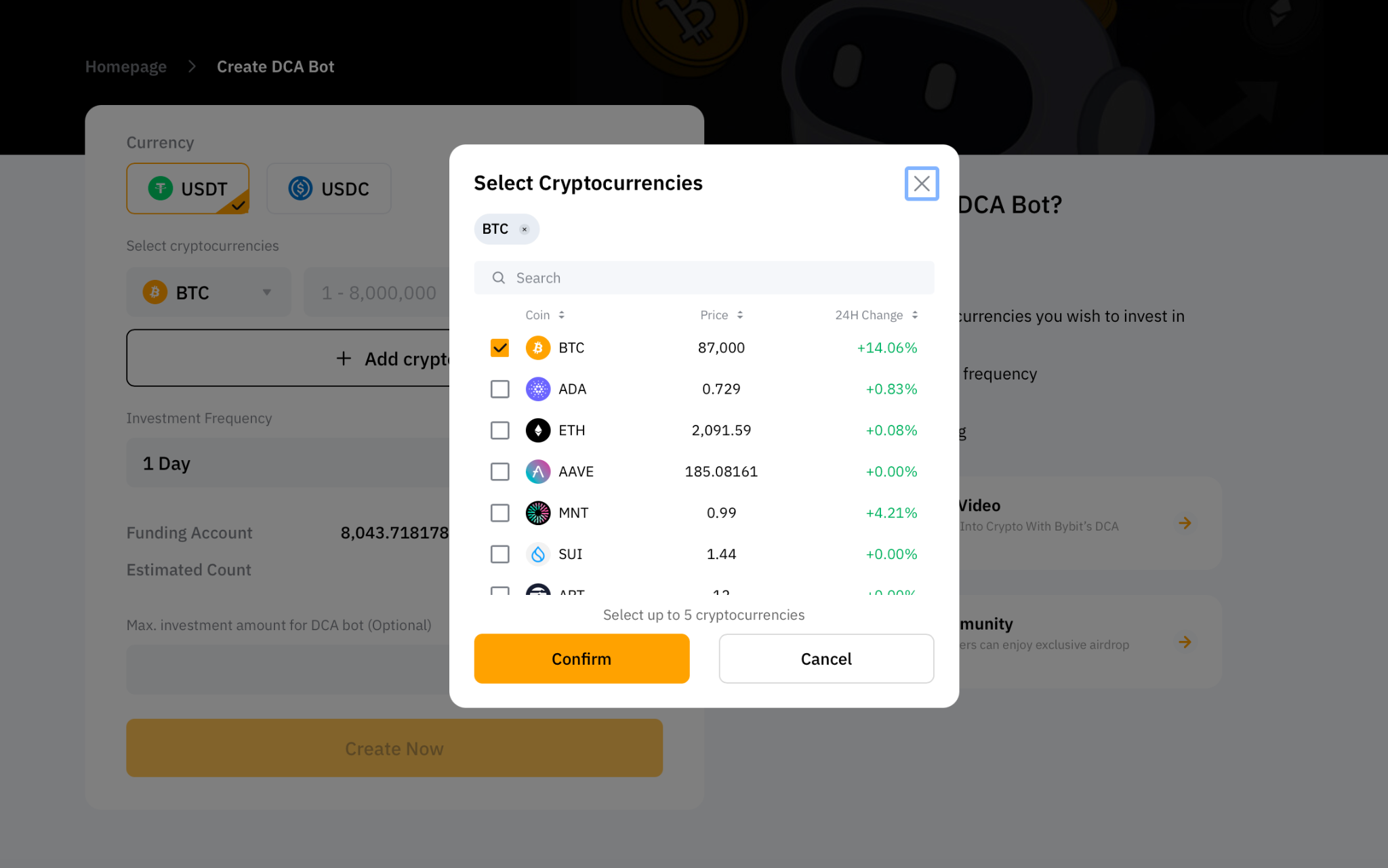
The supported coins are BTC, ETH, MNT and more. For more supported coins, please head to the order page to view.
Are there any fees associated with Dollar-Cost Averaging bots?
The fee structure is the same as that for rates incurred when you trade on Bybit's Spot.
What kind of market is suitable for Dollar-Cost Averaging trading?
Since you’ll be investing at regular intervals, Dollar-Cost Averaging Bots are suitable for both bull and bear markets. No extra fees will be charged. Please note that trading fees will only be charged if your Spot orders are successfully filled.
Are there any KYC requirements for Dollar-Cost Averaging trading?
Yes, Standard Individual KYC or Business KYC is required. For more information on how to verify your account, please refer to How to Complete Individual KYC Verification.
To learn more about KYC verification, please refer to the following articles:
Which account do I use for Dollar-Cost Averaging trading?
Dollar-Cost Averaging trading will be channeled directly through your Bybit Funding Account and Bot Account.
When you create a Dollar-Cost Averaging bot, the system will automatically transfer the required amount of funds from your Bybit Funding Account to the Bot Account before each purchase.
Please make sure that you have sufficient funds in your Funding Account.
Where can I view the amount to create a Bot transferred from the Funding Account?
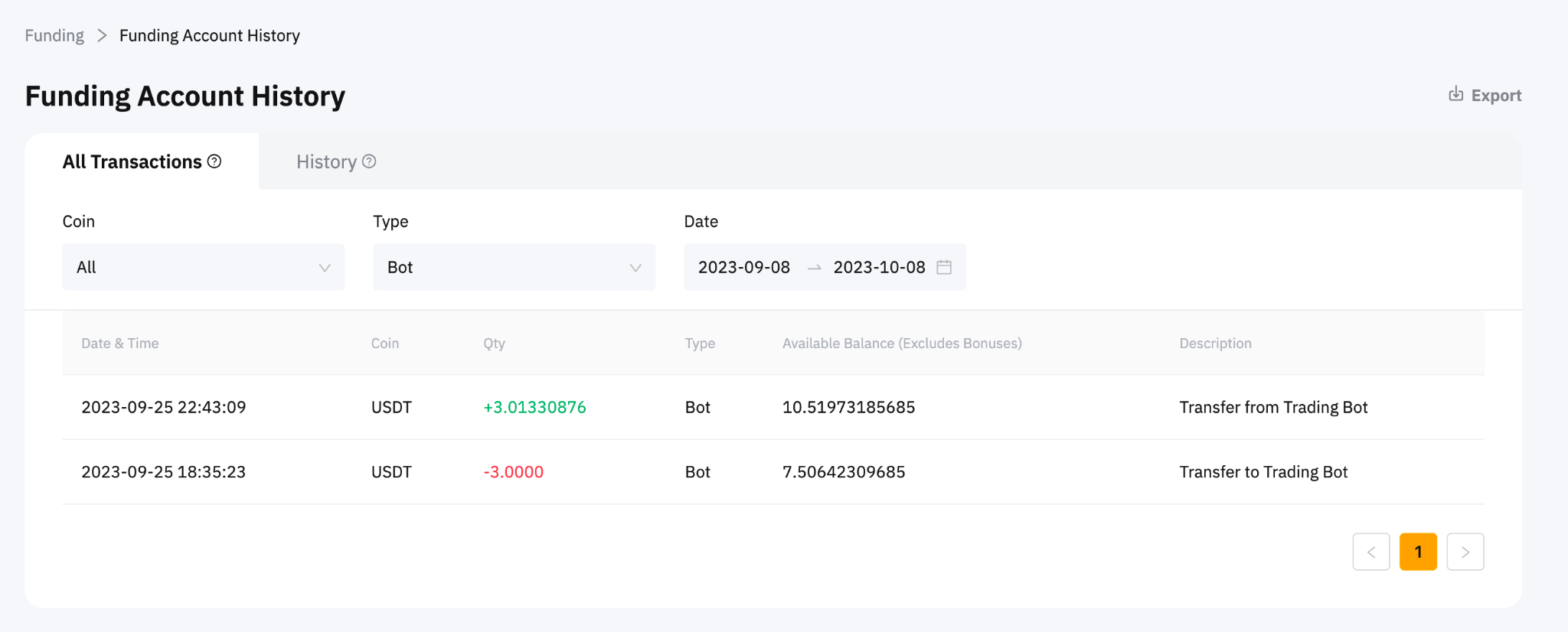
Click on Assets → Funding Account → History → Filter Type to Bot in the All Transactions page.
How does Dollar-Cost Averaging bot settle?
When you manually terminate the Dollar-Cost Averaging bot, if you choose to settle with the coins you hold, no transaction will occur — coins will be returned from your Bot Account to your Funding Account. When you choose to settle in USDT, it will be settled at the market price. The settlement coin will automatically be transferred from your BOT Account to your Bybit Funding Account after your Dollar-Cost Averaging bot is terminated.
How do I calculate profit?
The calculation of your Dollar-Cost Averaging bot profit is based on the following formula:
Dollar-Cost Averaging Bot Profit = Sum (Coin Quantity × Price) − Total Investment Amount
Are there limits on the amount of investment for Dollar-Cost Averaging trading?
Yes. The specific minimum/maximum order quantity can be viewed in the order zone.

Please note that each fixed investment amount is subject to the minimum and maximum order value per transaction in the Spot market. For more information, please refer to Bybit Spot Trading Rules.
What regular intervals are provided for creating Dollar-Cost Averaging bots?
Bybit provides various time interval settings. Details are as follows:
What’s the maximum number of coins that can be used to create a Dollar-Cost Averaging bot at the same time?
You can select up to five coins for a Dollar-Cost Averaging bot.
How many Dollar-Cost Averaging bots can I run simultaneously?
Currently, you can have up to 50 trading bots — Dollar-Cost Averaging bots and Spot Grid bots —running at the same time. Multiple Dollar-Cost Averaging bots can be created for the same coin.
Can I adjust my Dollar-Cost Averaging bot parameters?
Yes. You can modify three parameters of the running Dollar-Cost Averaging bot, including the Investment amount in a single coin, Investment Frequency, and Max. investment amount for Dollar-Cost Averaging bot (Optional). The new Dollar-Cost Averaging trading strategy will take effect immediately after the parameters are modified and successfully saved. Please note that the selected coins for each bot cannot be modified.
Why does my Dollar-Cost Averaging bot automatically cancel?
This happens when you set this parameter: Max. investment amount for Dollar-Cost Averaging bot (optional).

When the [Max. Investment Amount for Dollar-Cost Averaging bot − (Count × Investment Amount per transaction)] is less than the investment amount per transaction, the system will automatically terminate your Dollar-Cost Averaging bot. Coins held in your Dollar-Cost Averaging bot, such as BTC or ETH, will immediately be returned to your Funding Account.
Why is my Dollar-Cost Averaging bot unable to successfully auto-purchase?
If you encounter this issue, please try the following methods:
1. Please check whether there’s enough USDT or USDC in your Funding Account to meet the preset fixed investment amount of your Dollar-Cost Averaging trading strategy.
2. If the assets are sufficient, please check to see whether the following parameter that you’ve set is within the specified limits: Max. investment amount for Dollar-Cost Averaging bot (optional)
If the Dollar-Cost Averaging bot still fails to be created, please reach out to Customer Support by submitting a case via this form.
Under what circumstances will l be notified about Dollar-Cost Averaging trading?
You will be notified by email and push notification in the following case:
- The available balance in your Funding Account isn’t enough to support the next scheduled investment.
What happens if I don't have enough funds in my Funding Account before the Dollar-Cost Averaging bot auto-purchase?
You will receive an email and push notification to remind you to deposit funds into your Funding Account.
If you fail to deposit sufficient funds in time for the next auto-purchase, the Dollar-Cost Averaging bot will be suspended. And after there are sufficient funds in the Funding Account, it will be automatically activated again at the next auto-purchase time.
Please note that the suspension of Dollar-Cost Averaging bot due to insufficient funds will not automatically close it. If you want to terminate your Dollar-Cost Averaging bot, please close it manually.
Will my position be liquidated in Dollar-Cost Averaging trading?
Currently, Bybit only supports a Spot Dollar-Cost Averaging bot, so users have no risk of liquidation.
Where can I view my order history?
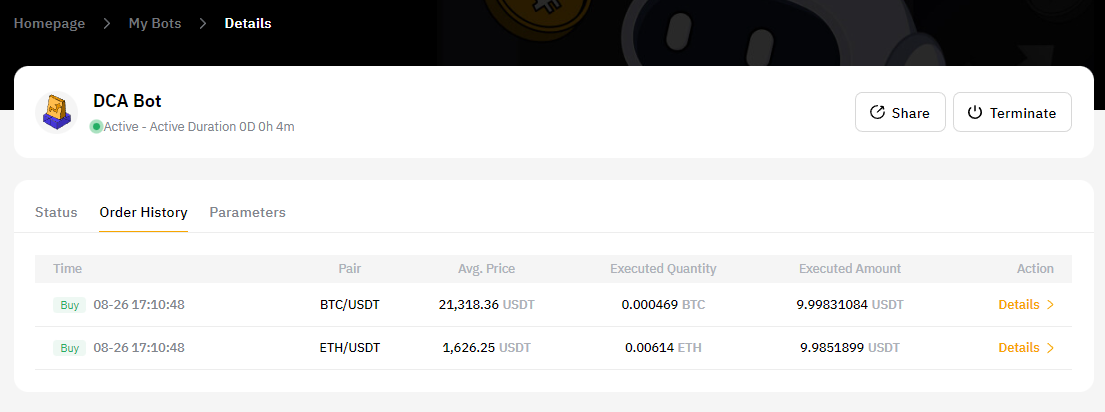
Please head to My Bots to view all active and completed trades. Click on Details to view the details of your trade under Status, Order History and Parameters.