We support GBP to buy coins. Before buying coins with your fiat balance, please ensure you have a sufficient fiat balance and that 2FA is enabled. To set up 2FA, please head to Account & Security → Google Two Factor Authentication and follow the guide here to bind your account with 2FA verification.
Here’s a step-by-step guide to help you buy coins with your fiat balance.
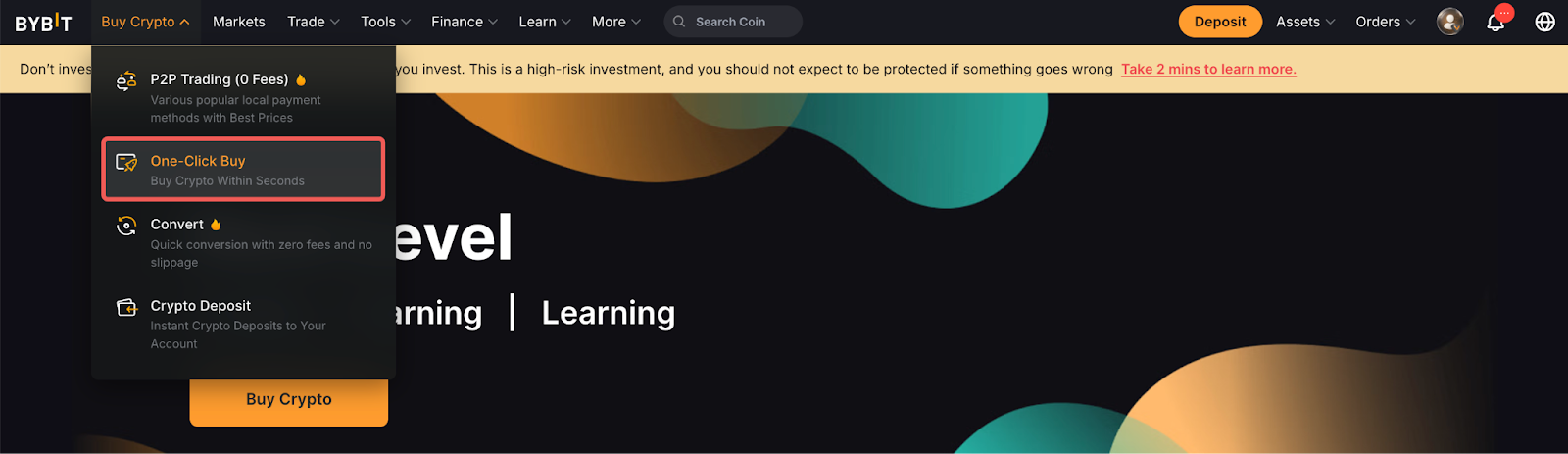
Step 1: Click on Buy Crypto → One-Click Buy on the top left corner of the navigation bar to enter the One-Click Buy page.
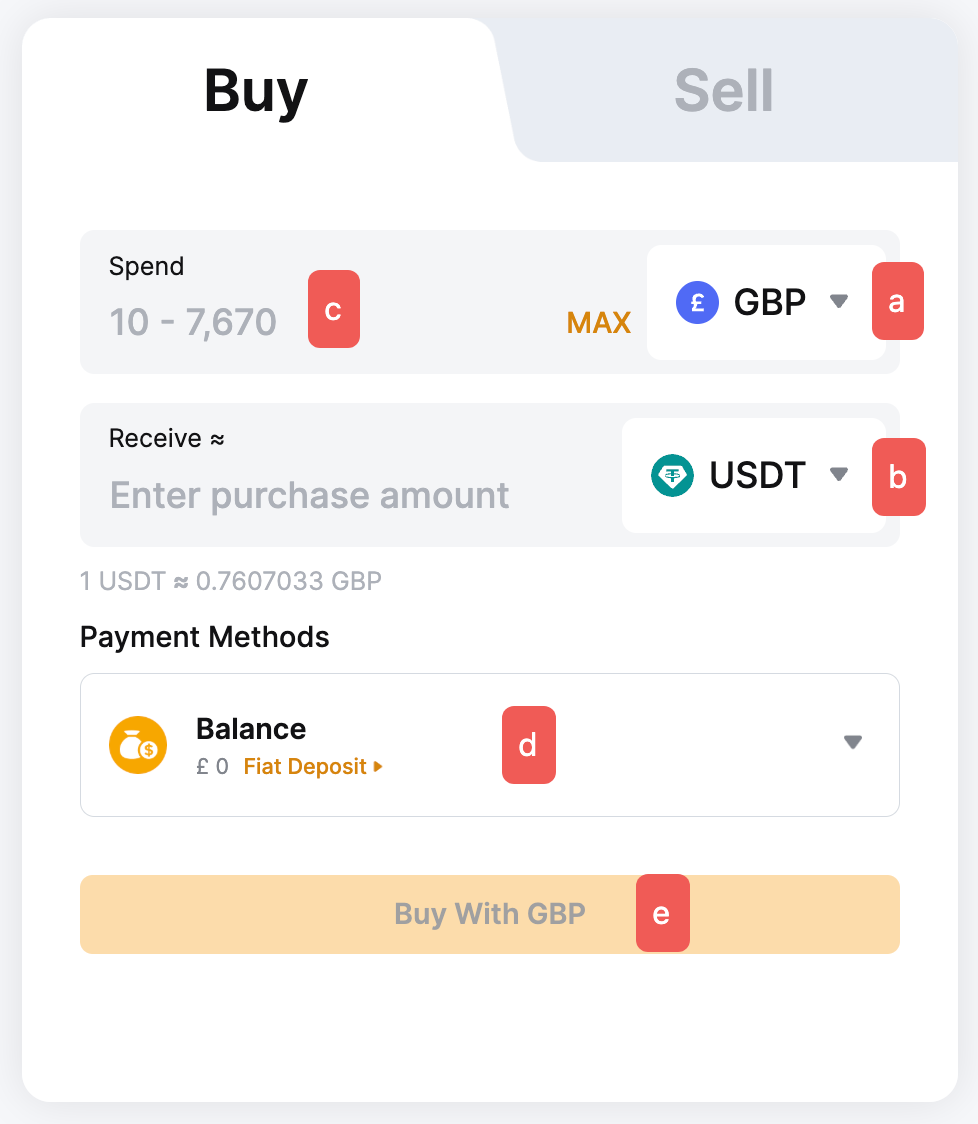
Step 2: Place an order through the following steps:
a. Select the fiat currency — GBP.
b. Select the coin you would like to receive in your Funding Account.
c. Enter the purchase amount. You can enter the transaction amount based on fiat currency or coin amount, according to your needs.
d. Select GBP Balance as your payment method.
e. Click on Buy With GBP.
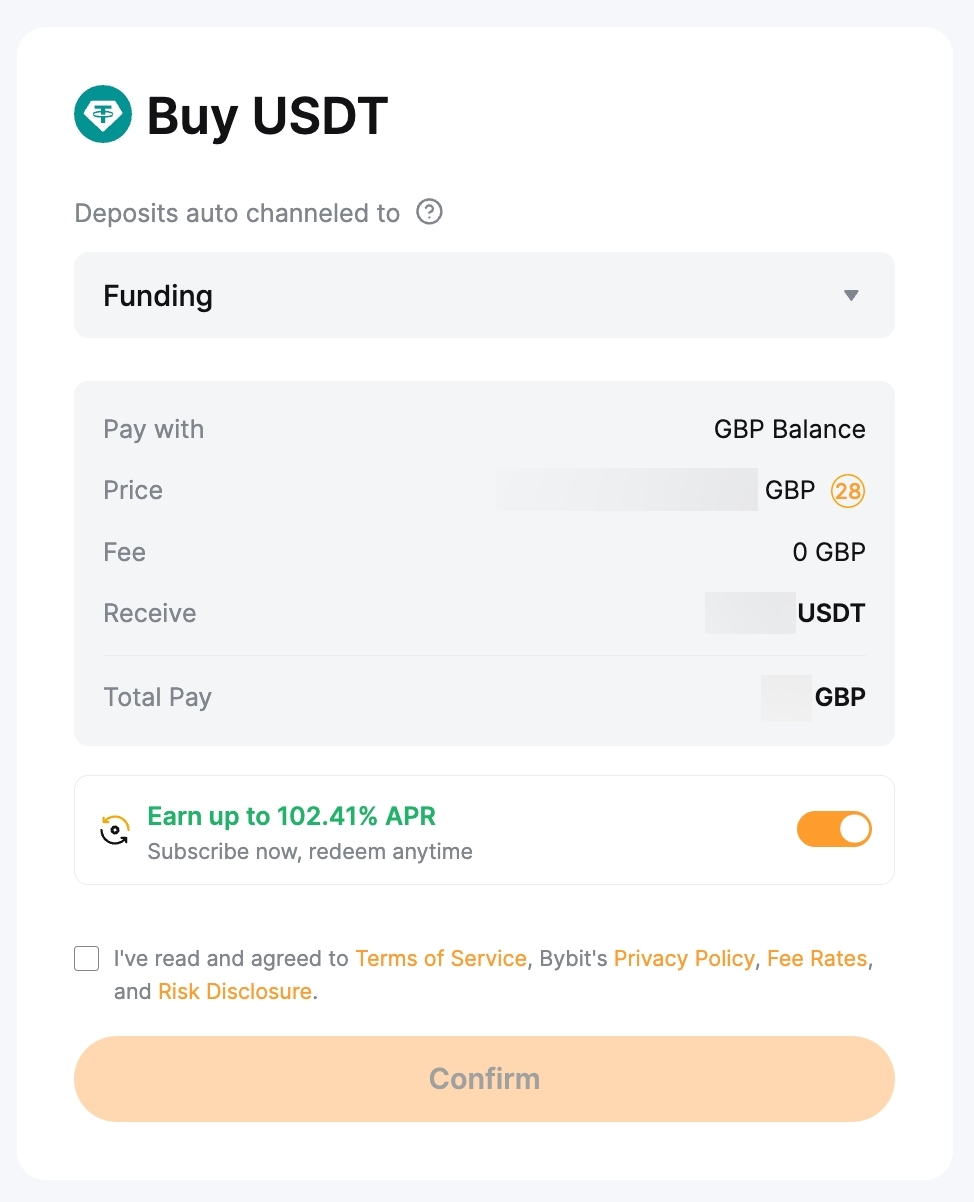
Note: The Reference price will refresh every 30 seconds.
Step 4: Confirm that the details you’ve entered are correct, and then click on Confirm.
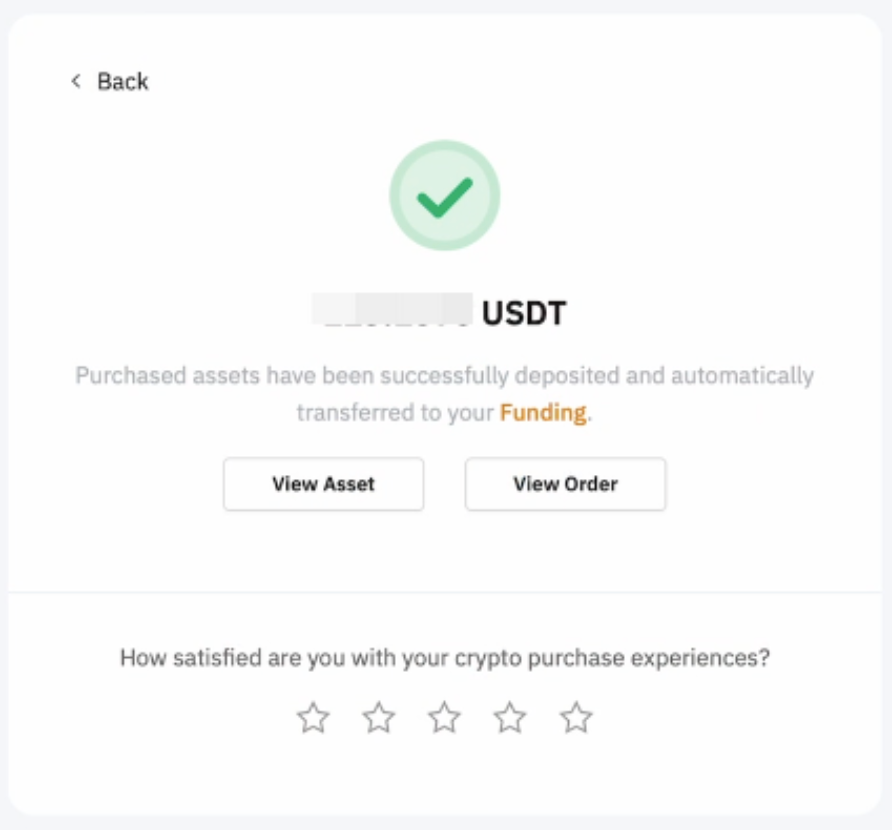
Step 5: Your transaction is complete. The coin will be deposited into your Funding Account within 1–2 minutes. Click on View Asset to check your balance. You will receive your order status by email and push notifications if they are enabled.
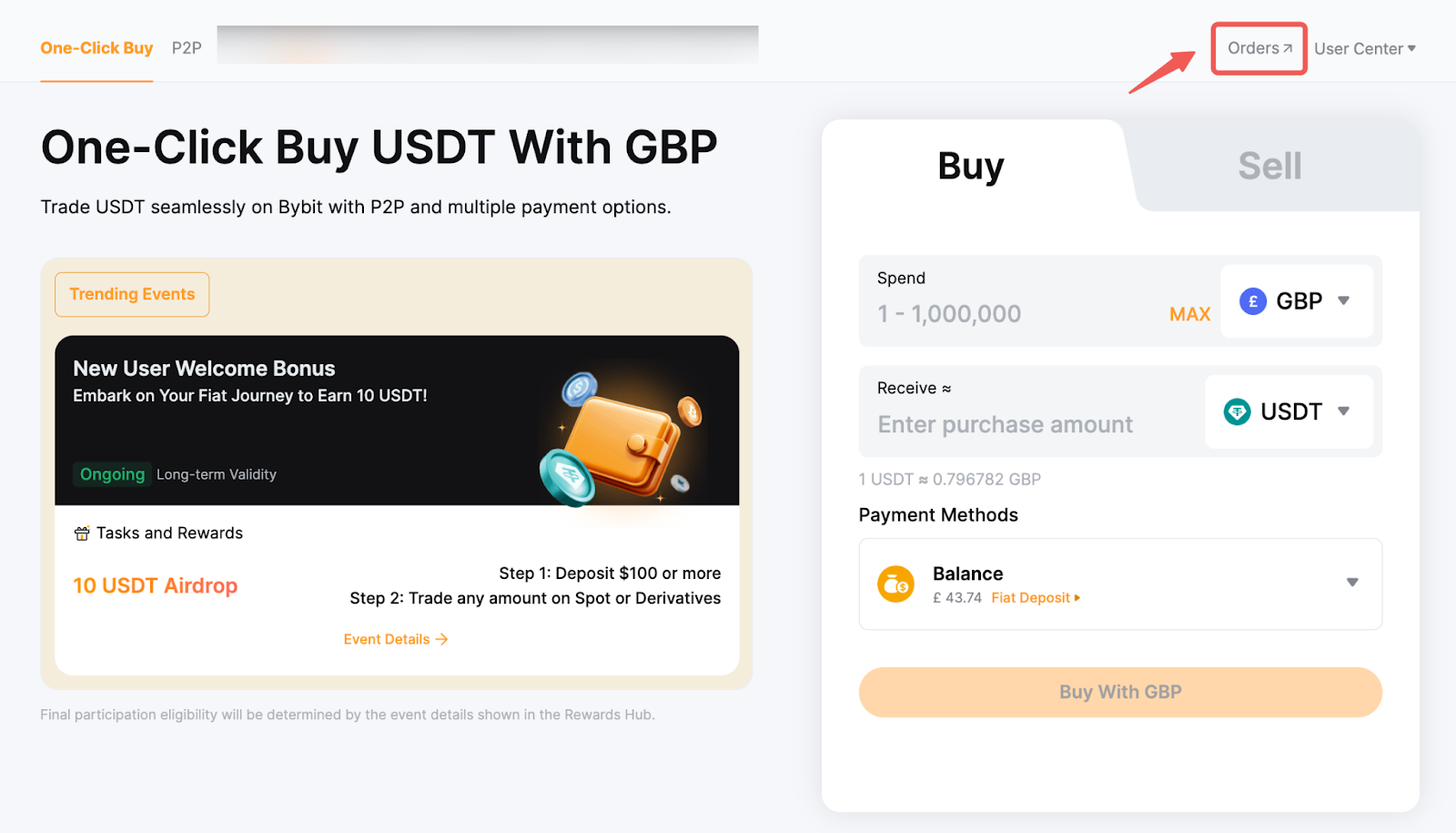
To view your order history, please click on Orders in the upper right corner for more details.