Bybit supports the deposit of GBP currencies and offers multiple payment methods. Before proceeding to make a fiat deposit, please take note of the following:
1. Certain users may not have access to some currencies or payment methods mentioned in this article due to regulatory issues or maintenance. For the latest information on available currencies and payment methods, please visit the Fiat Deposit page.
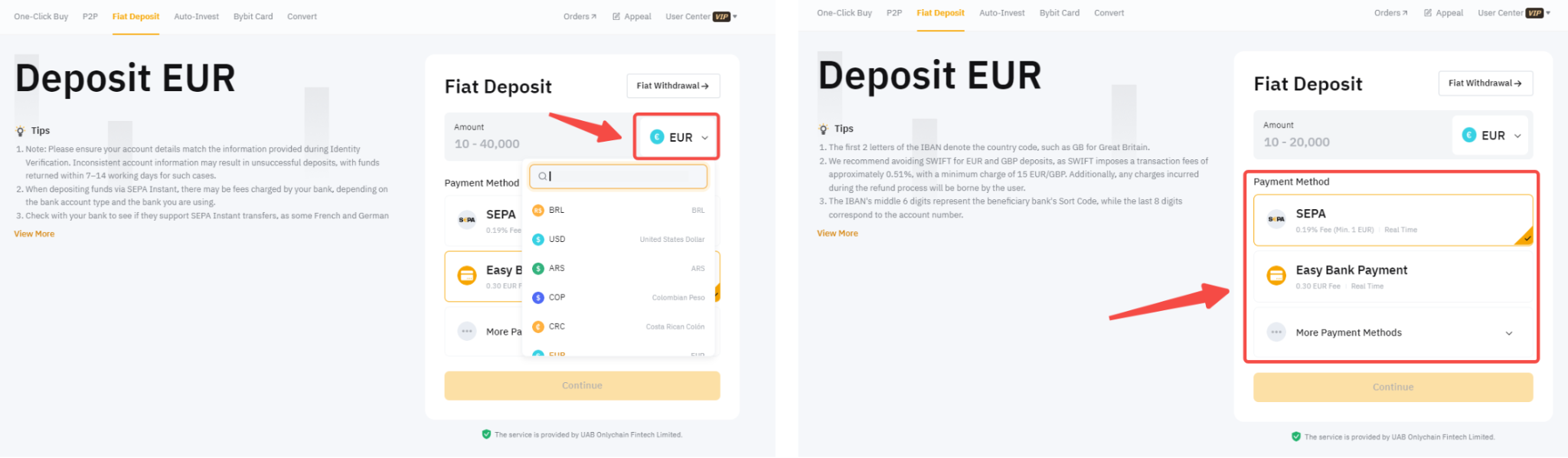
2. Some fiat payment methods will only be available for withdrawal once you have made an initial fiat deposit to your account and not all fiat supported for deposit will be available for withdrawal. You can find more details about the supported fiat currencies and the requirements for each payment method for withdrawal here.
Please find below the list of currently supported fiat currencies for deposits as well as their respective payment methods:
Here is a step-by-step guide to depositing fiat currencies on Bybit.
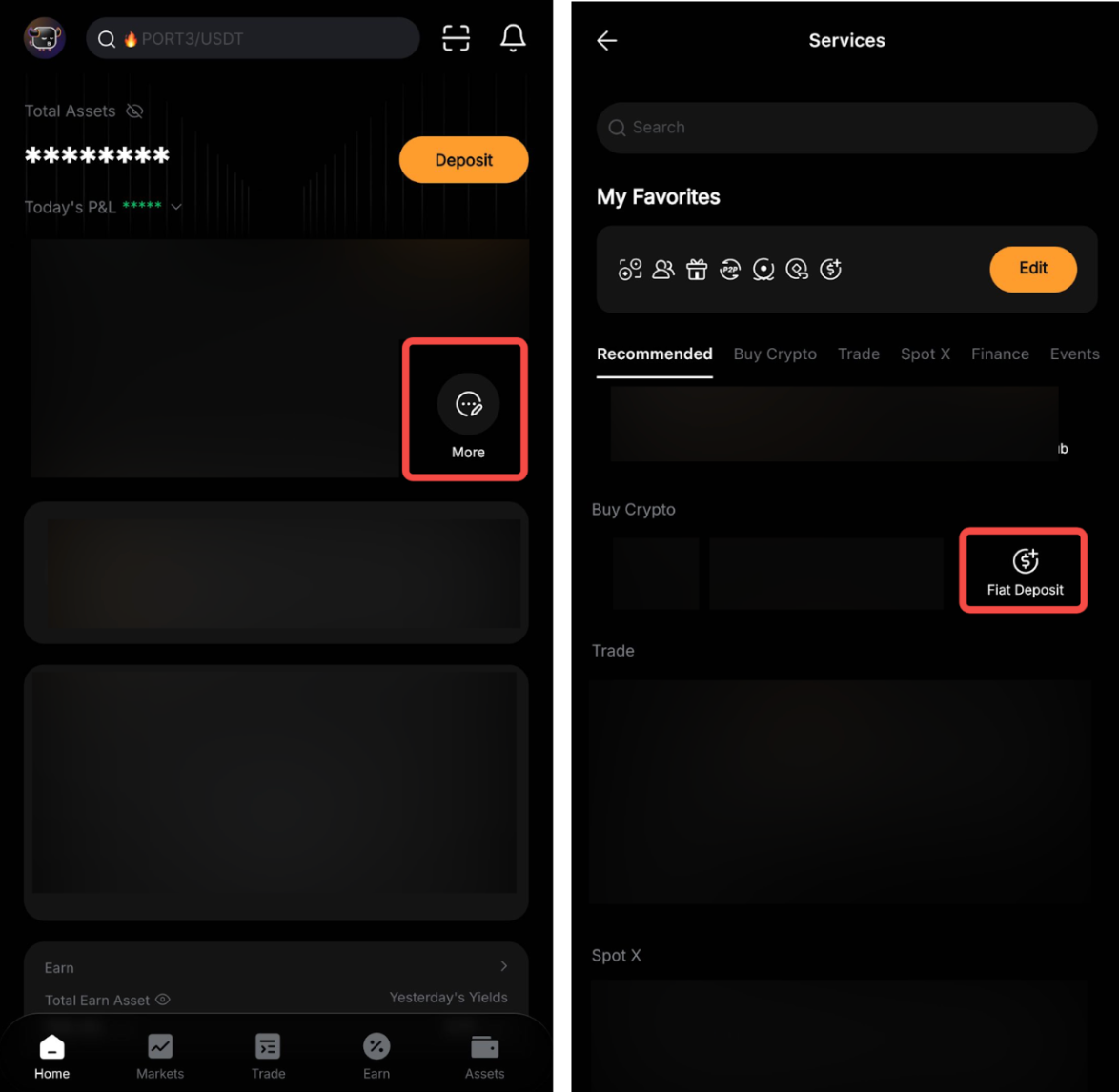
Step 1: Tap on More → Deposit → Fiat in the Bybit App and select the fiat currency you would like to deposit.
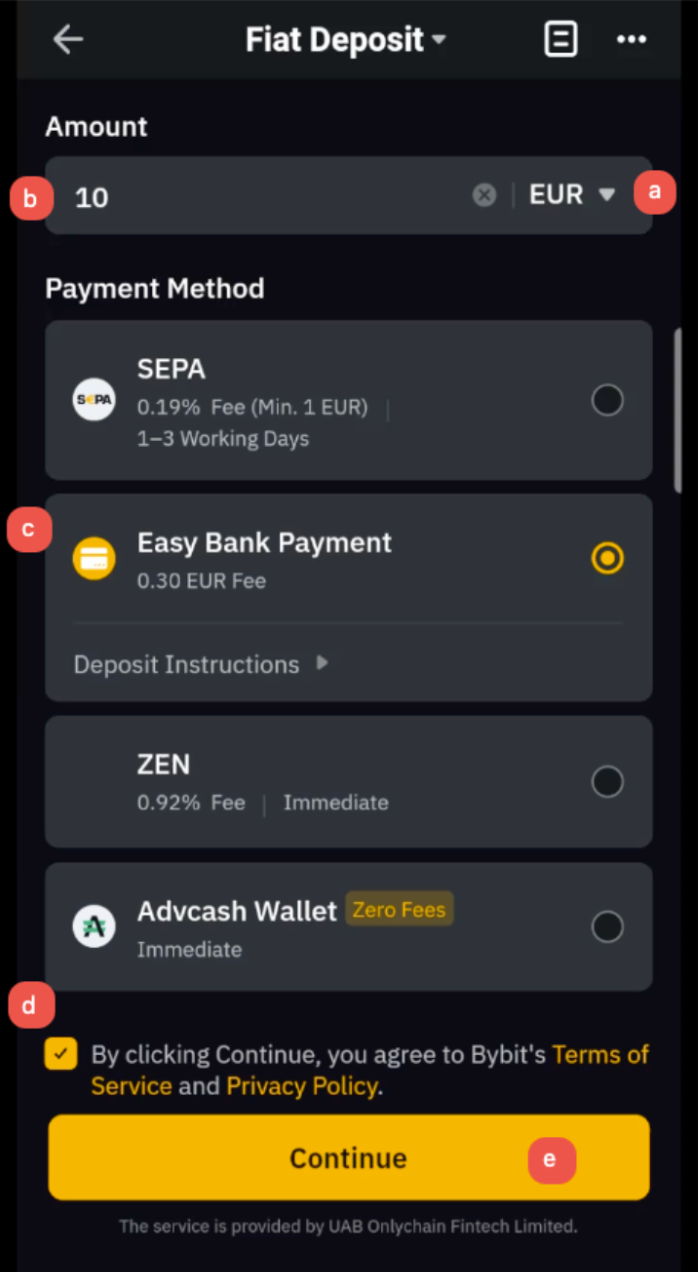
Step 2: Please follow the steps below to place your order:
- Select the fiat currency
- Enter the deposit amount
- Select your payment method
- Check the T&C box if you agree to the Terms of Service and Privacy Policy
- Tap on Continue
Note:
- The fiat deposit fees and processing time for each payment method are visible when selecting the payment method.
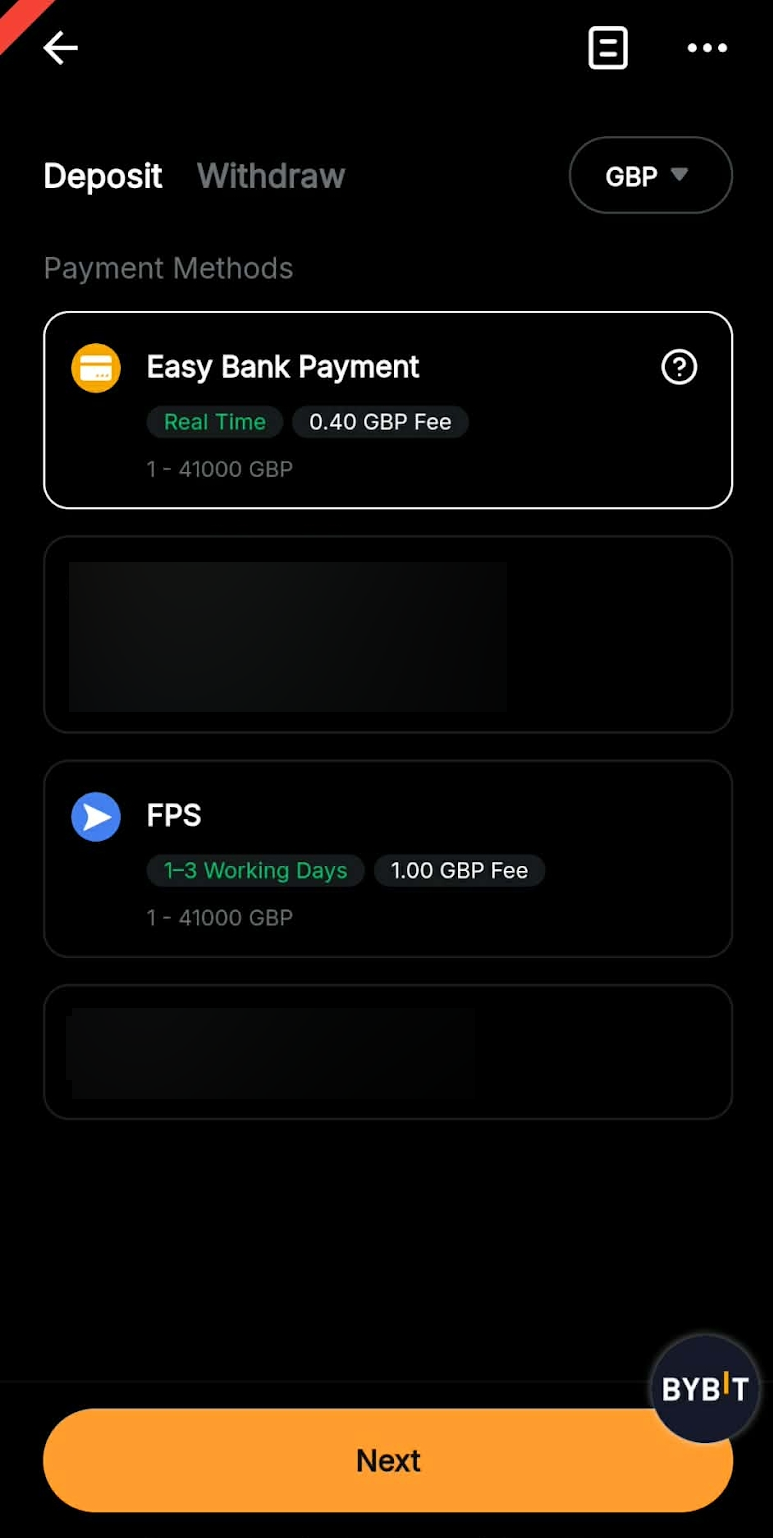
- If you are unsure of the required information and process for a specific payment method, please check the Deposit Instructions under the payment method selected to learn more details.
- Identity Verification is required for fiat deposits. Please follow this guide to complete the Standard Identity Verification if you haven't done so before continuing with your fiat deposit.
Step 3: Some payment methods will require you to link your Bybit account to your service provider’s account. Carefully check on the required information before tapping on Confirm to proceed.
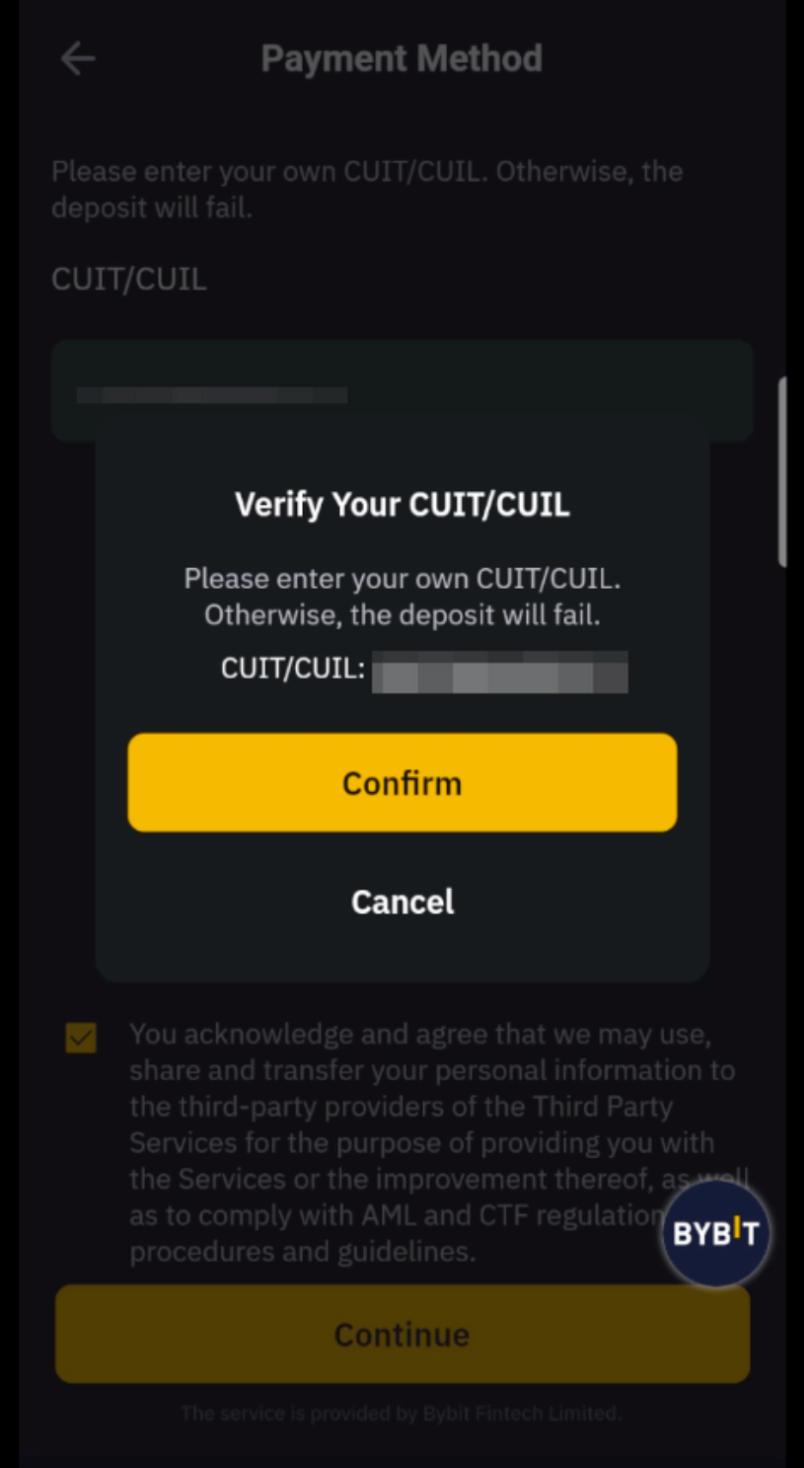
Please note that each payment method has different deposit processes. You can find more details in this FAQ section.
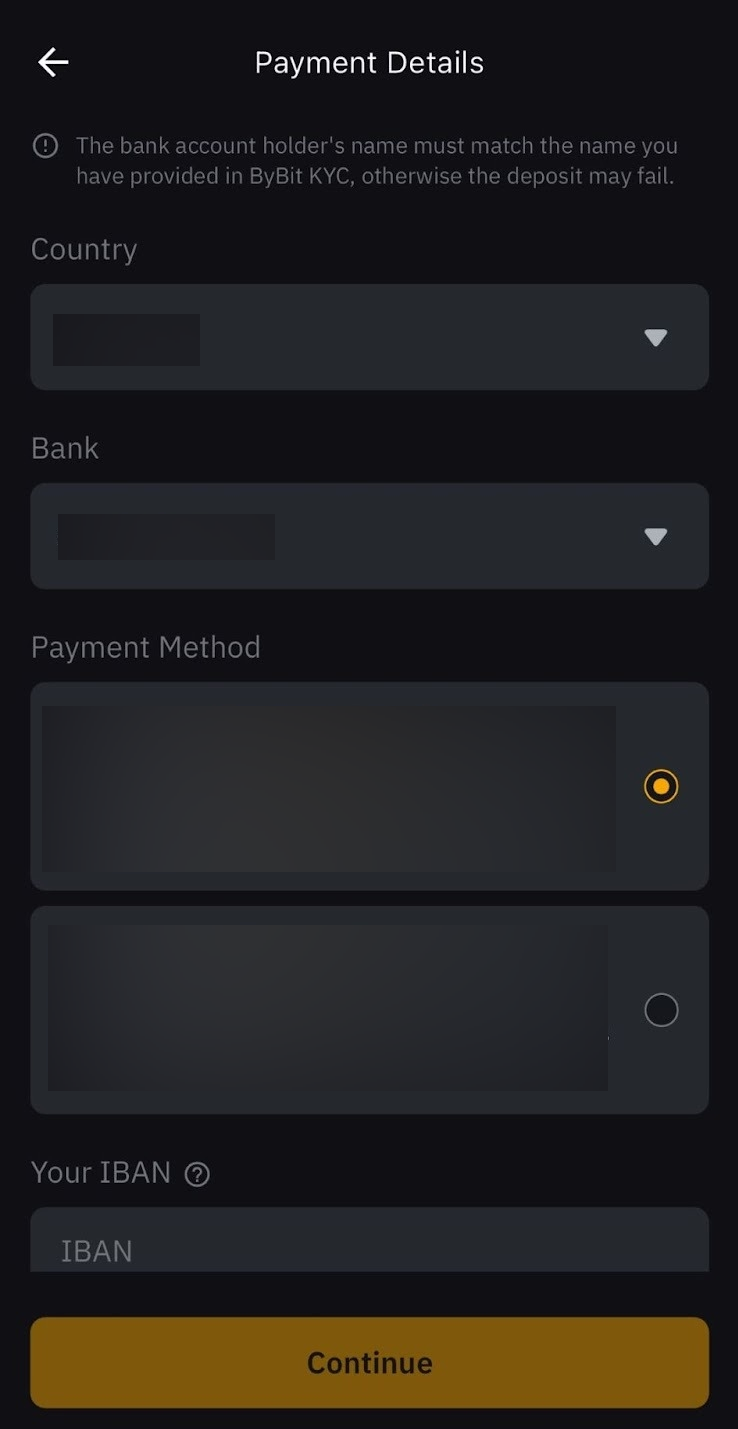
The deposit details requested will vary depending on the selected payment method. Please find more details below for each currency and payment method.
Notes:
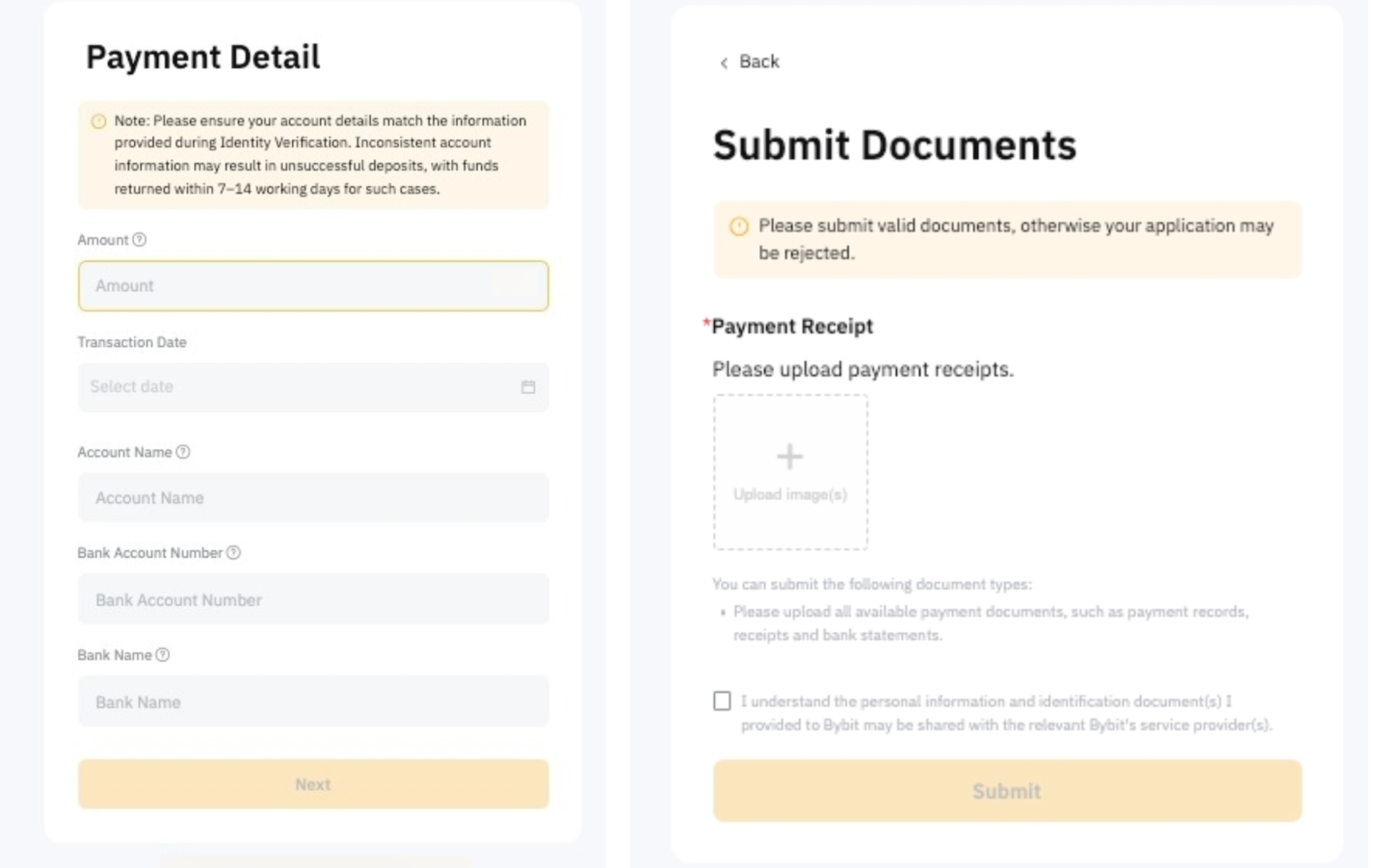
- The name used during the payment must match the information provided in the Identity Verification as inconsistent account information may result in unsuccessful deposits, and the refund process may take 7–14 working days, assuming all required information is provided upon request.
- For certain payment methods, a virtual bank account will be created for you to receive funds on Bybit.
Step 4:
a) Online Payment Methods:
- Follow your bank or service provider’s instructions to transfer assets in accordance with the account information provided by Bybit.
- Ensure attention to crucial details, including the necessity for information consistency and being mindful of the deposit limit.
- Please be patient while your bank or service provider processes your order.
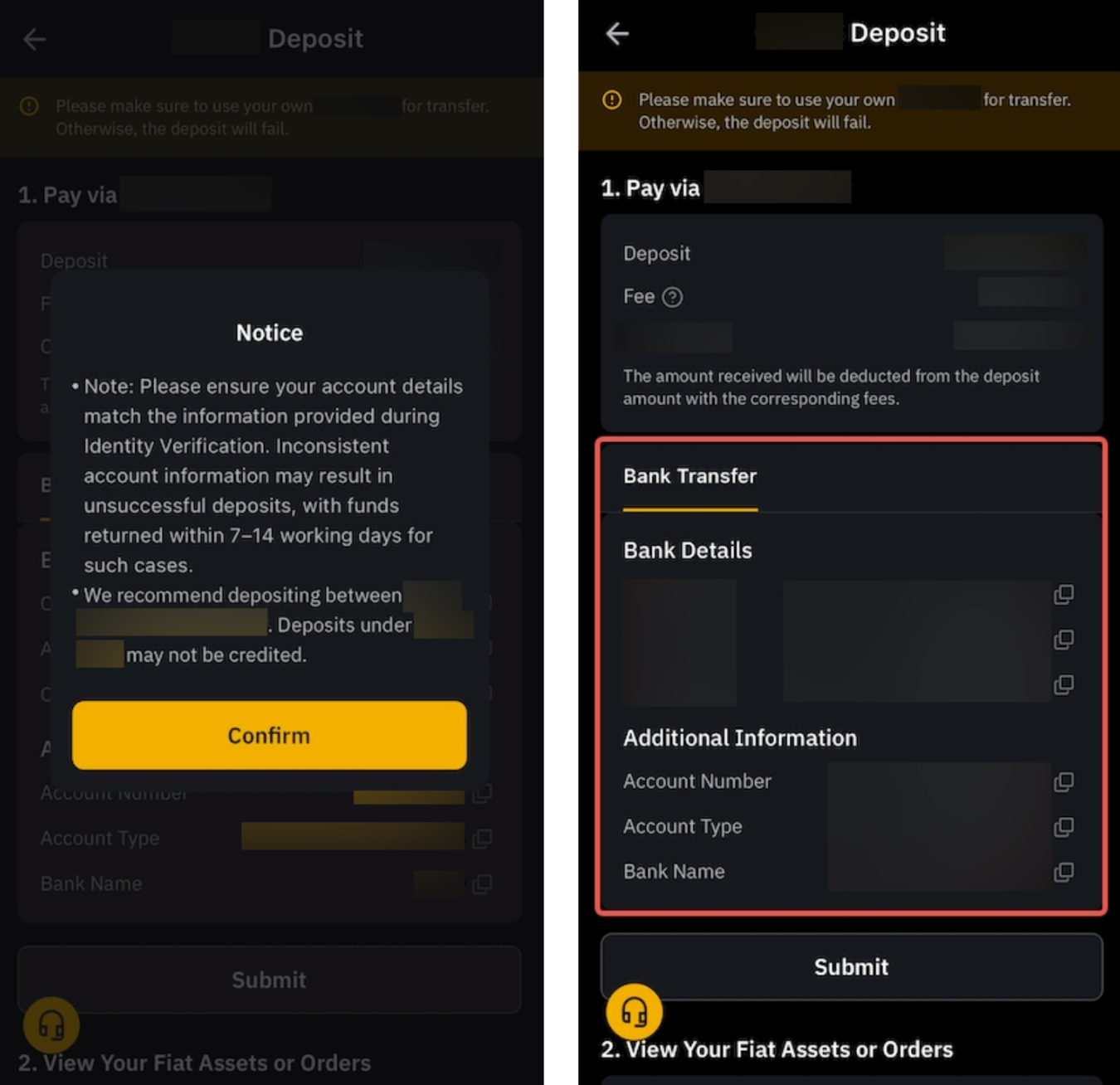
b) Offline Payment Methods:
- You will be prompted with a note before making a transaction.
- Tap on Confirm if you are ready for the payment.
- Head to your deposit channel to transfer funds using the payment details shown on the page.
- Only deposit using an account registered under your identity information; otherwise, the deposit will fail. The refund process may take 7–14 working days, assuming all required information is provided upon request.
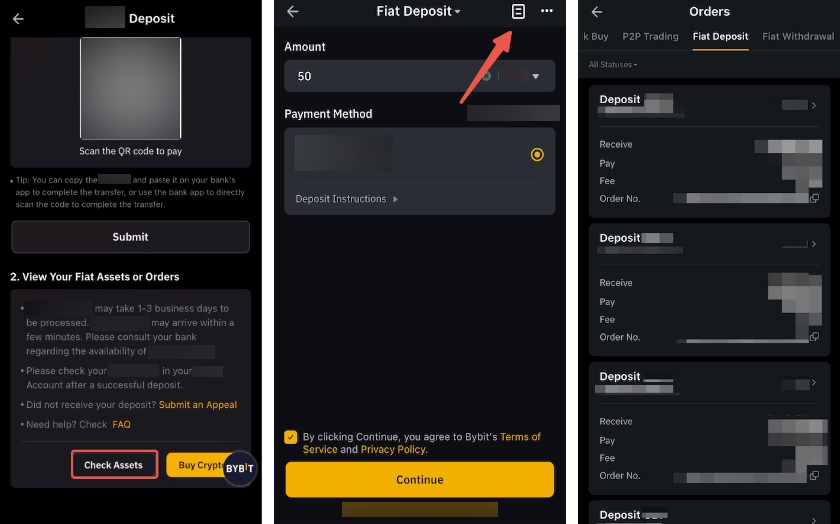
Step 5: For a successful transaction, you may find your order by tapping the Check Asset button or going to the page icon located on the fiat deposit page.
Notes:
- Deposits are usually credited to your Funding Account within 3 working days. Real-time orders may undergo further investigation by our Risk Control team. If you have not received your deposit on Bybit after 3 working days, please fill out the Appeal Form to initiate the asset recovery process.
- The screenshots presented above are for illustrative purposes only and were taken from various currencies and payment methods pages. As such, your fiat deposit pages may vary slightly to include the necessary fields for the selected currency and payment methods.
- If the system cannot find your deposit, you might be required to submit the payment proof for the relevant team to manually review the transaction. You will be notified via email/push notification to submit the relevant documentation here. Usually, the review will take 2 business days.