Here’s a detailed step-by-step guide on how you — as an advertiser — can temporarily hide your P2P advertisements on Bybit.
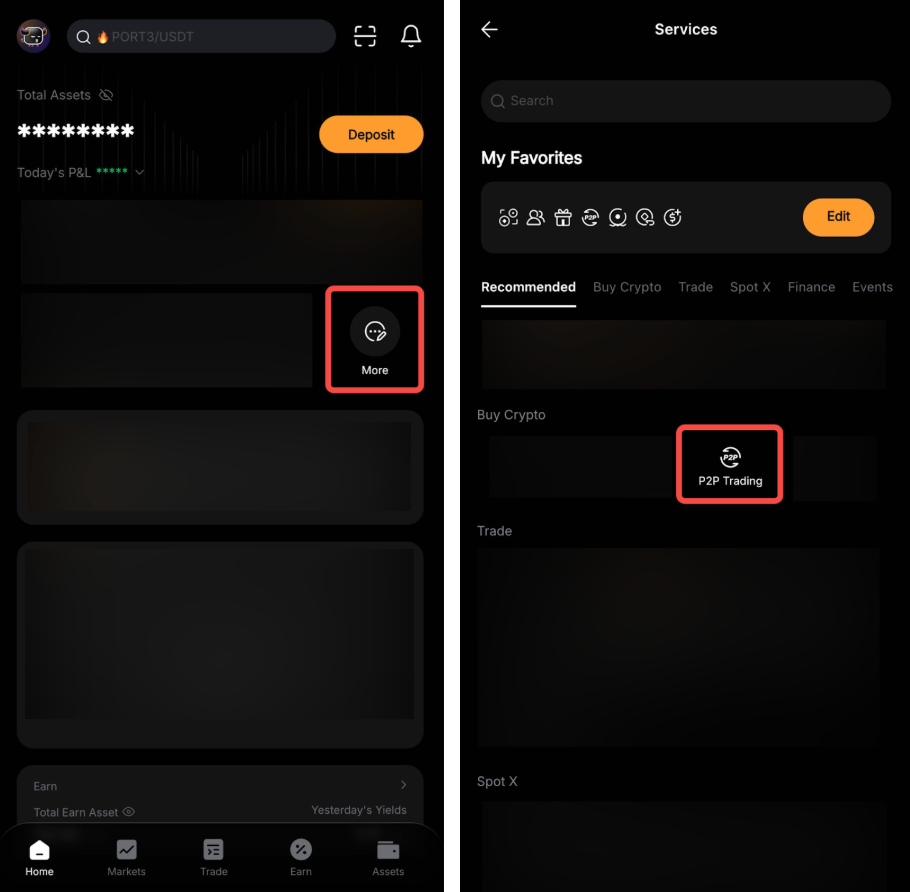
Step 1: Tap on More → P2P Trading on the home page.
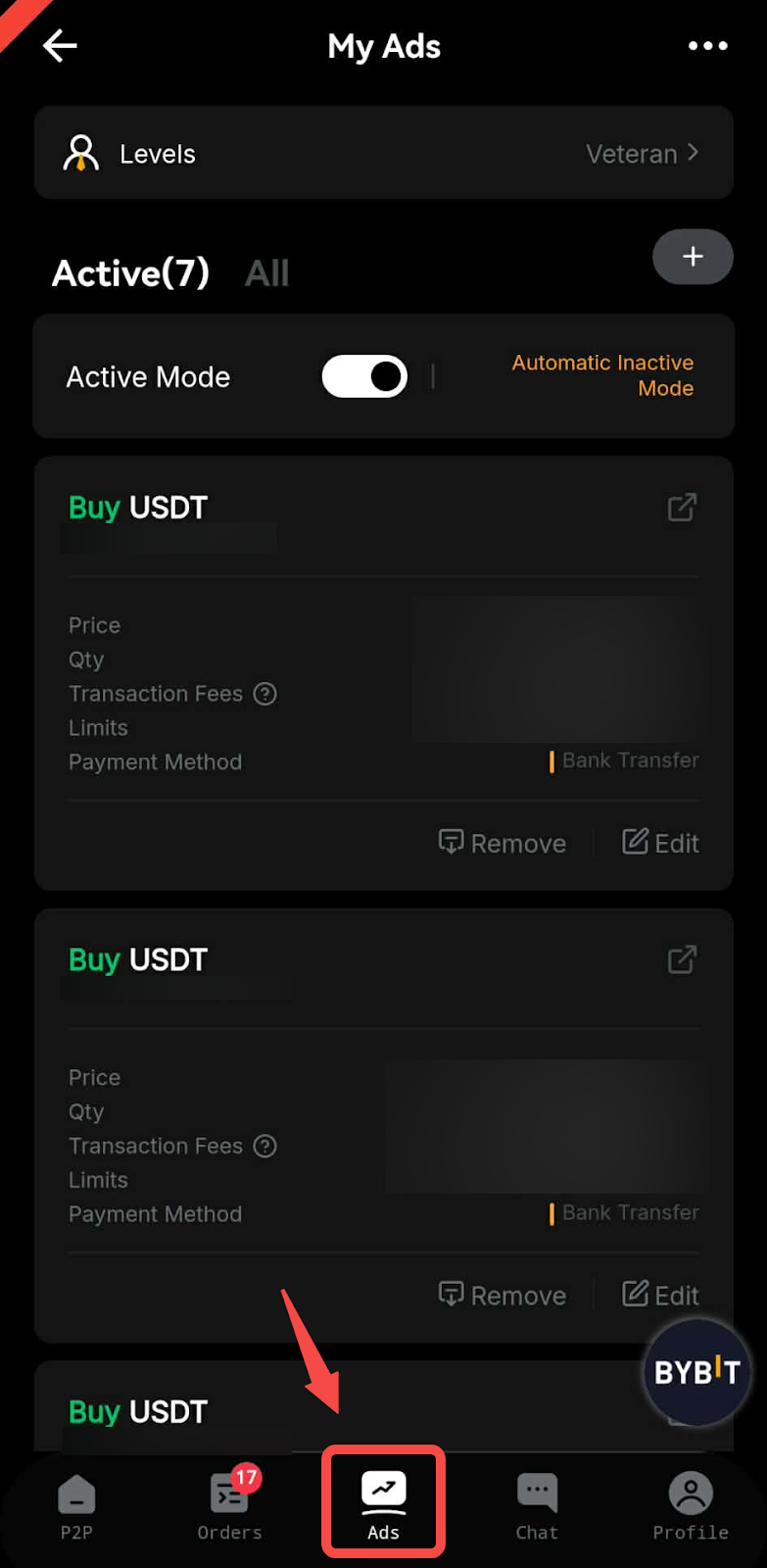
Step 2: On the P2P Trading page, tap on My Ads.
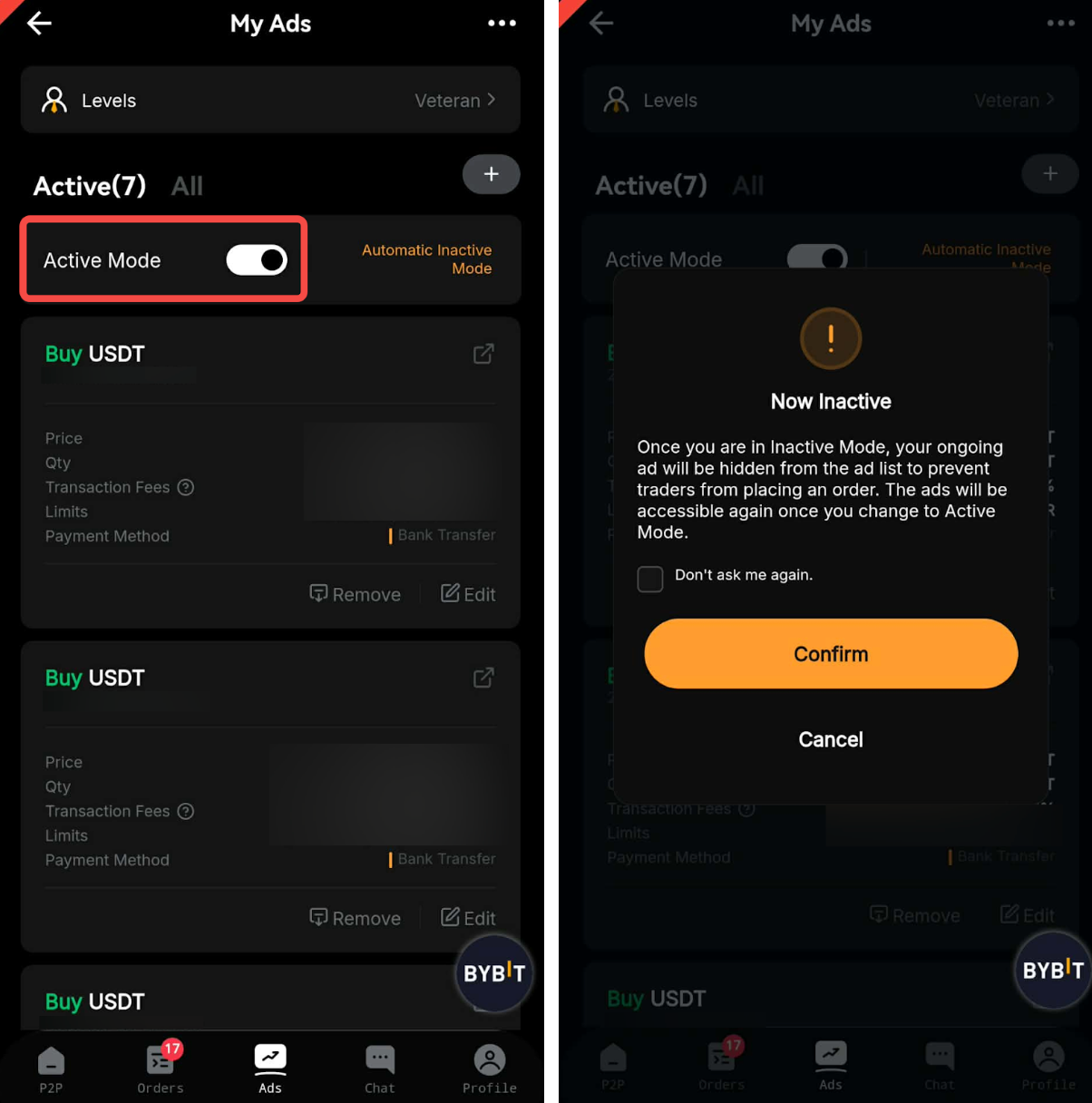
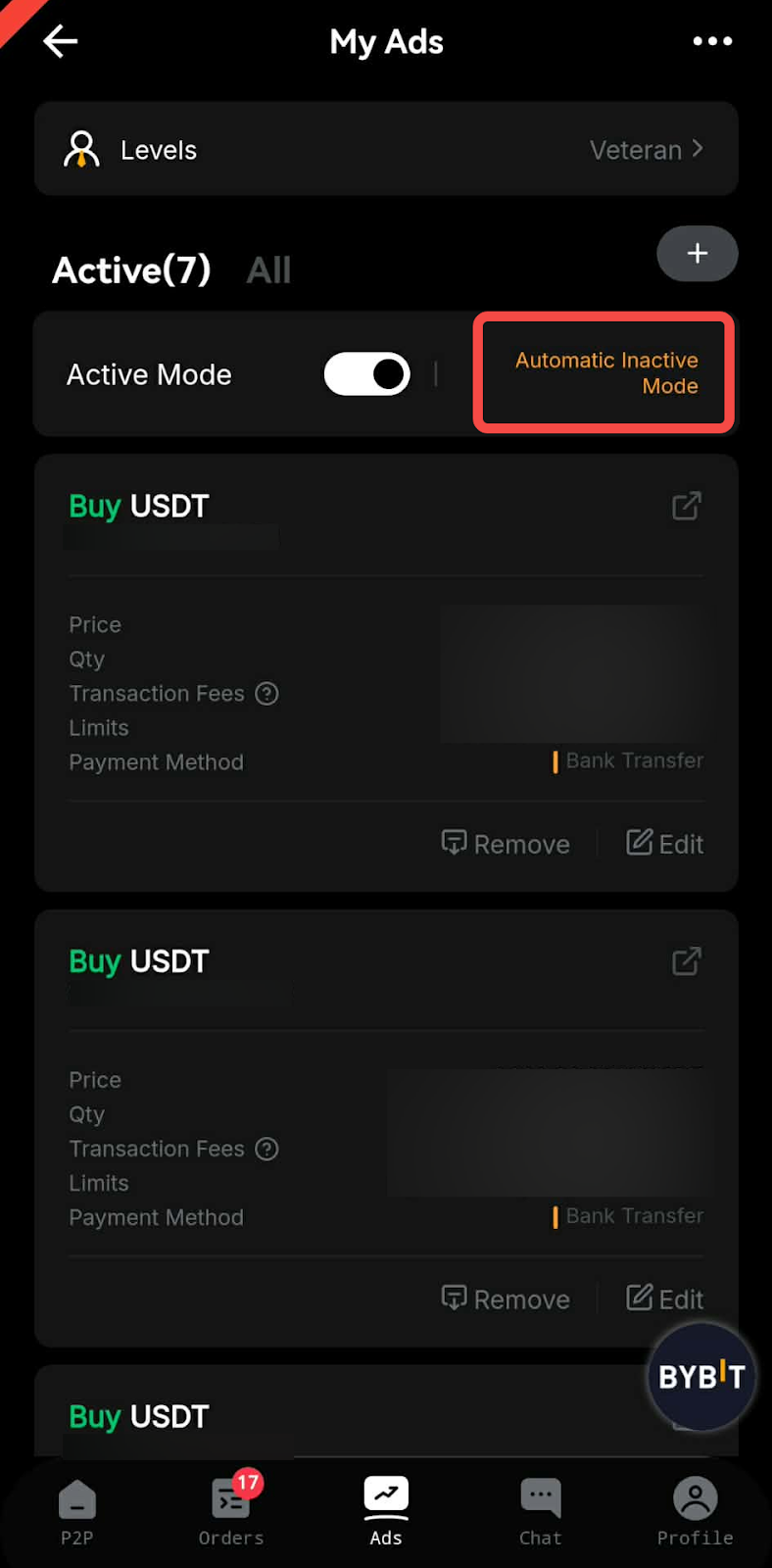
Step 3: Tap the Active Mode toggle, then click on Confirm to switch to Inactive Mode. Once you are in Inactive Mode, your listed advertisements will be hidden from the advertisement list to prevent traders from placing an order.
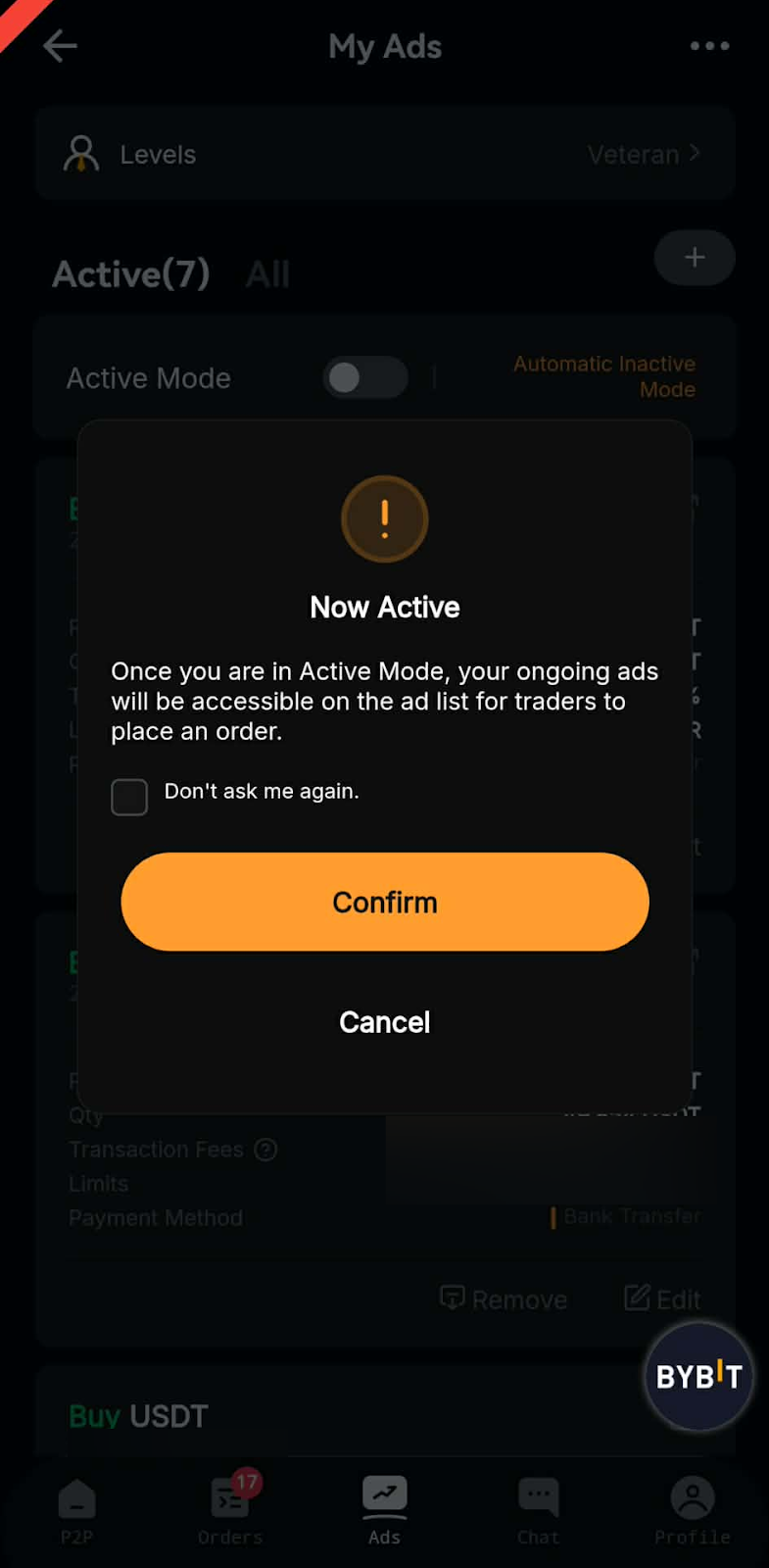
If you wish to re-display the hidden advertisements to traders, you can toggle back to Active Mode from the Inactive Mode column. Once you are in Active Mode, your ongoing advertisements will appear in the advertisement listing again.
Automatic Inactive Mode Settings
Advertisers can use this function to pre-set a time when the advertisement will be automatically hidden.
Step 1: Tap on Automatic Inactive Mode.
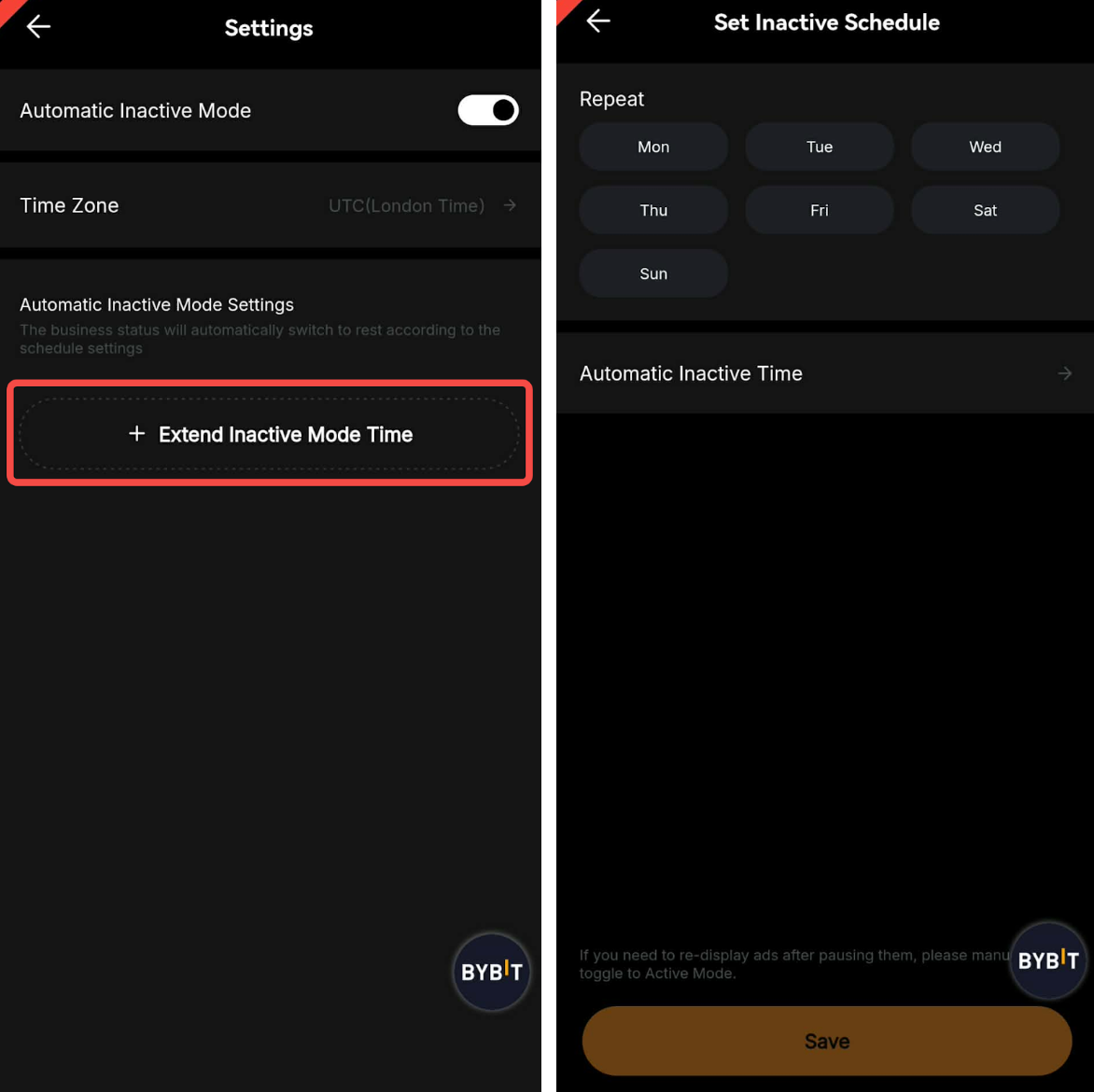
Step 2: Select your time zone and tap on Extend Inactive Mode Time to set your Automatic Inactive Mode schedule. Then, tap on Save.
Notes:
— You will have to manually toggle back to Active Mode if you want to re-display your advertisements after pausing them via Automatic Inactive Mode.
— Currently only supports setting one timing for Automatic Inactive Mode per day.