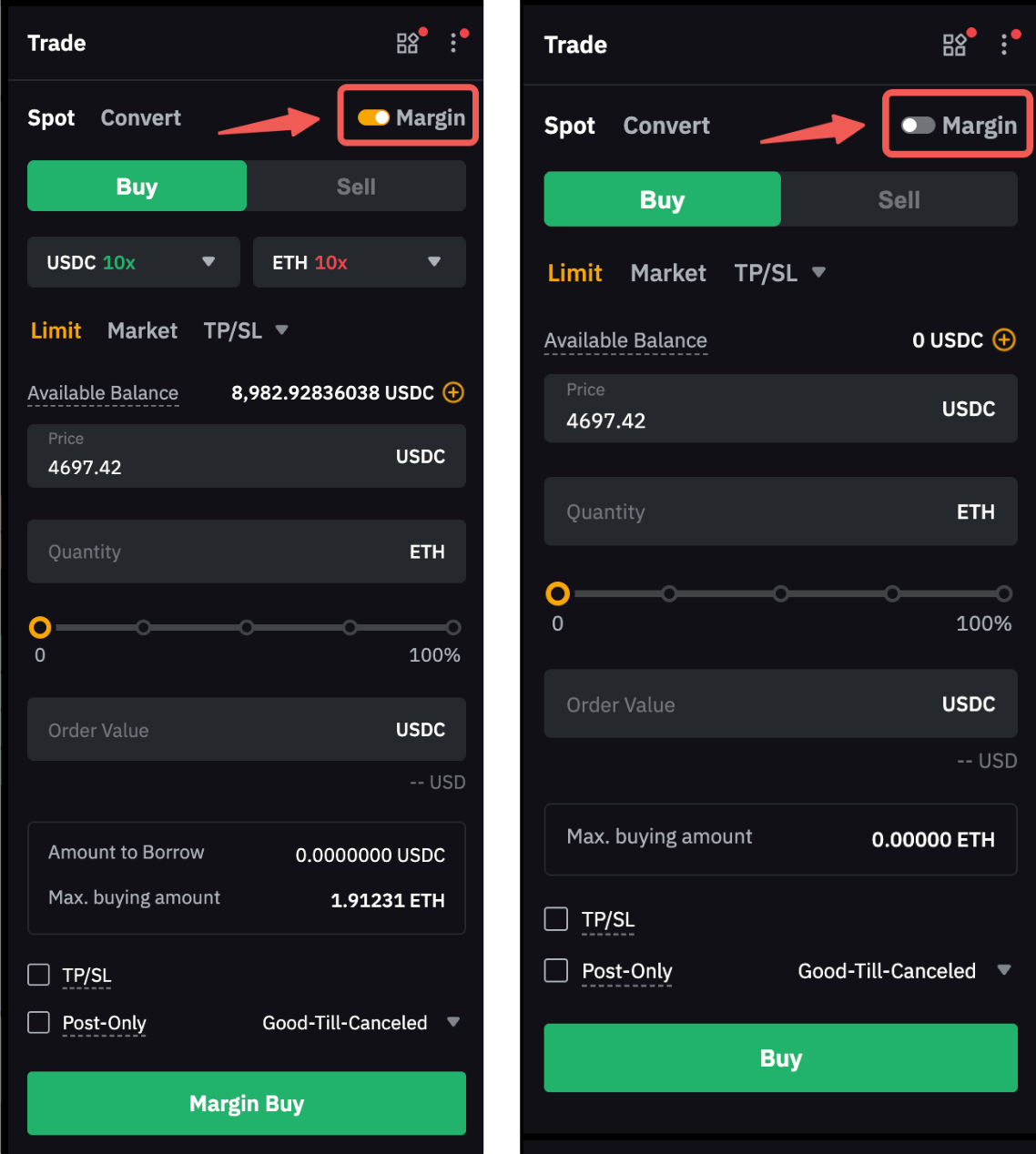
Spot Margin Trading allows you to leverage borrowed funds from Bybit to make larger trades. This trading type requires collateral in other margin assets, which secures your borrowing. However, be aware of liquidation risk: if your Maintenance Margin Rate (MMR) exceeds 100%, your positions may be liquidated to cover losses.
Before you begin, here are essential points to consider:
- Margin Modes: Spot Margin Trading is only available in Cross Margin or Portfolio Margin mode. Ensure you’re not in Isolated Mode, as it is unsupported for Margin Trading.
- Collateral Requirement: To borrow funds, the asset used in the trading pair must be enabled as collateral. For instance, to trade BTC/USDT, you will need to enable both BTC and USDT as collateral first. To learn more about how to enable assets as collateral, visit here.
- Unified Trading Account Rules: Understand the borrowing, interest, and repayment rules in your Unified Trading Account here to avoid unexpected fees.
Here’s a step-by-step guide to help you start Spot Margin trading on Bybit.
Key Terms in Margin Trading
Access to Margin Trading Trading Guide
Step-by-Step Guide to Start Spot Margin Trading
Turn On/Off Margin Trading
Key Terms in Margin Trading
Before placing your Spot order, make sure you understand the following terms:
Leverage | The leverage on Spot Margin Trading will impact the maximum borrowable amount and the initial and maintenance margin rate on your borrowed assets. Leverage is set at the asset level, not the trading pair. For example, if you set leverage for USDC, it will apply whenever you borrow USDC (e.g., to buy BTC in BTC/USDC). Likewise, if you set leverage for BTC, it applies when borrowing BTC to sell. |
Available Balance | Available Balance on Margin Trading refers to the amount you can use to place new margin trading orders. This includes both your available wallet balance and the maximum amount you can borrow. |
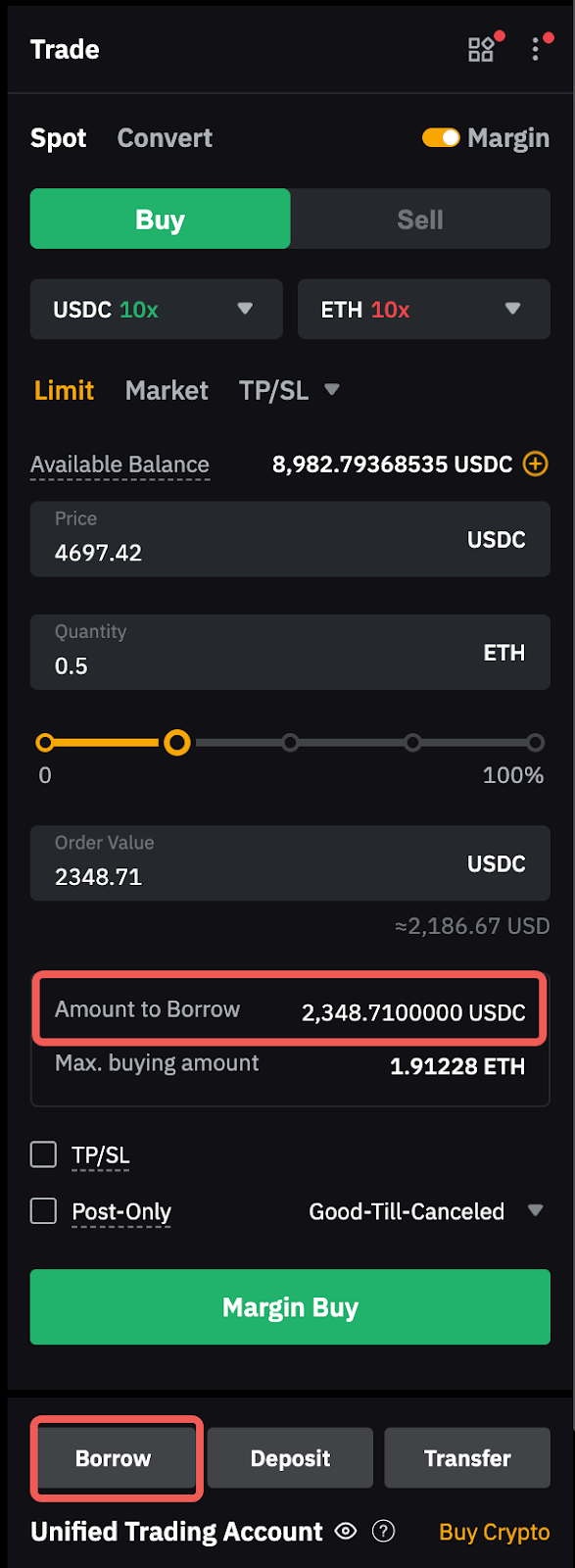
Amount to Borrow | The amount that you will borrow for the respective Margin Trading order. Please note that interest will be incurred even for limit orders that have not been executed. To learn how to borrow on Spot Margin Trading, click here. |
Max. Buying/Selling Amount | The maximum amount of assets you can buy or sell based on your available balance. |
Initial Margin | This indicates the margin balance that has been deployed to your positions and orders. In the event of IMR = 100%, you can no longer place any orders that may increase your position size or place an order to buy lower conversion rate assets with higher ones. |
Maintenance Margin | This indicates the margin required to maintain open positions and borrowings in both Derivatives Trading and Spot Margin Trading. When the MMR is equal to or greater than 100%, liquidation will be triggered. |
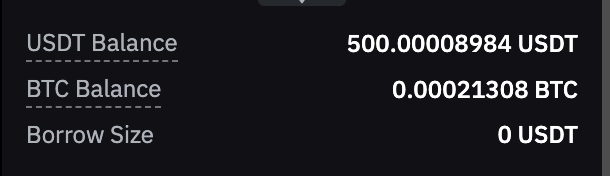
USDT Balance (or any other coins) | This shows your USDT wallet balance in your Unified Trading Account. Please note that this balance does not represent the actual amount of assets you can use for order placement, as your assets can be occupied for active orders. Always refer to the available balance for the amount you can use.
|
Access to Margin Trading Trading Guide
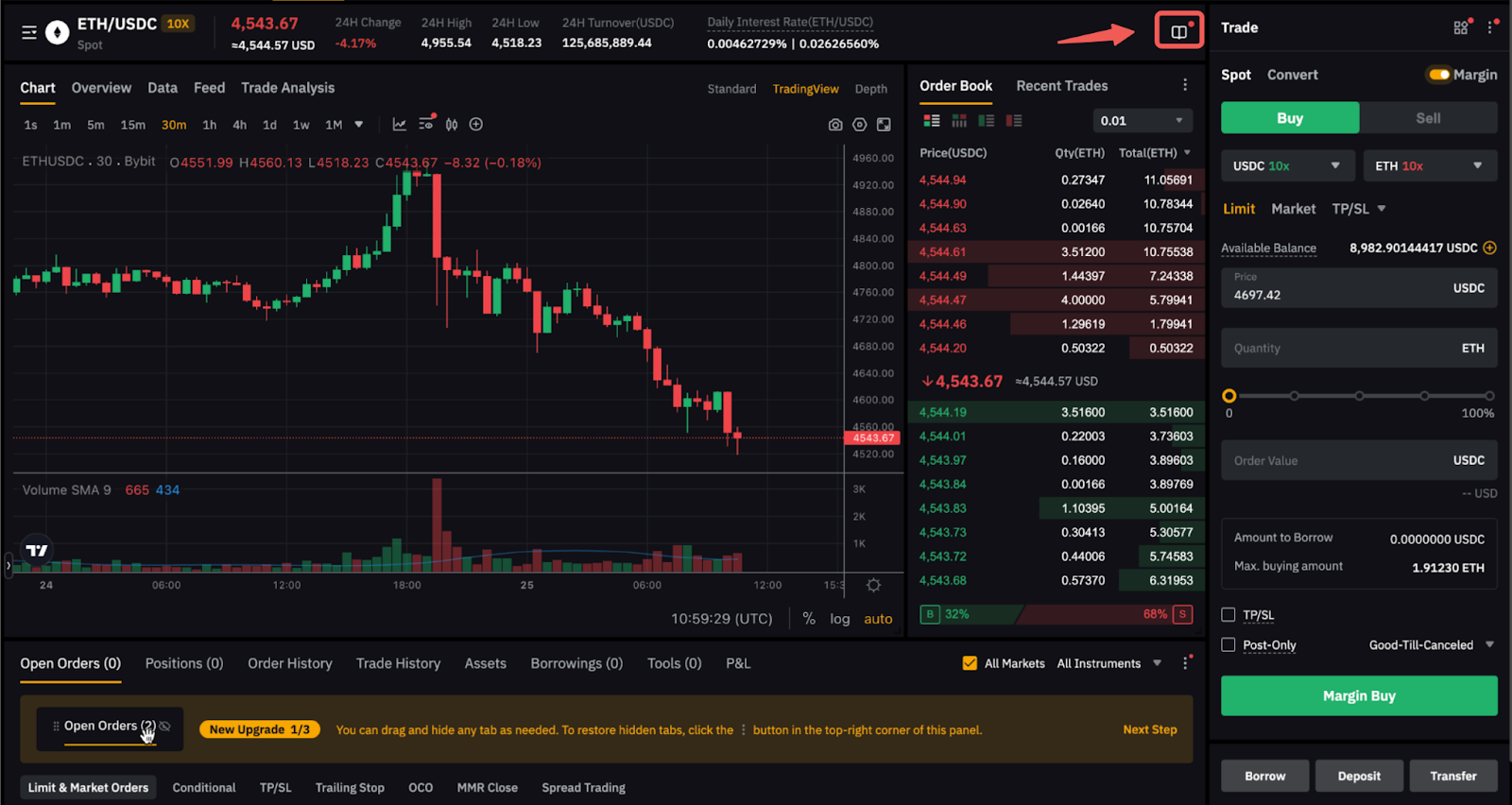
Click on the Trading Guide icon and you can access the Margin Trading Guide and Margin Data. The margin data shows the supported collateral and borrowable coin, with the respective interest rate, liquidation order, the collateral value ratio and position tiers of each coin.
Step-by-Step Guide to Start Spot Margin Trading
Step 1: Click on Trade → Spot in the navigation bar and select a Spot trading pair that supports Margin Trading (pairs with a leverage multiplier).
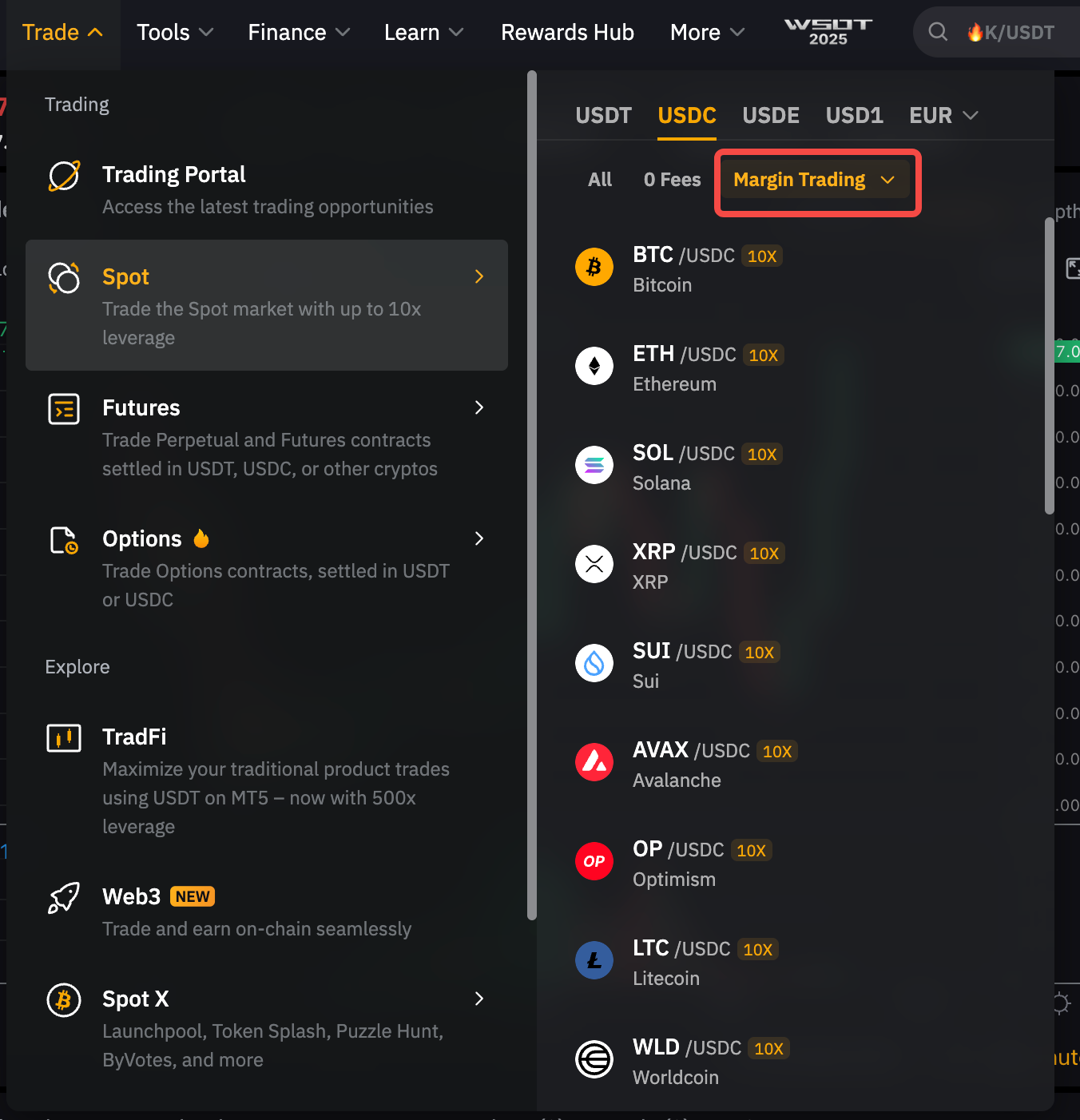
Alternatively, select a Spot pair that supports Margin trading under the list of trading pairs.
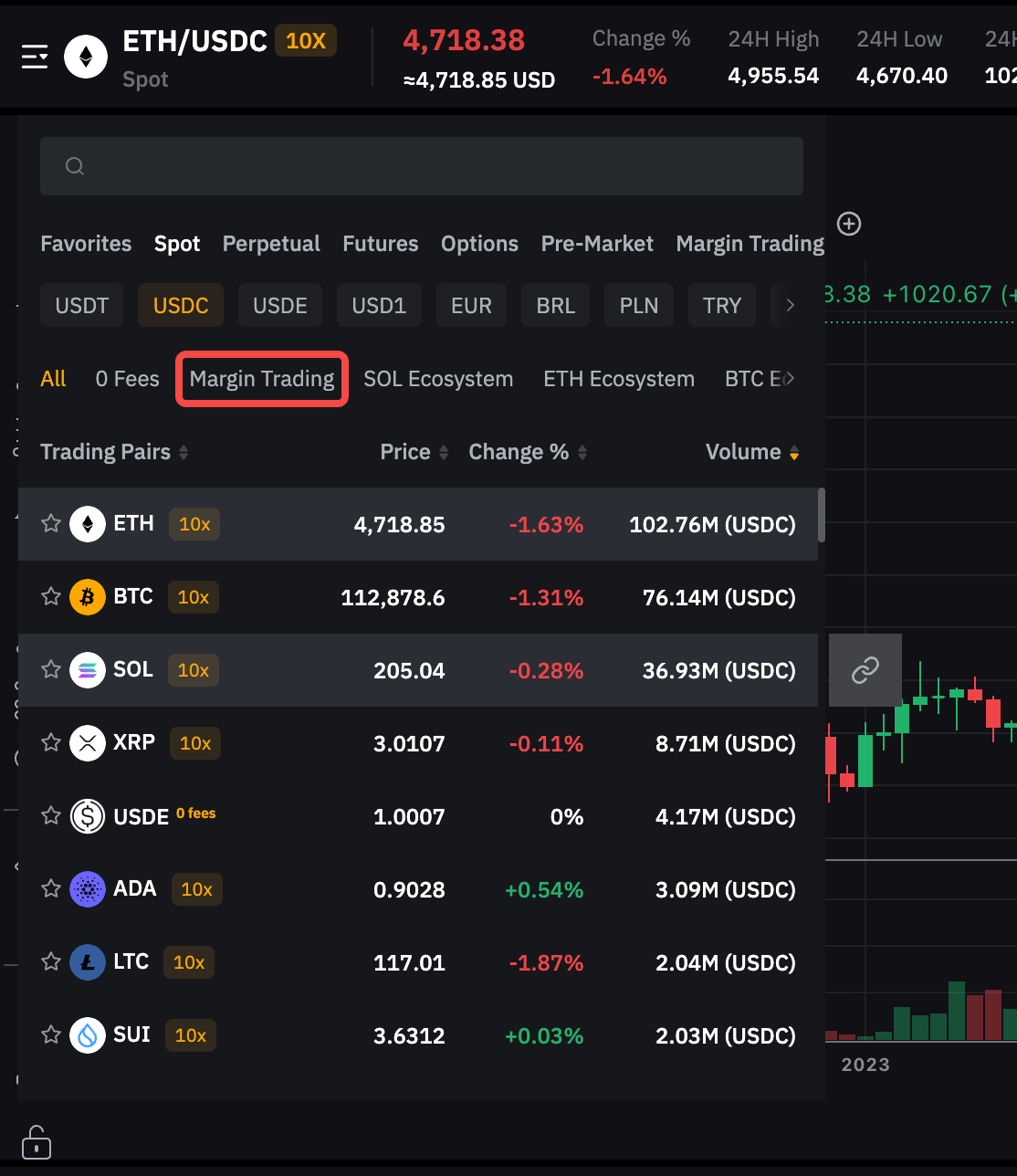
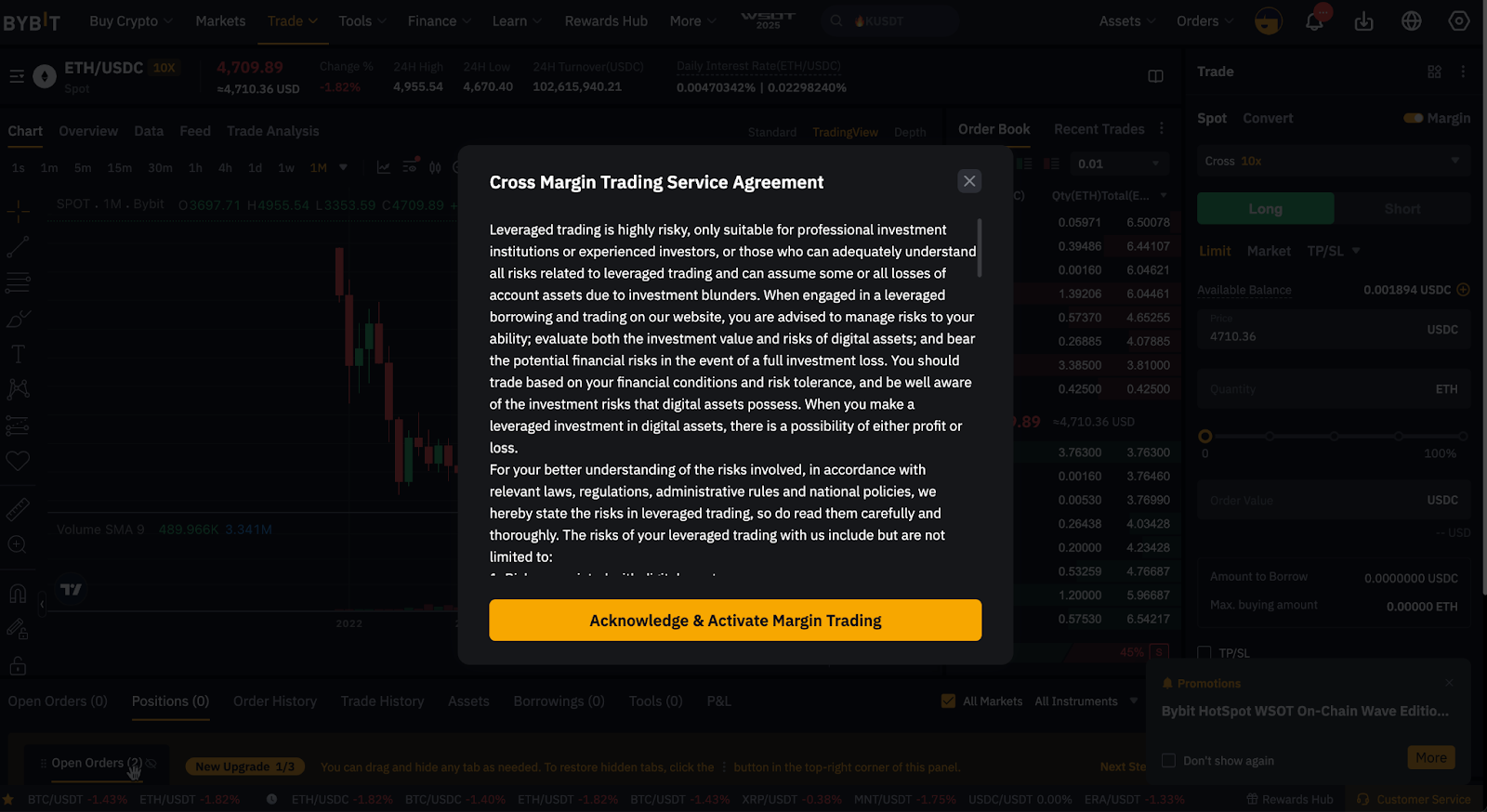
Step 2: When using Margin Trading for the first time, you will be prompted with a pop-up window for Bybit’s Margin Trading Service Agreement and a quick introduction to its fundamental mechanics. Ensure you fully understand the rules and risks of Margin Trading in the Unified Trading Account to activate the function. For additional details, click here.
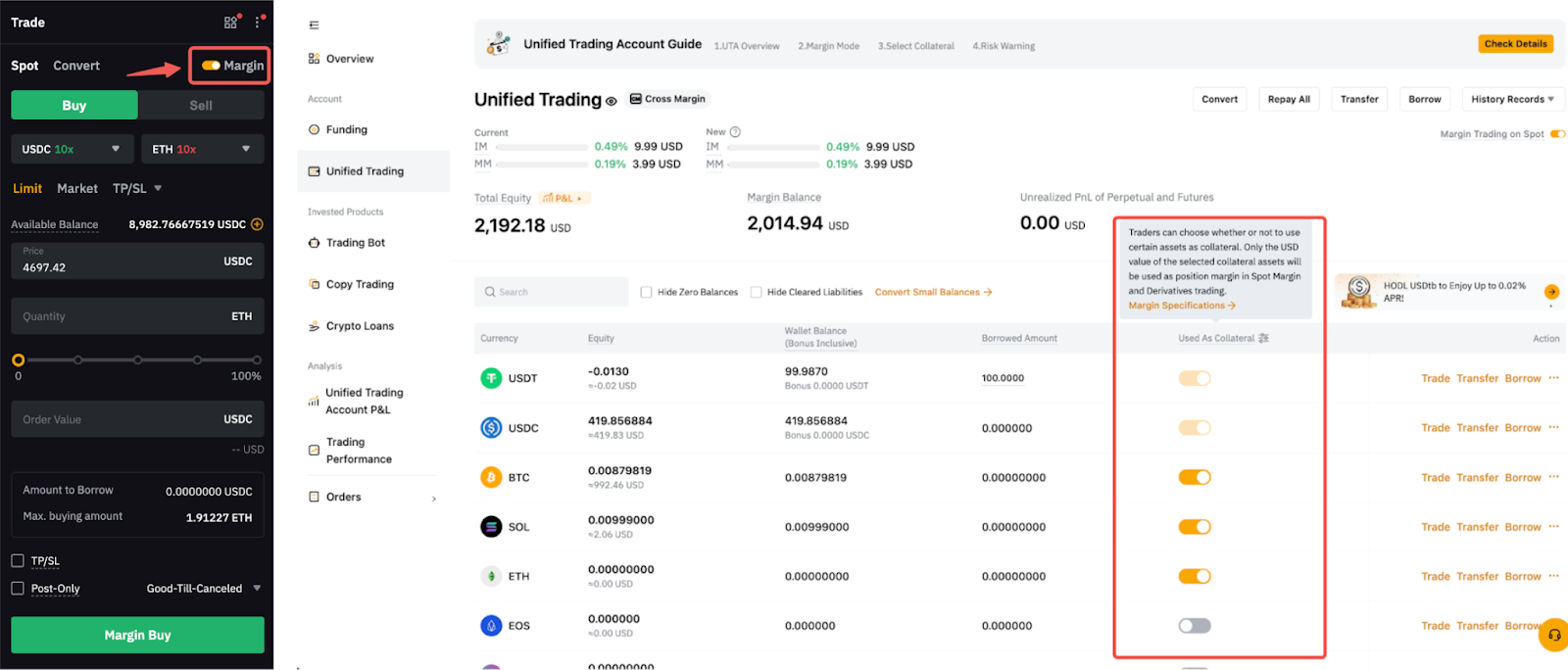
Step 3: Ensure that the Margin tab is toggled on, and that both the base and quote tokens or any other assets that you want to use as margin assets are enabled as collateral.
Step 4: Set up your margin order with the following parameters.
Using ETH/USDC as an example,
1. Select your leverage for the quote and base token: Maximum 10x.
2. Select your trade direction: Buy or Sell
3. Select order type
4. Enter the order price or Trigger Price
5. (a) Enter the quantity, or
(b) Use the percentage bar to quickly adjust the order value of your order.
6. Click on Margin Buy or Margin Sell
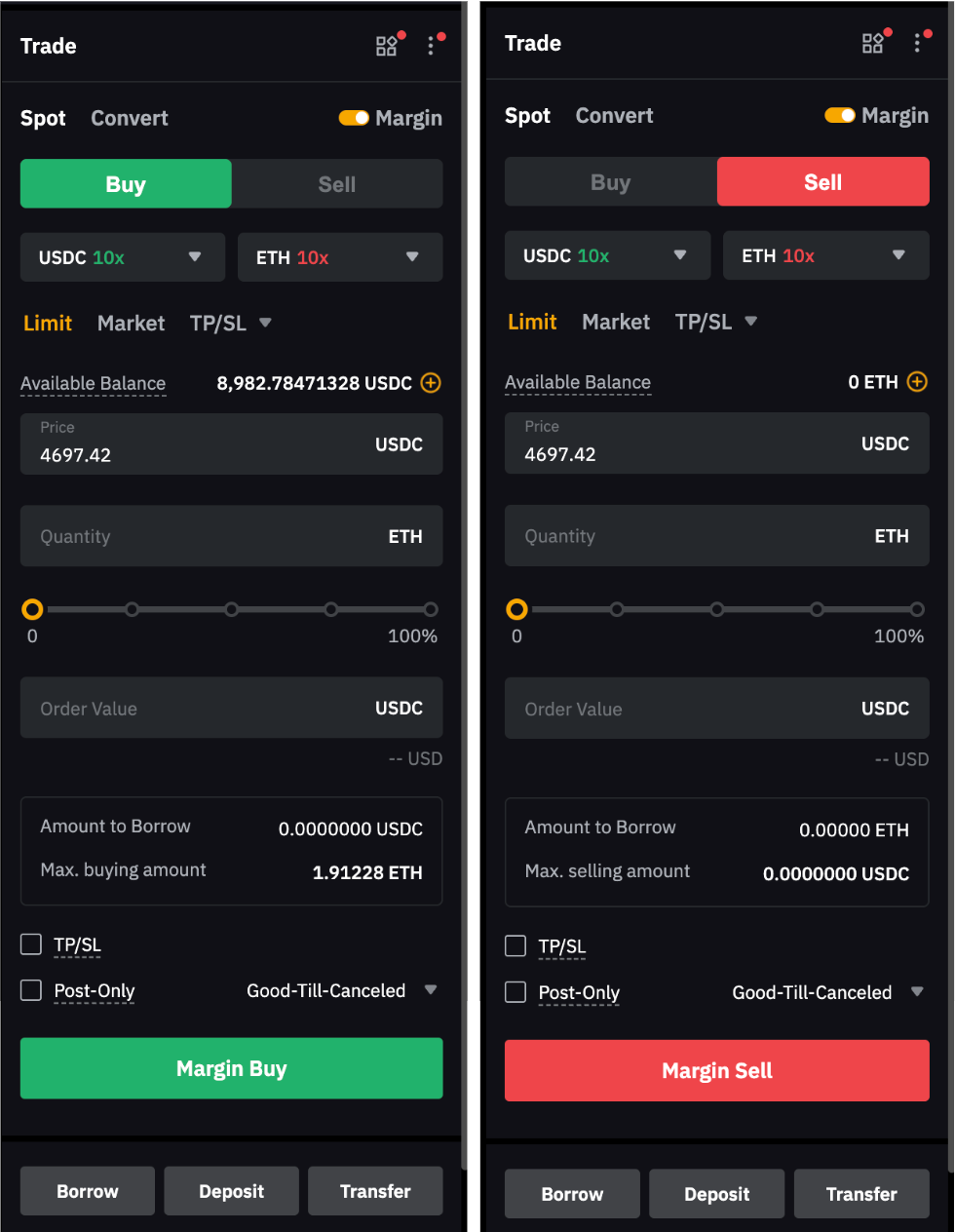
Step 5: After entering the parameter, you can check the Amount to Borrow, and the system will automatically borrow the required funds to execute your order. Alternatively, you may borrow funds manually in advance by clicking the Borrow button. For more details on the differences between auto and manual borrowing, please refer to How to Borrow Funds on Spot Margin Trading.
Note: Repayment is required for the borrowed funds. To learn how to make a repayment, visit here.
Turn On/Off Margin Trading
Margin Trading is enabled by default in Cross and Portfolio Margin. You can go to the Spot Order Window to toggle it on or off. Please note that you must complete all repayments and cancel all margin orders before turning off Margin trading.