Bybit Pay enables you to conduct transactions with other Bybit Pay users and merchants. It offers a fast, secure, and convenient way to transfer funds or make purchases using cryptocurrencies supported by Bybit Pay, enhancing the overall payment experience. Three types of payment methods are now supported: via the Bybit QR Pay, via Internal transfer and via Bank transfer.
This article serves as a guide for making a payment with QR Pay using Bybit Pay. To consult the guides for the other payment methods, please visit the following pages:
- How to Make Payment with Bank Transfer using Bybit Pay
- How to Make Payment with Internal Transfer using Bybit Pay
Important:
- Identity Verification is required to use Bybit Pay’s QR Pay. Please ensure you complete the Identity Verification by following this guide.
- Please note that QR Pay may be processed via different payment system depending on the region, as indicated in the table below:
How to Send Payment
To send payment via QR Pay, please use the Bybit App on your mobile. You can refer to this tab for a step-by-step guide on how to send payment via QR Pay on your app.
How to Receive Payment
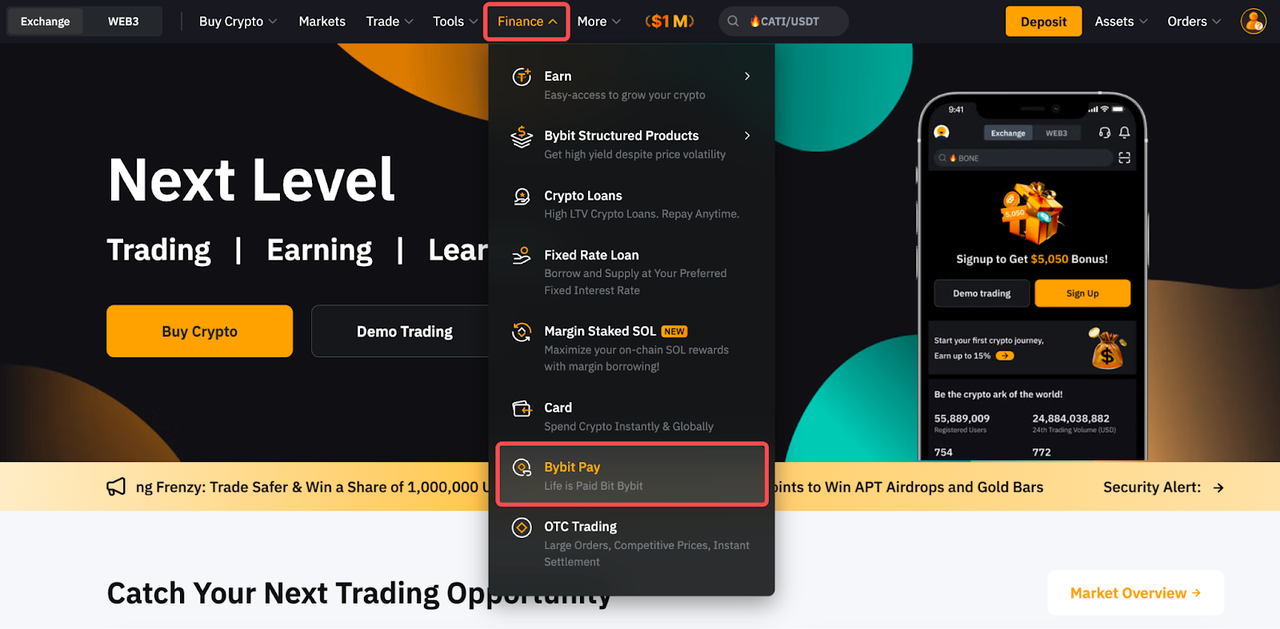
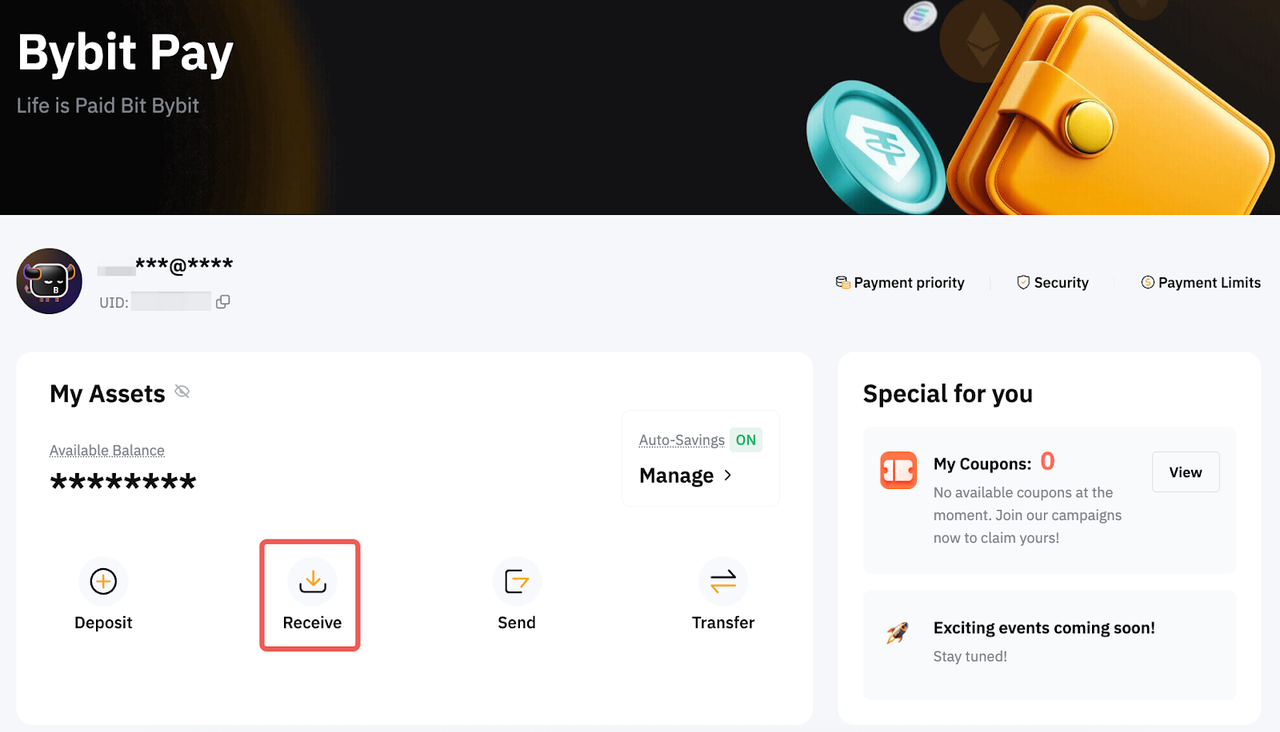
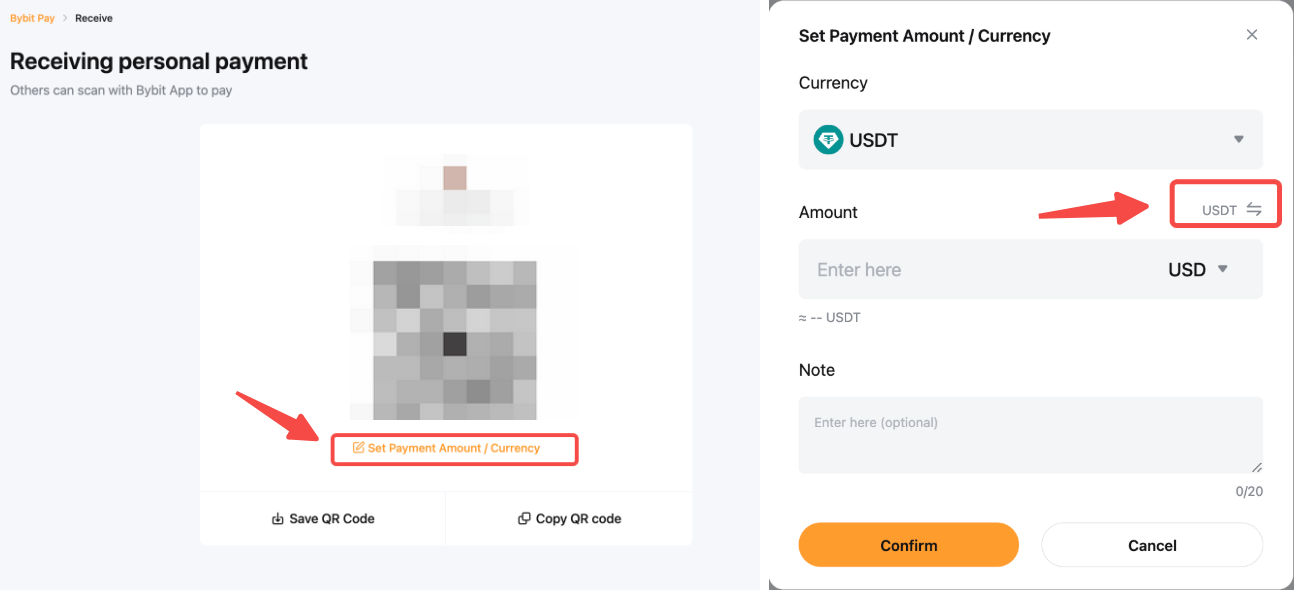
From the Bybit homepage, click on Finance → Bybit Pay at the navigation bar to enter the Bybit Pay page. Then, click on the Receive button to access your QR Code.
Before sharing your QR code, you can click Set Payment Amount / Currency to specify the cryptocurrency, payment amount, and a note. You can also click the Switch icon to enter the payment amount in fiat.
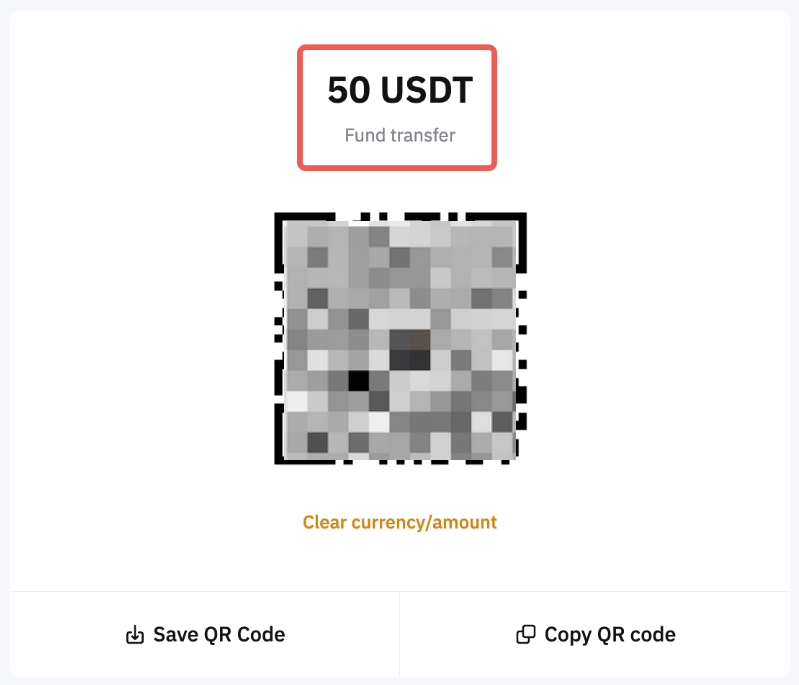
Note: If you opt to set the payment details, the details will be displayed above the QR code.
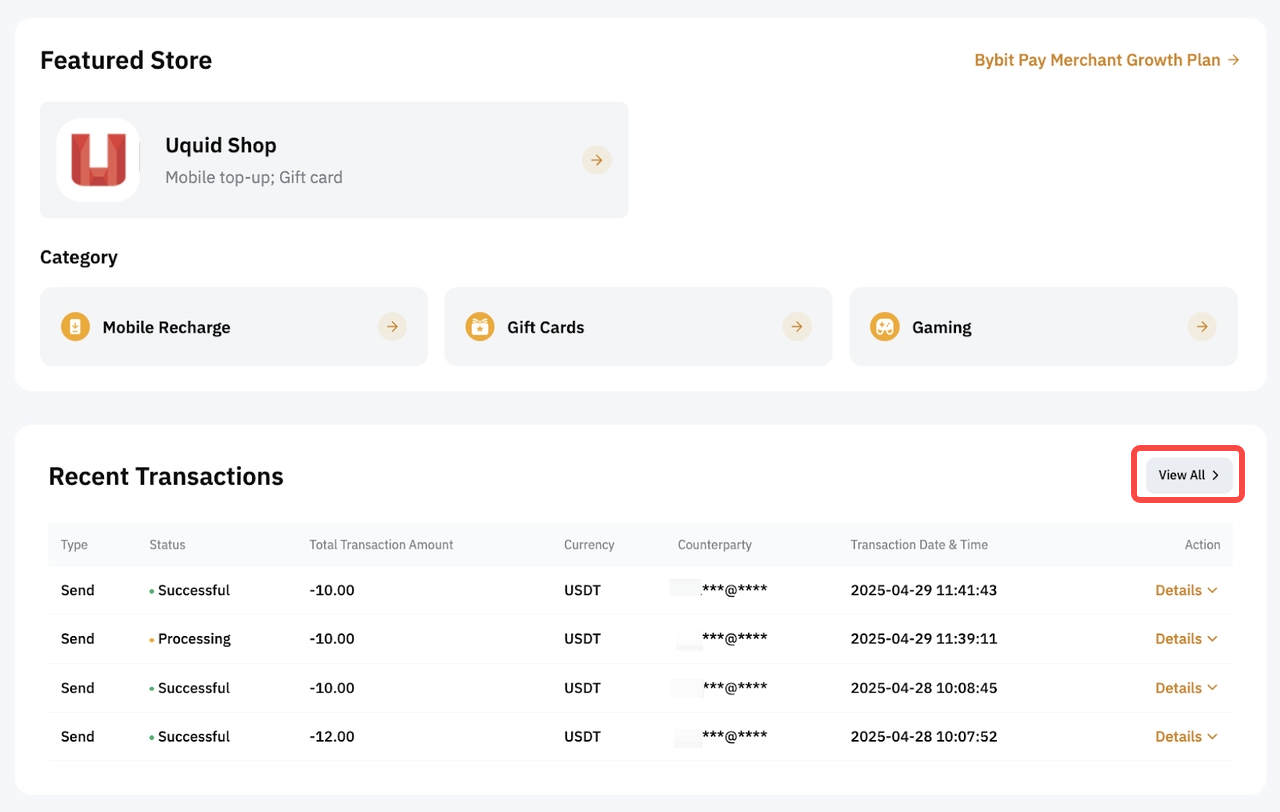
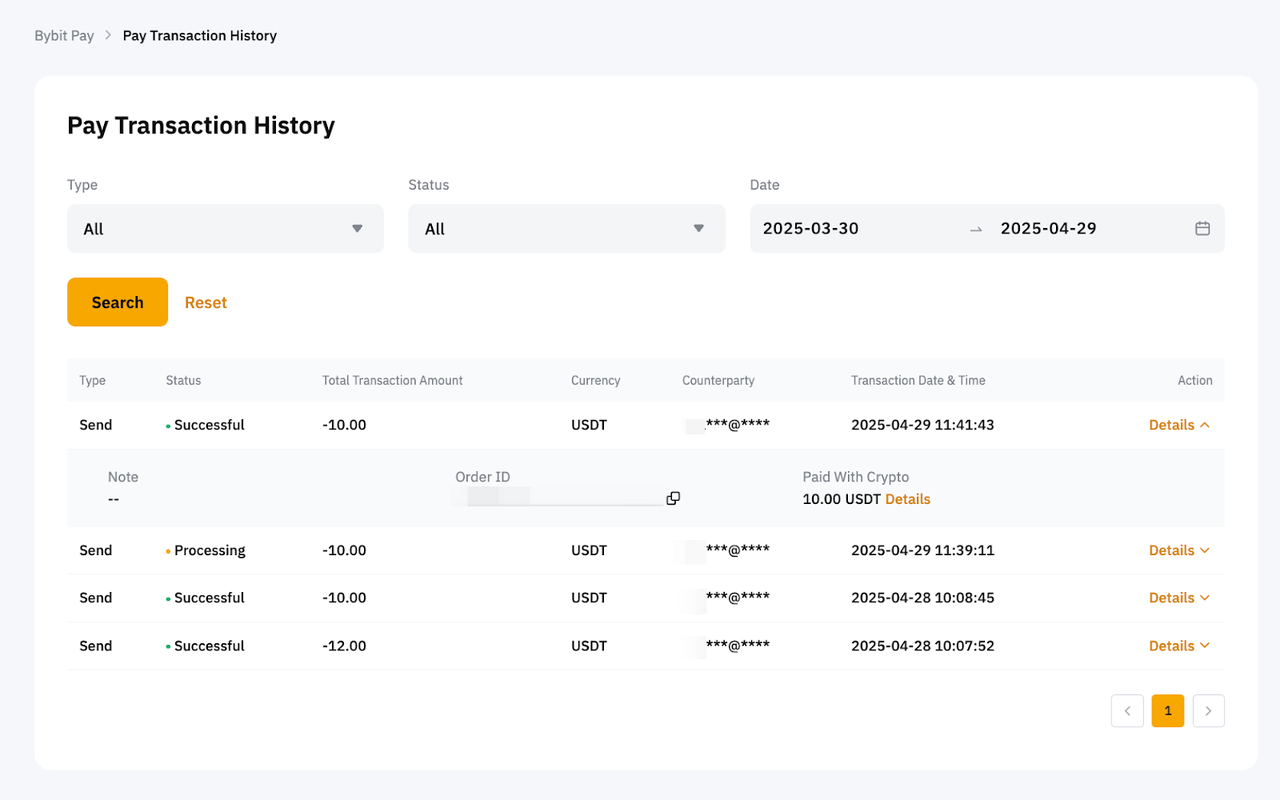
View Your Payment History
To view your payment history, please head to the Bybit Pay page, scroll to the bottom, and click View All. Alternatively, simply go to your Pay Transaction History.