How to set up your AI Subaccount with Claude Code (step-by-step)
AI Summary
Show More
Quickly grasp the article's content and gauge market sentiment in just 30 seconds!
Claude Code is a leading command-line interface (CLI)–based generative AI assistant widely used to create agentic AI solutions. It’s one of the AI tools capable of connecting to and interacting with a Bybit AI Subaccount. Connecting Claude Code to your AI Subaccount allows you to automate many of the trading tasks on Bybit.
In this guide, we cover the steps for linking your Claude Code assistant to your Bybit AI Subaccount. We’ll also discuss some common problems that may arise during the connection setup and typical ways to resolve them.
Key Takeaways:
Claude Code is one of several AI assistants that can be configured to connect to your Bybit AI Subaccount and execute automated trading actions on your behalf.
Authentication relies on the OAuth framework, with a Subaccount created directly by your AI agent.
Step 1: Create your AI Subaccount
Web
Step 1: Go to your Profile icon (on the Bybit homepage) → Subaccount → Create Subaccount on your Subaccount Management page.
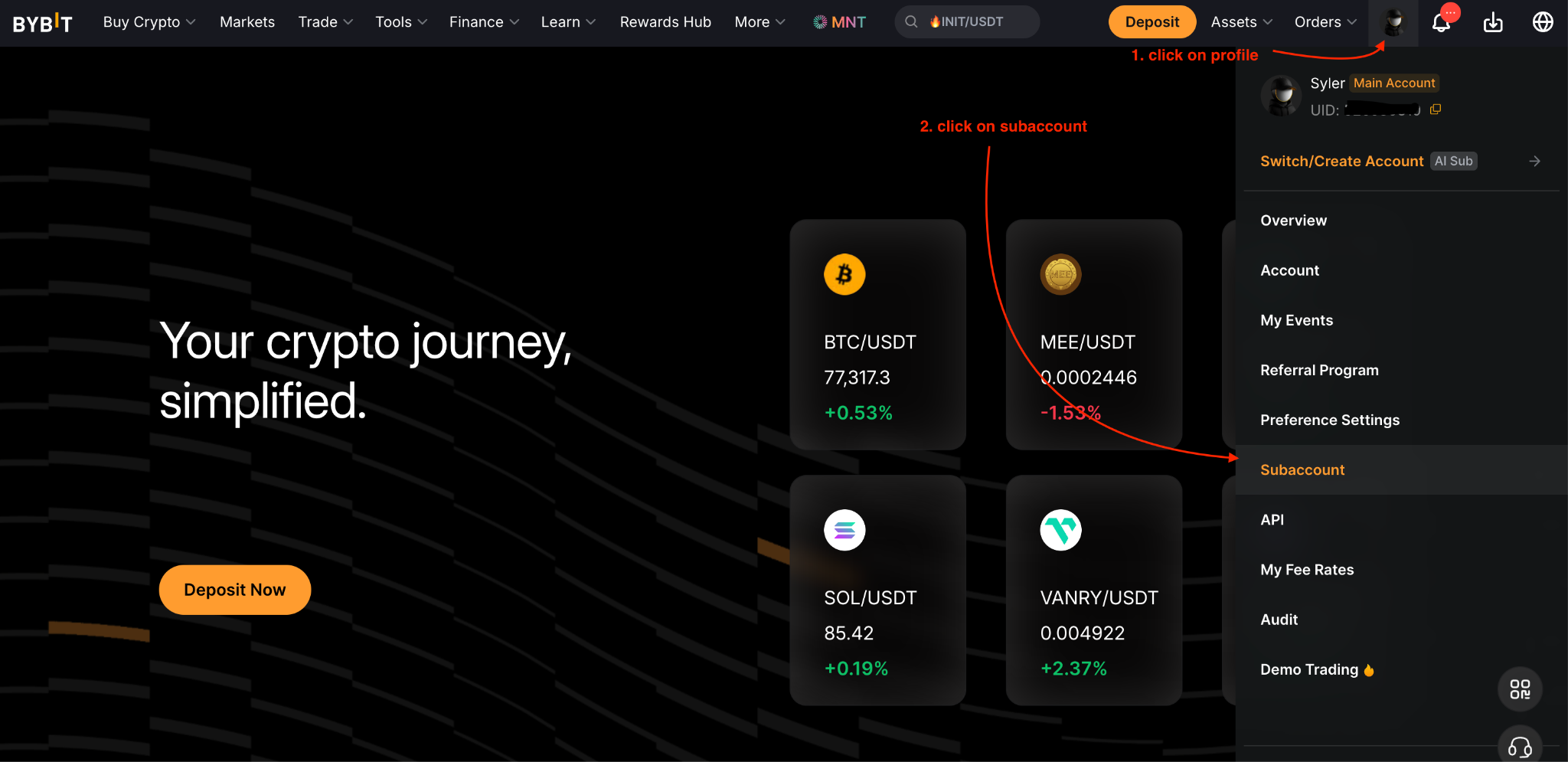
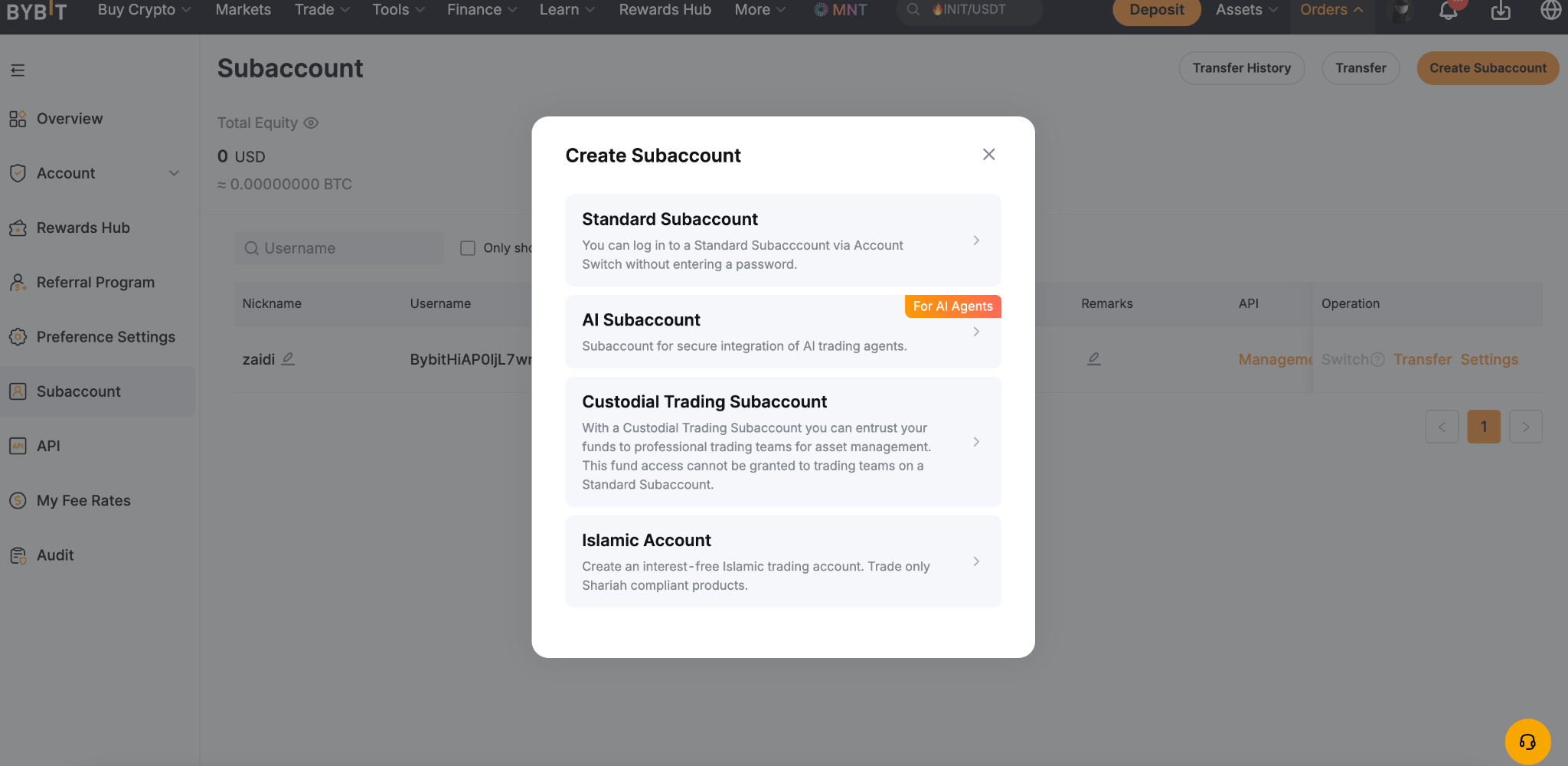
Step 2: Choose AI Subaccount for the account type to create.
Step 3: Copy the instruction message displayed. You will see a confirmation message once the text is successfully copied.
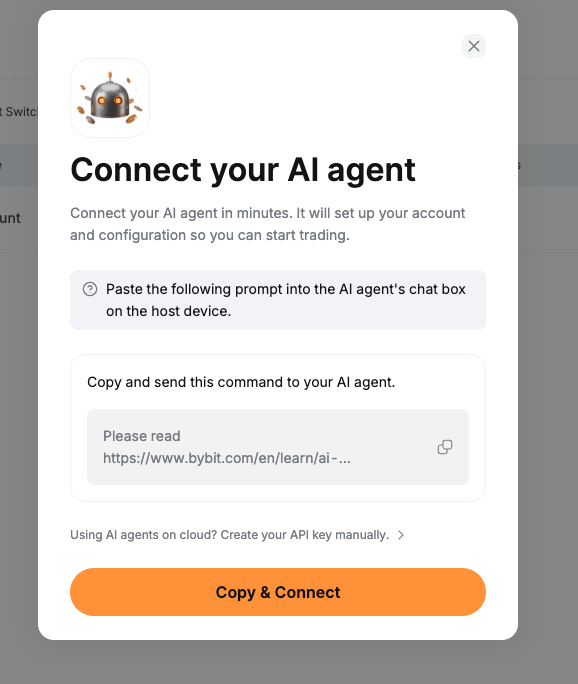
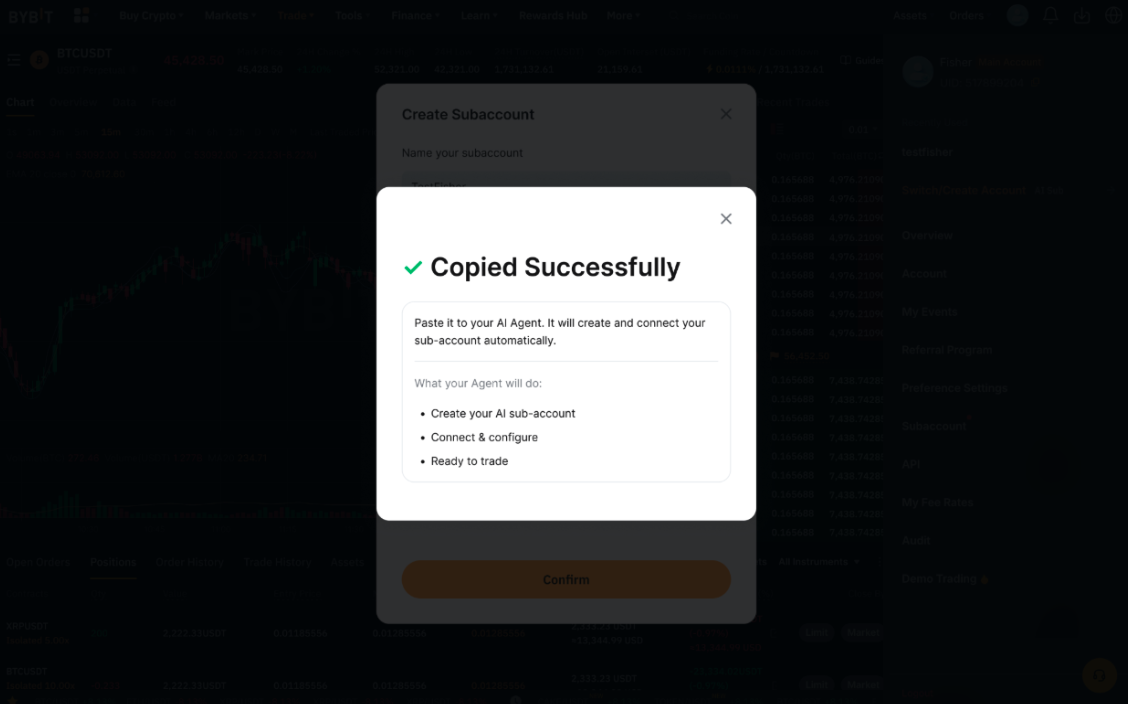
Step 4: Paste the copied instruction message into your Claude Code. Your AI assistant will use these instructions to establish an OAuth connection and create your AI Subaccount. If you already have existing AI Subaccounts, the assistant may offer you the option to use one of those instead.
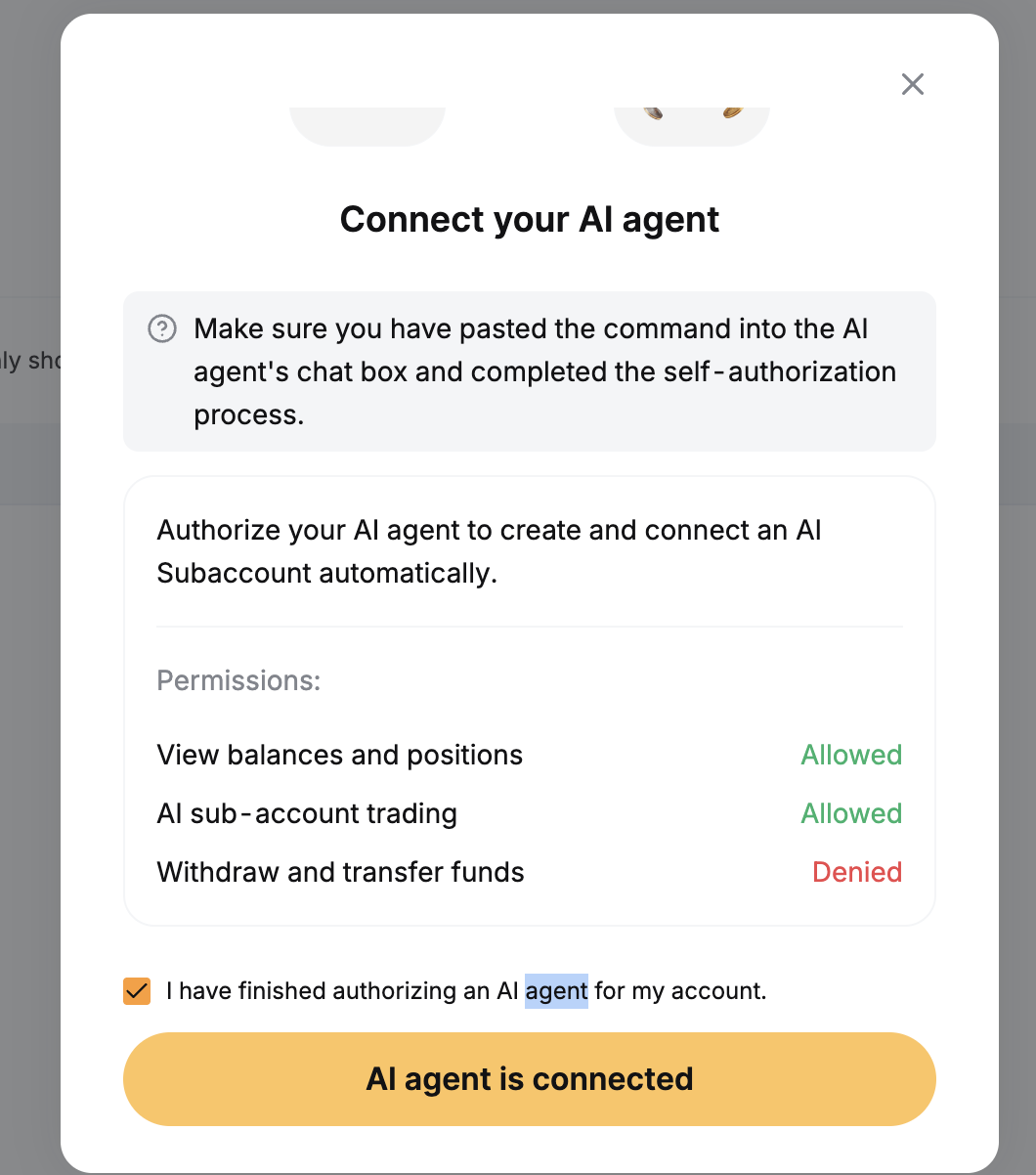
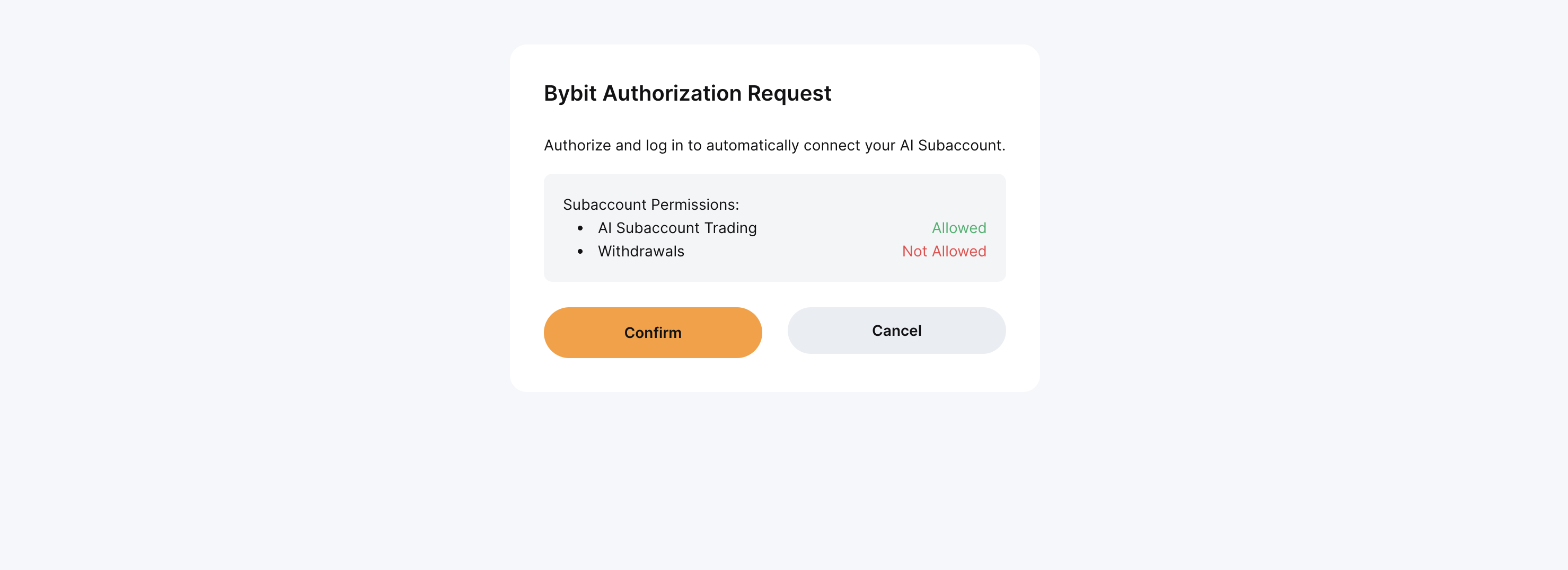
Step 5: An authorization request window will open in your browser to authorize the OAuth connection. It is normally triggered by your AI agent. Click on Confirm to authorize the request.
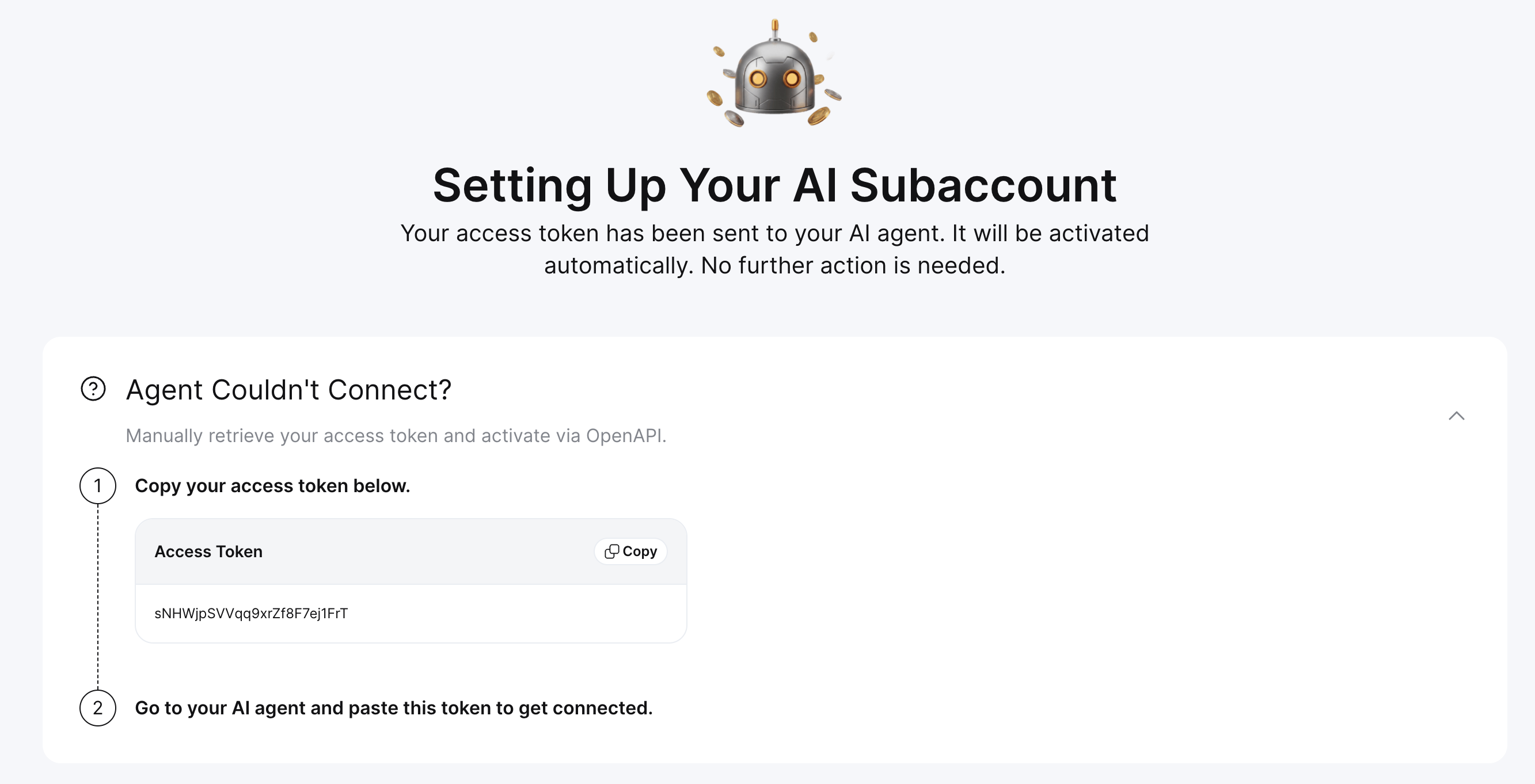
Step 6: If you have problems establishing the connection, Bybit will offer you the option to manually retrieve your access token. Copy the access token and provide it to your AI assistant to establish the connection.
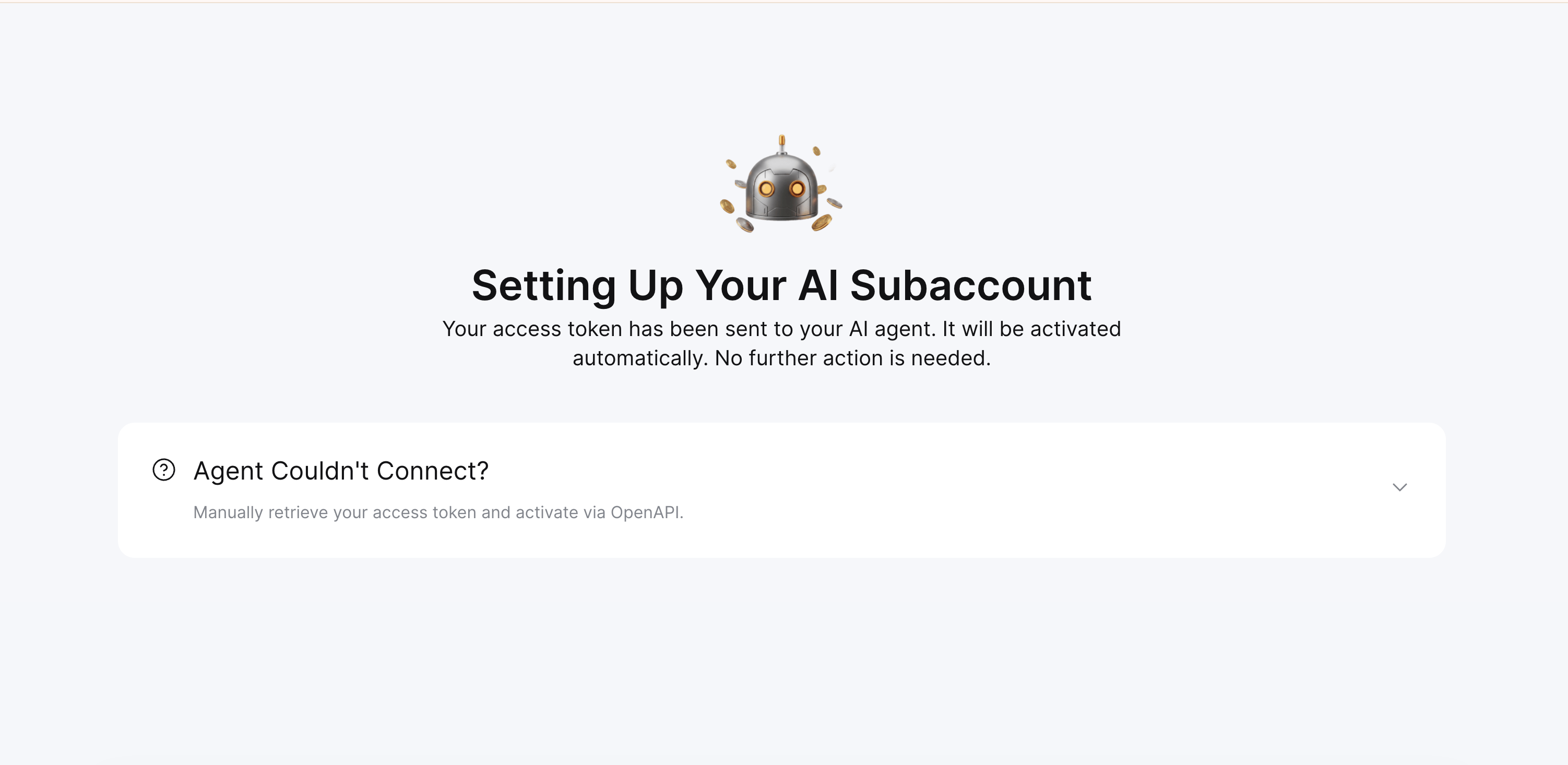
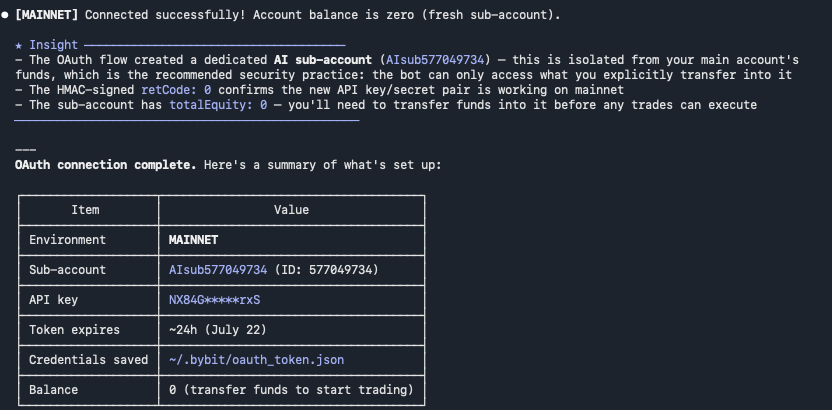
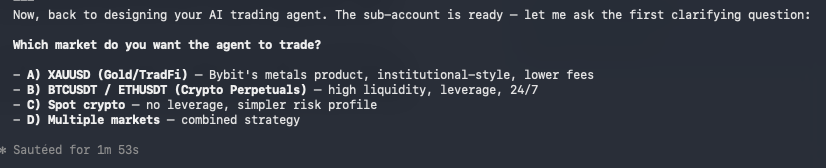
Step 7: You are now ready to trade using your Claude Code.
App
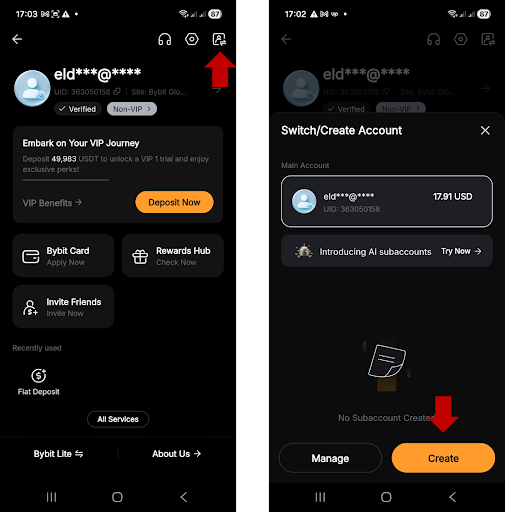
Step 1: On the Bybit App homescreen, tap on your Profile icon in the top-left corner, then tap on the Account switch icon and tap on Create.
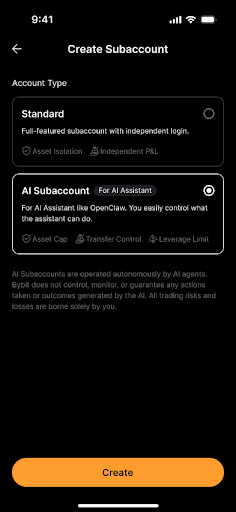
Step 2: Select AI Subaccount, then tap on Create.
Step 3: Copy the instruction message for your AI assistant and tap on Copy & Connect. You will see a message confirming that you have successfully copied the instruction.
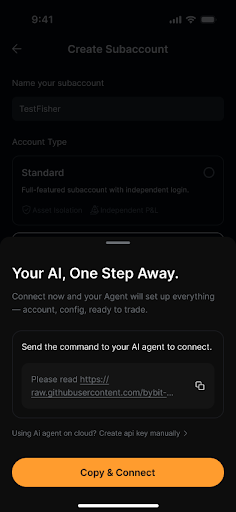
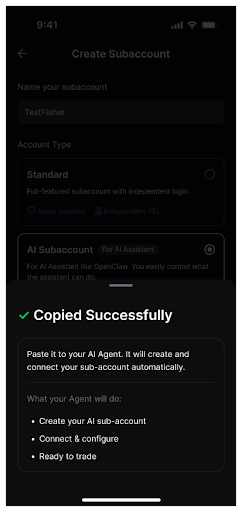
Step 4: Tap on Authorize to Connect.
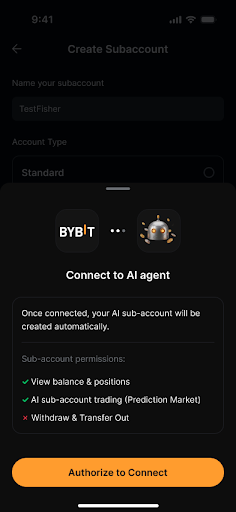
Step 5: Provide the instruction message to your AI assistant in order to finish the setup. Your Claude Code will connect to Bybit and create your AI Subaccount. If you already have existing AI Subaccounts, it might also offer you the option to use one of those.
Step 2: Configure permissions
Web
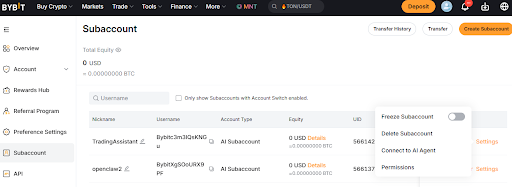
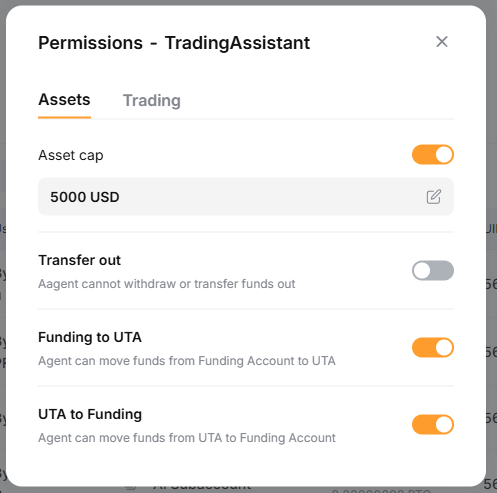
To configure permissions for your newly created AI Subaccount, go to your Subaccount Management page. Next to your AI Subaccount name, click on Settings, then Permissions.
App
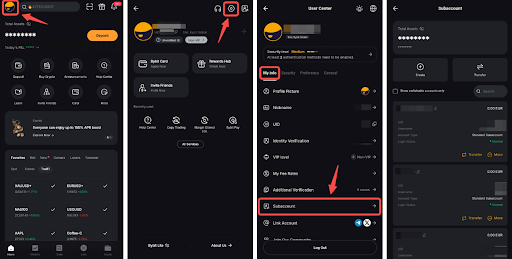
1) Go to the Subaccount Management page by tapping on your Profile icon in the top-left corner, then go to Settings → Subaccount.
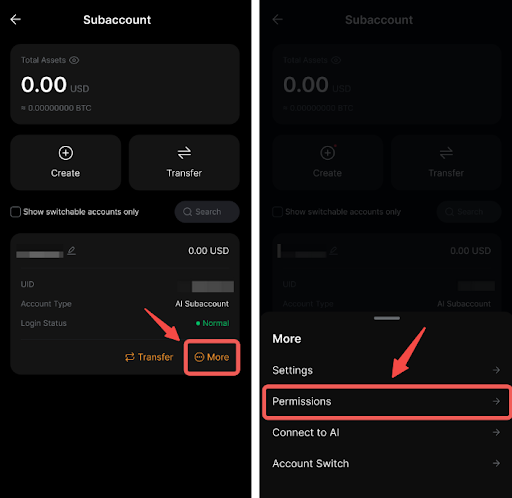
2) Locate your Subaccount, then tap on More → Permissions.
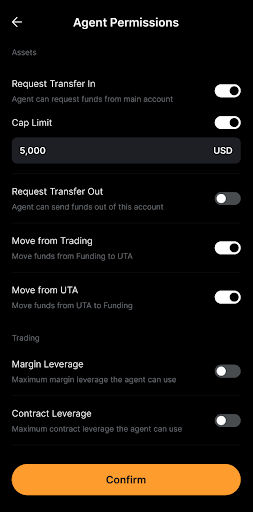
Some of the key recommended starting permissions include the following:
Request Transfer In: ON
Cap Limit: 500 USD
Max Margin Leverage: 5x
Request Transfer Out: ON
Step 5: Verify the connection
When Claude Code manages to successfully link to your AI Subaccount, you should see a message confirming the connection.
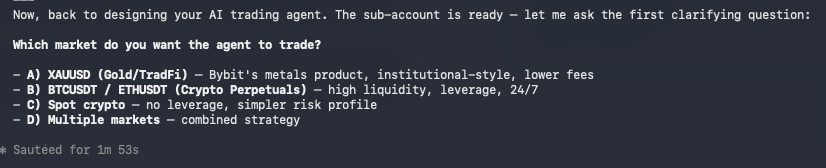
Try running a few simple queries to see the results and test the connection, such as asking to list your balance, performing a small trade and listing your trade history.
Troubleshooting
Common issues you may encounter and ways to resolve them include the following:
Invalid public key message: Ensure there are no extra spaces when copying the key. Also, note that the key must be copied together with the starting — BEGIN PUBLIC KEY — and ending — END PUBLIC KEY — clauses.
API key expired: Note that keys expire after 90 days. You’ll need to regenerate a new key on Bybit.
Permission denied: Check permission settings from your Main Account.
Connection timeout: Verify your internet connection, and try again.
The bottom line
Using Claude Code, you can now access a wide range of automated trading actions through your Bybit AI Subaccount. These include conducting Spot and Derivatives trades, setting up automated strategies, monitoring your positions and PnL and transferring funds between your accounts.
Ready to get started? Explore the Bybit AI Subaccount campaign to learn more and take advantage of exclusive offers.
Grab Up to 100 USDT in Rewards
Also, enjoy 555% APR on Bybit Earn products!