Beginner
AI SubaccountAI Summary
Show More
Quickly grasp the article's content and gauge market sentiment in just 30 seconds!
Detailed Summary
The Bybit AI subaccount lets you connect an AI assistant, such as Claude Code, OpenClaw or Cursor, directly to your Bybit account so it can place trades on your behalf. Connection is established through a simple OAuth authorization flow, and once linked, the assistant executes trades via API calls. It's a separate subaccount from your main holdings, with a default $5,000 cap and withdrawals switched off by default.
This guide covers the AI subaccount’s setup process, the permission settings worth configuring before you fund the account and the steps to execute and confirm your first trade.
Key takeaways:
A Bybit AI subaccount is a segregated account that connects to your AI assistant through OAuth and isolates AI agent trading activity from your main funds and other subaccounts.
Once connected, you prompt your AI assistant in natural language, and it converts that instruction into an authenticated API call that places, modifies or closes trades and conducts other operations.
What is a Bybit AI subaccount?
The Bybit AI subaccount is a trading account built to be managed by AI agents instead of directly by you. There's no password login and no option to switch into it from the platform's account switcher. Connection is established through OAuth: you paste a setup prompt into your AI tool, authorize the connection in your browser, and the assistant is linked to your subaccount.
Once connected, the assistant executes trades through authenticated API calls. Asset exposure is capped at $5,000 unless you raise that limit manually, and withdrawals stay disabled by default, also unless you modify the setting. All trades and transfers the agent makes stay inside this isolated account, with no path to move funds into your main account or other subaccounts without explicit action from you.
Bybit supports several assistants directly, including OpenClaw, Claude Code and Cursor. Potentially, any AI tool capable of completing an OAuth flow and making authenticated API calls can connect in principle.
Permissions for asset transfers, leverage and trading are set from your main account, not by the agent itself, which is what keeps the subaccount contained even if a prompt gets misread.
How to set up your AI subaccount
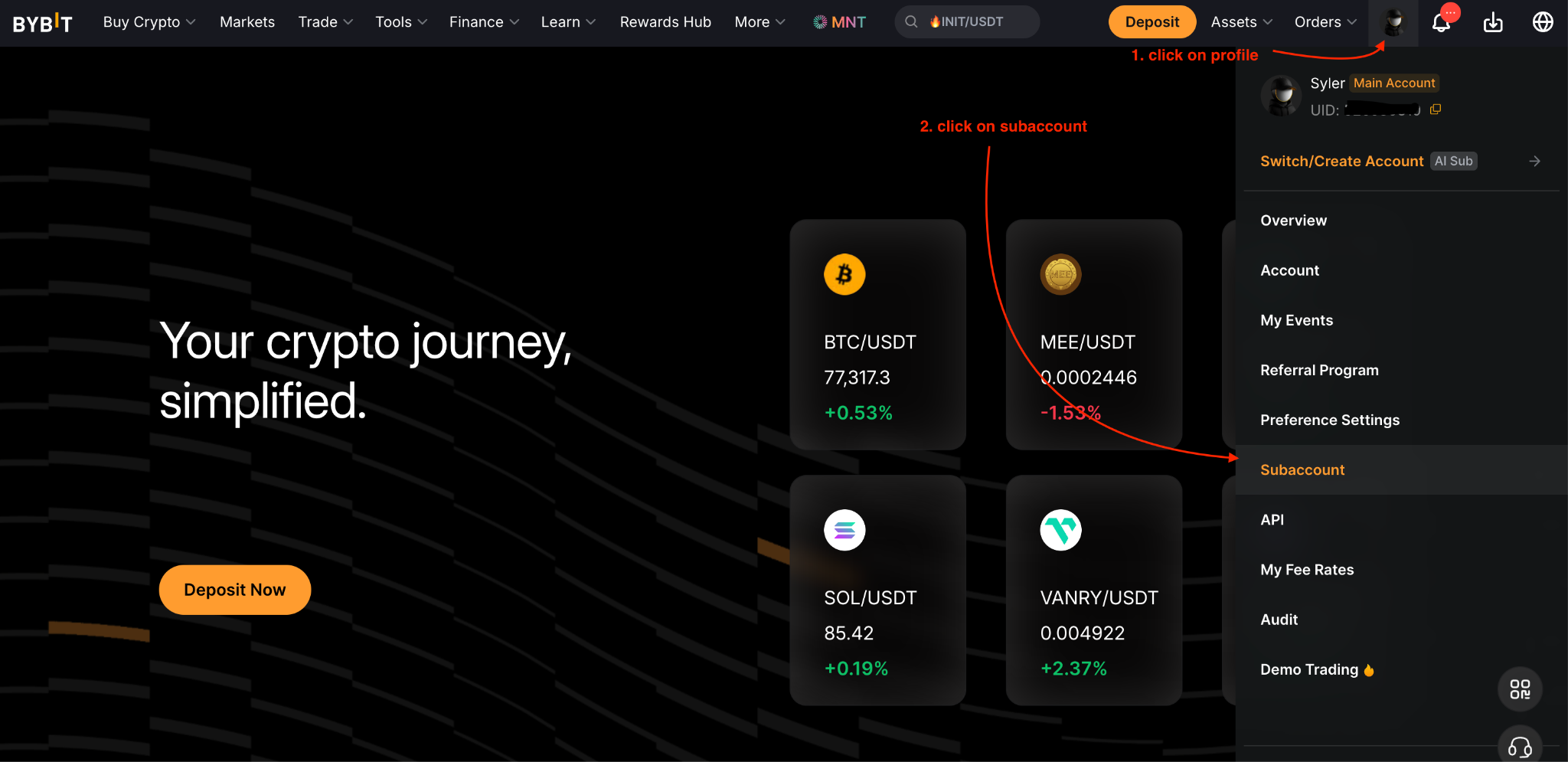
Step 1: Go to your Profile icon (on the Bybit homepage) → Subaccount → Create Subaccount on your Subaccount Management page.
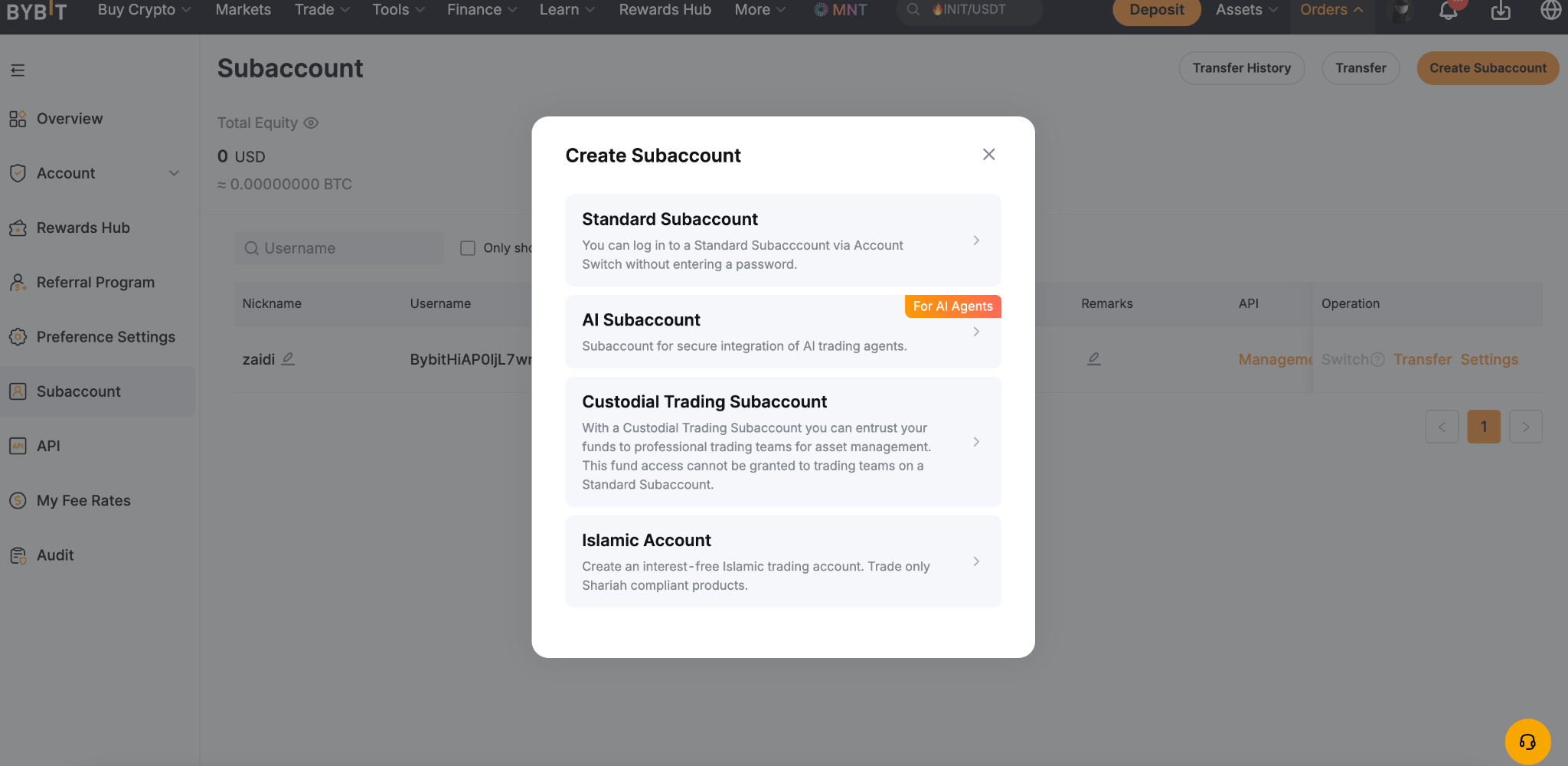
Step 2: Choose AI Subaccount for the account type to create.
Step 3: Copy the instruction message displayed. You will see a confirmation message once the text is successfully copied.
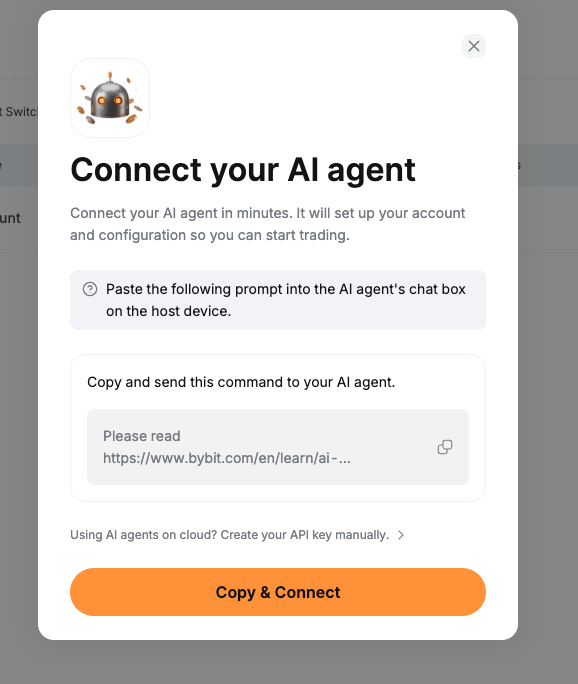
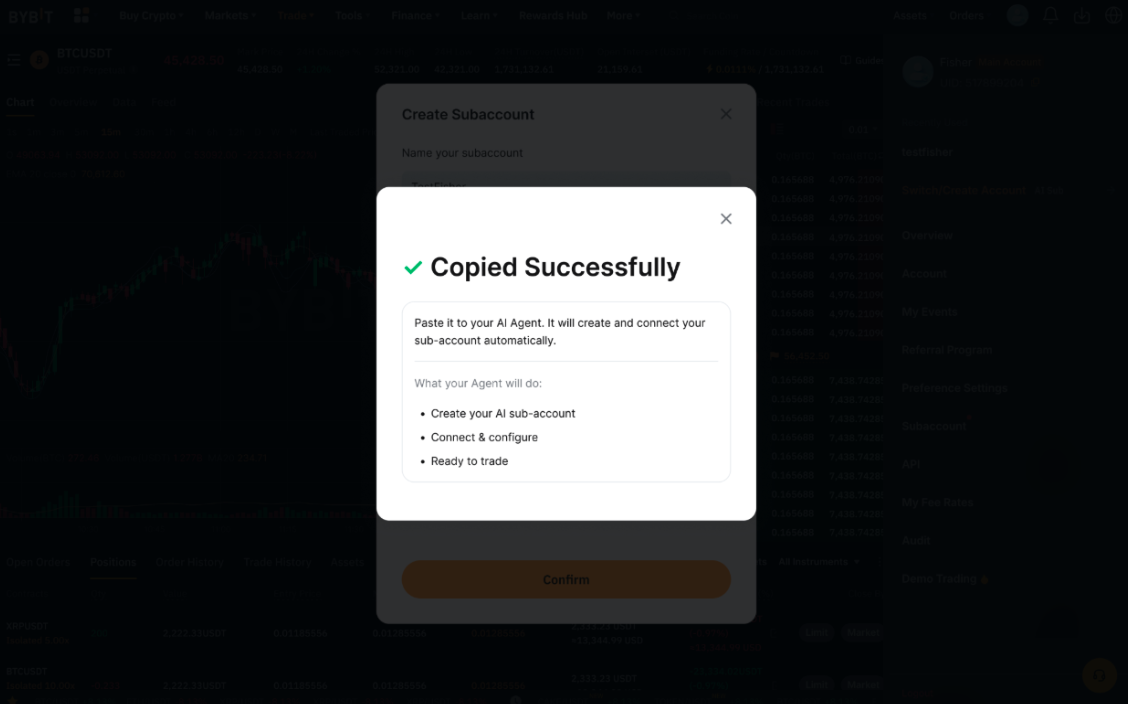
Step 4: Paste the copied instruction message into your Cursor. Your AI assistant will use these instructions to establish an OAuth connection and create your AI Subaccount. If you already have existing AI Subaccounts, the assistant may offer you the option to use one of those instead.
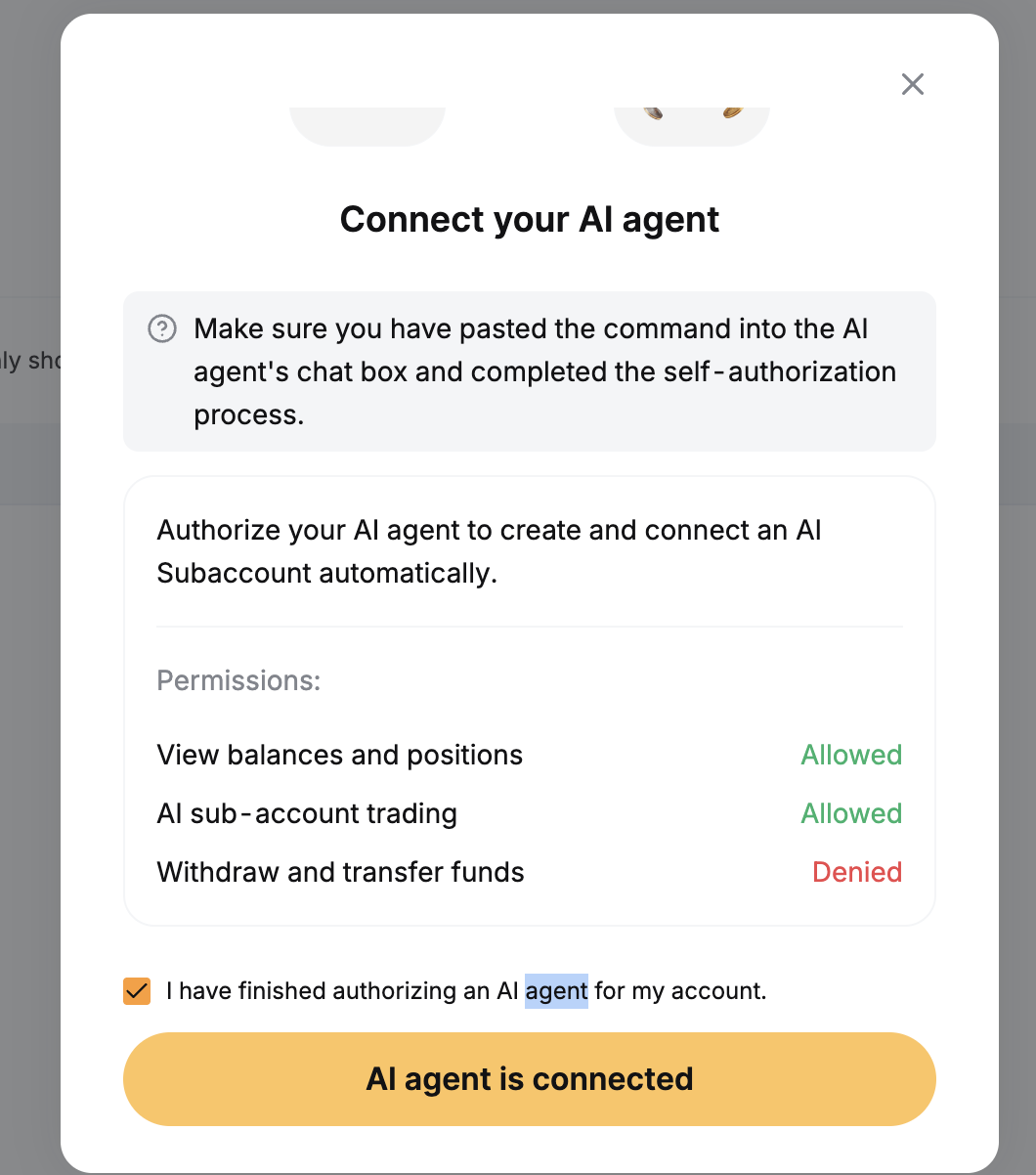
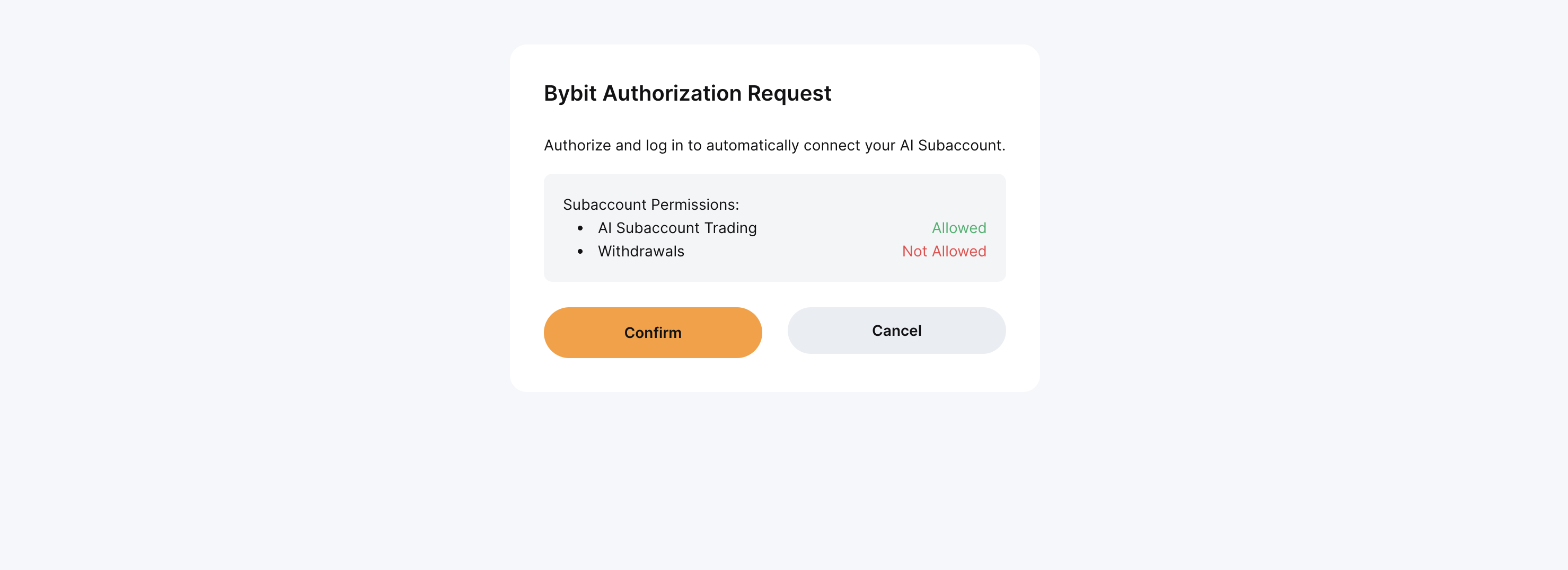
Step 5: An authorization request window will open in your browser to authorize the OAuth connection. It is normally triggered by your AI agent. Click on Confirm to authorize the request.
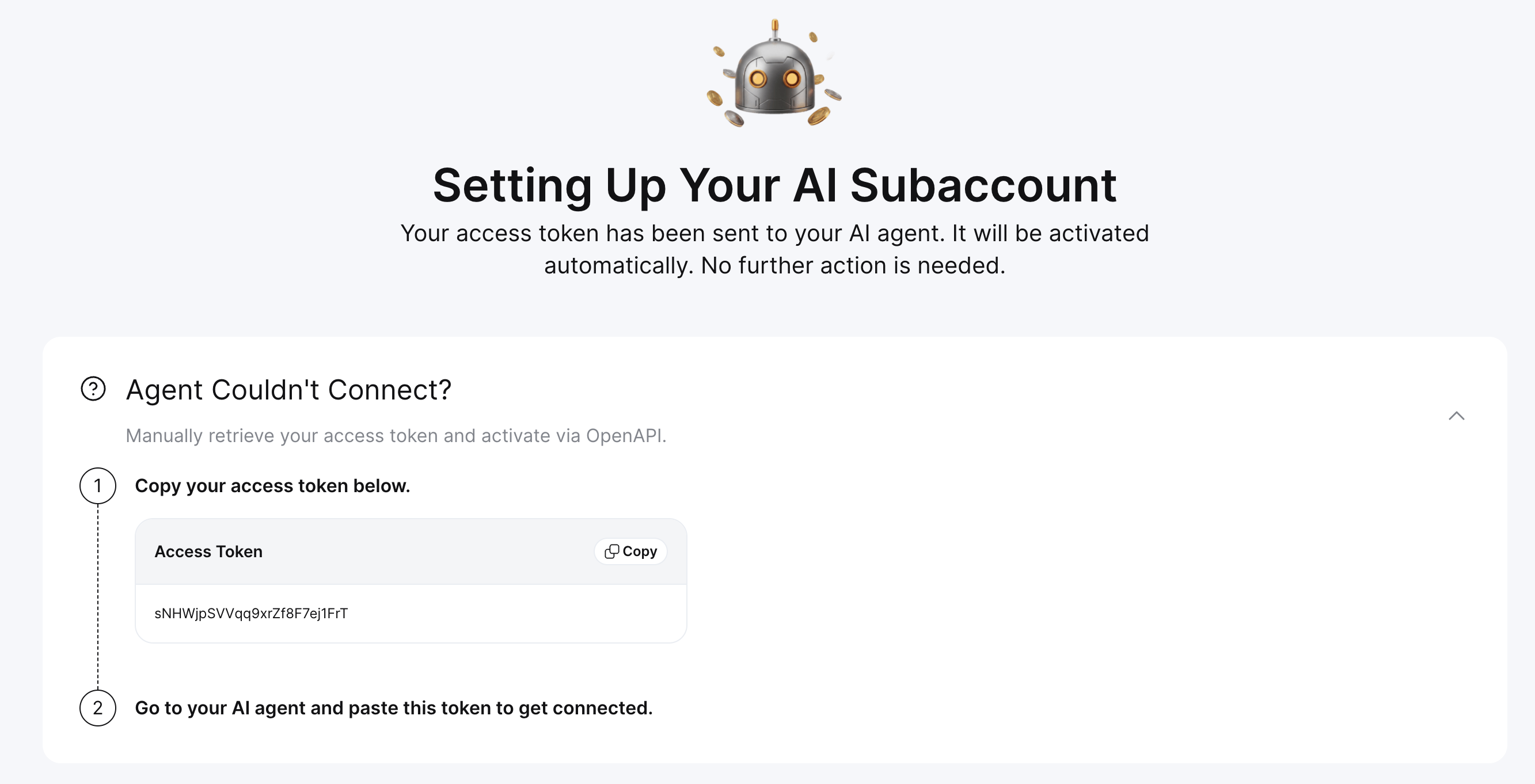
Step 6: If you have problems establishing the connection, Bybit will offer you the option to manually retrieve your access token. Copy the access token and provide it to your AI assistant to establish the connection.
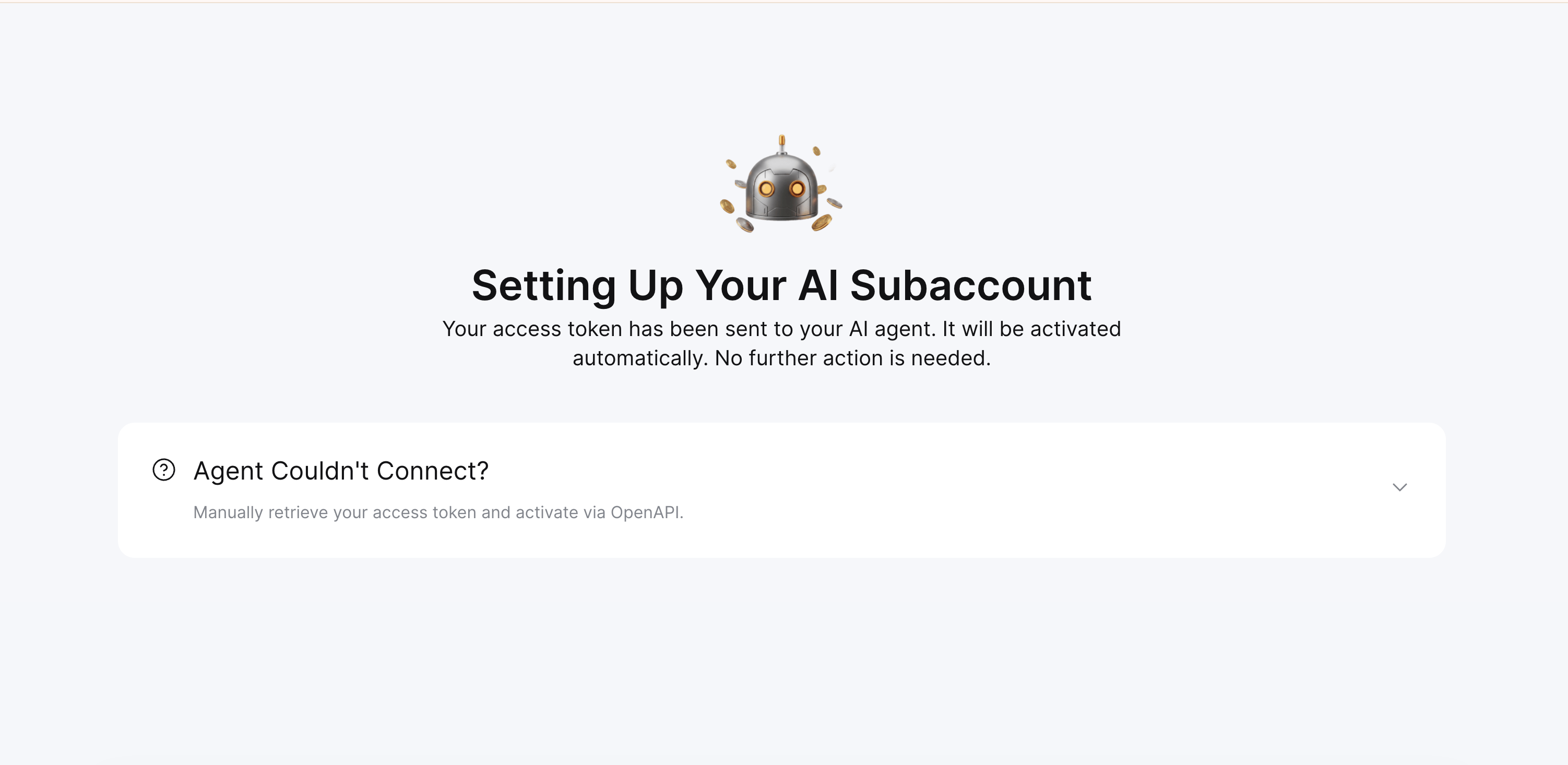
Step 7: You are now ready to trade using your Cursor.
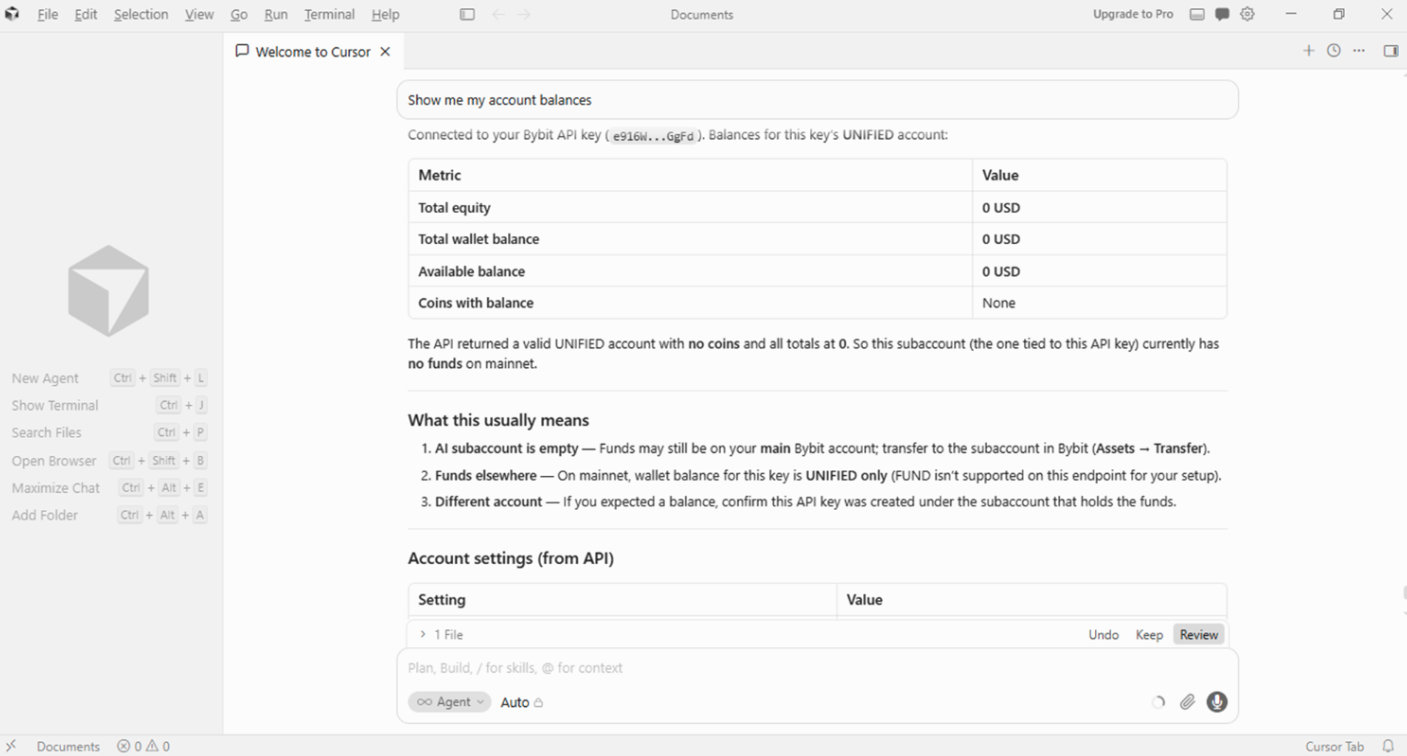
Configure your account and trading permissions
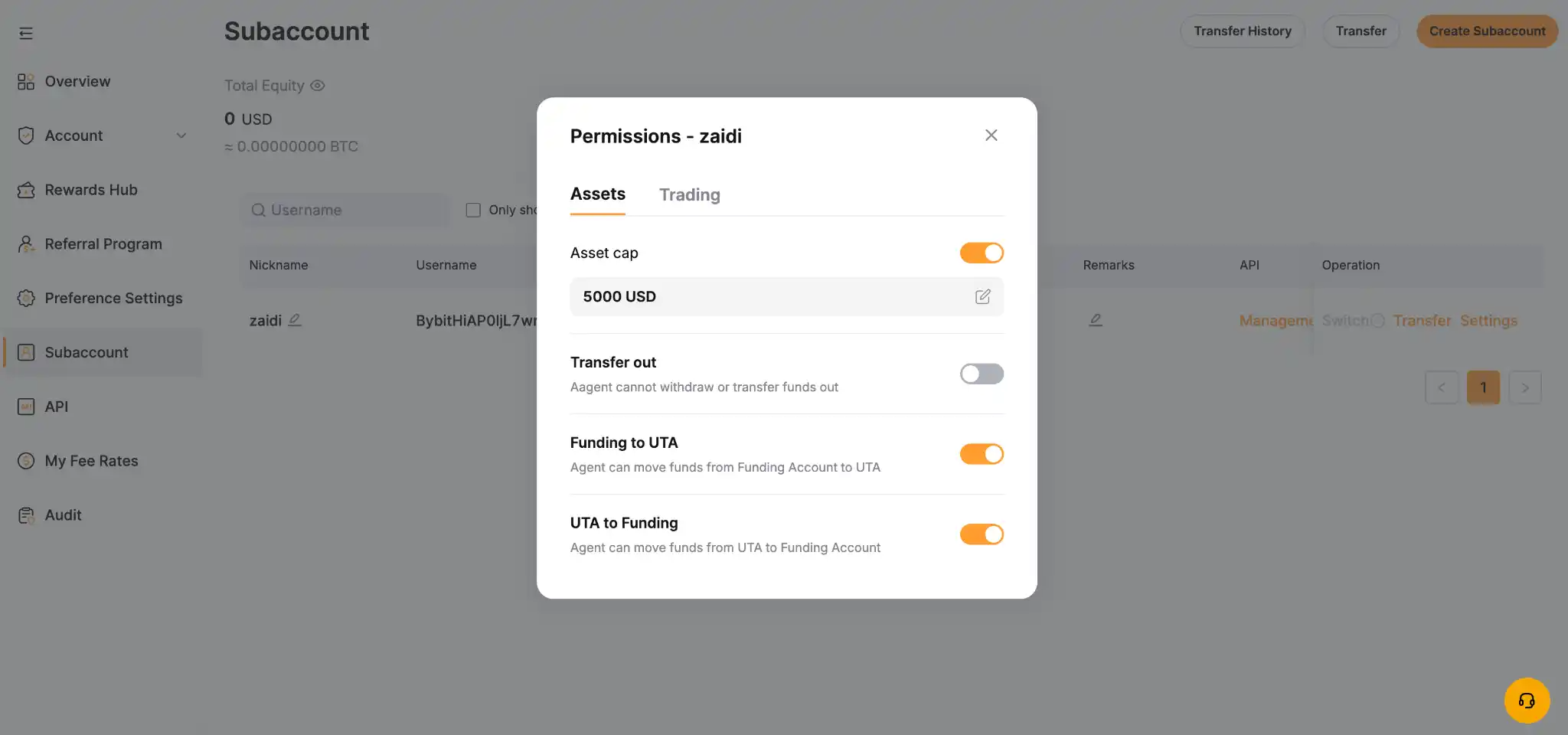
After creating your AI subaccount and linking it to your AI tool, open the Subaccount Management page on your main account, find your new AI subaccount and go to Settings, then Permissions. Set the cap limit, turn on or off transfers in and out and define the maximum margin or contract leverage. These settings live on the parent account, so the agent can't change them on its own.
How to execute your first trade using an AI subaccount
Step 1: Transfer funds to your AI subaccount
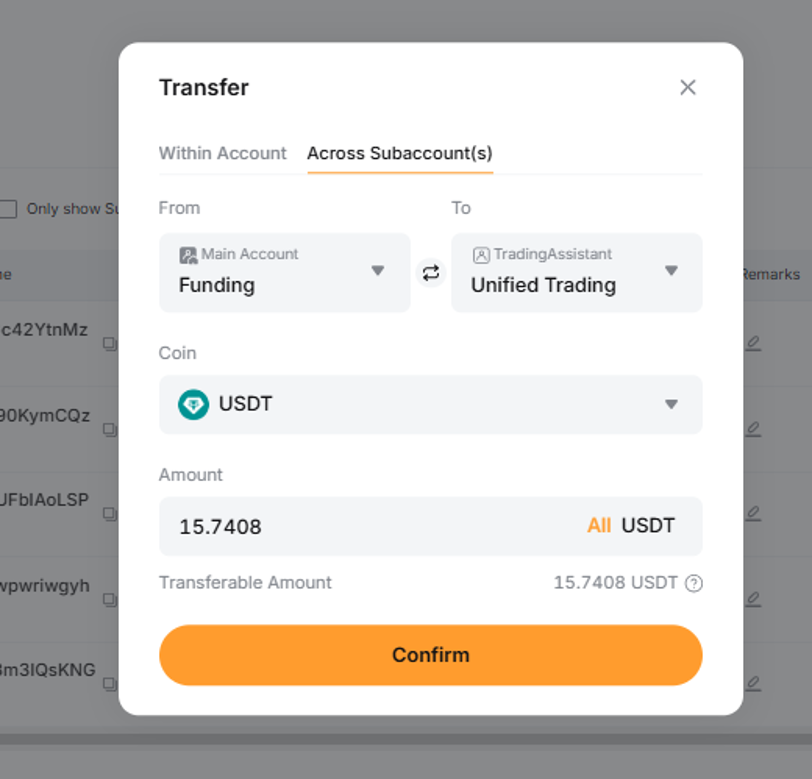
The subaccount needs capital before it can trade based on your prompts. Transfer funds from your main account's asset page by clicking on Transfer. Start with small amounts initially, even if the $5,000 default cap exists to limit your exposure.
Step 2: Prompt your AI assistant to execute a trade
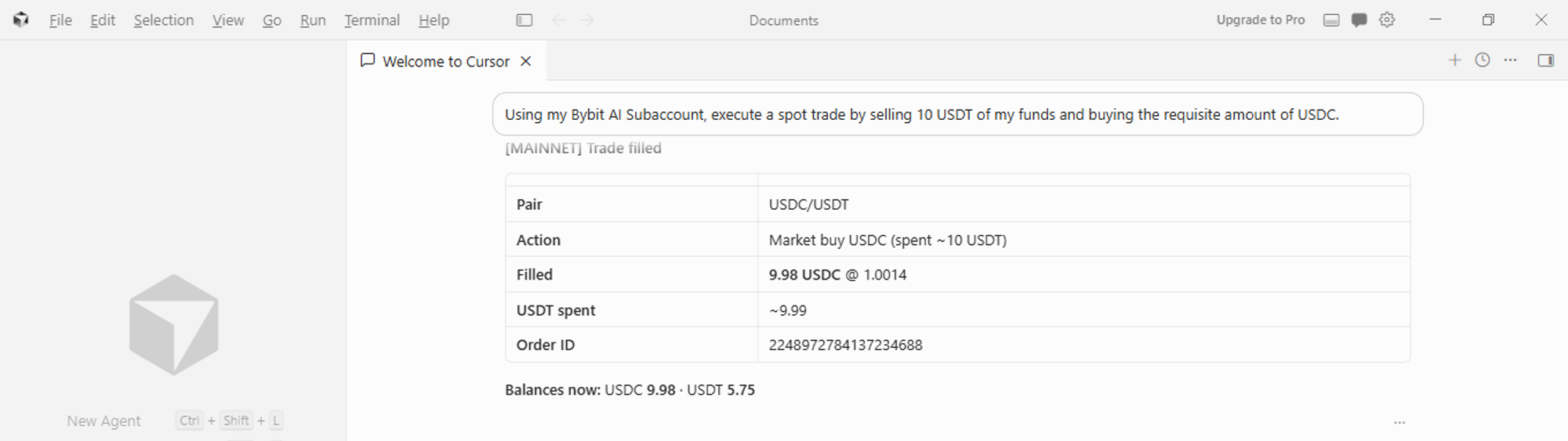
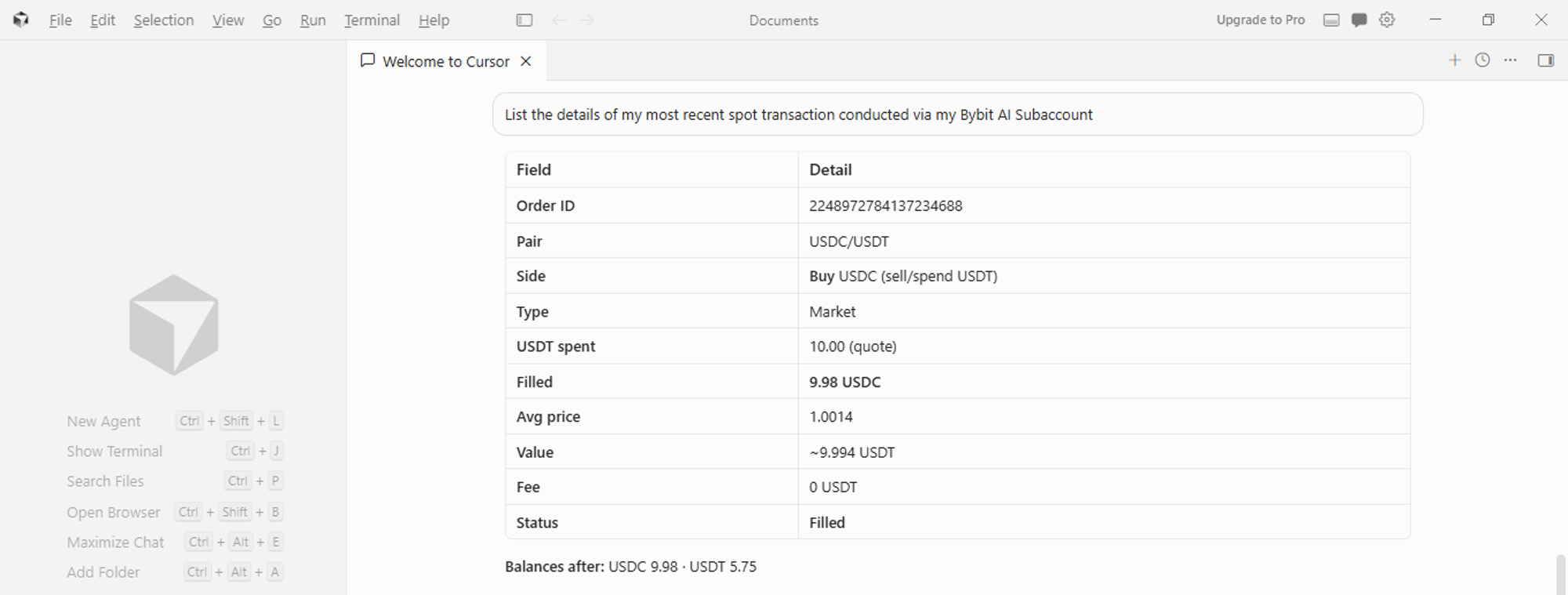
With funds in place and the API key authenticated, verify via natural prompts in your AI tool that the connection is live. After that, give the assistant a direct instruction, such as "execute a spot trade by selling 10 USDT of my funds to buy USDC." The assistant signs and submits the order through the API using the key pair generated earlier.

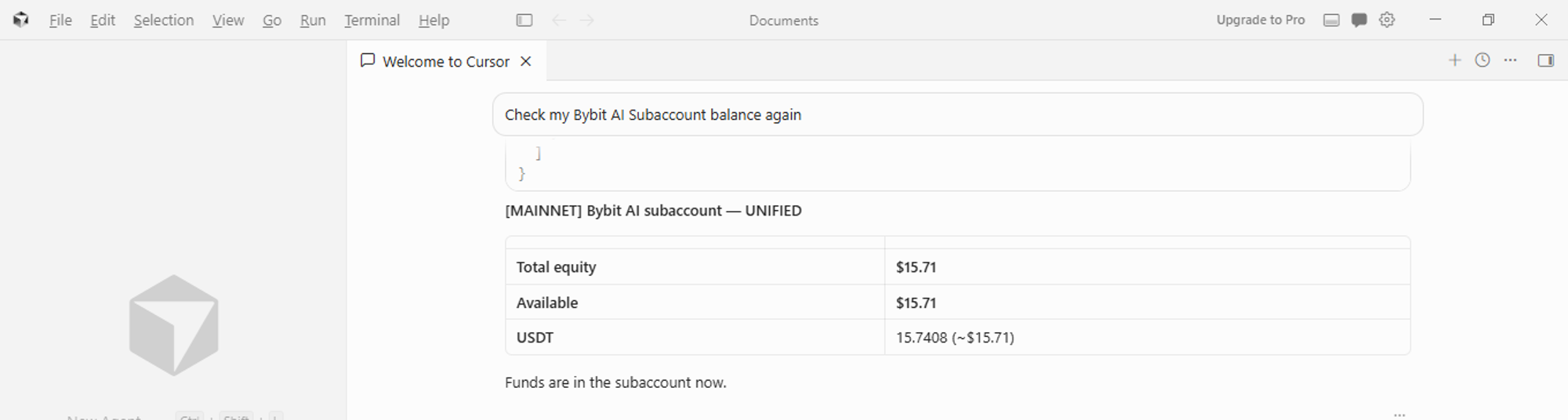
Step 3: Monitor and verify your trade execution
Check the order execution status through issuing a natural language prompt to your AI assistant.
The bottom line
Getting your first trade executed through a Bybit AI subaccount comes down to three steps: funding your subaccount, sending a clear natural language instruction and checking the result. Additionally, the limits built into the account type, the $5,000 cap, disabled withdrawals and main-account permission controls, help limit the damage from a single bad prompt.
#LearnWithBybit
Grab Up to 100 USDT in Rewards
Also, enjoy 555% APR on Bybit Earn products!