What is the Bybit AI Subaccount?: A beginner's guide
AI Summary
Show More
Quickly grasp the article's content and gauge market sentiment in just 30 seconds!
AI-powered trading agents have moved from experimental tooling to a practical reality for retail traders, with major exchanges now building dedicated infrastructure to accommodate them. Bybit has responded with a purpose-built account type, the AI Subaccount, designed specifically for AI agents to execute trades through API access. Authentication works through the OAuth standard with an easy Copy & Connect mechanism that allows your AI assistant to create your Subaccount. Withdrawals are disabled by default and asset exposure is capped at $5,000 unless you change this amount.
In this article, we describe the AI Subaccount and show you how it differs from a regular Bybit Subaccount, how to authenticate it and how to set it up on both the web and the Bybit App.
Key Takeaways:
The Bybit AI Subaccount is a purpose-built, API-only account type that isolates AI agent activity from your primary funds and other Subaccounts.
Authentication relies on the OAuth framework, with a Subaccount created directly by your AI agent. API keys expire every 90 days by default.
Asset exposure is capped at $5,000 by default, with granular permission controls managed from the parent account.
What is the Bybit AI Subaccount?
The Bybit AI Subaccount is a segregated account type designed exclusively for AI assistants to interact with the exchange on your behalf via API. Whereas a Standard Subaccount is a trading environment a human can log into directly to execute trades, the AI Subaccount’s activity is driven by your linked AI assistant. There’s no password-based login, and no in-app account switching into it.
AI agents authenticate through the OAuth connection, rather than via login credentials, which changes the security model significantly. All trades, transfers and activity generated by the connected agent stay within the Subaccount’s isolated environment, with no capability to move assets into your Main Account (or other Subaccounts) without explicit permission. Bybit treats the AI agent as a separate, bounded identity, rather than an extension of the account holder.
How does it differ from a regular Subaccount?
The core difference between a Standard Subaccount and an AI Subaccount depends upon whom the account is built for and how access is granted.
Feature | Standard Subaccount | AI Subaccount |
Authentication | Username and password | Via OAuth authentication |
Login access | Direct login supported | API-only; no login access |
In-app switching | Supported | Available at the end of July |
Default asset cap | None | $5,000 |
Withdrawals | Configurable | Disabled by default |
Designed for | Human-operated trading | AI agent execution |
Why use an AI Subaccount?
Separation of funds from your Main Account. The AI Subaccount operates in a ringfenced environment, meaning that your primary holdings and other Subaccounts are never exposed to agent activity.
Built-in cap limits. By default, the Subaccount is capped at $5,000, limiting your maximum exposure if an agent misfires or a strategy goes wrong.
Granular permission controls. You control exactly what the agent can do, including transfer direction, leverage limits and TP/SL settings, all managed from the parent account.
No need to share Main Account credentials. The agent authenticates through an OAuth connection, rather than your login details, and keeps your primary account credentials separate.
90-day API key expiration for security. Keys generated for the Subaccount expire every 90 days by default. This forces regular credential rotation and reduces stale access risk.
Compatible with multiple AI assistants. You can connect different agents, such as OpenClaw, Claude Code and Cursor, to separate AI Subaccounts without overlap.
Which AI assistants are supported?
Bybit supports AI Subaccounts linked to OpenClaw, Claude Code, ChatGPT, Gemini and Cursor, to name just the major ones. Any AI tool capable of API integration can also be connected.
How authentication works
Get the setup command from Bybit. After creating your AI Subaccount, Bybit provides a command to send to your AI assistant.
The AI assistant reads the command and establishes an OAuth connection. The assistant processes the command, connects to Bybit and offers you a choice to create a new AI Subaccount or use an existing one if you have previously created it.
Keys expire every 90 days by default. Advanced settings, such as IP whitelisting, are available on the web platform.
How to create an AI Subaccount on the web
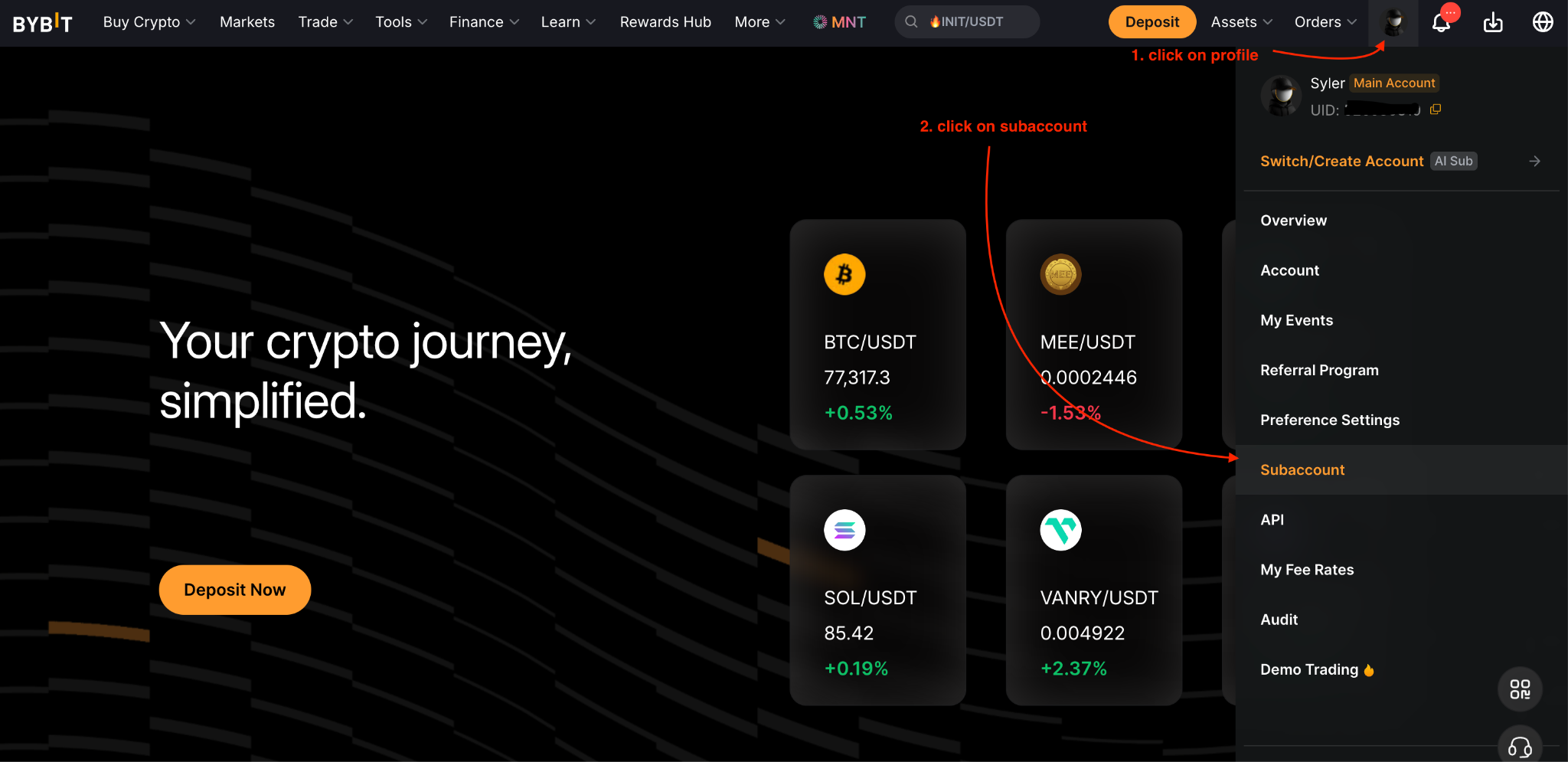
Step 1: Create your AI Subaccount by going to your Profile icon (on the Bybit homepage) → Subaccount → Create Subaccount on your Subaccount Management page.
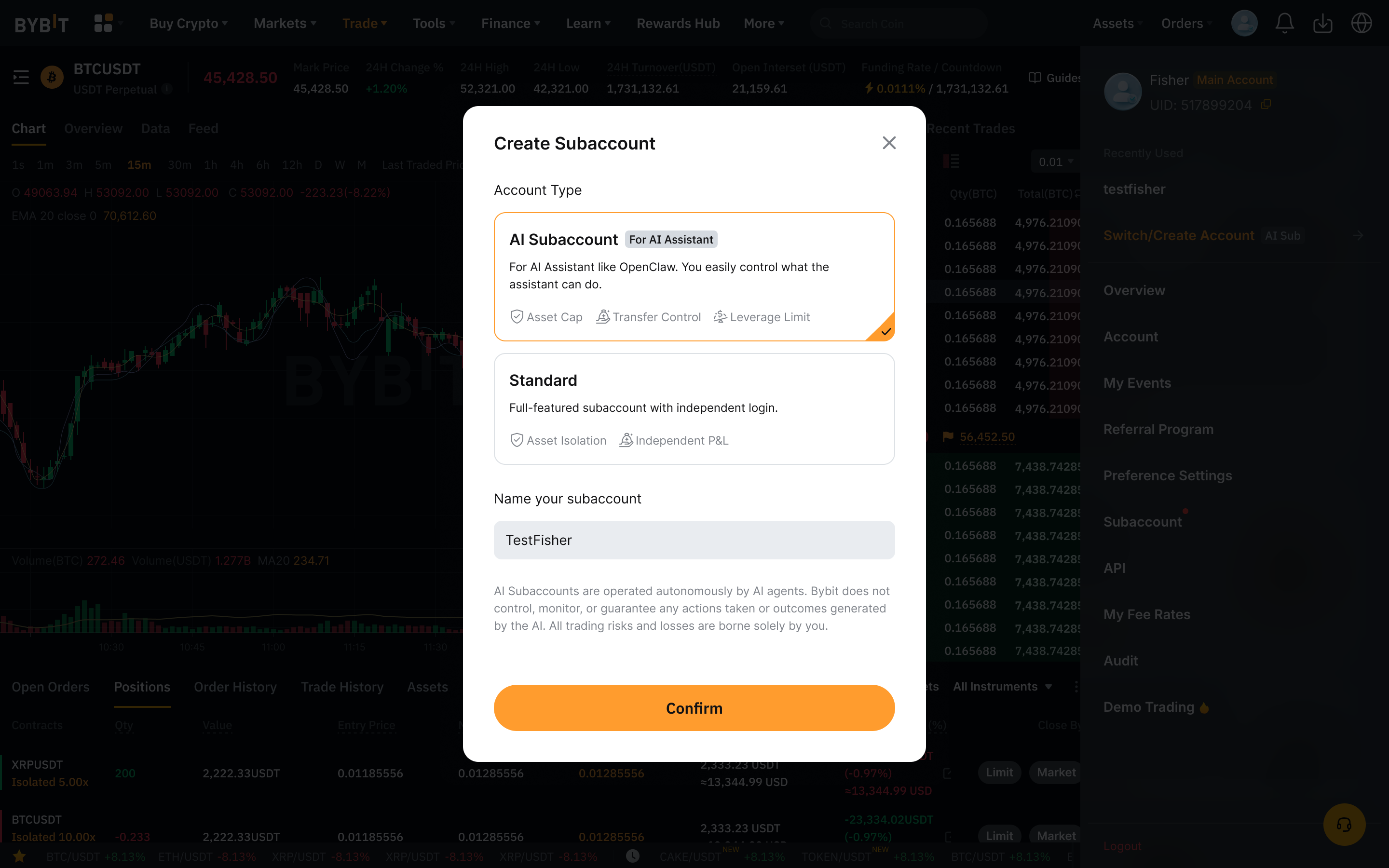
Step 2: Choose AI Subaccount for the account type to create.
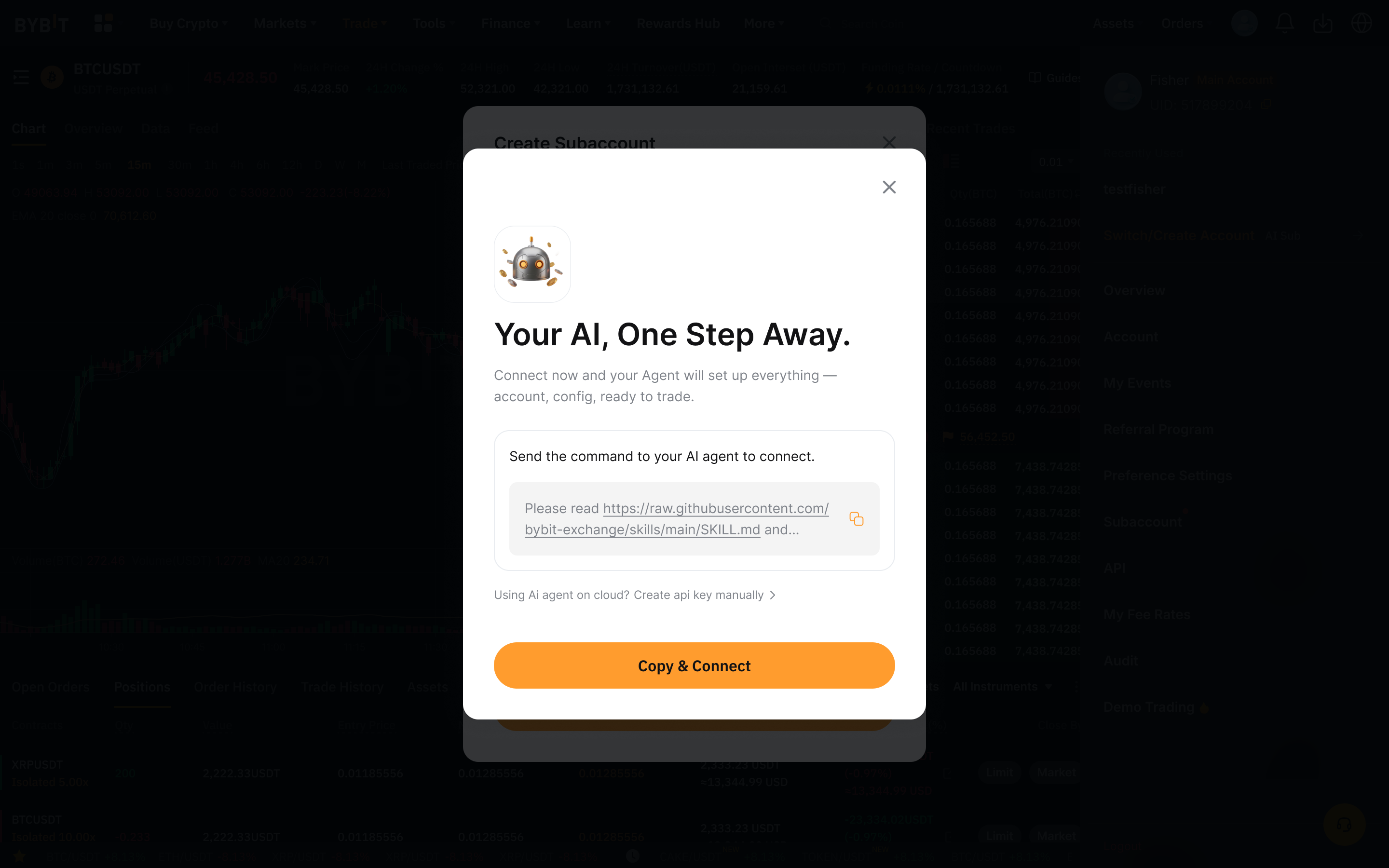
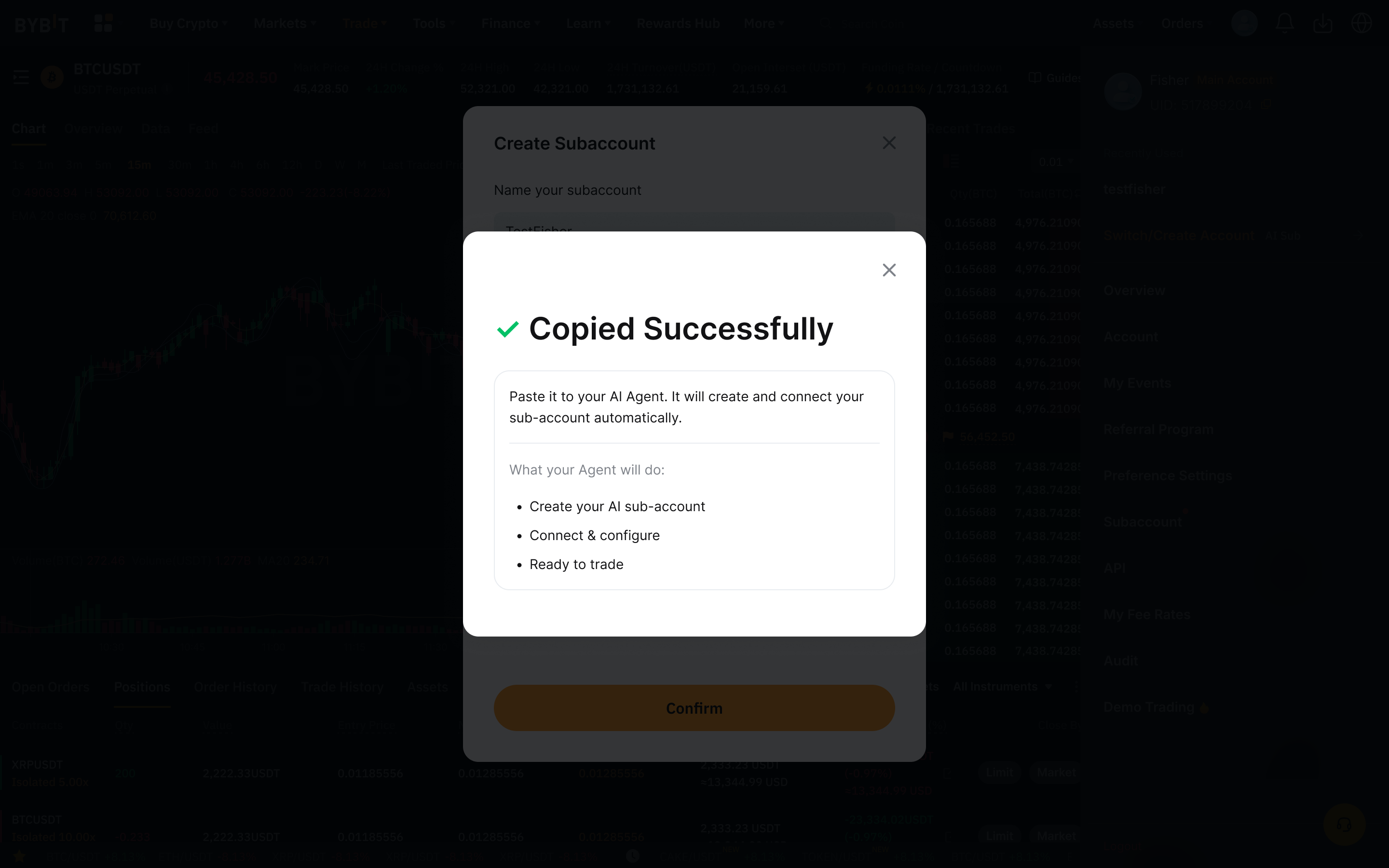
Step 3: Copy the instruction message displayed. You will see a confirmation message once the text is successfully copied.
Step 4: Paste the copied instruction message into your AI tool. Your AI assistant will use these instructions to establish an OAuth connection and create your AI Subaccount. If you already have existing AI Subaccounts, the assistant may offer you the option to use one of those instead.
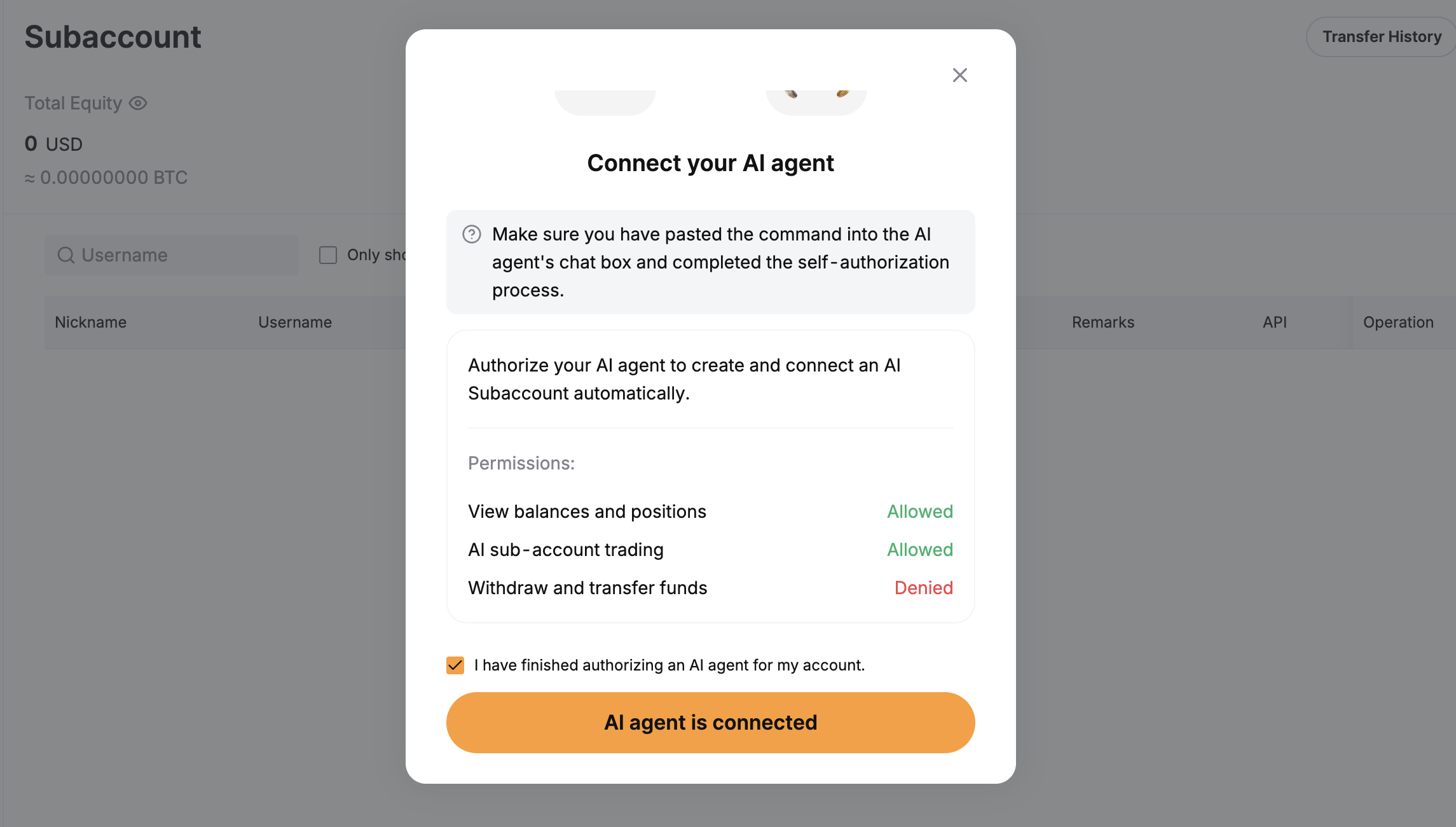
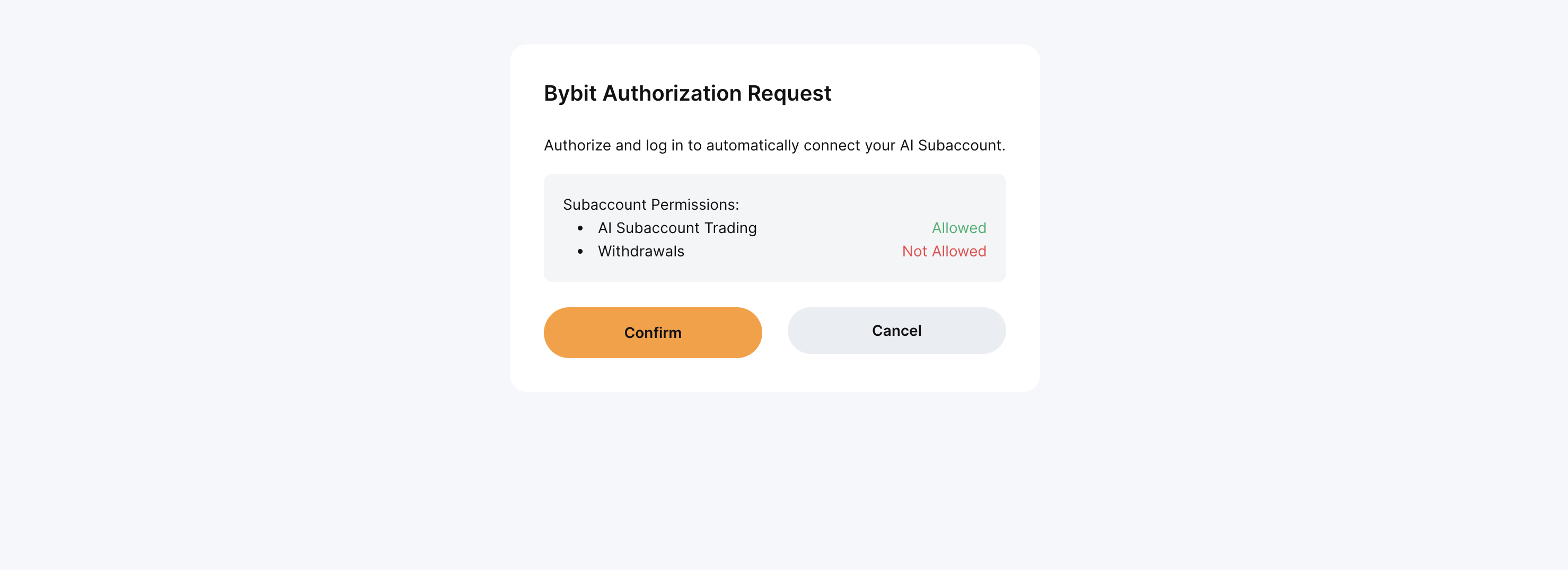
Step 5: An authorization request window will open in your browser to authorize the OAuth connection. It is normally triggered by your AI agent. Click on Confirm to authorize the request.
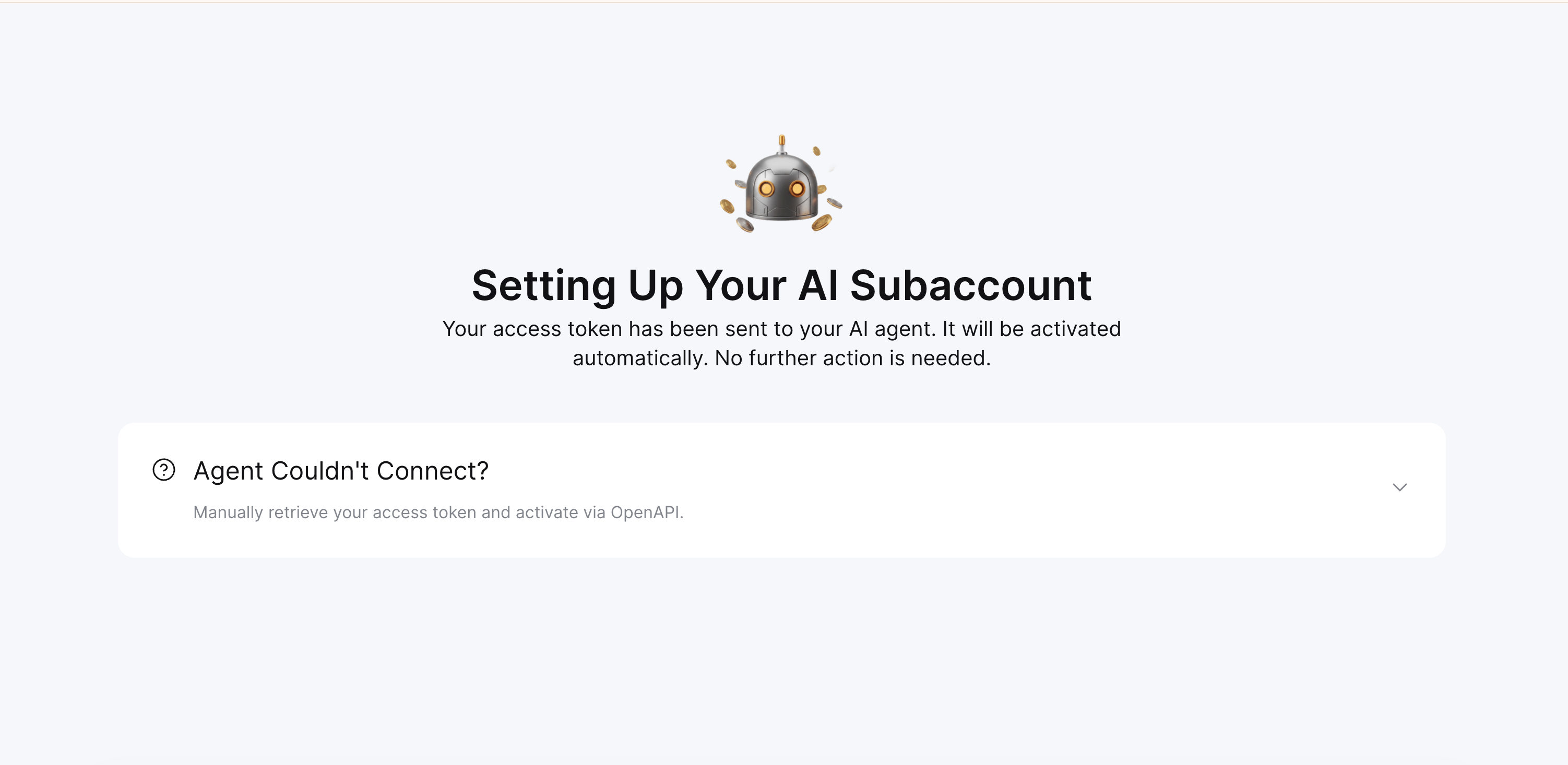
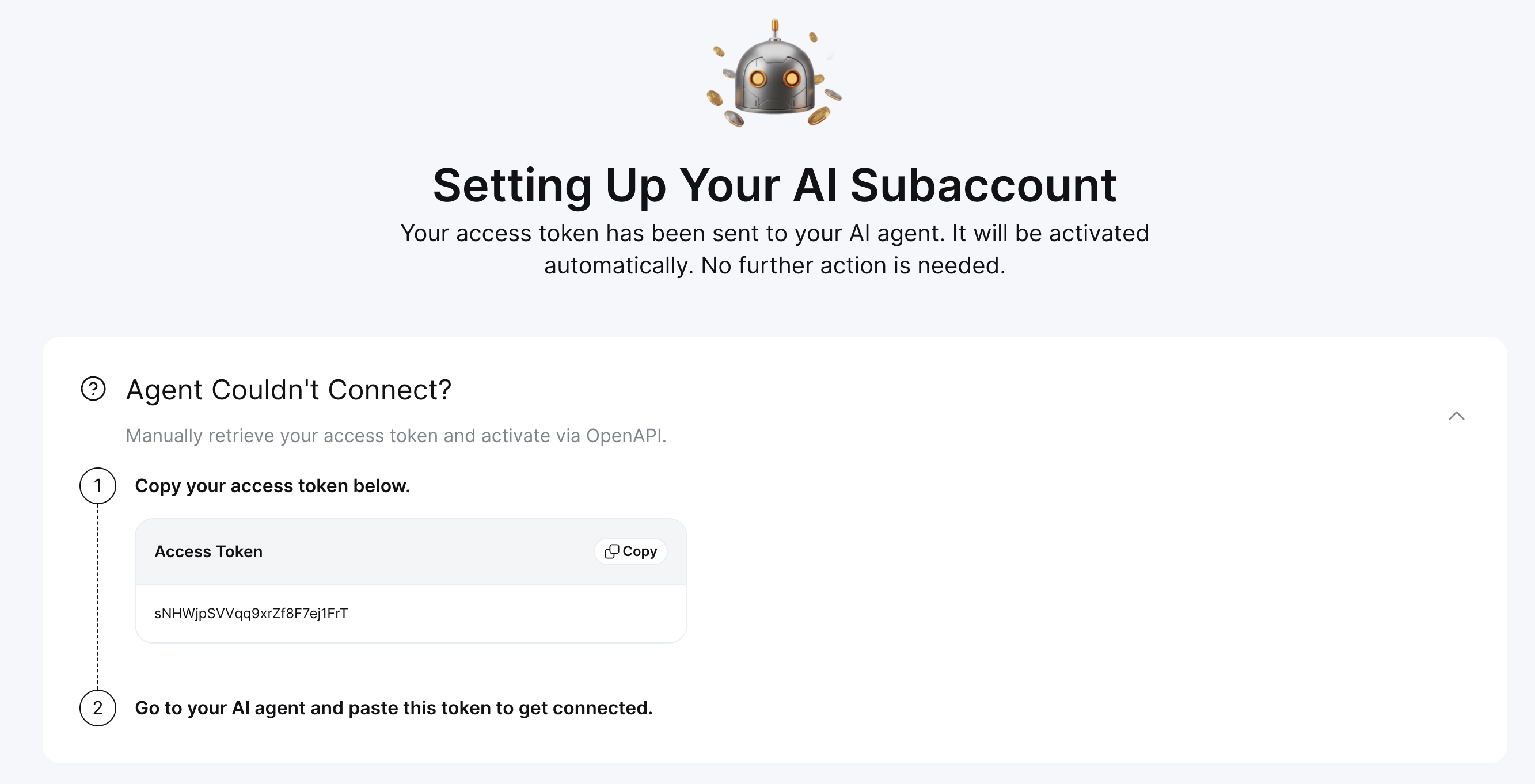
Step 6: If you have problems establishing the connection, Bybit will offer you the option to manually retrieve your access token. Copy the access token and provide it to your AI assistant to establish the connection.
Step 7: You are now ready to trade using your AI agent.
Understanding permissions
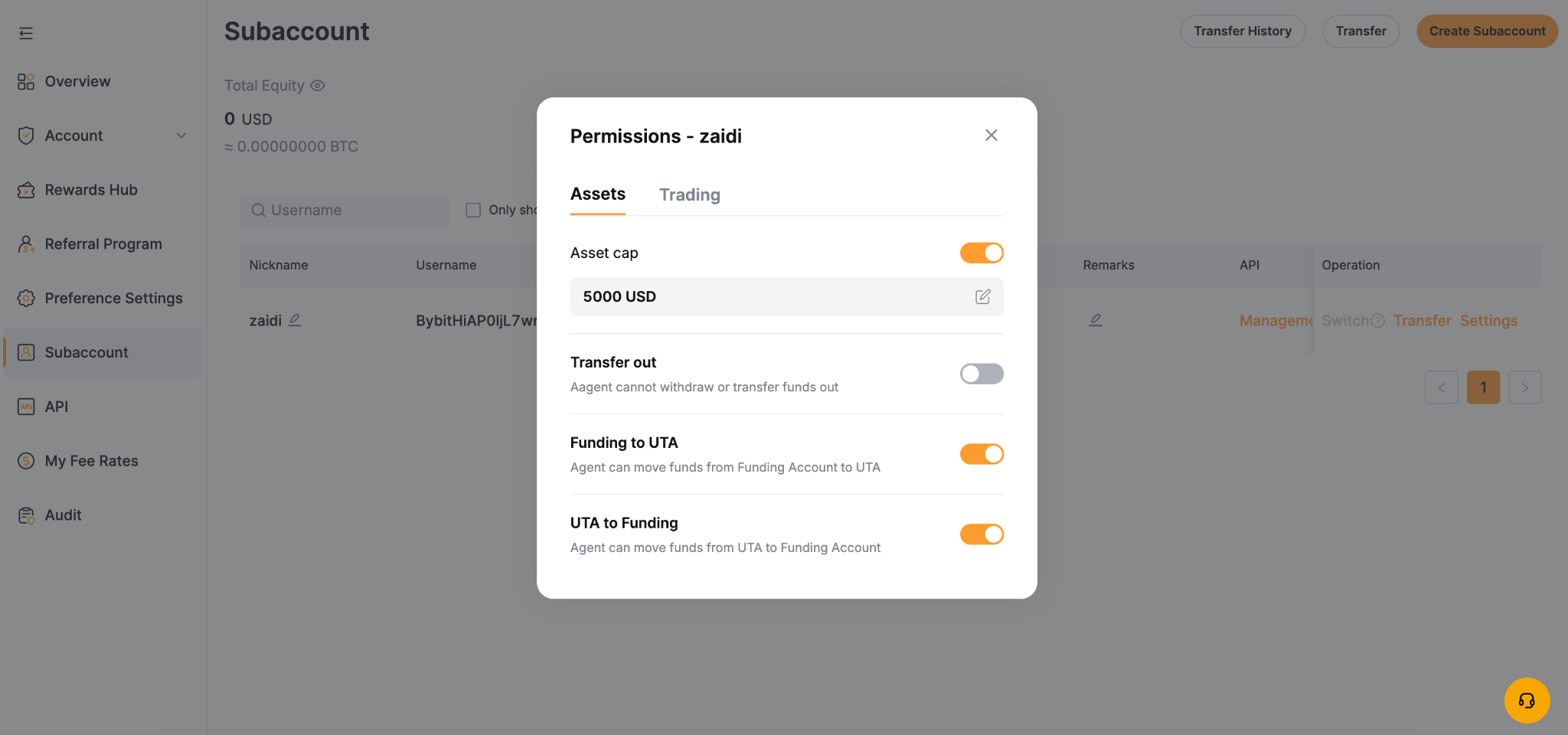
Permissions are managed from your Main Account via the Subaccount Management page.
The table below outlines the functionality of these permissions:
Category | Permissions | When enabled |
Asset | Request Transfer In | The AI assistant can request funds from your Main Account |
| Cap limit | Set a cap on the maximum funds the AI Subaccount can hold. The cap limit is set at $5,000 by default. You may adjust it based on your preferences and risk management needs. |
| Request transfer out | The AI assistant can transfer funds out to your Main Account |
| Move from trading | The AI assistant can transfer funds from your UTA to your Funding Account |
| Move from Funding | The AI assistant can transfer funds from your Funding Account to your UTA |
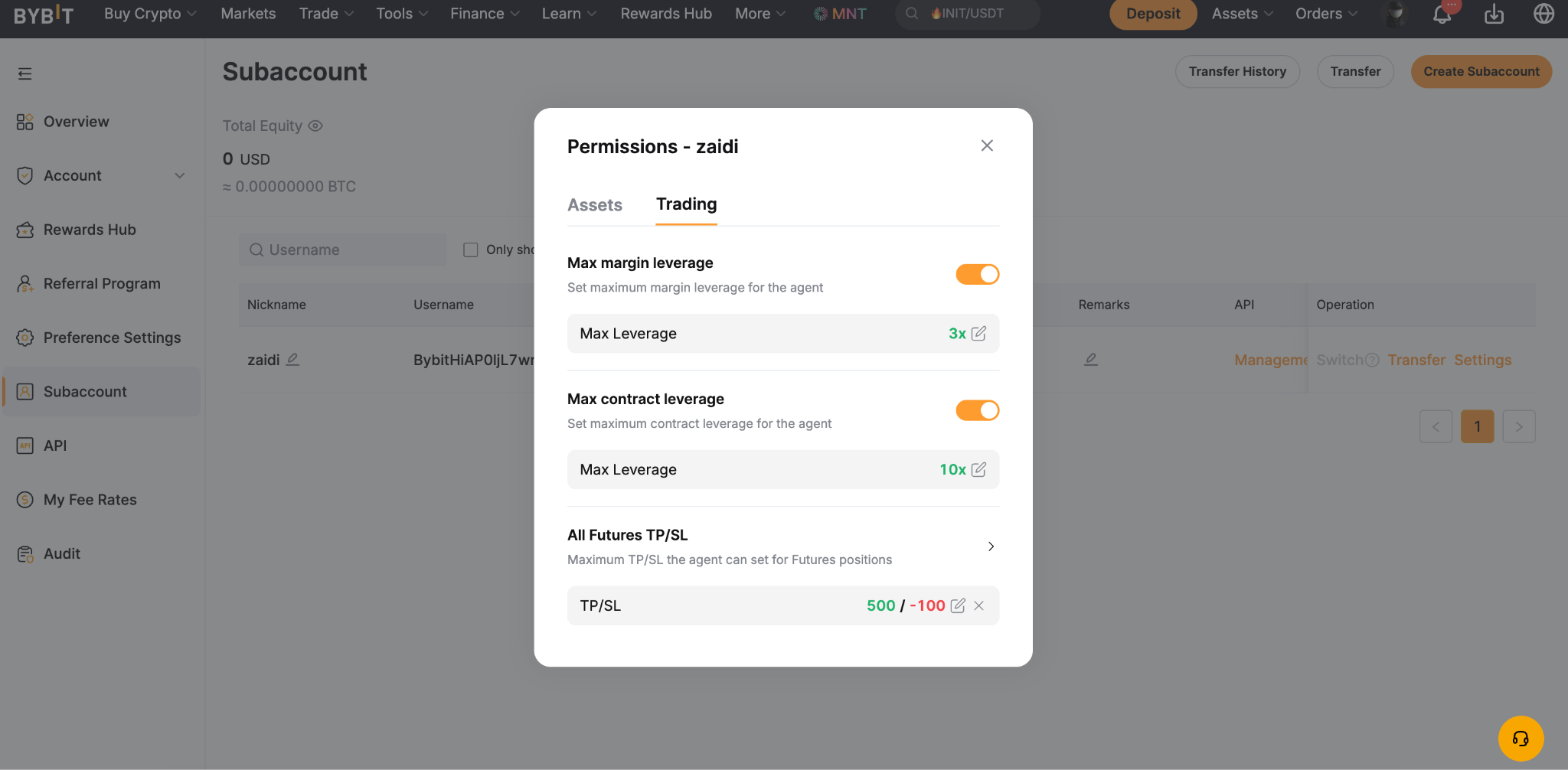
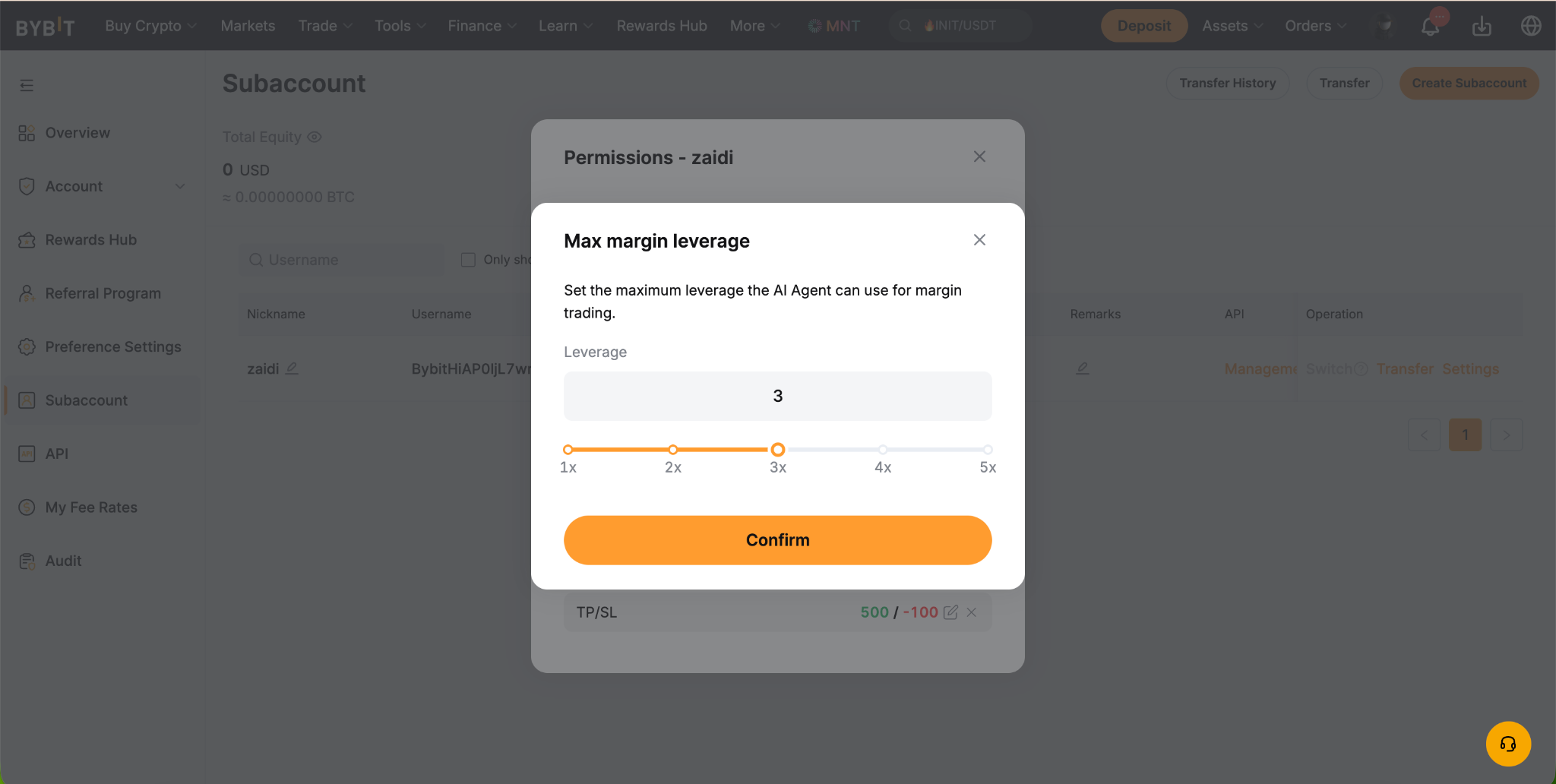
Trading | Max margin leverage | The AI assistant can use the maximum margin leverage |
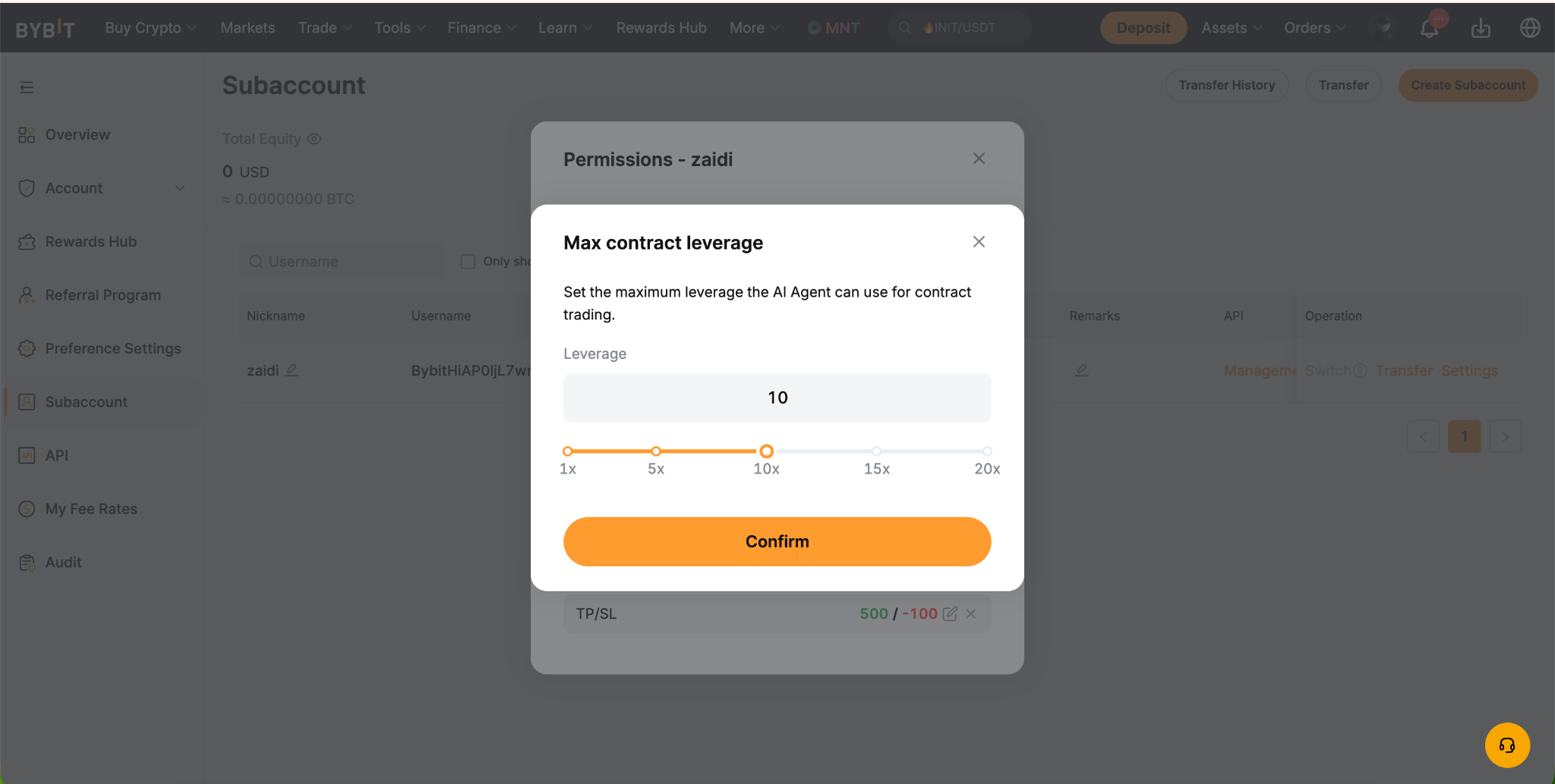
| Max contract leverage | The AI assistant can use the maximum contract leverage |
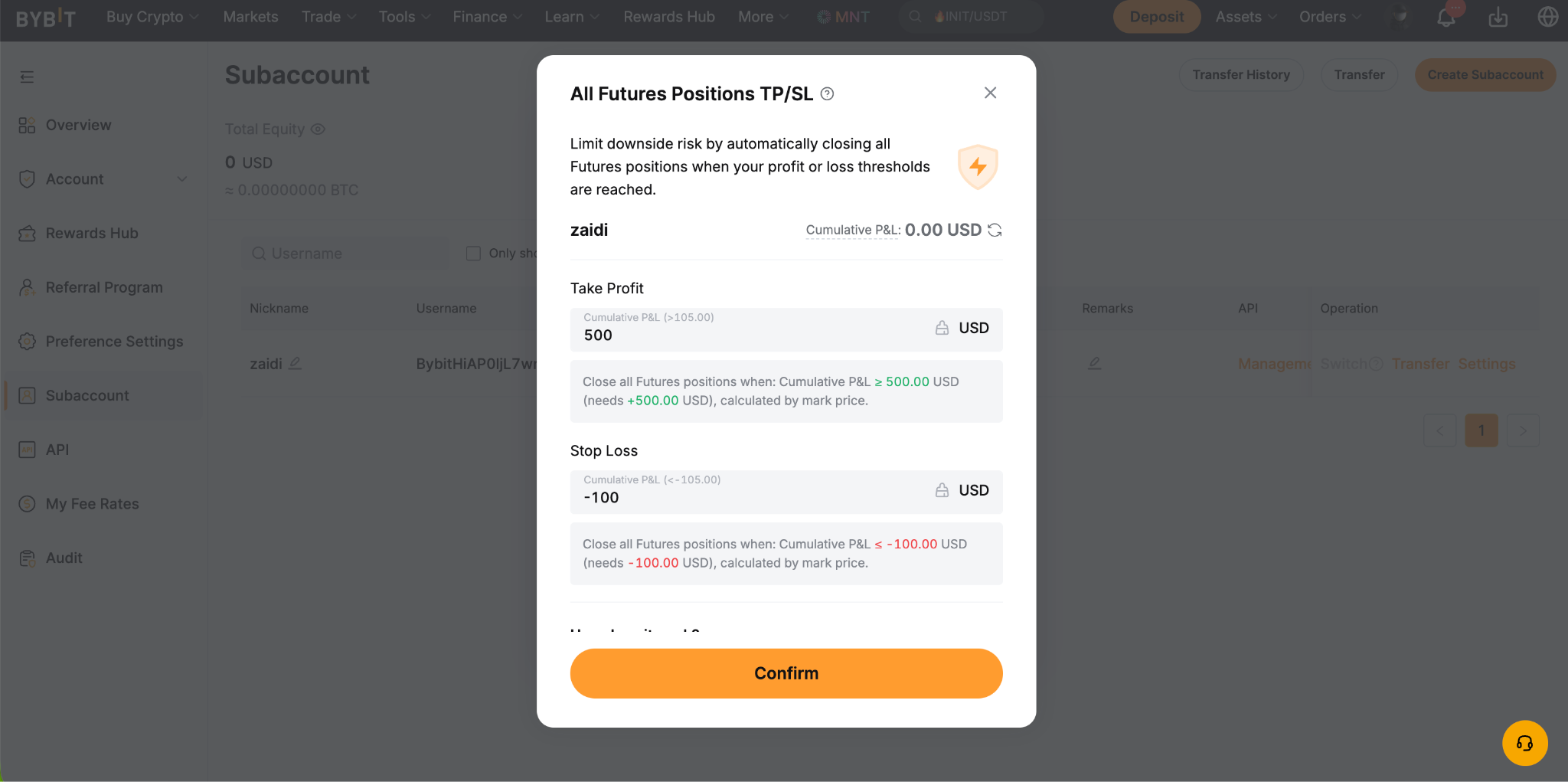
| All Futures TP/SL (coming soon) | Set the maximum Take Profit/Stop Loss for all futures positions |
Asset permissions control your trading cap and the flow of funds between your Subaccount’s Unified Trading Account (UTA) and Funding Account.
Trading permissions control whether the AI assistant can place and manage trades.
TP/SL permissions set a maximum Take Profit/Stop Loss across all Futures positions.
Contract leverage sets the maximum leverage permitted on contract positions.
Max margin leverage sets the upper bound on margin leverage the assistant can apply.
How to create an AI Subaccount on the App
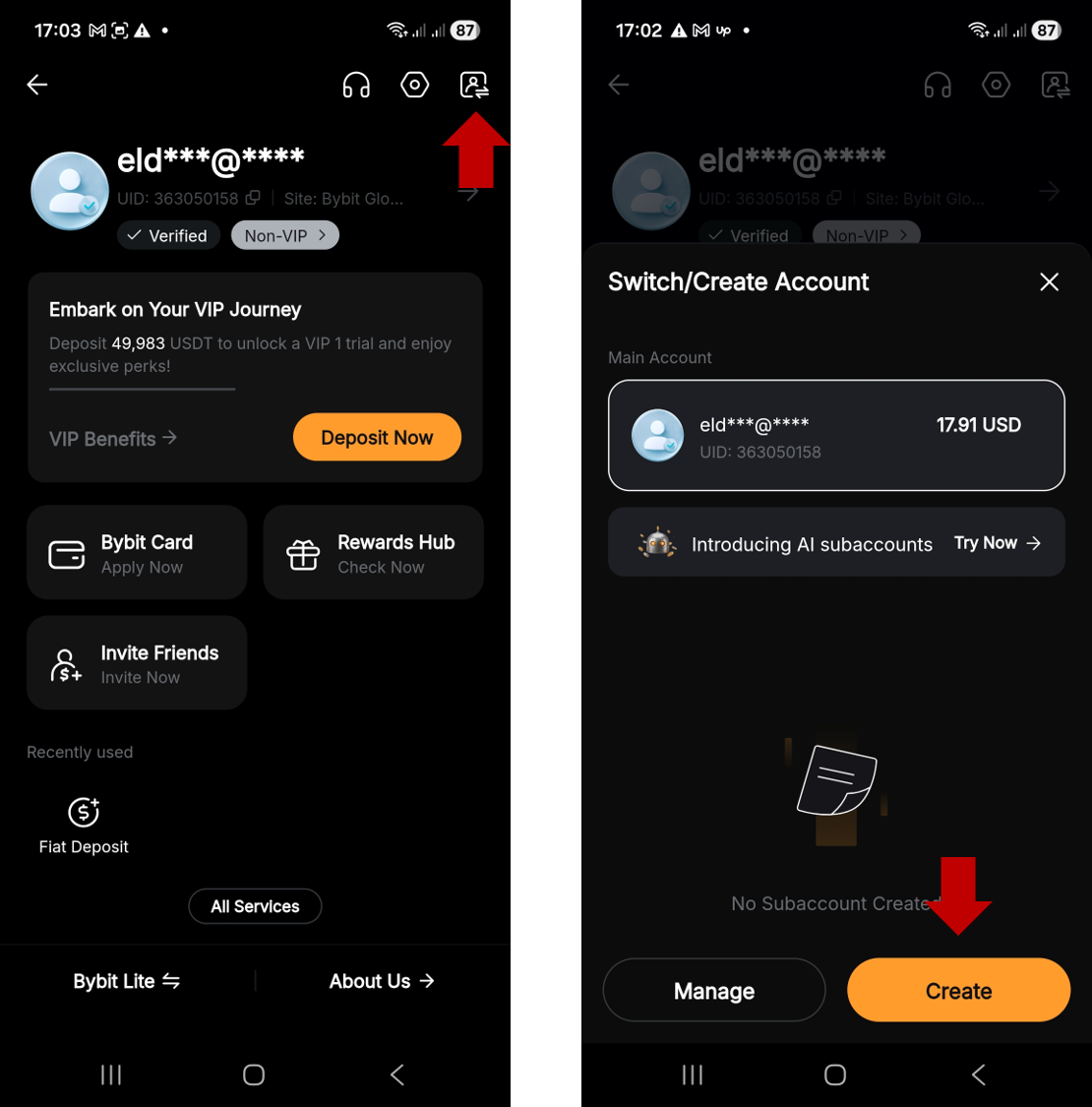
Step 1: On the Bybit App homescreen, tap on your Profile icon in the top-left corner, then tap on the Account switch icon and tap on Create.
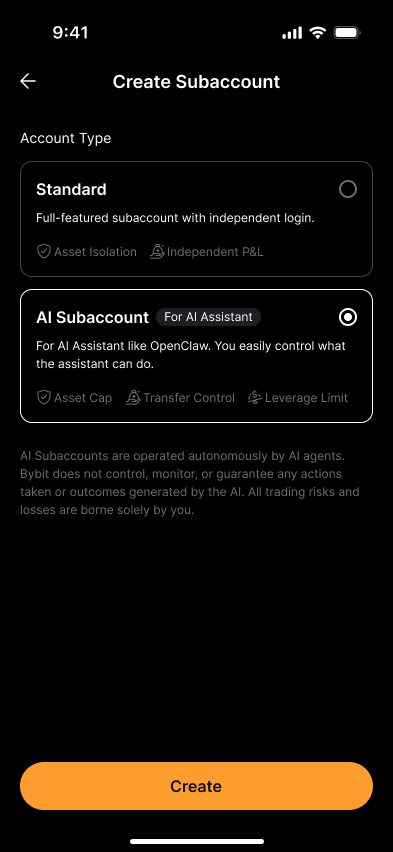
Step 2: Select AI Subaccount, then tap on Create.
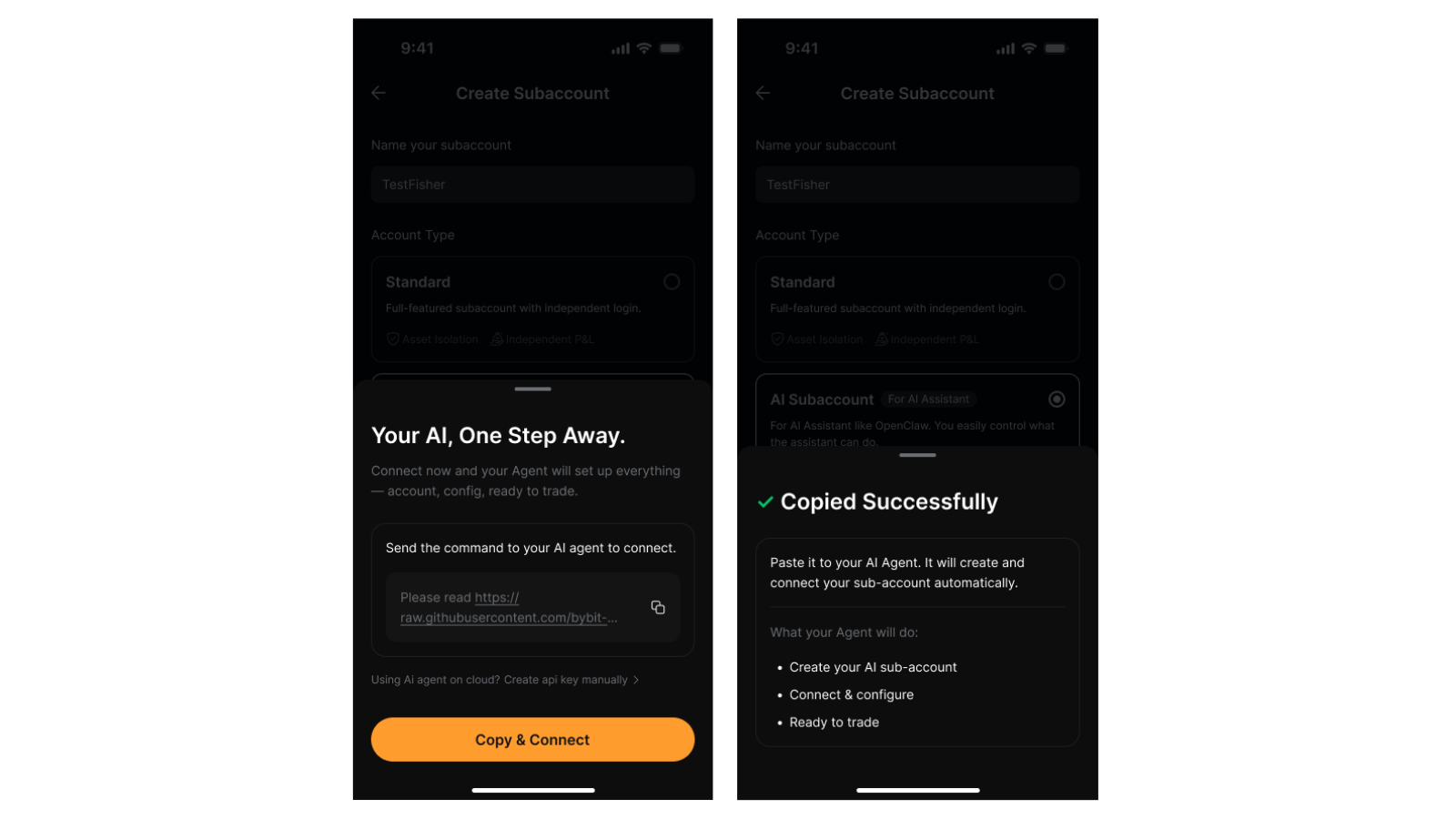
Step 3: Copy the instruction message for your AI assistant and tap on Copy & Connect. You will see a message confirming that you have successfully copied the instruction.
Step 4: Tap on Authorize to Connect.
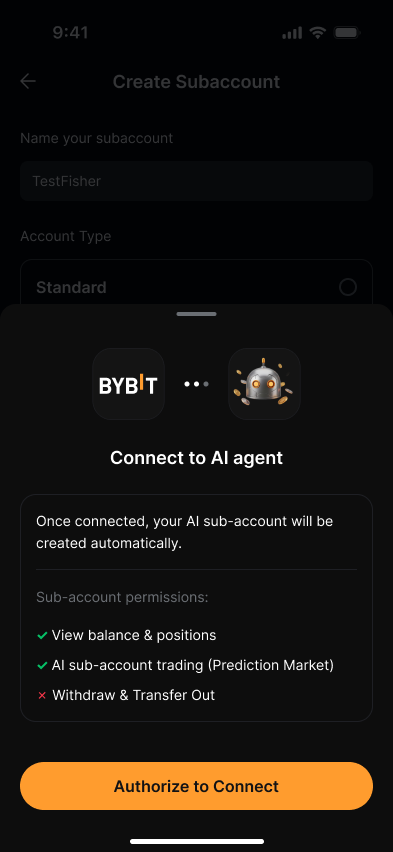
Step 5: Provide the instruction message to your AI assistant in order to finish the setup. Your AI agent will connect to Bybit and create your AI Subaccount. If you already have existing AI Subaccounts, it might also offer you the option to use one of those.
The bottom line
The Bybit AI Subaccount gives you a flexible way to integrate AI trading agents without exposing your full portfolio. Its default $5,000 asset cap, 90-day key expiration, disabled withdrawals and parent-account permission controls form a layered containment system in which you define the risk limits. For traders considering AI-assisted strategies, this account type serves as a great starting point.
#LearnWithBybit
Grab Up to 100 USDT in Rewards
Also, enjoy 555% APR on Bybit Earn products!