How to Complete Catizen Tasks for the Bybit Web3 TON Tournament
AI Summary
Show More
Quickly grasp the article's content and gauge market sentiment in just 30 seconds!
In this tutorial, we’ll show you how you can complete a series of tasks on Catizen for the Bybit Web3 TON Tournament, such as following Catizen’s X page, subscribing to its Telegram channel, reposting the event post, playing the Catizen game and completing your Bybit Wallet check-in on Catizen.

Task 1: Follow Catizen’s X Page
Step 1: Navigate to Catizen’s X page.
Step 2: Click on the Follow button.
Task 2: Subscribe to Catizen’s Telegram Channel
Step 1: Search for Catizen on Telegram.
Step 2: Tap on Start.
Task 3: Retweet the Event Post on X
Step 1: Navigate to the event post on X.
Step 2: Click on the “retweet” icon to repost the event post on X.
Task 4: Play the Catizen Game
Step 1: Click on the corresponding Start button of the Play Game task on the Bybit Web3 TON Tournament page, and you’ll be redirected to the game in Telegram.
Step 2: Tap Start and Play game to successfully complete this task.
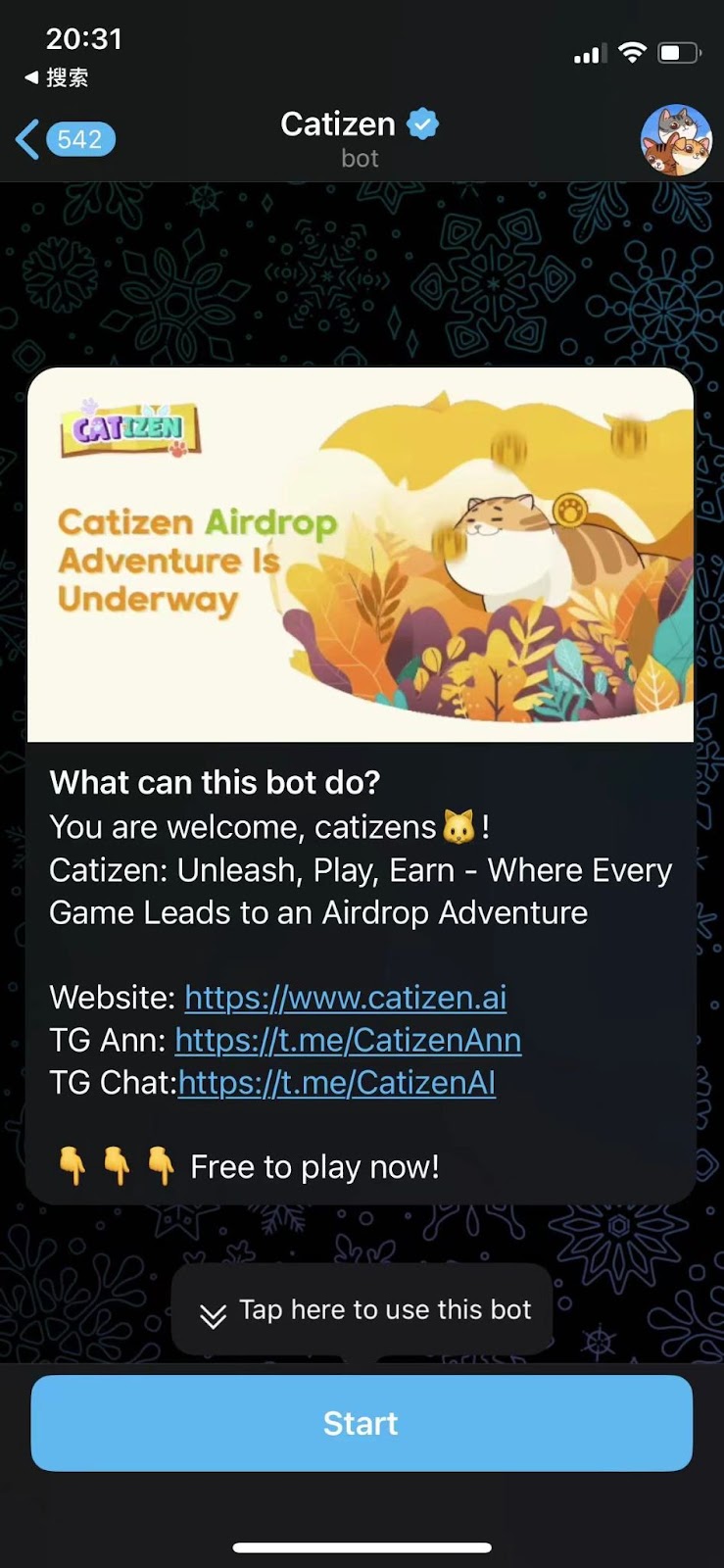
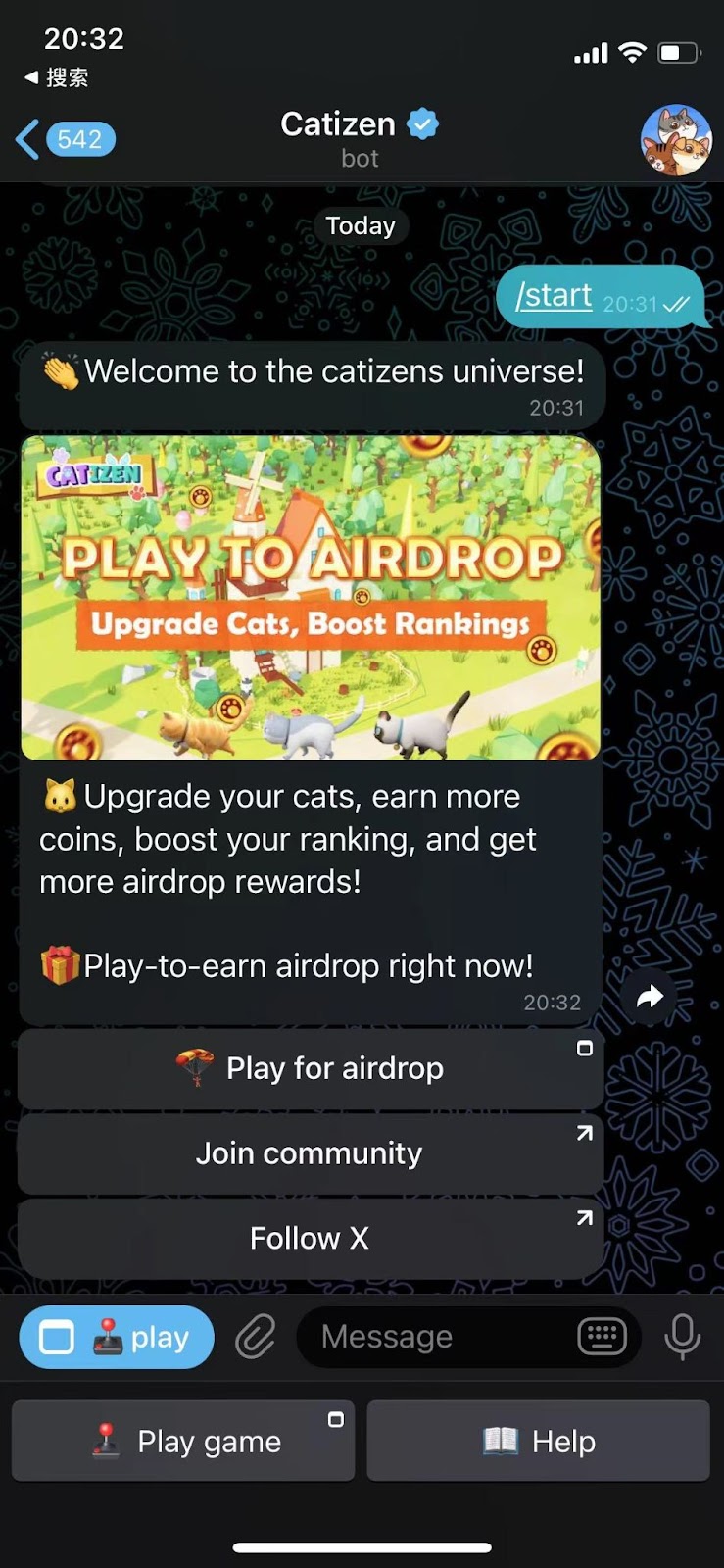
Task 5: Complete Bybit Wallet Check-In on Catizen
Step 1: Play the Catizen game and level up your cats to Level 5 by combining same-level cats. You can do this by dragging one cat’s image over another’s.
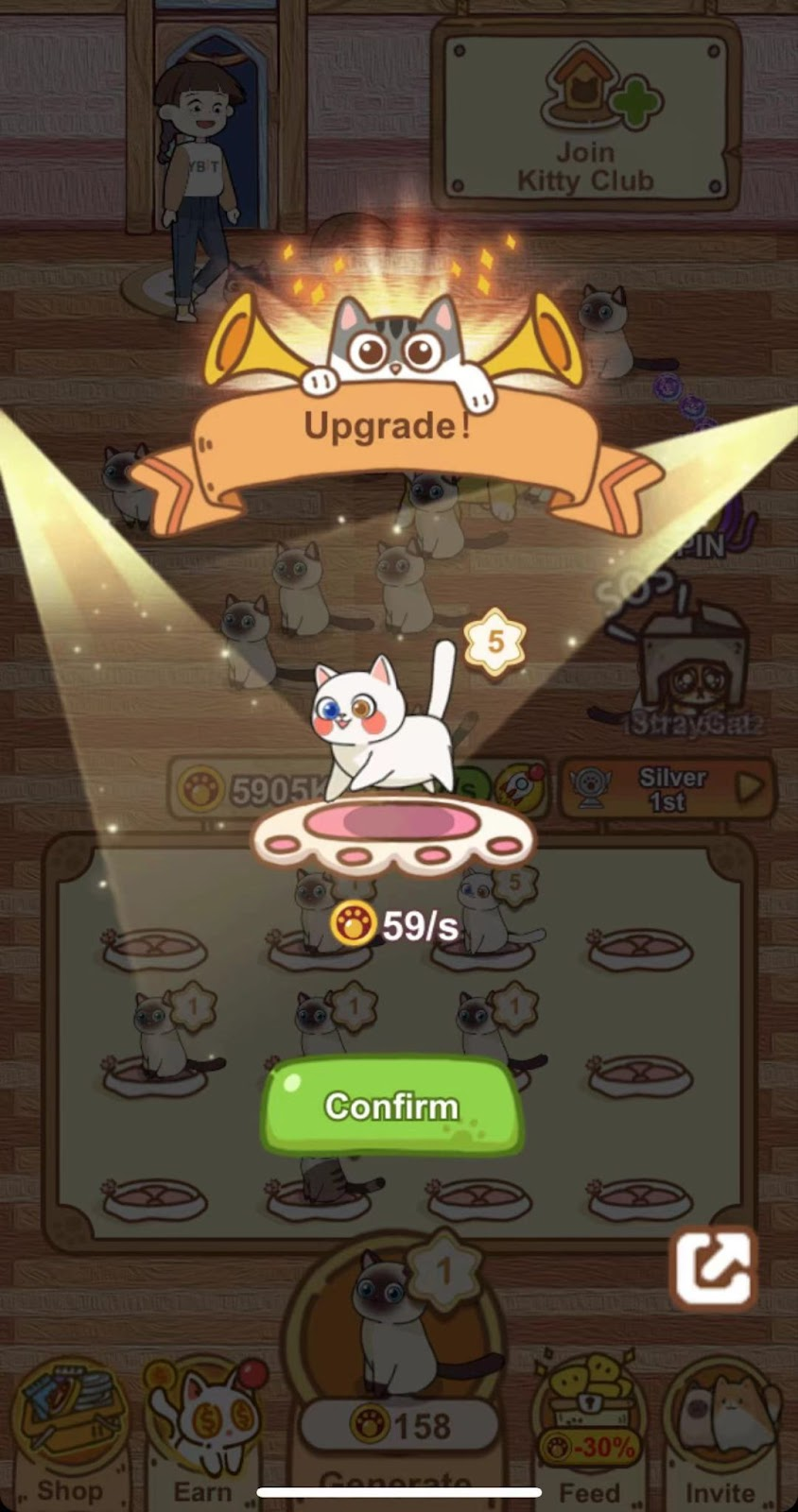
Step 2: Once you’ve reached Level 5, tap on the Earn button.
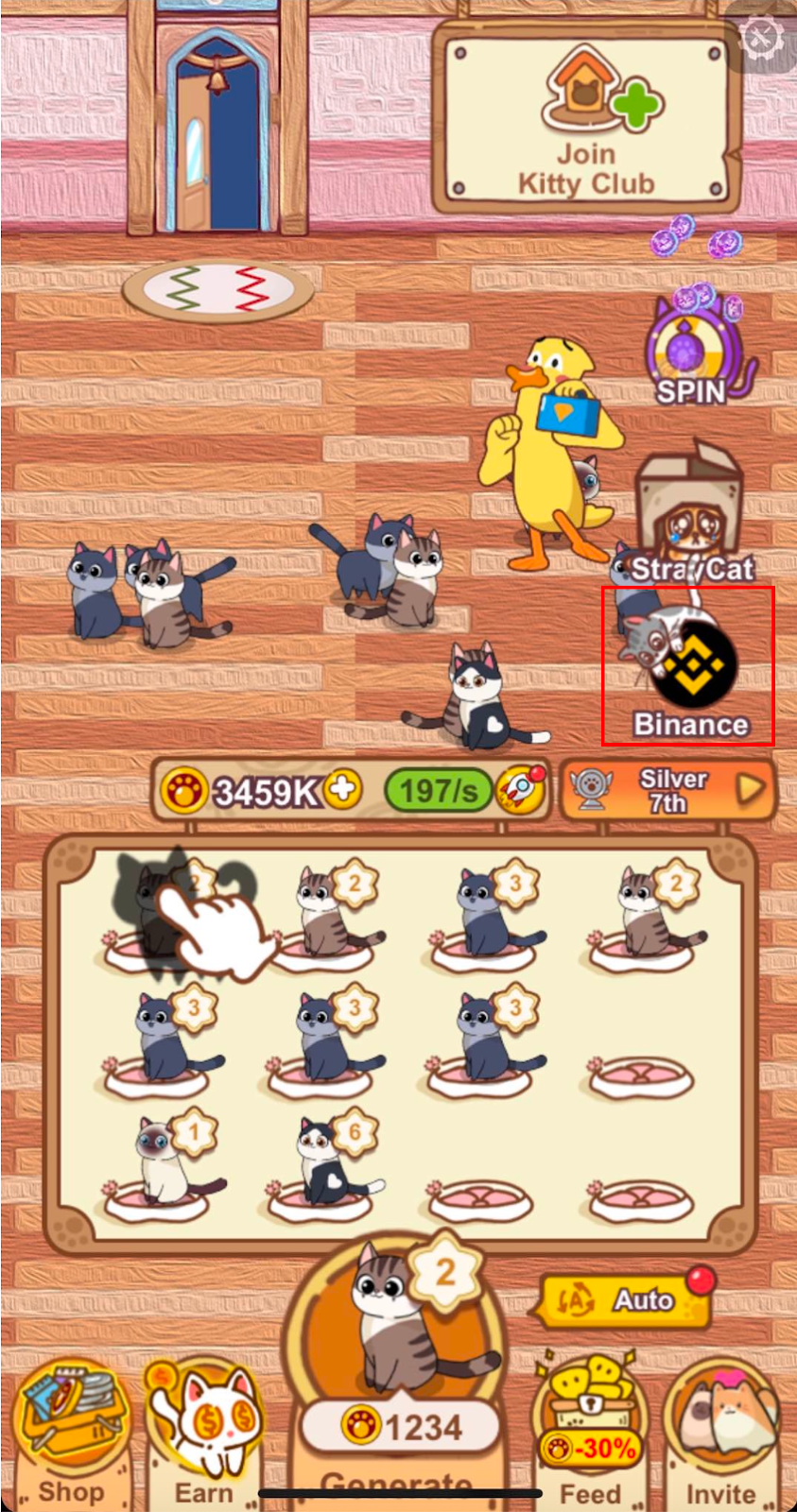
Step 3: Tap on the Go button of the Bybit Wallet Check-In task. Please note that a gas fee is required to complete the task. You’ll then be redirected to the Bybit App, where you can sign off the connection.
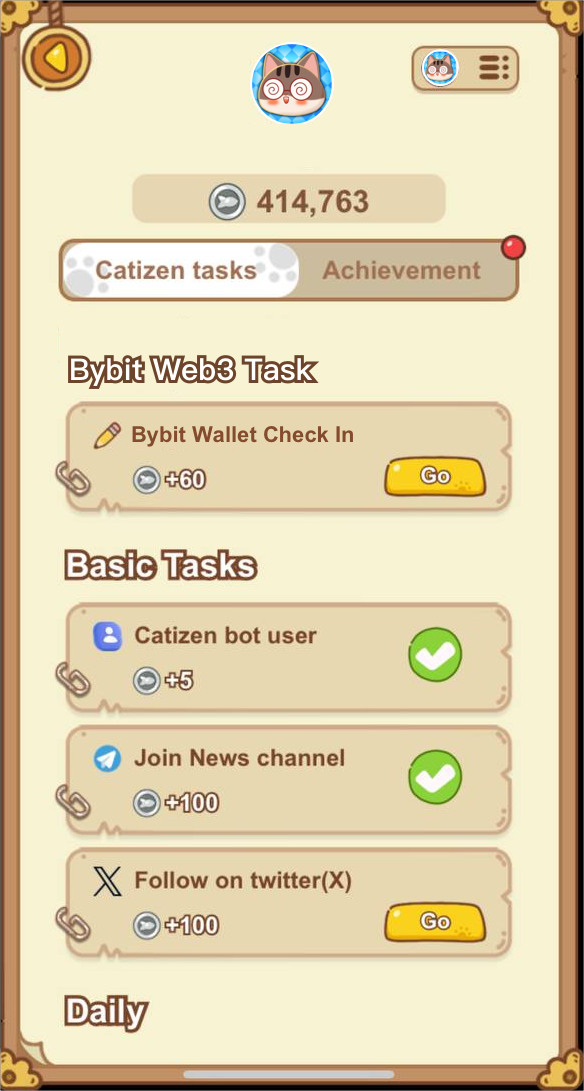
Step 4: Once done, you’ll have earned 60 Fish Coin rewards for the successful completion of this task.
#LearnWithBybit
Grab Up to 100 USDT in Rewards
Also, enjoy 555% APR on Bybit Earn products!