How to Complete MomoAI Tasks for the Bybit Web3 TON Tournament
AI Summary
Show More
Quickly grasp the article's content and gauge market sentiment in just 30 seconds!
In this tutorial, we’ll show you how you can complete a series of tasks on MomoAI for the Bybit Web3 TON Tournament, such as starting an account on MomoAI and playing the Kiwi Tree game.

Step 1: Search for MomoAI on Telegram and tap on Start. Then, tap on the App button at the bottom left.
Step 2: Tap on Play for airdrop, then tap on Launch.
Note: If you’re a new user, the invitation code will be filled in automatically. When you tap on Connecting now, you’ll hop into the homepage.
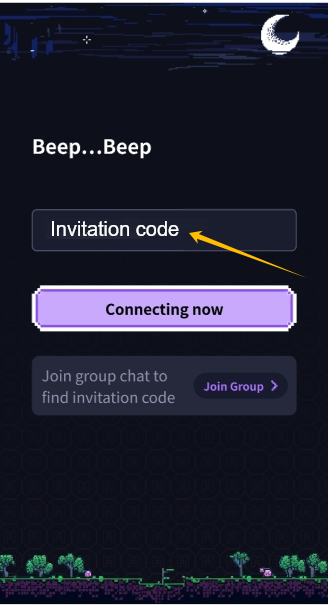
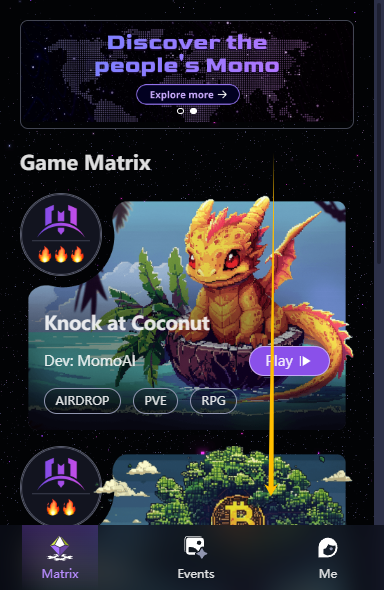
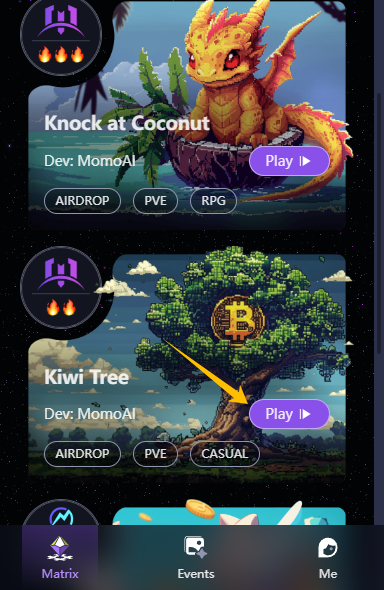
Step 3: Scroll down to find the Kiwi Tree game and tap on the Play button.
|
|
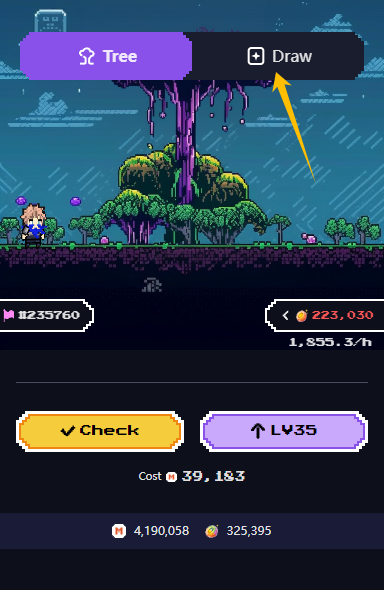
Step 4: When you’re in the game, tap on the Draw button and start the in-game draw.
|
|
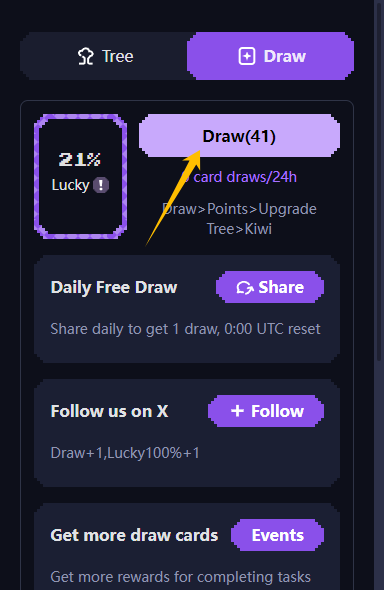
Step 5: Follow the instructions in the game to complete all of the listed tasks.
Once you’re done, you would have successfully completed MomoAI tasks for the Bybit Web3 TON Tournament!
#LearnWithBybit
Grab Up to 100 USDT in Rewards
Also, enjoy 555% APR on Bybit Earn products!