How to Complete STON.fi Tasks for the Bybit Web3 TON Tournament
AI Summary
Show More
Quickly grasp the article's content and gauge market sentiment in just 30 seconds!
In this tutorial, we’ll show you how you can complete a series of tasks on STON.fi for the Bybit Web3 TON Tournament, such as how to swap tokens on STON.fi.

Task: How to Swap Tokens on STON.fi
Step 1: Open the STON.fi app and connect your Bybit Wallet by clicking on the Connect wallet button at the top right corner of your page.
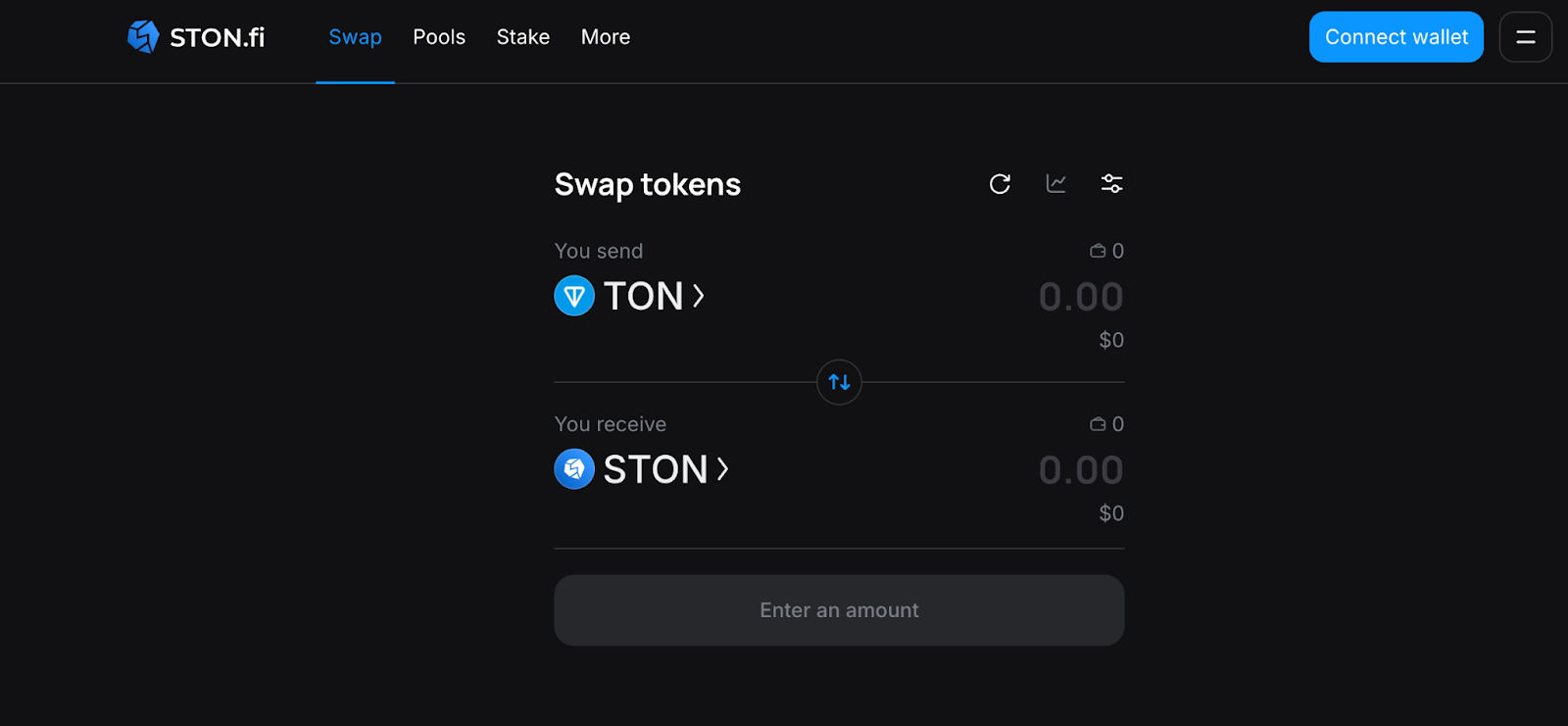
Step 2: The Swap tab should be shown by default. If not, click on the Swap tab.
Step 3: In the You Send box, select the token you want to sell. TON will be selected as the default, but if you want to select another token, simply click on TON and a window will appear. Select the token you want to sell.
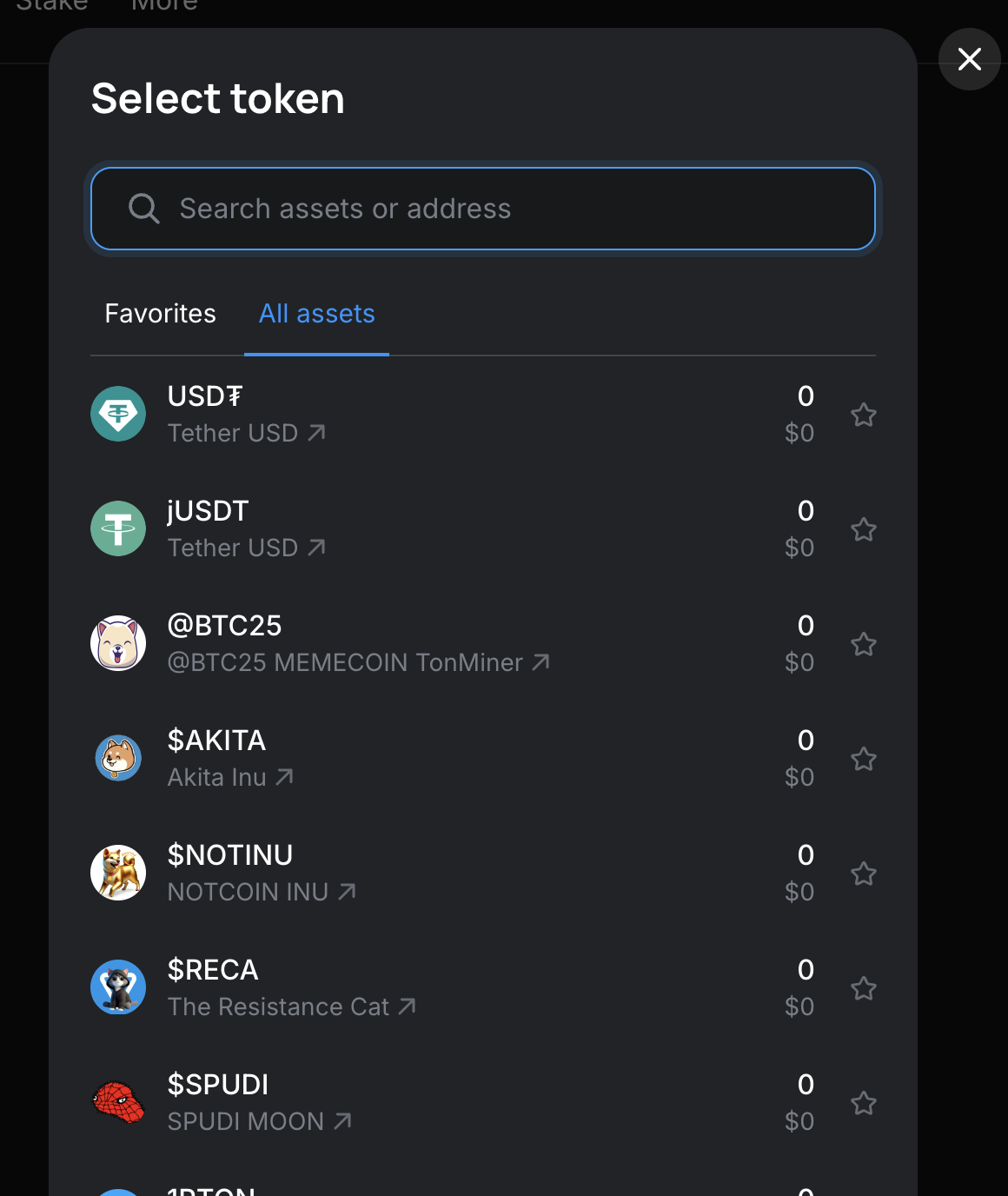
Step 4: In the You Receive box, select All Assets and specify the token you want to receive. In this example, we’ve selected STON, the token issued by STON.fi. You can select USDT (which is native to TON), or any of the TON ecosystem tokens.
Step 5: Input the quantity of tokens you’re selling (or buying). Remember, you need to have TON in your wallet to cover transaction fees.
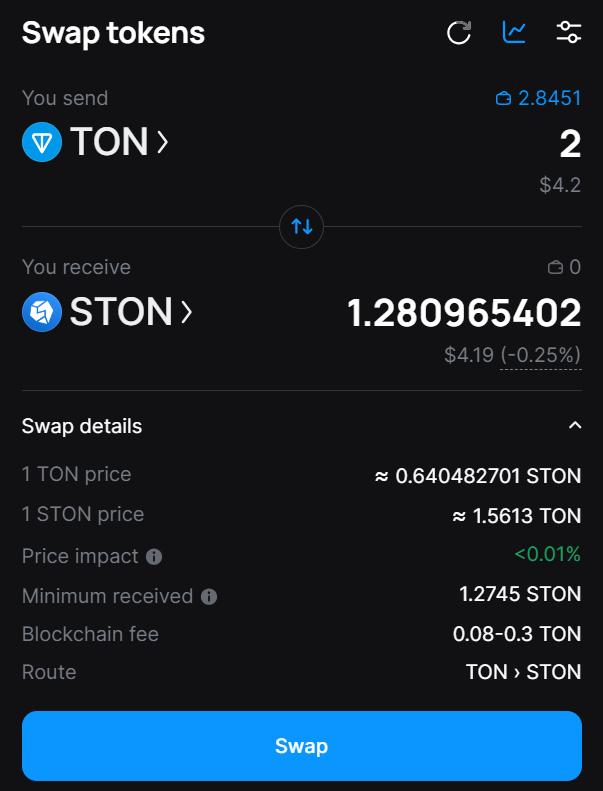
Step 6: Click on Swap. Then, verify your order details before clicking on Confirm swap.
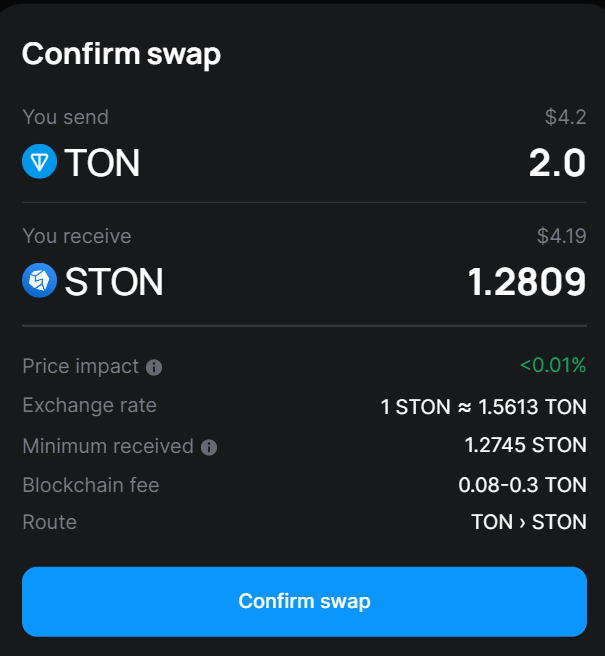
Step 7: Confirm the swap in the pop-up notification in your Bybit Wallet.
The tokens you’ve acquired will appear in your wallet in a couple of seconds. This will be visible on the main assets page.
#LearnWithBybit
Grab Up to 100 USDT in Rewards
Also, enjoy 555% APR on Bybit Earn products!