How to Complete Storm Trade Tasks for the Bybit Web3 TON Tournament
AI Summary
Show More
Quickly grasp the article's content and gauge market sentiment in just 30 seconds!
In this tutorial, we’ll show you how you can complete a series of tasks on Storm Trade for the Bybit Web3 TON Tournament, such as connecting your Bybit Wallet to Storm Trade and opening a position on Storm Trade via your Bybit Wallet.

Task 1: Connect Your Bybit Wallet to Storm Trade
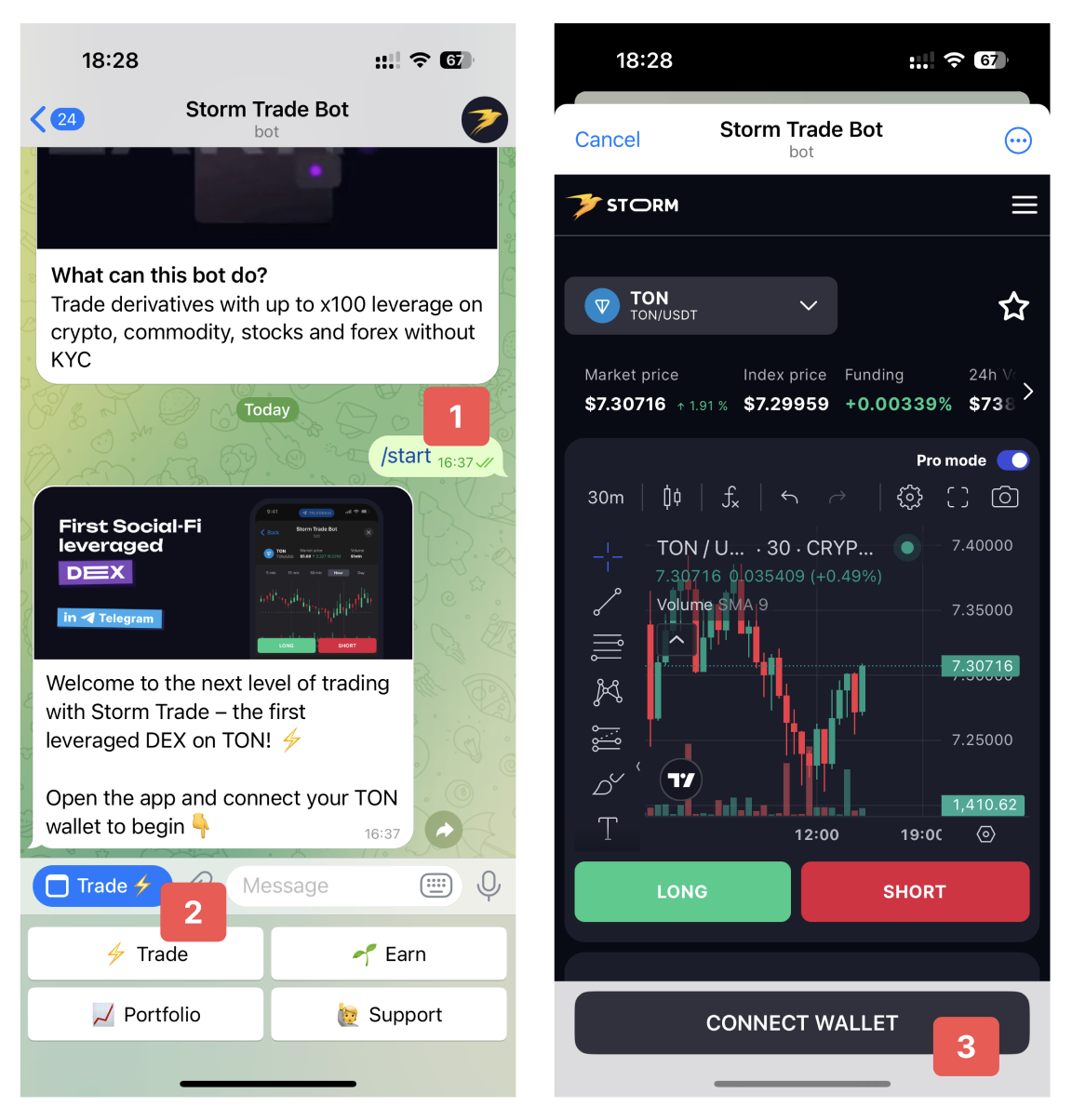
Step 1: Search for the Storm Trade bot on Telegram and tap on Start.
Step 2: Open the Storm Trade app by tapping on the Trade button.
Step 3: Tap on Сonnect Wallet and connect your Bybit Wallet. Make sure that the connected wallet has enough TON to open a position.
Task 2: Open a Position on Storm Trade via Your Bybit Wallet
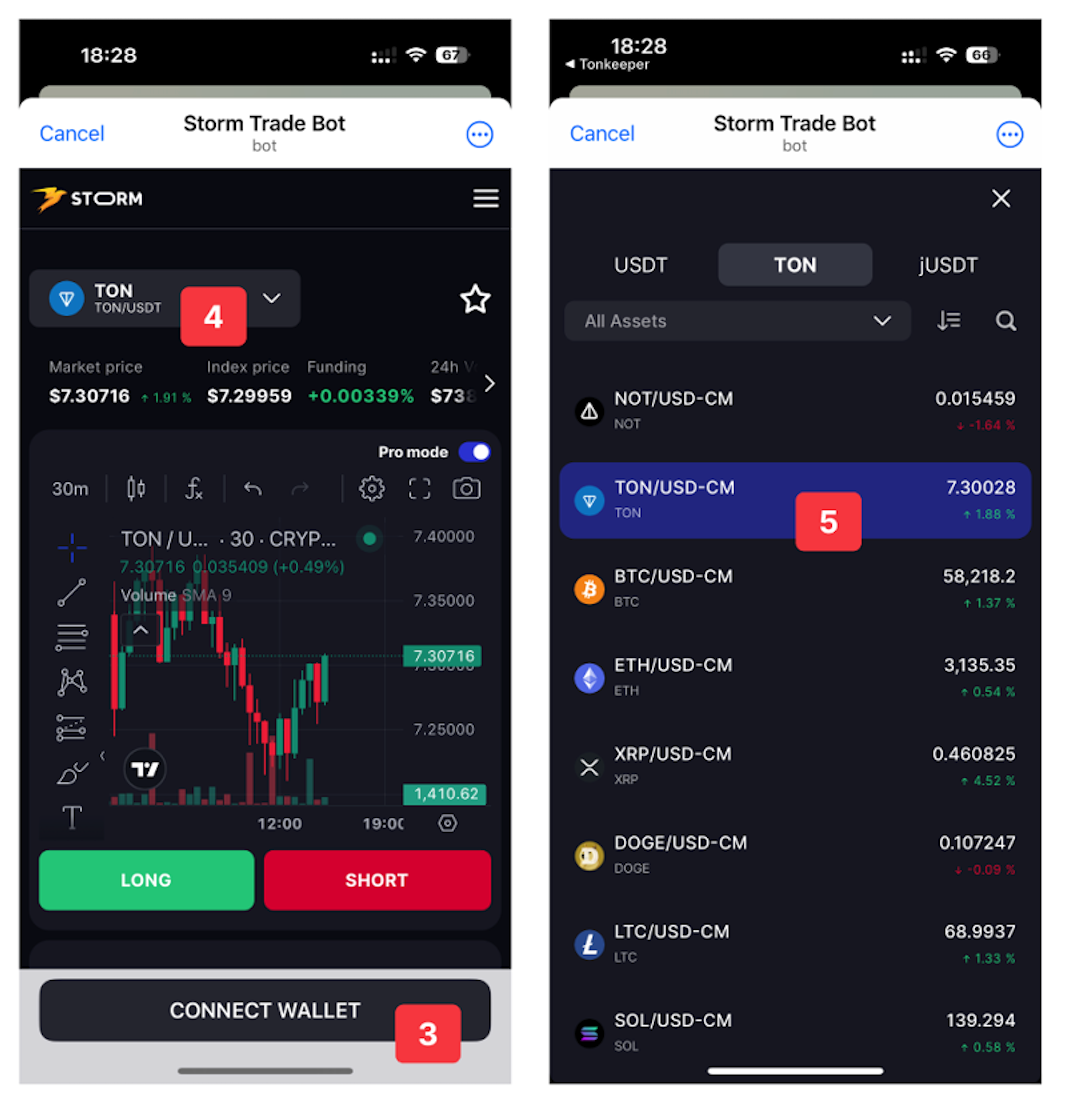
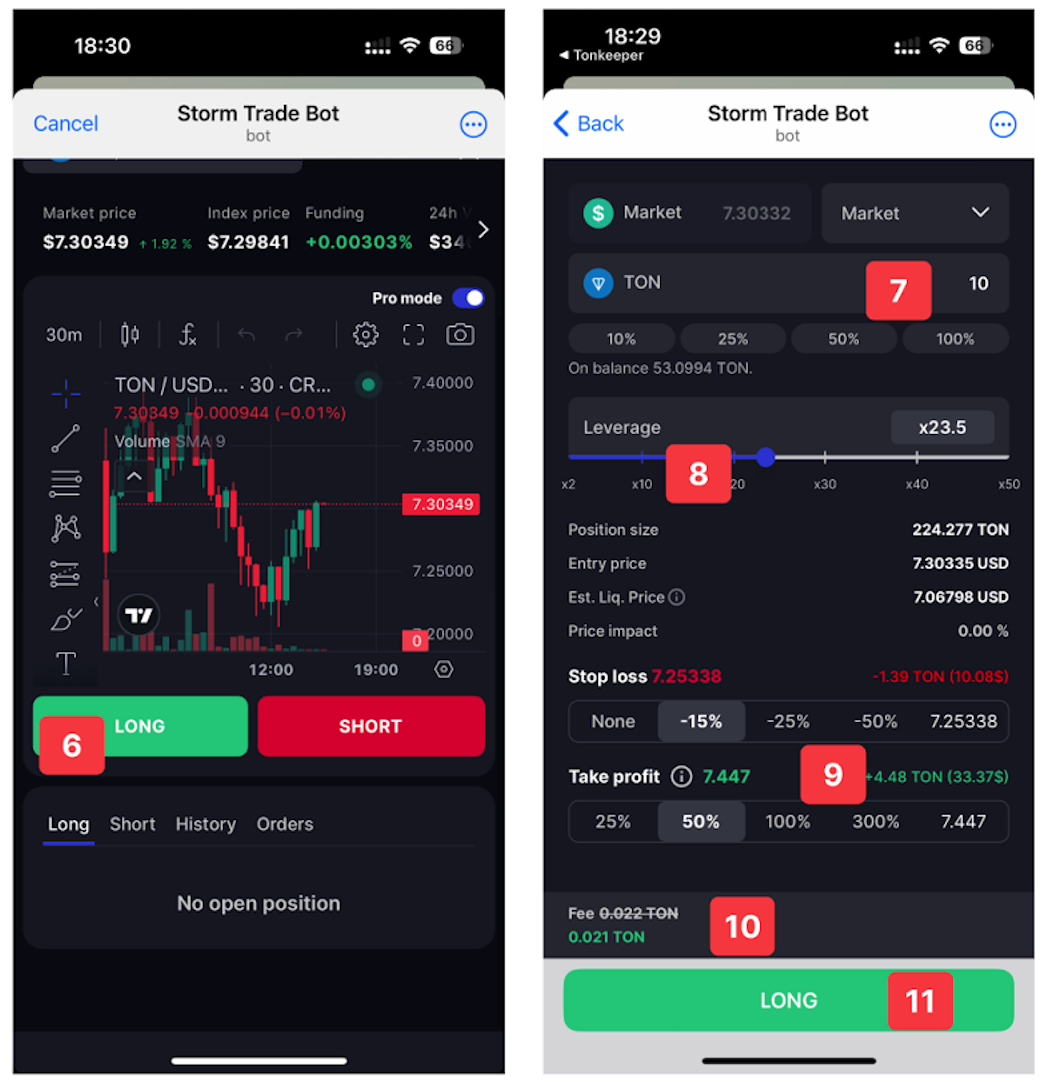
Step 1: Select a trading pair from the drop-down list. Pairs with collateral in TON are in the TON tab, while pairs with collateral in USDT are in the USDT tab.
Step 2: Tap on a pair to select the direction of the position.
Step 3: If you believe that the asset will increase in price, choose Long. If you think it will decrease, choose Short.
Step 4: Enter the amount in TON or USDT to be used as Collateral.
Step 5: Set the leverage — from 1 (lower risk but lower potential profit) to 50 (higher risk but higher potential profit).
Step 6: Don't forget to set orders that will close the position automatically:
Stop Loss will automatically close the position to prevent liquidation
Take Profit will automatically close the position at the price at which you would like to secure your profit.
Step 7: When you follow a referral link, the fees percentage is reduced, depending upon the discount level of your referrer.
Step 8: Confirm the transaction opening a position in your Bybit Wallet.
Opening a position will deduct up to around 0.25 TON as a blockchain fee, of which approximately 0.17 TON will be returned to the balance. In addition, Storm Trade charges its own fee of 0.12% for USDT pairs and 0.2% for TON pairs. Note that, at the moment, Storm Trade charges one of the lowest fees in the market.
When a Stop Loss or Take Profit order is executed, the position is automatically closed and no additional blockchain fee is charged.
To close a position manually, tap on the Close Position button and sign the transaction to close. The funds will be returned to your balance with the PnL earned.
#LearnWithBybit
Grab Up to 100 USDT in Rewards
Also, enjoy 555% APR on Bybit Earn products!