How to Complete Suilend Tasks for Bybit Web3 Airdrop Arcade
AI Summary
Show More
Quickly grasp the article's content and gauge market sentiment in just 30 seconds!
In this tutorial, we’ll explore how you can complete a series of tasks in Suilend for Bybit Web3 Airdrop Arcade.
Task: Complete Suilend Bybit Wallet Check-In for Bybit Web3 Airdrop Arcade
Step 1: Navigate to the SuilendGame Center through the Bybit Web3 Airdrop Arcade campaign landing page.
Step 2: Locate the Bybit Wallet Check-In task and click on Go.
Step 3: Click on the Connect Wallet button in the top right corner of the page, and connect your Bybit Wallet.
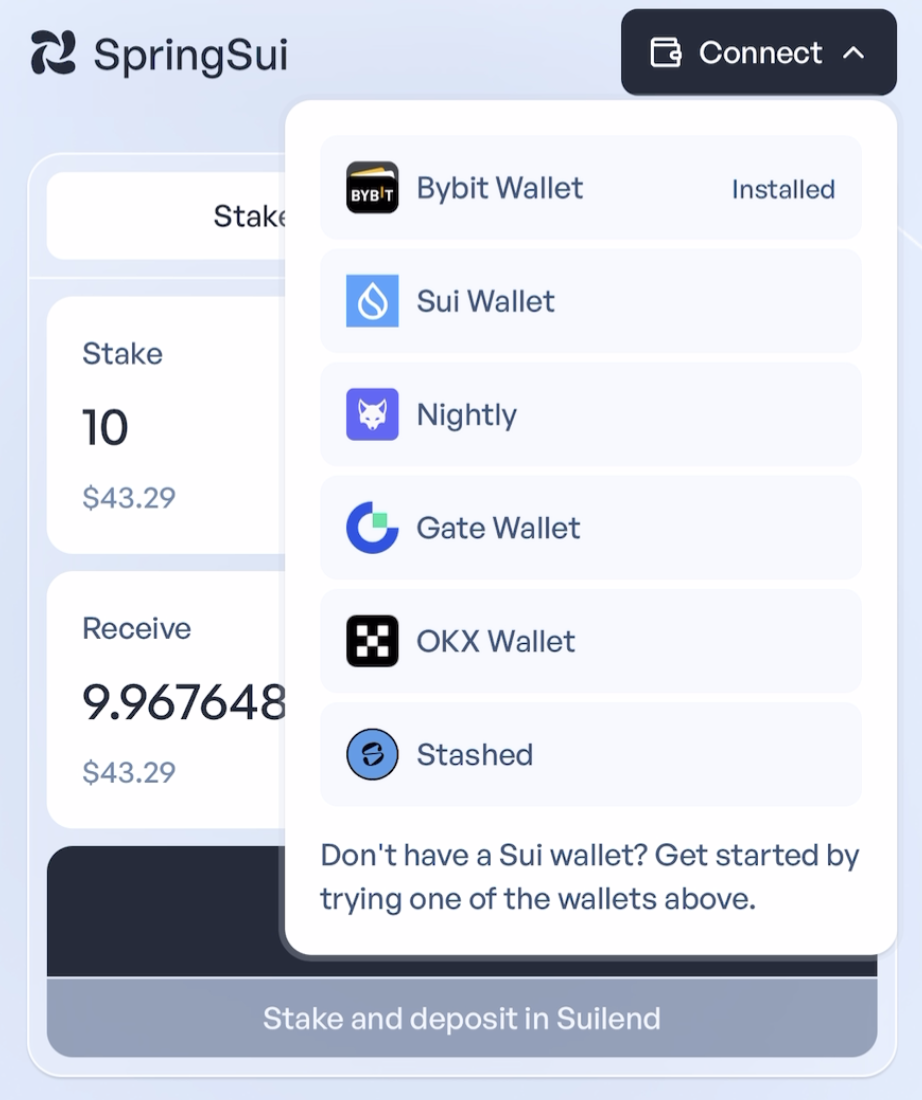
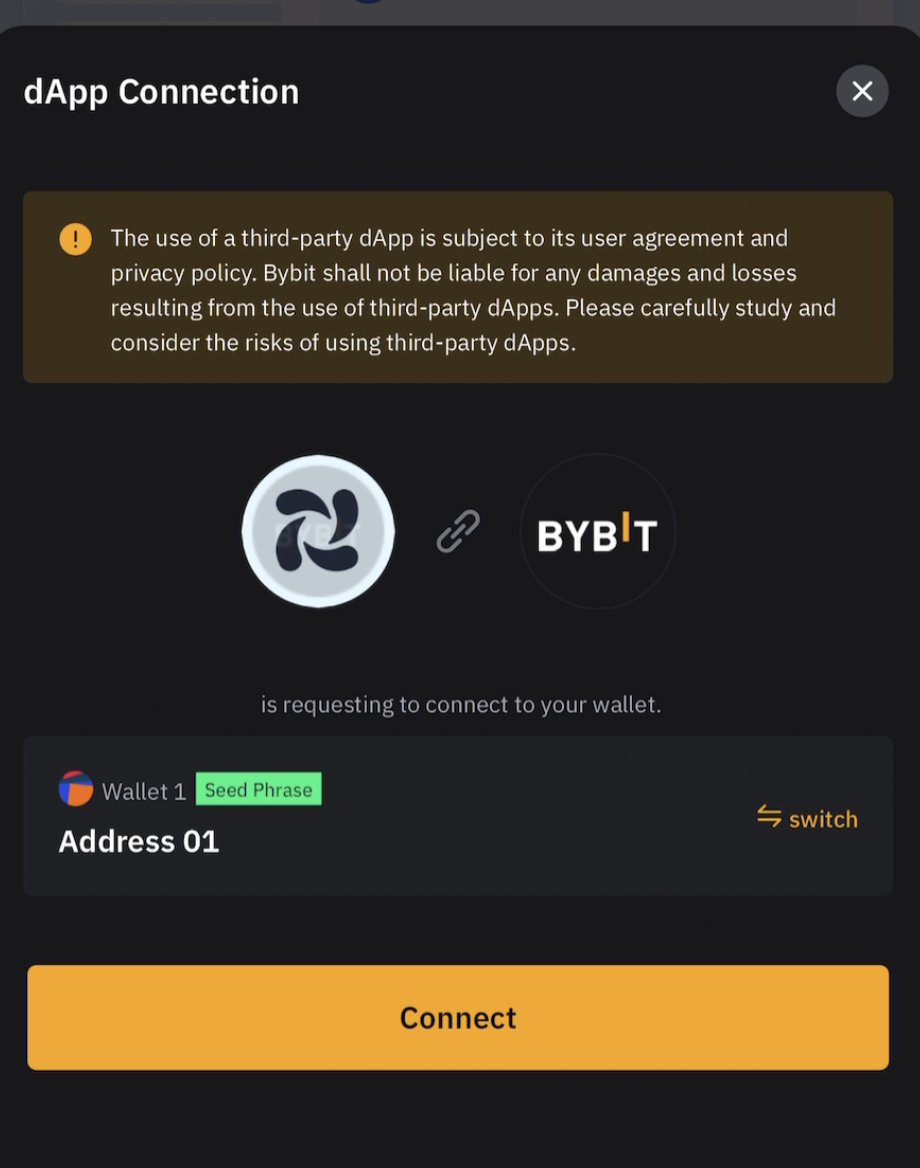
Step 4: Stake at least 10 SUI to deposit sSUI in Suilend, click on Stake and deposit in Suilend.
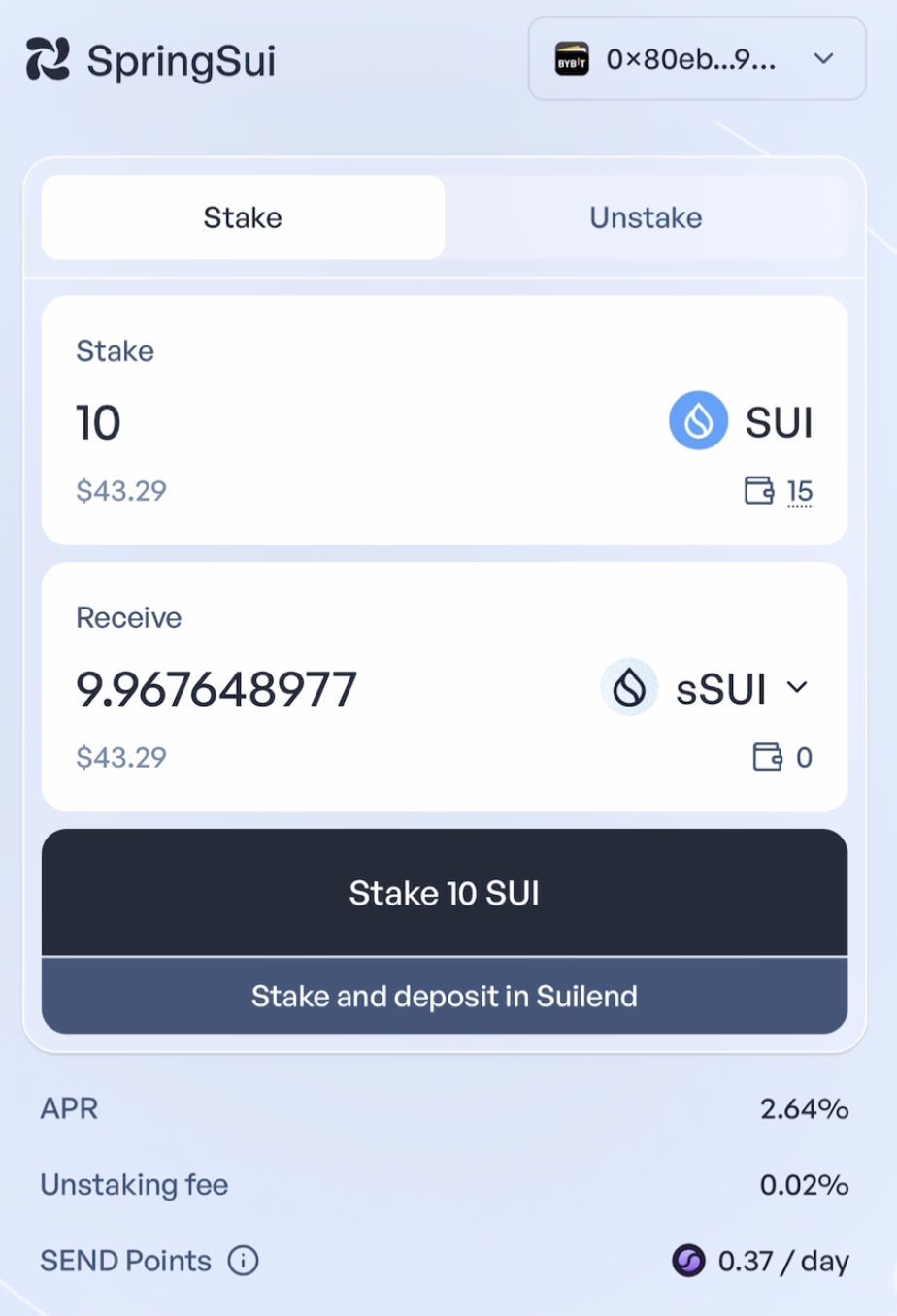
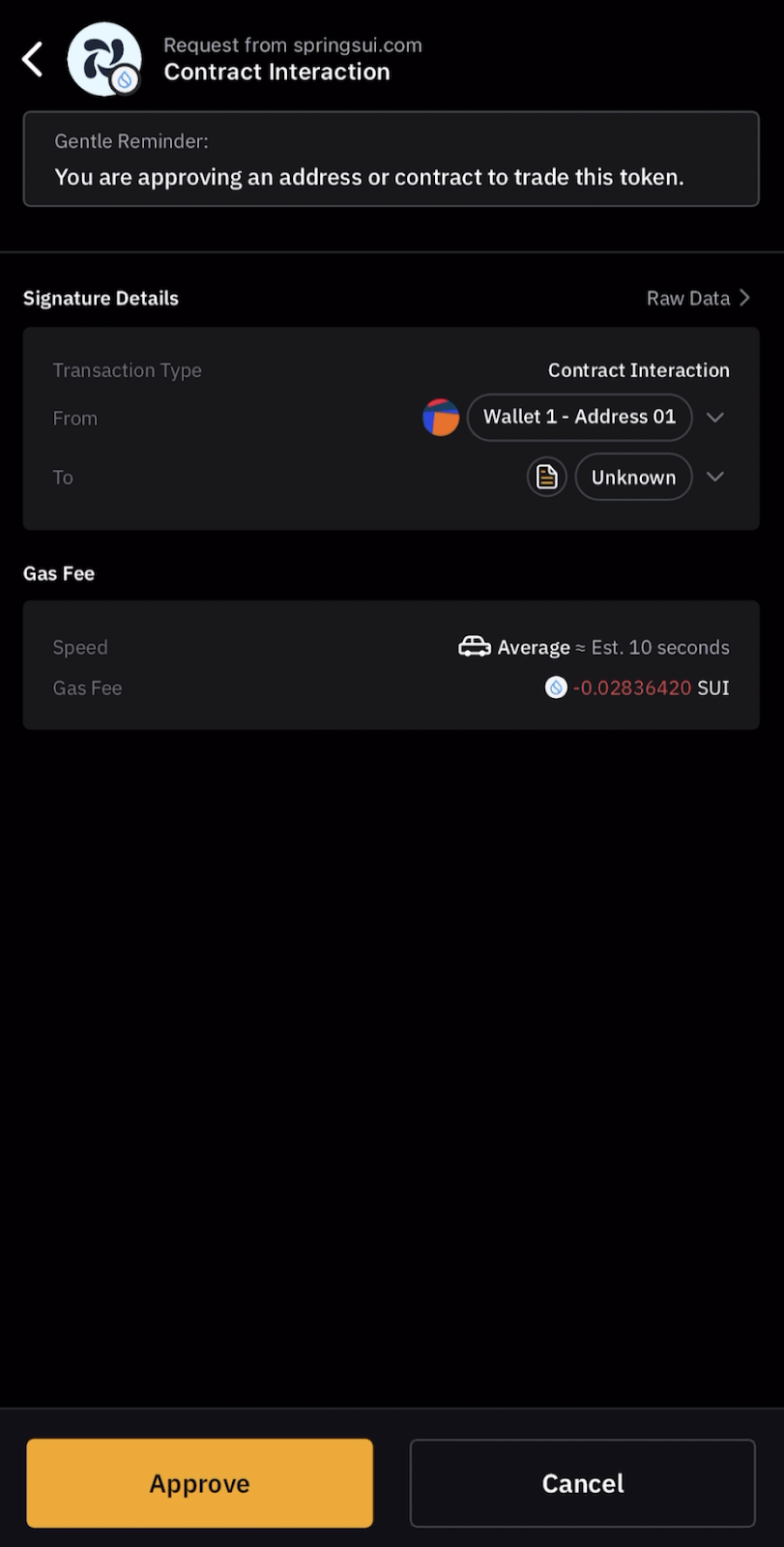
Step 5: Click on Approve to confirm the transaction request in your Bybit Wallet.
Step 6: Once the deposit is completed, you’ll receive a confirmation message.
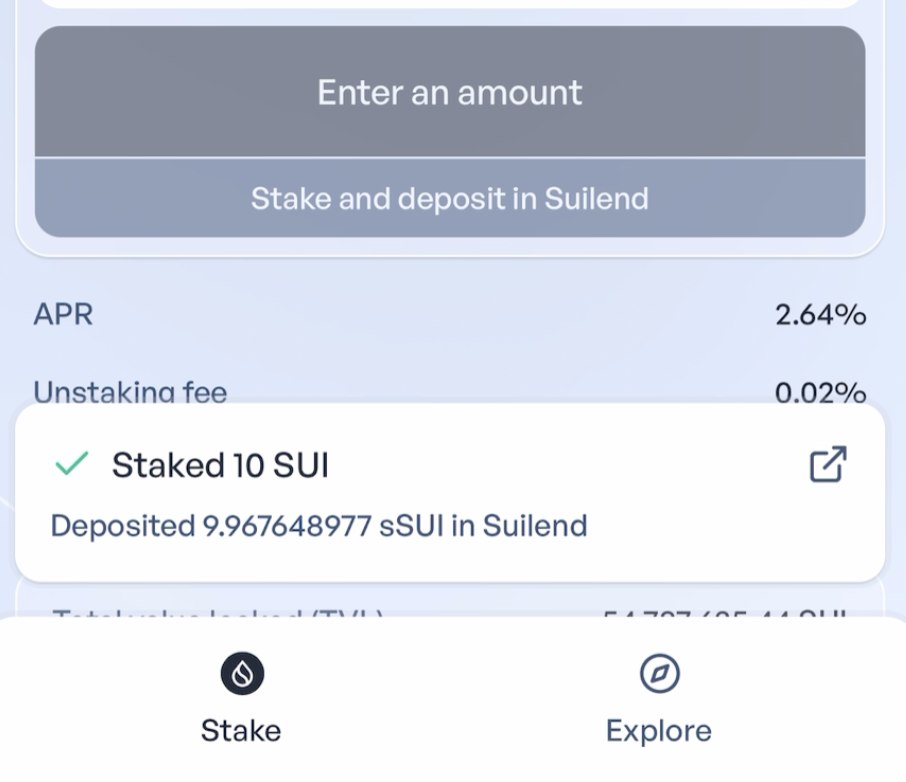
Step 7: Your 10 SUI is now staked as sSUI via Suilend. Please navigate back to the Bybit Web3 Airdrop Arcade campaign page to check your completion status and earn your reward.
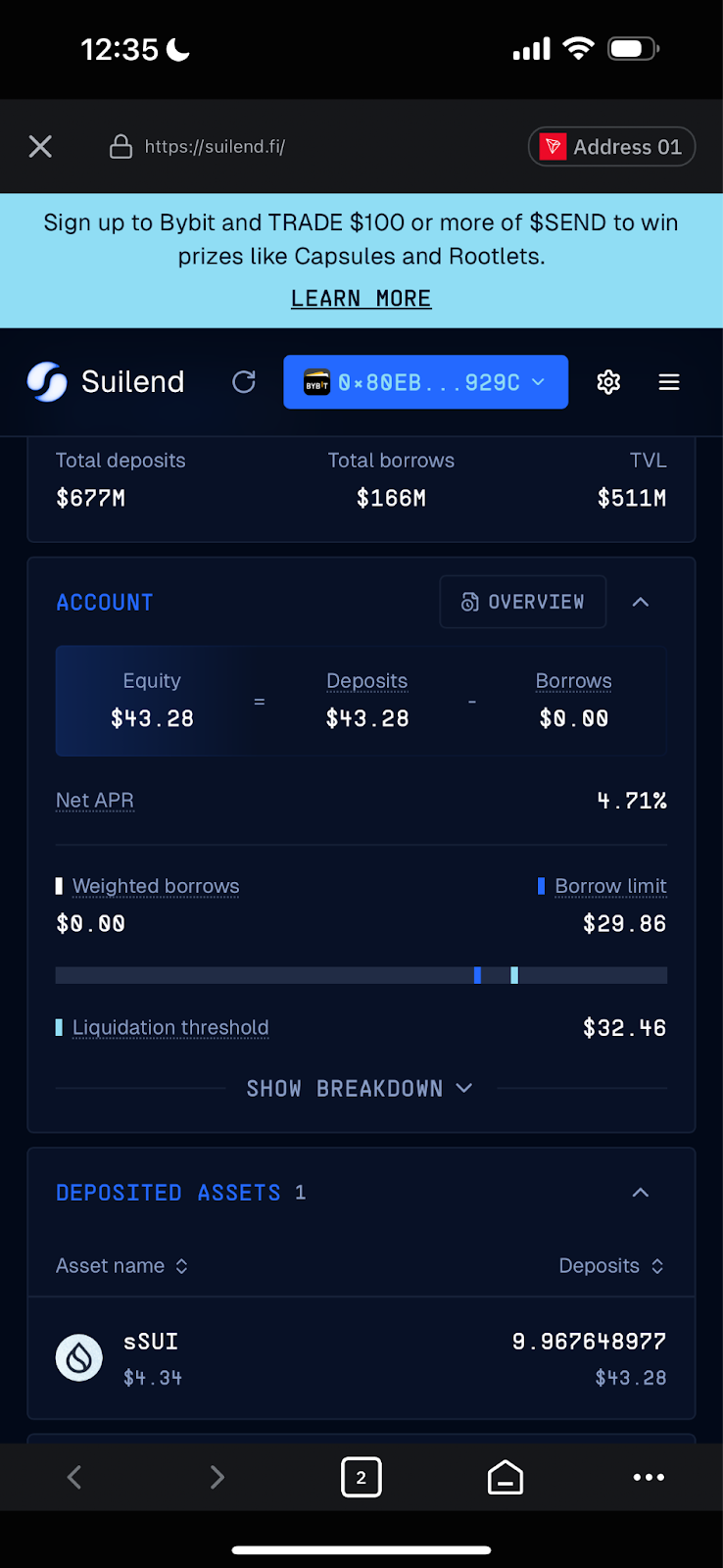
How to Withdraw Your SUI
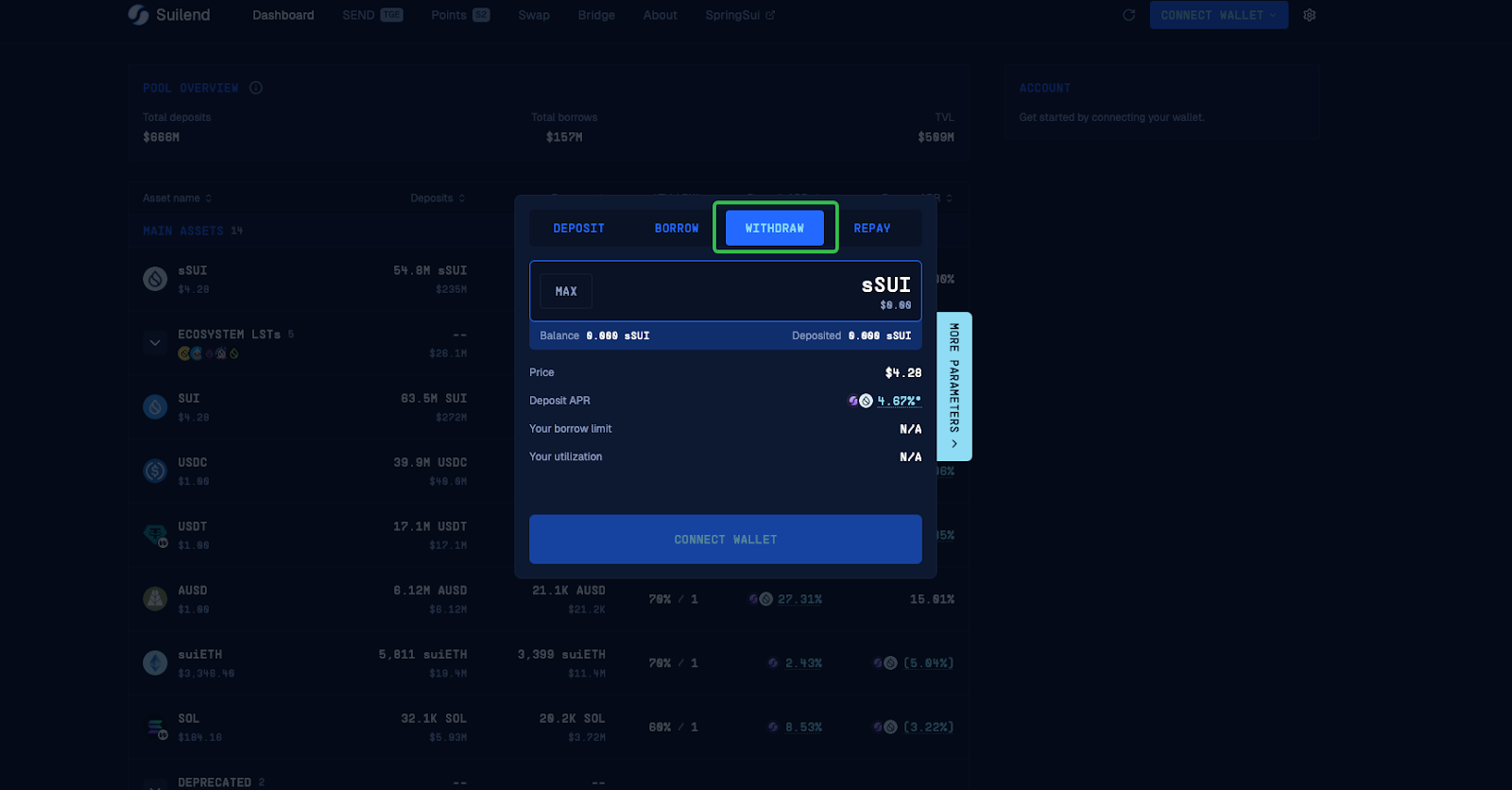
Step 1: Navigate to the Suilend Dashboard page.
Step 2: Connect your Bybit Wallet and choose Withdraw.
#LearnWithBybit
Grab Up to 100 USDT in Rewards
Also, enjoy 555% APR on Bybit Earn products!