According to the local compliance requirements, Travel Rule Verification is required for all crypto deposit and withdrawal transactions in Bybit. Here’s a step-by-step guide to complete the wallet address verification for deposit and withdrawal.
Deposits
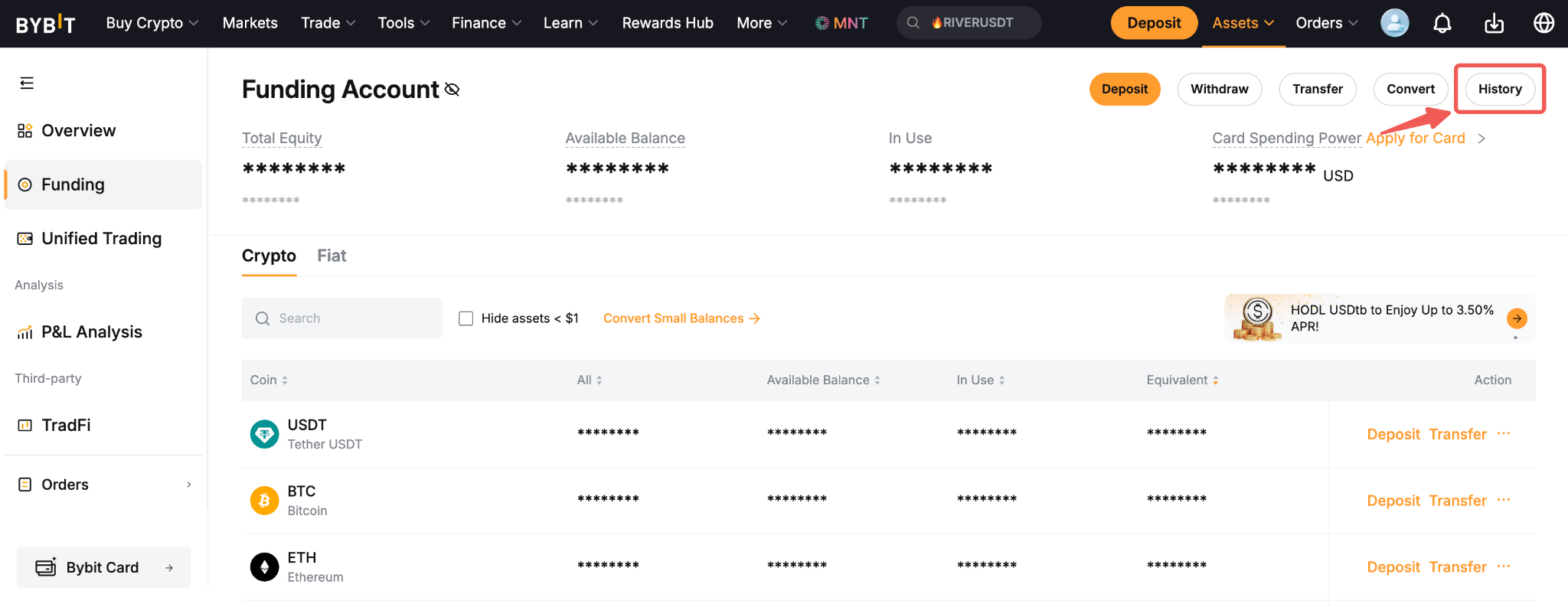
Step 1: On the website, go to your Funding Account and click on the History button.
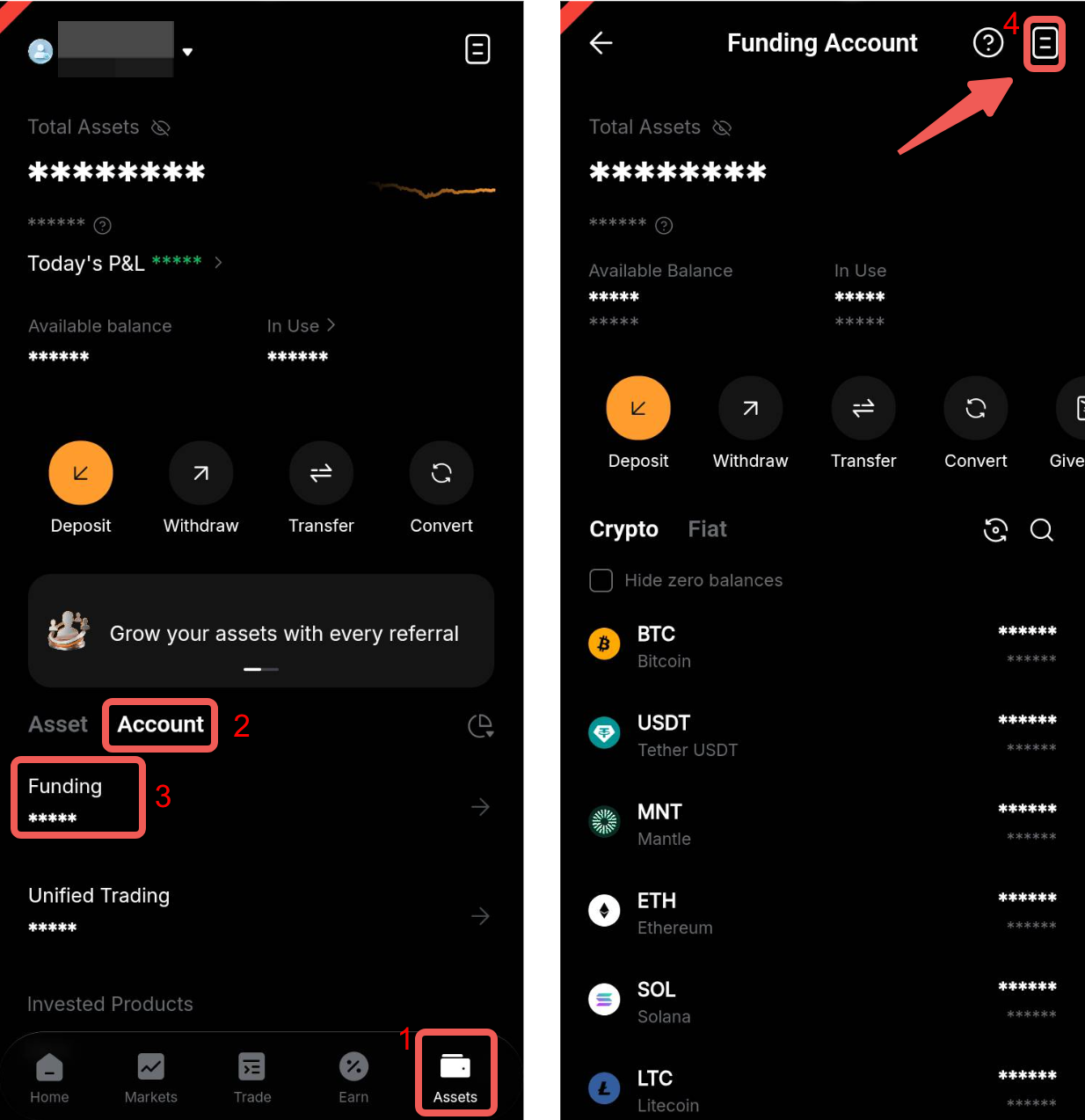
On the App, go to the Asset History page by tapping on Assets → Funding Account → History icon in the top right corner.
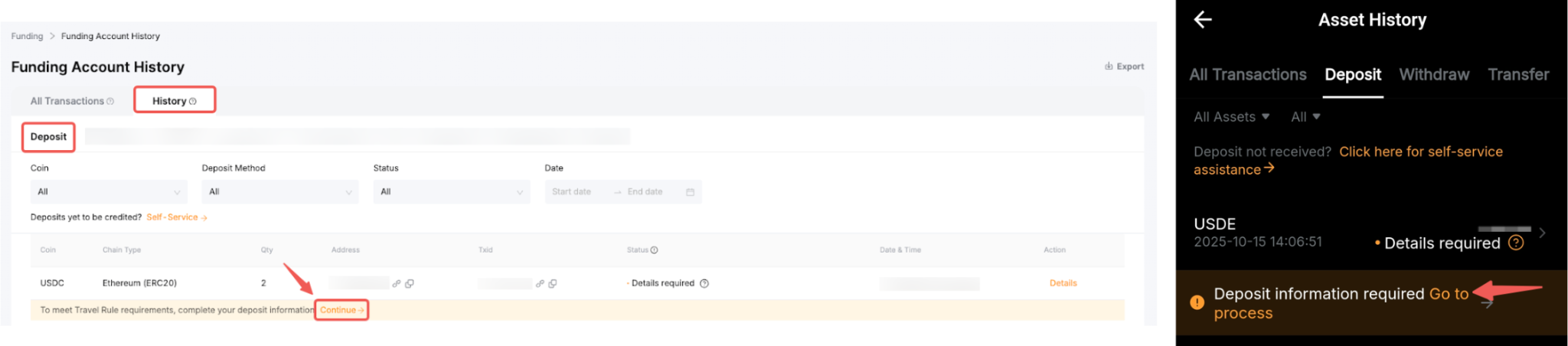
Step 2: Open the deposit history and look for the received deposit with a yellow banner indicating that deposit information is required. Click Continue to proceed.
Step 3: In the Travel Rule Verification window, provide the deposit details as outlined below.
Required Information | Description |
1. Deposit from | Select whether the deposit is from an Exchange or crypto service provider or a Personal wallet.
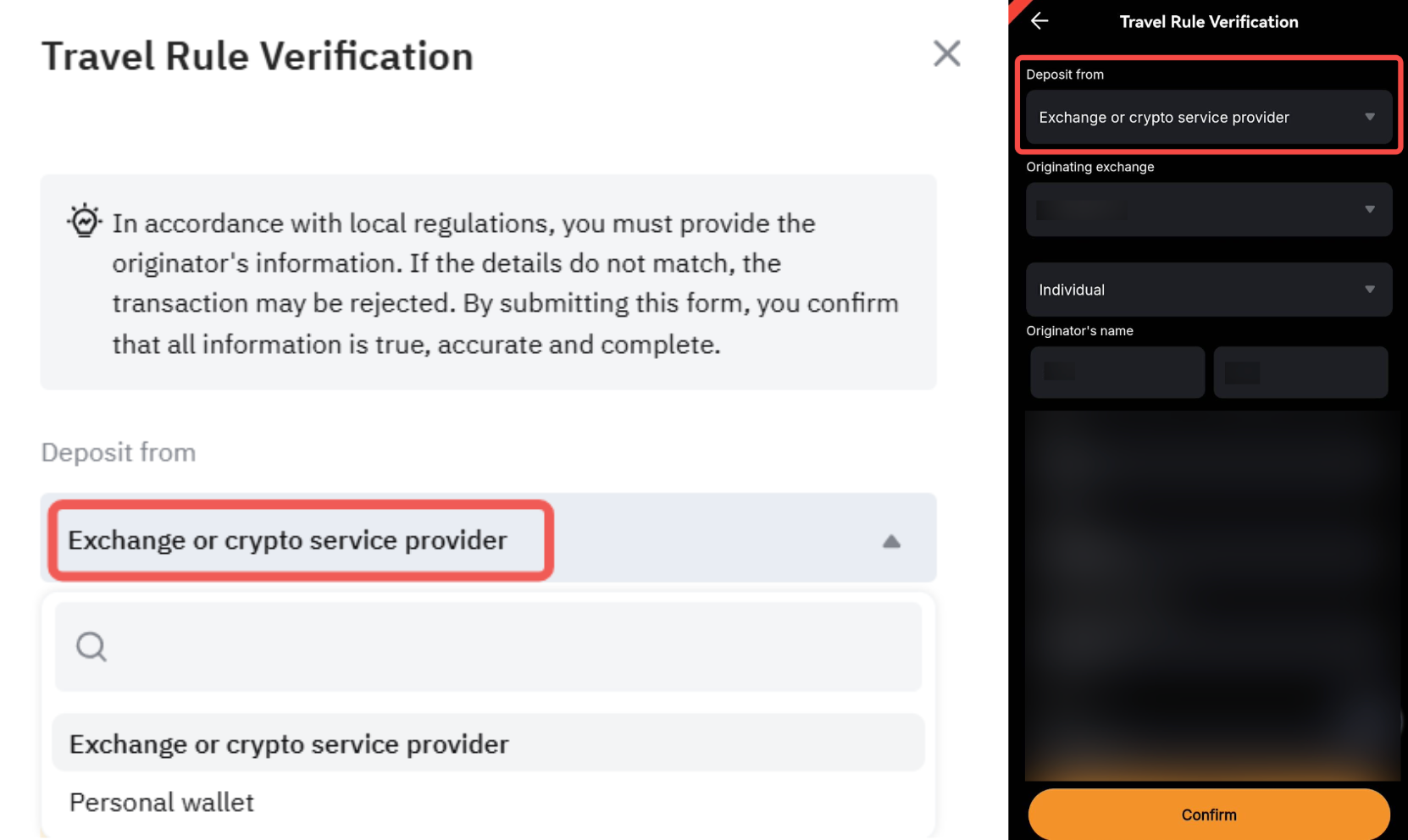
Tips: - Exchange or Crypto Service Provider: The deposit is from another regulated platform or service provider, such as Bybit.
- Personal Wallet: The deposit is from external personal-owned wallets, such as Metamask, TrustWallet, etc.
|
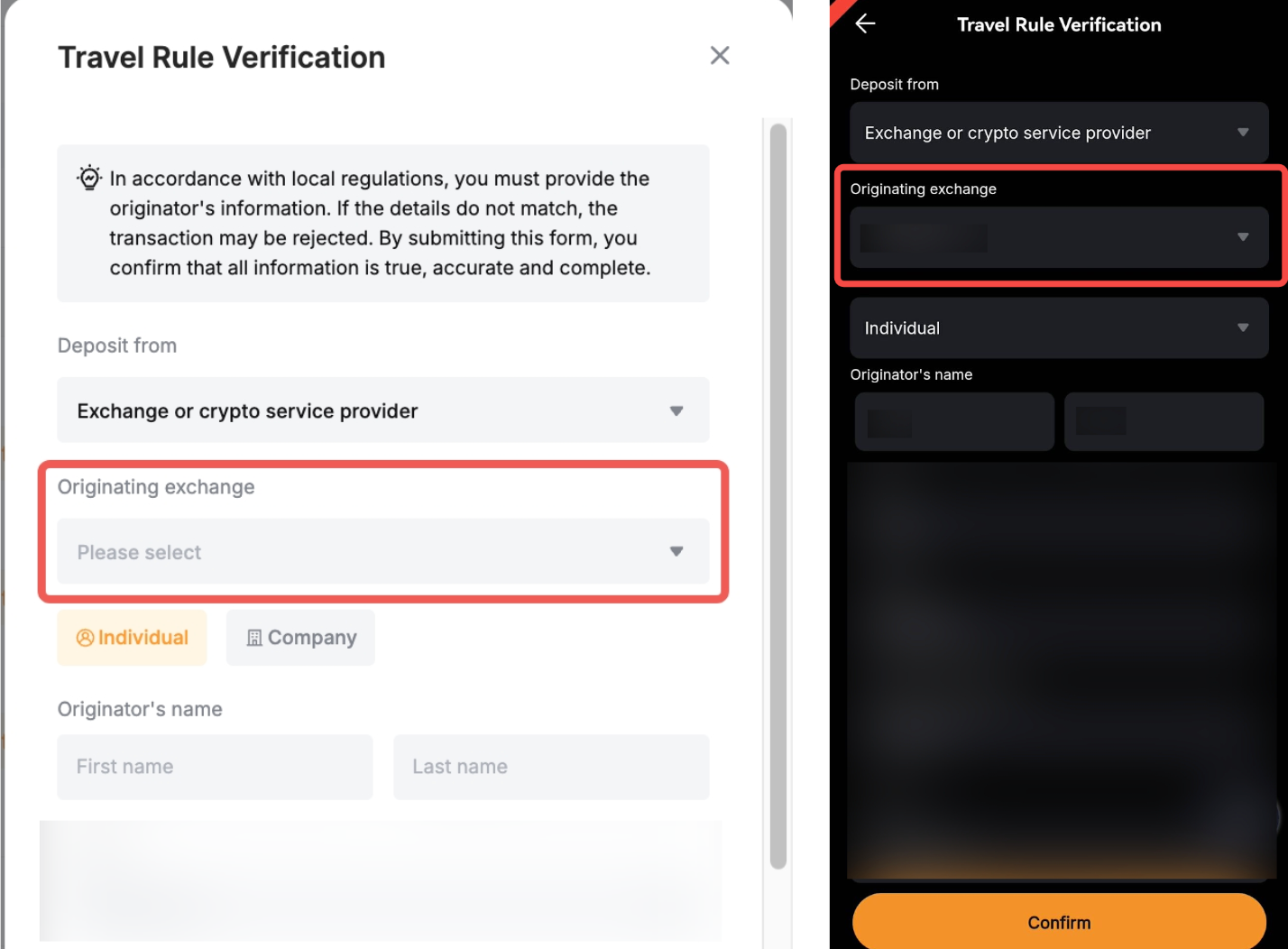
2. Originating exchange or Whose wallet is this? | - If the deposit is from an Exchange or crypto service provider, select the Originating exchange. If the originating exchange is not listed, you may select Other and enter the exchange’s name manually.
- If the deposit is from a Personal Wallet, choose whether the wallet belongs to you or someone else from the list Whose wallet is this?.
|
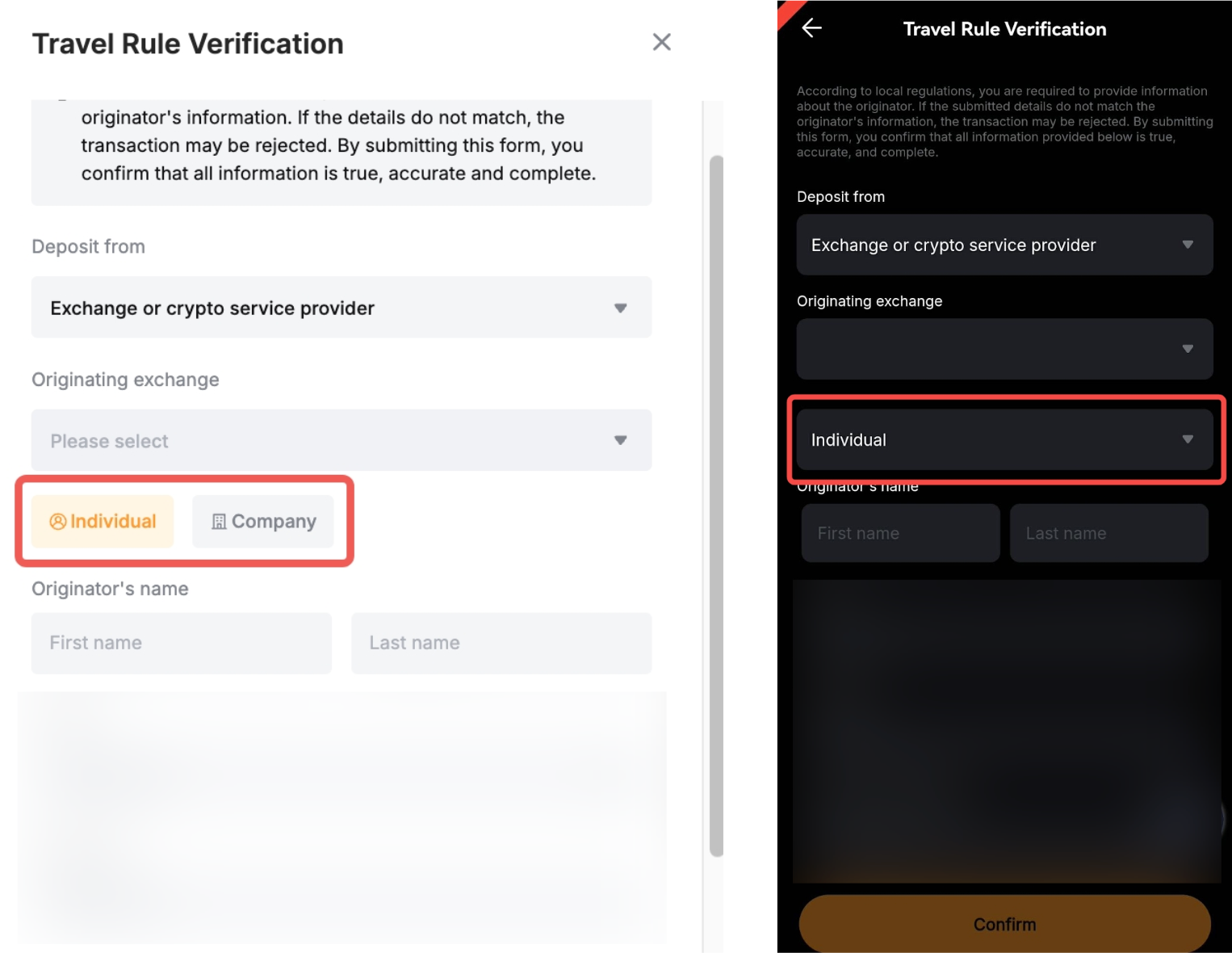
3. Originator account type | Select whether the deposit is sent from an Individual or a Company account, based on the originator’s account verification.
|
4. Originator information - Name
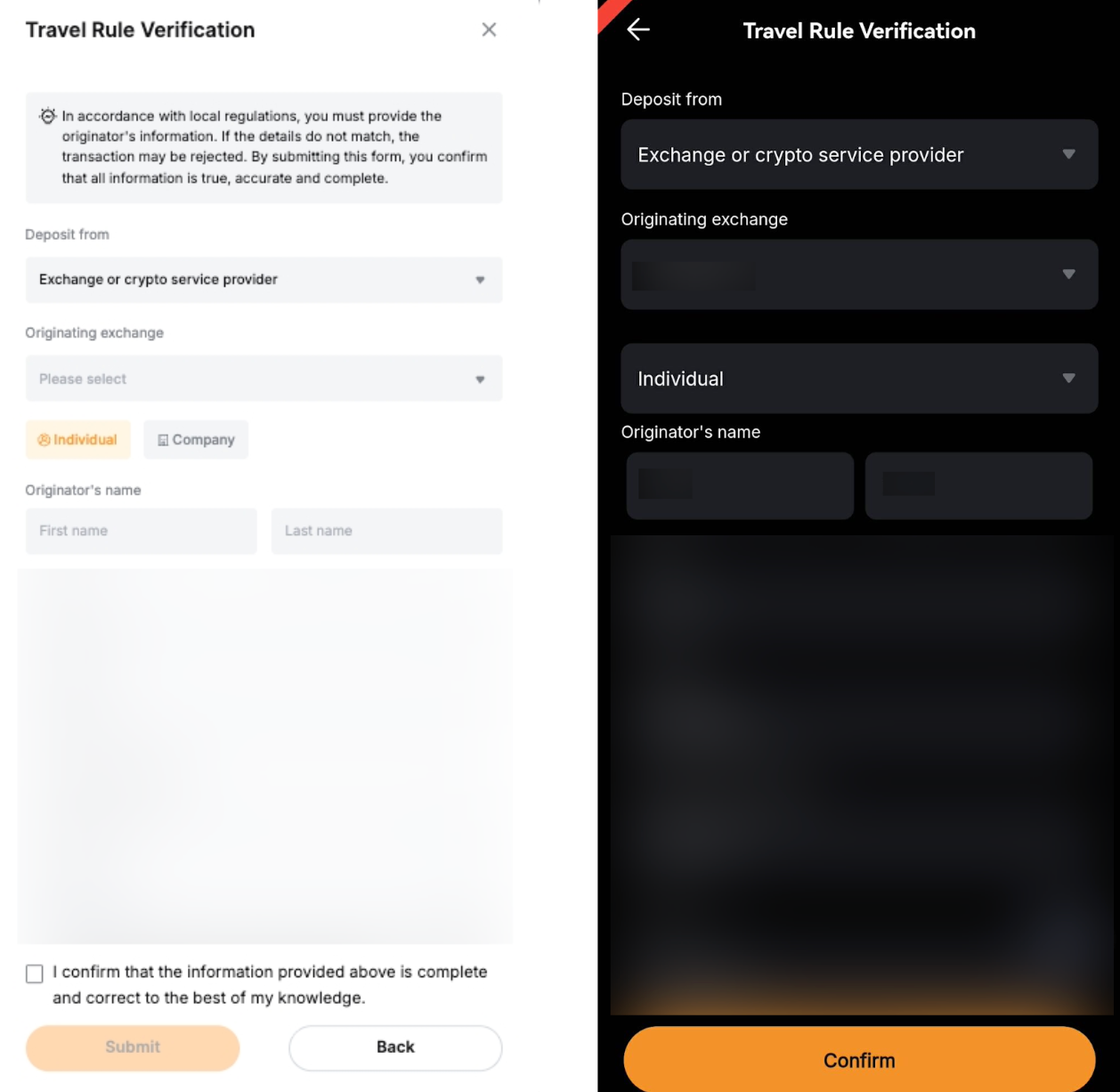
| Fill in the originator information based on the account type. - If the deposit is sent from an Individual, fill in the originator’s first and last name.
- If it is sent from a Company, fill in the originator’s full company name.
- Note: Ensure you enter accurate and complete information, such as the name of the individual or the company sending you the crypto. Otherwise, the verification may fail.
|
Step 4: Confirm and acknowledge that the information provided is true, accurate and complete by ticking the checkbox under the Travel rule verification window. Then, click on Submit.
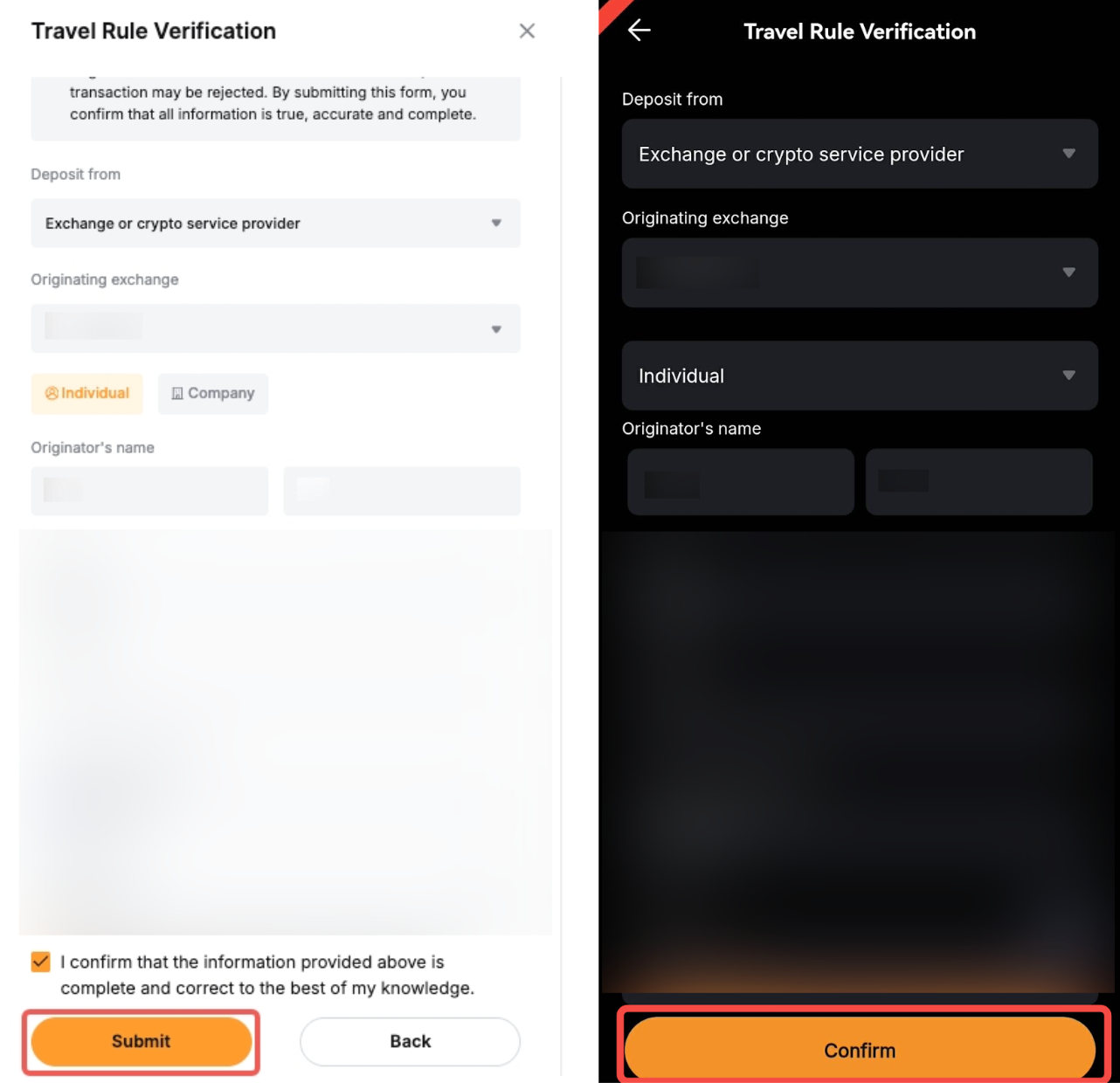
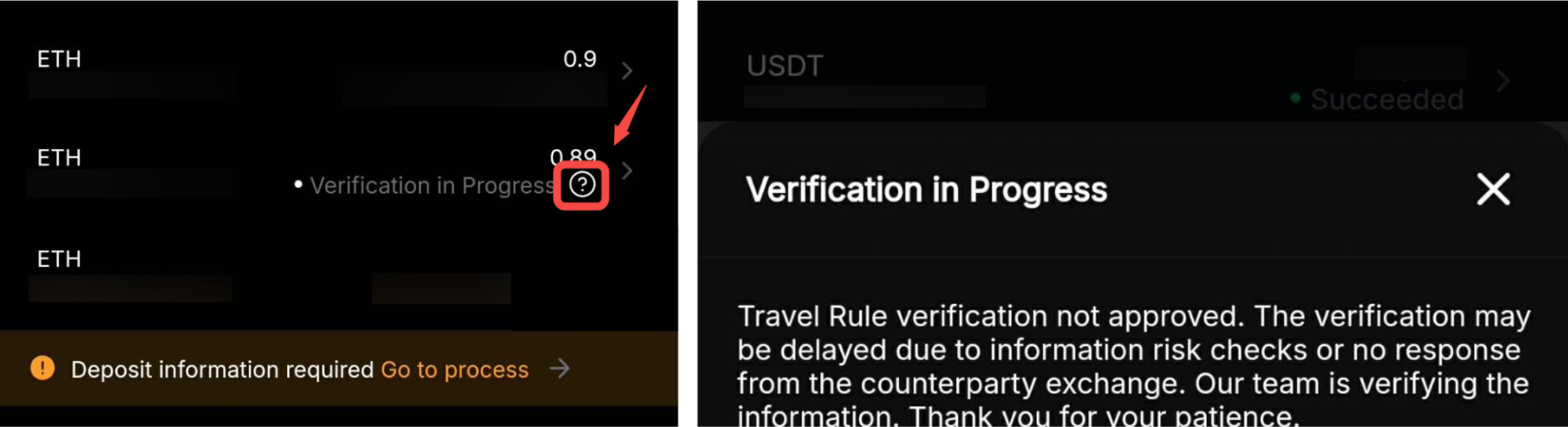
Step 5: The deposit status will become Pending under preliminary review. The review may take up to 30 minutes to be completed. You may click on the Help icon to view the status details.

Withdrawal
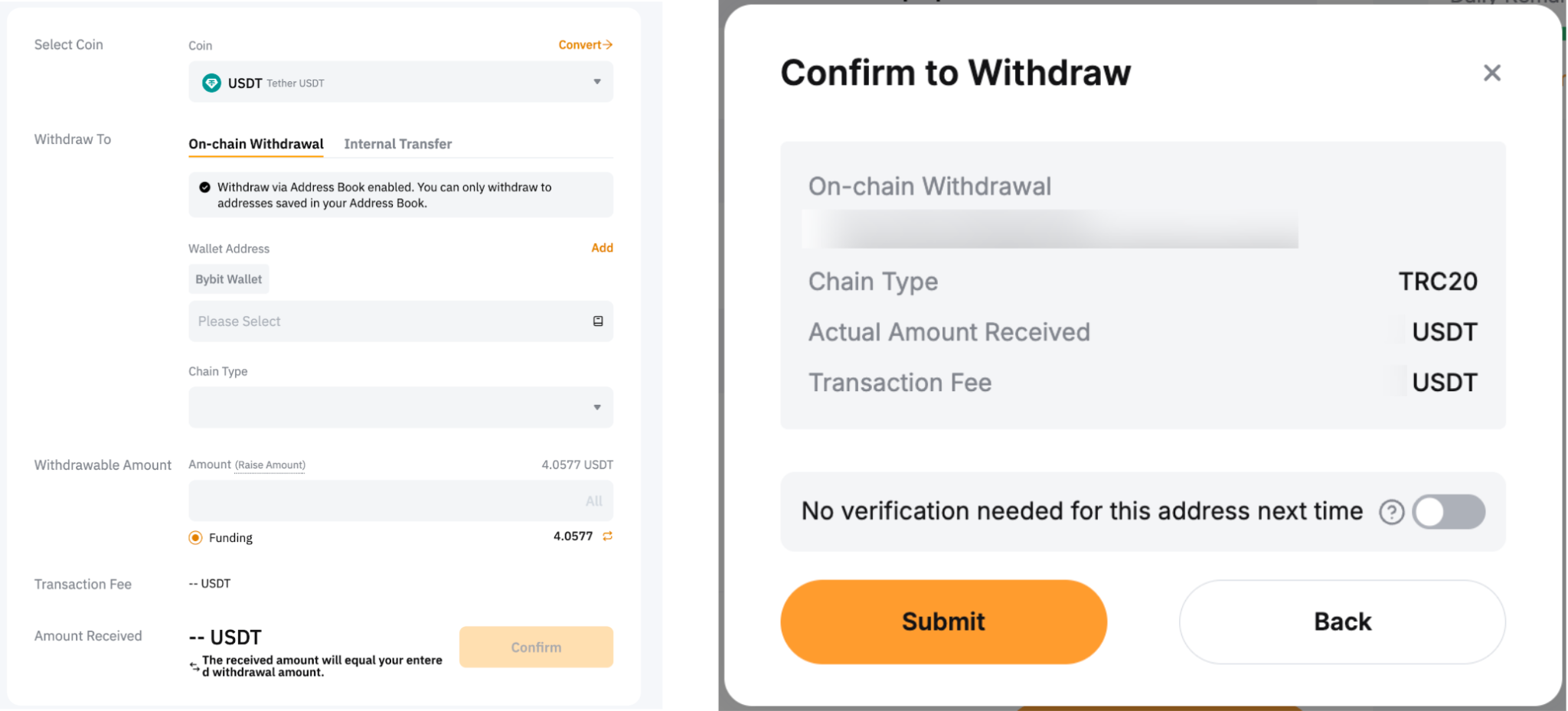
Step 1: On the Withdrawal page, select coin type, wallet address, chain type and withdrawal amount to withdraw as per usual.
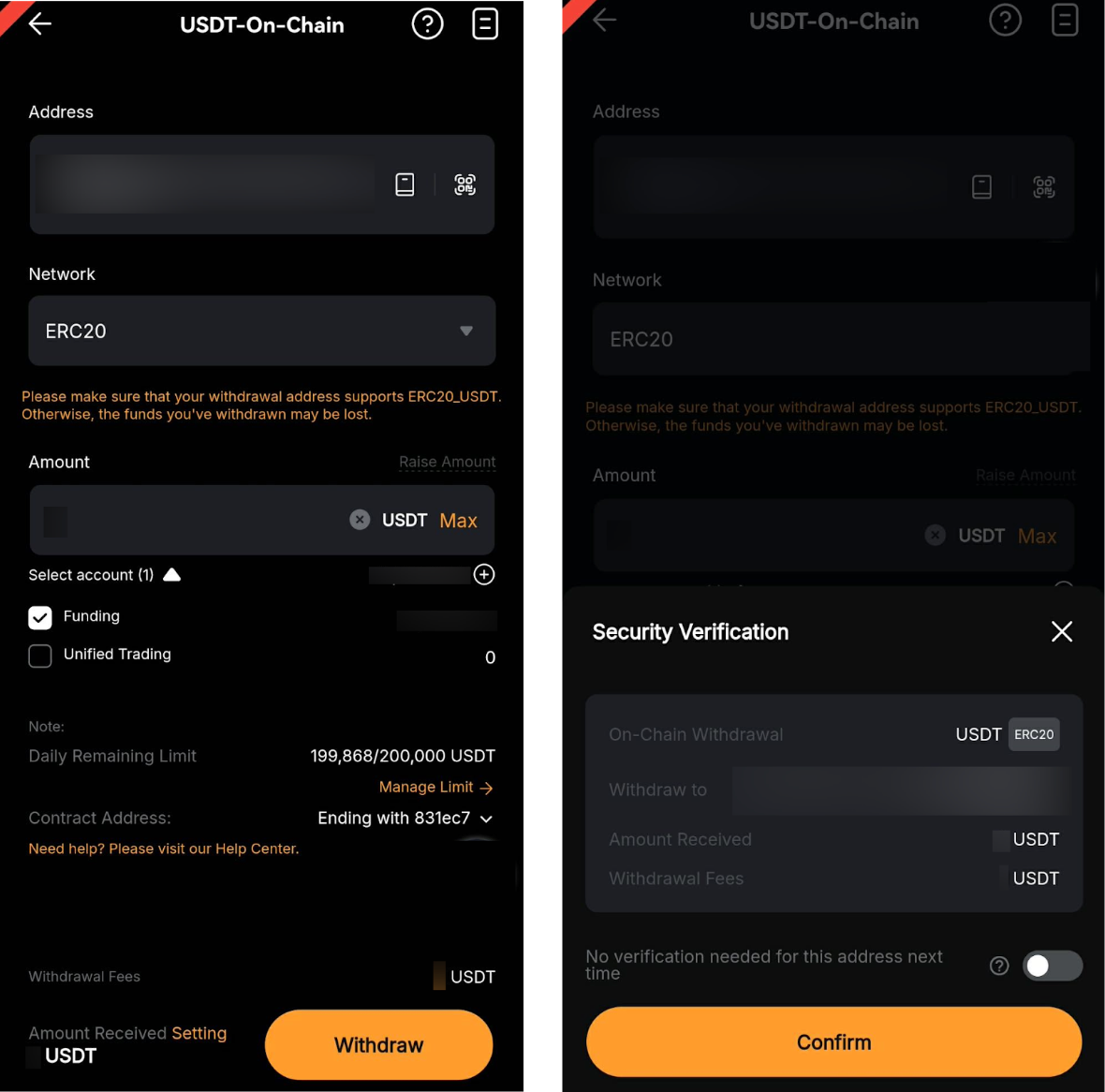
Step 2: The Travel Rule Verification window will pop up after you submit the withdrawal request. Please provide the withdrawal details as outlined below:
Required Information | Description |
1. Withdrawal to | Select whether the withdrawal is to an Exchange or crypto service provider or a Personal wallet.
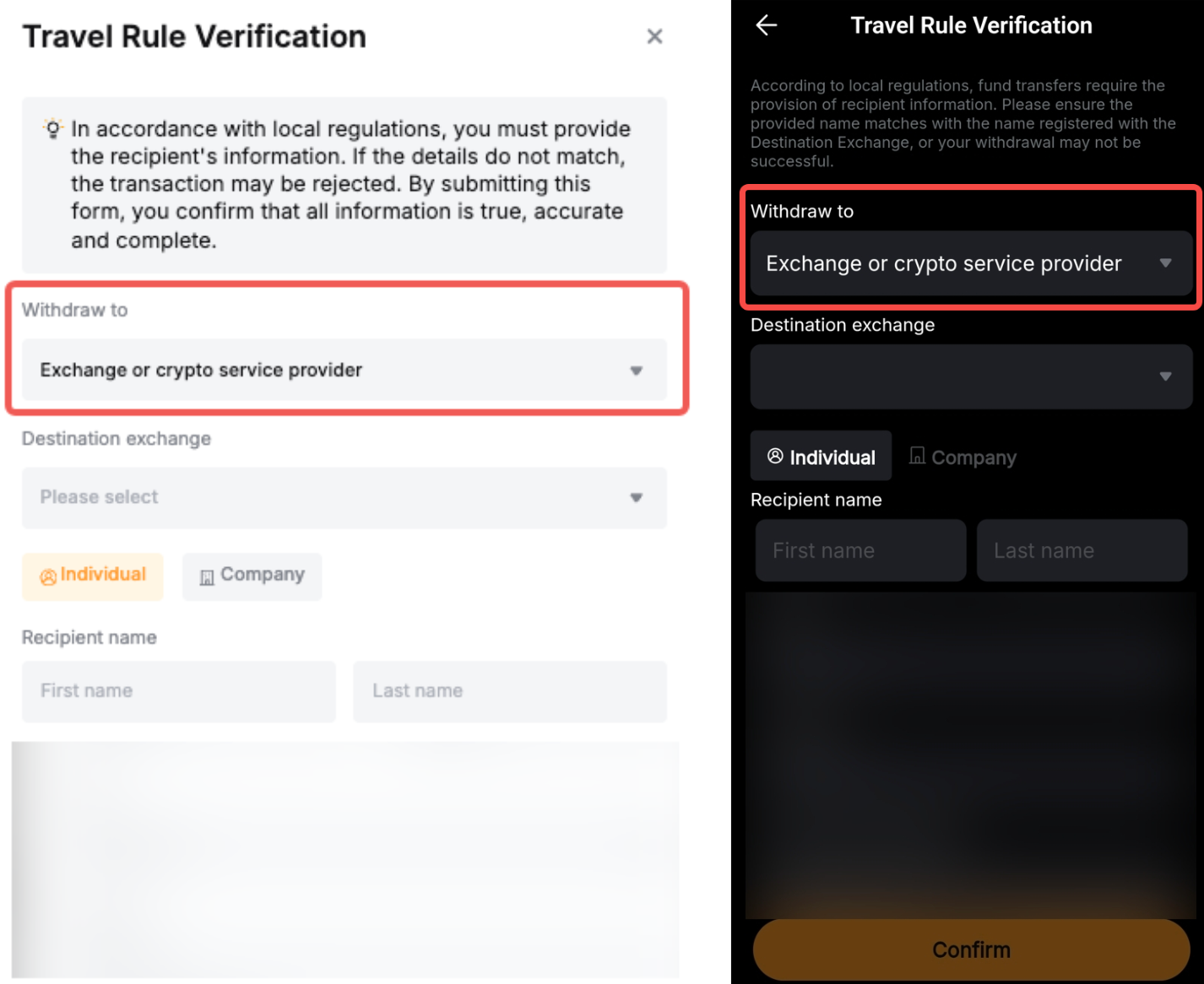
Tips: - Exchange or Crypto Service Provider: The withdrawal is from another regulated platform or service provider, such as Bybit.
- Personal Wallet: The deposit is from external personal-owned wallets, such as Metamask, TrustWallet, etc.
|
2. Destination exchange or Whose wallet is this?
| - If the withdrawal is to an Exchange or crypto service provider, select the Destination exchange. If the destination exchange is not listed, you may select Other and enter the exchange’s name manually.
- If the withdrawal is to a Personal Wallet, choose whether the wallet belongs to you or someone else from the list Whose wallet is this?.
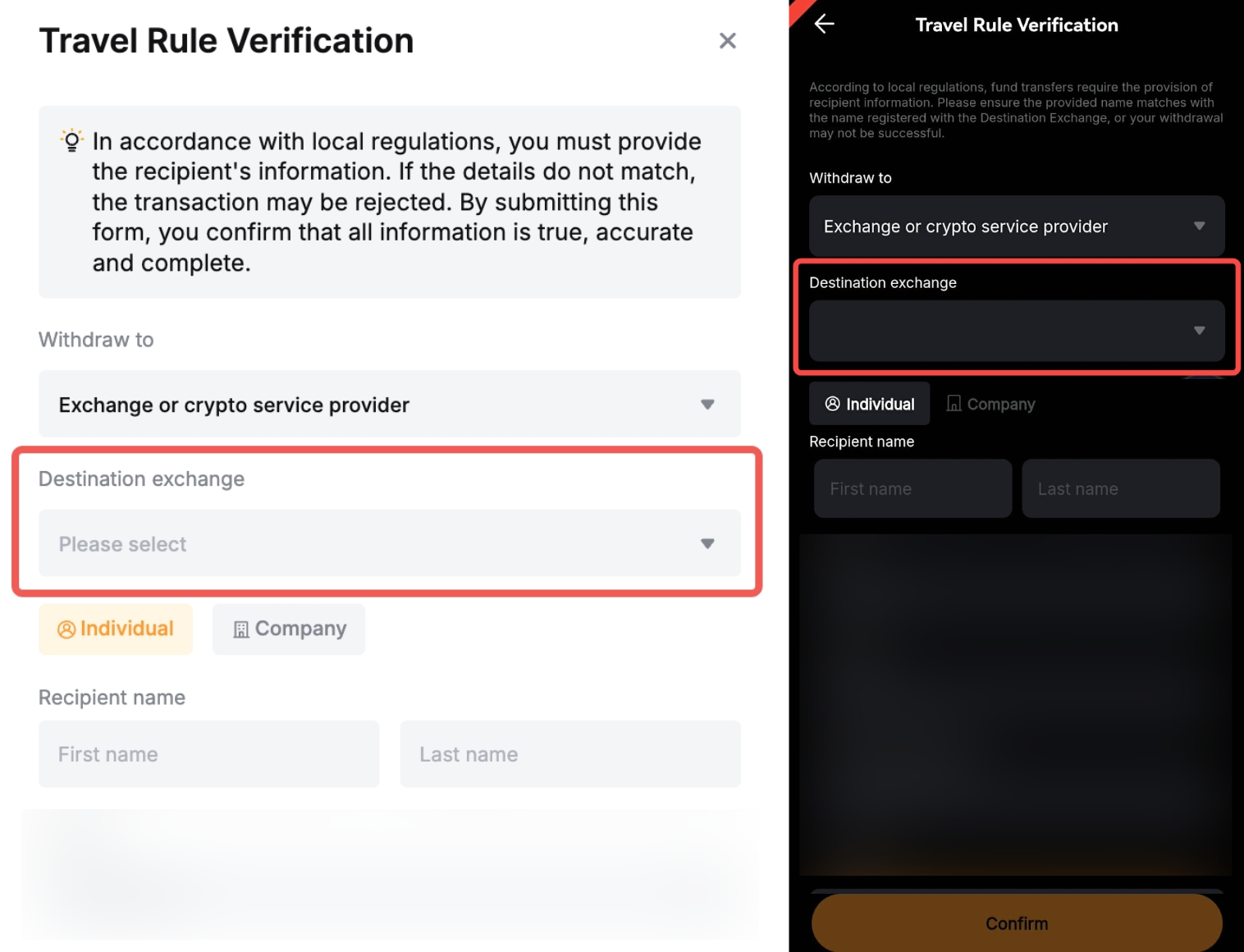
|
3. Recipient account type | Select whether the withdrawal is to an Individual or a Company account, based on the recipient’s account verification.
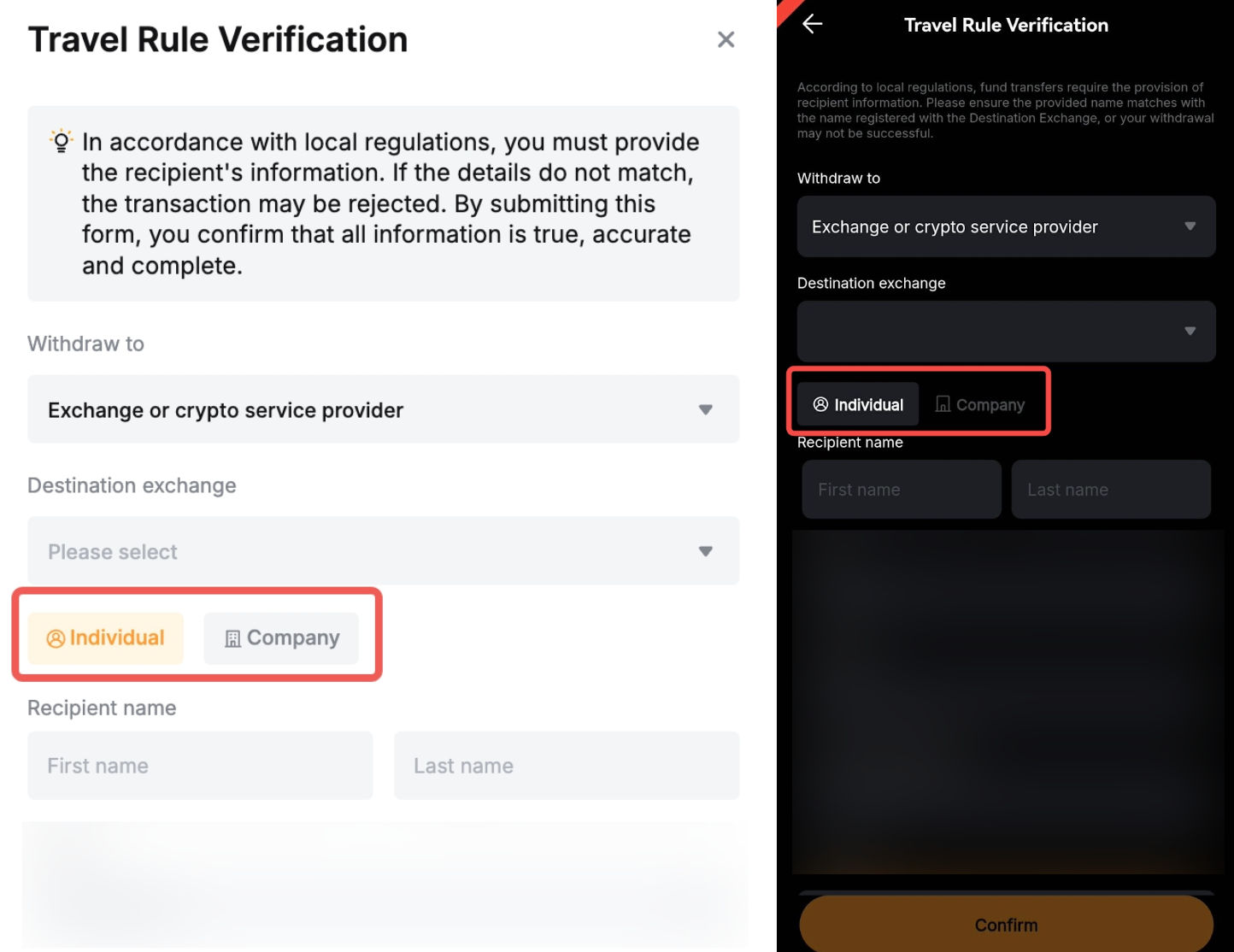
|
4. Recipient information - Name
| Fill in the recipient information based on the account type. - If the withdrawal is sent to an Individual, fill in the recipient’s first and last name.
- If it is sent from a Company, fill in the recipient’s full company name.
- Note: Ensure you enter accurate and complete information, such as the name of the individual or the company receiving the crypto. Otherwise, the verification may fail.
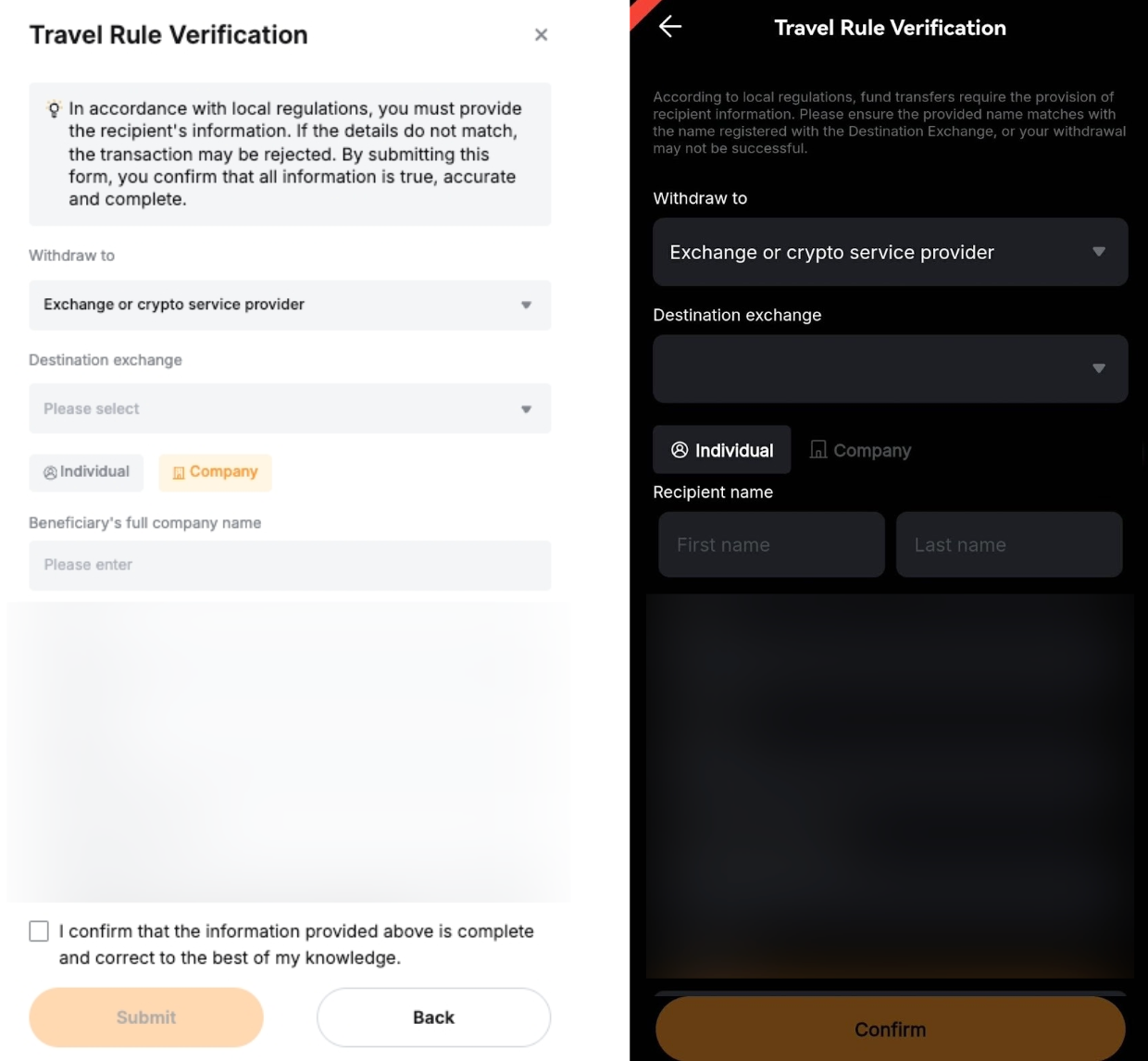
|
Step 3: Confirm and acknowledge that the information provided is true, accurate and complete by ticking the checkbox under the Travel rule verification window. Then, click on Submit.
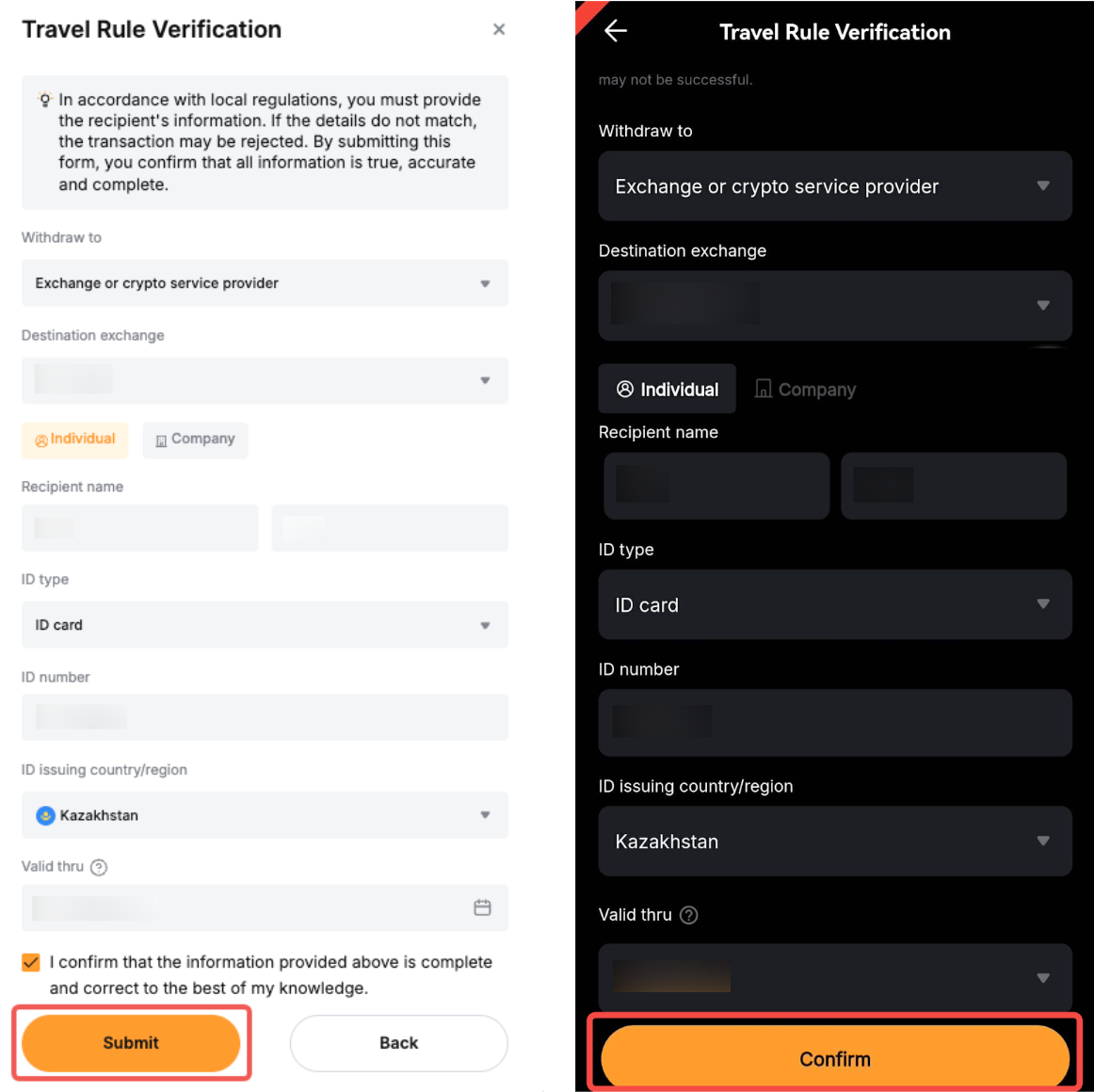
Step 4: The withdrawal status will become Pending for preliminary review. The review may take up to 30 minutes to be completed. You may click on the Help icon to view the status details.


