Here’s a step-by-step guide on how to navigate Copy Trading Pro as an Investor.
Invest in a Strategy
As an Investor, you can purchase shares during the initial seed round phase or the weekly investment window, as stated in the investment rules of the Pro Master’s strategy.
During the initial seed round period, the Net Asset Value (NAV) of shares is 1.00, which means that your initial investment amount is converted to your share amount at a 1:1 ratio. When you invest during the Investment Window, your shares will be calculated based on the NAV at 2 AM UTC on the day of investment.
Please note that you can only invest in USDT, and ensure enough funds are in your Funding Account to facilitate the investment in Copy Trading Pro. Refer to Key Rules for Copy Trading Pro for more information.
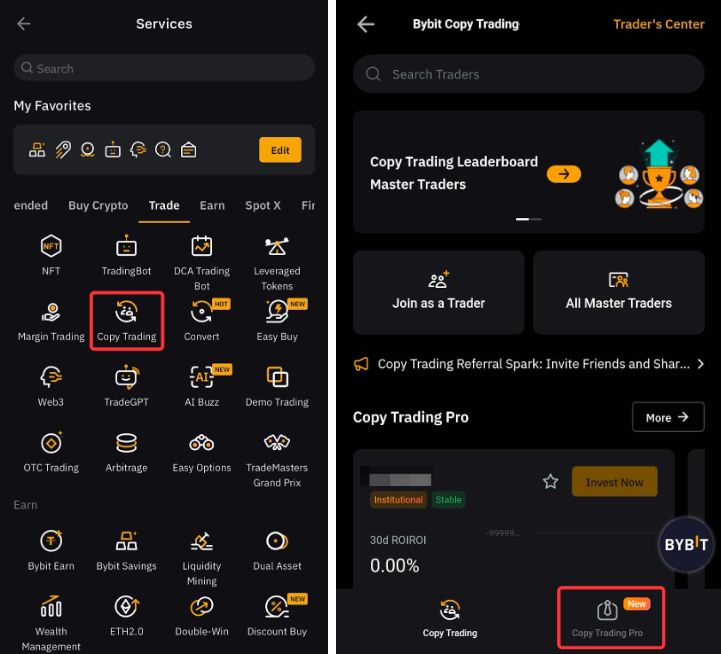
Step 1: On the App homepage, go to Copy Trading → Copy Trading Pro.
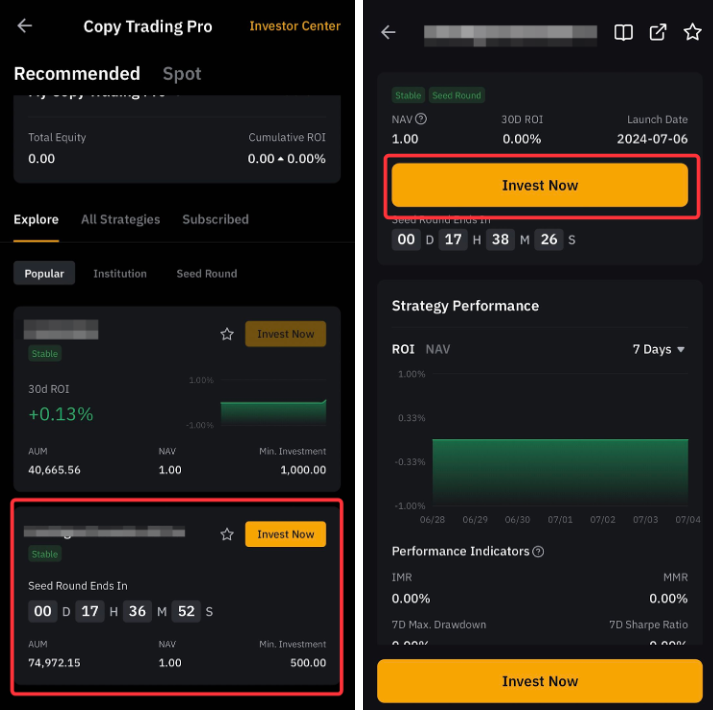
Step 2: Look for the strategy you wish to invest in. You may tap on the strategy card to view its performance. Tap the Invest button in the top right corner of the strategy card, or the Invest Now button on the strategy page.
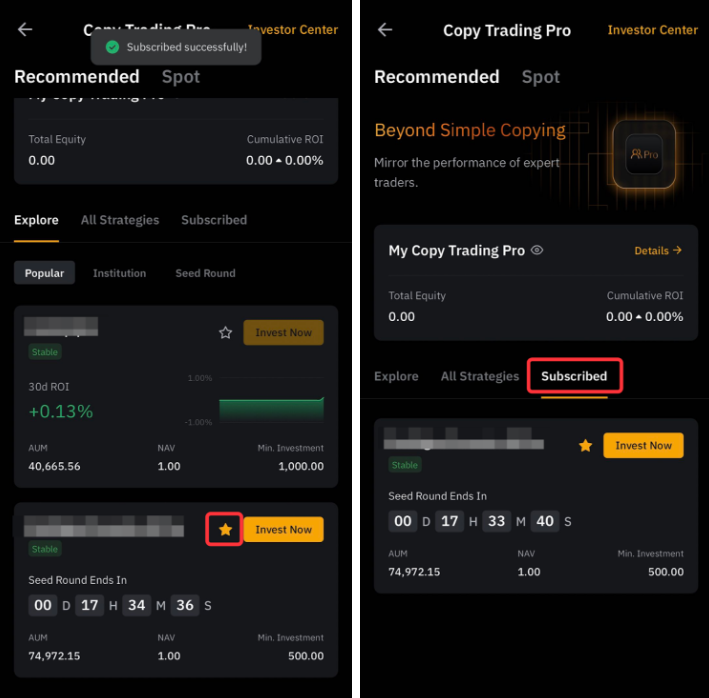
Step 3: Tap the star icon if you wish to keep track of the strategy’s performance before investing. Your subscribed strategies can be found under the Subscribed tab.
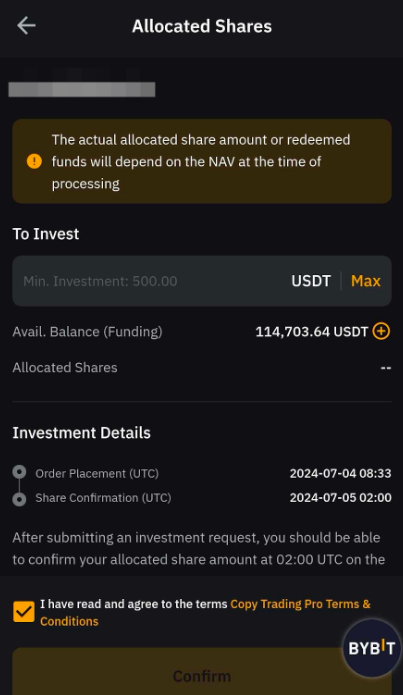
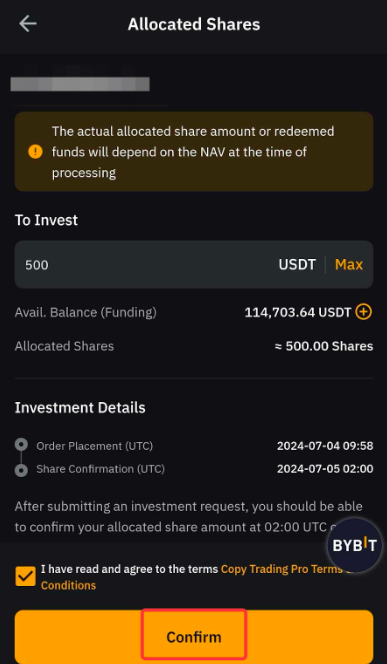
Step 4: Enter your investment amount. Verify the investment timeline and check the Terms and Conditions for Copy Trading Pro. Tap Confirm to proceed.
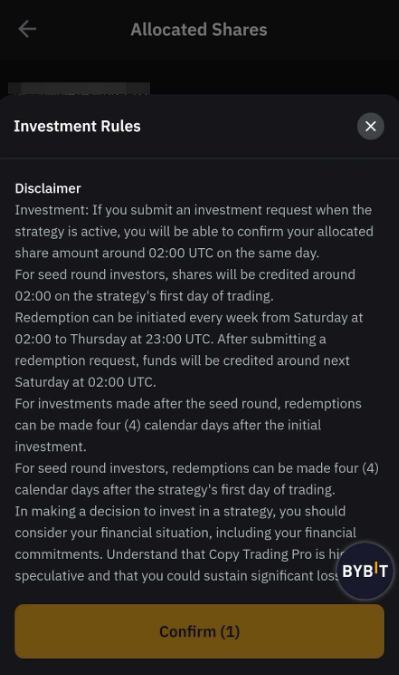
Step 5: Read the Investment Rules, and click Confirm.
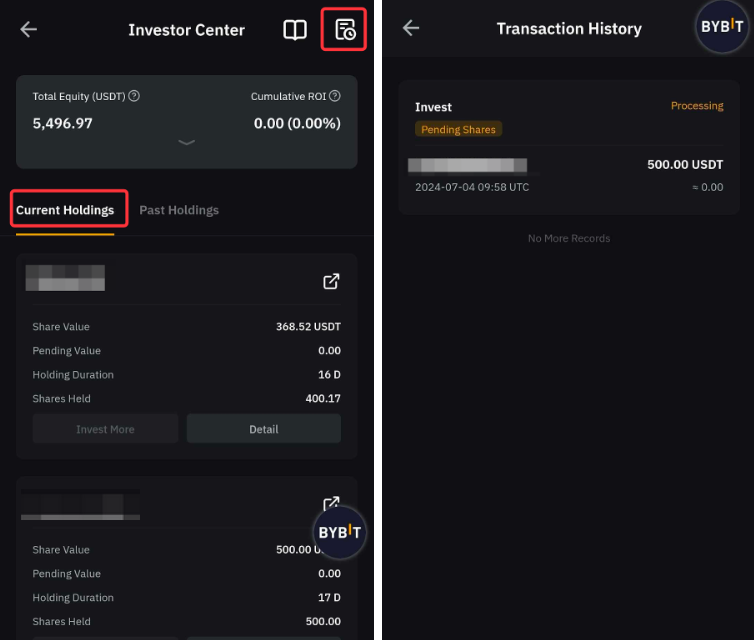
Step 6: Your investment details will be available in the Investment Details tab once the investment is successful. Details on your allocated shares will be available at 2AM UTC on the next day of your investment. Meanwhile, you can view your transaction history by navigating to Investor Center → Current/Past Holdings, or go to Transaction History on the top right corner.
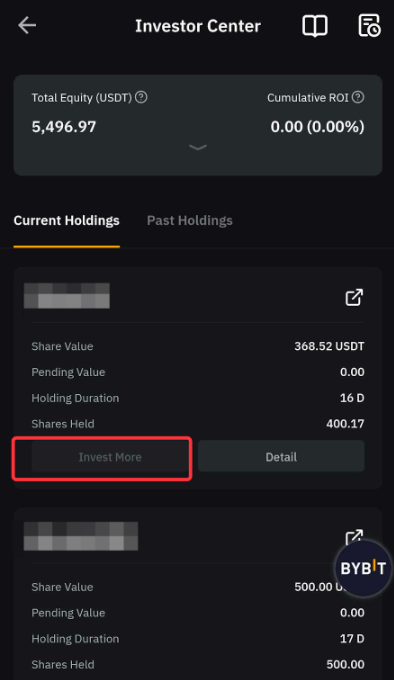
Similarly, to invest more in the strategy during the investment window, go to Investor Center → Holdings, and tap Invest More. Once invested, you are not able to cancel your investment. However, you may redeem your shares during the Redemption Window.
Redeem Your Shares
You may only redeem your shares during the Redemption Window. The redeemable amount is calculated based on the NVA at 2AM UTC on T+6 day. Please note that shares must be held for at least four (4) calendar days before redemption.
Step 1: Navigate to Copy Trading Pro → Investor Center.
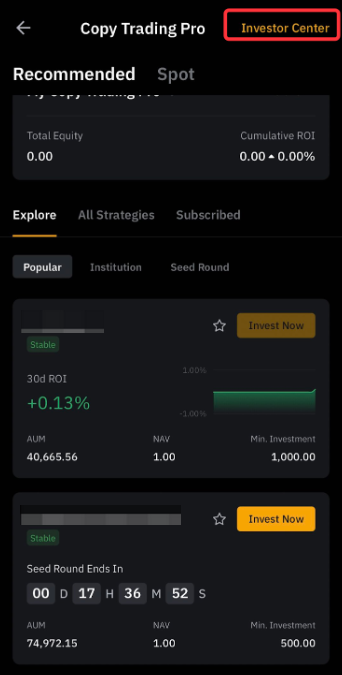
Step 2: Under Holdings, go to the strategy you wish to redeem, and tap Details.
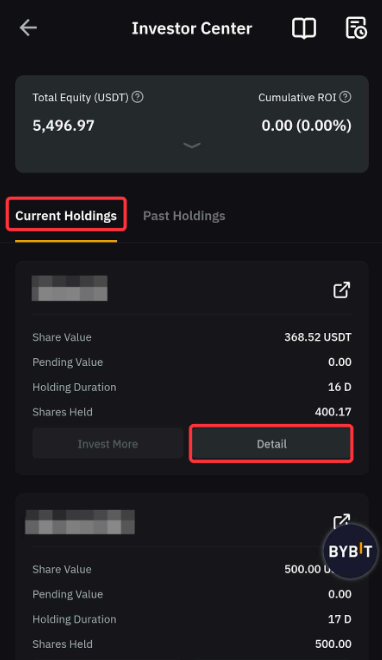
Step 3: Tap Redeem. Enter the number of shares you wish to redeem. Verify the redemption timeline and click Confirm.
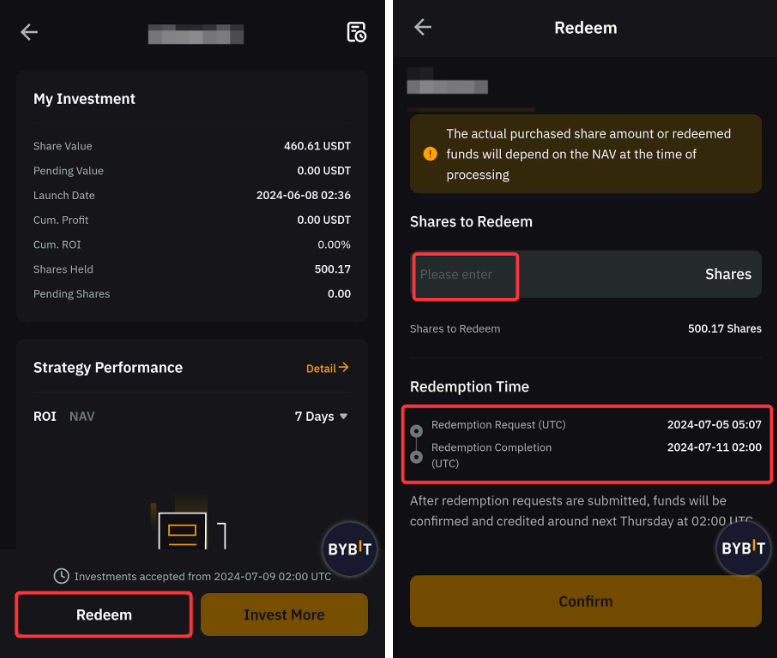
Step 4: Click Confirm. The redeemed amount will be credited to your Funding Account after the Pro Master Redemption Phase ends.
Alternatively, when the strategy reaches its expiry date, the system will automatically initiate the redemption process for all investors of this strategy.
View Your Investment Transaction History
Step 1: Go to Copy Trading Pro → Investor Center.
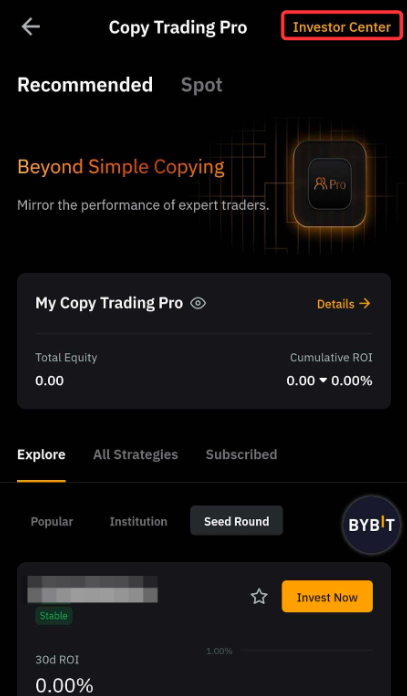
Step 2: Tap the record icon in the top right corner to view your redemption and investment history.
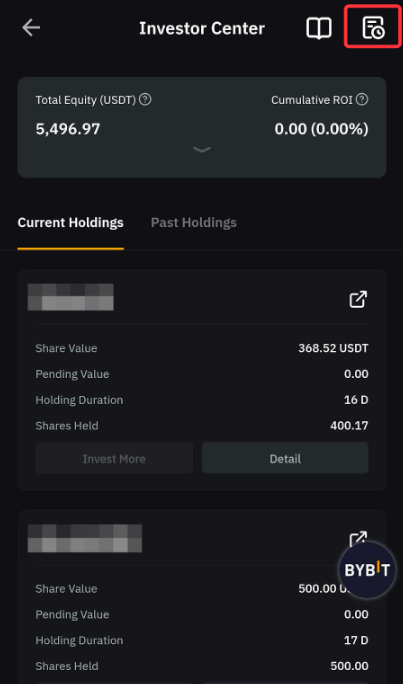
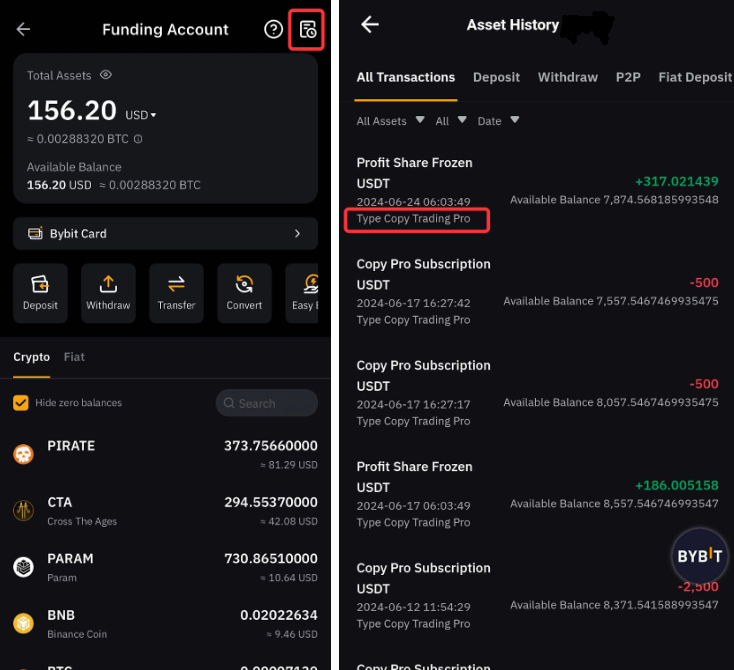
For details on your asset flows for Copy Trading Pro, please go to Funding Account → Asset History, and filter the records by selecting the Copy Trading Pro tag.