
Here’s a step-by-step guide to help you easily link or remove your first Bank Card on Bybit.
Link Your Bank Card
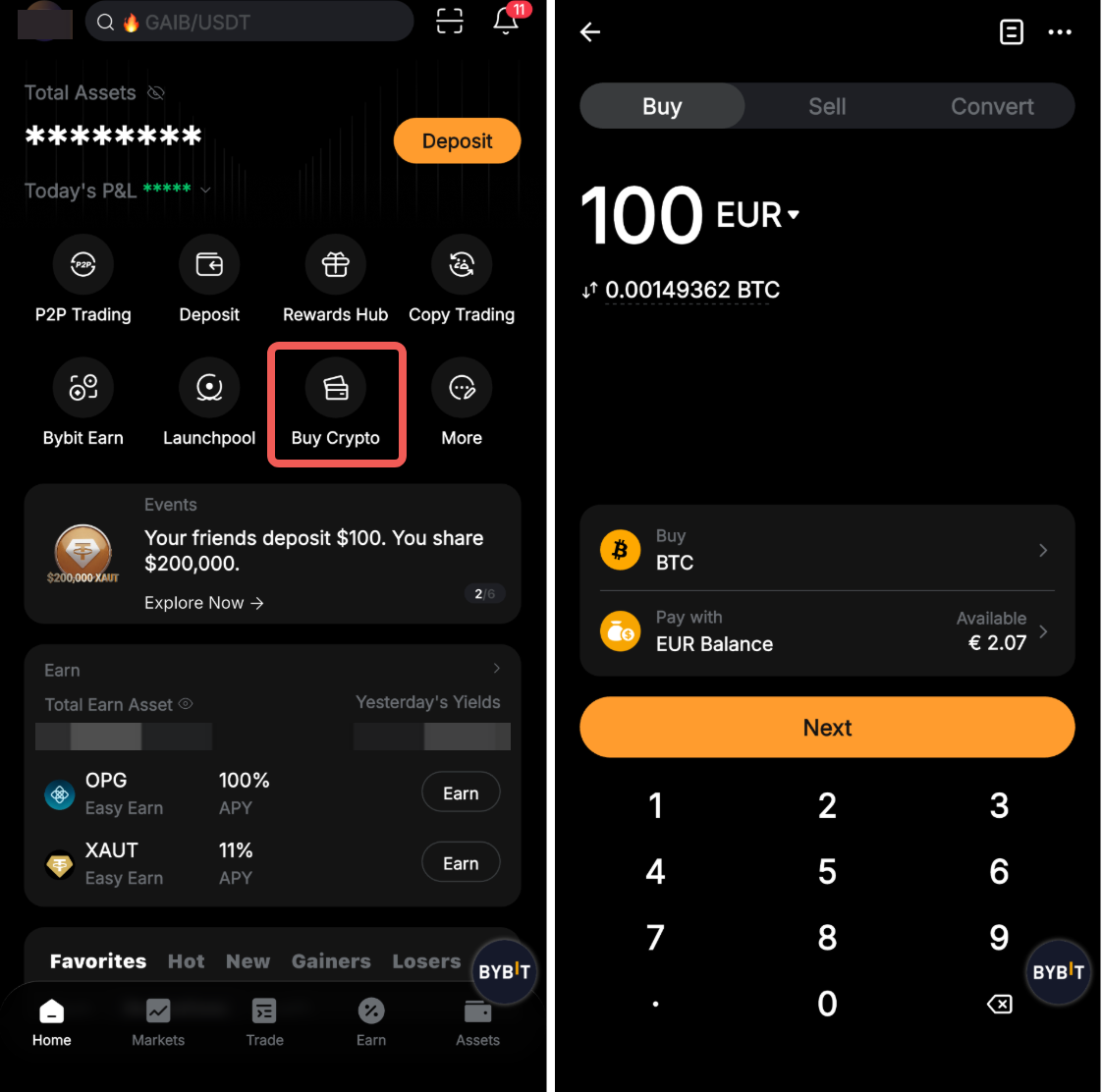
Step 1: Tap on Buy Crypto on the home page. Enter the fiat currency, coins, and amount you intend to pay.
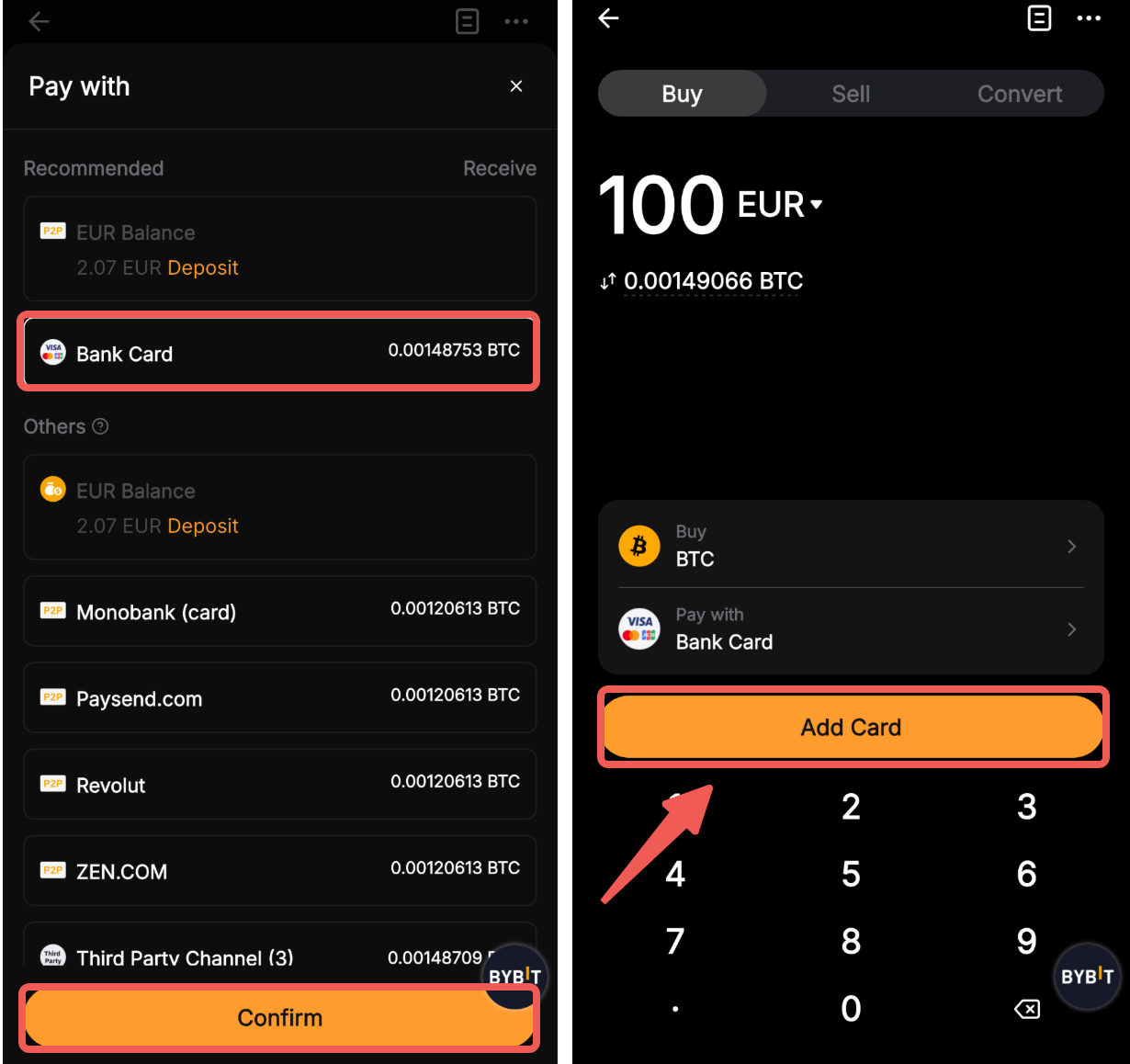
Step 2: Next, tap the Pay with dropdown list and select Bank Card. If this is your first time linking your card, you are required to add your card details by clicking on Add Card. You will be automatically redirected to the Card Details page to enter your card details.
Step 3: Fill in your card information on the Card Details page. Ensure that all the information you’ve entered is accurate and tap on Confirm.
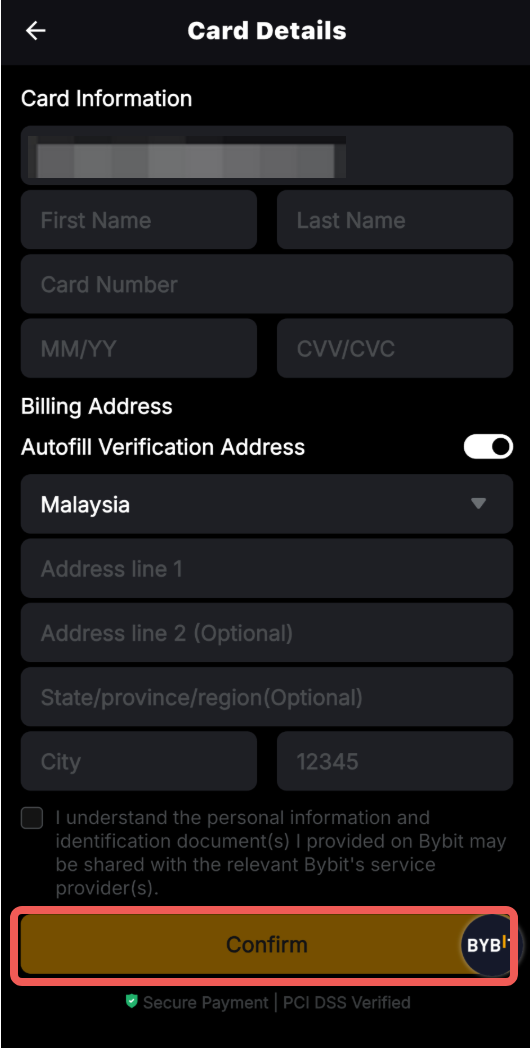
Enter your card information as follows:
- First Name and Last Name
- Card Number
- Expiration Date
- CVV
Notes:
— You may be required to fill in a billing address. Please ensure the billing address entered matches your bank card’s registered address.
— Your bank account name must be consistent with your KYC-verified name on Bybit.
— You can link up to five bank cards.
Step 4: Once your order is confirmed, the card will be linked to your account.
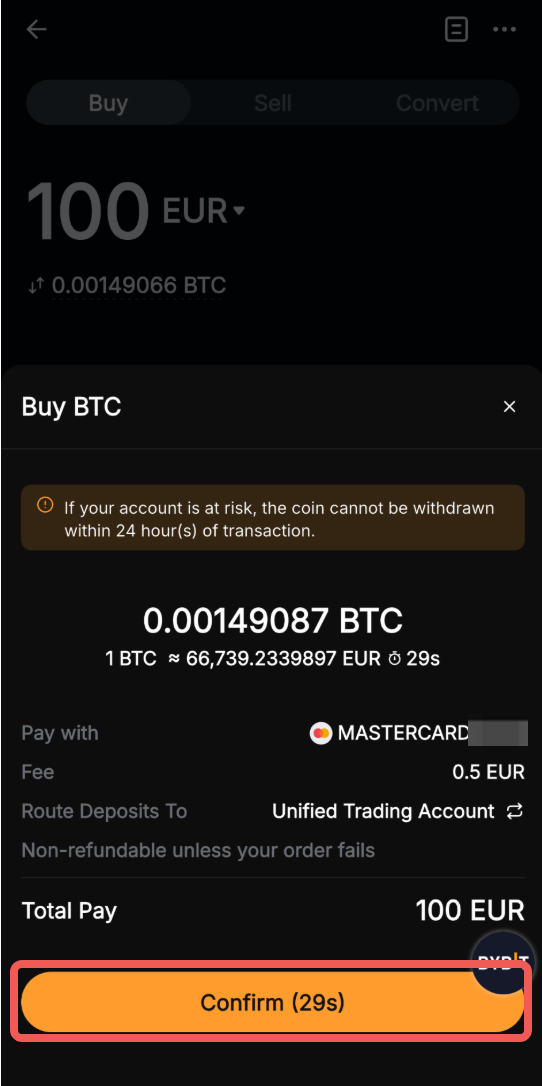
Note: Your card details will not be saved if you do not proceed with the order.
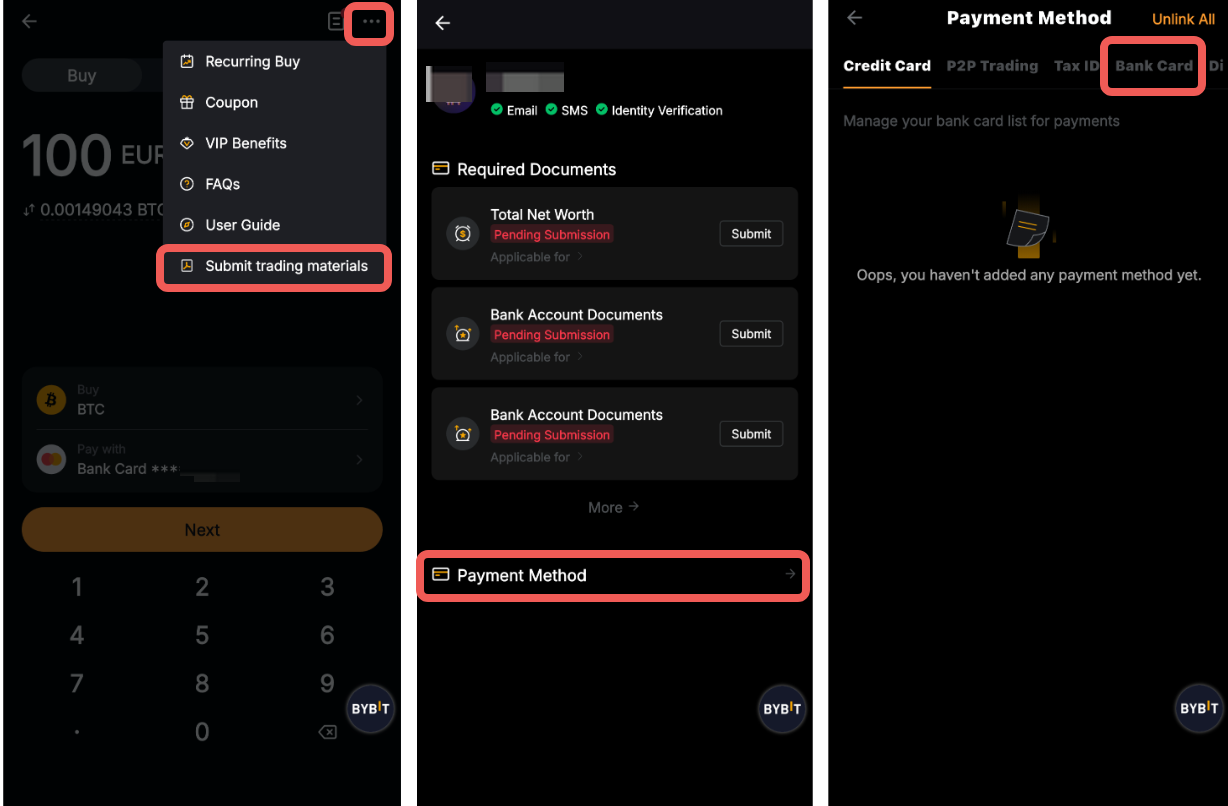
You can view and manage your linked cards by clicking on Submit trading materials in the three-dot menu in the upper right corner. Then, tap on Payment Method and select Bank Card.
Remove Your Bank Card
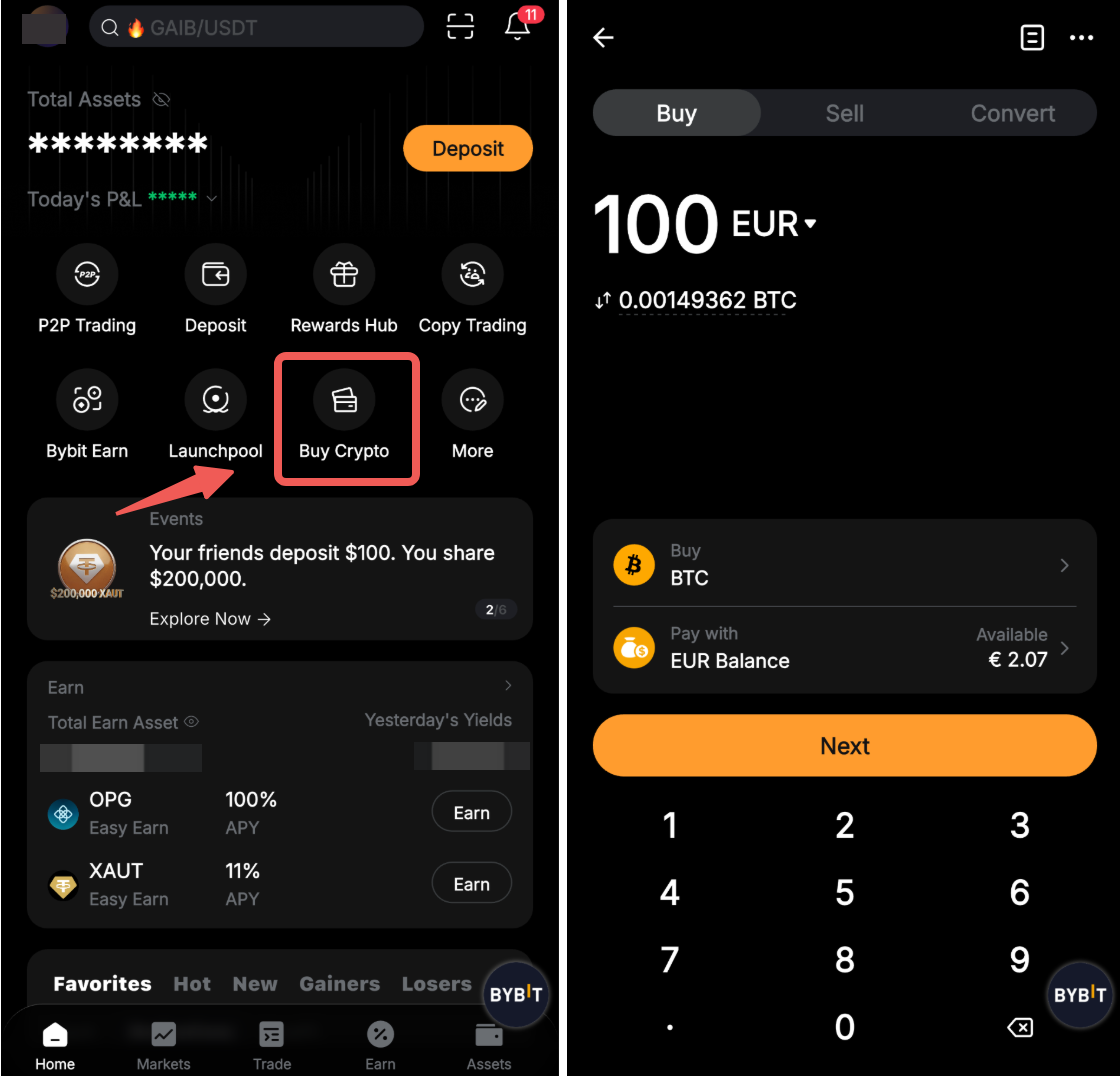
Step 1: Tap on Buy Crypto on the home page, and tap on Buy Crypto.
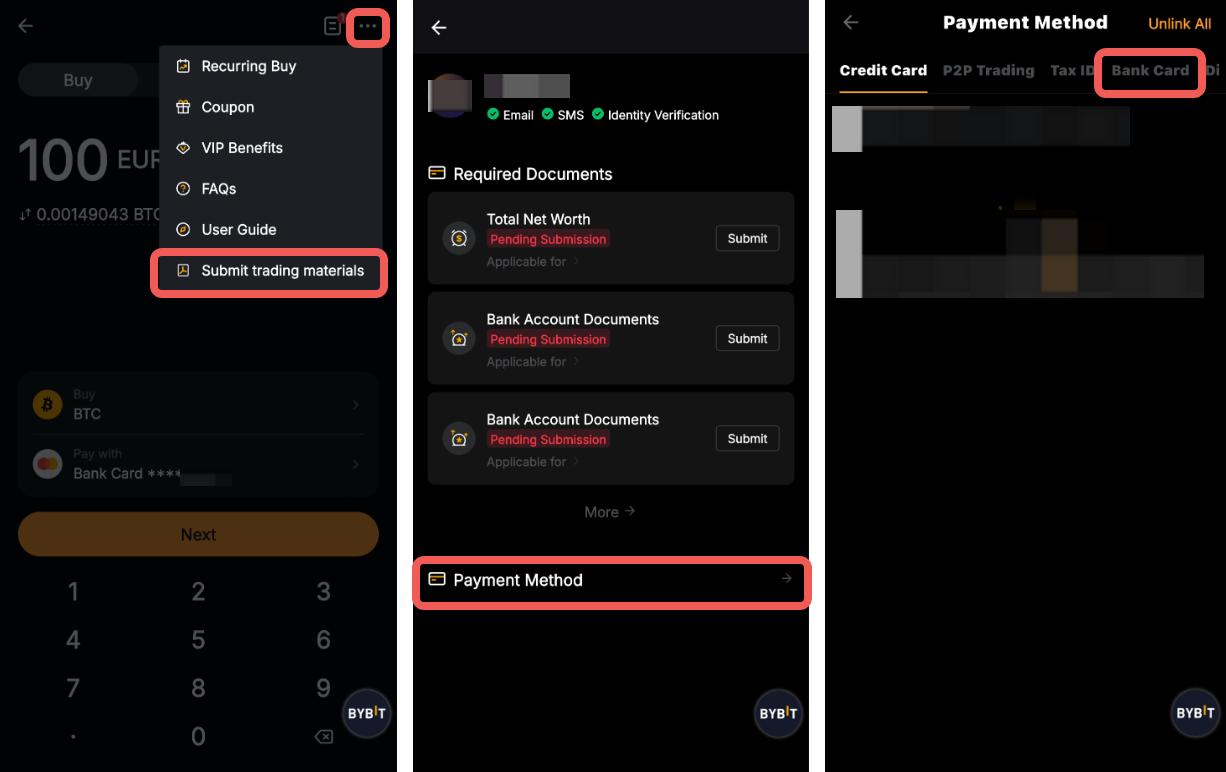
Step 2: Tap on Submit trading materials in the three-dot menu in the upper right corner. Then tap on Payment Method and select Bank Card.
Step 3: Choose the card you want to remove from the list and tap on Remove card.
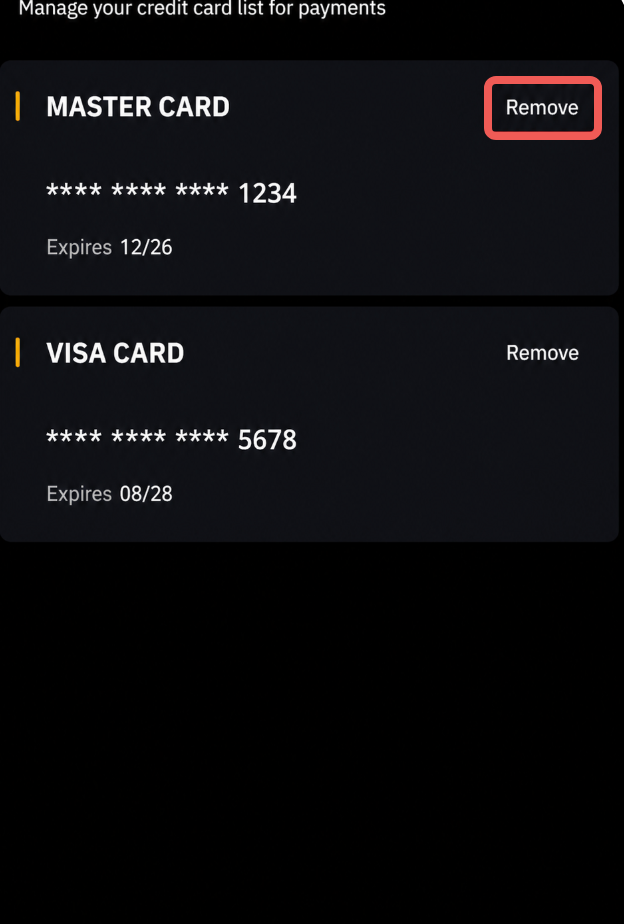
Your card has been successfully removed.