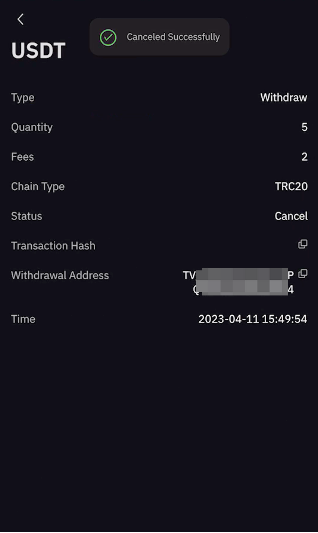
Here’s a step-by-step guide on how to cancel your withdrawal request. There is no fee for canceling a withdrawal request. Once the cancellation is successful, the requested withdrawal amount and the corresponding withdrawal fee will be refunded to your Bybit account.
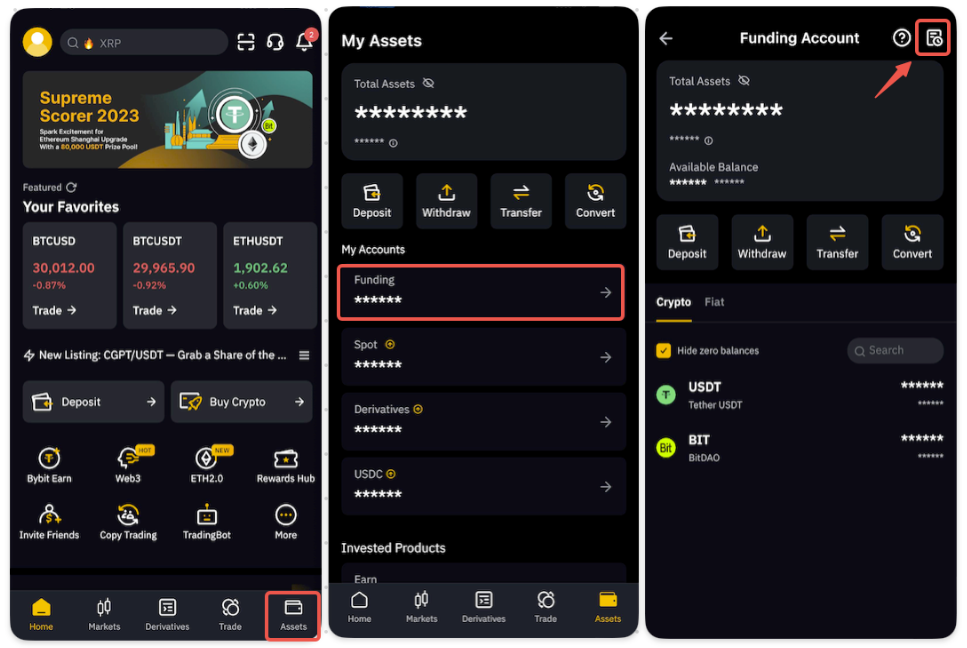
Step 1: You can select Assets in the bottom right corner. Tap on Funding on the My Assets page, then select the history page icon on the top right corner. This will allow you to view your withdrawal request history.
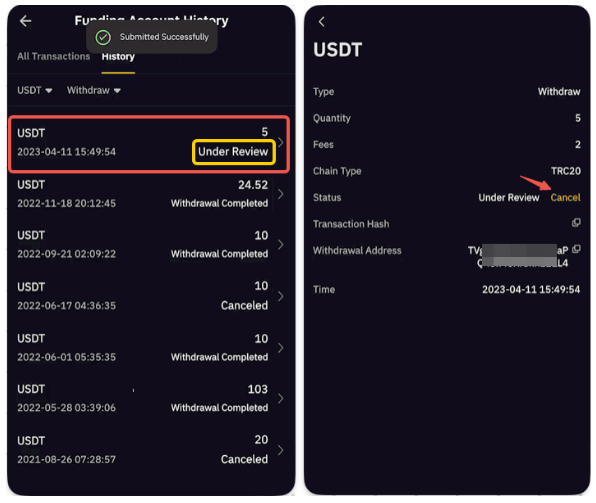
Step 2: On the Funding Account History page, you will only be able to cancel your withdrawal while it is still Under Review. Select the respective withdrawal request and tap on Cancel.
You have successfully canceled your withdrawal request!