Here’s a step-by-step guide to help you submit an on-chain withdrawal request. For withdrawal via internal transfer, you can refer to here.
Notes:
— Email and Google Authentication is required before you can proceed to submit an on-chain withdrawal request.
— Bybit supports withdrawals for coins listed on the Funding Assets page with an available Withdrawal button.
— Bybit supports immediate withdrawal. The confirmation time depends on the blockchain and its current network traffic. For more information, please refer to FAQ — Crypto Withdrawal.
— For the withdrawal of coins that require a tag/memo (e.g. XRP/A/XYM/XLM/XEM), please remember to enter your Tag or Memo for the transfer. Failure to do so will cause unnecessary delays in processing your withdrawal.
— As part of Travel Rule measures, some users will need to complete the wallet address verification on the crypto withdrawal. Read more in the FAQ — Travel Rule.
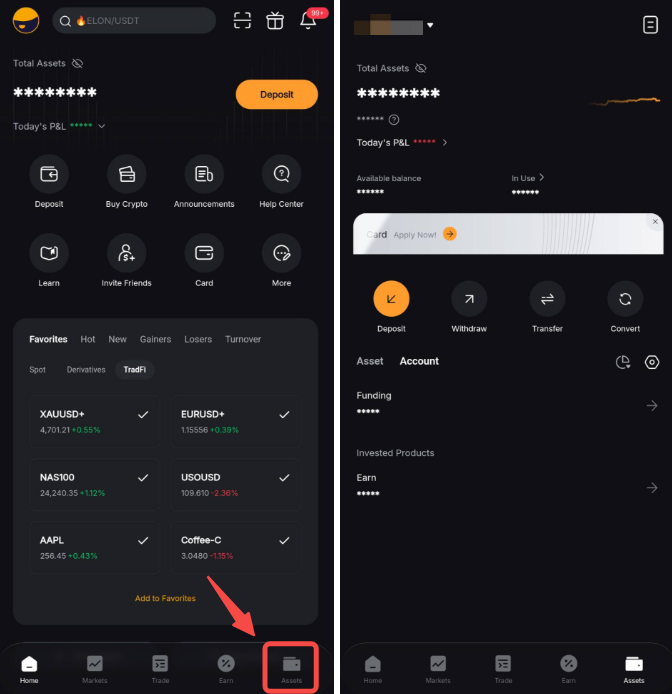
Step 1: Launch your Bybit App on your mobile device. By default, you will be directed to the Home page. Head to the Assets page.
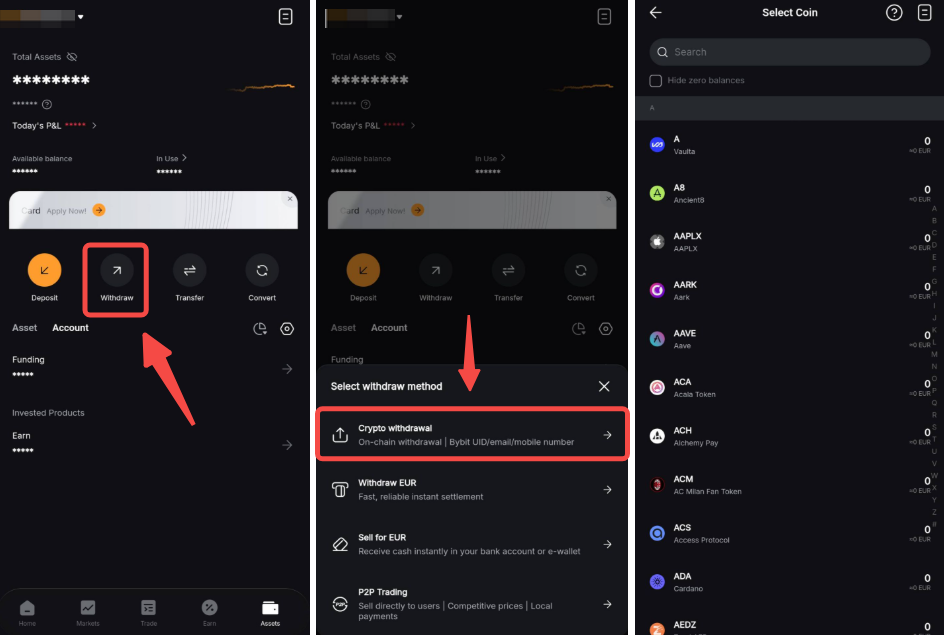
Step 2: Click on the Withdraw button at the top of the page and select Crypto Withdrawal. Select the coin you’d like to withdraw.
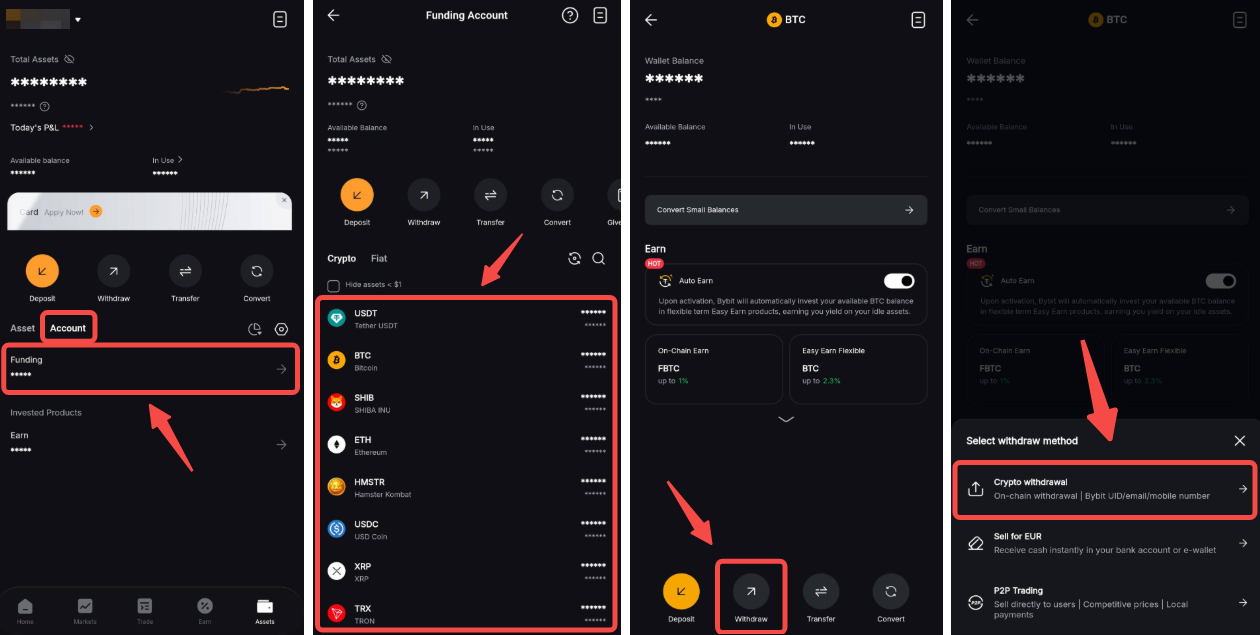
Alternatively, you can also click on Account → Funding → Select the coin you would like to withdraw. Once done, you’ll arrive at the coin page, where you’ll be able to click on Withdraw at the bottom of the page. Then, select Crypto Withdrawal.
Step 3: Enter your withdrawal request by entering the information below:
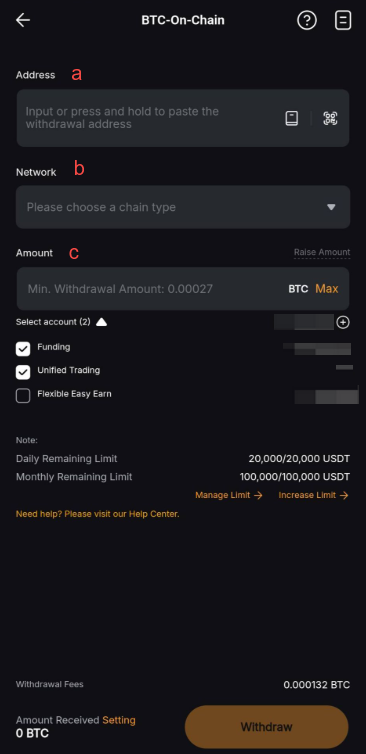
a. Enter the withdrawal wallet address.
You can use the field to enter a new address, use the drop-down menu to select an existing wallet address, or click on the Address Book button to register a new withdrawal address to your account.
b. Select the correct chain type in the drop-down menu for your withdrawal request.
You will see the withdrawal fee for each blockchain network.
c. Enter the amount you want to withdraw, or click on Max to make a full withdrawal. You may choose to withdraw the available amount from the Funding, Unified Trading, or Earn accounts.
Once the chain type is selected, the minimum withdrawal limit for this particular coin and blockchain network will be indicated in the withdrawable amount field. You’ll also find the daily and monthly remaining limits for withdrawal on the right side of the page. To change your withdrawal limit, follow the guide here.
Notes:
- Withdrawals from your Funding, Unified Trading and Earn accounts can be performed on the Withdrawal page. If you have withdrawable funds in other accounts, please go to the Withdrawal page by clicking on the Withdrawal button.
- Please note that withdrawals from UTA might increase the IMR and MMR of your account, leading to a possible increase of account risk.
- Some cryptocurrencies do not support withdrawals from the Earn account. The option to select the Earn account will only be shown if it is supported.
- For withdrawals from your Earn account, please note that only Flexible Term Earn investment can be withdrawn at any time. Fixed Term Earn investments cannot be withdrawn until the product reaches maturity (i.e., before the redemption period).
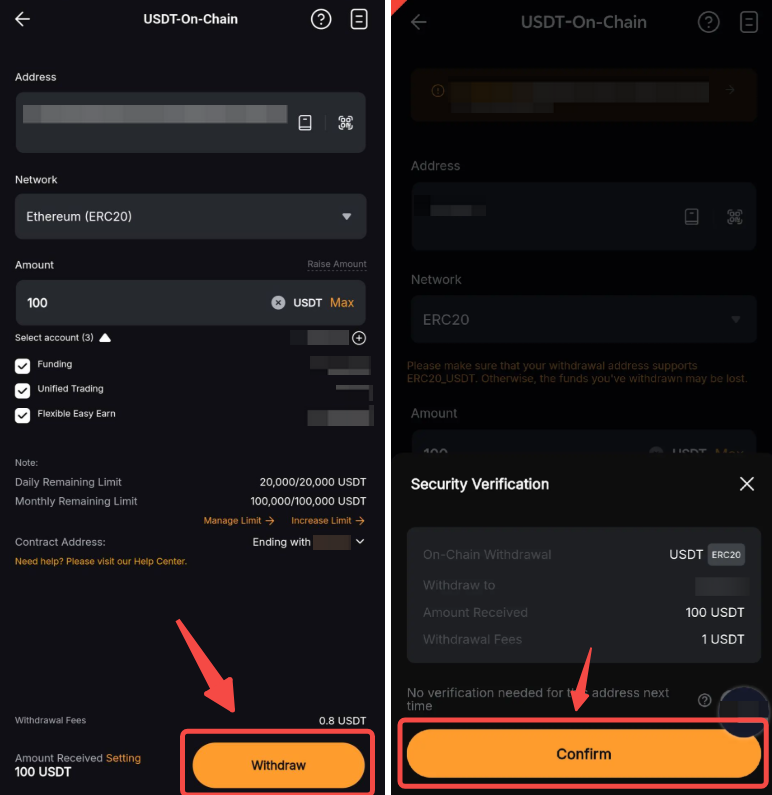
Step 4: Click on the Withdraw button at the bottom of the page and confirm the withdrawal request.
Step 5: Key in your email verification and Google Authenticator code if your wallet address isn’t verified.
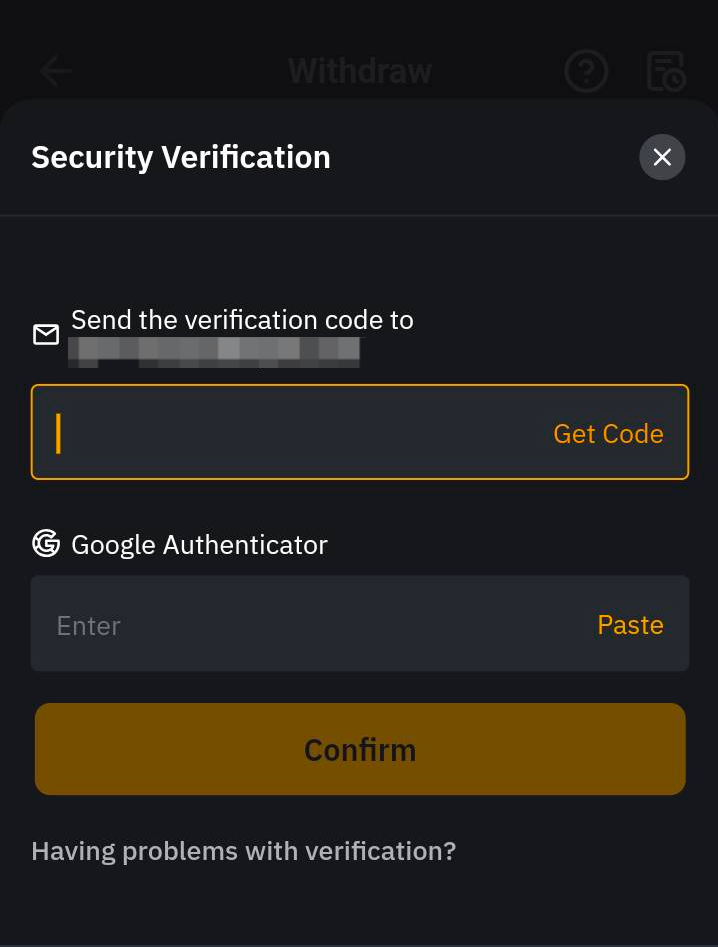
Note: If your address is verified in the Withdrawal Address Whitelist, you won’t need to go through the 2FA verification process.
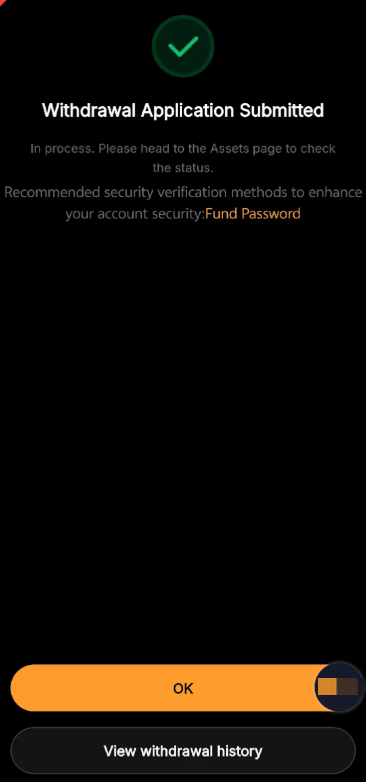
Congratulations! You have successfully submitted your withdrawal request!