In order to start trading on Bybit TradFi, you will need to create a TradFi account which will have its own account balance. Here is a guide to create and activate your Bybit TradFi account.
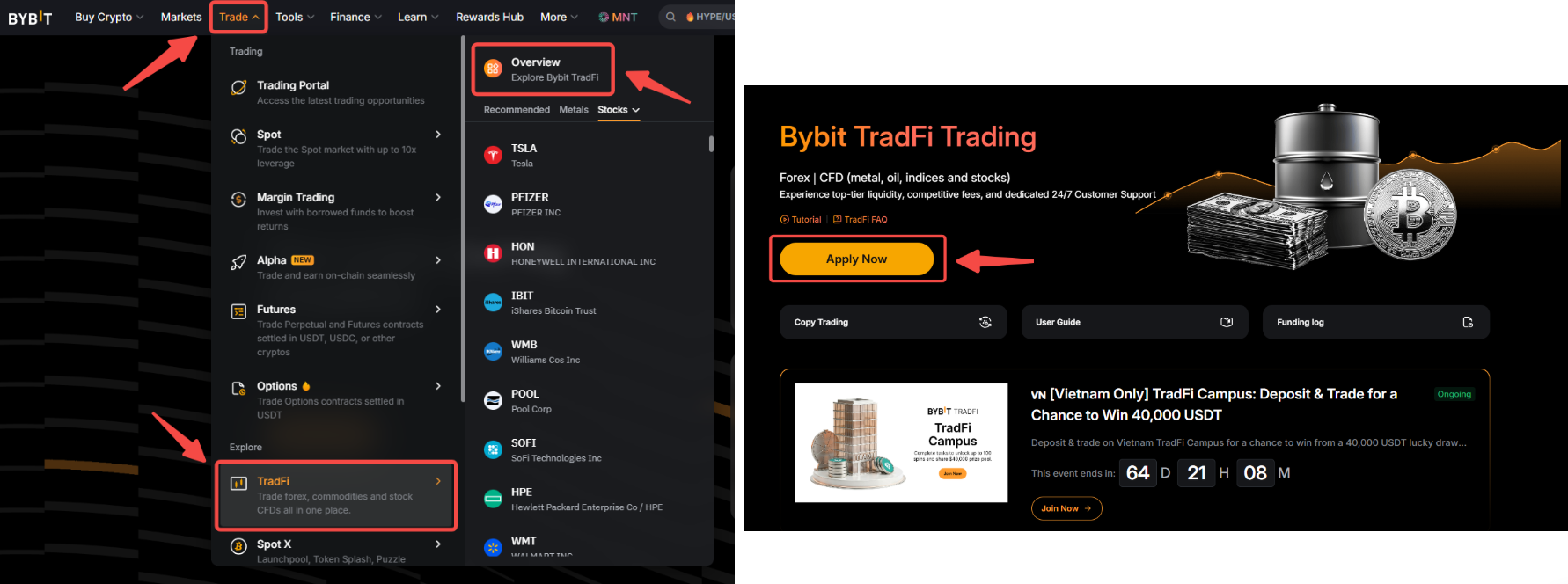
Step 1: On the Bybit homepage, click on Trade → TradFi → Overview to access the TradFi homepage. Then, click on Apply Now.
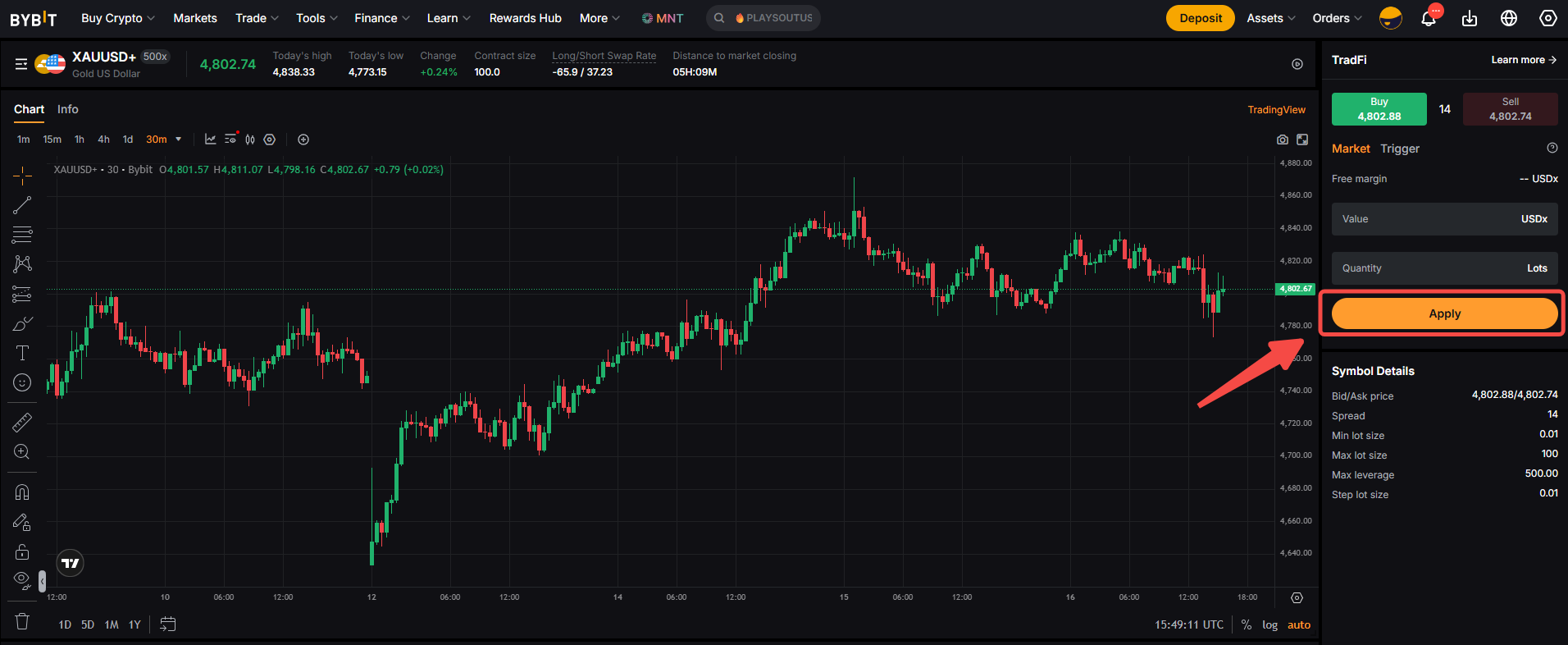
Alternatively, you can go directly to one of the available TradFi trading pairs pages and click on Apply in the order box.
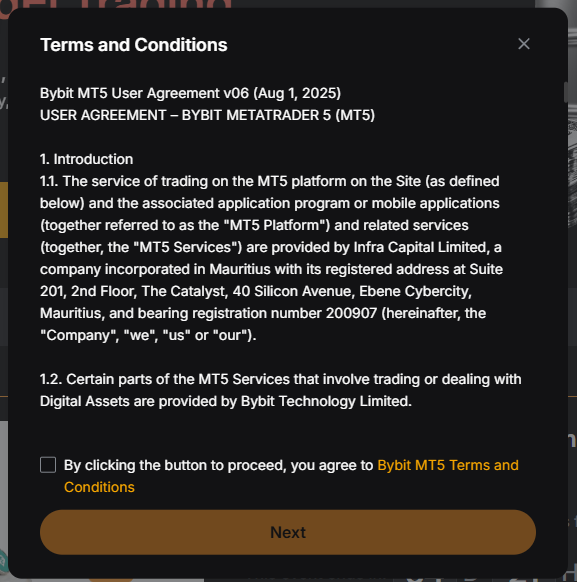
Step 2: Read carefully and accept the Terms and Conditions by ticking the box. Then, click on Next.
Step 3: Your account is now created. However, to start trading on TradFi, you will need to make a fund transfer to your TradFi account. To do so, click on Transfer.
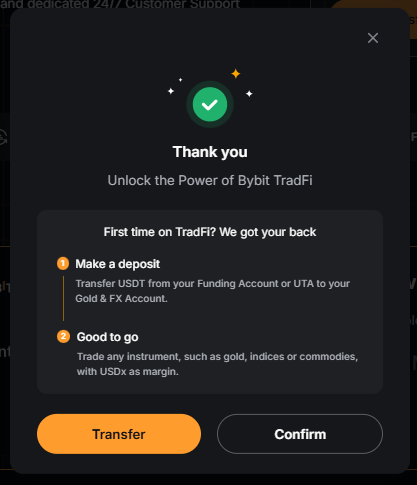
Note: If you would like to make an asset transfer later, simply click on Confirm to exit the page.
Step 4: Select the account from which you want to transfer funds and input the amount of USDT you would like to transfer. Once done, click on Confirm.
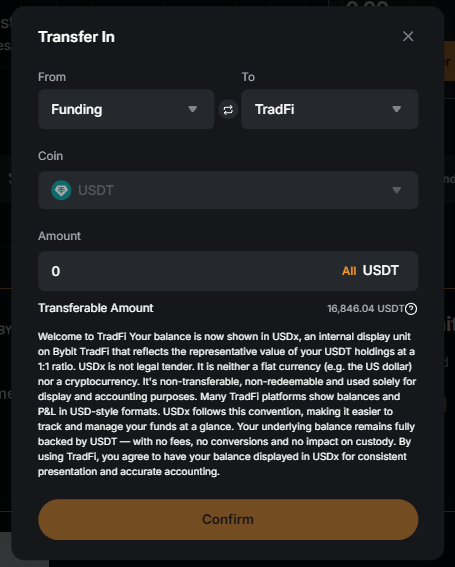
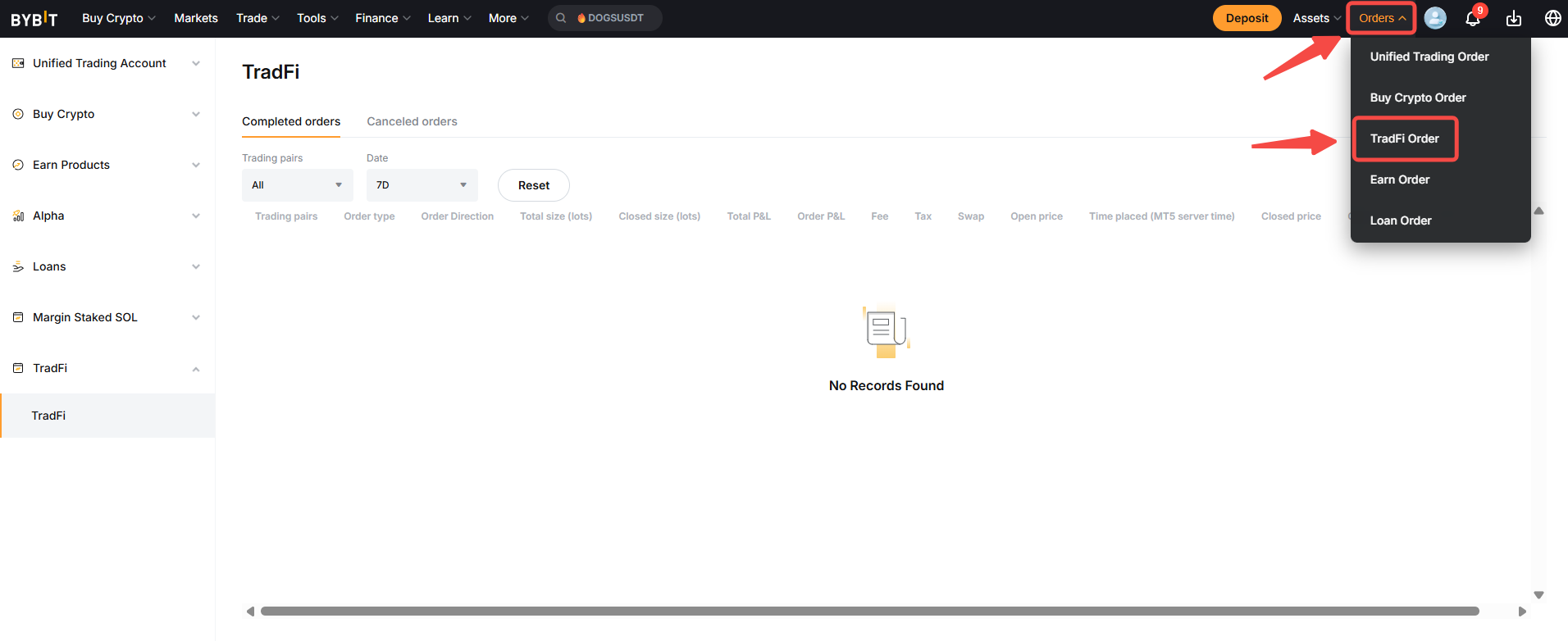
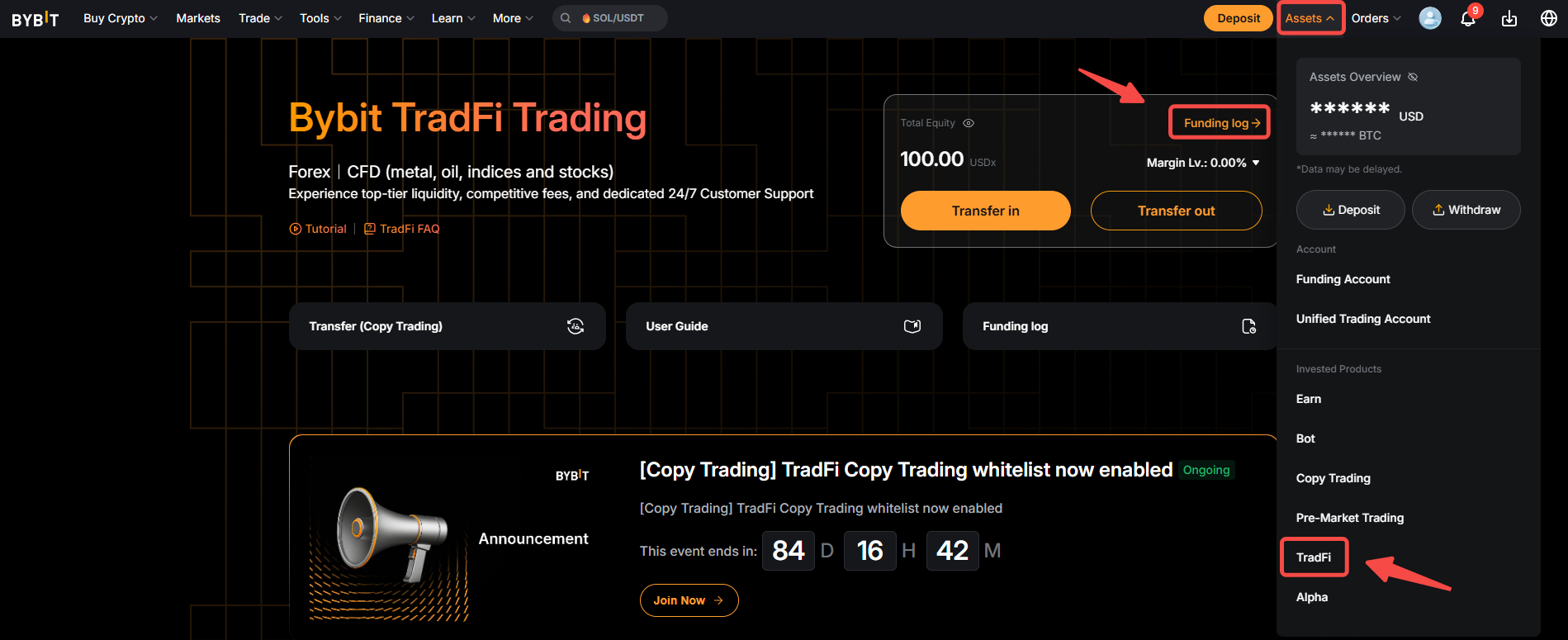
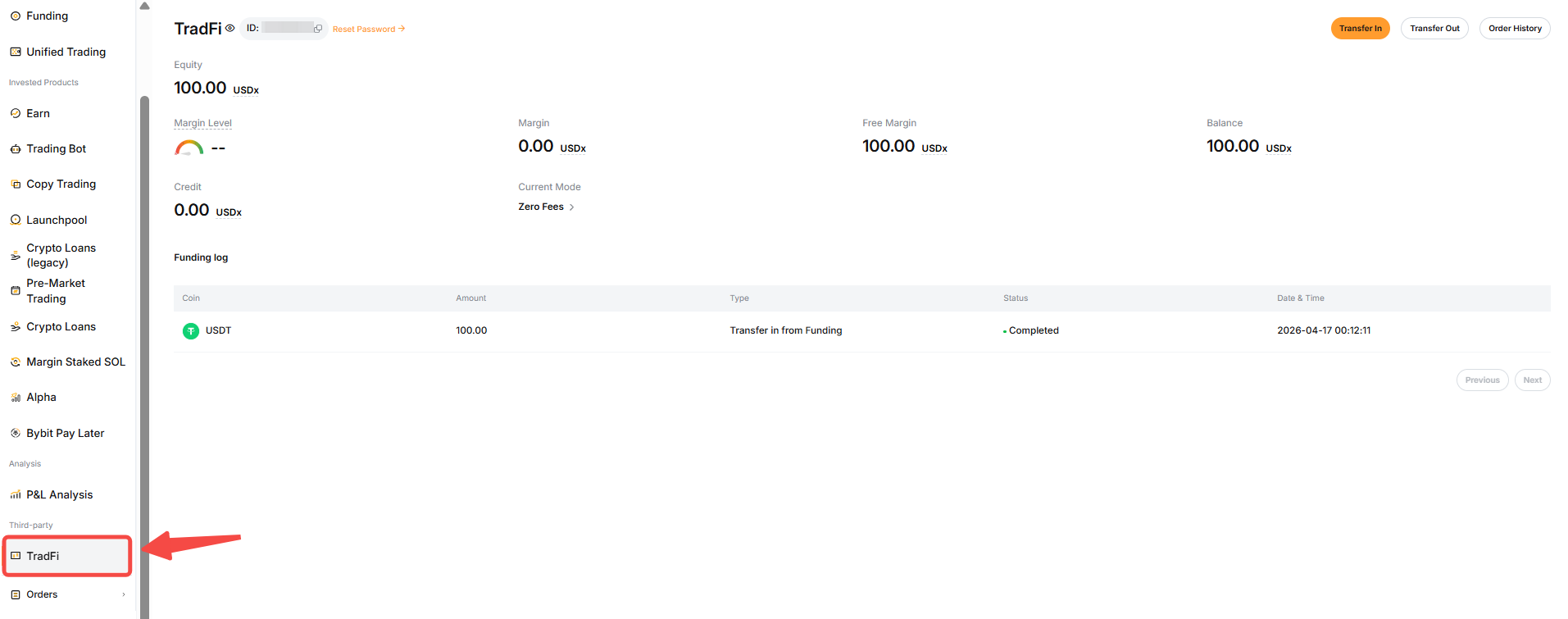
Once your assets are transferred, they will appear on the TradFi homepage and you can start trading! You can make transfers in and out of your TradFi account by tapping on Transfer in and Transfer out. To view your transfer history, simply tap on Funding Log on the TradFi dashboard or go to Assets → TradFi.
To view your current positions and orders, go to Orders → TradFi Order. You will be redirected to your order history where you will be able to consult your completed and canceled orders.