
The P2P Chat feature is designed to enhance your trading experience by providing seamless communication between buyers and sellers. This real-time messaging tool allows users to confirm transaction details and resolve queries efficiently, supporting a smooth and secure trading process.
Disclaimer:
Some features or services mentioned in this article may not be available to all users due to regional restrictions, account eligibility, verification status, or phased rollout arrangements.
Key Features
- Real-time Messaging: Communicate instantly with your trading counterparty.
- Secure Communication: Messages are sent and visible to the P2P Specialist within the platform, ensuring your rights and privacy are protected during all communications.
- Quick Connection: Quickly connect with other traders using the search function, initiate trades by sending ads directly through chat, and set common phrases for smoother communication.
Getting Started with the P2P Chat
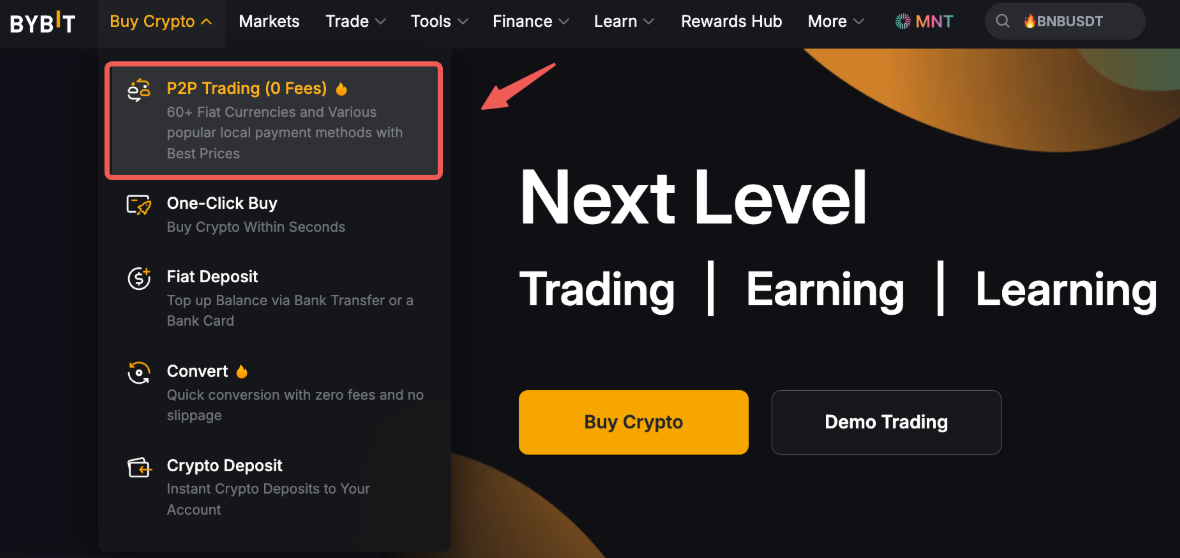
Step 1: Hover over Buy Crypto and click on P2P Trading on the top left corner of the navigation bar to enter the P2P trading page.
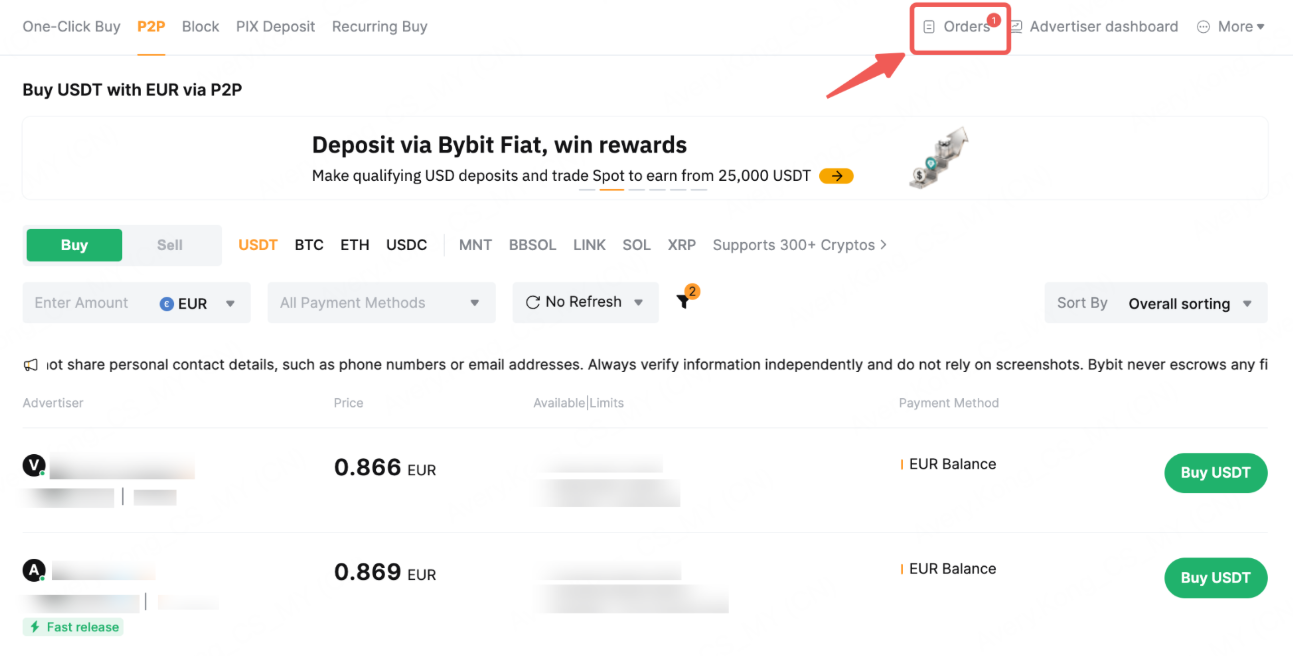
Step 2: On the P2P advertisement page, click on Orders on the right side of the menu bar.
Step 3: Find the order and trader you would like to contact. Click the trader’s nickname, or open the order to enter the chat.
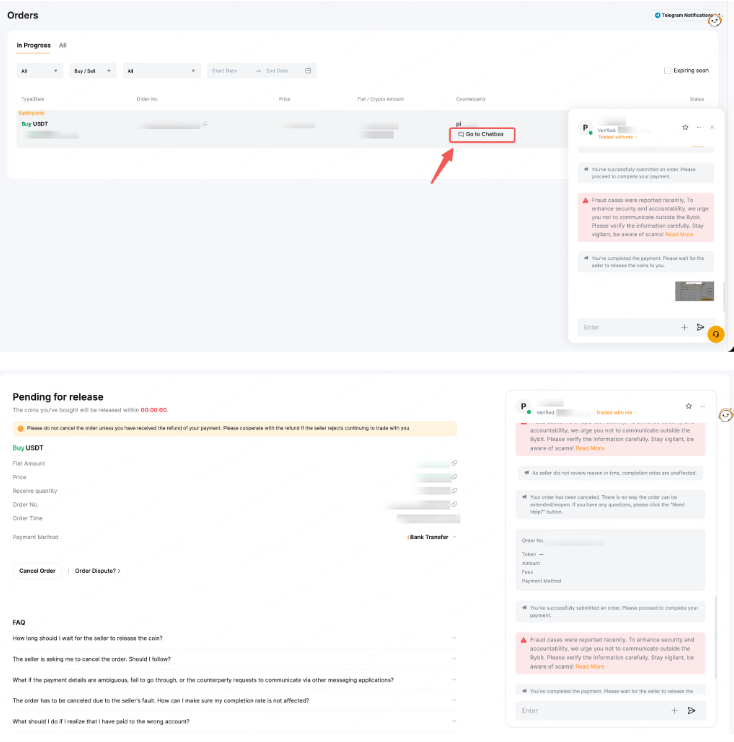
Note: You can only search for and chat with traders you have previously traded with, including those from canceled or completed orders.
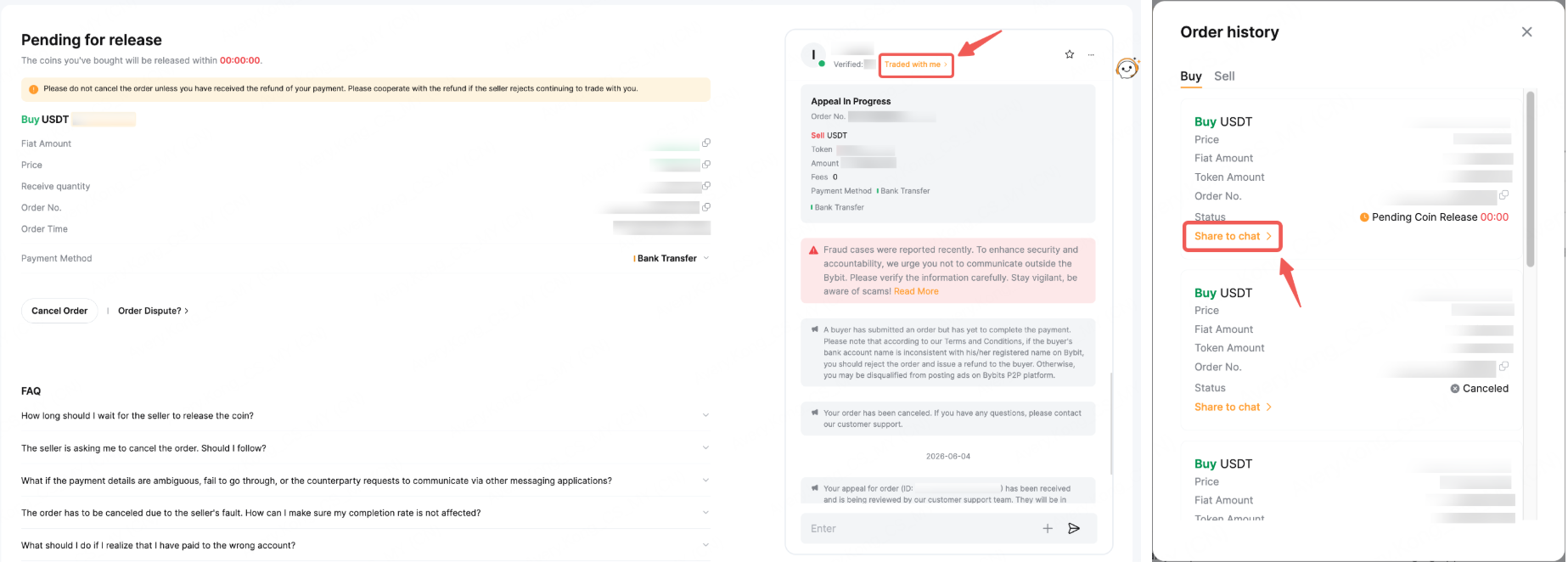
Step 4: To check the orders between you and another P2P trader, click on Traded with me to view the order list. You can then send the relevant order(s) via chat to ensure clear and accurate communication with the counterparty.
Safety Information for Using the P2P Chat
- Always verify payment and transaction details before completing the trade.
- Keep communication professional and concise to avoid misunderstandings.
- Do not share sensitive personal information outside the platform.
- Use screenshots within the chat for proof of transactions if necessary.