
သင့်ကွန်ပျူတာရှိ သင်၏ Bybit အကောင့်ကို Bybit App မှတစ်ဆင့် လွယ်ကူစွာ လော့ဂ်အင်ဝင်နိုင်ရန် ကူညီပေးမည့် အဆင့်ဆင့်လမ်းညွှန်ချက်မှာ ဤတွင်ဖြစ်ပါသည်။
အဆင့် 1- စတင်ရန် Bybit ဝဘ်ဆိုက်ရှိ လော့ဂ်အင်စာမျက်နှာ သို့သွားပြီး QR ကုဒ် တက်ဘ်ကို ရွေးချယ်ပါ။
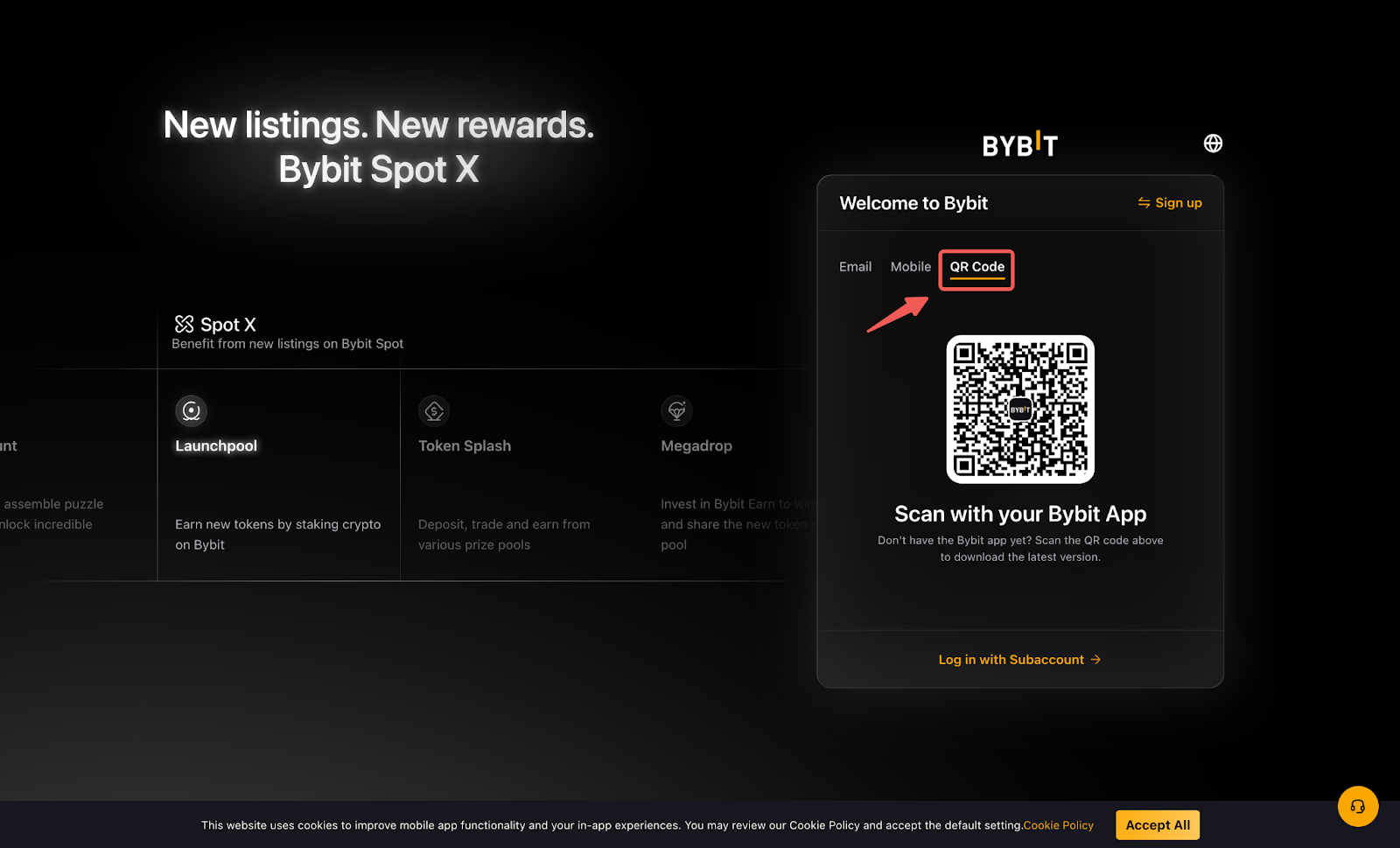
မှတ်ချက်- သင့်စက်ပစ္စည်းတွင် Bybit အက်ပ်ကို မထည့်သွင်းရသေးပါက နောက်ဆုံးဗားရှင်းကို ဒေါင်းလုဒ်လုပ်ရန် အထက်ပါ QR ကုဒ်ကို စကင်န်ဖတ်နိုင်သည်။
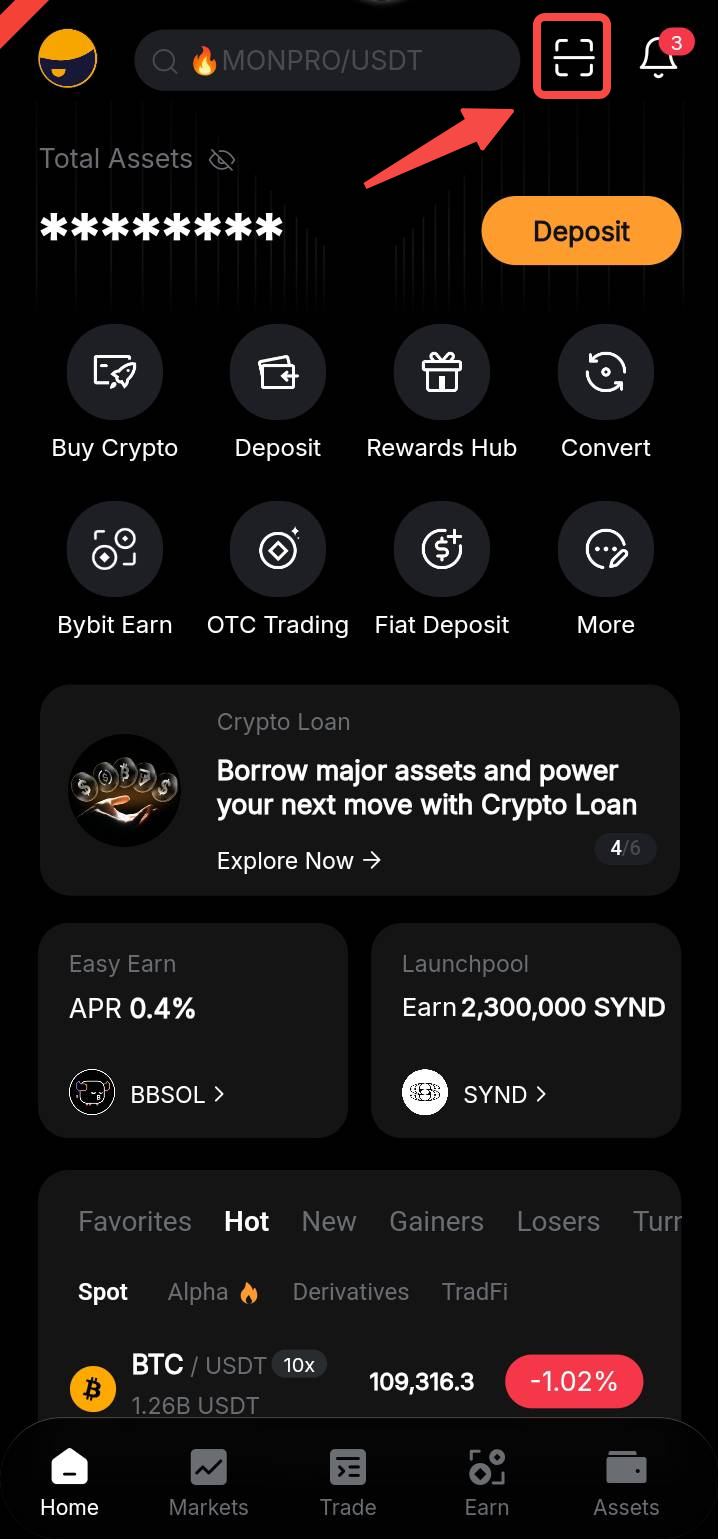
အဆင့် 2- Bybit အက်ပ်ကို ဖွင့်ပြီး ညာဘက်အပေါ်ထောင့်ရှိ QR ကုဒ်စကင်နာအိုင်ကွန်ကို နှိပ်ပါ။ သင်၏ Bybit အက်ပ်တွင် လော့ဂ်အင်ဝင်ထားကြောင်း သေချာပါစေ။
အဆင့် 3- Bybit အက်ပ်ဖြင့် QR ကုဒ်ကို စကင်န်ဖတ်ပါ၊ ထို့နောက် လော့ဂ်အင်ဝင်ရန် ကို နှိပ်ပါ။
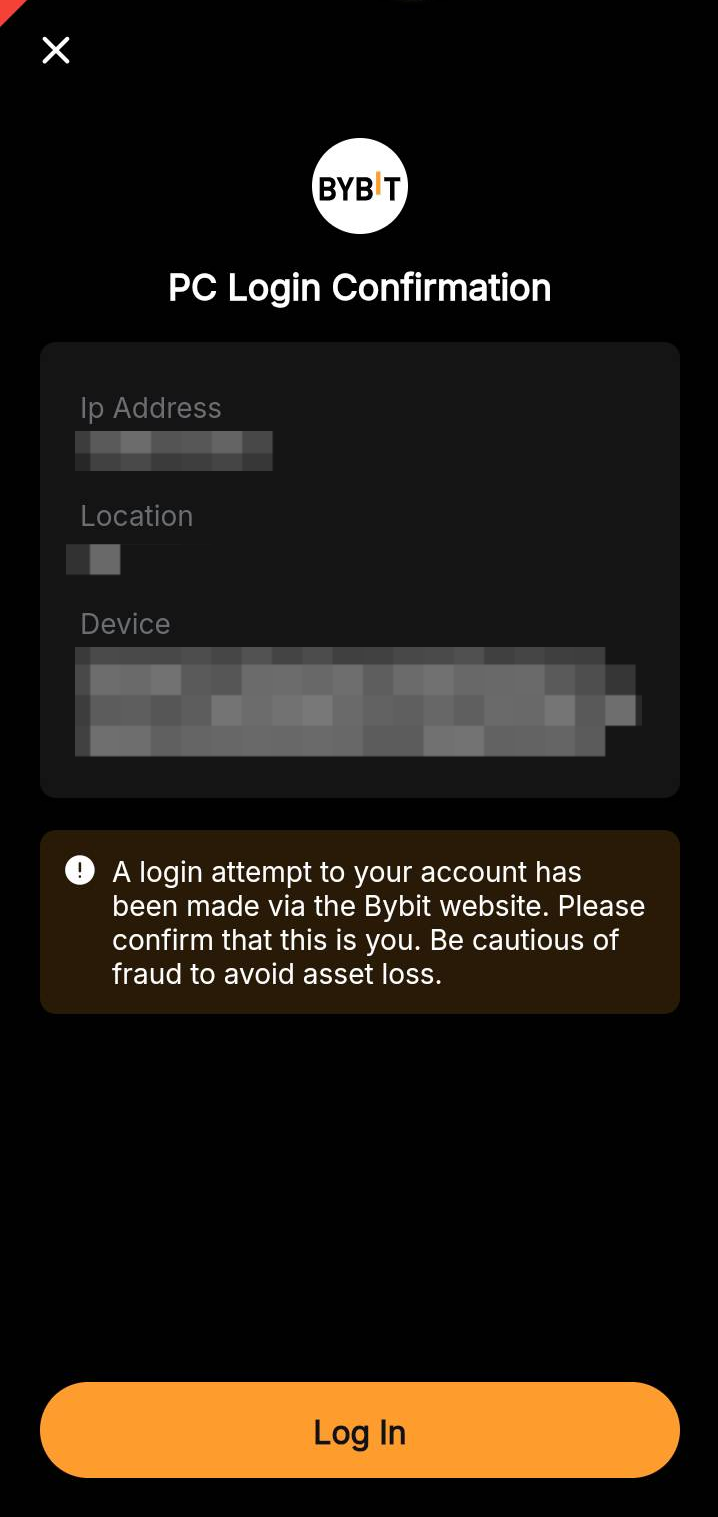
ဂုဏ်ယူပါသည်။ သင် အောင်မြင်စွာ လော့ဂ်အင်ဝင်ပြီးပါပြီ။