Here's a step-by-step guide to placing your first order with Easy Options on Bybit.
Navigate to the Easy Options Page
To access Bybit Easy Options, first launch the Bybit App. From the homepage, select Trade and tap Options.
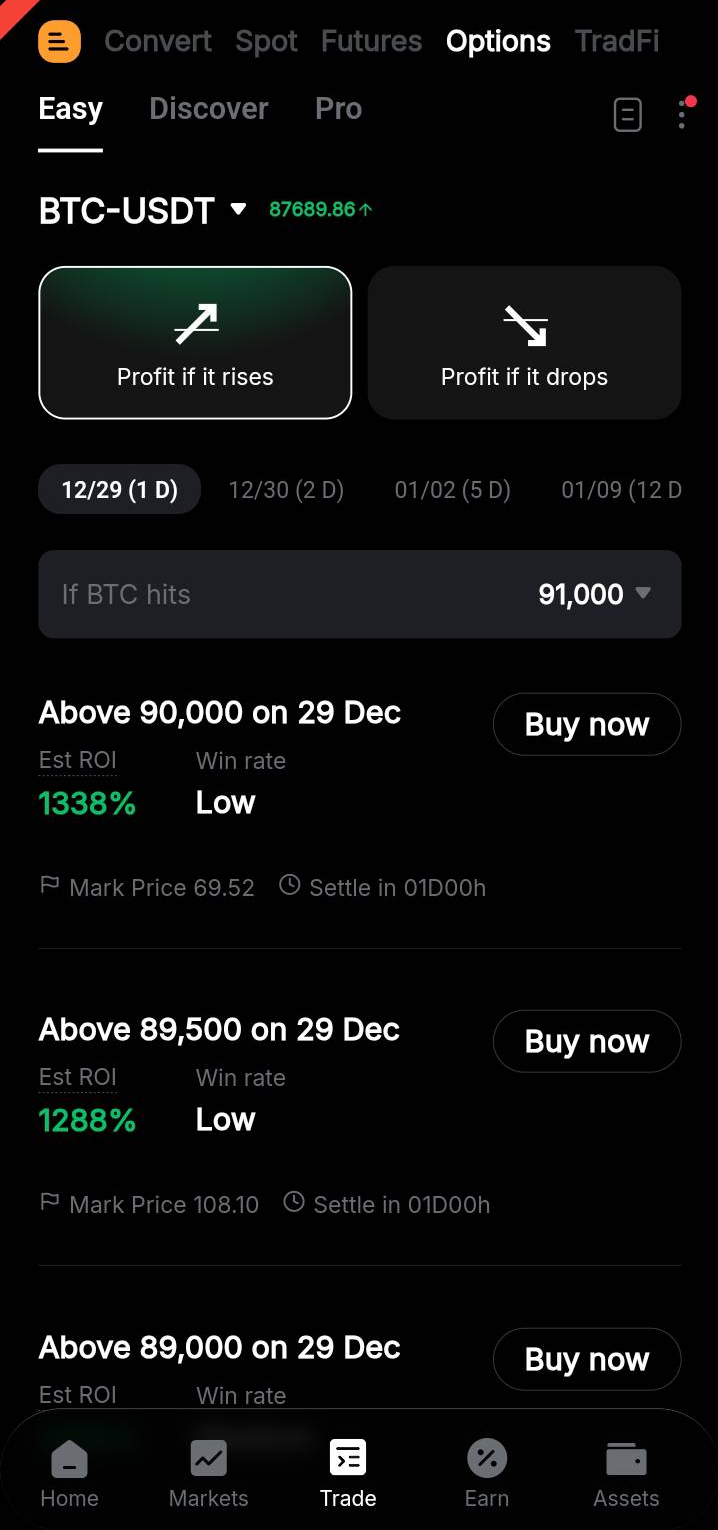
This will take you to the Bybit Options page, where you can then choose from three modes depending on your experience with options trading.
Options Discover
For novice options traders, tap Discover to view the top options contracts by open interest, 24h price change, and other aspects. Then, tap any contract card to access the Order page to place orders.
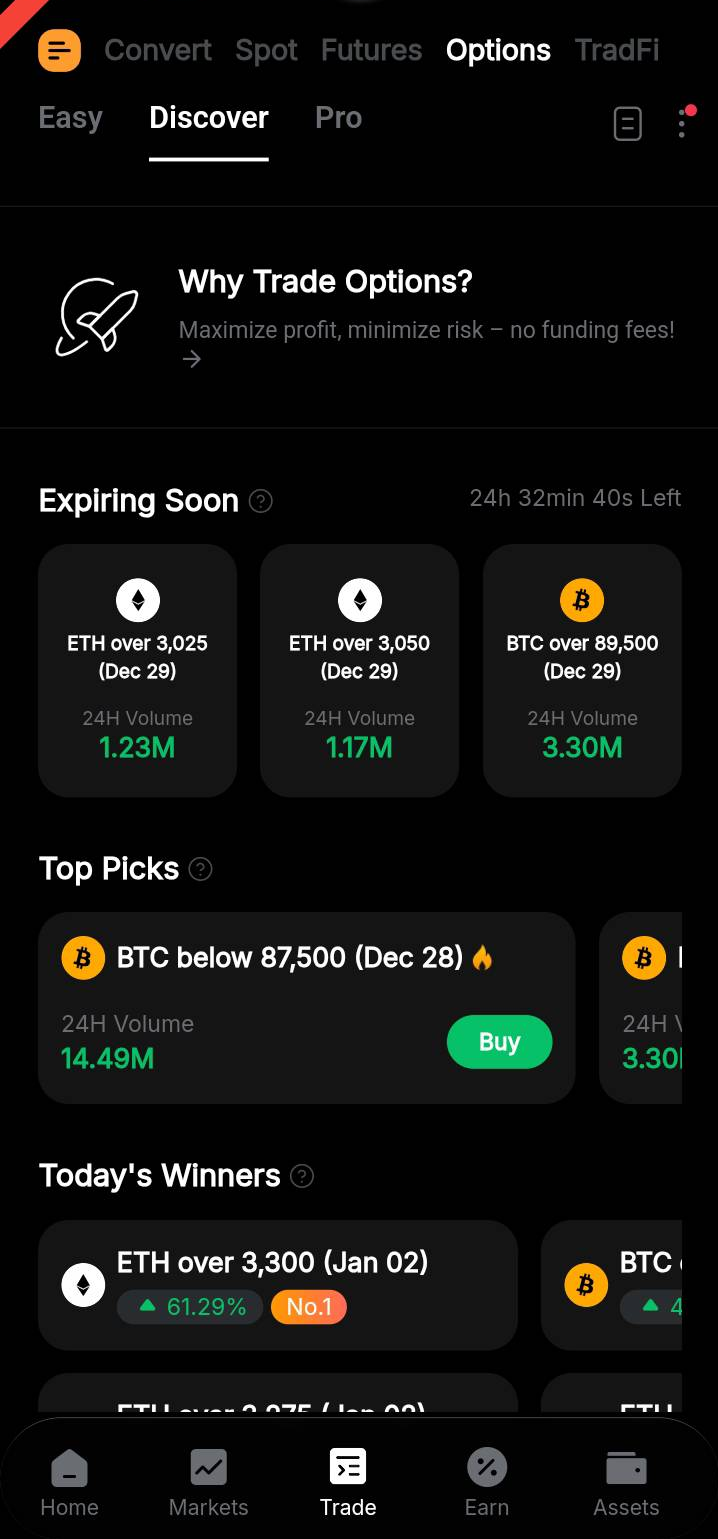
The contracts available under the Discover mode are as follows:
Traders with more hands-on experience with option trading may navigate to the Easy or Pro mode to invest.
Options Easy
Under the Easy mode, traders can skip the complex chart reading and market analysis and buy options contracts directly. Here are the steps:
- Select the desired coin type from the dropdown menu.
- Decide on buying Call or Put by toggling between Profit if it rises or Profit if it drops selection.
- Filter the list of available contracts based on the expiration dates.
- Find the contracts that meet your strike range criteria by selecting the price from the dropdown menu.
- Check out the contract card for key indicators such as the contract name, price, expiry, and profit probability.
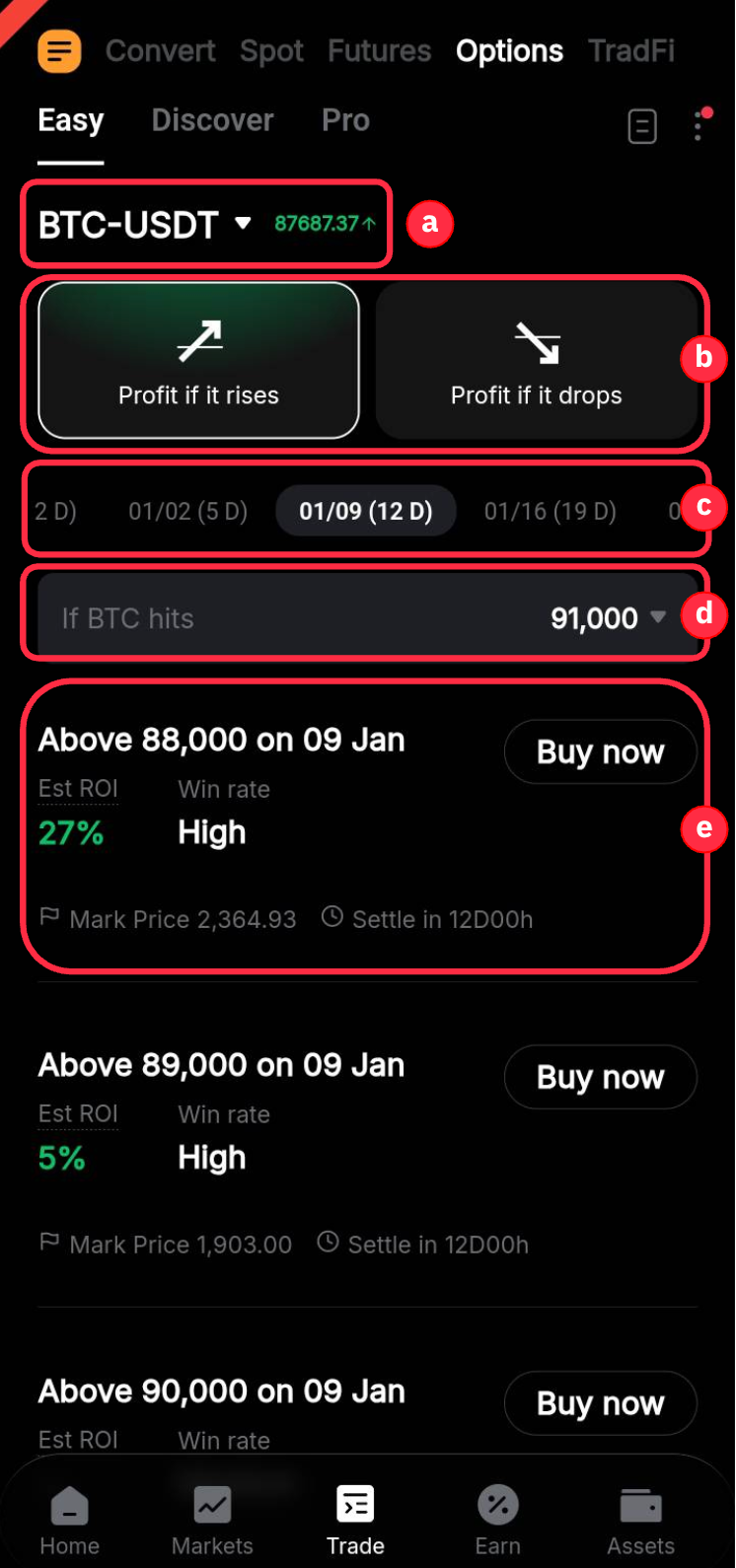
To buy options under the Easy mode, tap the contract card to access the Buy page.
On the Buy page, enter the amount to invest and you can view the order cost, expiry date, profit conditions, profit probability, leverage, and P&L Analysis.
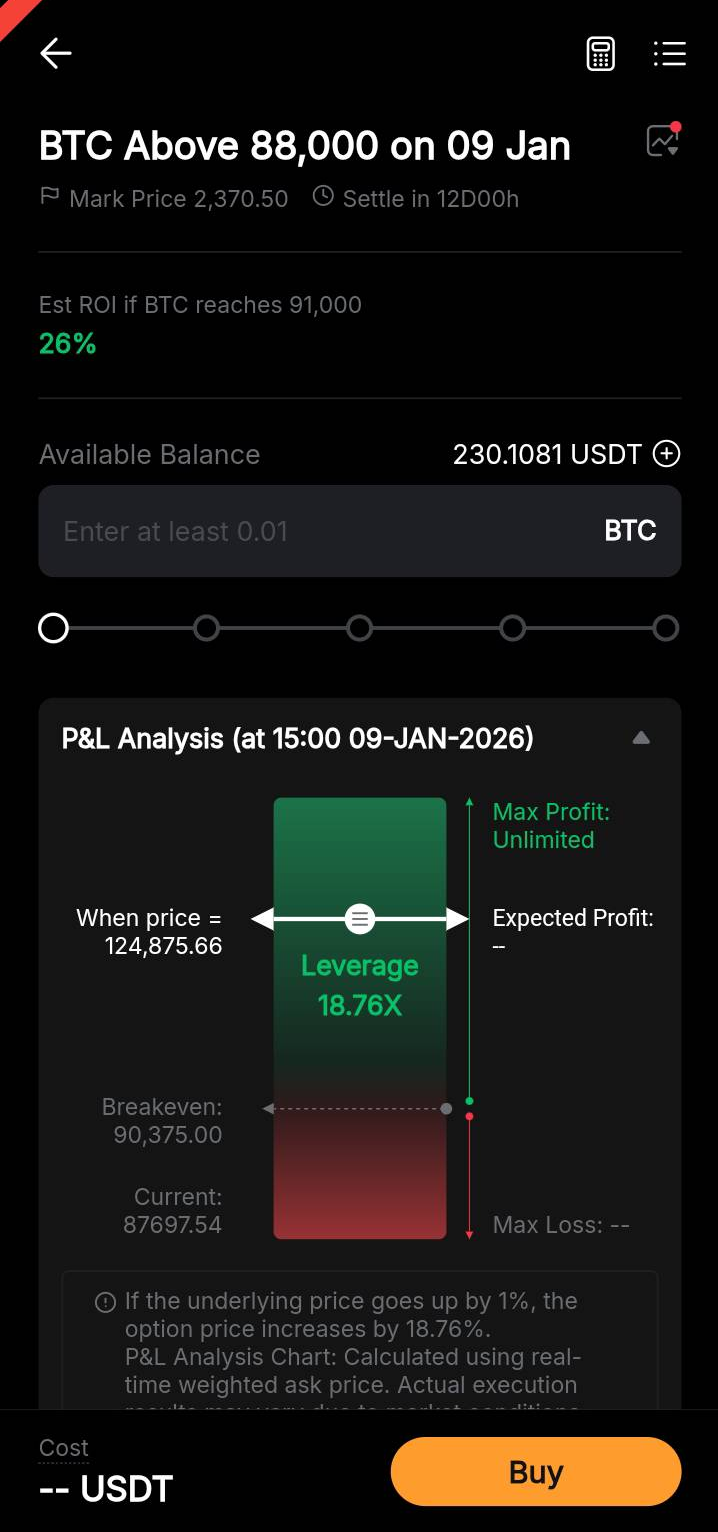
The P&L analysis chart above presents the current market price, the PnL simulated based on the Mark price, the breakeven point, and the optimal P&L situations under simulation. After reviewing the details, traders can tap Buy to purchase the contract.
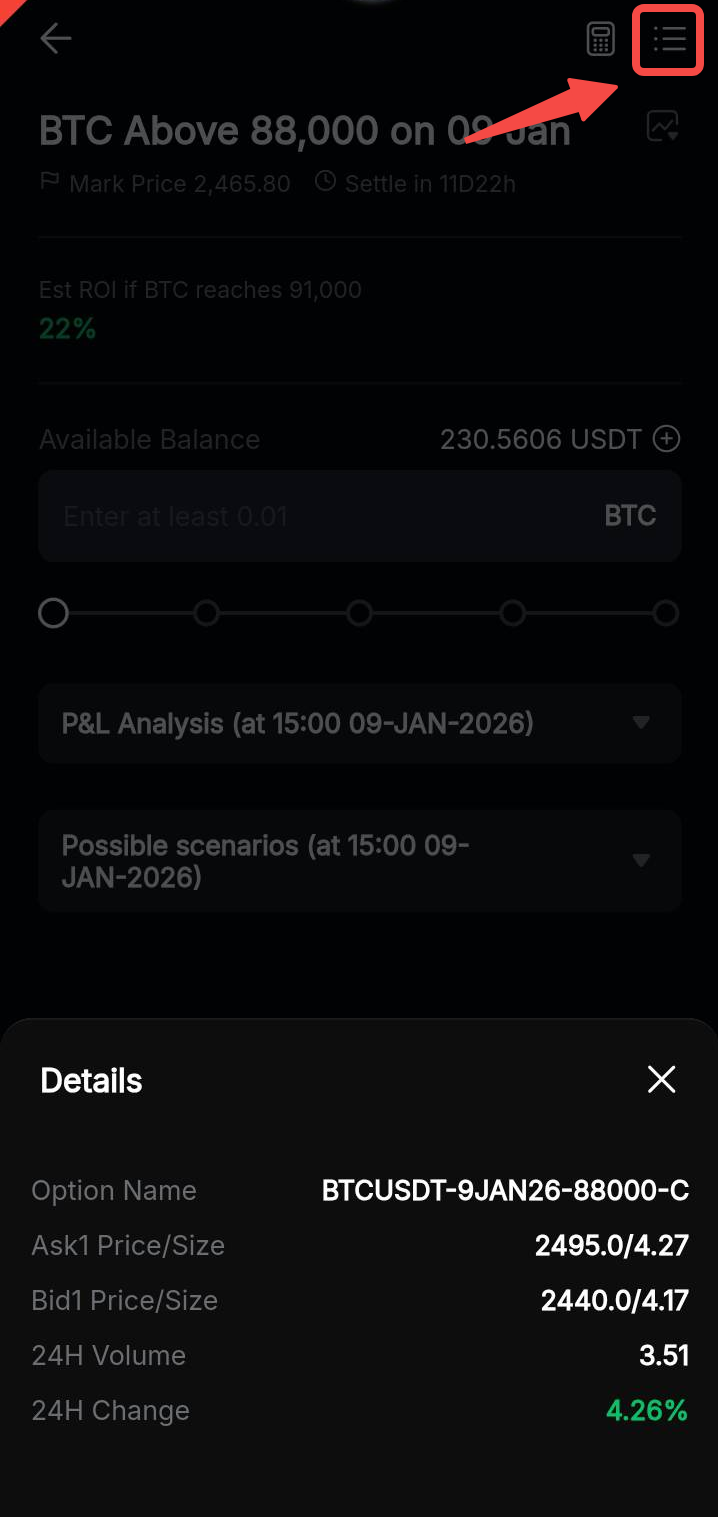
In addition, traders can tap the Details button in the upper right corner to view important information such as the Option Name, the current Ask1/Bid1 price, the 24h trading volume of the contract, and the 24h price change (%).
Options Pro
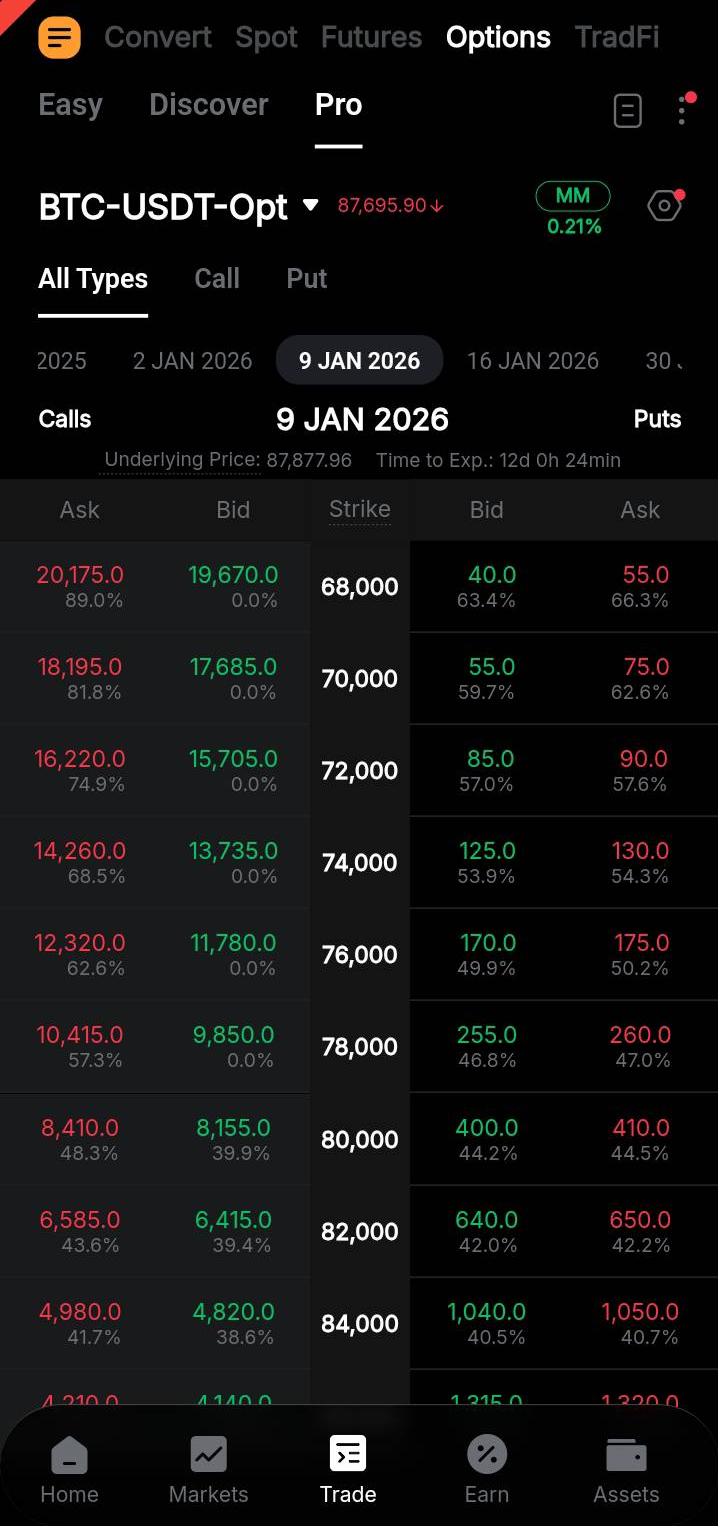
The Pro mode offers a classical view of the options contracts. Traders can choose to buy or sell puts or calls, and swipe left or right to choose the desired expiration date.
Access Order History & Additional Trading Features
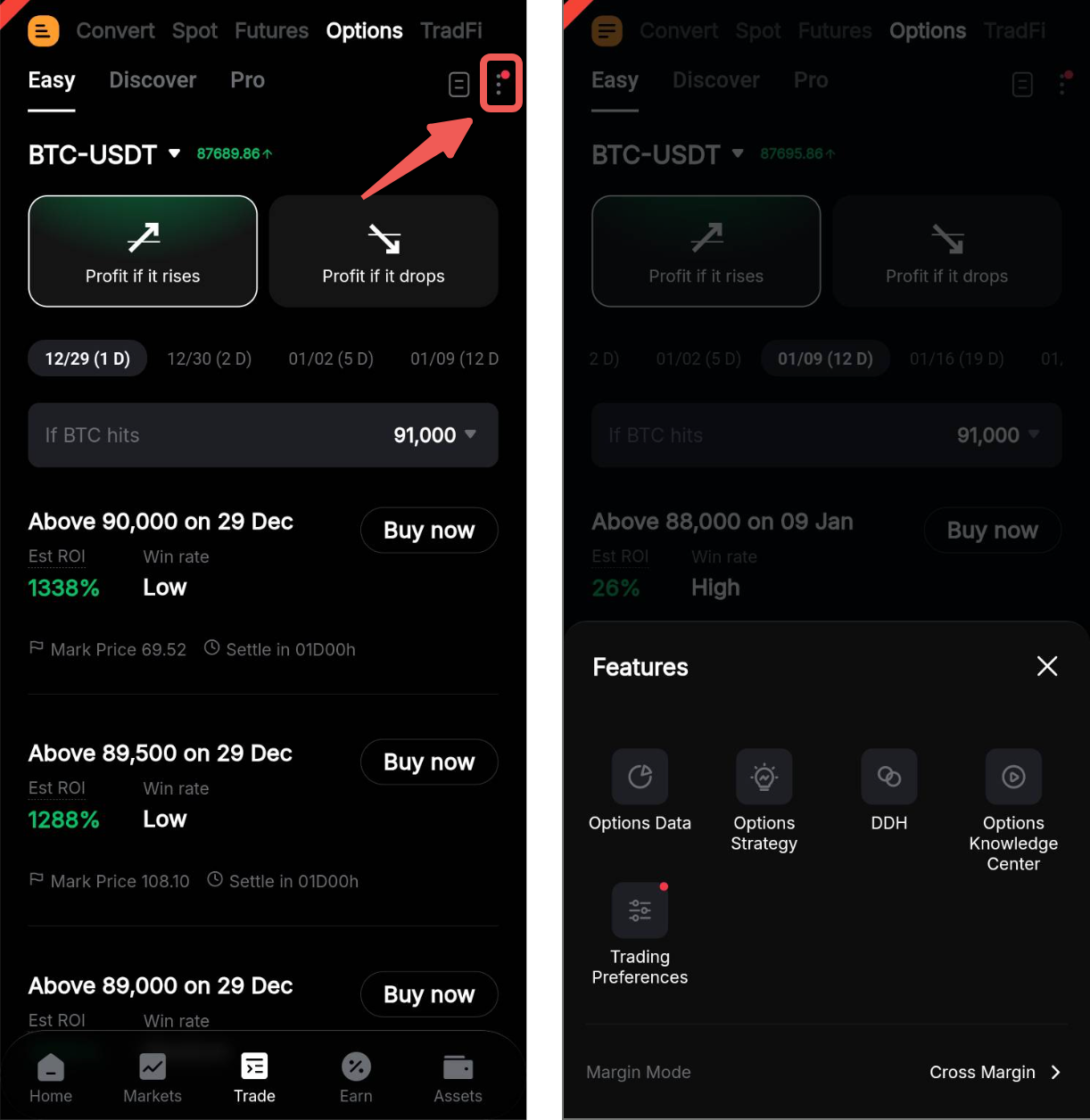
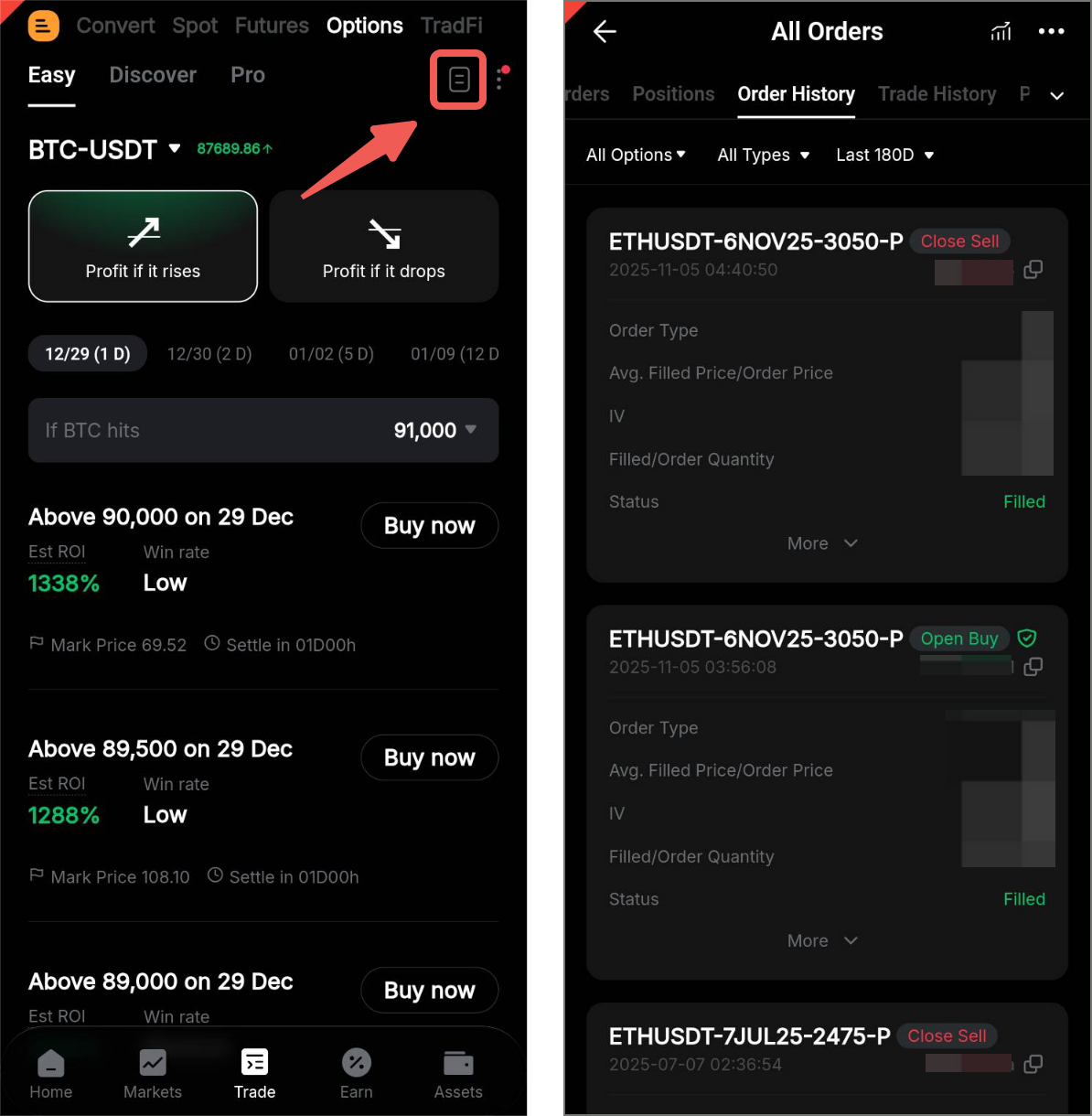
To view the Order History, simply tap the records icon on the upper right corner of the page. You may filter the market to All Options to find all your past Options orders.
On the Options page, you can also tap the ellipsis icon to access additional trading features.
Here, you will be able to view information in Options Data and Options Knowledge Center, set trading preferences, select different margin modes, simulate option strategies, and enable Delta Dynamic Hedging (DDH).