Copy Trading Classic allows skilled traders to share strategies and earn profit-sharing rewards from Followers who copy their trades. This article covers the key information and steps to become a Classic Master Trader on Bybit.
Key Information to Know Before Applying
To apply as a Master Trader on Copy Trading Classic, please take note of the following:
1. Please ensure you aren’t currently following a Master Trader, and that you don’t have any existing copy trades. Make sure you have unfollowed all Master Traders and closed any existing positions under any Master Traders.
2. A Master Trader application requires a Subaccount. If you apply from your Main Account, one will be created automatically. Alternatively, you may create a new Subaccount or select an existing one for your application.
3. Only Isolated Margin mode or Cross Margin mode is supported for Master Trader Copy Trading.
4. Only trades under USDT Perpetual Trading in the Master Trader Subaccount will be copied by your Followers. Trading products other than USDT perpetual are not supported at the moment.
5. Please ensure you have read and acknowledged our Master Trader Agreement in case of any breaches.
6. You will need to complete all missions in the Mission Center once your application is completed in order to be featured on the Copy Trading Recommended page.
How to Apply to Become a Master trader
Here’s a step-by-step guide to becoming a Bybit Master Trader on Copy Trading Classic.
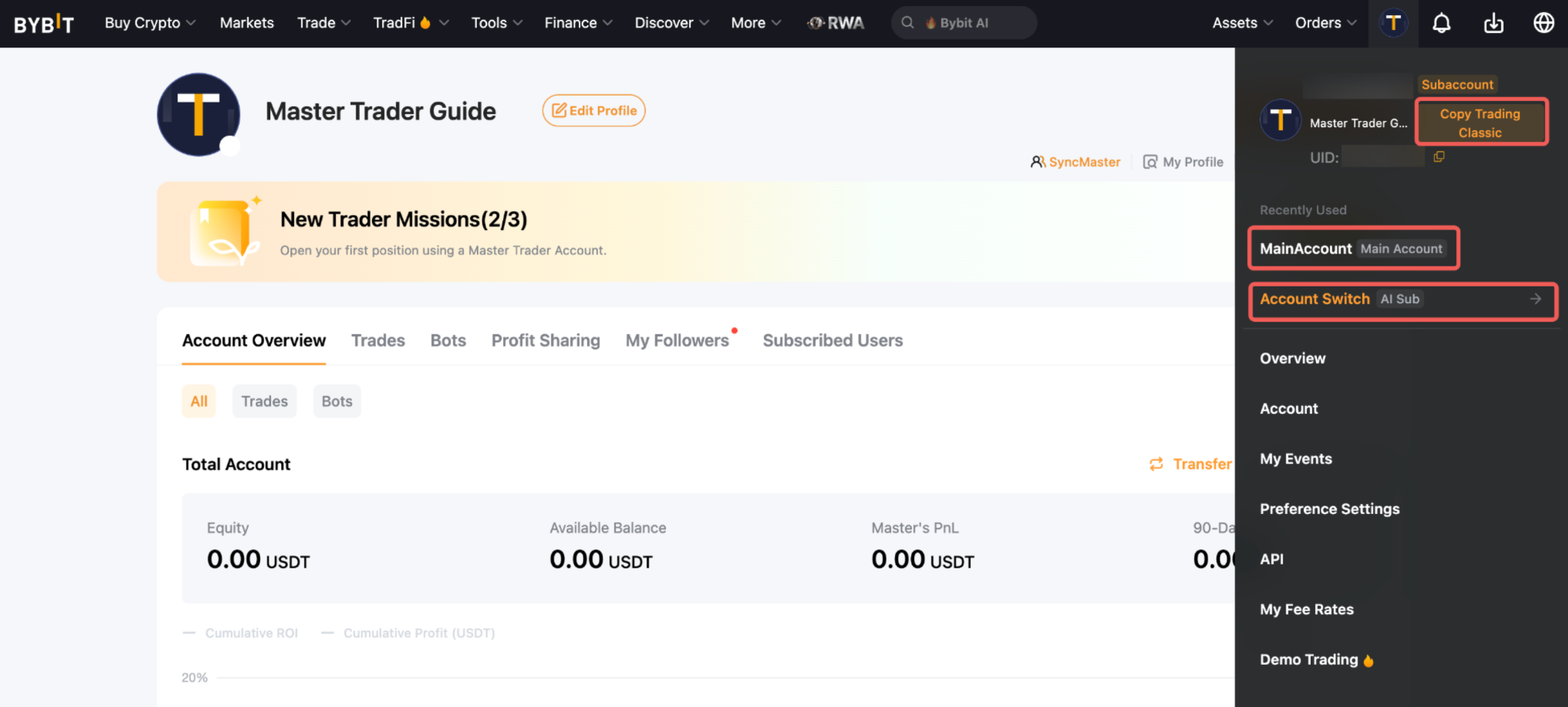
Step 1: Log in or switch to your Subaccount. If you do not have a supported Subaccount, you can create a new Subaccount. To learn more about how to create or switch to your Subaccount, please refer to How to Get Started With a Standard Subaccount.
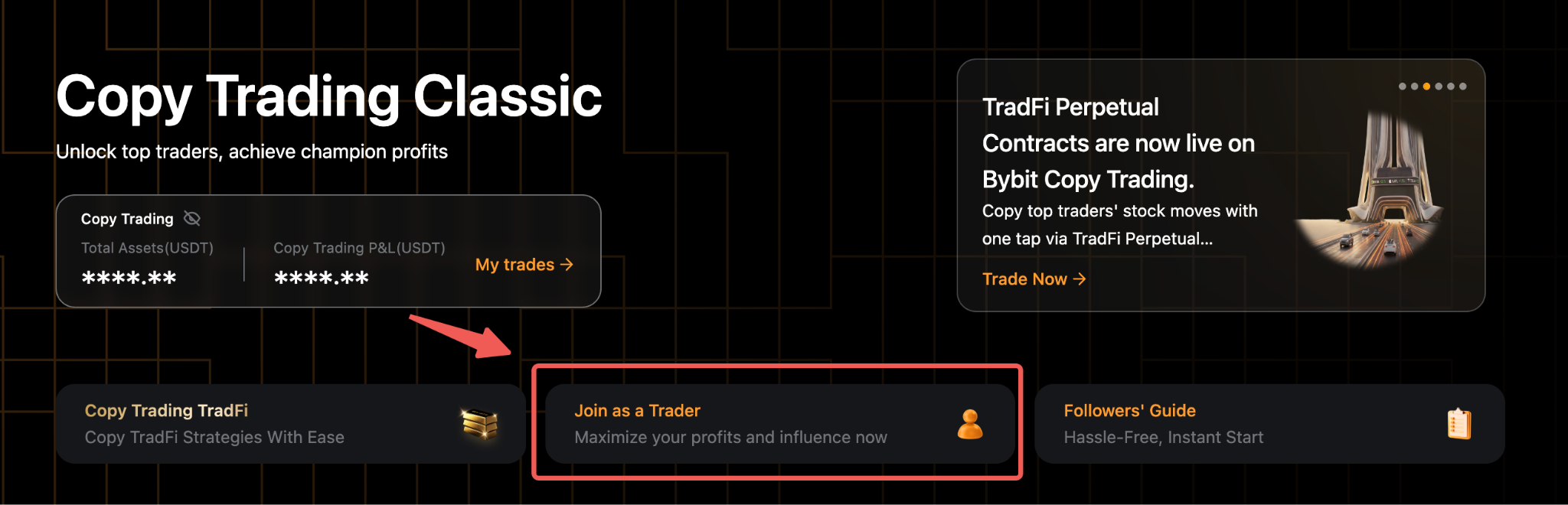
Step 2: Go to Tools → Copy Trading Classic in the navigation bar to enter the Discover Top Traders page.

Step 3: Click Join as a Trader to enter the Master Trader application page. If you apply from your Main Account, the system will auto-create a Standard Subaccount as your Master Trader Account after the application is completed.
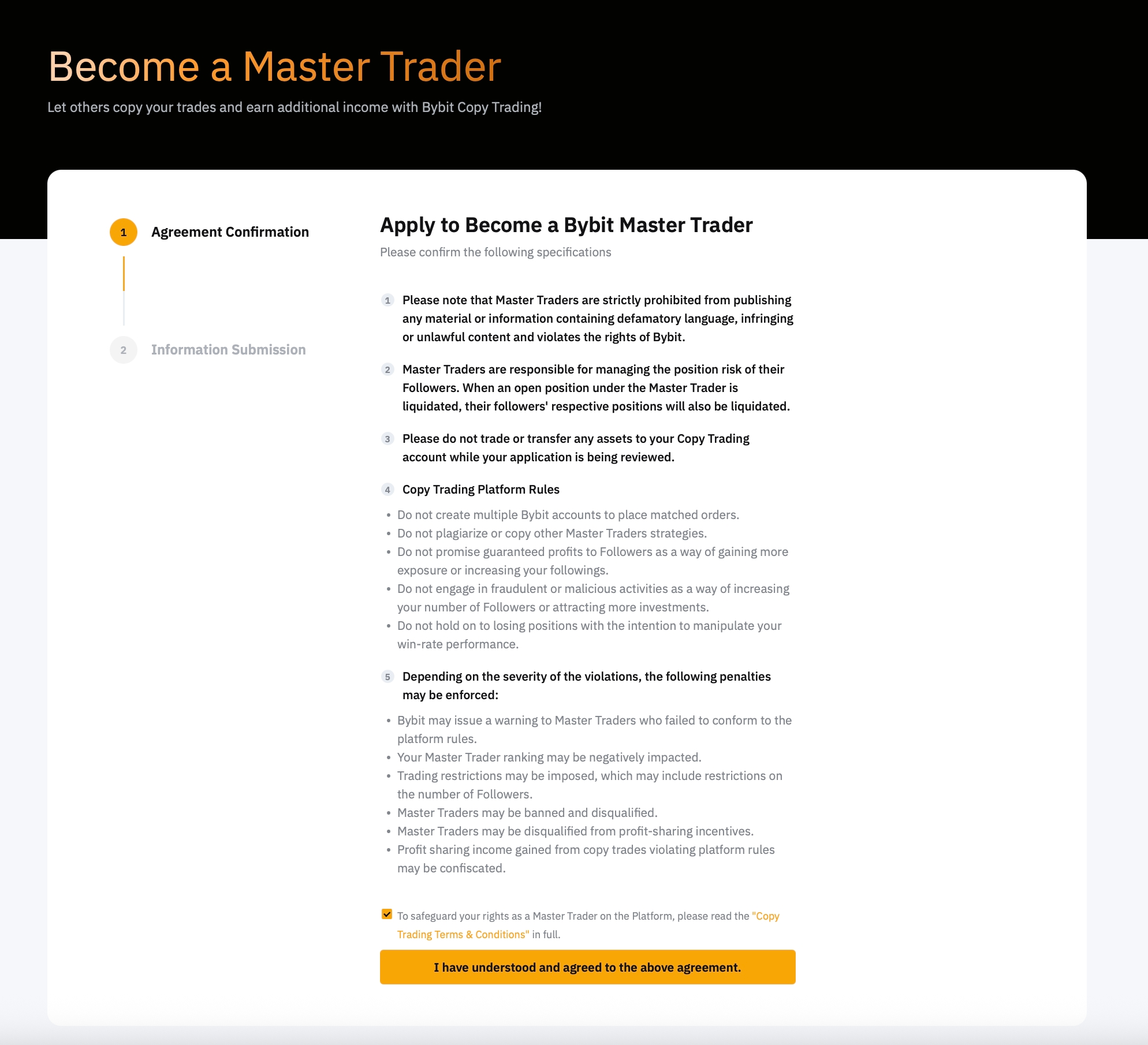
Step 4: Carefully read through the Master Trader Agreement. To acknowledge the terms, click I have understood and agreed to the above agreement to proceed.
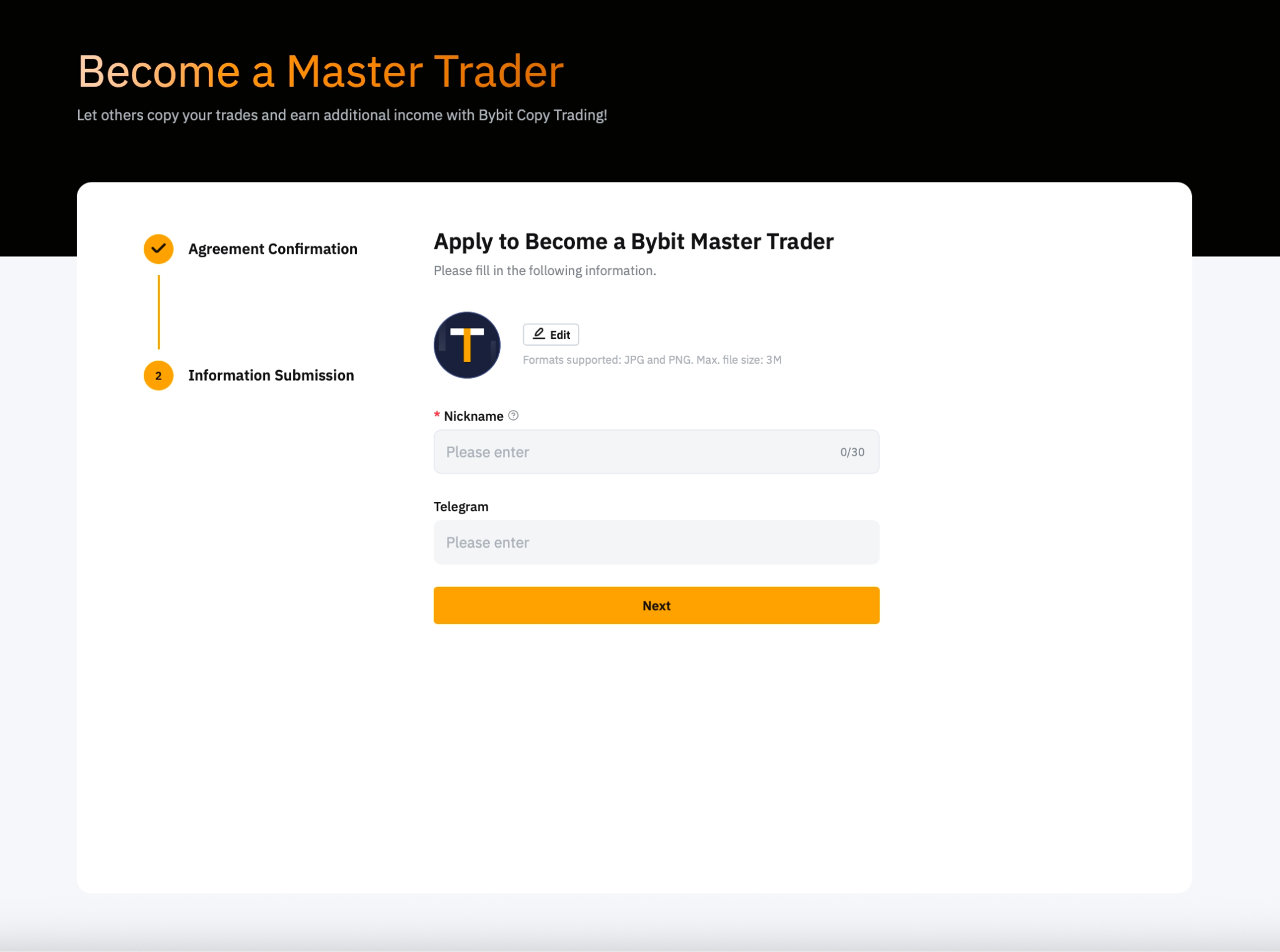
Step 5: Please provide the following information:
- Upload your profile photo
- Enter your nickname
- Enter your Telegram account
Once done, click Next.
Step 6: Your application has been submitted successfully. Go to the Trader Center to complete the Missions in the Mission Center.
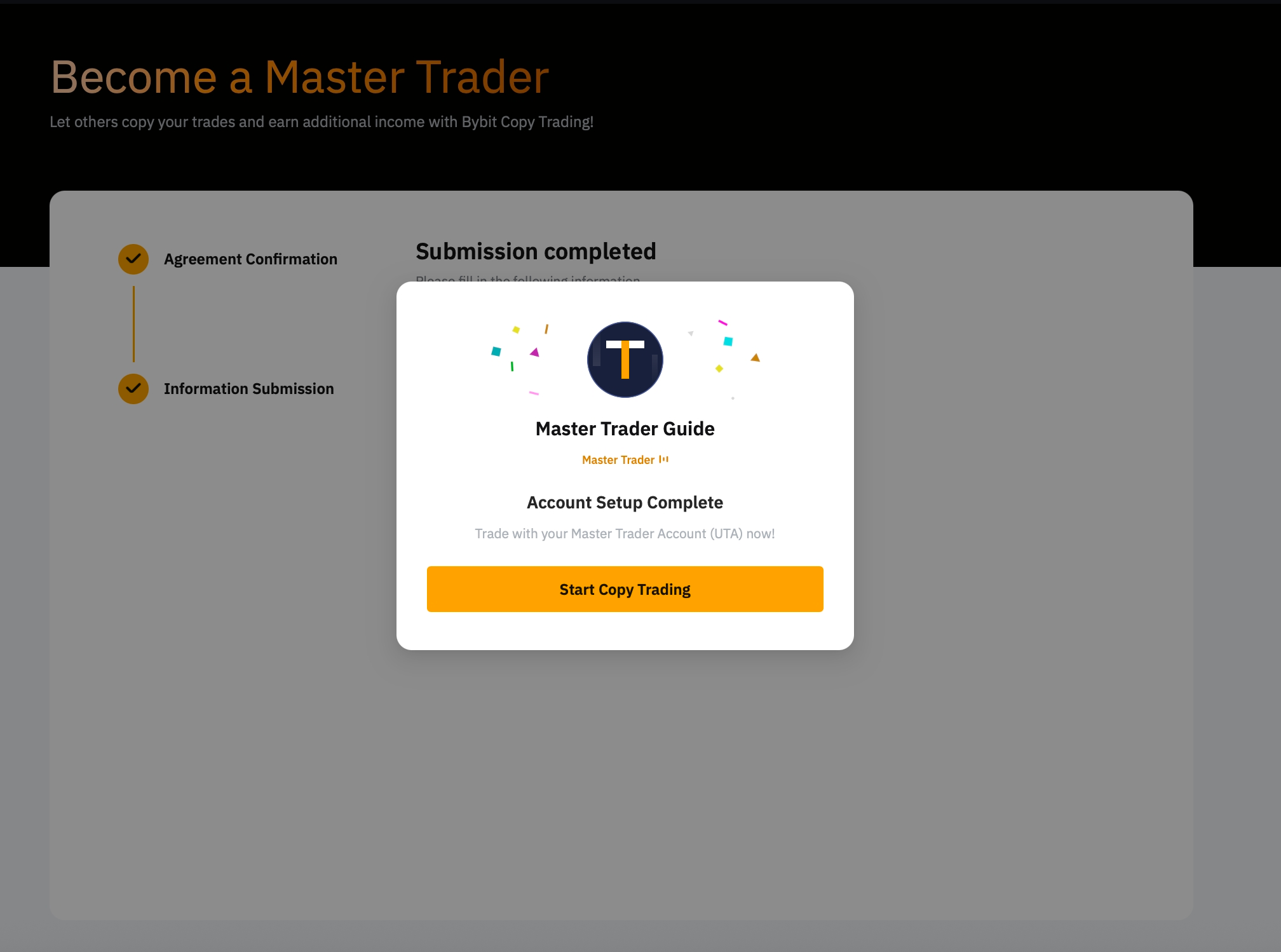
Notes:
— Your default profile picture will feature a country badge based on the location registered under your Telegram account. The badge will be displayed publicly and cannot be changed once it has been submitted.
— You will need to manually transfer the funds from your Main Account to your Unified Trading Subaccount first. To learn more about how to transfer assets to your Subaccount, please refer here.
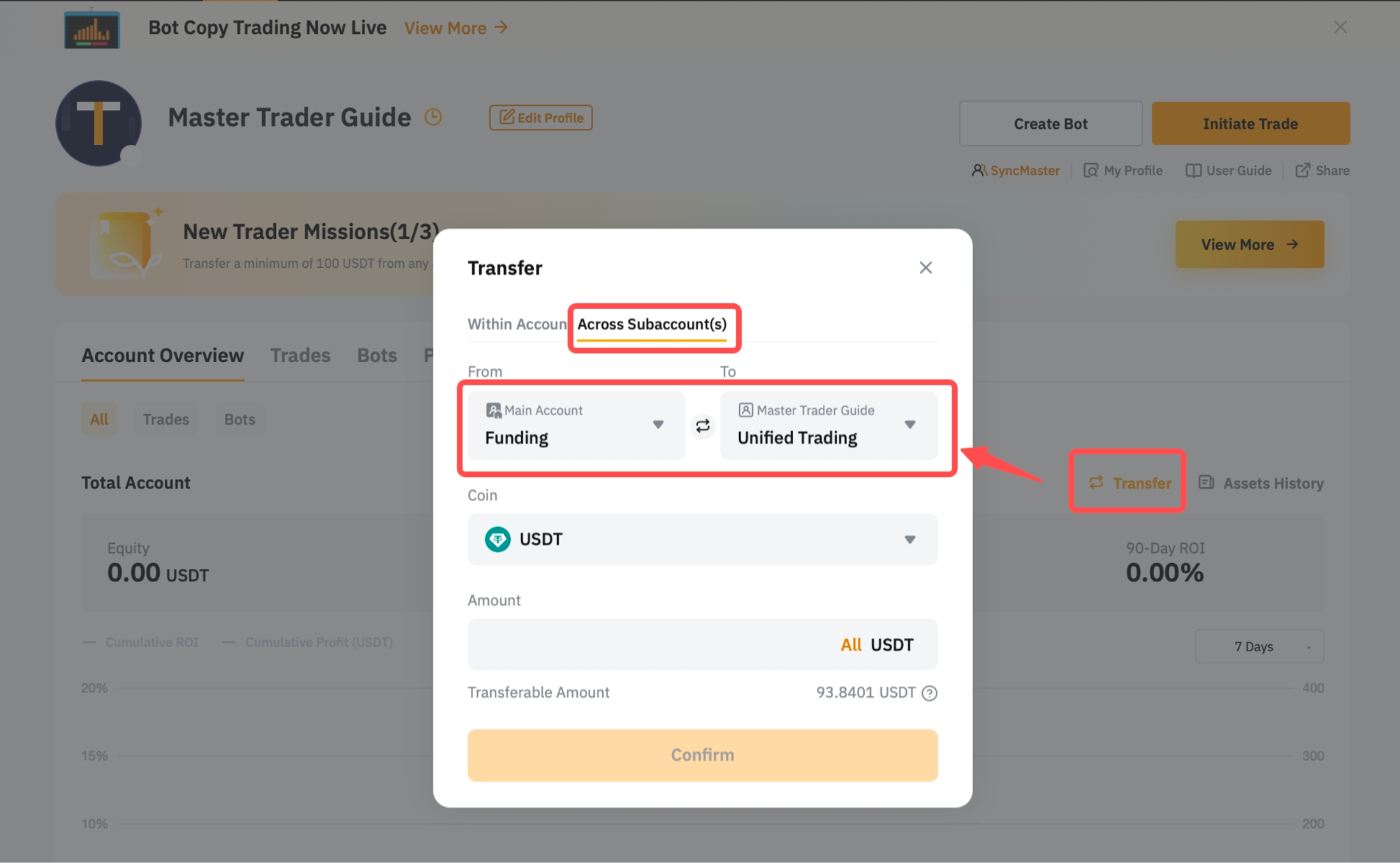
— To learn how to deposit to your Main Account, please refer to How to Make a Deposit.
— To switch between your Main Account and Classic Master Trader Account, hover your cursor over the Profile icon and you will be able to see your recently used account. You will see a Copy Trading Classic label beside the username for your Master Trader Subaccount. You can also click Account Switch to view more Subaccounts.