
To support document updates due to expiration or address changes, Bybit provides self-update options based on your KYC level, allowing you to update your documents without resetting your existing KYC verification.
How to update your POI
How to update your POA
How to update your POI
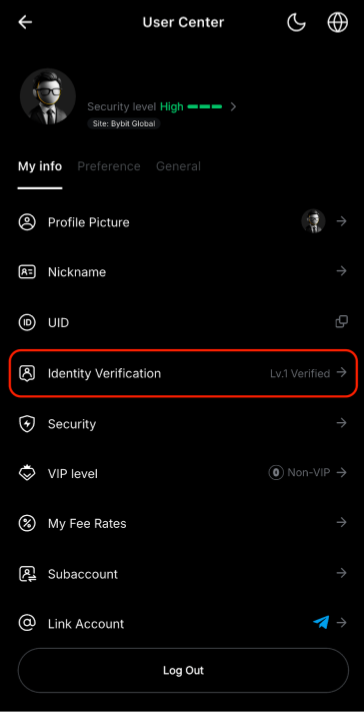
Step 1: Go to your User Center page and tap Identify Verification.
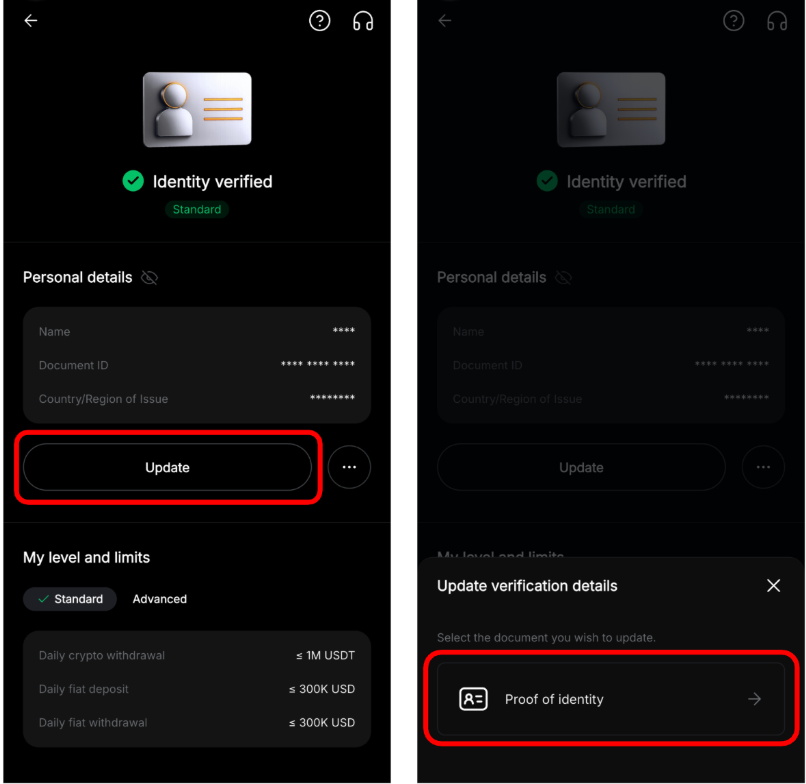
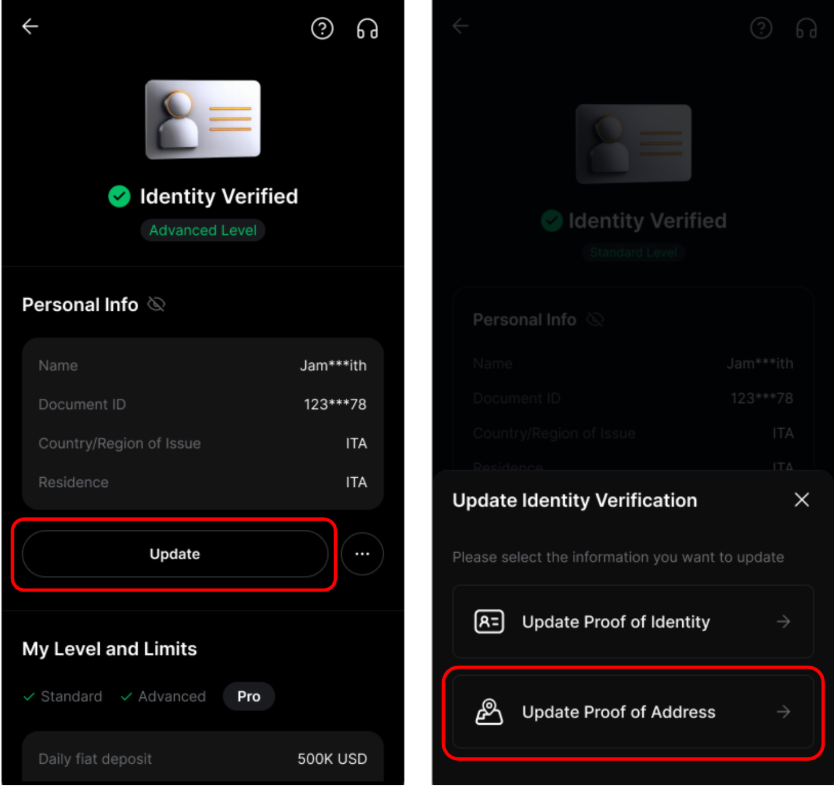
Step 2: Tap Update on the Personal details card, then select Proof of Identity.
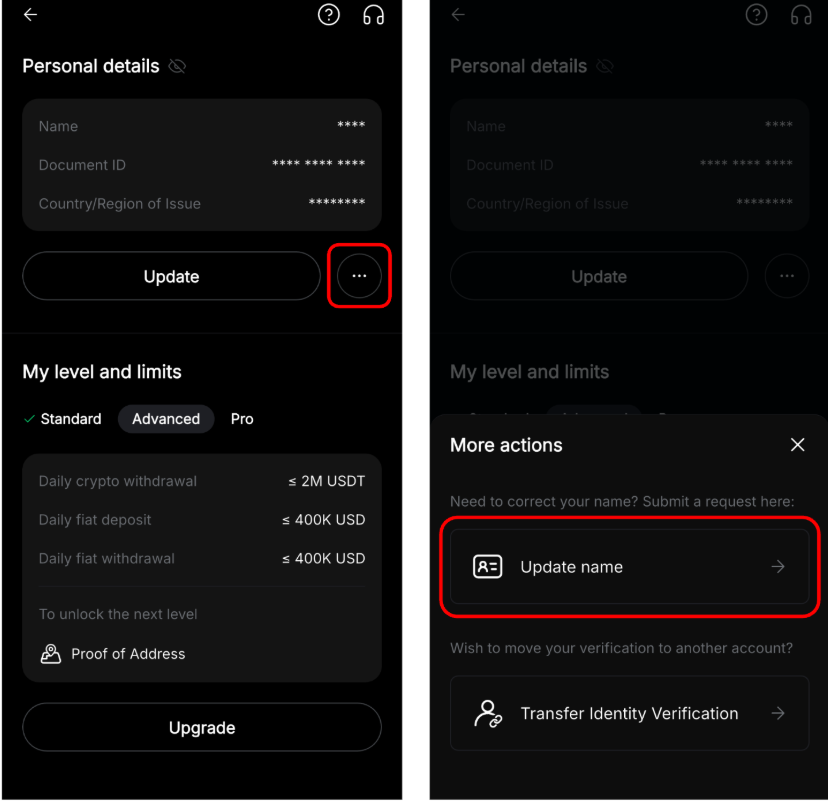
Notes: You can update your name by tapping the More actions icon → Update name if your name having character recognition issue, incorrect name order, or extra characters.
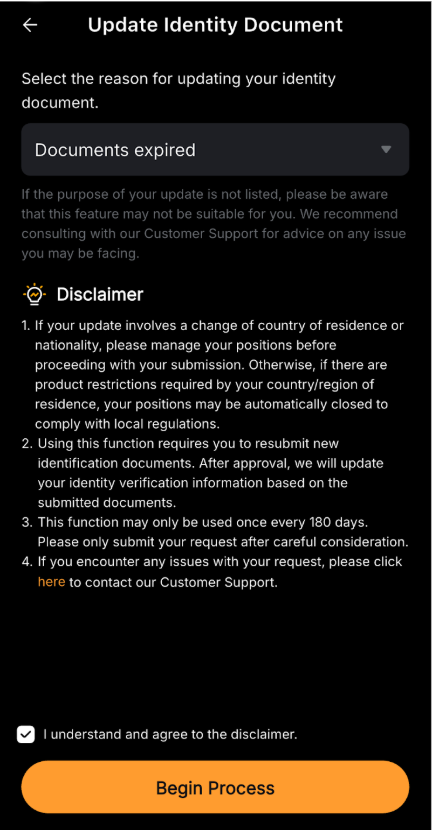
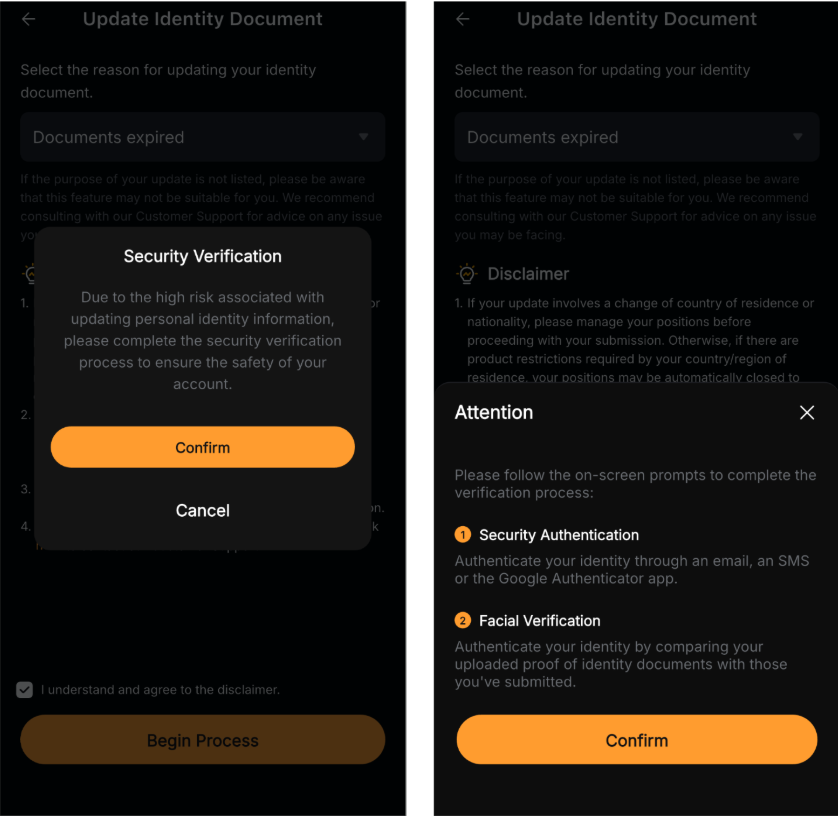
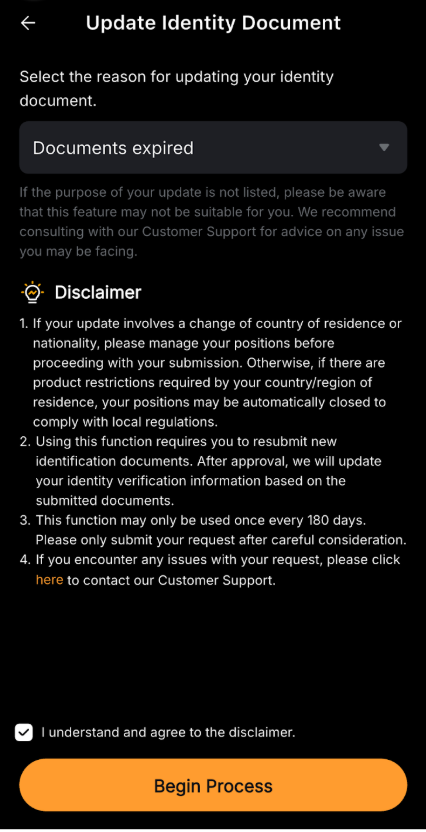
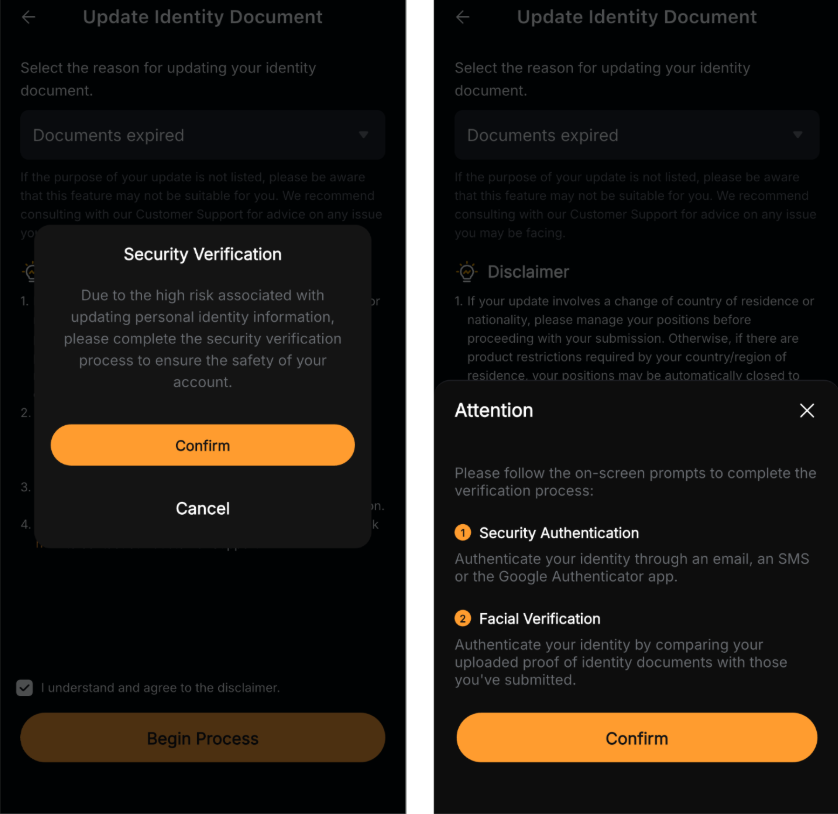
Step 3: Select the reason for updating your identity document. Read and acknowledge the disclaimer by ticking the checkbox, then tap Begin Process to proceed.
Step 4: Tap Confirm and follow the on-screen instructions to complete the verification process, including Security Authentication and Facial Verification.
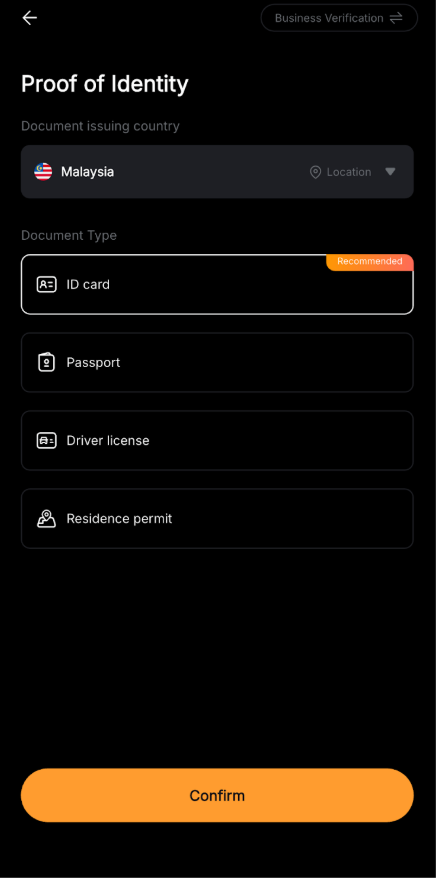
Step 5: Submit your updated Proof of Identity by completing the Standard Verification process as usual.
How to update your POA
Step 1: Go to the Identity Verification page and tap Update → Proof of Address.
Step 2: Choose the reason for updating your address document. Read and acknowledge the disclaimer by ticking the checkbox, then tap Begin Process to proceed.
Step 3: Tap Confirm and follow the on-screen instructions to complete the verification process, including Security Authentication and Facial Verification.
Step 4: Submit your updated Proof of Address by completing the Advanced Verification process as usual.
Notes:
- The update process takes approximately 15 minutes.
- Please ensure that the information and documents provided are accurate and valid to avoid verification delays.
- You can only update your Proof of Address after completing your Advanced Verification.
- After updating your POI or POA, you must wait 180 days before submitting another update request.