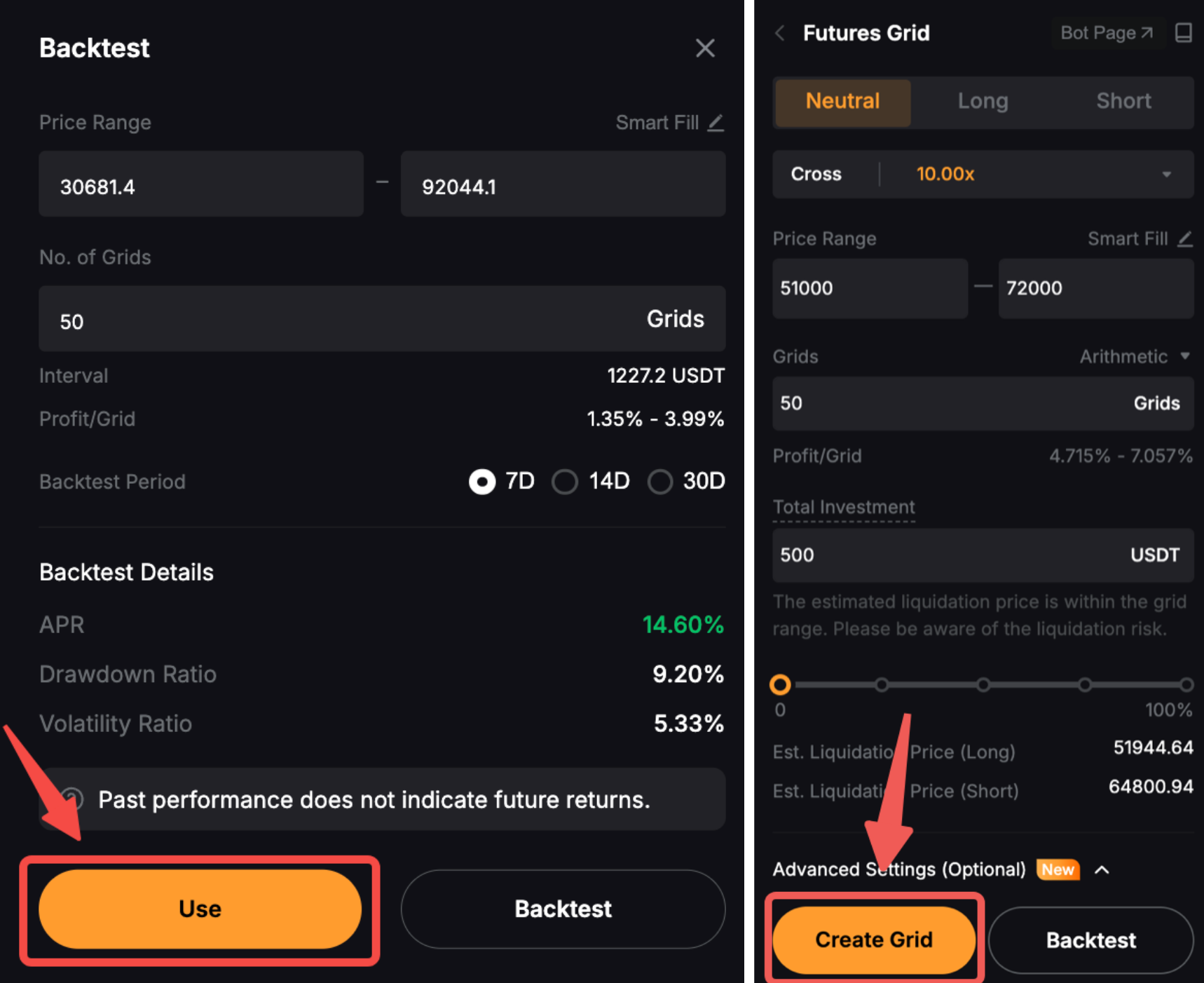
Strategy Backtest allows you to test your Spot Grid or Futures Grid settings against historical market data before creating a bot. It shows how the strategy would have performed during the period you select. Please note that backtesting is a simulation: it does not place real orders and its results do not guarantee future returns.
Run a Backtest
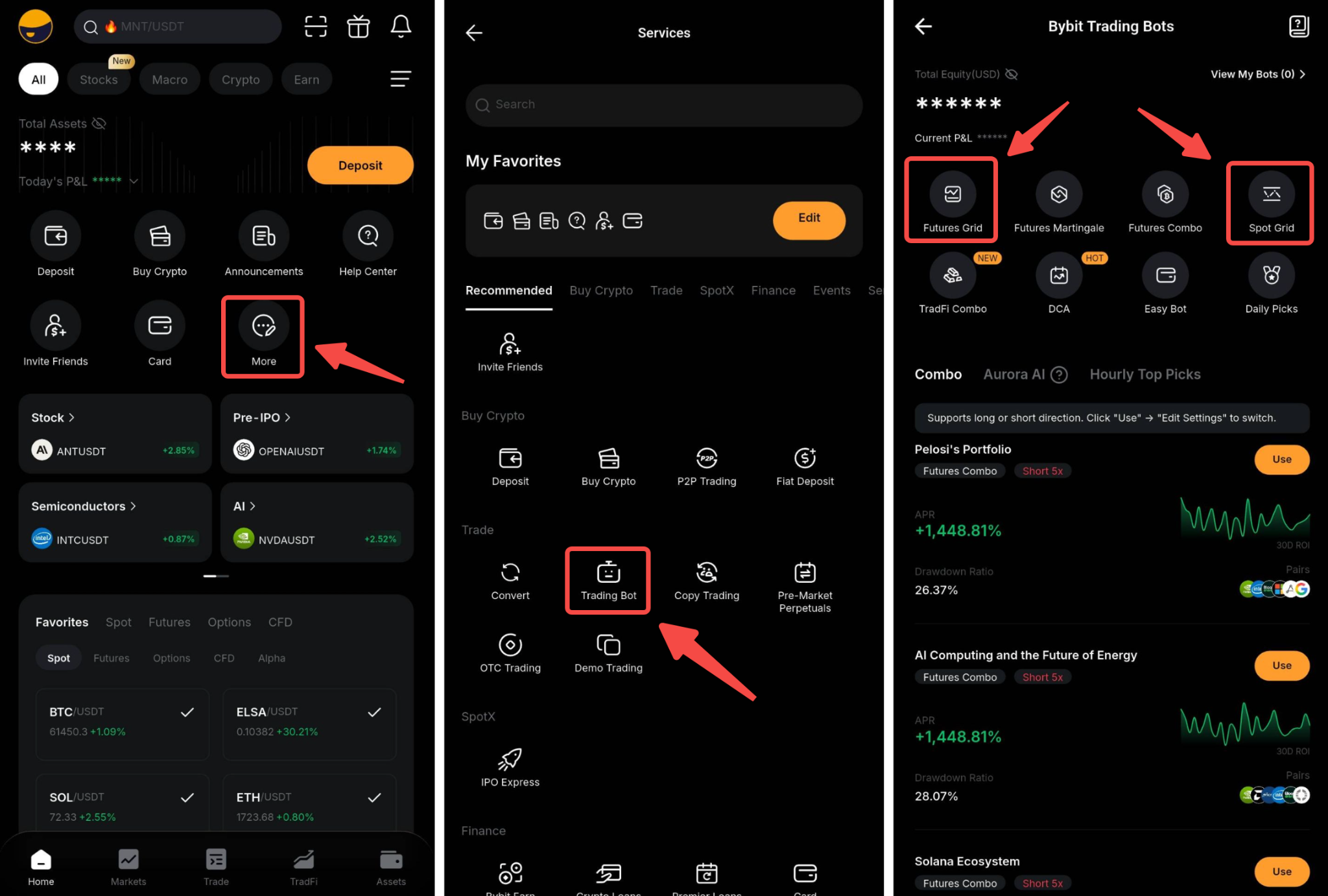
Step 1: On the Bybit App homepage, go to More → Trading Bot, select Spot Grid or Futures Grid, and choose your preferred trading pair.
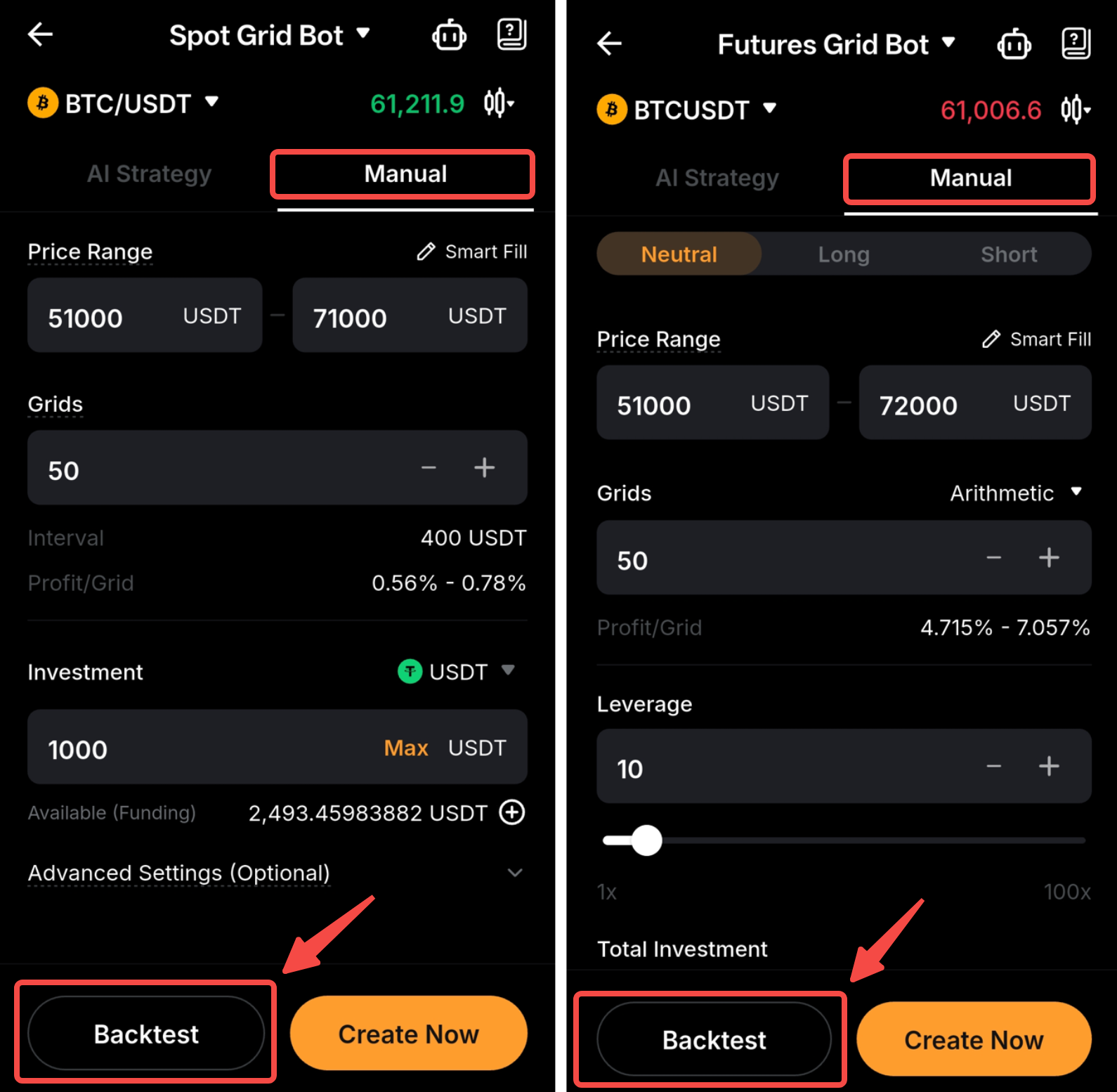
Step 2: On the Bot Creation page, select Manual and enter your strategy settings. Then tap on Backtest.
Notes:
— Backtesting is not available in AI Strategy mode.
— If your settings are invalid, the backtest button will remain unavailable until you correct them.
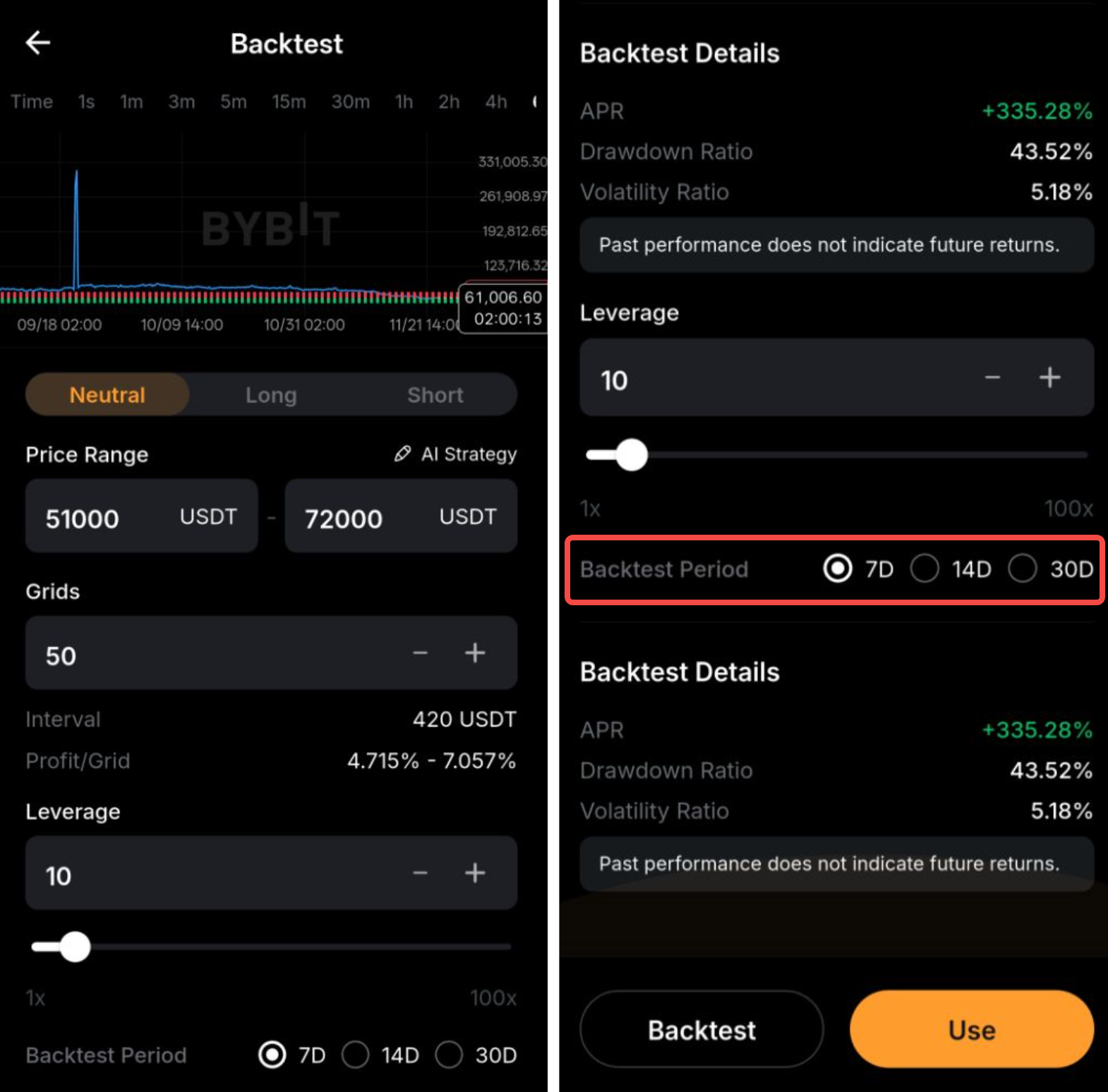
Step 3: View the simulated results. You may also adjust the price range, number of grids, leverage and period: 7-day (Default), 14-day, or 30-day to try again.
Notes:
— A backtest usually takes around 20 seconds. If it times out or market data is unavailable, try again later.
— You can run one backtest every 20 seconds. If you reach the frequency limit, wait before trying again.
— Closing the backtest window will not change the settings on the original bot creation page.
— Backtest results are based on historical market data and are for reference only. Past performance is not indicative of future results, and actual returns may differ due to market conditions, fees, and execution prices.
Understand Your Results
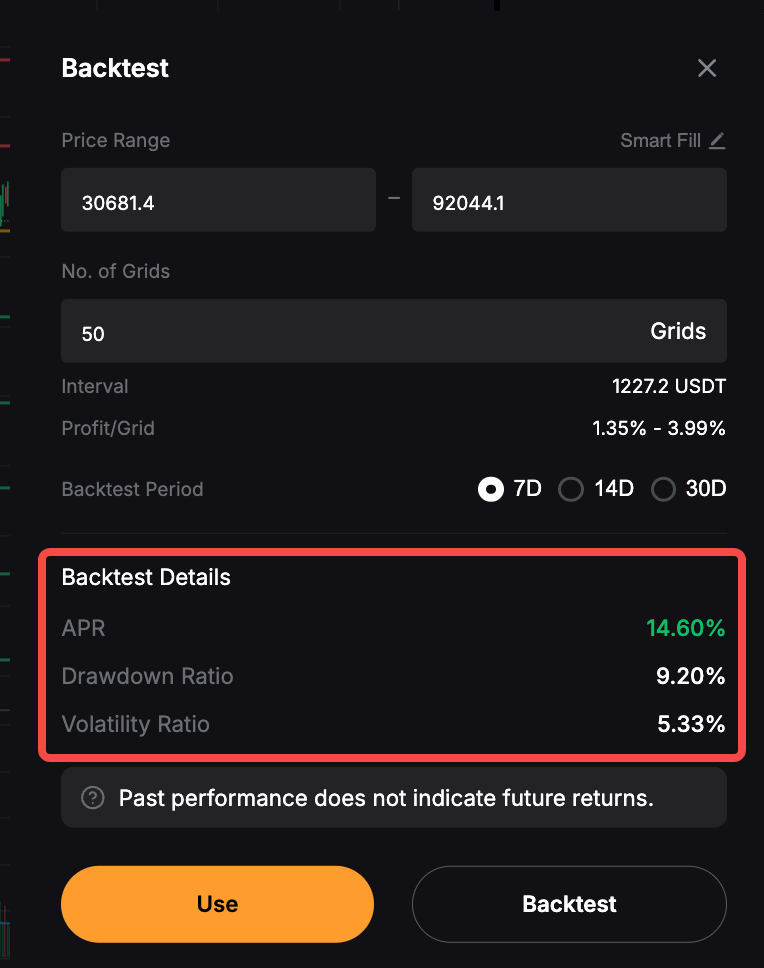
If the backtest completes successfully, you’ll see:
- Estimated APR: The simulated return expressed as an annualized rate.
- Drawdown Ratio: The largest decline in the strategy’s simulated value during the selected period.
- Volatility Ratio: How much the simulated returns varied during that period.
These figures describe the strategy’s performance under the selected settings and historical market conditions. You can try to adjust the price range, grid count, or historical period to see how the results change.
For Futures Grid Bots, if the simulated strategy reaches liquidation conditions, the result will show liquidation details instead of the usual return metrics. You can review the order direction, leverage, price range, or grid count before running another backtest.
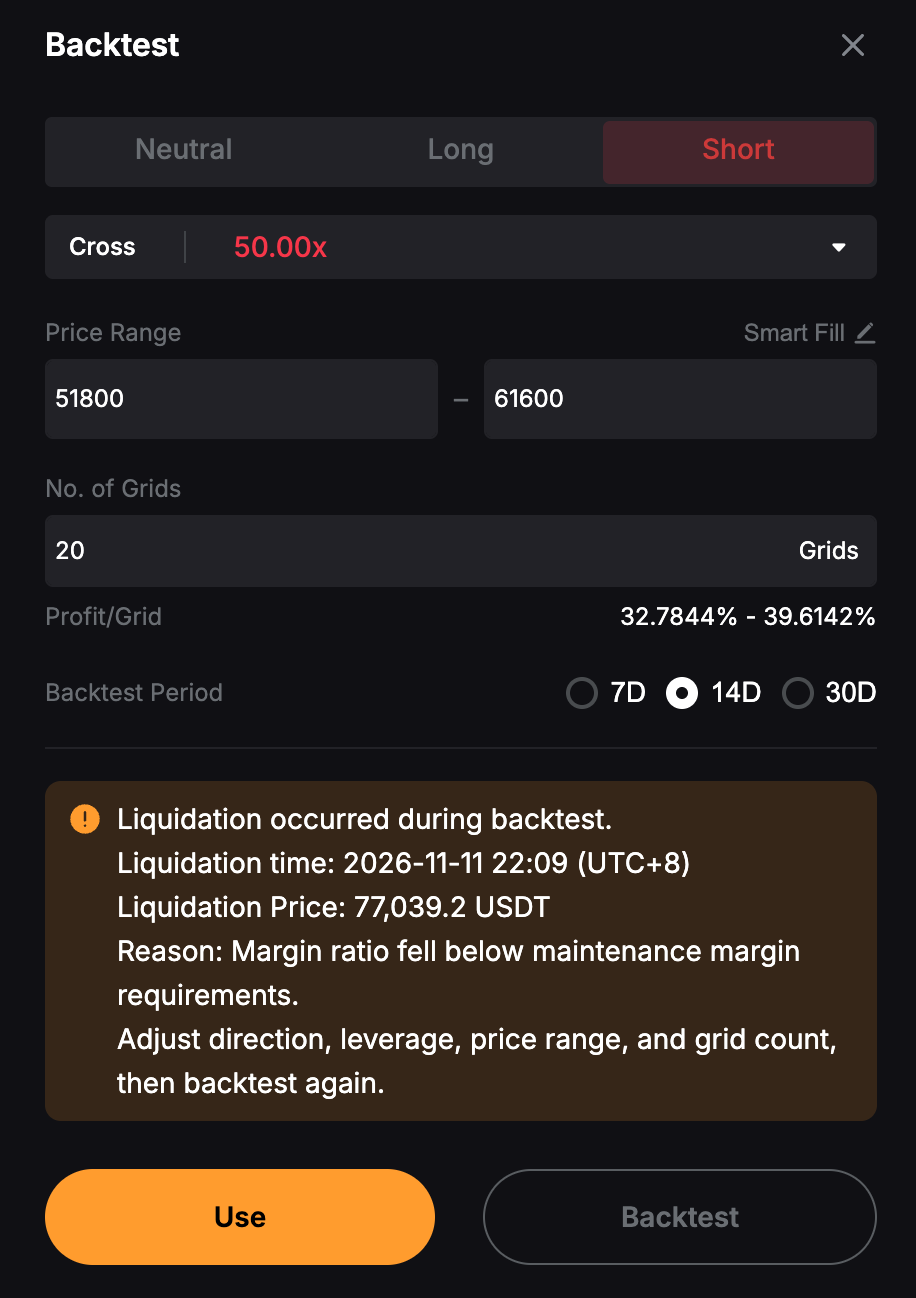
Note: The screenshots above are for illustration only. Backtest results vary based on the strategy parameters you enter and are not indicative of future performance.
Use Your Backtest Settings
If you decide to use the settings from your backtest, click on Use or Create Grid to copy them to the bot creation page. This does not create a bot automatically. You’ll still need to enter your investment amount, review the settings, and submit your request to create the bot.