
Para apoiar atualizações de documentos devido à expiração ou mudanças de endereço, a Bybit fornece opções de autoatualização com base no seu nível de KYC, permitindo que você atualize seus documentos sem redefinir sua verificação KYC existente.
Como Atualizar Seu Comprovante de Identidade (POI)
Passo 1: Na página inicial do Bybit, passe o cursor sobre o ícone do seu perfil e clique em Conta.
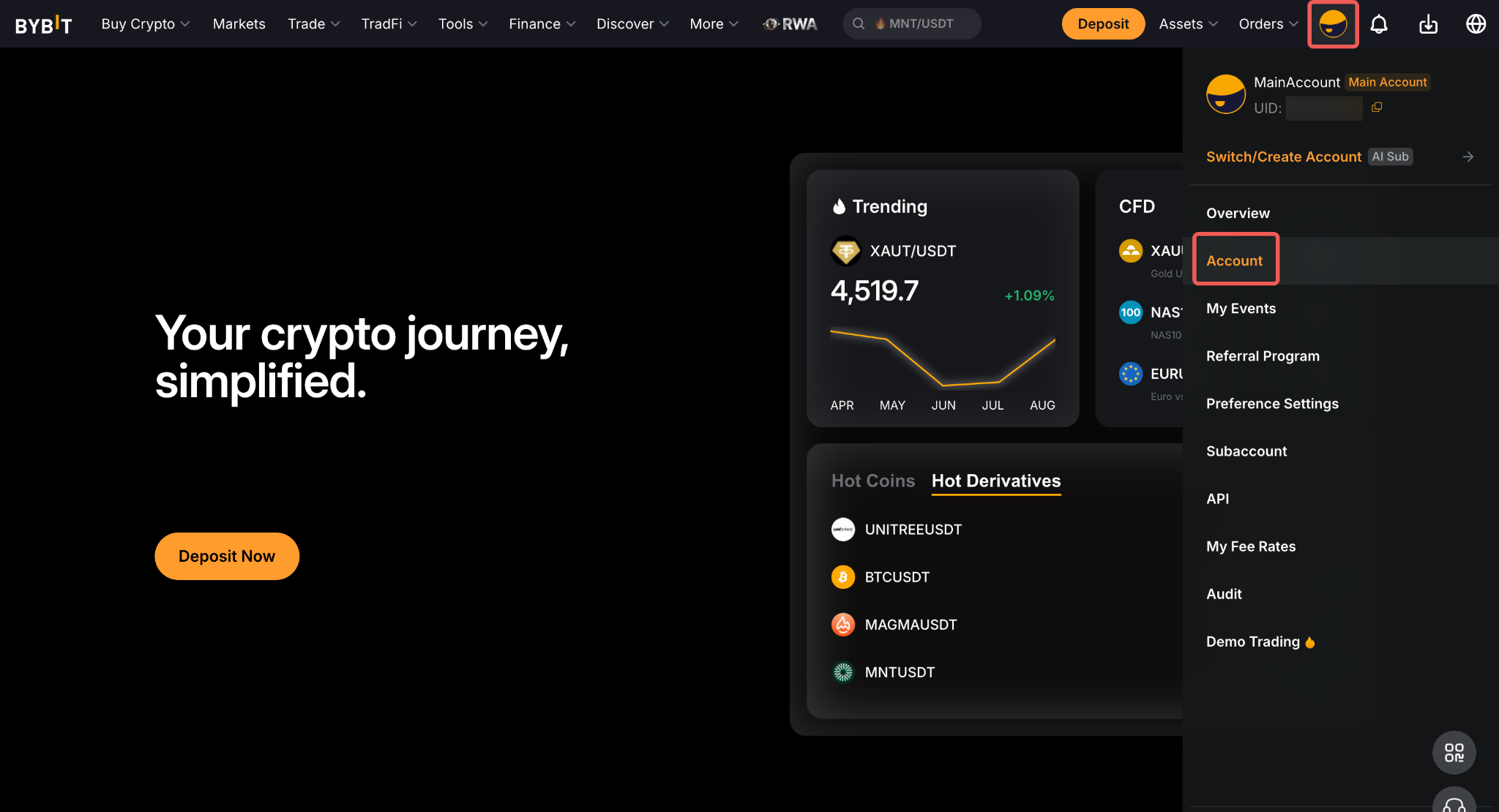
Em seguida, vá para a página de Verificação de Identidade no menu de Conta e clique em Atualizar Informações.
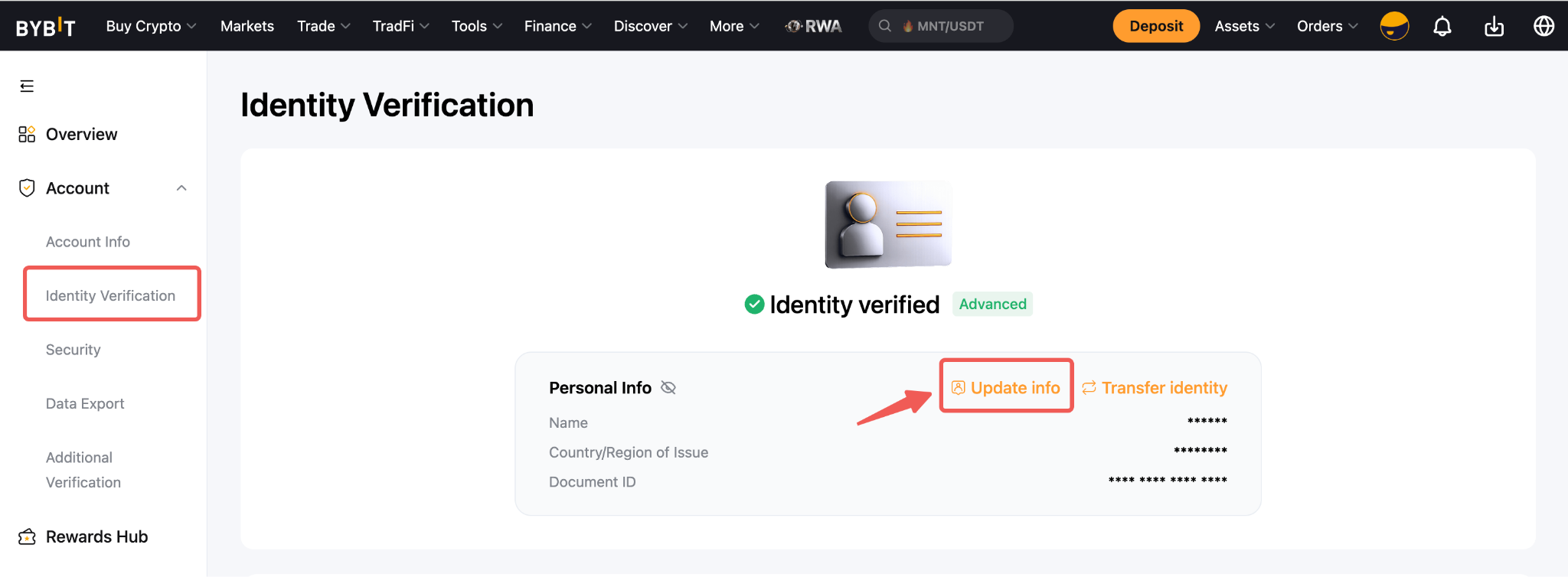
Passo 2: Selecione Comprovante de Identidade.
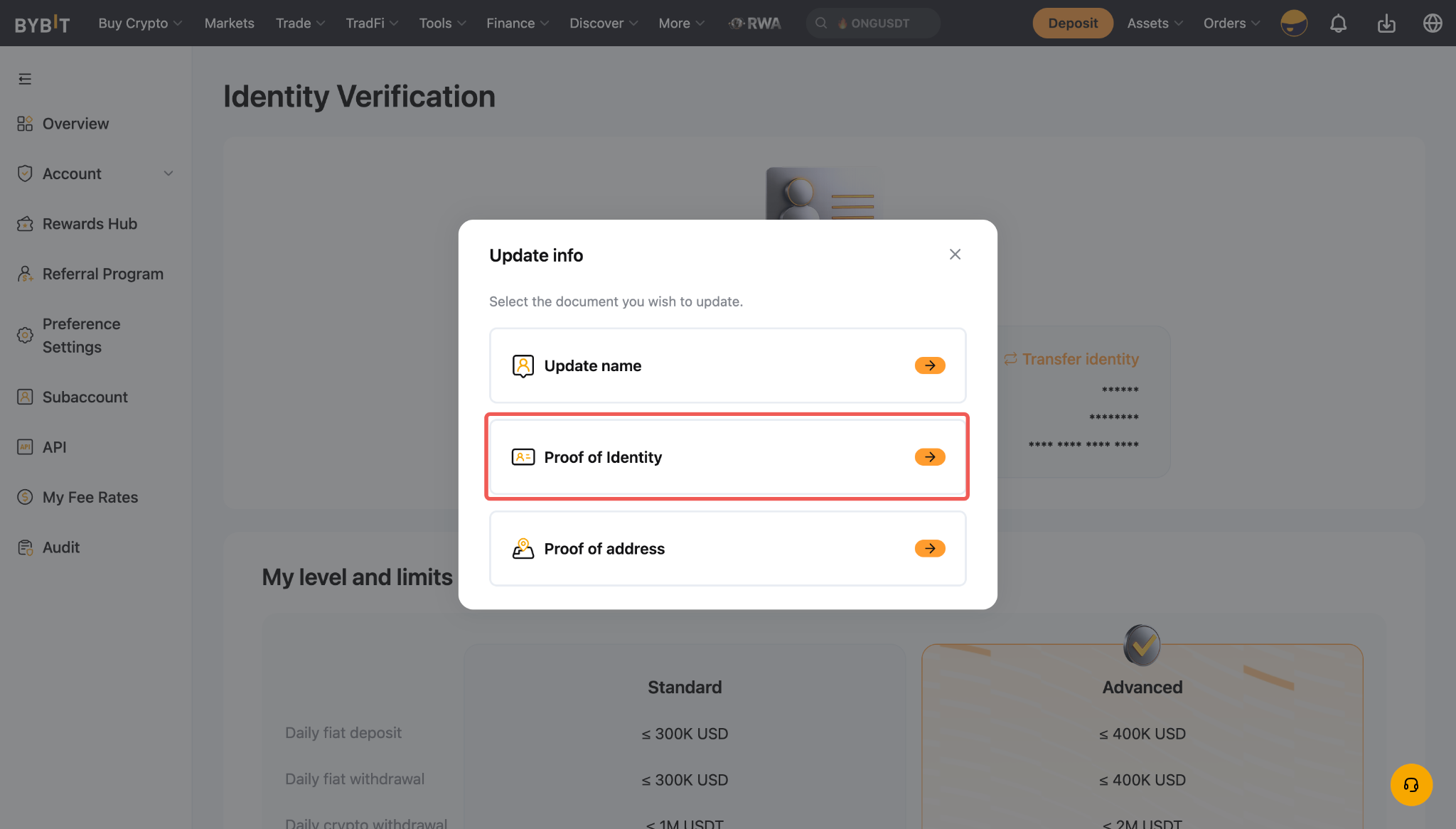
Notas:
- Você não pode atualizar seu Comprovante de Endereço sem completar a Verificação Avançada.
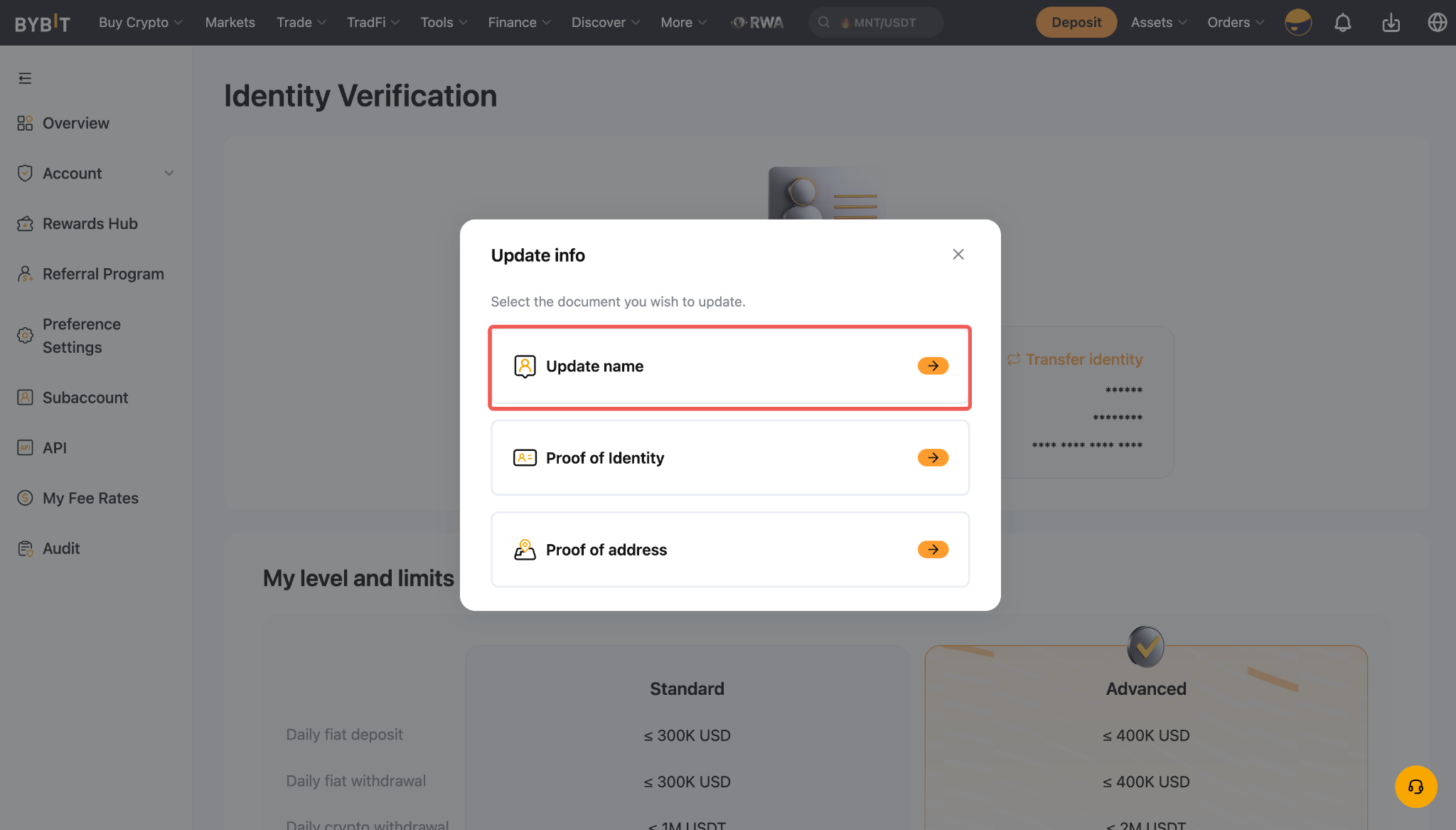
- Se seu nome contiver erros (por exemplo, problemas de reconhecimento de caracteres, ordem incorreta do nome ou caracteres faltantes/extras), você pode fazer as correções necessárias clicando em Atualizar nome na caixa de diálogo Atualizar informações.
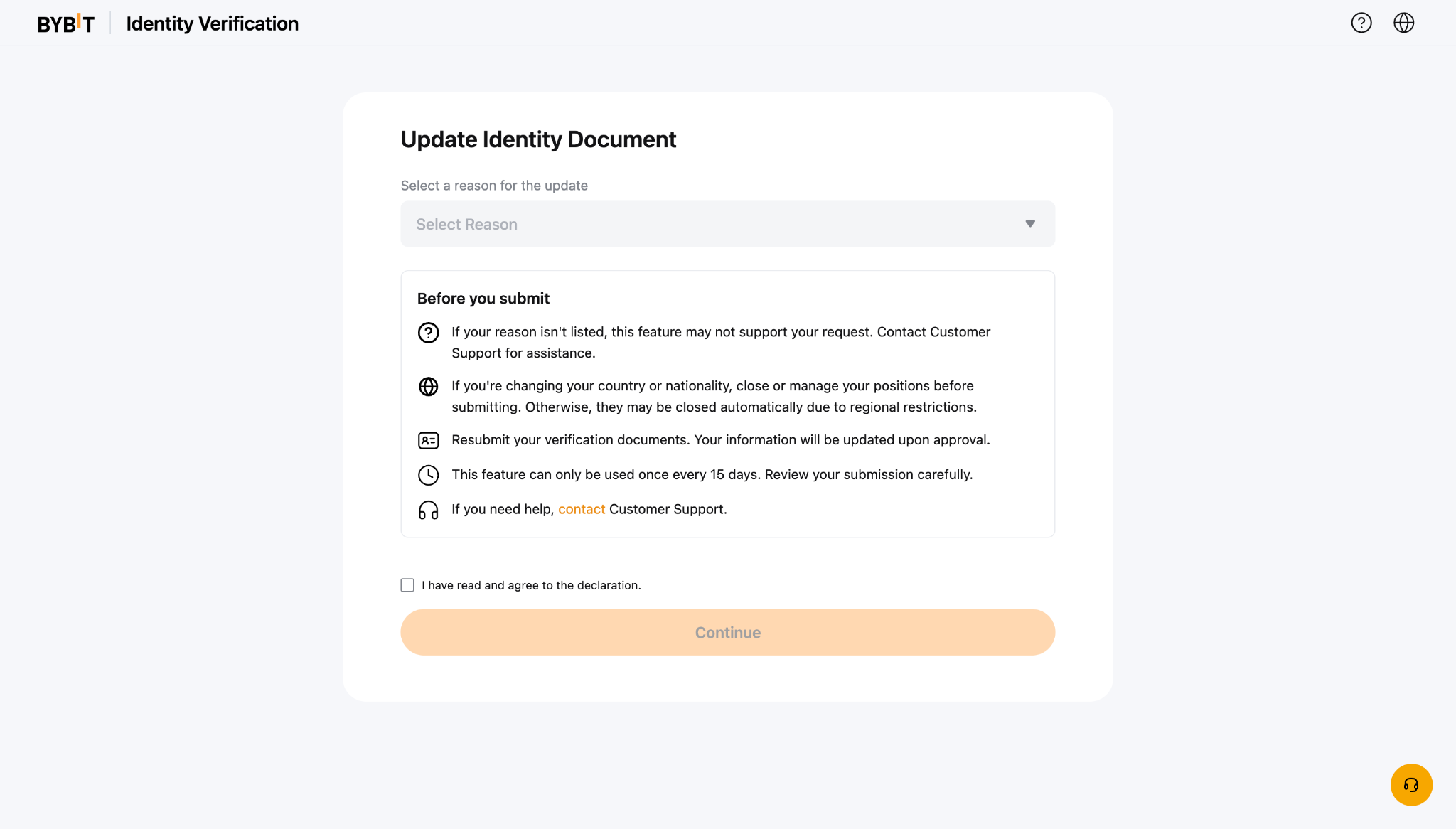
Passo 3: Selecione o motivo para atualizar seu documento de identidade. Leia e reconheça o aviso marcando a caixa de seleção, depois clique em Continuar para prosseguir.
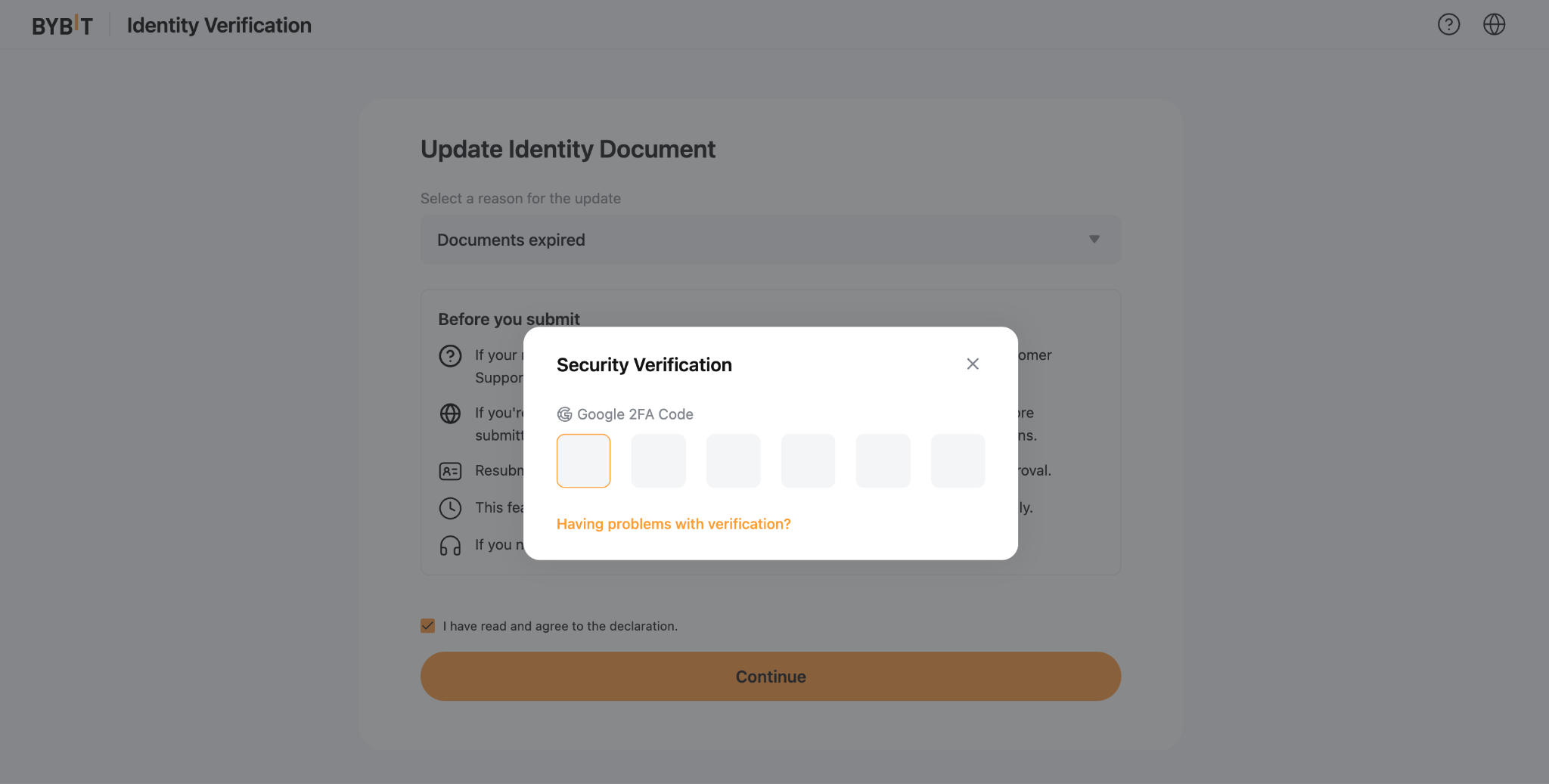
Passo 4: Siga as instruções no ecrã para completar o processo de verificação. Isso pode incluir Autenticação de Segurança e/ou Verificação Facial.
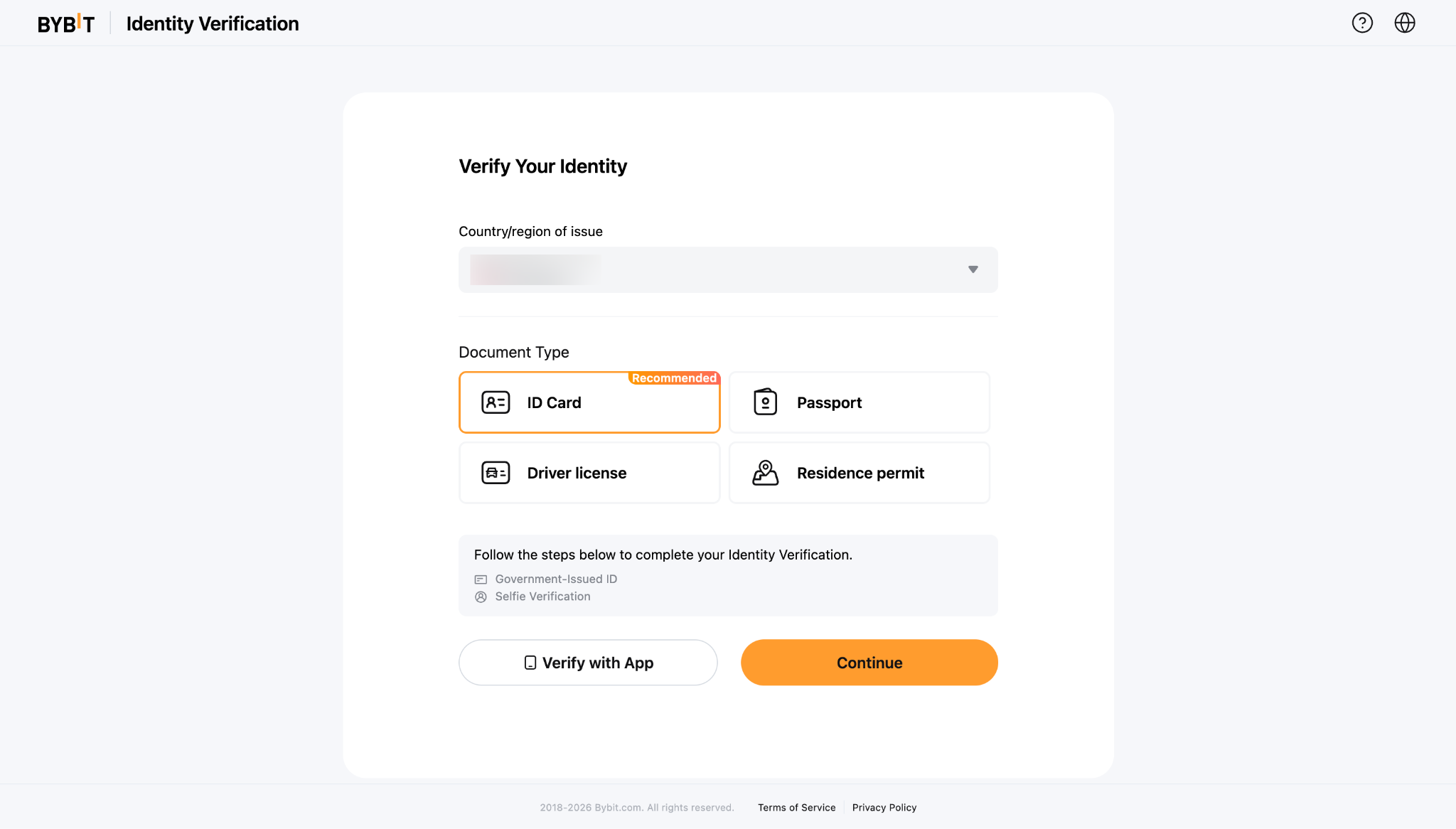
Passo 5: Envie seu Comprovante de Identidade atualizado completando o processo de Verificação Padrão como de costume.
Como Atualizar Seu Comprovante de Endereço (POA)
Passo 1: Na página inicial da Bybit, passe o cursor sobre o ícone do seu perfil e clique em Conta.
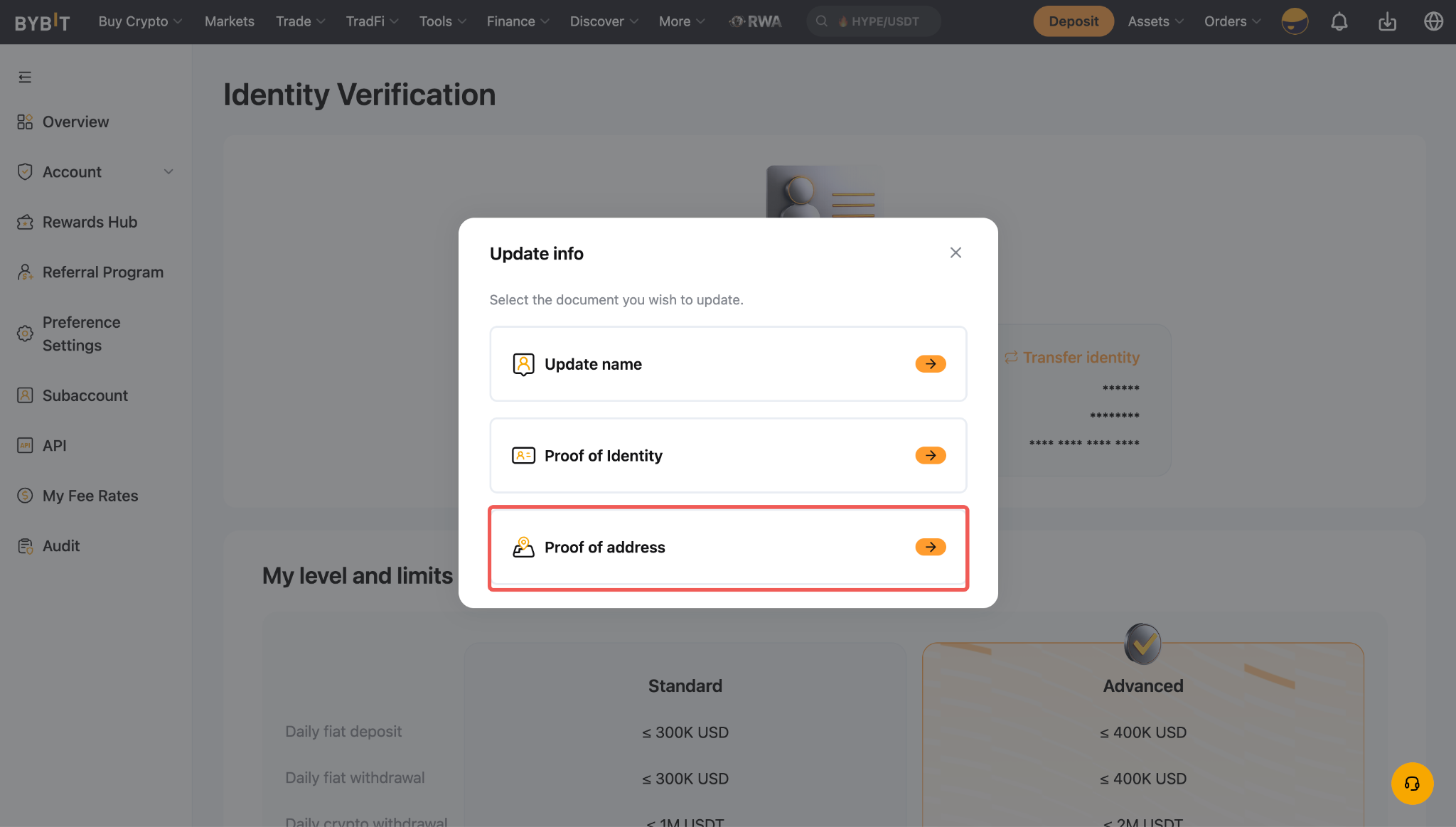
Em seguida, vá para a página de Verificação de Identidade a partir do menu Conta e clique em Atualizar Informações.
Passo 2: Selecione Comprovante de Endereço.
Passo 3: Escolha o motivo para atualizar seu documento de endereço. Leia e reconheça o aviso marcando a caixa de seleção e, em seguida, clique em Continuar para prosseguir.
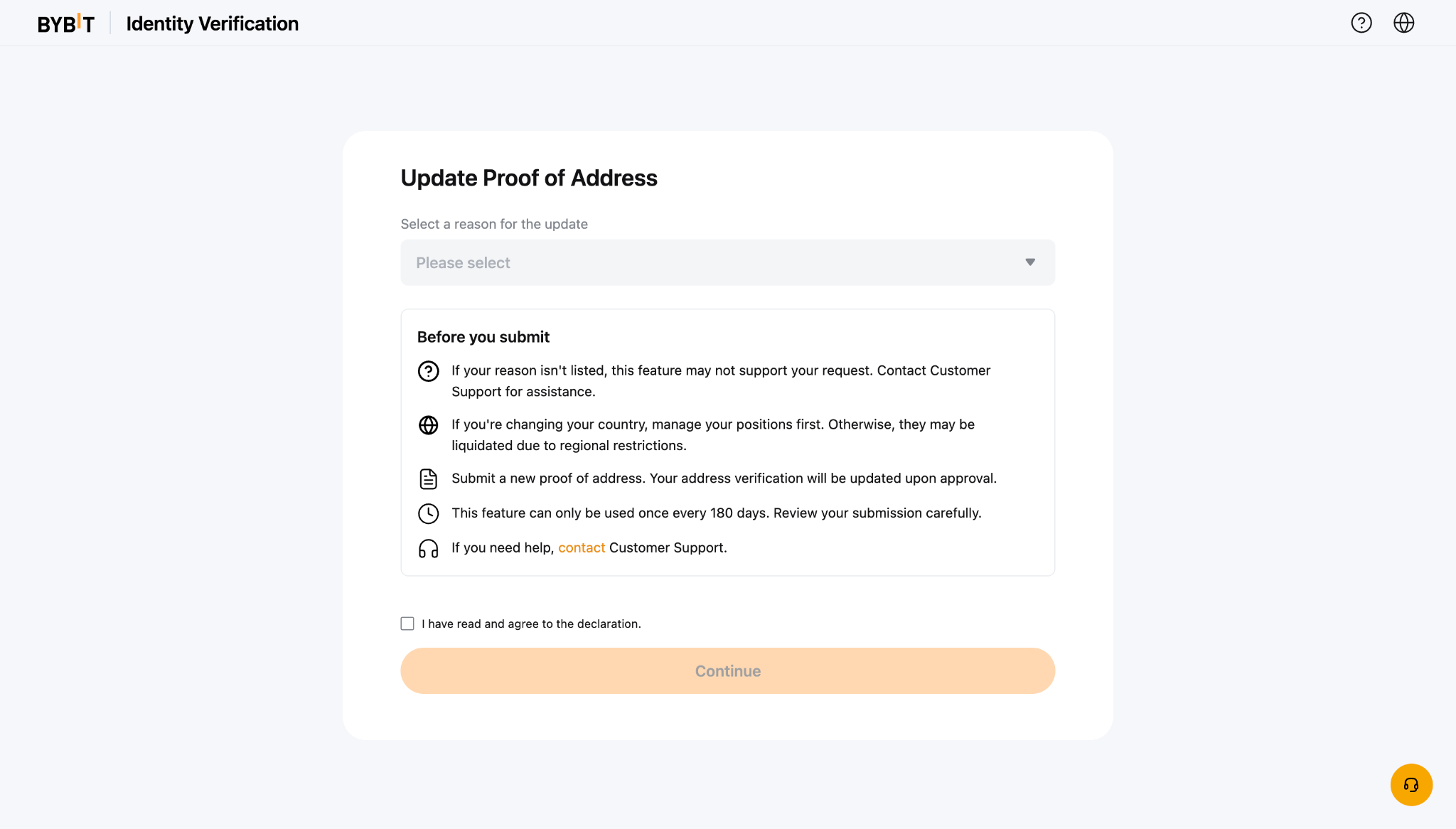
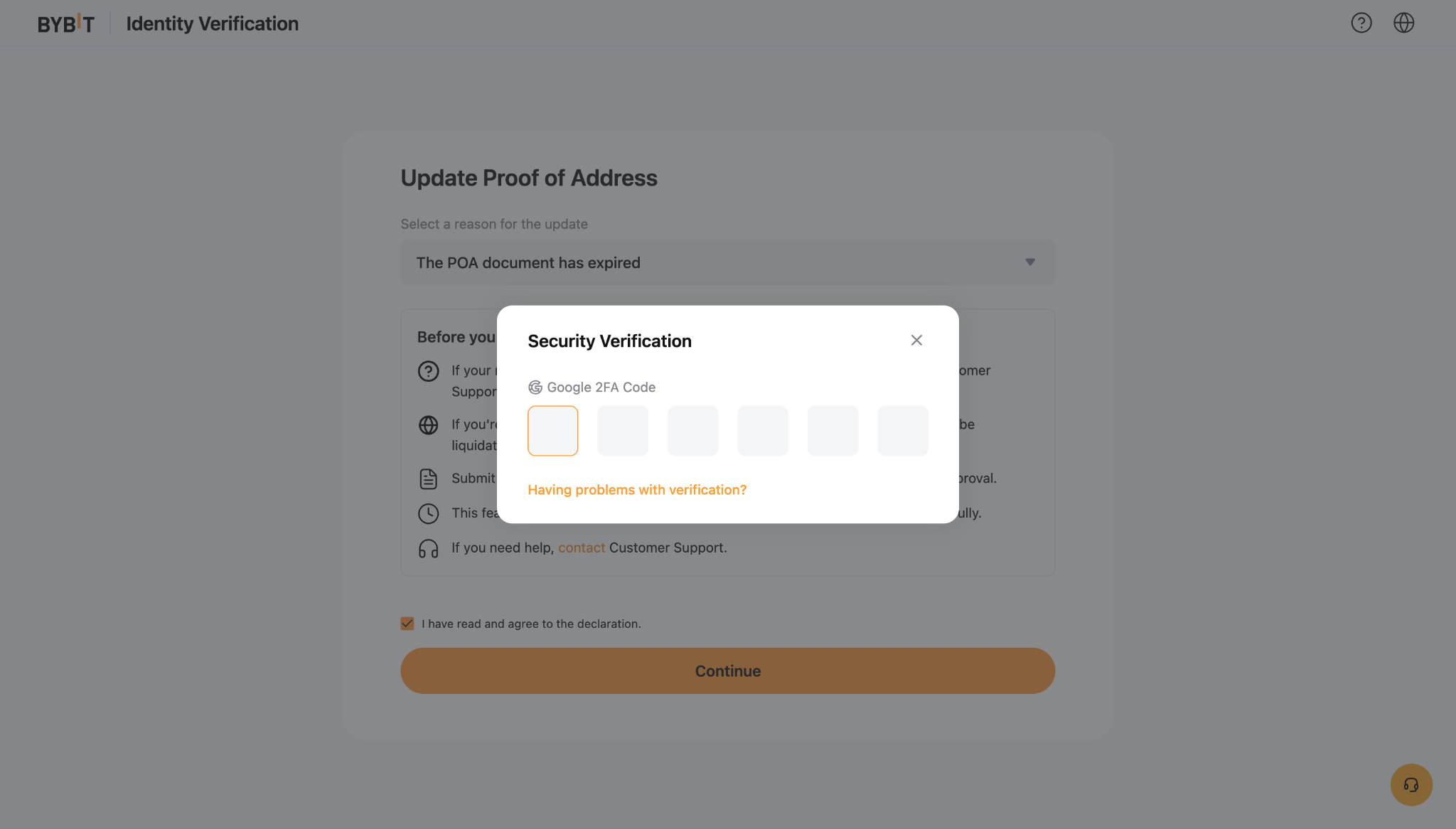
Passo 4: Siga as instruções no ecrã para completar o processo de Verificação de Segurança.
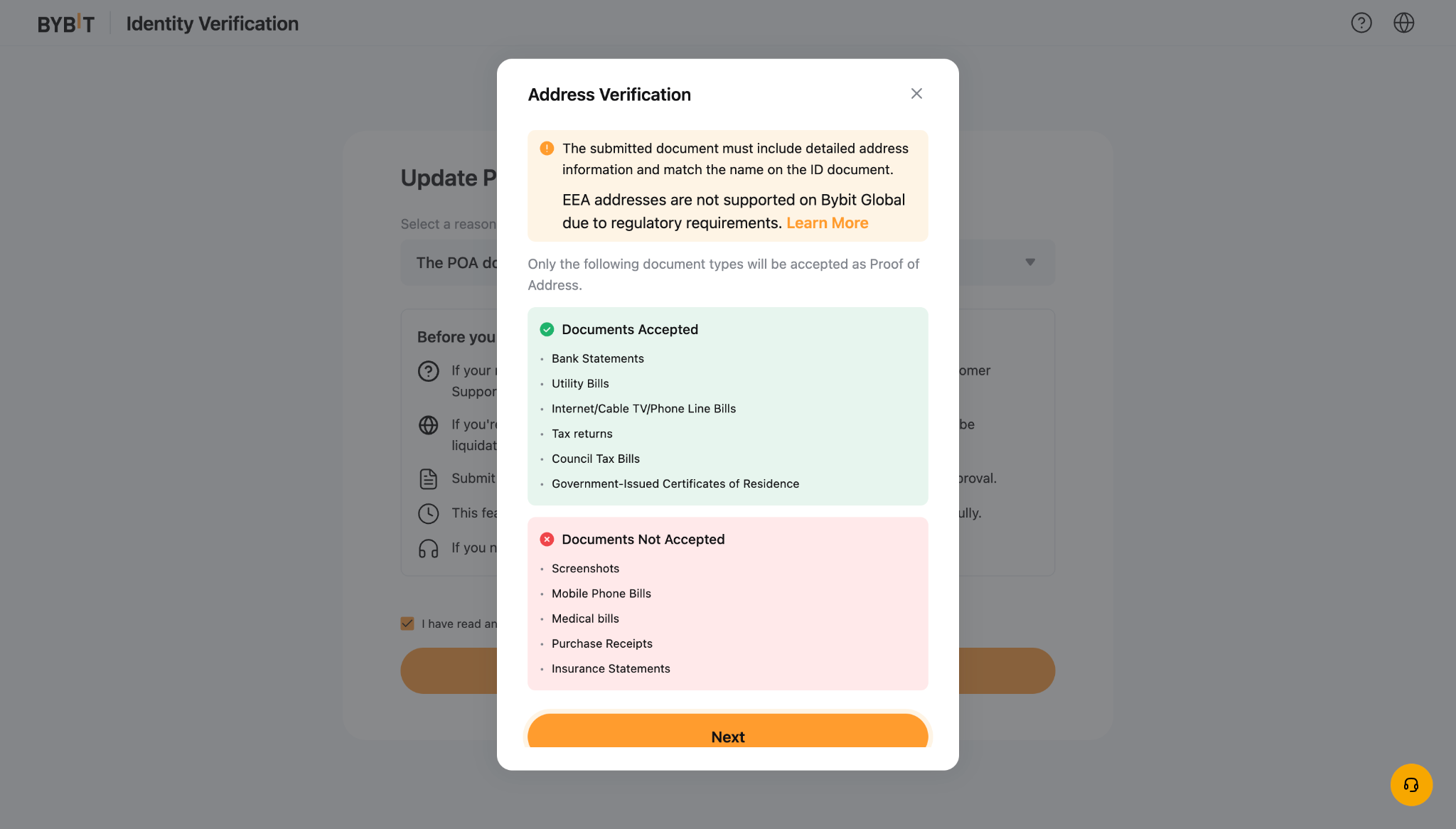
Passo 5: Leia os requisitos com atenção e clique em Próximo. Siga as instruções no ecrã para enviar seu Comprovante de Endereço atualizado.
Notas:
- O processo de atualização leva aproximadamente 15 minutos.
- Por favor, garanta que todas as informações e documentos fornecidos estão corretos e válidos para evitar atrasos na verificação.
- Você só pode atualizar seu Comprovante de Endereço após completar sua Verificação Avançada.
- Após atualizar seu Comprovante de Identidade (POI) ou Comprovante de Endereço (POA), você deve aguardar o período de espera antes de poder enviar outro pedido de atualização: 15 dias para POI e 180 dias para POA, contados a partir da data da sua última submissão.