
When you deposit or withdraw assets on Bybit, transactions can usually be tracked using a Transaction ID (TXID) through a public blockchain explorer. However, Canton Chain works differently.
Canton Chain is designed for privacy and institutional use, which means:
- Transaction details are not publicly searchable using only the TXID
- Standard blockchain explorers do not support direct TXID-based transaction lookup
- Canton Chain uses an additional identifier called a Transfer Object for transaction verification
This article explains how to locate your Transfer Object and use it to verify Canton Chain deposits and withdrawals.
How to Check Deposit/Withdrawal Transactions
To check your deposit and withdrawal transactions on Canton Chain, please follow the steps below:
Step 1: Go to your Funding Account History Page. Navigate to the Deposit or Withdrawal tab to locate the relevant transaction.
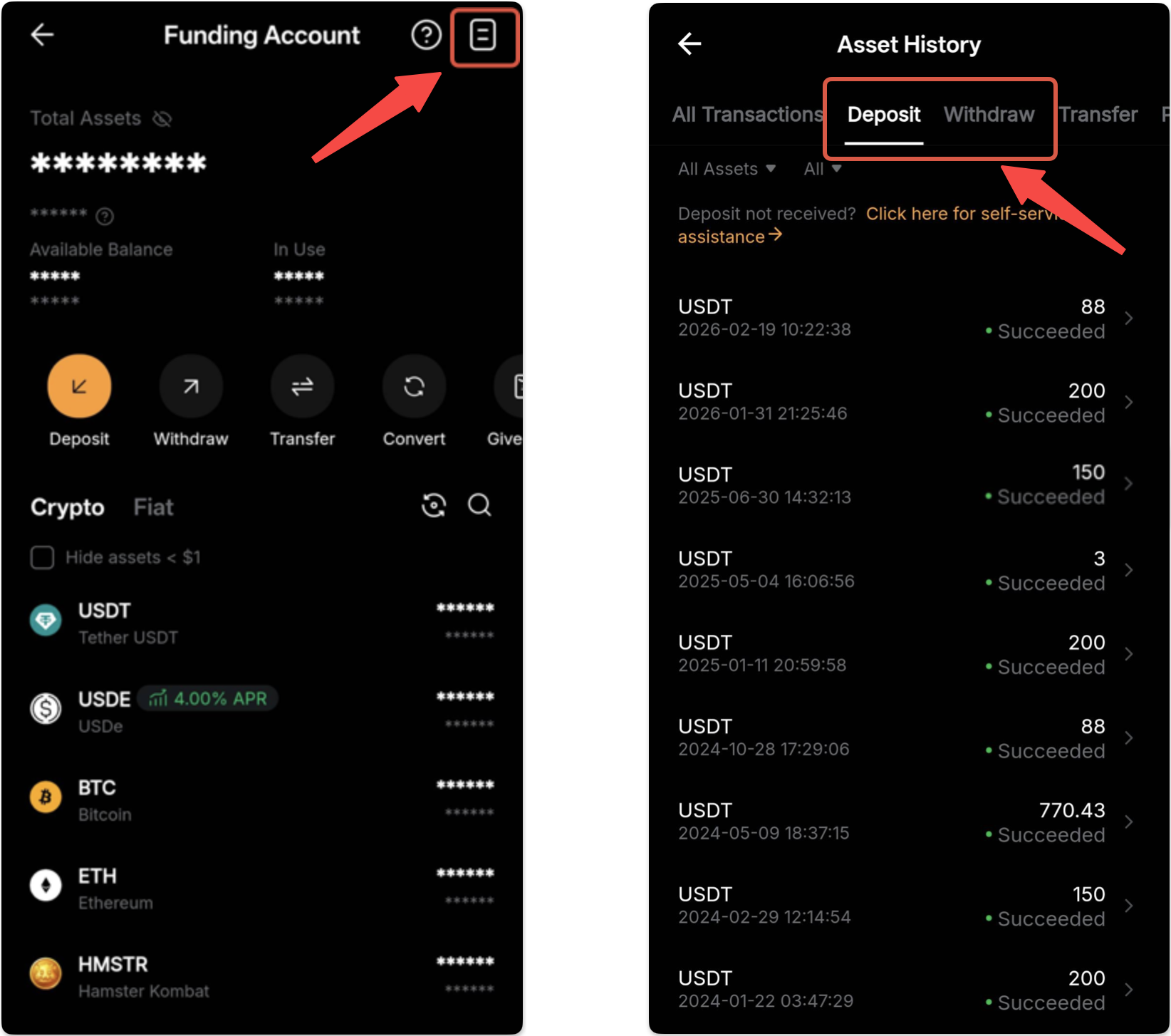
Step 2: Tap on the transaction, and you will find detailed information about your deposit/withdrawal, including:
- Coin
- Chain
- Amount
- TXID
- Transfer Object
Tap on Copy to view full details. Transfer Object information will be copied to your clipboard. After copying, tap on View on Blockchain Explorer to see the transaction on the explorer.
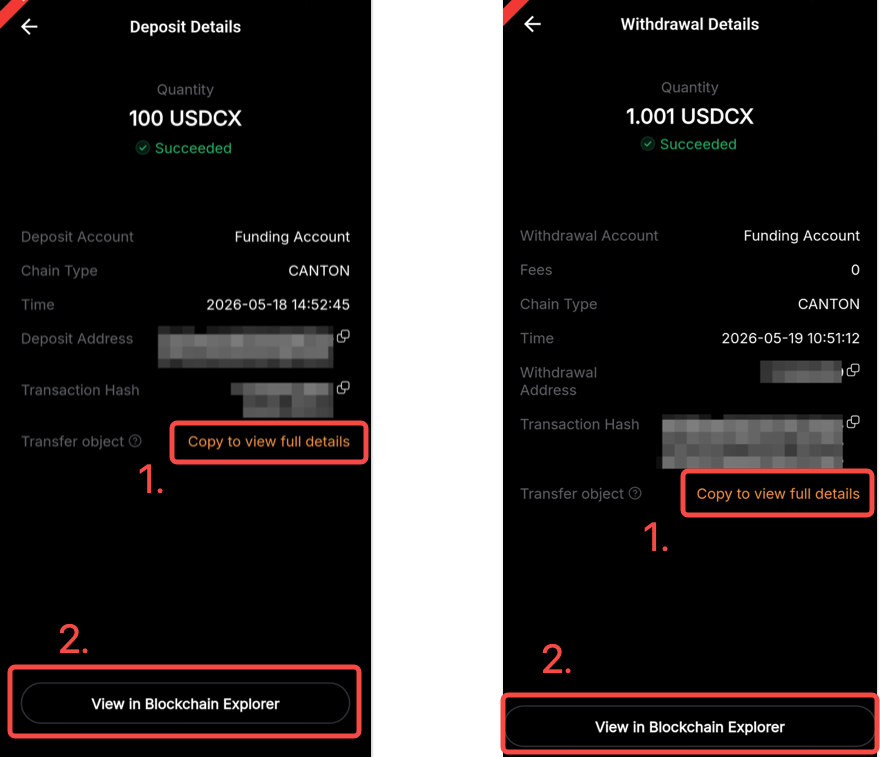
Note: If clicking View on Blockchain Explorer does not automatically open the Canton Chain Explorer with the transaction details displayed, please copy the TXID and paste it into the Canton Chain Explorer (https://ccexplorer.io/) to search for the transaction.
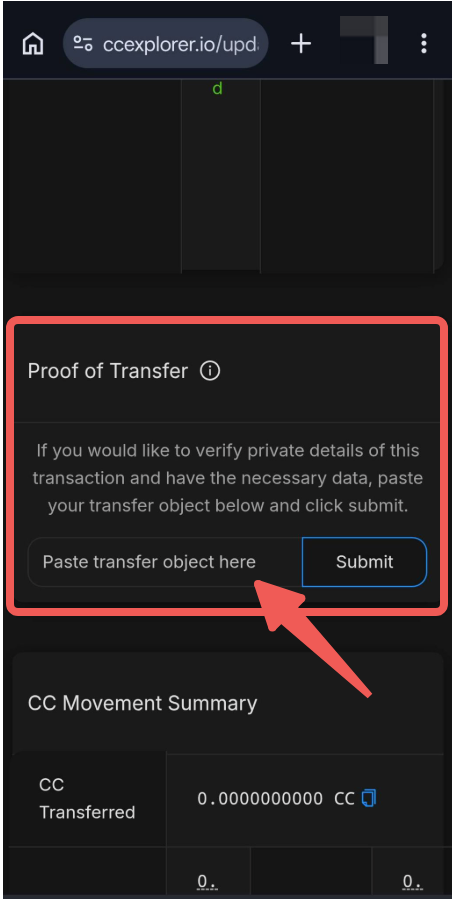
Step 3: Once the Canton Chain explorer opens, paste the Transfer Object under the Proof of Transfer section and click Submit. You will be able to view more details of your transaction.
Important Notes
- Canton Chain transaction details cannot be verified using the TXID alone. Always use the Transfer Object provided in the transaction details for verification.
- For security reasons, please do not share the Transfer Object with unauthorized parties.